
What is an SEO checklist? A prioritized 80/20 guide with free tools

An SEO checklist is a step-by-step list of tasks you run before and after publishing to make sure every page meets search engine basics, ordered so the highest-impact work gets done first. Without one, ranking can feel overwhelming. Every time you prepare to hit publish, a lingering fear remains that a broken link, a missing tag, or a slow script will ruin your chances of ranking. The digital landscape is flooded with massive lists of hundreds of optimization factors, leaving most creators paralyzed by choice. By transforming abstract guidelines into actionable, prioritized steps, you ensure that every piece of content gets a fair chance to compete. This article cuts through the noise, providing a focused framework that uses only free tools to tackle the tasks that actually move the needle.
What is an SEO checklist?
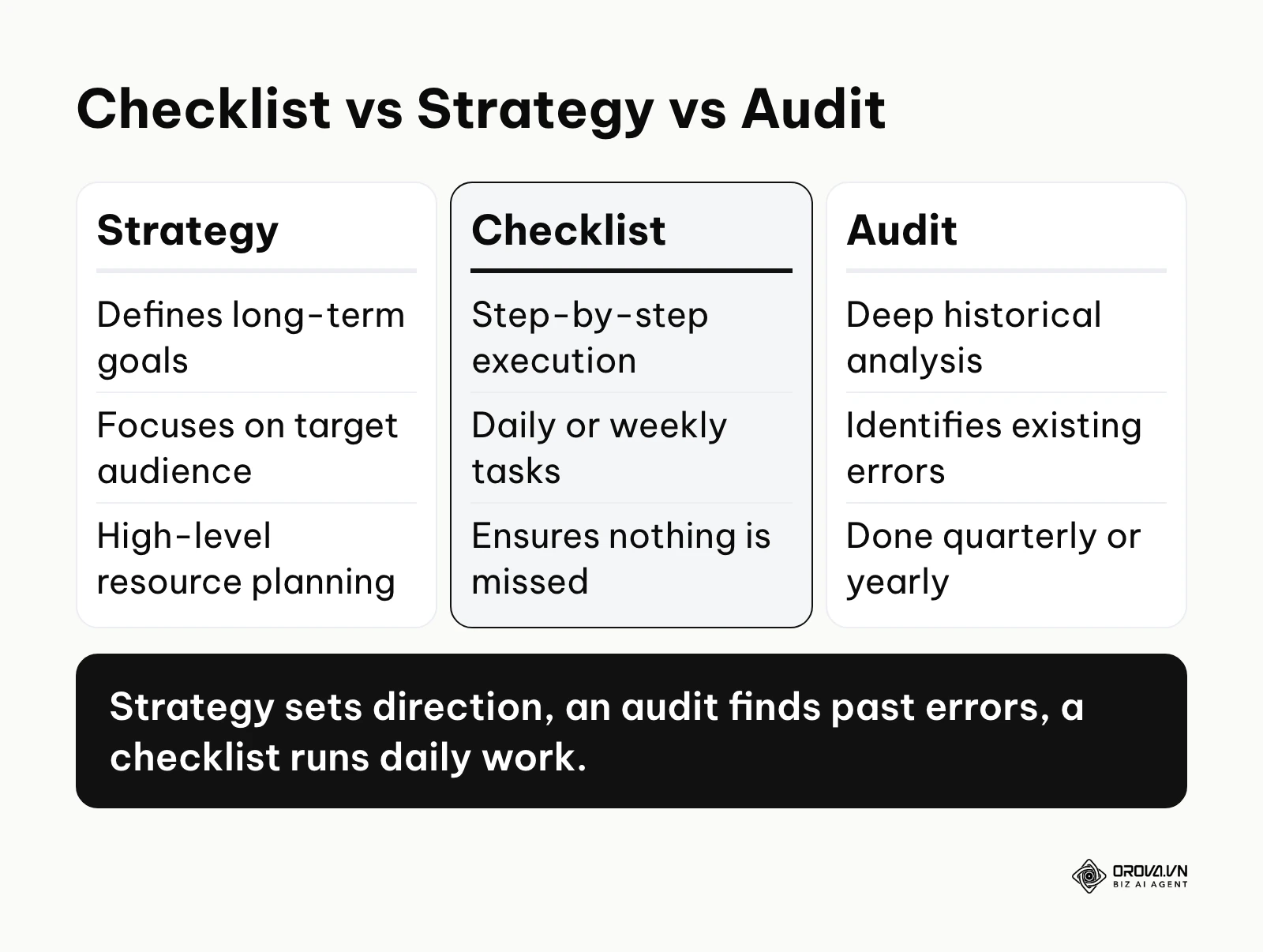
An SEO checklist is a structured, step-by-step document used to verify that a website meets search engine standards before and after publishing content. It serves to standardize optimization workflows, ensuring no critical technical or content elements are missed, unlike an overarching strategy which only defines broad goals.
The idea borrows from the quality-assurance checklists used in aviation and software releases. In digital marketing, it has evolved from simple lists of keyword densities into complex frameworks covering technical health, content quality, and user experience.
To clarify its exact role, we must distinguish it from other common terms that are frequently confused by beginners.
| Concept | How it differs | Example use case |
|---|---|---|
| SEO Strategy | Sets the overarching goals, target audience, and long-term budget. | Deciding to target enterprise customers through deep-dive case studies over the next year. |
| SEO Audit | A retrospective, deep-dive analysis to find existing errors and historical penalties. | Hiring an expert to figure out why your website traffic dropped suddenly last month. |
| SEO Checklist | A tactical, daily execution tool to ensure standard quality for every new action. | Checking that your new blog post has a proper meta description before clicking publish. |
As an everyday example, think of a pilot preparing for a flight. The strategy is deciding the destination and route. The audit is the deep mechanical inspection done in the hangar every six months. The checklist is the clipboard the pilot holds right before takeoff, physically verifying that the flaps work and the fuel is loaded. Without the daily checklist, even the best strategy and the safest plane can crash due to a simple oversight.
The meaning of an SEO checklist in modern search
An optimization checklist exists to solve the problem of human error and cognitive overload. Search engines evaluate hundreds of different signals to determine ranking. Expecting a writer, a developer, or a business owner to hold all these technical requirements in their head while also trying to write compelling copy is impossible. The checklist externalizes this memory burden, allowing the creator to focus entirely on the creative process, knowing that a safety net is waiting at the end to catch technical mistakes.
In the broader picture of digital marketing, the checklist sits directly between content creation and content distribution. It is the final gatekeeper. You draft your article, you run it through the checklist, and then you distribute it to the world. Getting the fundamentals right on every page, every time, tends to pay off far more reliably than chasing short-lived ranking tricks. If you skip this critical gatekeeping step, you risk publishing invisible content. You might spend ten hours writing a masterpiece, but if a simple technical error prevents search engines from indexing it, those ten hours yield zero return on investment.
Illustrative example: A small e-commerce store owner managing a catalog of 500 products. First, they implemented a basic URL structure. Second, they wrote unique product descriptions. Third, they compressed all heavy images. Initially, product pages were cannibalizing each other because the title tags were too similar across the same category. They fixed this by adding specific model numbers and color variants to each title tag systematically. As a result, each product page could rank for its own variant searches, and click-through rates from the results page improved.
When not to use an SEO checklist: You should avoid strictly following an optimization checklist when you are publishing timely news updates, highly personal thought leadership pieces, or urgent company announcements. In these specific cases, speed to market and authentic human voice matter significantly more than perfect keyword placement or heading structures. Blindly forcing a rigid technical checklist onto a creative, opinion-driven editorial piece often ruins the natural flow. Instead, publish the content immediately to capture the current conversation, and only return to optimize basic metadata days later.
The value and benefits of an SEO checklist
Implementing a standardized list of tasks delivers value across two distinct layers: it protects the business from costly technical risks while simultaneously making the daily lives of the creative staff much easier.
Reduced risk of catastrophic traffic drops
For the business, organic traffic often equates directly to revenue. A single unchecked error, such as a developer accidentally leaving a "noindex" tag active after a site redesign, can wipe out years of accumulated traffic overnight.
- Before: The business relies on blind trust that every team member perfectly understands search engine guidelines, leading to frequent, unpredictable drops in traffic when technical mistakes occur.
- After: The business possesses a hardcoded safety net. Every structural change is vetted against the list, drastically reducing the risk of self-inflicted technical penalties and ensuring revenue stability.
Faster onboarding for new marketing team members
Training new employees on a company's specific publishing standards is traditionally a slow, expensive process.
- Before: Senior staff must spend weeks shadowing new writers, manually pointing out missing image tags or poorly structured URLs, which drains expensive management time.
- After: New hires are handed the exact execution document on day one. They can self-correct their work before submitting it for review, shortening the onboarding ramp from weeks down to a few days.
Predictable workflows for content creators
For the person doing the actual writing, staring at a blank screen while worrying about algorithms is highly stressful.
- Before: Writers suffer from decision fatigue, constantly stopping their creative flow to wonder if they have used a keyword enough times or if their headings are correct.
- After: Writers can separate creation from optimization. They write freely first, then simply follow the list of constraints at the end, making the writing process faster and less stressful.
Illustrative example: An in-house content manager at a mid-sized B2B software company. First, they established a baseline content brief template. Second, they optimized headings for target keywords. Third, they mapped out internal links before assigning drafts. The team struggled to get writers to consistently use the primary keywords in the introduction, often burying the main topic. They resolved this by adding a mandatory pre-publish validation step to the editorial workflow that strictly checked the first paragraph. Over the following months, more of their posts started showing up for the questions they targeted.
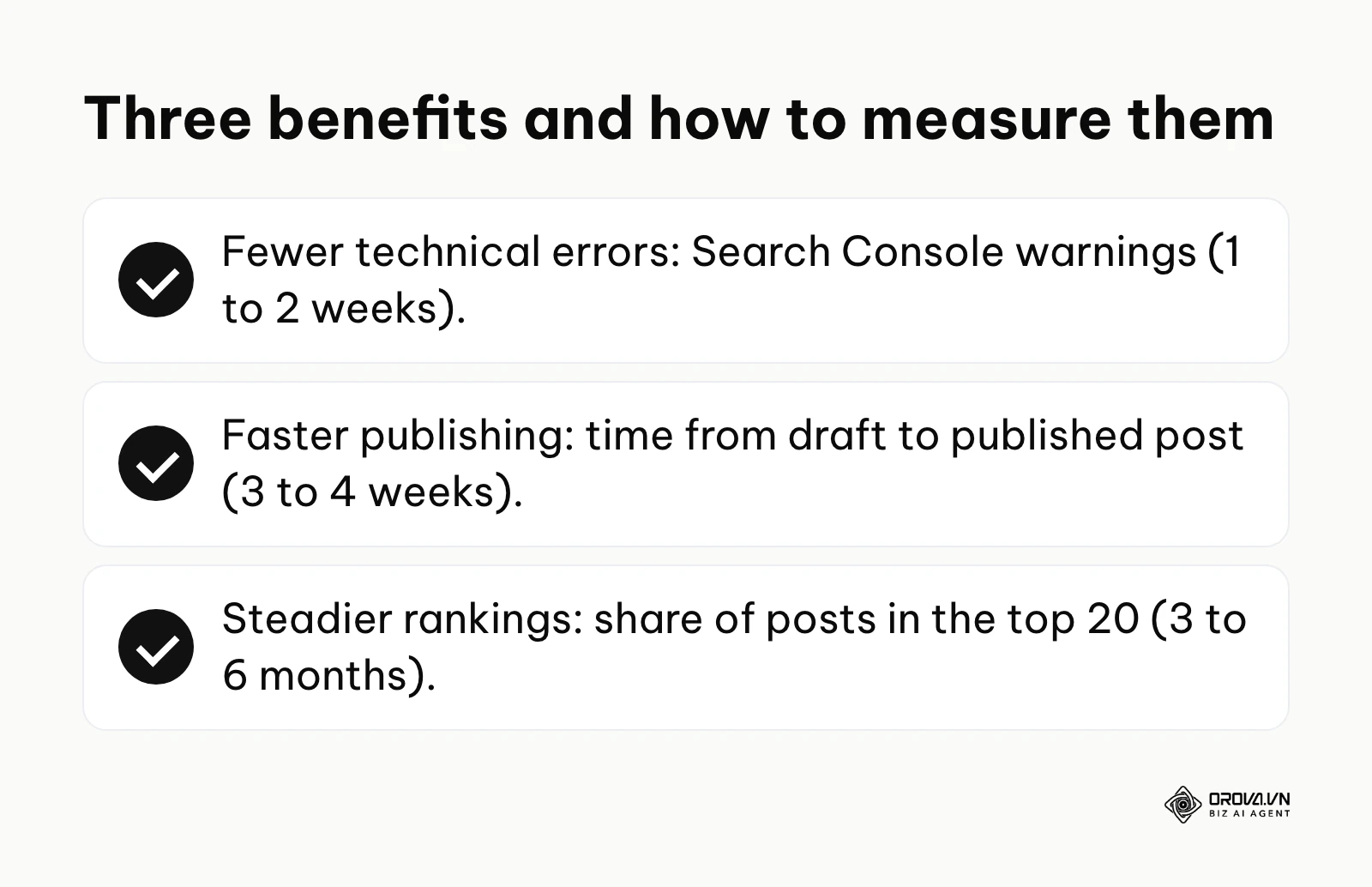
| Benefit | Measured by which metric | Expected time to see results |
|---|---|---|
| Reduced technical errors | Number of warnings in Google Search Console | 1 to 2 weeks |
| Faster publishing speed | Average time taken from draft to published post | 3 to 4 weeks |
| Consistent ranking improvements | Percentage of posts ranking in the top 20 | 3 to 6 months |
Discover Orova.vn – a Biz AI Agent platform with OROVA SEO, a complete solution for every website. The system supports search engine optimization from A to Z with features including keyword research, writing new SEO-ready articles, optimizing existing content, rank tracking, plus competitor analysis and in-depth technical analysis. Sign up today to experience OROVA SEO completely free (offer valid through July 7, 2027).
How an SEO checklist works: The 80/20 execution framework
Most online guides fail because they dump fifty tasks on the reader and treat them all as equally important. In practice, the Pareto Principle (the 80/20 rule) is a useful lens for search optimization: a small share of your tasks usually drives most of your traffic results. Attempting to execute every possible technical tweak will only lead to burnout, especially for solo operators or small teams.
Before we dive into the specific tasks, it is crucial to understand that not all checklists serve the same purpose. Depending on your current situation, you will lean heavily on one of the following variations.
| Type of Checklist | Key Characteristics | Best suited for |
|---|---|---|
| New Website Setup | Focuses heavily on indexation, analytics connections, and site architecture. | Completely new domains with zero existing traffic. |
| Technical Health | Deep dive into site speed, server responses, and mobile usability errors. | Established sites experiencing sudden ranking drops or crawling issues. |
| Content Publishing | Rapid, repeatable steps for metadata, keyword placement, and readability. | Active blogs publishing multiple new articles every single week. |
The Prioritization Matrix (Impact vs Effort)
To make this framework actionable, you must view every task through the lens of Impact versus Effort. If you only have one hour a week to do SEO, you must ruthlessly prioritize tasks that require minimal effort but yield maximum visibility.
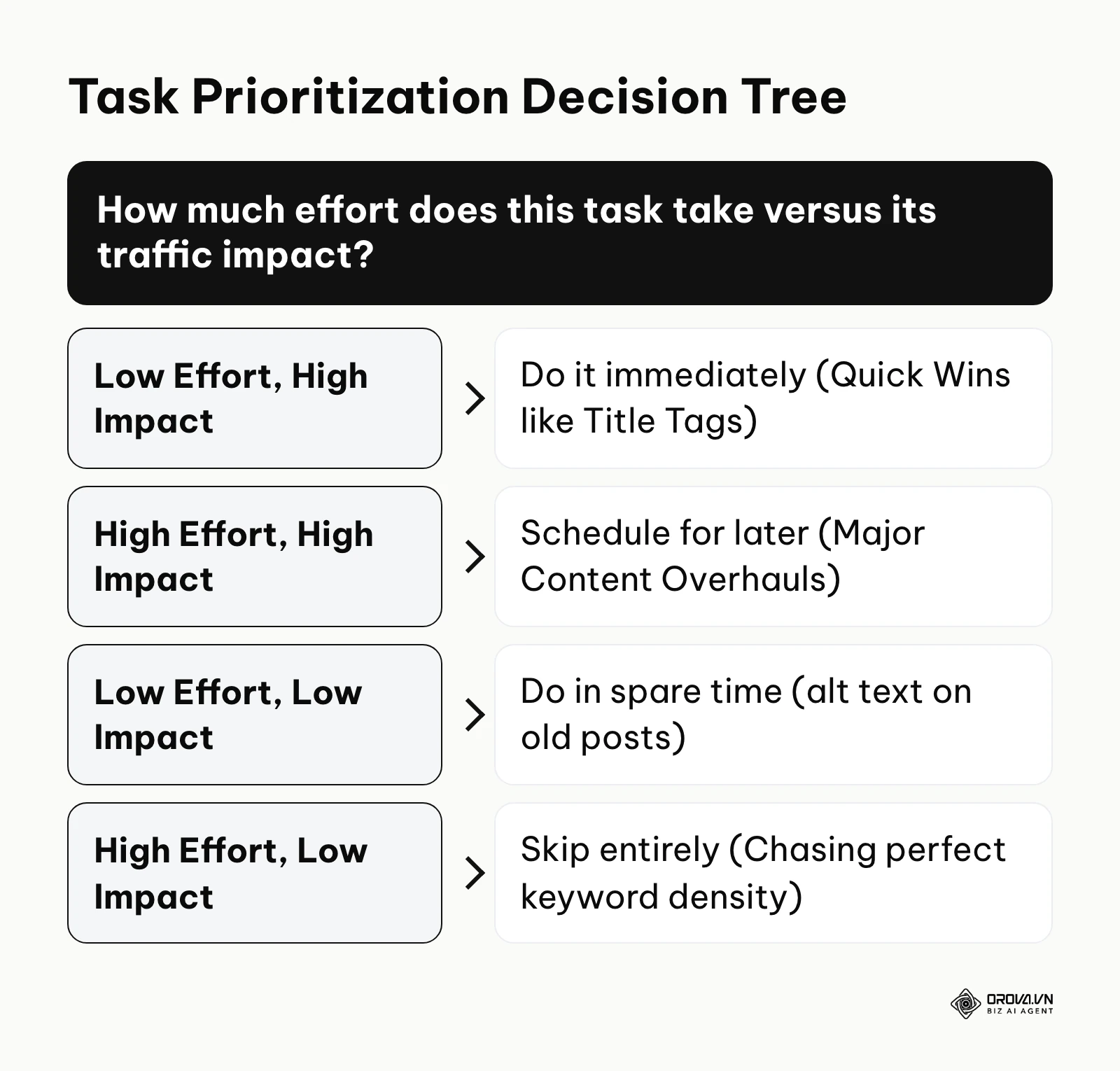
- Quick Wins (High Impact, Low Effort): These are the tasks you must do first. They include rewriting boring title tags to increase click-through rates, writing compelling meta descriptions, and adding internal links from your highest-traffic pages to your newer pages. You can complete these in minutes, and search engines usually pick up the changes within days or weeks.
- Major Projects (High Impact, High Effort): These tasks are necessary but should be scheduled carefully. They involve addressing foundational technical SEO elements like completely overhauling your site architecture, migrating to a faster hosting server, or rewriting thin, low-quality content pages into comprehensive guides.
- Fillers (Low Impact, Low Effort): These are tasks you do when you have spare time. Writing alt text for decorative images on old blog posts or fixing minor broken links that point to external sites nobody clicks on. They help, but they will not double your traffic.
- Time Wasters (Low Impact, High Effort): Solo website owners must aggressively avoid these. Obsessing over achieving the perfect "keyword density" percentage, migrating to a slightly faster theme when your site already loads in two seconds, or trying to manipulate obscure schema markup tags for marginal gains.
The free SEO tool stack
One of the biggest misconceptions is that you need paid software subscriptions to rank effectively. If you are a beginner or running a lean operation, you can execute a world-class checklist using entirely free tools.
- Google Search Console (GSC): This is your primary source of truth. It tells you exactly what keywords your site is currently ranking for, identifies crawling errors, and allows you to submit new pages for indexation. When setting up your analytics, learning to use Google Search Console for SEO gives you direct insight into Google's database.
- Google Analytics 4 (GA4): While GSC shows you what happens on the search engine, GA4 shows you what users do once they land on your site. You use it to track time on page and conversion events.
- Detailed SEO Extension: A free Google Chrome extension that allows you to click a button and instantly view the title tag, meta description, word count, and heading structure of any webpage you are currently looking at. It is invaluable for quick competitor analysis.
- Google Keyword Planner: Free to use inside a Google Ads account, this tool provides search volume estimates directly from Google, allowing you to validate if people are actually searching for your proposed topics.
- Screaming Frog SEO Spider (Free Version): A desktop program that crawls your website exactly like a search engine bot would. The free version allows you to crawl up to 500 URLs, which is more than enough for small business websites to find broken links and missing page titles.
Phase 1: One-off Setup Tasks (Foundation)
These are tasks you execute exactly once when you launch a new website or when you decide to finally take your search visibility seriously. Once completed, you rarely need to touch them again unless you undergo a major site redesign.
- Configure your primary domain: Ensure your site strictly resolves to either the 'www' or 'non-www' version, and never both, to prevent massive duplication issues.
- Install an SSL certificate: Verify that your site loads exclusively over HTTPS. HTTPS is a lightweight ranking signal, and browsers flag plain HTTP pages as "Not secure".
- Connect to Google Search Console: Verify your domain ownership so you can monitor your indexation status and receive alerts about indexing problems and manual actions.
- Generate and submit an XML Sitemap: Create a dynamic file that lists all your important pages and submit it via GSC to help bots discover your content faster.
- Configure your Robots.txt file: Ensure you are not accidentally blocking search engine bots from accessing your core content directories.
- Set up a logical permalink structure: Ensure your URLs are clean, short, and readable (e.g., website.com/category/product-name), avoiding long strings of numbers or random characters.
- Optimize for mobile rendering: Ensure your site template is fully responsive, then check the Core Web Vitals report in Search Console or run key pages through PageSpeed Insights to confirm they load fast on mobile.
Phase 2: Per-post Execution Tasks (Content)
This is the checklist you must physically look at every single time you are about to publish a new blog post, landing page, or product description. Executing strong on-page SEO for every article is what separates growing sites from stagnant ones.
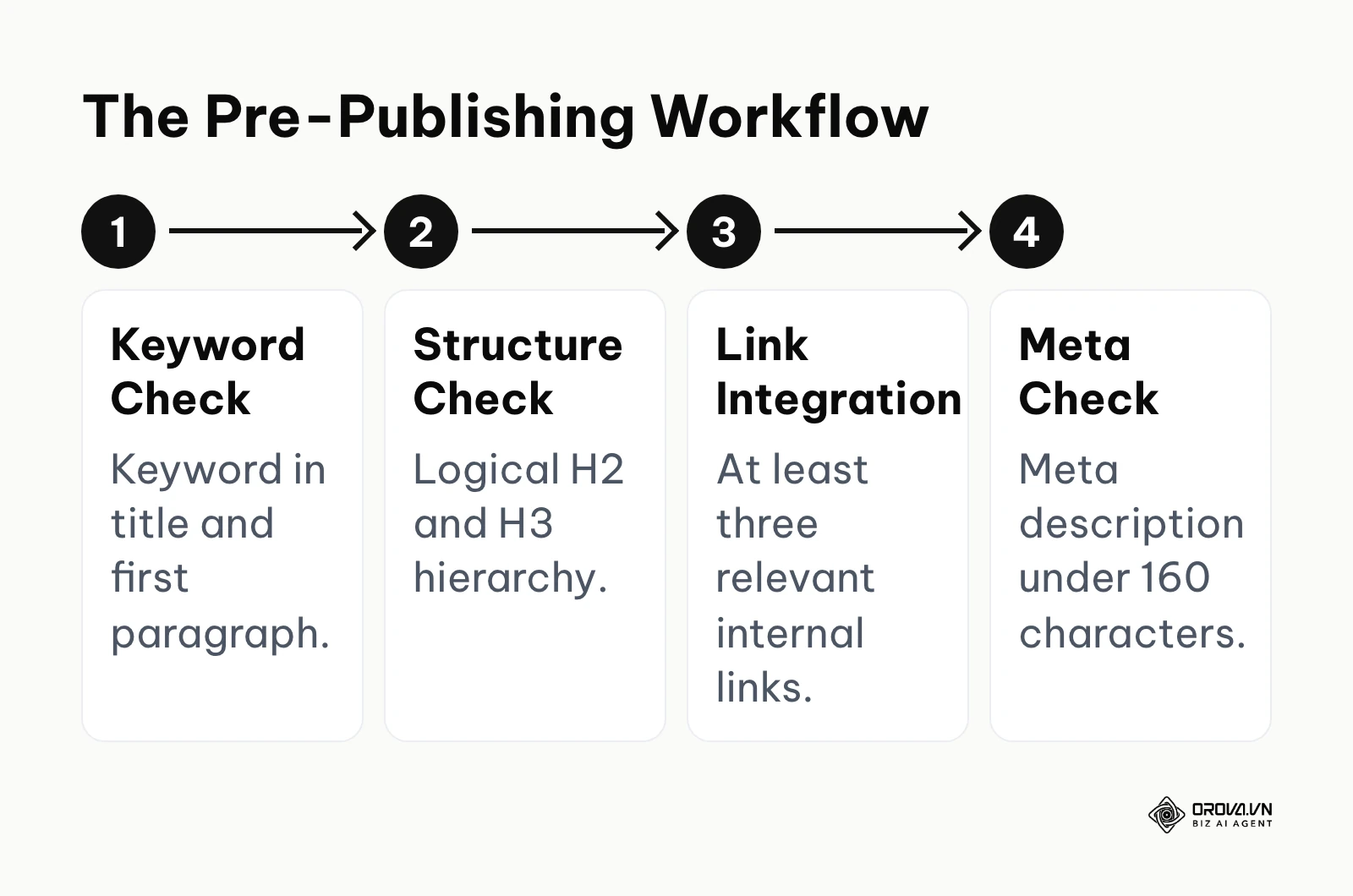
- Verify primary keyword intent: Ensure the keyword you are targeting actually matches the type of content you wrote. If the keyword implies a "how-to" intent, do not publish a sales page.
- Place the keyword strategically: The primary keyword must appear naturally in the Title Tag, the main H1 heading, the URL slug, and within the first 100 words of the introduction.
- Structure headings hierarchically: Use H2 tags for main sections and H3 tags for sub-sections. Never skip heading levels (e.g., jumping from H1 directly to H4) just for visual styling.
- Write a compelling Meta Description: Keep it under 160 characters. It does not directly impact ranking, but a persuasive description significantly increases your click-through rate.
- Optimize visual assets: Compress all images so they load quickly, and add descriptive Alt Text to every image, explaining what the image depicts to visually impaired users and search bots.
- Implement internal linking: Add at least three links pointing from your new post to older, relevant posts on your site.
- Secure inbound internal links: Crucially, go back to three of your older, high-traffic posts and add a link pointing forward to this brand new post to help search engines discover it faster.
Phase 3: Monthly Maintenance Tasks (Audit)
If you only rely on the per-post checklist, your site will slowly accumulate technical debt over time. Conducting a routine SEO audit helps you catch overarching problems before they cause significant traffic loss. Dedicate one afternoon on the first day of every month to run through these items.
- Review the GSC Page indexing report: Check for any new pages that are marked as "Crawled - currently not indexed" or "Discovered - currently not indexed" to identify low-quality content.
- Fix newly broken links: Use a crawling tool to find any internal links that now point to 404 error pages and update them.
- Analyze keyword cannibalization: Check if multiple pages on your site are suddenly competing and ranking for the exact same primary keyword, diluting your authority.
- Update outdated content: Find posts that have slowly lost traffic over the last six months and update them with new information, current year references, and fresh images. Furthermore, spot-checking key pages against the W3C's Web Content Accessibility Guidelines (WCAG 2.2) helps keep your content readable and accessible to both bots and human users.
Illustrative example: A freelance consultant taking over an established but declining local service website. First, they connected the analytics tracking systems. Second, they submitted a clean sitemap. Third, they ran a comprehensive broken link checker. The client's custom content management system was automatically generating duplicate tag pages that diluted the overall site authority. The consultant fixed this by implementing a site-wide rule to prevent indexing for the specific tag directory. The result was an influx of new indexation requests being approved, and the local map pack began displaying their business for surrounding neighborhood queries.
AI SEO automation playbook: 21 safe prompts
The biggest bottleneck in executing an optimization list is the sheer repetition. Writing twenty meta descriptions manually is exhausting. Transitioning to modern AI SEO workflows allows you to automate the tedious formatting tasks safely, provided you use precise prompts that do not generate spam.
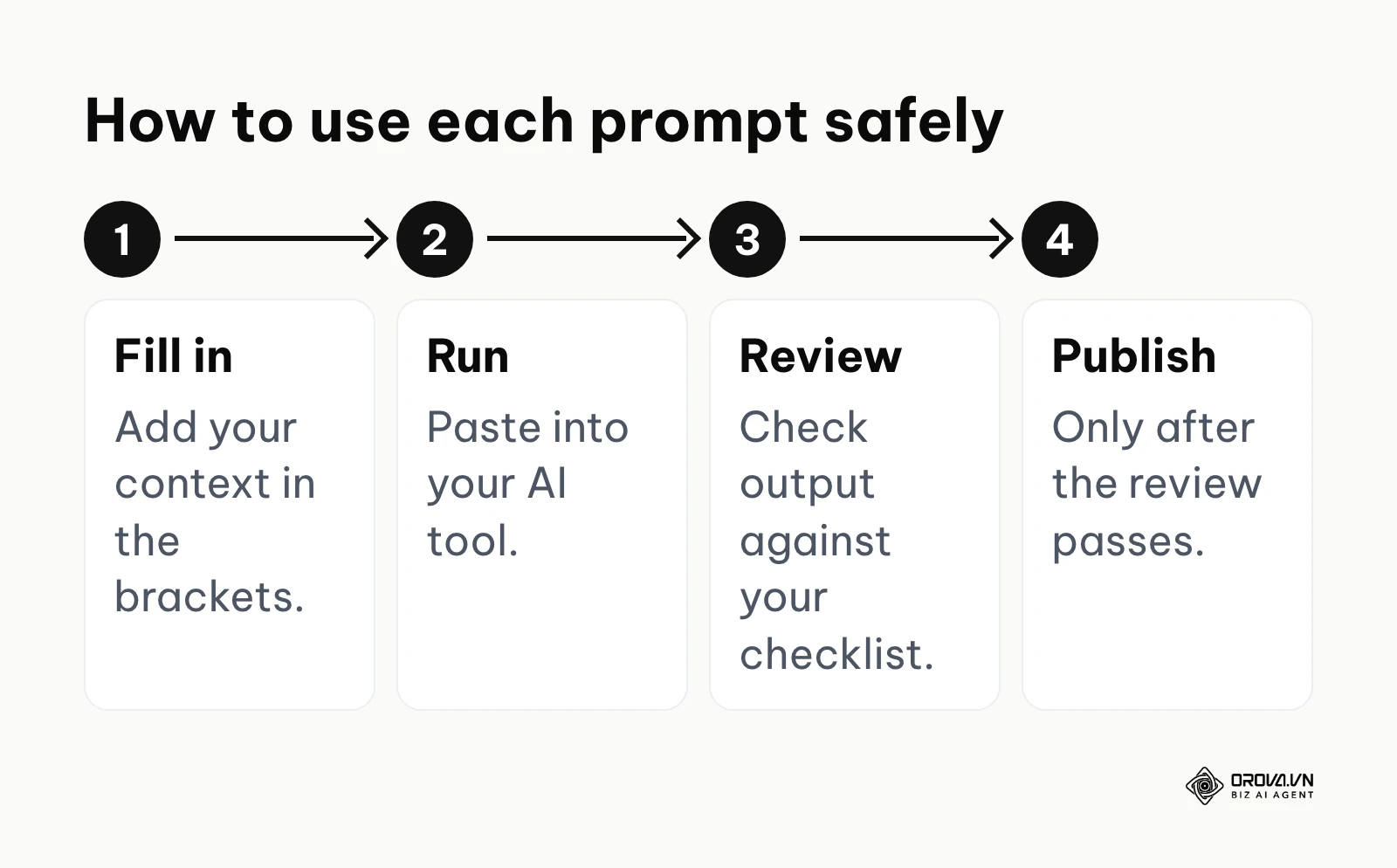
Copy and paste these exact prompts into your preferred AI tool, supplying your own context in the brackets. Use every prompt the same way: fill in the brackets, run it, review the output against your checklist, and only then publish.
Group 1: Intent & Structure Automation
- Search Intent Analyzer: "Act as a search intent expert. Analyze the keyword [Target Keyword]. Tell me the primary intent (Informational, Navigational, Transactional, Commercial Investigation) and list the top 3 questions a user expects answered when searching this."
- Competitor Outline Extractor: "Review the following text from a top-ranking competitor [Paste Text]. Extract their exact heading structure (H1, H2, H3) and identify any critical topical gaps they missed that I should include in my own article."
- Topical Authority Mapper: "I want to build topical authority around [Broad Topic]. Generate a list of 10 highly specific, long-tail blog post titles that cover distinct sub-topics without overlapping each other."
- Content Gap Identifier: "Compare my current article outline [Paste Outline] with the target keyword [Keyword]. Identify any related sub-topics or entities that I have completely ignored."
- Heading Structure Optimizer: "Take this disorganized list of talking points [Paste Points] and organize them into a strict, logical H2 and H3 hierarchy suitable for a comprehensive SEO guide."
Group 2: Meta Data & On-Page Execution
- Click-Worthy Title Generator: "Write 5 alternative Title Tags for an article about [Topic]. Each title must be under 60 characters, include the exact keyword [Keyword], and use a compelling hook that triggers curiosity."
- Semantic Meta Description Writer: "Write a 150-character meta description for an article titled [Title]. It must contain the keyword [Keyword] and end with a strong call to action inviting the user to click."
- URL Slug Formatter: "Convert this long article title [Title] into a short, clean, hyphen-separated URL slug that is optimized for search engines. Remove all stop words."
- Image Alt Text Creator: "I have an image showing [Describe Image]. Write a concise, descriptive alt text under 100 characters that naturally includes the secondary keyword [Keyword] without keyword stuffing."
- Related Terms Integrator: "Here is a list of related secondary keywords: [List]. Review my introductory paragraph [Paste Intro] and rewrite it slightly to naturally incorporate at least two of these secondary keywords."
Prompts for schema code and content refreshes
The last two groups cover technical markup and updates to existing content, where a careful human review matters most.
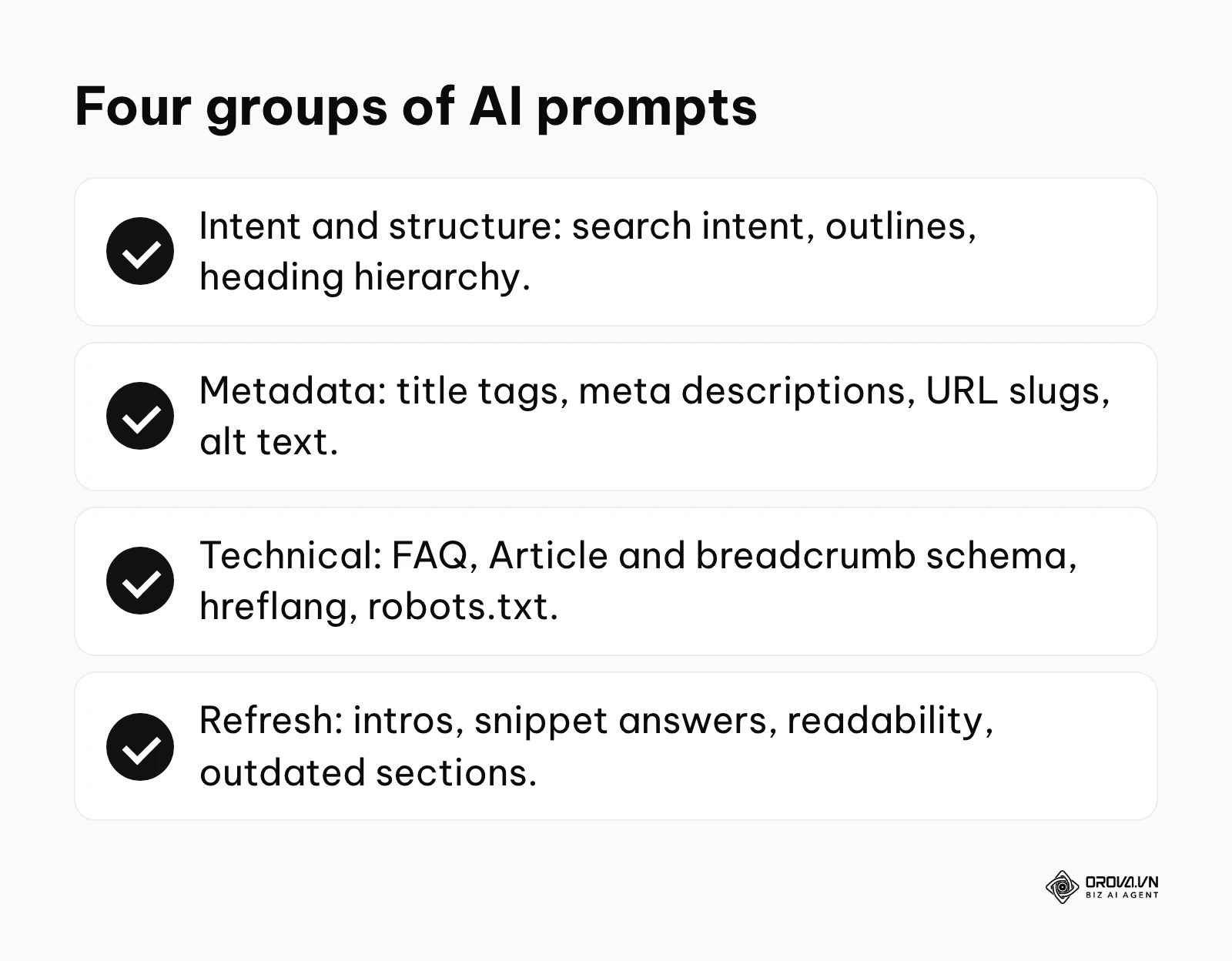
Group 3: Technical & Schema Code Generation
- FAQ Schema Generator (JSON-LD): "Convert the following 3 questions and answers [Paste Q&A] into valid JSON-LD FAQ schema markup that I can paste directly into the head of my webpage."
- Article Schema Generator: "Using this article title [Title], author name [Author], publish date [Date] and featured image URL [Image URL], generate valid JSON-LD Article schema markup."
- Breadcrumb Schema Builder: "Generate JSON-LD breadcrumb schema for a page with the following path: Home > Category Name > Subcategory Name > Post Title."
- Hreflang Tag Formatter: "Write the exact HTML hreflang tags for a webpage that has an English version aimed at the US [URL 1] and a Spanish version aimed at Mexico [URL 2]."
- Robots.txt Rule Writer: "Write a robots.txt rule that allows all search engines to crawl my site, but explicitly blocks crawling for any URL containing the parameter '?sort=' or the directory '/private-files/'."
Group 4: Content Enhancement & Refreshing
- Introduction Hook Writer: "Rewrite the following introduction [Paste Intro] using the PAS (Problem-Agitate-Solve) framework to hook the reader immediately, keeping it under 100 words."
- Featured Snippet Optimizer: "Take this complex explanation [Paste Text] and condense it into a direct, 45-word paragraph that directly answers the question 'What is [Topic]?' to target a featured snippet."
- Readability Simplifier: "Rewrite this highly technical paragraph [Paste Text] so that a high school student can understand it. Shorten the sentences and remove industry jargon."
- Internal Link Anchor Text Suggester: "I want to link to an article about [Topic A] from my current article about [Topic B]. Suggest 3 natural-sounding anchor texts that are highly relevant but not exact-match spam."
- Conclusion and Call-to-Action Writer: "Write a brief conclusion for an article about [Topic] that summarizes the main point and seamlessly transitions into a call to action asking the user to sign up for a newsletter."
- Content Refresh Analyzer: "Here is an article I wrote two years ago about [Topic] [Paste Text]. Suggest 3 specific sections that are likely outdated and need modern data or new examples added to regain ranking."
With OROVA.VN and the OROVA SEO module, you put an end to the exhausting days of manual work for good. Instead of struggling for hours to write articles and compile reports, the entire process is now optimized and completed in just 5 minutes.
What to do to start and adapt your workflow
Adapting these tasks into your daily routine requires tailoring the approach to your specific role and resources. A massive agency has different capabilities than a solo operator.
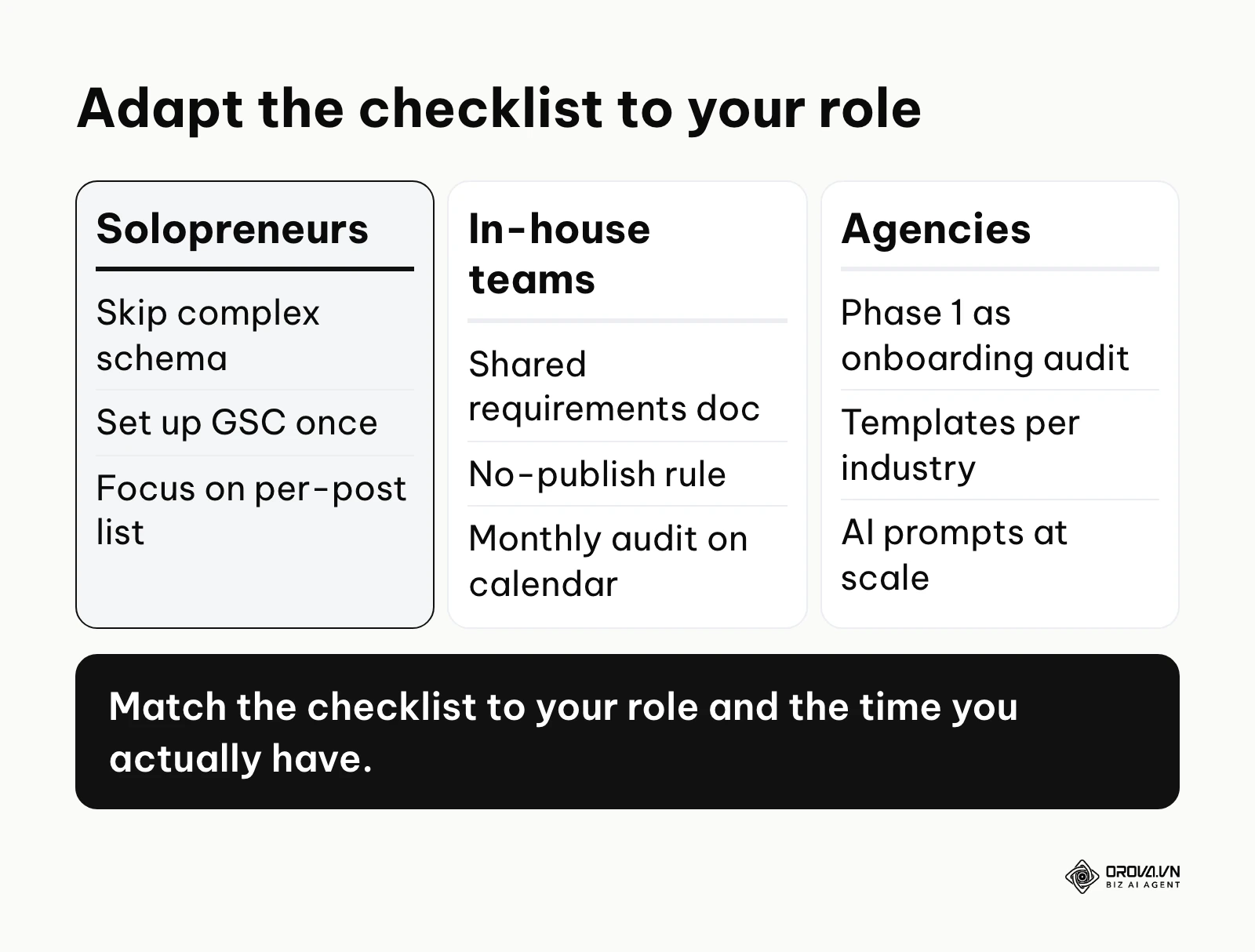
Solopreneurs and Small Business Owners
If you are running the business entirely on your own, technical perfectionism will destroy your momentum.
- Ignore complex schema markup and advanced crawl budget optimization.
- Focus on setting up your GSC once, and then spend most of your time on the Per-post checklist.
- Ensure every page has a clear title tag, a targeted keyword, and answers a specific customer question. Action step for this week: claim your Google Search Console account and look at the "Queries" report to see what people are already searching to find you.
In-house Marketing Managers
Your primary challenge is enforcing consistency across a team of writers, editors, and developers.
- Document your exact requirements in a shared, centralized workspace.
- Implement a strict "no publish" rule unless the article passes the basic metadata and internal linking checks.
- Schedule the Phase 3 Monthly Audit recurring on your calendar. Action step for this week: create a simplified one-page document listing your top five mandatory on-page requirements and distribute it to your writing team.
Freelance SEO Consultants and Agencies
Your goal is to demonstrate rapid value to new clients while scaling your operations.
- Use the Phase 1 setup list as your standard onboarding audit to find quick technical wins.
- Build custom templates for different client industries.
- Leverage the AI prompt library to automate the generation of meta descriptions and schema code at scale. Action step for this week: run a free Screaming Frog crawl on your newest client's site to identify and fix immediate broken links.
| Common Mistake | Immediate Consequence | How to Avoid It |
|---|---|---|
| Treating the checklist as a one-time setup. | Gradual decline in traffic as new content is poorly optimized. | Integrate the Per-post steps strictly into your publishing workflow. |
| Blindly following every technical rule. | Wasting hours on low-impact tasks instead of creating new content. | Apply the Impact vs Effort prioritization matrix constantly. |
| Ignoring search intent entirely. | Ranking high briefly, then plummeting due to poor user engagement. | Verify intent manually on Google before writing a single word. |
Where SEO checklists are heading in the next few years: the author's take
As search algorithms evolve to process natural language and combat programmatic spam, I expect the rigid optimization lists of the past to lose ground. As of 2026, standardizing your workflow is essential, but looking ahead, I see three shifts in how we execute these tasks.
AI agents will run more of the checklist
I think that over the next two to three years, marketers will spend far less time manually checking title tags, compressing images, or writing meta descriptions. The signal is already visible: AI assistants are being built into content management systems and editors today. My read is that AI agents will handle much of the routine on-page validation, and your role will shift from executing the list to reviewing the AI's suggestions before approving them. You should prepare for this by learning how to prompt and manage AI systems today, rather than clinging to manual data entry.
Continuous checks will complement monthly audits
Currently, most teams rely on monthly audits to catch broken links or slow page speeds. I believe checklists will move toward more continuous monitoring. Because modern websites rely heavily on complex JavaScript frameworks, search engines care about how a page actually renders, not just its static HTML code. I expect checklists to evolve into dashboards that alert you soon after a code push hurts your Core Web Vitals, pushing development and marketing teams to work in much tighter synchronization.
Experience markers will become mandatory checklist items
My view is that as AI-generated content floods the internet, search engines will put more weight on verifiable human experience. Future optimization lists will move beyond keywords and focus on "Experience, Expertise, Authoritativeness, and Trustworthiness" (E-E-A-T) markers. The new mandatory items on your list will include verifying author bios, adding original data sets, embedding proprietary video content, and citing authoritative sources. To prepare, start adding these items to your checklist now: if your content shows no sign of real firsthand experience, perfect technical formatting alone is unlikely to carry it.
Frequently asked questions about SEO checklists
Is an SEO checklist still needed with AI?
Yes, absolutely. While AI can write content and generate code rapidly, it frequently hallucinates facts, produces duplicate title tags, or forgets to include internal links. An optimization checklist acts as the necessary human oversight layer, ensuring that the AI's high-speed output actually complies with strict search engine guidelines before it damages your site's reputation.
If I only have 1 hour a week to do SEO, what should I prioritize?
If your time is severely restricted, completely ignore deep technical audits and backlink outreach. Spend your single hour exclusively on the "Quick Wins" quadrant: optimizing the Title Tags and Meta Descriptions of your pages that currently rank on page two of Google, and adding internal links from your most popular posts to your newly published content.
What technical SEO elements can a solo website owner safely skip?
Solo operators should skip obsessing over complex schema markup (beyond basic article or FAQ schema), micro-optimizing server log files, and chasing a perfect 100/100 score on Google PageSpeed Insights if their site already loads in under three seconds. Focus your limited energy on producing exceptional, intent-matching content instead.
How do I measure if a specific checklist item actually brings traffic?
To measure the impact of a specific change, you must isolate variables. For example, if you decide to rewrite ten title tags, do not change the content or the internal links at the same time. Note the exact date of the change, wait three weeks, and then compare the specific Click-Through Rate (CTR) for those exact URLs in your Google Search Console before and after the date.
Should I use a different checklist for a new website?
Yes. A brand new website requires a heavy focus on the Phase 1 foundational setup, specifically ensuring indexability, submitting sitemaps, and establishing a clean site architecture. Once the site is established and actively crawled, your focus should shift almost entirely to the Phase 2 per-post content execution tasks.
Where to start?
Knowing what to do is only half the battle; determining exactly where to begin based on your current reality is what actually drives momentum. Do not attempt to implement every phase of this framework simultaneously. Identify which of the following three states best describes your current situation and take the single corresponding action.
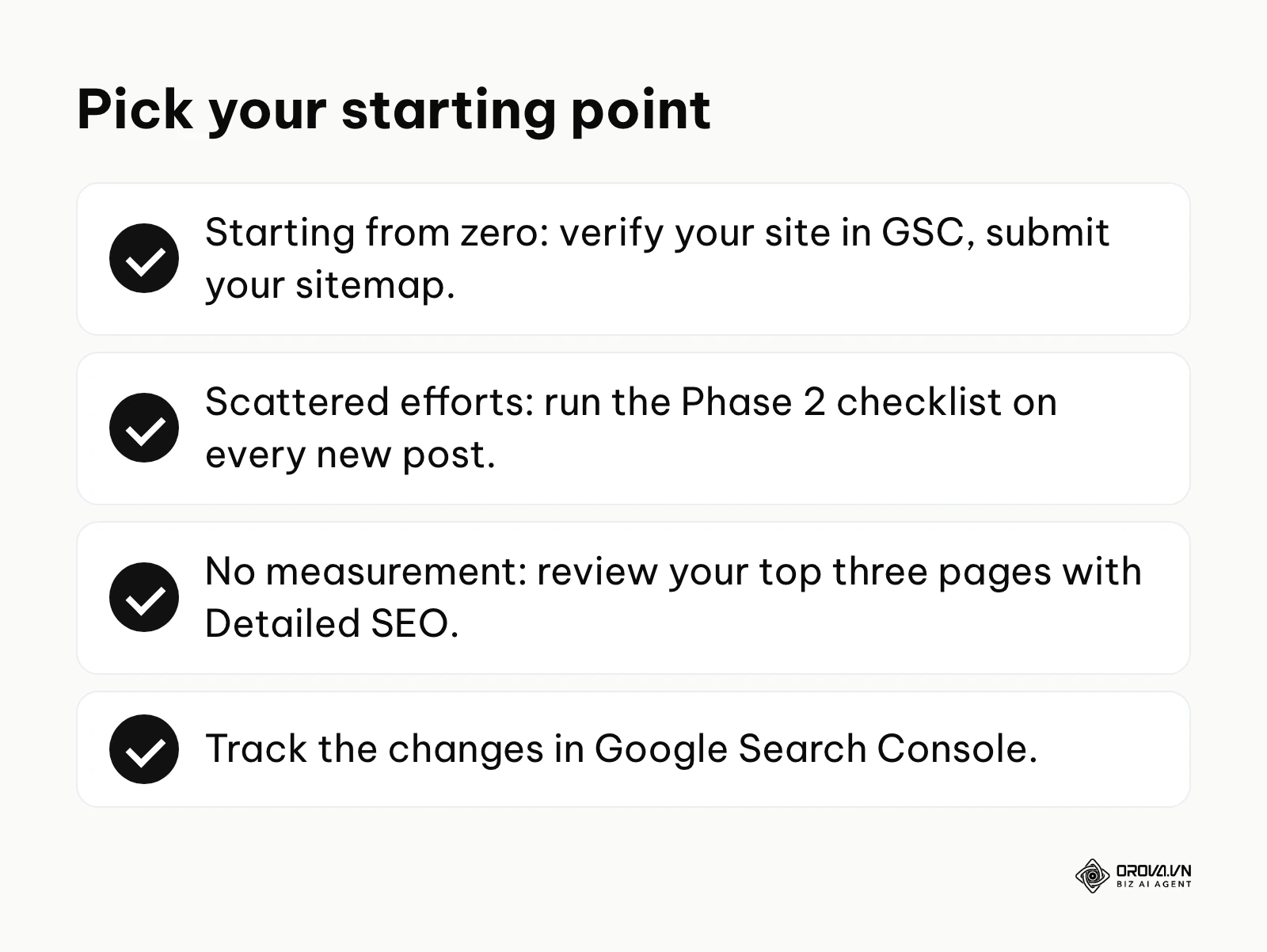
If you are starting from absolutely nothing and have never optimized a page before, your only goal this week is visibility. Your very first step is to create a Google Search Console account, verify your domain, and submit your XML sitemap. Until Google can reliably see and read your website, every other optimization effort is completely useless.
If you have a website with existing content but your efforts are scattered and inconsistent, your immediate goal is standardization. Your next step is to adopt the Phase 2 Per-post checklist. Do not worry about fixing your old posts right now. Simply commit to ensuring that every single new piece of content published from today onward strictly follows the basic on-page rules.
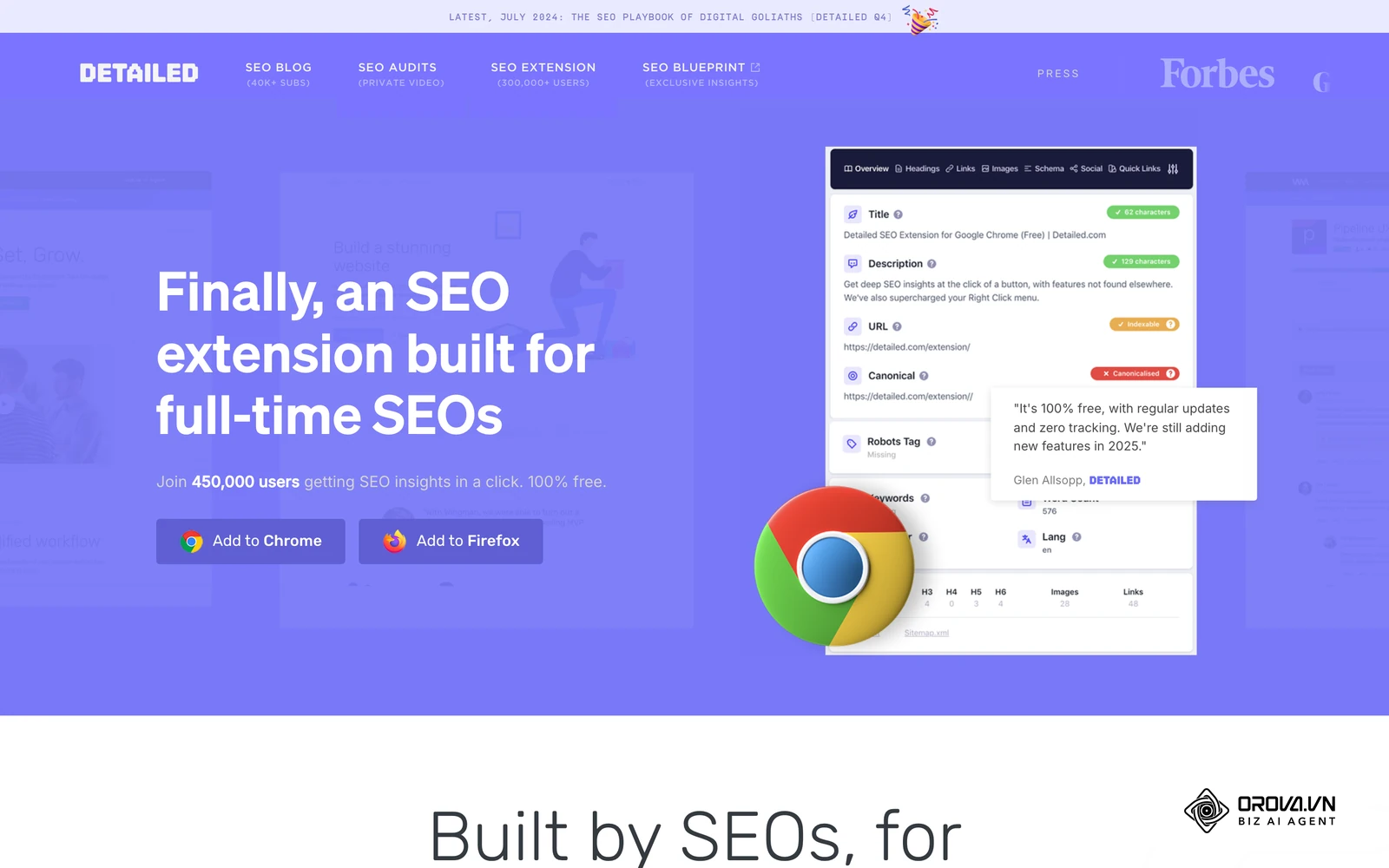
If you have been doing optimization tasks but have never actually measured the results, your goal is data alignment. Your step this week is to identify your top three highest-traffic pages, analyze them using the Detailed SEO extension to ensure their title tags are perfectly aligned with user intent, and monitor the changes. An effective SEO checklist is a living system that evolves as your business grows.
About the author

Builder of Orova
Nguyễn Đỗ Trọng Ân has 8 years of experience in marketing, including 6 years managing market development across Asia. He builds Orova, a Biz AI Agent that never sleeps: it plans, runs and optimizes work for businesses.
Run your business with AI Agents
Orova is the always-on Biz AI Agent — it plans, runs, and optimizes the work for you.
Save time, unlock productivity.