
What is QR pay? How it works, how to set it up and how to stay safe

Have you ever stood in line at a bustling coffee shop, desperately patting your pockets because you forgot your physical wallet, only to realize the credit card terminal is completely down anyway? QR pay removes that dead end: the customer scans a printed or on-screen code with their phone and pays from their own banking or wallet app, with no card terminal involved. The scenario above represents a common, incredibly frustrating checkout nightmare that alienates loyal customers and directly loses tangible sales for hardworking merchants. In the past, the only reliable backup was physical cash, a resource that is becoming increasingly rare in our modern pockets. Alarmingly, many independent small business owners still operate under the assumption that accepting digital, contactless payments requires them to lease expensive, clunky Point of Sale hardware and manage highly complicated merchant acquiring accounts. This outdated mindset creates unnecessary friction and leaves a significant gap in customer service and revenue generation. This comprehensive guide will help you bridge that exact gap by exploring how this payment method can change your daily transaction process. We will dive deep into the technical architecture of this technology, how it functions securely behind the scenes, and how you can implement it efficiently without technical expertise. You will discover practical strategies to drastically cut operational costs, learn what to check in each provider's fees, and securely protect your physical retail environment against modern digital scams.
What is QR Pay?
QR pay is a contactless payment method where a customer scans a two-dimensional barcode using their smartphone camera or a banking application to transfer funds directly to a merchant. It serves to eliminate physical cards and cash, differing from NFC by not requiring specialized hardware terminals.
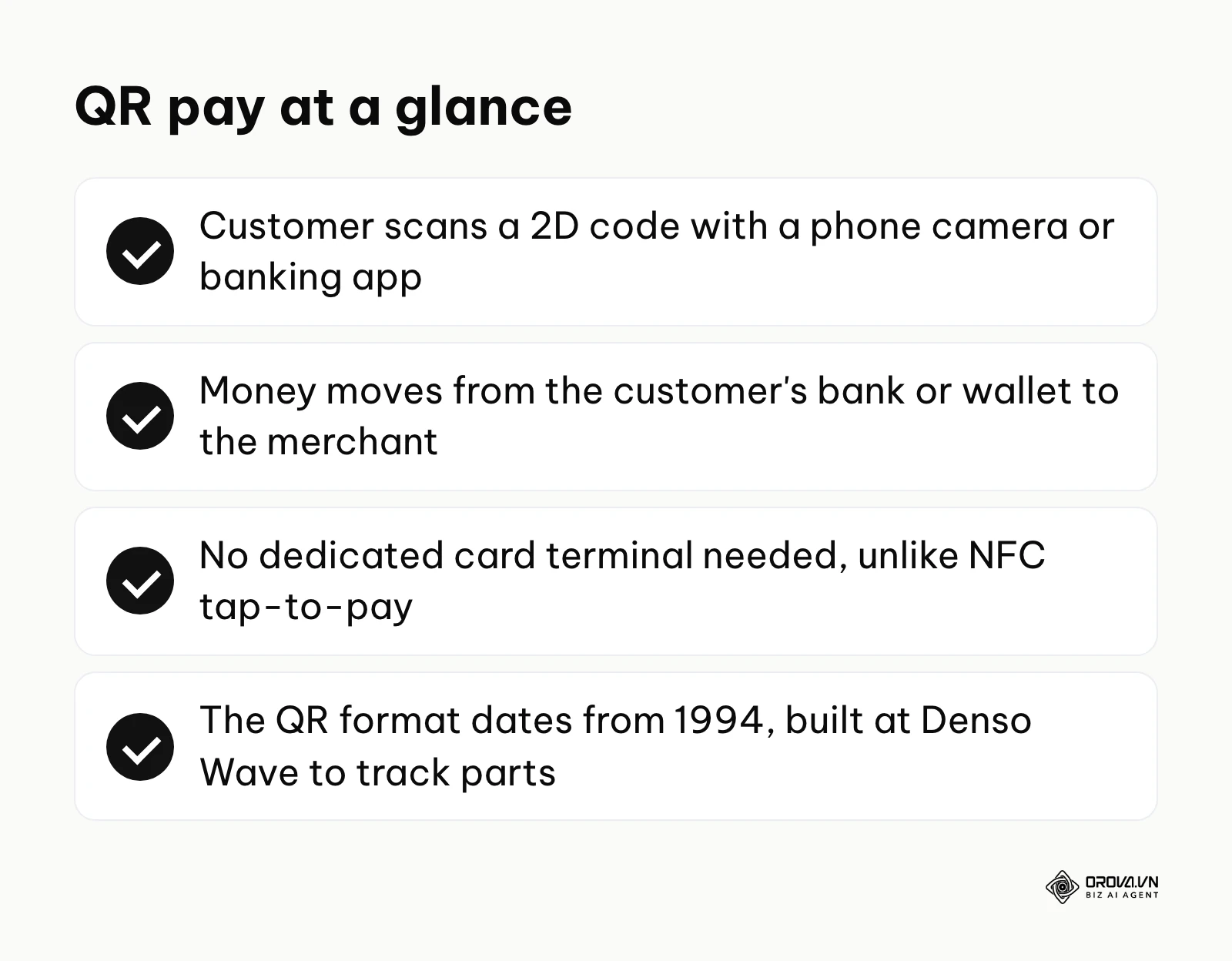
The foundational technology, Quick Response (QR), was originally engineered in 1994 by Masahiro Hara at Denso Wave, a Japanese automotive components manufacturer. Its initial purpose was simply to track vehicles and parts swiftly during the complex manufacturing process. It was not until the widespread proliferation of high-resolution smartphone cameras and robust, secure mobile banking applications that this tracking technology was brilliantly repurposed for consumer financial transactions. Today, it acts as the primary backbone of entire cashless economies across vast regions globally, providing a highly efficient, visual bridge between physical goods on a shelf and digital wallets in a pocket. Much of its appeal for small and medium-sized merchants comes from removing the need for expensive hardware.
To truly understand its specific position and utility in the market, let us examine how this method differs from other concepts that are frequently confused with it by consumers and business owners alike:
| Concept | How it differs from QR Pay | Example |
|---|---|---|
| Near Field Communication (NFC) | Usually requires specialized merchant hardware (a dedicated card reader) and a chip embedded inside the phone or card, whereas matrix scanning only requires a standard camera and a printed screen or piece of paper. | Tapping an iPhone using Apple Pay or a physical Visa contactless card directly onto a POS terminal. |
| Traditional Bank Transfer | Requires the consumer to manually type in long, error-prone account numbers, routing codes, and bank branches, whereas scanning completely automates this data entry instantly. | Manually adding a new payee in your banking app by carefully typing their IBAN and verifying their full legal name. |
| Payment Gateway Links | Involves clicking a hyperlinked URL in an email, text message, or website, whereas this method requires scanning a physical environment or a secondary screen. | Clicking a bright blue "Pay Now" button on an e-commerce checkout page to complete an online order. |

Illustrative example: Imagine a local farmers' market vendor operating a bustling organic produce stall. Previously, the vendor relied entirely on a physical credit card reader that came with a fixed monthly rental fee and frequently dropped its weak Bluetooth connection, causing massive delays and lost sales. To modernize, the vendor generated a static code linked directly to their business bank account and printed it on a sturdy, waterproof piece of acrylic. Now, a customer walks up, points their smartphone camera at the code, and confirms the charge for a basket of fresh strawberries directly on their screen. Initially, the vendor struggled because a few customers did not know they had to manually enter the total amount on their phones. The vendor quickly fixed this minor friction by verbally reminding customers to type the exact total before pressing the final send button. The tangible result is a completely hardware-free checkout process where the vendor simply visually confirms the successful transfer on the customer's brightly lit screen, saving the full yearly cost of the reader rental and completely eliminating the stress of connection drops during peak Saturday morning hours.
The Purpose of QR Pay in Modern Commerce
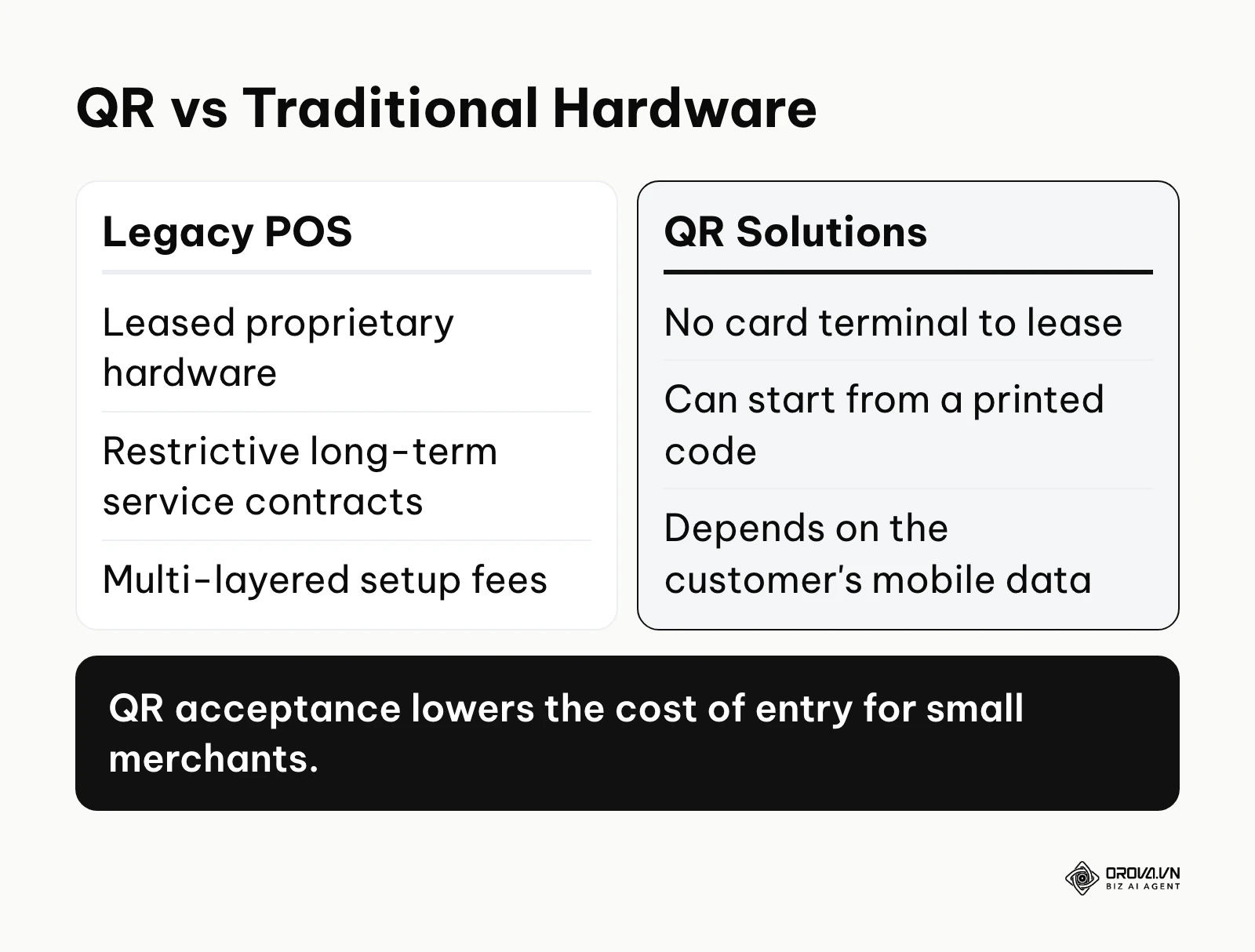
This technology exists primarily to solve a fundamental, deeply entrenched friction point in everyday commercial transactions: the prohibitively high cost and steep barrier to entry associated with moving digital money within a physical, face-to-face space. For decades, the ability to securely accept non-cash payments was tightly gatekept by massive legacy financial institutions. These entities required independent small businesses to lease expensive, proprietary hardware, sign restrictive long-term service contracts, and pay exorbitant, multi-layered setup fees just to participate in the digital economy. This framework democratizes financial acceptance on a global scale. It serves micro-merchants, independent freelance contractors, seasonal pop-up shops, and even massive multinational retailers who are desperately looking to expedite their crowded checkout lines without investing millions in new physical registers.
In the broader, macroeconomic picture of the financial ecosystem, this visual trigger sits precisely between the customer's secure digital banking application (the source of the funds) and the merchant's acquiring bank account (the final destination). Before a transaction can ever physically occur, a consumer must have a fully funded digital wallet or a linked, active bank account. After the scan is successfully completed, the underlying, invisible payment rails—whether they are domestic instant payment clearing networks or vast international credit card networks—actually step in to process the complex movement of money. The visual pattern itself is not a payment network; it is simply a highly efficient, visual vehicle that rapidly transmits encrypted payment routing instructions from the seller to the buyer. Mobile-first payments keep gaining ground on traditional card-present checkout, which is why this shift matters even to small shops.
If you choose to ignore this shift, your business actively loses out on the rapidly growing, highly lucrative demographic of modern consumers who purposefully no longer carry physical cash or bulky leather wallets. You severely risk losing impulsive buyers who will quickly abandon their intended purchases when faced with any checkout friction. Furthermore, you surrender the critical operational agility that allows a smart business to set up an entirely new, fully functional checkout lane instantly during unexpected peak hours without waiting weeks for hardware deployment and professional installation.
While it is an incredibly versatile tool, there are specific scenarios where you should actively avoid relying on it. First, in geographic areas with completely unreliable internet access, spotty cellular reception, or frequent network blackouts, relying heavily on a customer's mobile data for vital transactions will only severely frustrate both parties and halt your operations. Second, for extremely high-value Business-to-Business (B2B) transactions that involve complex, multi-party escrow agreements, legal holds, or specialized tax documentation, a simple visual scan lacks the necessary contractual paper trail and rigorous multi-step verification required by corporate finance departments. In these highly specific, regulated cases, traditional invoicing, secure wire transfers, or specialized, authenticated B2B payment software gateways remain the superior, safer, and legally compliant alternatives.
Business Value and Operational Benefits of QR Pay
The tangible advantages of rapidly adopting this specific payment technology can be distinctly categorized into two main areas: the high-level strategic financial value it brings to the overarching business entity, and the immediate, practical operational benefits it delivers directly to frontline, customer-facing employees.
Strategic Value for the Business Entity
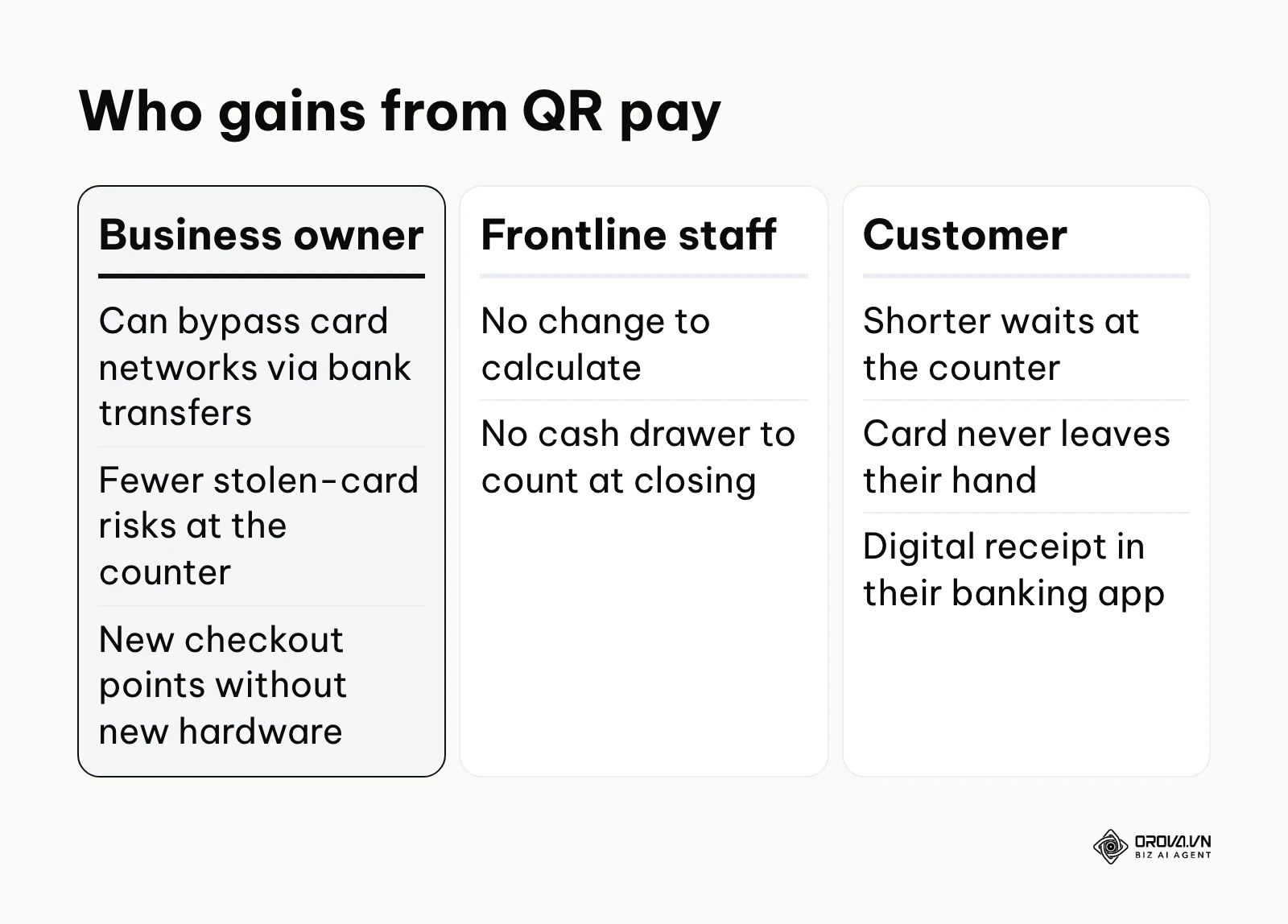
For a business owner or corporate director, the primary, most compelling value lies deeply in structural cost reduction and significant risk mitigation. Traditional credit card processing involves notoriously complex, opaque pricing structures, which typically include interchange fees mandated by card networks, assessment fees, and variable processor markups that eat into razor-thin profit margins. By actively utilizing direct bank-to-bank transfer solutions triggered by these visual codes, businesses can very frequently bypass the traditional, expensive credit card networks entirely, significantly reducing their overall Merchant Discount Rate (MDR).
Additionally, because the customer approves the payment on their own device, often with Face ID or a fingerprint sensor, the merchant never handles the card. That removes some counter-side risks, such as accepting a stolen card, although how disputes and refunds work still depends on the bank, wallet or card network behind each payment. Lastly, the unprecedented speed of deployment allows a rapidly expanding business to scale up its payment collection points instantly, across multiple geographic locations, without ever incurring capital expenditure on fragile hardware.
Operational Benefits for Frontline Workers
For busy cashiers, exhausted waitstaff, and fast-moving delivery drivers, the operational benefits are immediately tangible and deeply relieve daily stress. Handling physical cash constantly requires complex mental math for calculating and giving exact change, which inevitably leads to costly human error during frantic, high-volume shifts. Cash handling also involves genuine physical hygiene concerns and necessitates the agonizingly time-consuming process of manually counting the heavy register drawer at the end of a long, tiring workday. Transitioning to a scan-based system eliminates these daily operational burdens entirely.
Value for the Customer Experience
Beyond the internal metrics, the value extended to the end consumer is a massive driver of loyalty. Customers experience drastically reduced wait times, as they no longer have to wait for a receipt printer to crawl or a slow chip reader to authorize. Furthermore, they never have to physically hand their precious credit card over to a stranger, entirely preventing the persistent threat of physical card skimming devices hidden under counters. Finally, they receive instant, searchable digital receipts directly within their banking applications, making personal expense tracking effortless.
Illustrative example: Consider a mid-sized, high-traffic food truck operating during a busy, chaotic summer music festival with a dedicated team of three frontline workers. The environment is incredibly loud, hot, and fast-paced. The owner made a strategic decision to completely stop accepting cash for small orders to speed up the line. They printed three separate static codes, each securely linked to a different internal tracking ID, and handed one to each worker attached to a custom-branded lanyard. The workers only had to verify the bright green "success" screen on the customer's phone before rapidly handing over the hot food. However, they soon faced a major, unexpected obstacle: workers struggled intensely to verify the small digital payments in the bright outdoor sunlight because of severe screen glare on the customers' varied devices. The owner quickly solved this environmental friction point by configuring their backend payment app to trigger an instant, loud, distinct audio notification on a central, shaded tablet inside the truck every single time a payment successfully cleared the network. The results were astounding: the food truck successfully served an additional 45 customers per hour because the cash-handling bottleneck was completely eliminated, and the stressful end-of-day financial reconciliation took exactly zero minutes since all funds were already digitally sorted, tracked, and securely deposited.
| Benefit Category | Measured By Which Key Metric | Time Until Visible Results |
|---|---|---|
| Hardware Cost Savings | Total monthly POS terminal rental and maintenance fees | Immediately upon contract cancellation |
| Checkout Speed | Average transaction duration (measured in seconds per customer) | Within the first 24 to 48 hours |
| Error Reduction | Cash drawer shortages and overages at nightly closing | Within the first operational week |
| Fraud Prevention | Total number of formal chargeback disputes filed per quarter | Visible after 30 to 60 days |
Need a payment QR that fits your brand? Orova Link & QR offers 59 QR code types, including 13 payment formats such as VietQR, PromptPay and KHQR that point customers to your own bank or wallet account. Orova only creates the code; your bank or wallet handles the payment. Customize colors, logo and frame, then download PNG or SVG.
How QR Pay Works: Mechanisms and Security
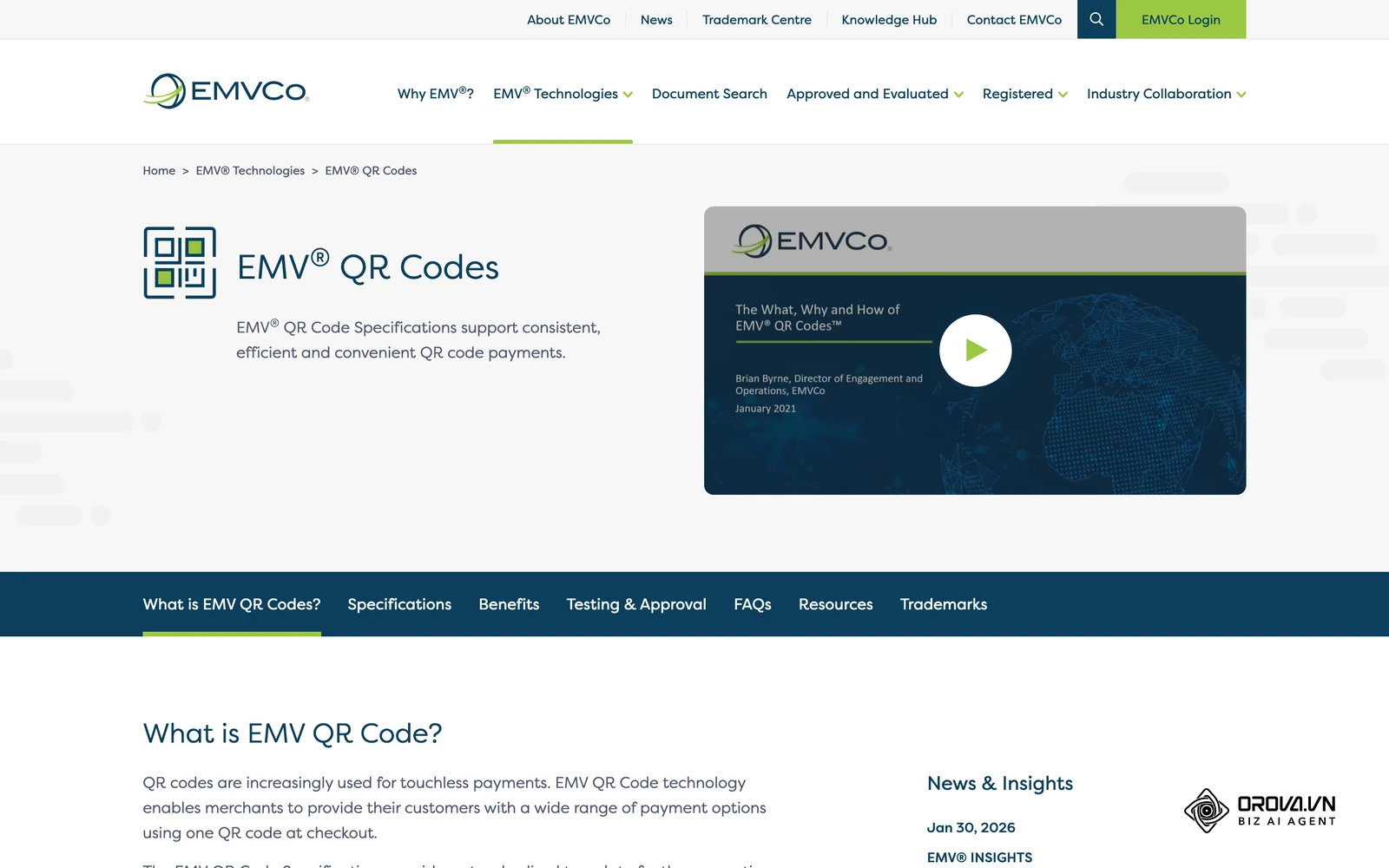
Understanding the precise, underlying mechanics behind a seemingly simple, instantaneous barcode scan is absolutely crucial for maintaining rigorous network security and optimizing your daily checkout flow. At its technical core, a visual payment matrix is an intricate, two-dimensional arrangement of black and white square modules that perfectly encodes a long string of complex text. This specific text string typically contains the merchant's unique cryptographic identifier, the exact destination bank account or digital wallet ID, formatting protocols, and sometimes the specific, dynamically generated transaction amount. Many bank and wallet payment codes follow the EMVCo QR code specification, a shared format designed so that different apps can read the same code.
The architecture of this visual code relies heavily on standard components. The three large squares located at the corners are known as position detection patterns; they instantly tell the smartphone camera the exact orientation of the image, allowing it to be scanned upside down or sideways. Smaller alignment patterns help the camera correct the image if it is printed on a curved surface, like a coffee cup. Most importantly, a robust algorithm known as Reed-Solomon error correction is embedded within the matrix, which remarkably allows the code to be successfully scanned and read even if up to 30% of the physical image is damaged, scratched, or obscured by dirt.
The Customer Interface and Capture Phase
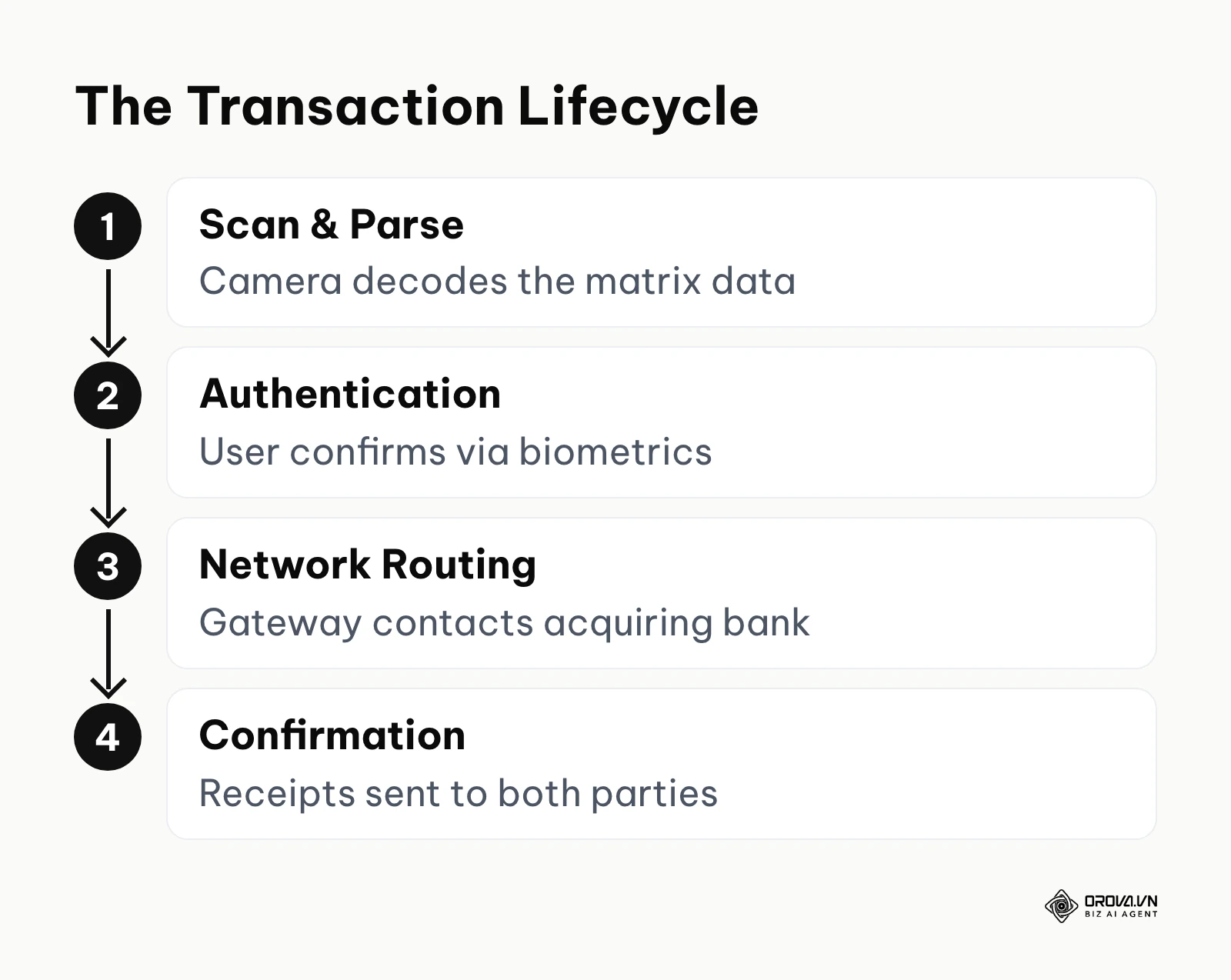
The complex process always begins with the customer actively opening a compatible application on their personal smartphone. This could be a generic, built-in camera application (which simply reads the code and prompts a secure web browser to open) or a highly specialized, proprietary banking or e-wallet application. The physical input is the visual barcode captured by the lens; the immediate digital output is a parsed, translated data string that the application instantly converts into a user-friendly payment request screen. The most common point of technical failure during this specific phase is exceptionally poor environmental lighting or a severely damaged, smudged physical code that the camera lens simply cannot decipher, causing the application to time out.
The Processing Network and Authorization
Once the customer reviews the screen, confirms the requested payment amount, and securely authenticates the action via their phone's built-in biometric security features (fingerprint or facial recognition), the application takes over. It sends a highly secure, encrypted API request over the cellular network to the payment processor or the merchant's acquiring bank. The input here is the securely encrypted payment payload, which utilizes Tokenization to replace sensitive bank details with a unique, randomized string of characters that is entirely useless to hackers if intercepted. Furthermore, this data travels through a TLS/SSL encrypted tunnel. The network swiftly verifies the customer's available balance with their issuing bank, authorizes the transaction, and routes the digital funds to the merchant's acquiring account. The final output is a digital cryptographic receipt sent simultaneously back to both parties. A frequent point of failure here is severe network congestion on either the customer's local cellular provider or the issuing bank's processing servers, leading to frustrating pending states or timed-out transactions.
Static vs. Dynamic QR Code Payments
One of the most critical, foundational decisions a merchant must make is choosing between the two primary formats of generation. The technical difference between static vs dynamic qr code payments fundamentally dictates exactly how your entire checkout operations will flow.
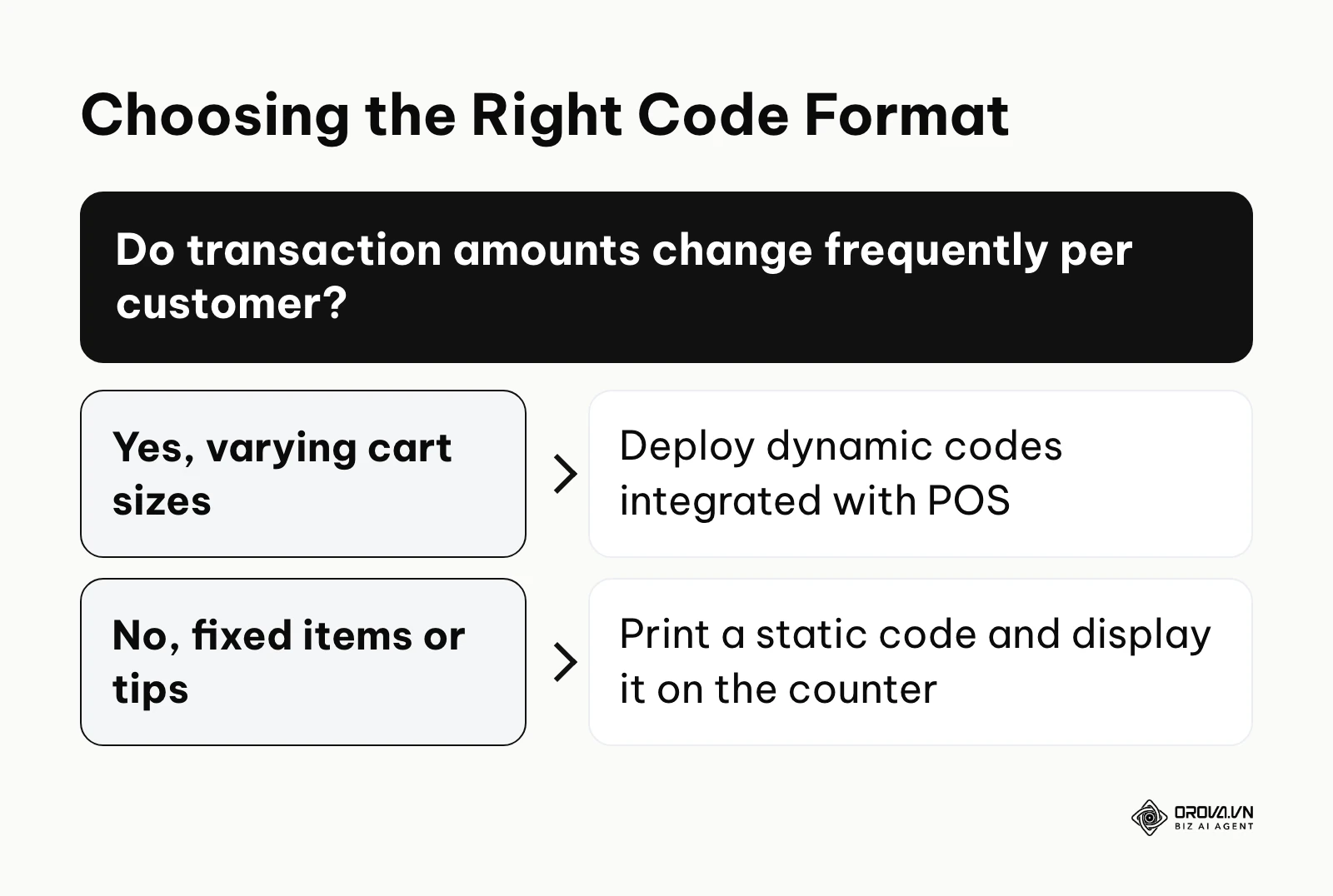
If you are using a static format, the visual data matrix never, ever changes. It is essentially a permanent, hardcoded digital address physically printed on a surface. This is exactly why many curious merchants frequently wonder, are free QR codes permanent? The definitive answer is yes, if they are generated as static, because the geometric pattern permanently hardcodes the final destination link directly into the image. On the other hand, if you create dynamic QR code, the visual pattern instead encodes a flexible short URL that acts as a secure redirect to the actual, backend payment gateway. This powerful feature allows you to change the final destination account, update the business name, or alter the required amount from a software dashboard without ever having to reprint the physical plastic sign sitting on your counter. Be aware that "dynamic" means two different things: in marketing it describes a redirect code whose destination you can edit, while in payments it usually means a code generated for one transaction with the amount already filled in, as the table below shows.
| Type of Payment Matrix | Key Technical Characteristics | Best Suited Business Profile |
|---|---|---|
| Static Printed Code | Fixed embedded data. Usually requires the customer to manually type the payment amount. Has no expiration date. | Small independent cafes, digital tip jars, charity donations, weekend market stalls. |
| Dynamic Screen Code | Generated in real-time on a digital screen. Automatically embeds the specific, exact transaction amount. | High-volume supermarkets, large restaurants, fast e-commerce checkouts. |
| Merchant-Presented Mode (MPM) | The business prominently displays the code (either printed or on a tablet), and the customer scans it with their device. | Standard retail clothing stores, mailed paper billing statements, restaurant tables. |
| Consumer-Presented Mode (CPM) | The customer generates a unique, temporary code on their phone screen, and the cashier actively scans it with a laser barcode scanner. | Massive, high-volume convenience stores equipped with existing laser scanning hardware. |
Security Risks and Quishing Prevention
Because human eyes absolutely cannot read or verify the complex data embedded within the matrix, it introduces a highly unique, physical-digital security vulnerability known in the cybersecurity industry as "Quishing" (QR Phishing). Consumer protection agencies have publicly warned shoppers about QR code scams. Malicious actors, or fraudsters, can easily print their own entirely legitimate-looking codes on strong adhesive stickers and covertly place them directly over a legitimate merchant's code at a busy, unattended checkout counter. When an unsuspecting customer scans the tampered code, their funds are instantly routed to the scammer's offshore account instead of the hardworking business owner.
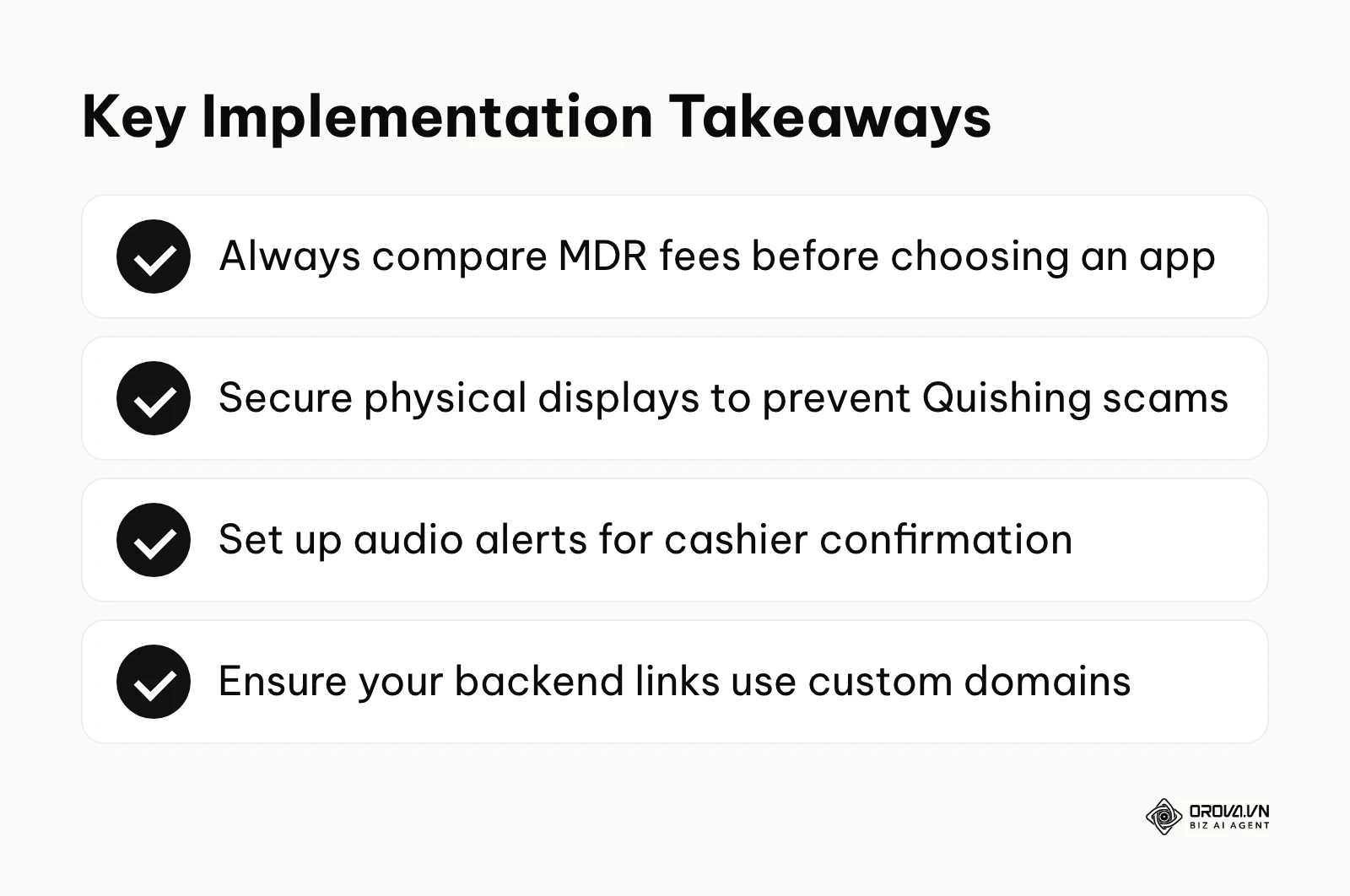
To rigorously prevent this, merchants must routinely and physically inspect their physical signage multiple times a day. If you choose to use a static code, you must print it on specialized tamper-evident paper that shreds if peeled, or securely place it behind a thick, hard acrylic display case that cannot be easily stickered over without obvious detection. Furthermore, you must aggressively train your staff to never, ever rely solely on a customer casually showing a flashing "success" screen on their personal phone, as highly realistic fake screenshot applications are incredibly prevalent and easy to download. Always confirm the final receipt of funds independently on your own secure merchant dashboard or via an automated, integrated audio alert system.
How to Set Up QR Pay and Adapt to Contactless Payments
Successfully implementing this modernized system requires slightly different strategic approaches and technical focus depending entirely on your specific role within an organization. Below is a highly structured, actionable guide tailored specifically to different stakeholders to ensure a flawlessly smooth transition into contactless commerce.
For Small Business Owners: Choosing the Best QR Payment App
As an independent small business owner, your primary, overriding goal is to evaluate and find the best qr payment app for small business that meticulously minimizes frustrating setup hassle and aggressively lowers your transaction fees. You are highly sensitive to the Merchant Discount Rate (MDR) because every percentage point directly impacts your personal take-home profit.
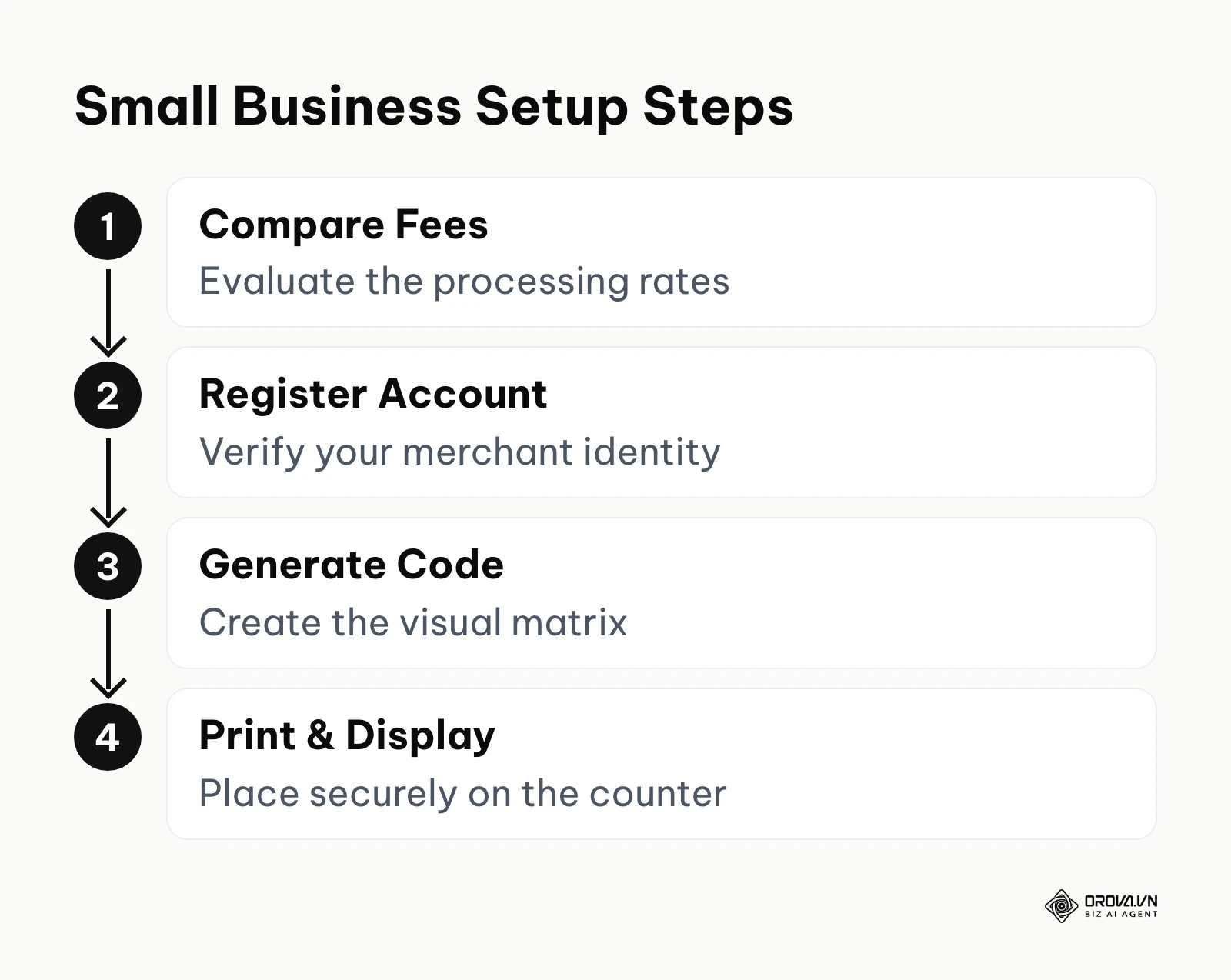
- Rigorously evaluate and compare the transaction fees and hidden costs of major providers before committing to an ecosystem.
- Register for a formal merchant account with your chosen provider and submit documentation to verify your business identity to comply with anti-money laundering laws.
- Generate your initial visual matrix strictly through the provider's official, secure dashboard.
- Print the asset on highly durable, water-resistant material and position it prominently at your main checkout counter.
- Conduct a live test transaction using your personal device and personal funds to ensure the money routes correctly to your bank.
Illustrative example: Let us look closely at a boutique, independent bookstore owner desperately wanting to reduce exorbitant credit card terminal fees that were steadily eating into their tight monthly profit margins. The meticulous owner thoroughly compared several applications and finally decided to implement a direct bank-transfer solution provided natively by their local community bank. They generated a static matrix, printed it on a sleek, branded acrylic stand, and placed it prominently right next to the main cash register. To aggressively drive immediate adoption, they added a small, highly attractive sign offering a small discount for any customers who chose to pay via a simple smartphone scan. A significant operational obstacle arose on the very first day: older, less tech-savvy customers were initially confused and repeatedly tried to physically tap their NFC plastic credit cards aggressively against the acrylic stand, falsely assuming it was a hidden reader. The owner smoothly solved this friction point by proactively, verbally guiding the first 50 customers through the simple camera process and quickly adding a highly visible "Scan with your phone camera" bright yellow sticker with a visual camera icon right below the code. The tangible financial results were deeply impressive: the bookstore noticeably reduced its monthly payment processing costs, and the physical checkout line moved noticeably faster during weekend rushes because regular customers already had their banking apps open, authenticated, and ready while waiting in line.
Below is a neutral overview of how four well-known providers approach QR acceptance. Fees vary by country, payment method and account type, and they change over time, so this table lists what to check rather than rates. Always confirm the current numbers on each provider's own pricing page before you sign up.
| Provider | How Fees Are Usually Structured | Hardware Required? | Worth Knowing |
|---|---|---|---|
| PayPal | Per-transaction fee; check the QR code rate for your country | No (customer's phone and PayPal app) | Widely recognized consumer app |
| Stripe | Per-transaction fee that depends on the payment method behind the code | No (API or on-screen code) | Detailed developer documentation for custom integrations |
| SumUp | Per-transaction fee; check the QR rate on its pricing page | No | Simple setup aimed at small merchants |
| Square | Per-transaction fee; varies by country and plan | No (works with the Square POS app) | Payments sit alongside its POS and sales reports |
For Corporate Finance and IT Managers
If you are responsible for managing operations for a much larger enterprise or retail chain, deploying standalone static paper codes will absolutely not suffice. Your primary technical challenge is deeply integrating dynamic payment generation directly into your existing, complex Enterprise Resource Planning (ERP) or legacy POS systems.
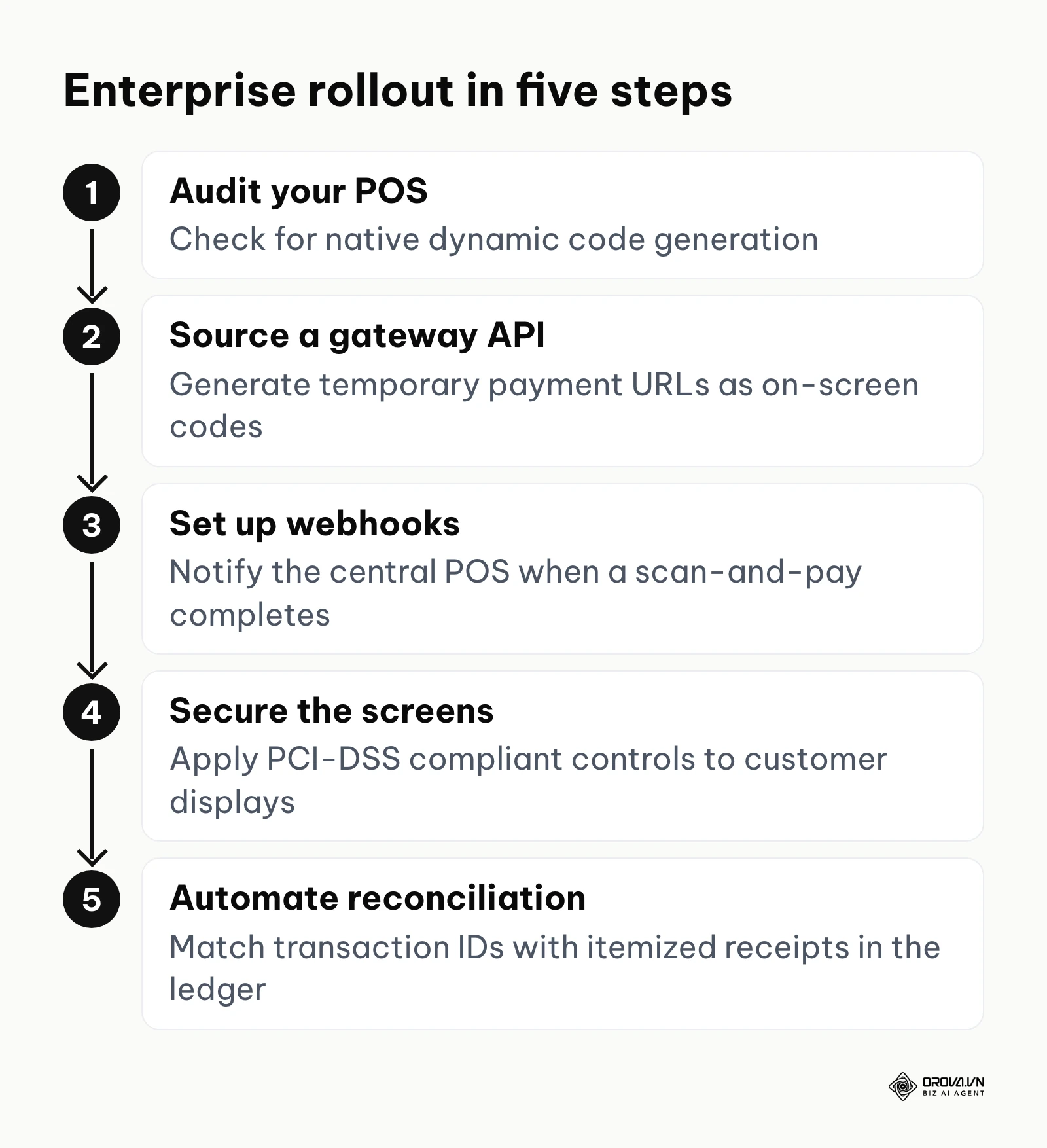
- Conduct a thorough technical audit of your current POS software architecture to check for native dynamic matrix generation capabilities.
- If native support is unavailable, source a secure payment gateway API that can programmatically generate temporary payment URLs and instantly convert them into visual codes on customer-facing digital screens.
- Establish a highly secure webhook or API callback infrastructure to notify your central POS instantly when a scan-and-pay action is completed by the banking network.
- Implement stringent, PCI-DSS compliant network security protocols to ensure that customer-facing display screens cannot be digitally tampered with or hijacked.
- Create automated reconciliation scripts that flawlessly match digital transaction IDs with specific, itemized register receipts in your general ledger. To deeply understand how to accurately monitor digital user interactions with these specific digital touchpoints, reviewing a click tracking 101: an actionable guide to monitoring user behavior can provide incredibly valuable, foundational insights into broader digital behavior analytics.
For Freelancers and Service Agencies
Independent professional consultants, designers, and agencies can highly effectively use this technology to drastically accelerate slow invoice payments and significantly improve their monthly cash flow.
- Generate a standardized, permanent code securely linked directly to your professional payment gateway profile (for example, a verified PayPal.me business link).
- Embed this high-resolution image directly into the footer of your standardized PDF invoice templates before exporting. The same printed-code idea also works on networking material, as explained in our guide to the QR code business card.
- Include explicit, idiot-proof instructions immediately next to the image on exactly how the corporate client can scan it with their phone and pay instantly.
- Set up automated email workflows to instantly send a branded receipt confirming payment upon a successful, verified scan.
| Common Implementation Mistake | Negative Consequence | How to Safely Avoid It |
|---|---|---|
| Printing a dynamic URL without owning the root domain | The third-party provider goes out of business, the link breaks permanently, and all your printed physical codes become useless plastic. | Always strictly use your own custom domain or a highly reputable, enterprise-grade URL shortener for your underlying links. |
| Failing to physically secure printed codes at the counter | Malicious scammers covertly paste their own sticker over yours, seamlessly stealing your hard-earned revenue. | Inspect physical signage multiple times daily and mandate the use of tamper-evident displays. |
| Relying solely on looking at customer phone screens | Rushed staff frequently get fooled by highly realistic fake payment confirmation screenshots. | Implement robust, real-time merchant-side audio or visual notifications for every single transaction. |
Want to know which counter sign or flyer gets scanned most? Orova Link & QR tracks scans by day, device, country and source, and lets you change where a dynamic code points after it is printed. Free until July 7, 2027, no card required.
QR Pay Trends in the Next Few Years: My Perspective
As we critically look toward the imminent future of global digital transactions, the complex landscape of contactless payments is powerfully poised for massive, unprecedented evolution. Based on the shifts visible in 2026, here are my three predictions for how this space could develop.
The Integration of Generative AI in Payment Routing
As of 2026, the signs are already here: artificial intelligence is aggressively optimizing every single layer of financial technology, and average consumers are increasingly relying on sophisticated AI assistants to autonomously manage their daily financial decisions. I believe that over the next few years we will start to see AI models embedded directly into the scanning and payment routing process itself. When a user scans a visual matrix, an AI agent operating locally on their device will instantly analyze the specific transaction amount, instantly cross-reference it with the user's various bank accounts, credit cards, and fragmented loyalty point balances, and automatically select the absolute most financially advantageous payment method for that specific purchase. For instance, the AI might realize you possess enough expiring reward points to entirely cover a coffee purchase and automatically route the payment accordingly without any manual user intervention. The reason for this monumental shift is the massive consumer demand for entirely frictionless, hyper-optimized personal finance management. To effectively prepare for this, you should urgently ensure your payment gateways are highly flexible and technically capable of seamlessly accepting split payments alongside multiple, diverse digital wallet protocols.
The Shift from Generic Apps to Wearable Scanners
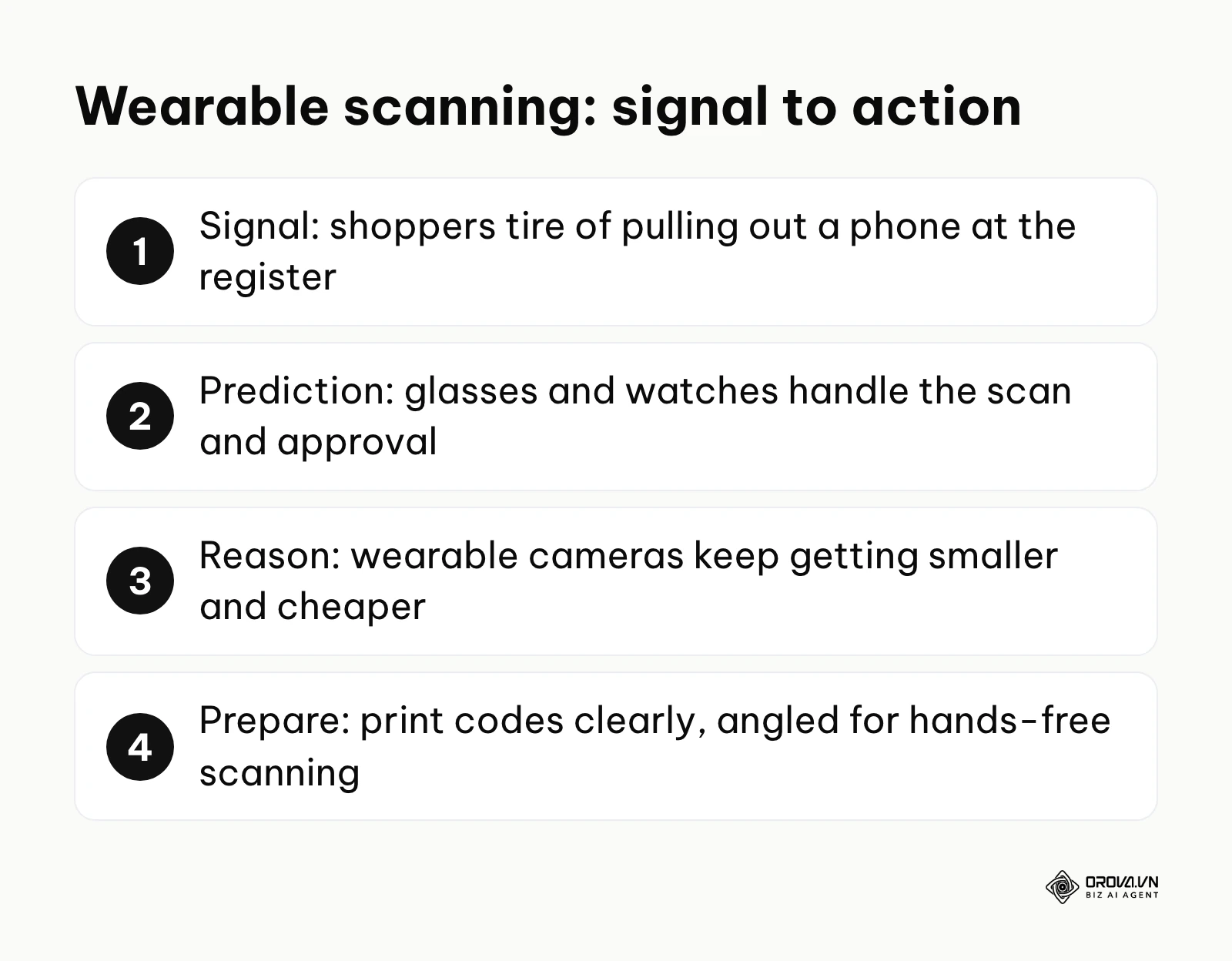
The current market signs strongly point toward immense consumer fatigue with relentless smartphone dependency; buyers are actively, eagerly seeking ways to transact without awkwardly pulling out a bulky device at the register. I anticipate that wearable technology will take over a growing share of everyday retail scans from the smartphone. We are rapidly moving toward a seamless future where sleek smart glasses and highly advanced biometric smartwatches will effortlessly handle the optical scanning and biometric authentication process in milliseconds. A customer will simply look directly at a merchant's payment display, and a subtle physical nod or a continuous biometric read from their watch will securely authorize the heavy transfer. I lean toward this specific outcome because the relentless hardware miniaturization trend is quickly making high-resolution wearable cameras cheaper and more socially accepted. You should proactively prepare your physical checkout spaces right now by ensuring your physical codes are printed extremely clearly and purposely positioned at optimal, elevated angles designed for hands-free scanning, rather than lazily laying them flat on a counter.
Hyper-Personalization of the Post-Scan Experience
Right now, we are witnessing a massive, industry-wide push for retail data collection, yet ironically, the post-scan experience usually just abruptly opens a dull, dead-end payment confirmation screen. I argue strongly that this wasted digital interface will rapidly morph into a rich, hyper-personalized marketing opportunity entirely driven by dynamic, real-time data. Because dynamic links can instantly adapt based on real-time variables like location or device type, the sterile checkout screen will transform into a highly targeted, interactive digital storefront. After paying, a loyal customer might immediately see a customized offer for a deep discount on their next specific purchase, tailored exactly to their past historical buying habits. I foresee this happening primarily because customer acquisition costs keep rising, pushing businesses to maximize the lifetime value of every single transaction touchpoint. You must start viewing the payment interface not just as a boring financial utility, but as incredibly prime marketing real estate; you should begin thoroughly auditing your current payment processors immediately to see if they offer customizable, robust post-transaction redirect capabilities. If you want to dive significantly deeper into tracking these highly advanced digital campaigns, learning how to create UTM codes at scale: naming rules, formula and GA4 is an excellent, strategic starting point.
Keep in mind that these bold predictions rely entirely on continued, unwavering consumer trust in digital security infrastructure. A massive, high-profile global Quishing scandal or a sudden, severe regulatory crackdown on consumer data privacy could severely delay or completely alter these technological trajectories.
Frequently Asked Questions about QR Pay
Are QR payments safe for my business?
Generally, yes, they are highly secure because the actual, sensitive payment routing data is heavily encrypted and processed entirely by massive, fortified banking networks, not by the visual black-and-white code itself. Furthermore, since the customer explicitly authenticates the payment on their own highly secure personal device using biometrics, the merchant never handles the card, which removes risks such as cloned or stolen cards at the counter. However, you must remain constantly vigilant against physical tampering, such as opportunistic scammers covertly pasting fake, malicious codes directly over yours to hijack funds.
What is the difference between a static and a dynamic QR code for payments?
A static format contains a rigidly fixed digital destination; if you physically print it, the underlying mathematical link can never, ever be changed. It is generally best for very simple setups where the customer manually types in the total checkout amount. A dynamic format intelligently acts as a flexible, redirectable digital shortcut. The merchant's advanced POS system can programmatically generate a brand new, unique dynamic image on a digital screen for every single transaction, automatically embedding the exact, down-to-the-cent price so the customer absolutely does not have to type anything, eliminating human error.
Is QR pay still necessary when we have AI?
Absolutely. While artificial intelligence is rapidly revolutionizing backend data processing, predictive sales analytics, and automated marketing generation, it fundamentally does not physically move money from a human customer standing in a physical brick-and-mortar store to a human merchant. AI cannot replace the secure, physical-to-digital bridge that a scanned matrix explicitly provides in the real world. Instead, AI will heavily enhance the experience by automatically routing the payment to the absolute most efficient financial network once the code is successfully scanned. The visual barcode remains the essential, irreplaceable physical trigger for the entire digital action.
Do I need to buy special equipment to accept these payments?
No, and that remains its single biggest, most disruptive advantage in the marketplace. Unlike NFC contactless payments (such as Apple Pay or Google Pay) which usually require a card reader terminal or a phone set up to work as one, successfully accepting these visual payments often requires absolutely nothing more than a cheap piece of paper with the code clearly printed on it, or a standard tablet or smartphone you already proudly own to display digital codes and monitor incoming banking transfers.
Where to Start with QR Pay?
Depending entirely on your current state of technological maturity, taking the absolute right first strategic step is crucial to avoid feeling totally overwhelmed by digital transformation.
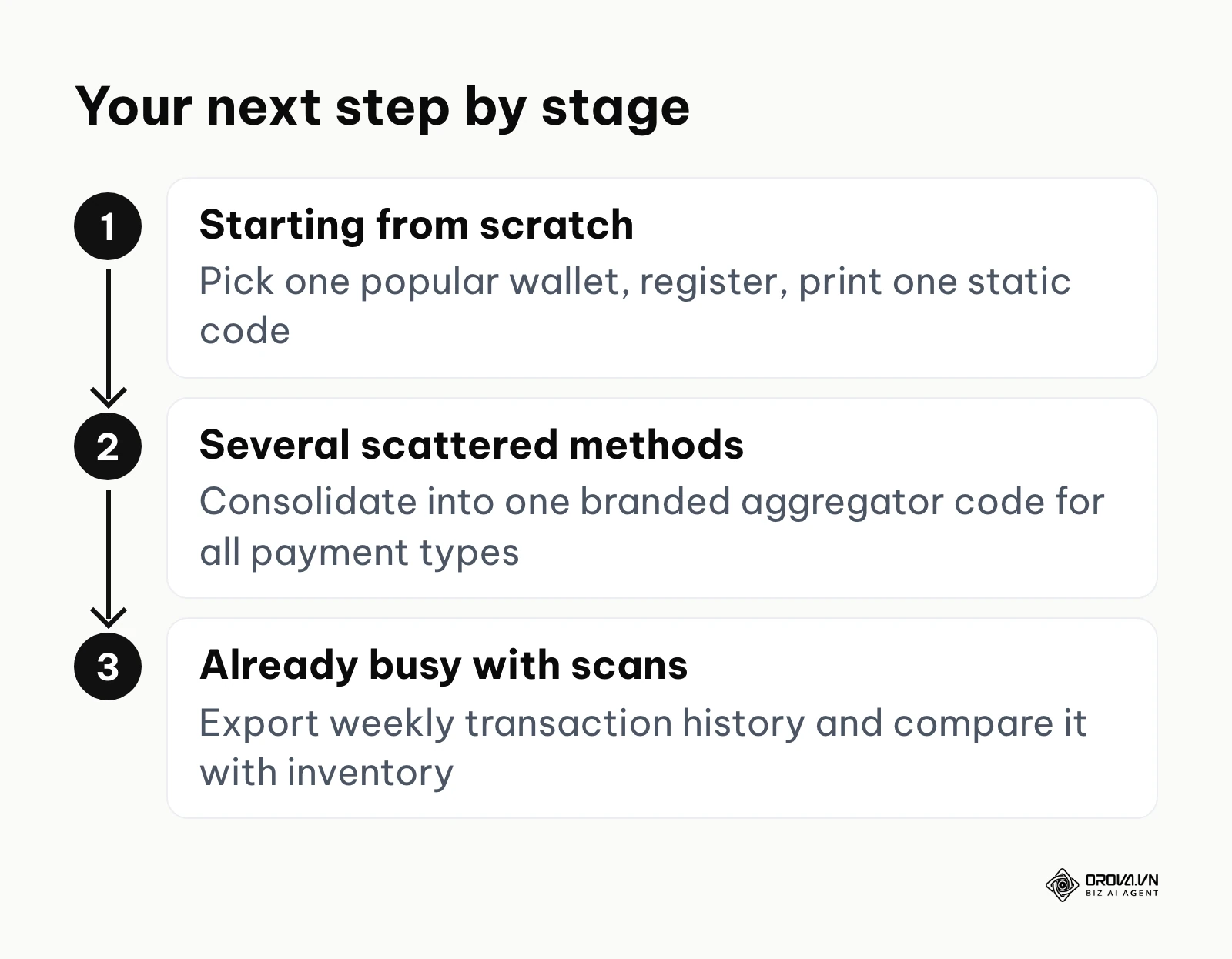
If you are starting completely from scratch and currently only accept physical cash or traditional, swiped credit cards, your immediate, overriding goal is to establish a foundational digital presence. The single most effective action you can take this very afternoon is to choose one highly reputable digital wallet application that is widely popular in your specific geographic region, formally register for a verified business account, and securely print a single static code to display prominently at your primary checkout counter. Do not worry about complex software integrations or APIs yet; simply observe the organic customer adoption rate and gather feedback over the next week.
If you already have a few heavily fragmented digital payment methods—perhaps a personal Venmo code taped sloppily to the wall alongside a bulky, outdated credit card terminal—your mandatory next step is immediate consolidation and professionalization. Your explicit action item is to sign up for a unified payment aggregator platform that provides a single, professionally branded dynamic code capable of seamlessly routing multiple payment types (such as various credit cards, Apple Pay, and local regional wallets) through one universal, elegant scan. This single step instantly elevates your brand's professionalism and dramatically streamlines your tedious backend accounting.
Finally, if you are already processing these contactless transactions heavily but completely failing to actively measure their financial impact, your focus must shift aggressively toward rigorous data analytics. You are highly likely missing critical, actionable insights regarding peak transaction times and returning customer behavior patterns. Your immediate task is to log into your merchant dashboard today and configure an automated weekly export of your complete transaction history. By meticulously cross-referencing these precise digital transaction timestamps with your daily inventory logs, you will uncover exactly which products or times of day are truly driving your cashless revenue.
As you deploy these strategies, remember that mastering qr pay is not just about accepting money; it is about fundamentally upgrading how your business interacts with the modern world.
About the author

Builder of Orova
Nguyễn Đỗ Trọng Ân has 8 years of experience in marketing, including 6 years managing market development across Asia. He builds Orova, a Biz AI Agent that never sleeps: it plans, runs and optimizes work for businesses.
Run your business with AI Agents
Orova is the always-on Biz AI Agent — it plans, runs, and optimizes the work for you.
Save time, unlock productivity.