
How to create UTM codes at scale: naming rules, formula and GA4

Learning how to create UTM codes comes down to one habit: you add short tags such as utm_source, utm_medium and utm_campaign to the end of every link you share, so your analytics tool can tell exactly which campaign sent each visitor. The syntax is easy; the hard part is doing it consistently across a whole team. Without that discipline, you launch a new product, blast an email to your subscriber list, post across five different social media platforms, partner with an influencer, and run paid search ads at the same time. Then you log into your analytics dashboard at the end of the week to review performance, allocate future budgets, and determine actual Return on Investment (ROI), and all you see is a massive, unhelpful bucket of "Direct" or "Referral" traffic.
If you do not know how to create utm codes properly, you are essentially flying blind. You are wasting your marketing budget on underperforming channels while simultaneously starving your top-performing assets of the capital they need to scale. In today's hyper-competitive digital landscape, where customer acquisition costs (CAC) are continuously rising, data ambiguity is a silent killer of businesses. You cannot optimize what you cannot accurately measure.
This comprehensive, highly detailed guide is explicitly designed for marketers, founders, and data analysts who want to move beyond chaotic, manual link building and fragmented reporting. By the end of this deep dive, you will understand how to build a scalable, enterprise-grade tracking infrastructure from scratch, implement a robust team-wide naming convention that removes most human error, and build your own automated spreadsheet generator (with a ready-to-copy formula) to unify your entire department's data. Furthermore, we will explore advanced routing techniques, measurement methodologies in Google Analytics 4, and the future of privacy-centric tracking. Whether you are managing a small monthly budget or a multi-million one, the foundational principles of pristine data attribution remain exactly the same. Let us dive in and transform your reporting from guesswork into an exact science.
What are UTM codes and how to create utm codes effectively
UTM codes (Urchin Tracking Module) are short text snippets appended to the end of a destination URL to help analytics tools identify the exact source, medium, and campaign of your incoming traffic. You create them by adding query parameters to your destination link, enabling precise, granular ROI measurement across every touchpoint of your marketing ecosystem.
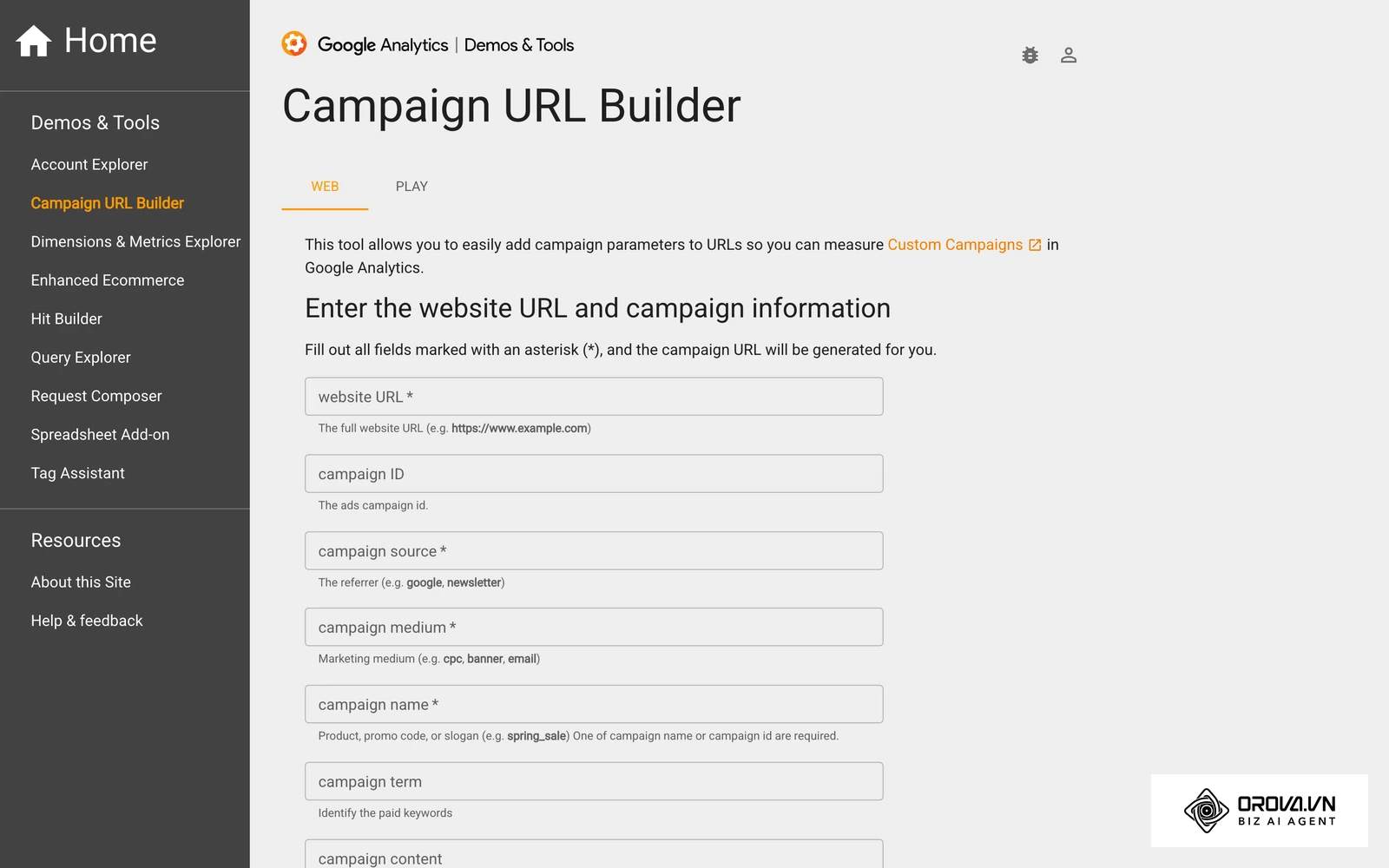
To truly understand the power of this tracking method, you must look at the anatomy of a fully tagged URL and the history behind the technology. The acronym "UTM" originates from Urchin Software Corporation, a web statistics analysis program that Google acquired in 2005 to form the foundational architecture of what is now Google Analytics. Despite the massive evolution of web analytics over the past two decades, this simple, text-based, parameter-driven tracking methodology remains the undisputed global gold standard for marketing attribution.
A standard link might look like https://example.com/shoes. When a user clicks this link from an external site, your analytics platform only knows the referring website (and sometimes, due to privacy settings, it doesn't even know that). However, a tagged link looks like https://example.com/shoes?utm_source=facebook&utm_medium=cpc&utm_campaign=summer_sale. The additional text appended after the question mark does not change the destination page or alter the user experience in any way; it silently passes critical contextual data to your tracking software via the HTTP request, allowing the platform to categorize the user's visit.
The five UTM parameters explained
There are five core parameters you can utilize, though only the first three are generally required for good, functional data hygiene. Let us explore each parameter in exhaustive detail:
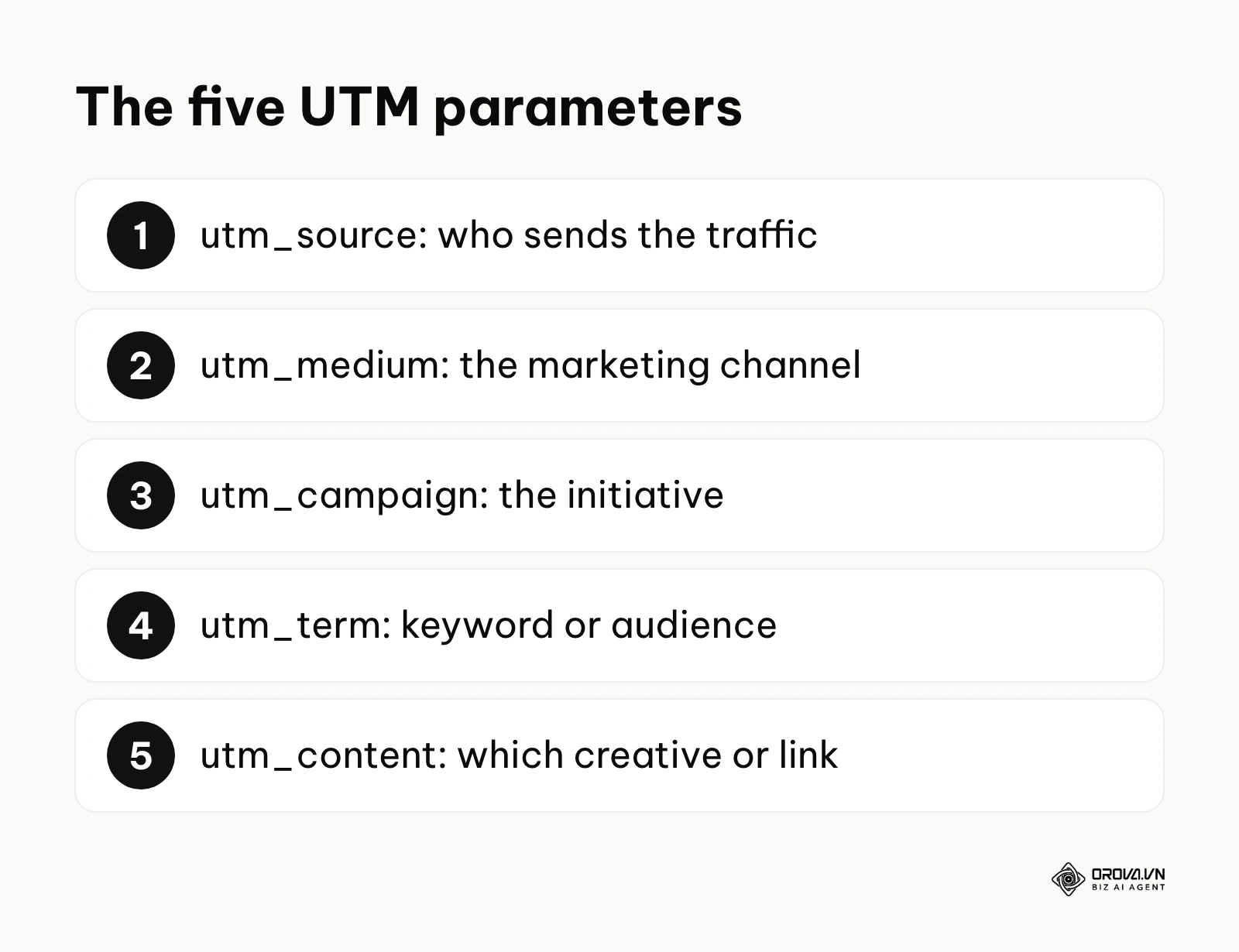
- utm_source: This identifies the specific platform, advertiser, database, or publication sending the traffic. It is the "who" or "where" of your traffic. Examples include google, facebook, newsletter, forbes, trade_show_banner, or affiliate_network_a. In B2B marketing, a source might be a specific industry partner or a niche software directory, whereas in B2C, it is often a mass social network or search engine.
- utm_medium: This identifies the broader marketing channel or advertising methodology. It is the "how" of your traffic. Examples include cpc (cost-per-click), organic, email, social, display, or affiliate. Consistency here is absolutely paramount because GA4 uses the medium parameter to bundle your granular traffic into Default Channel Groupings. If one teammate tags a newsletter with utm_medium=newsletter instead of email, GA4 may not recognize it as Email traffic and can drop it into "Unassigned", skewing your high-level channel analysis.
- utm_campaign: This identifies the specific internal marketing initiative, product launch, or promotional theme. It is the "why" of your traffic. Examples include black_friday_2026, q3_retargeting_b2b, or spring_collection_launch. A highly effective, enterprise-level campaign naming convention often includes hierarchical data separated by underscores or hyphens, such as geo_product_objective_year (e.g., us_sneakers_conversion_2026). This allows analysts to filter data by specific segments later.
- utm_term: This is primarily used in paid search campaigns (like Google Ads or Microsoft Ads) to identify the exact keyword that triggered the ad (e.g., running_shoes_for_men). However, modern marketers also heavily use it in paid social and programmatic advertising to denote the specific audience targeting cohort. For example, a Facebook advertiser might use utm_term=lookalike_purchasers_1_percent or utm_term=retargeting_cart_abandoners_30_days to compare audience performance directly inside GA4.
- utm_content: This is used to differentiate similar content, ad creatives, or physical link placements within the exact same ad or email. It is highly effective for A/B testing and granular creative analysis. Examples include blue_button, text_link_top_nav, or video_ad_v2_fast_intro. If you have a newsletter with three different links all pointing to the same product page, utm_content tells you exactly which placement generated the click, allowing you to optimize future email layouts.
Mastering these five parameters allows you to slice and dice your incoming traffic with incredible precision. You can determine not just that Facebook drove sales, but that the video ad format targeting retargeted users in your summer promotional campaign drove the highest lifetime value and lowest bounce rate.
What you need before building your tracking links
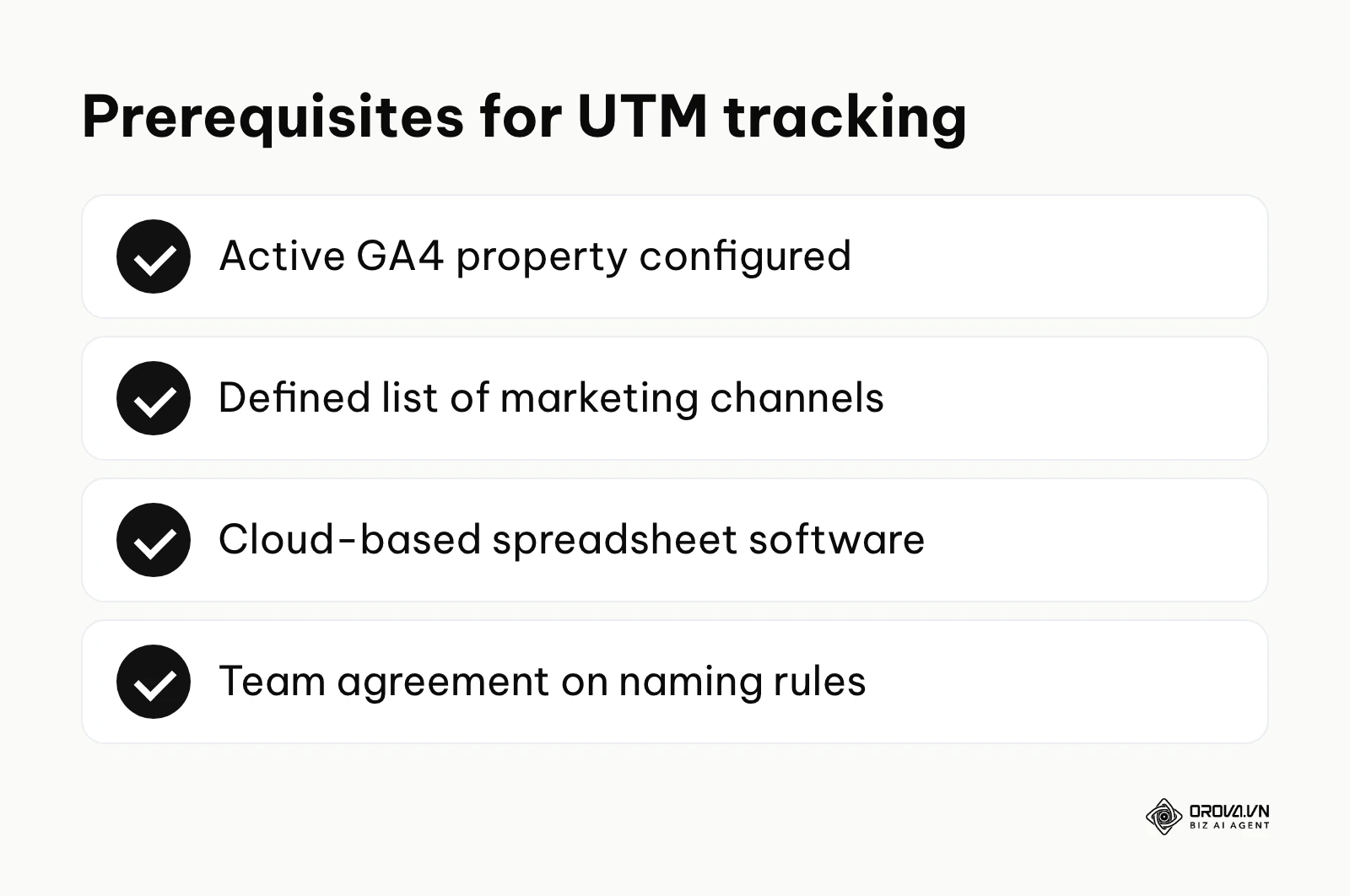
Before you begin generating hundreds of links and pushing them live across the internet, you must lay the administrative groundwork. Creating parameters without a solid foundational system will only lead to a fragmented, messy analytics dashboard that takes hours of manual labor to clean up, and it normalizes bad data habits across your organization. Building tracking links without a system is like building a skyscraper without blueprints.
| Item to prepare | Where to get it | Estimated setup time | Key Stakeholders Involved |
|---|---|---|---|
| Active GA4 Property | Google Analytics dashboard | 10 - 30 minutes | Web Analyst / Developer / Agency |
| Defined Marketing Channels | Internal team discussion | 1 - 2 hours | Marketing Director & Execution Team |
| Spreadsheet Software | Google Sheets or Microsoft Excel | 5 - 15 minutes | Marketing Operations |
| Naming Convention Document | Shared company wiki or Notion | 2 - 4 hours | Marketing Operations / Analytics Lead |
First, ensure your Google Analytics 4 (GA4) property is properly configured, tracking correctly, and actively receiving data streams. UTMs rely entirely on the destination website's analytics script to catch, parse, and store the parameters upon page load. If your tracking code is broken, missing on the specific landing page, or improperly deployed via Google Tag Manager (GTM), the appended data will simply vanish into the void, rendering your UTM efforts useless. Furthermore, if you are running multiple domains (e.g., a main marketing site at example.com and a separate checkout portal at checkout.example.com), you must configure cross-domain tracking in GA4 before launching campaigns, or your UTM parameters will drop off the moment the user crosses from one domain to the other.
Second, you need a rigidly defined list of marketing channels. Your entire team must sit down and agree on what constitutes a "source" versus a "medium." This organizational alignment prevents the classic, data-destroying mistake of one team member using utm_source=social while another uses utm_medium=social. This taxonomy meeting should be documented clearly. Create a strict mapping table: if the source is designated as linkedin, the medium must be either organic or cpc. There should be no room for individual interpretation.
Third, you need a centralized, cloud-based location to store, generate, and manage these links. While web-based, single-link builders are perfectly fine for a solo entrepreneur doing one blog post a week, they break down entirely when a team of five is launching a massive multi-channel campaign. A cloud-based spreadsheet is mandatory for scale, allowing for version control, collaborative editing, forced formatting, and historical referencing.
Finally, document everything in a Naming Convention Document. This should live in a central wiki (like Notion, Confluence, or a secure internal intranet). This document must serve as the single source of truth for all current employees and a critical piece of reading material for new hires during onboarding. It should contain a dictionary of approved terms, rules for capitalization, rules for spacing, and a comprehensive change log detailing when and why certain taxonomy rules were updated. Without this governing document, your pristine spreadsheet will devolve into chaos within three months as people forget the rules.
How to create utm codes: The step-by-step process
This section outlines the core execution framework of building a scalable tracking system. By following these highly detailed steps meticulously, you will transition from manual, error-prone link generation to a streamlined, automated workflow that protects the integrity of your organization's data architecture.
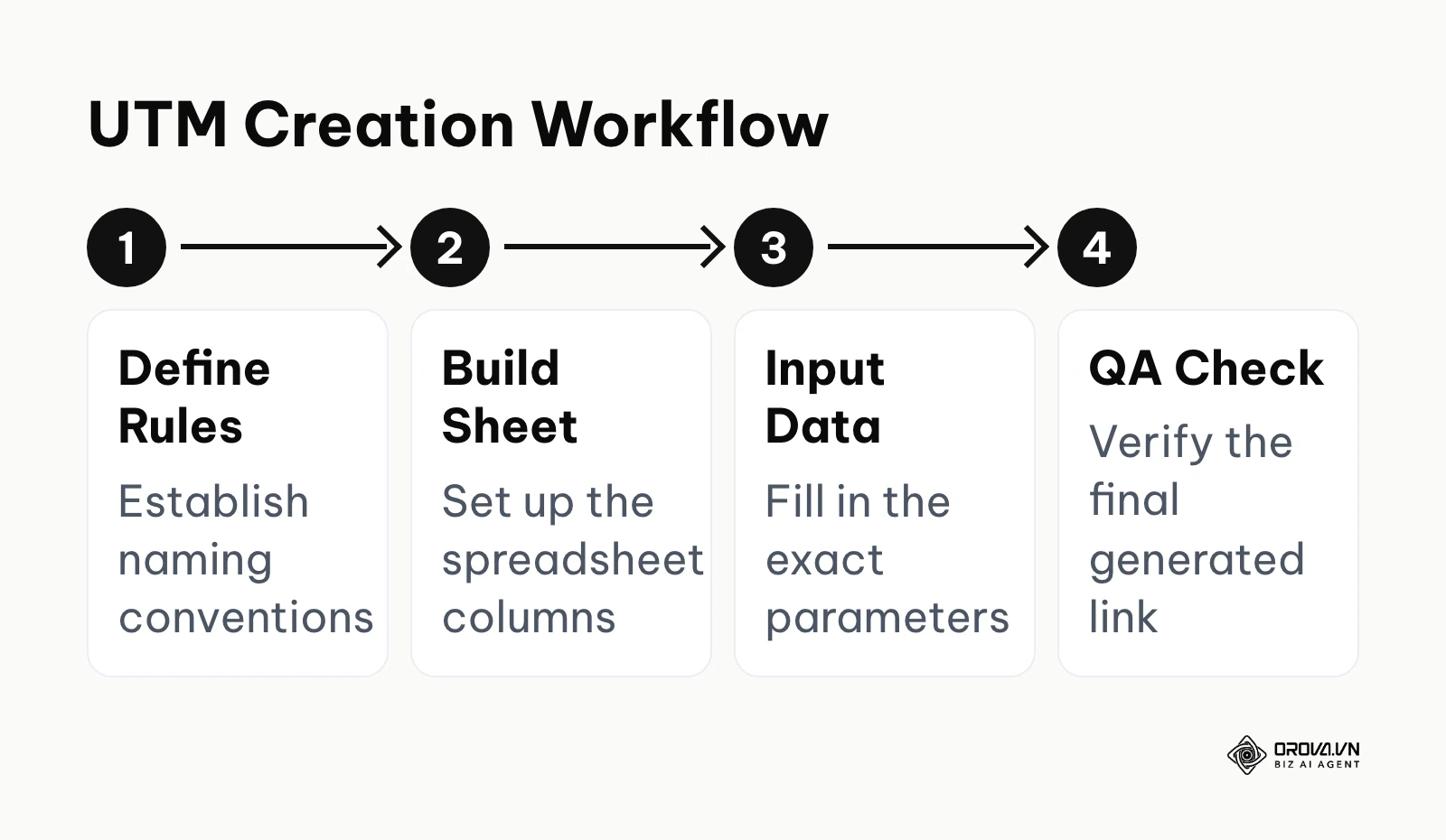
Step 1: Establish your utm naming convention best practices
The most critical step happens before you generate a single link. Inconsistent naming conventions and poor data governance are one of the fastest ways to lose attribution accuracy. You must establish strict, unforgiving rules for data entry.
The absolute golden rule of tracking parameters is to use strictly lowercase letters. Analytics platforms, including GA4 and Adobe Analytics, are fundamentally case-sensitive databases. If an employee uses Facebook on Monday, facebook on Tuesday, and FaceBook on Wednesday, GA4 will treat them as three entirely separate traffic sources, splitting your data into distinct rows and ruining your aggregated, high-level reports.
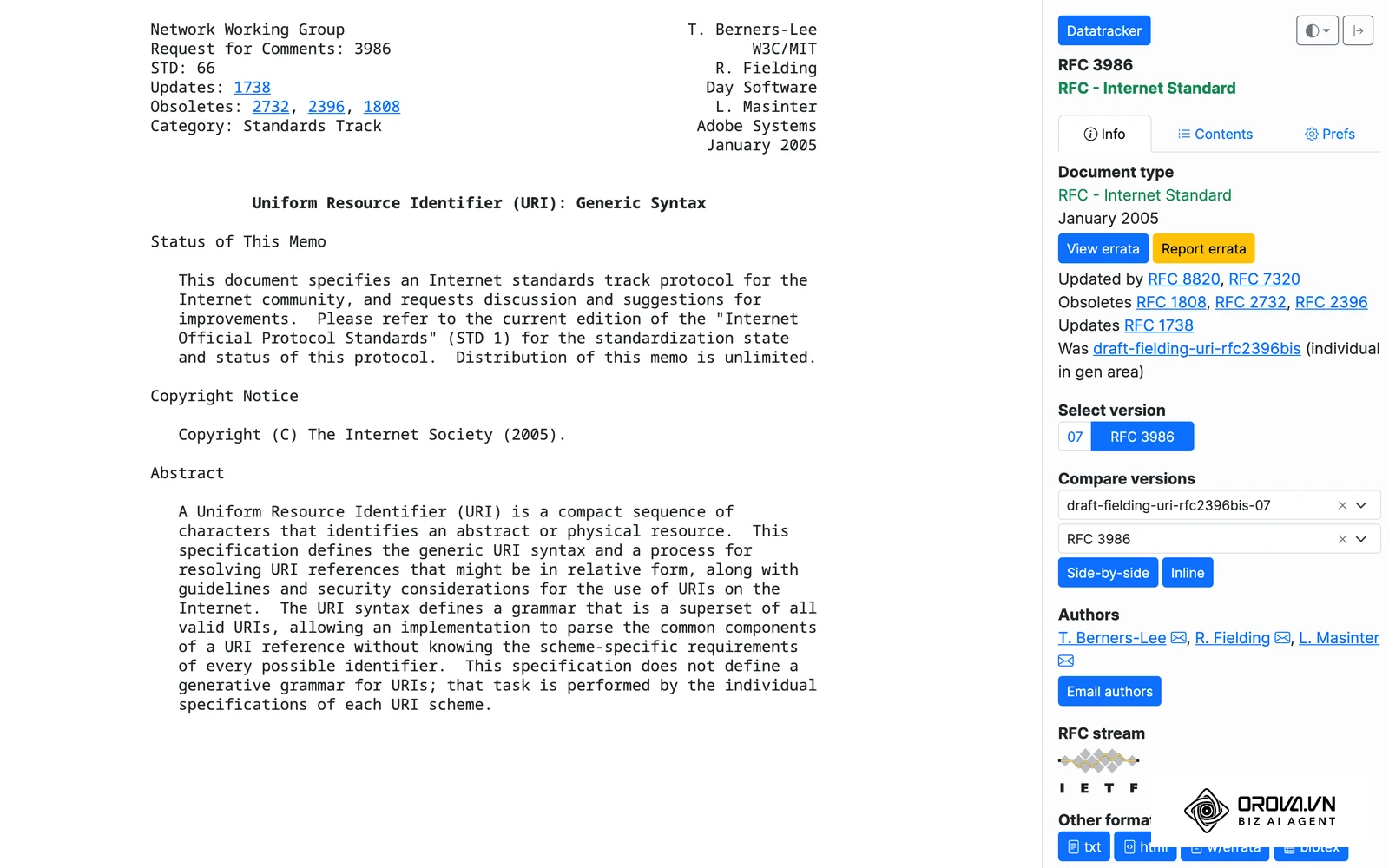
Furthermore, you must avoid spaces at all costs. According to the RFC 3986 standard by IETF in 2005, special characters and spaces in URIs must be percent-encoded. This is one reason dashes and underscores are the common choice. A space will often be automatically converted into %20 or a + symbol by web browsers, making your URLs incredibly ugly, harder to read, and sometimes breaking the parameter parsing entirely if the server handles encoding poorly. Use dashes (-) or underscores (_) exclusively, and stick to one specific format company-wide.
Illustrative example:
- Context: You are a digital marketing manager at a mid-sized B2B SaaS software company with a team of five marketers running concurrent multi-channel lead generation campaigns.
- Steps taken: You noticed analytics data was highly fragmented because one person used "LinkedIn", another used "linkedin", and a third used the abbreviation "LI". You created a strict, lowercase-only policy and documented a comprehensive list of approved sources in a shared Notion wiki.
- Obstacle & solution: The team kept forgetting the rules, copying old, improperly formatted links, and reverting to old habits under the pressure of tight launch deadlines. You solved this by restricting text input in your tracking sheet using data validation dropdowns, physically forcing them to select from predefined, perfectly formatted, lowercase options.
- Visible outcome: Within a month, the "Unassigned" traffic bucket in Google Analytics shrank noticeably, giving a much clearer view of channel performance and saving the analytics team hours of tedious data cleaning every week.
Step 2: Build or duplicate a utm code generator spreadsheet
To stop relying on single-use web forms that offer no historical record, you need a highly structured utm code generator spreadsheet. Open Google Sheets or Microsoft Excel and create a new document. To make this an enterprise-grade tracking tool, we will include project management columns alongside the technical URL parameters:
- Column A: Campaign Owner (Who is ultimately responsible for this link)
- Column B: Launch Date
- Column C: Destination URL (The raw, untracked landing page link)
- Column D: Source (Strict Dropdown Menu)
- Column E: Medium (Strict Dropdown Menu)
- Column F: Campaign Name (Free text, but lowercase/dash enforced)
- Column G: Term (Optional - for audiences/keywords)
- Column H: Content (Optional - for A/B testing ad variations)
- Column I: Final Tracked URL (Automated via internal formula)
- Column J: Shortened URL / QR Code Link (If applicable for offline or social use)
- Column K: Notes / Campaign Purpose
By building this central repository, your team gains a permanent historical log of every single link ever created. When the CMO asks next year, "What exact link and messaging did we use for the Easter promo last year?", you can simply search the document instead of frantically digging through old emails, Slack threads, or deactivated ad platform histories.
Step 3: Define your source and medium rules clearly
Your spreadsheet is only as good as the data entered into it. The concept of "Garbage in, garbage out" applies heavily to analytics. You must map out exactly what values are allowed in your Source and Medium columns to align flawlessly with GA4's internal processing logic.
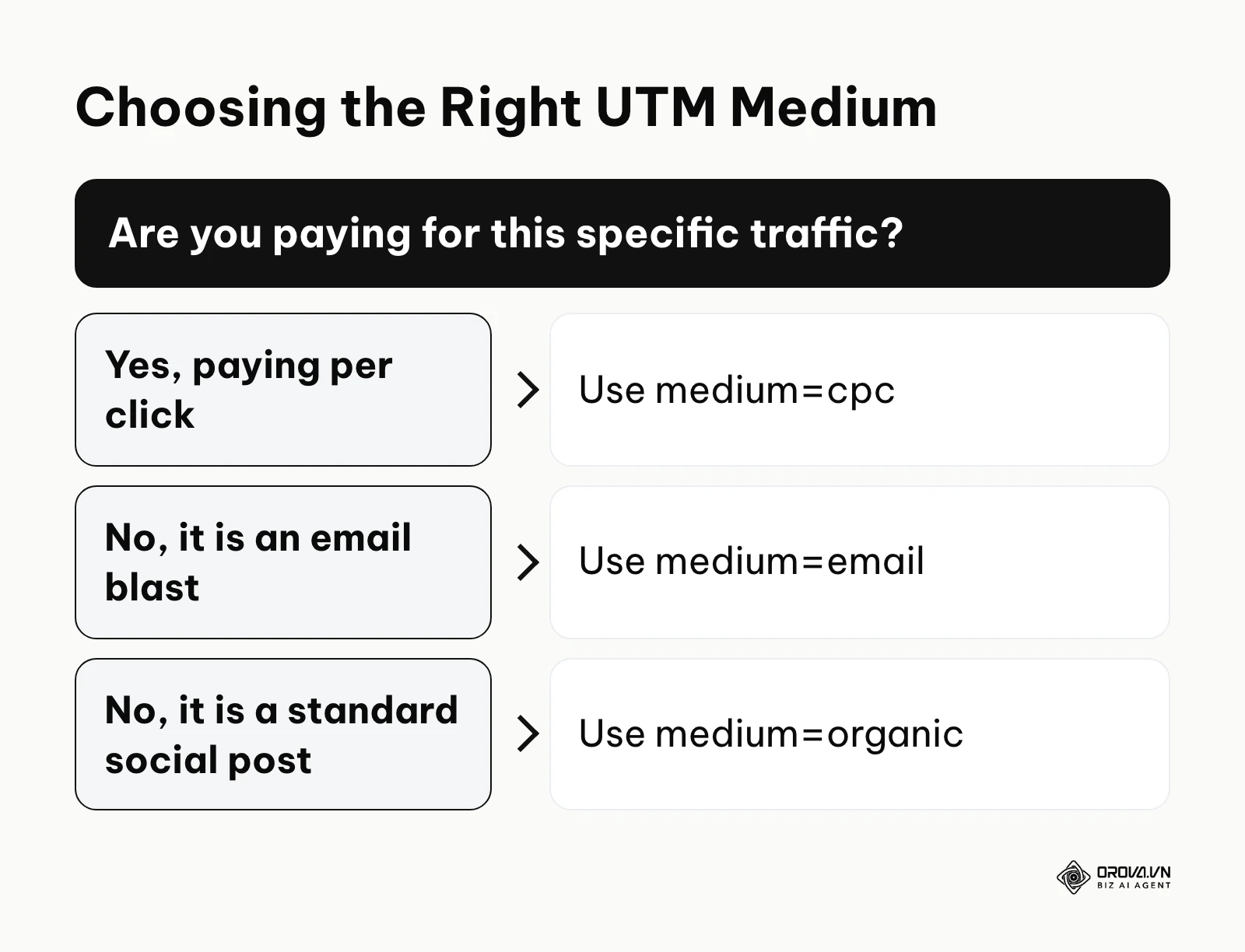
For utm_medium, stick as closely as possible to GA4's default channel grouping definitions. Acceptable, universally safe mediums should include:
- cpc (for paid search, paid social, or any cost-per-click advertising model)
- email (for newsletters, drip sequences, and automated CRM blasts)
- organic (for unpaid social posts, standard forum links, or standard web referrals)
- affiliate (for partner traffic, influencer links, and affiliate networks)
- display (for programmatic banner ads and native placements)
- referral (for PR placements on third-party news sites)
For utm_source, define the exact platform names: google, facebook, instagram, tiktok, mailchimp, hubspot, salesforce, forbes, etc. Do not mix them up. A catastrophic and incredibly common error is setting utm_source=cpc and utm_medium=facebook, which completely reverses the logic of the parameters, destroying GA4's ability to group your traffic accurately and pushing your expensive paid social data into an unknown bucket.
Step 4: Map out campaign and content variations
The utm_campaign parameter should describe the overarching business initiative and bridge the gap between different, isolated marketing silos. If you are planning a marketing campaign such as a massive Black Friday sale across email sequences, Facebook ads, Google search Ads, and an affiliate influencer push, the campaign name must be absolutely identical across all channels (e.g., black-friday-2026). This critical alignment allows you to filter GA4 by that specific campaign name and instantly see a cross-channel performance breakdown, comparing Facebook's direct ROI against Email's direct ROI for the exact same promotion.
The utm_content parameter is your secret weapon for granular optimization, creative testing, and micro-adjustments. If you are learning about a systematic ad testing framework to validate creatives at scale, use this parameter to distinguish between subtle ad variations. For instance, tag one ad with utm_content=red-button-lifestyle-image and another with utm_content=blue-button-product-image. This allows you to measure not just which ad gets a cheaper Cost Per Click (CPC) inside the ad platform, but which ad drives higher quality traffic, lower bounce rates, and more actual revenue post-click inside GA4.
Similarly, if you are highly concerned about Google Ads pricing and budget efficiency in a fiercely competitive market, meticulous campaign mapping ensures you know exactly which specific ad group, theme, or creative element is burning budget without delivering backend conversions.
Step 5: Implement data validation and concatenation formulas
Now, turn your static, manual spreadsheet into a robust, semi-automated software tool. In Google Sheets, highlight all the cells under your "Source" and "Medium" columns. Navigate to Data > Data Validation, and restrict the input to a predefined list (either listed in a separate hidden "Settings" tab or entered directly into the validation rule). This physically prevents your team from making typos or inventing new channels on the fly, acting as a mandatory, unbreakable guardrail.
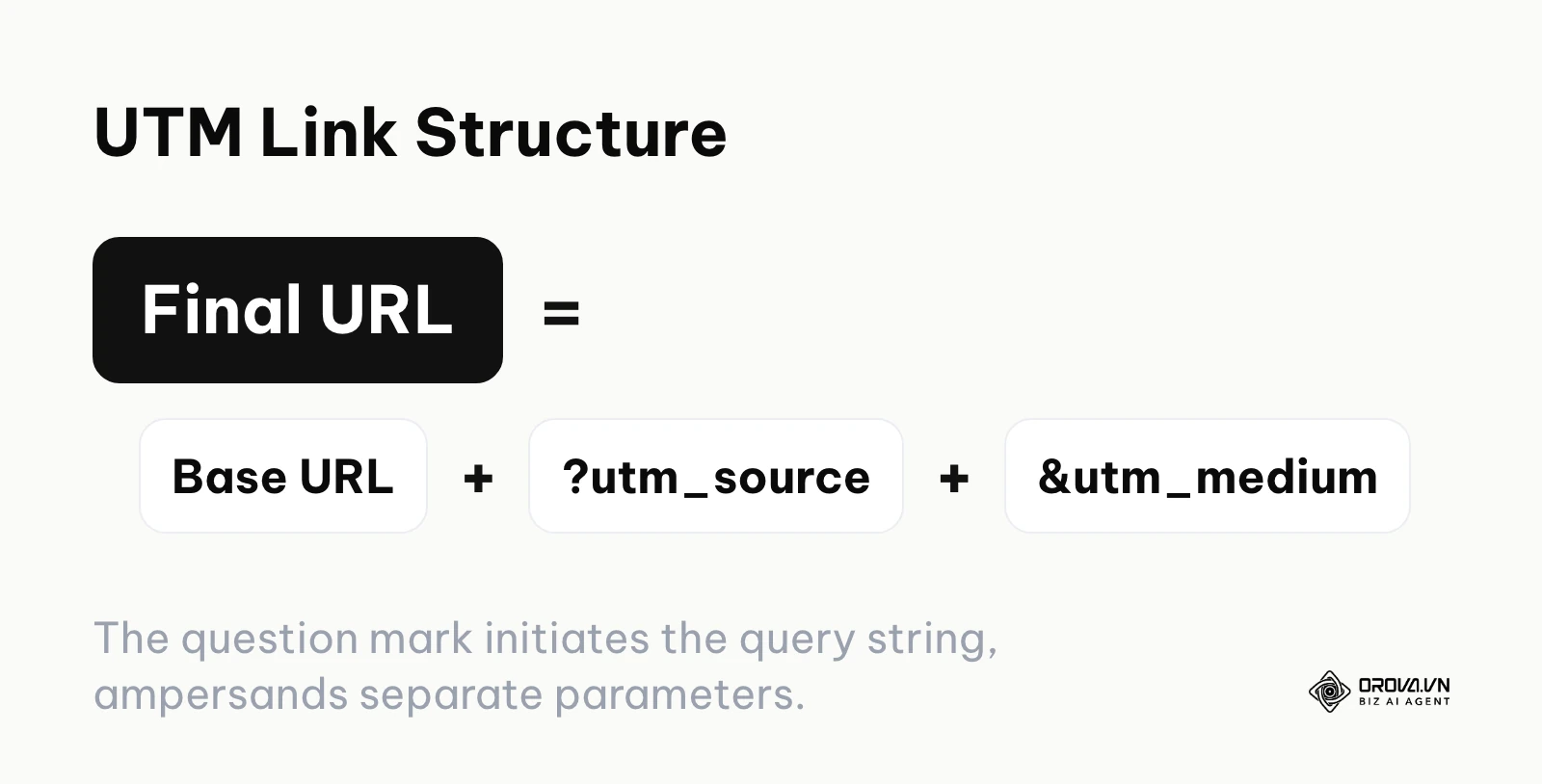
Next, in the Final Tracked URL column, input the concatenation formula. The basic logic is to string the base URL and the parameters together, ensuring a question mark (?) is used first to initiate the URL query string, followed by ampersands (&) to separate subsequent parameters.
A highly robust, error-resistant Google Sheets formula looks like this: =IF(C2="","",C2&IF(ISNUMBER(FIND("?",C2)),"&","?")&IF(ISBLANK(D2),"","utm_source="&D2)&IF(ISBLANK(E2),"","&utm_medium="&E2)&IF(ISBLANK(F2),"","&utm_campaign="&F2)&IF(ISBLANK(G2),"","&utm_term="&G2)&IF(ISBLANK(H2),"","&utm_content="&H2))
Note: This specific formula includes a critical logical check (FIND("?",C2)) to see if the original destination URL already contains a question mark (e.g., if you are linking to a specific, dynamically generated product variant like example.com/shoes?color=red). If it does, the formula automatically starts appending UTMs with an ampersand instead, preventing a broken link with two question marks.
To make it completely foolproof against common human error, wrap your individual cell references in the formula with LOWER(SUBSTITUTE(D2, " ", "-")). This acts as an automated, invisible safeguard, instantly converting any accidental uppercase letters to lowercase and replacing spacebar hits with hyphens right before the final URL is generated.
Step 6: Run a quality assurance (QA) check before publishing
Never, under any circumstances, publish a tracked link without testing it first. A broken link costs real money for every single click it receives, damages brand trust, and ruins data integrity. Implement a strict, non-negotiable, 6-step QA checklist for your execution team:
- Check for existing query strings: Does the original destination URL already contain a question mark? Verify that your spreadsheet formula handled this correctly and did not accidentally append ??.
- Click the final link: Open a fresh incognito browser window and paste the generated URL into the address bar. Hit enter. Does the page load successfully, or do you get a 404 "Page Not Found" error?
- Verify parameter retention: After the page fully loads, look closely at the URL bar. Did the parameters disappear? If they did, your website's server infrastructure might have a redirect that is actively stripping query strings away. You must contact your backend developer to configure the server to seamlessly pass parameters through the redirect.
- Check for PII (Personally Identifiable Information): Ensure you are not accidentally passing dynamic, sensitive data like a customer's email address or phone number in the URL (e.g., utm_term=john@doe.com). This violates Google Analytics policies and can breach privacy laws such as GDPR and CCPA, putting your analytics account and its data at risk.
- Real-time verification: Open your GA4 Realtime report. In your incognito window, click the tracked link, navigate through the site for a few seconds to trigger engagement, and verify that your specific source and medium register accurately in the GA4 dashboard.
- Test across device types: Open the link on a mobile device to ensure mobile-specific responsive redirects do not drop the UTM parameters during the handoff.
If you are tired of messy spreadsheets and broken links, Orova Link & QR puts the basics in one place: a UTM link builder, short links with click counts, dynamic QR codes whose destination can change after printing, and scan and click statistics by day, device, country and source.
Deep dive: Tracking edge cases and advanced routing
While the standard spreadsheet approach works well for most standard digital marketing efforts, you will eventually encounter complex, highly technical scenarios where basic tracking fails. Understanding how to handle these edge cases determines the true accuracy of your organization's data and separates amateur marketers from advanced data strategists.
| Tracking scenario | Recommended method | Weakness / Technical Challenge |
|---|---|---|
| Offline print media | QR codes linked to shortened UTM URLs | Users must actively scan the code; requires physical space |
| URL Redirects & Vanity URLs | Server-side parameter passing (301 redirects) | Requires backend developer configuration and server access |
| CRM Email sequences | Native auto-tagging integration via CRM settings | Less granular control over specific campaign names |
| Cross-domain user journeys | GA4 Cross-domain linker configuration | Technical setup; breaks if third-party cookies are heavily restricted |
| Mobile App Deep Linking | Deep links that pass UTM values into the app's analytics SDK | Complex deployment; requires app developer collaboration |
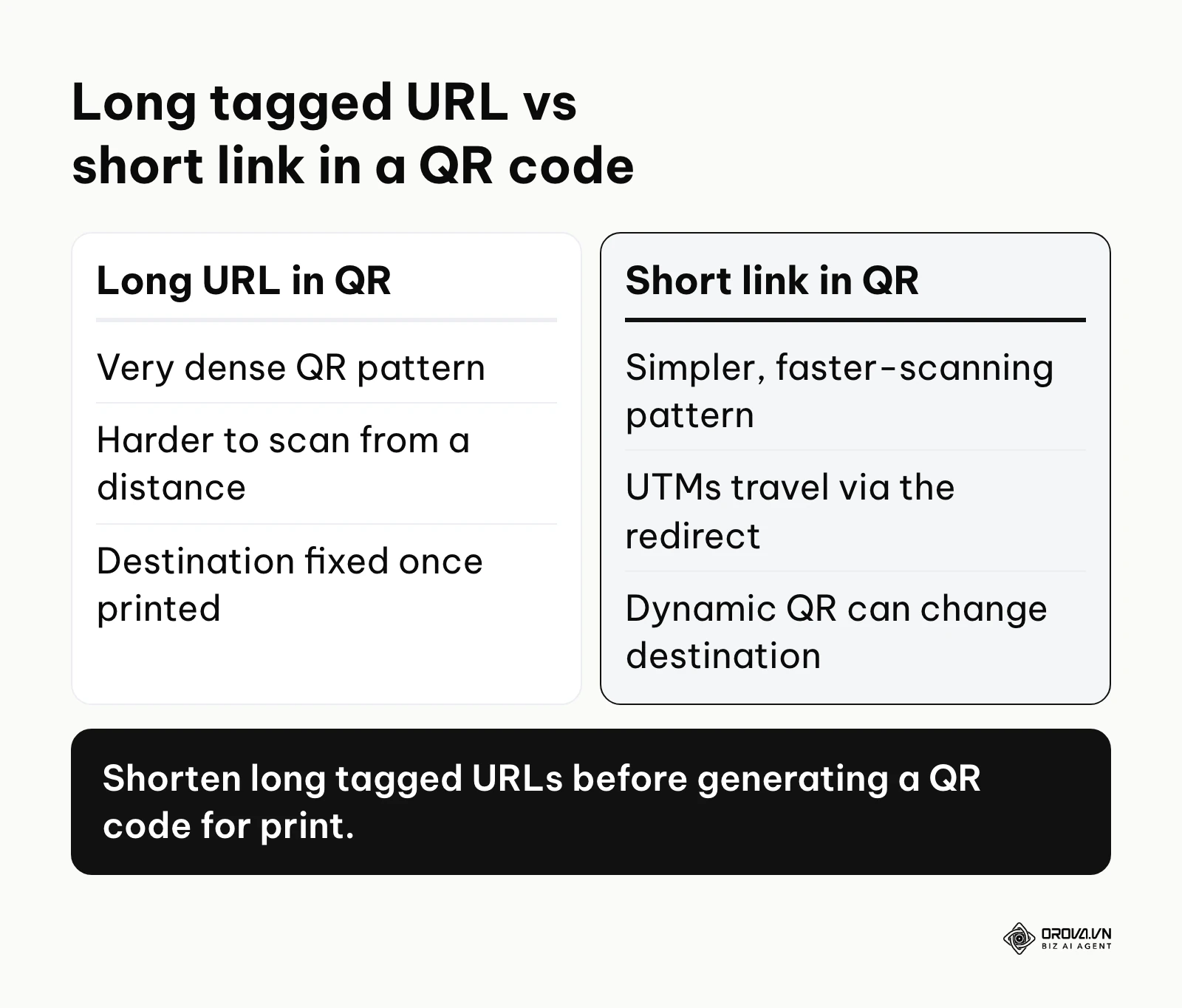
Offline Marketing and QR Codes Marketers often struggle to track the direct ROI of physical, offline assets like flyers, direct mailers, billboards, or business cards. The solution is embedding a fully tagged URL inside a QR code. However, a URL with five long parameters creates a very dense, visually complex QR code pattern (a matrix of hundreds of small squares) that is difficult for older smartphone cameras to scan quickly, especially from a distance or in low light.
The best practice is to take your long, fully tagged URL, turn it into a custom short link, and generate the QR code directly from the short link. This creates a much simpler, highly scannable QR pattern. If you are wondering about the longevity of these codes, particularly for evergreen print campaigns, carefully review whether free QR codes are permanent before printing them on expensive materials like product packaging or large out-of-home displays. A dynamic QR code (where the destination URL can be updated via a backend portal without changing the printed graphic) is strongly recommended for enterprise use.
Illustrative example:
- Context: You are the marketing director for a national retail chain running a massive billboard and subway ad campaign to drive online e-commerce sales.
- Steps taken: You generated unique QR codes for each physical location, appending standard parameters (e.g., utm_source=billboard_nyc and utm_medium=ooh_print). You printed these on thousands of costly posters.
- Obstacle & solution: You realized the raw, long URLs made the QR codes overly dense and hard to scan from a distance on moving subway platforms. You solved this by using a dynamic short link service that seamlessly redirected to the long tracked URL, resulting in a much simpler, faster-scanning QR pattern.
- Visible outcome: Scan rates improved because hurried commuters could capture the code while walking past, and attribution remained intact in your GA4 dashboard.
Redirect Stripping and Vanity URLs If you purchase an offline vanity URL (like buymyshoes.com) to redirect to your main corporate site (example.com/category/shoes), and you send traffic to http://buymyshoes.com?utm_source=radio, your server will often automatically redirect the user to the secure https version of the final destination. During this redirect hop, web servers are frequently configured by default to drop the query string entirely. The user arrives safely at the destination, but the analytics data is completely lost, registering broadly as "Direct" traffic. You must instruct your web development team to ensure all 301 redirects are explicitly configured to append and pass incoming query strings to the final destination URL.
Capturing UTMs in CRM Lead Forms For B2B companies, getting UTM data into GA4 is only half the battle. You desperately need that data in your CRM (Salesforce, HubSpot, Pipedrive) to measure final, closed-won revenue. If a user clicks a tracked link, lands on your site, and fills out a lead form, the UTM data does not automatically transfer to the CRM out of the box. You must use custom JavaScript (often deployed via Google Tag Manager) to capture the UTM parameters directly from the browser's URL bar, store them in local storage or a persistent first-party cookie, and inject them into hidden fields within your lead generation forms. This advanced integration ensures that when a massive enterprise lead closes six months later, your sales team knows exactly which specific LinkedIn ad generated the initial click.
How to measure UTM results in Google Analytics 4
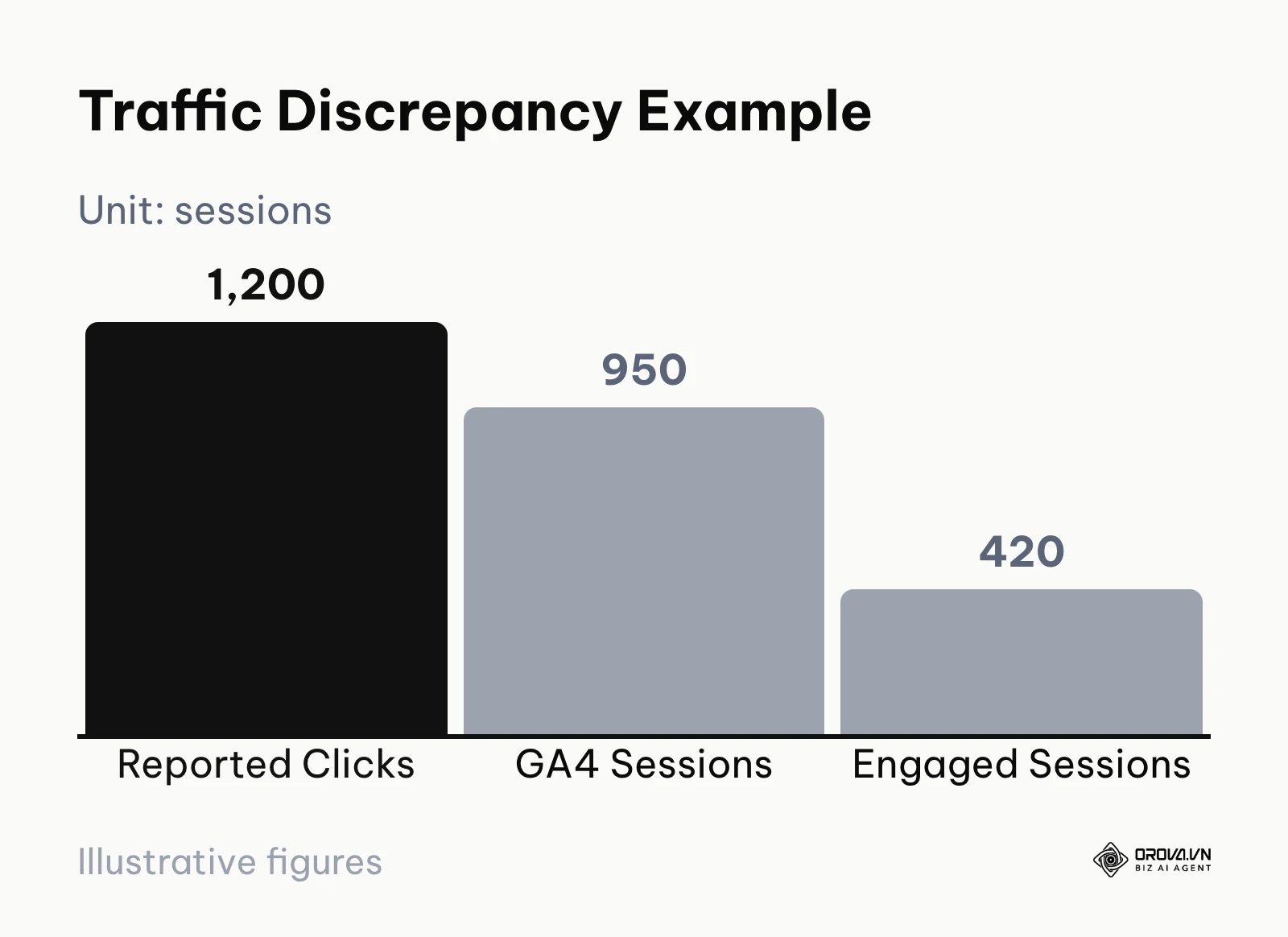
Creating the links and routing them correctly is only the execution phase; knowing exactly where to find the data, interpret it accurately, and act upon it is what actually proves your ROI and secures future marketing budgets. According to the official Google Analytics 4 documentation on traffic acquisition updated by Google in 2024, the platform fundamentally distinguishes between user data and session data to provide better, more realistic customer journey insights. This vital distinction confuses many marketers who are migrating from the older Universal Analytics system. Expect the numbers to shrink at each layer, too. For illustration only, an ad platform might report 1,200 clicks for a campaign while GA4 records 950 sessions and just 420 engaged sessions; blocked scripts, quick bounces and consent choices all widen that gap.
| GA4 Metric / Dimension | Meaning and Application | Threshold for concern |
|---|---|---|
| First user source / medium | How the user originally found your site. Best for Top-of-Funnel analysis. | High "Unassigned" percentage |
| Session source / medium | Where the traffic for this specific visit came from. Best for Bottom-of-Funnel. | High "Direct" traffic spikes during campaigns |
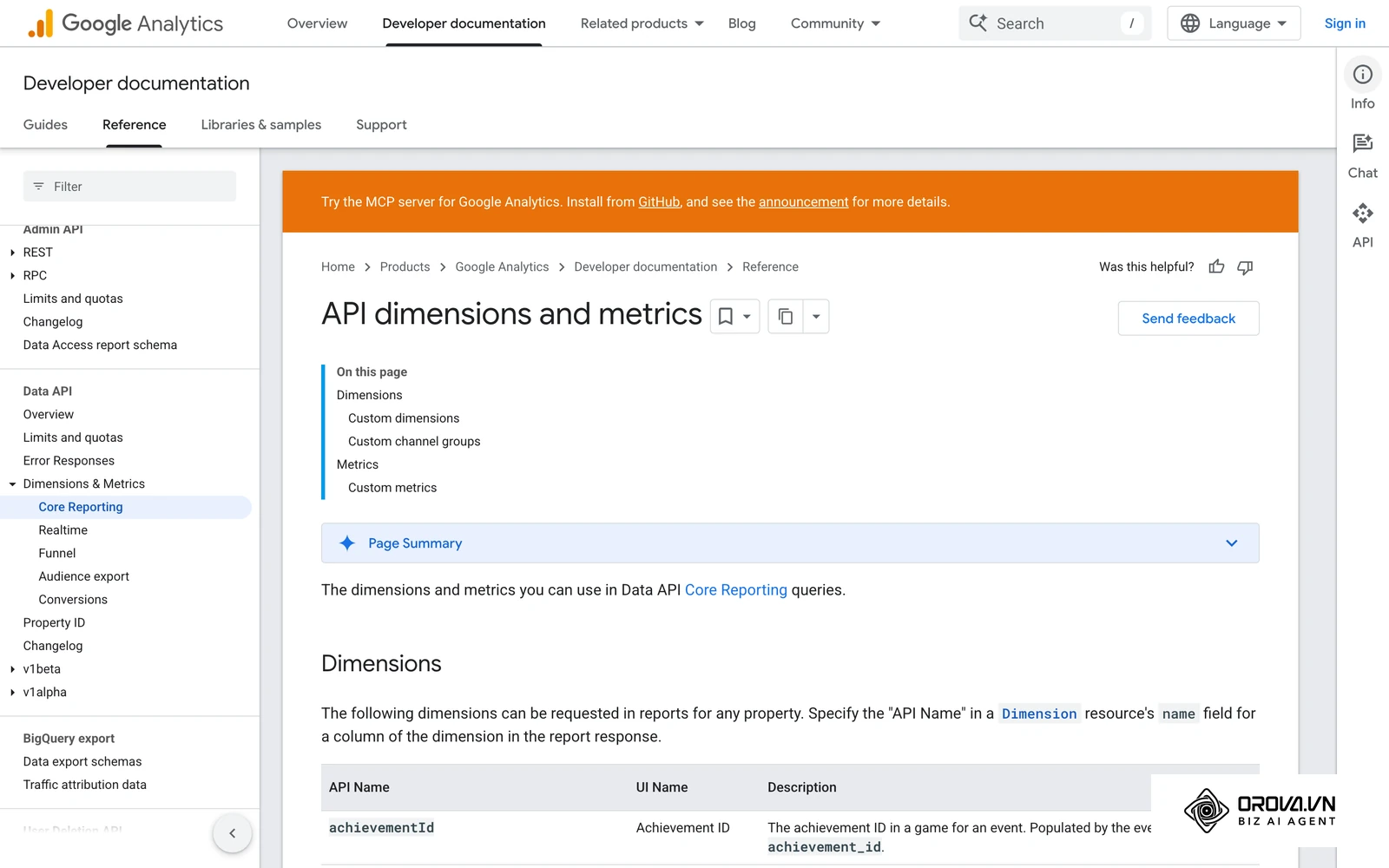
| Engaged sessions | Visits lasting >10s, with a conversion event, or with >1 pageview | Unusually low engagement rate on paid traffic |
| Conversions / Key Events | Specific actions completed (Purchases, Form Submissions, Sign-ups) | Zero key events firing for a high-traffic UTM |
User Acquisition vs. Traffic Acquisition In GA4, you have two primary, standard reporting areas for traffic analysis. The "User acquisition" report shows you how a person first discovered your brand, anchoring the data to their very first interaction with your domain. If a user clicks your tracked Facebook ad on Monday (but does not buy anything), and then returns via a direct organic Google search on Friday to finally make a purchase, the User acquisition report attributes that user's origin to Facebook. This is crucial for proving the value of top-of-funnel brand awareness campaigns.
The "Traffic acquisition" report looks exclusively at the specific session in isolation. In the exact scenario above, the Traffic acquisition report for Friday's session would credit organic search, completely ignoring the initial Facebook touchpoint. You must clearly understand this difference to avoid reporting failures. If you are analyzing a top-of-funnel brand awareness campaign (like a viral TikTok video or a display ad), look at User acquisition. If you are analyzing a bottom-of-funnel retargeting email designed to drive immediate, same-day sales, look at Traffic acquisition.
Illustrative example:
- Context: You are an e-commerce data analyst trying to understand why a recent, highly expensive influencer campaign shows zero sales in your standard weekly performance reports.
- Steps taken: You opened the standard GA4 reports and looked at the primary session source / medium dimension, which showed heavy traffic volume from the influencer's UTMs but absolutely no conversions. You switched to the "User acquisition" report to analyze first-touch impact.
- Obstacle & solution: GA4's default session view was masking the true, complex customer journey because users were clicking the influencer link on mobile devices on a commute, browsing the catalog, leaving, and returning days later via desktop organic search to actually pull out their credit cards and buy. You added "First user campaign" as a secondary dimension in your custom conversion exploration reports to reveal the delayed, cross-device impact.
- Visible outcome: You successfully attributed a meaningful share of delayed, multi-touch revenue to the influencer campaign that was previously hidden in the "Direct" bucket, justifying the immediate renewal of their contract and calculating a highly positive, data-backed ROAS formula.
Building Custom Explorations for UTMs To truly leverage UTMs, you must move beyond standard out-of-the-box reports and use GA4's powerful "Explore" tab. Create a new "Free form" exploration. Add your required dimensions: Session source / medium, Session campaign, and Session manual term. Add your desired metrics: Sessions, Engagement rate, Total revenue, and Key events. Drag these into the report builder to create a custom pivot table that clearly displays exactly how much revenue every single specific campaign variation generated. This granular view is where the magic of data-driven marketing happens.
Building a clean tracking setup does not have to be a technical burden. With Orova Link & QR, you can build UTM links, shorten them, turn them into QR codes customized with your colors and logo, and download PNG or SVG files for print. Sign up and start today; it is free until July 7, 2027.
Common mistakes when creating UTM codes
Even highly experienced enterprise teams make critical, fundamental errors when managing marketing data at scale. Tracking is unforgiving. Fixing these common mistakes will instantly improve the reliability of your reporting and prevent executive distrust in your analytics capabilities.
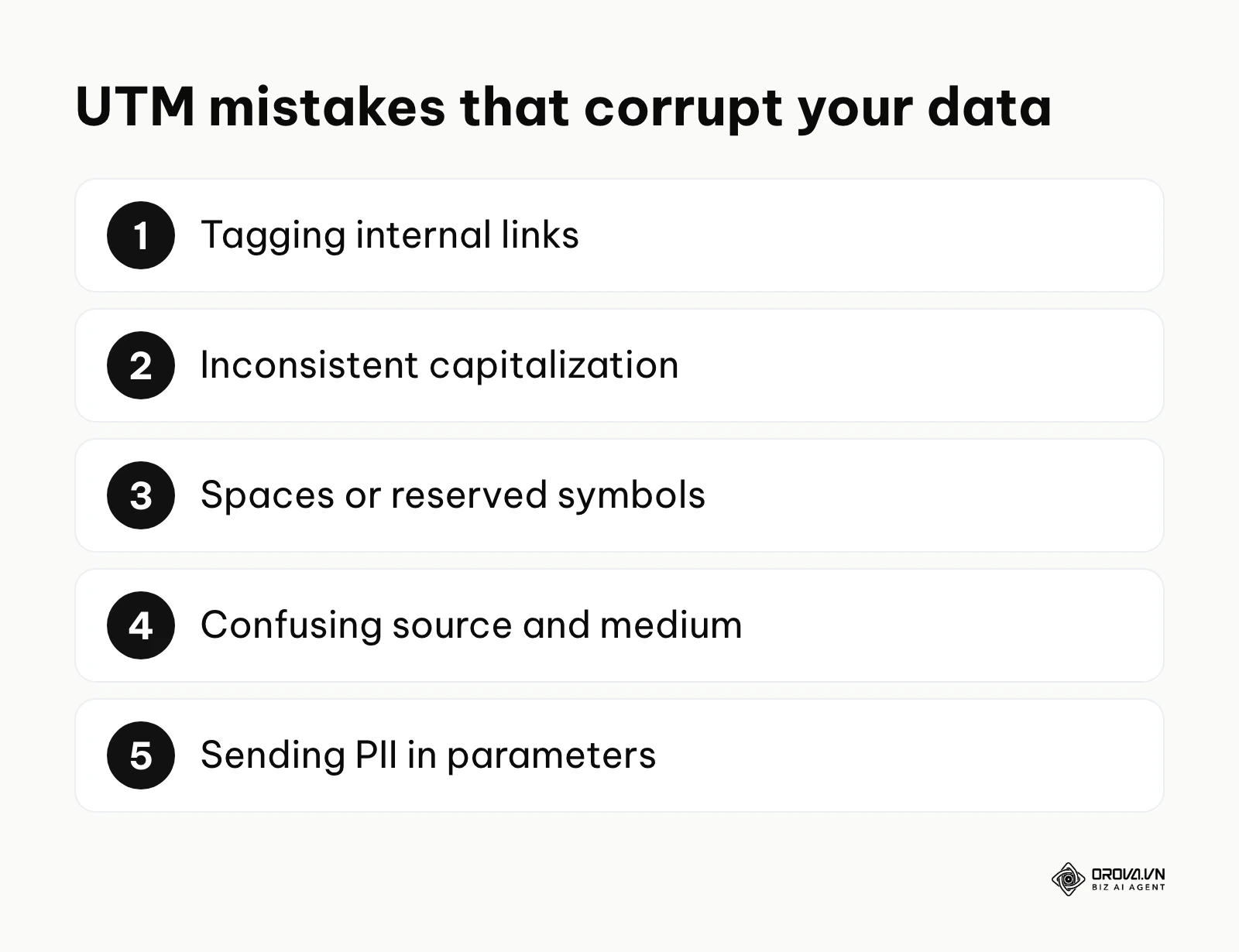
- Tagging internal links: Never, under any circumstances, use tracking parameters on links that point from one page of your own website to another. For example, do not put a UTM code on a homepage banner promoting your internal blog. If a user clicks an internal link tagged with parameters, GA4 records your own website as a new campaign source and overwrites the original external source (e.g., the Google Search that initially brought them to the site) in your acquisition reports. This entirely destroys your acquisition attribution data. Use GA4 custom events to track internal clicks, never UTMs.
- Inconsistent capitalization: As thoroughly mentioned, Email and email are two distinct channels to an analytics database. Always force lowercase. A single capital letter can create a duplicate row in your GA4 reports that ruins automated Looker Studio dashboards and creates reporting headaches.
- Using spaces or symbols: Spaces break URLs. Always use hyphens. Avoid using characters like &, #, or = inside your actual parameter values (e.g., utm_campaign=summer&fall_promo), as these are reserved URL characters that dictate overall URL structure and will prematurely truncate your tags, leaving you with incomplete data.
- Confusing Source and Medium: Medium is the broad, overarching category (cpc, email, social). Source is the specific, individual entity (google, mailchimp, facebook). Reversing these will violently break GA4's default channel grouping logic, throwing your expensive paid traffic into the useless "Unassigned" bucket and ruining broad channel analysis.
- Sending PII (Personally Identifiable Information): Never put a user's real name, email address, physical address, or phone number in a tracking parameter. This can breach privacy laws (like GDPR and CCPA) and violates Google Analytics policies, which can lead to your account and historical data being at risk.
- Forgetting the base URL query string: If your destination URL already has a question mark serving a functional purpose (e.g., mysite.com/product?variant=blue), you cannot mathematically add another question mark to start your tracking parameters. You must append them with an ampersand (&utm_source=...).
- Copy-Pasting Ad Campaigns without updating UTMs: When duplicating a successful ad set in Facebook Ads or Google Ads to target a completely new audience, marketers frequently forget to update the utm_campaign or utm_term at the ad tracking level. This results in the new audience's data bleeding directly into the old audience's data, making optimization impossible. Always audit URLs during campaign duplication workflows.
The future of UTM tracking in the next few years: my perspective
As global privacy regulations tighten, browser technology evolves, and machine learning matures, the way we manage and deploy how to create utm codes will keep shifting. Here is what I believe the landscape will look like over the next few years.
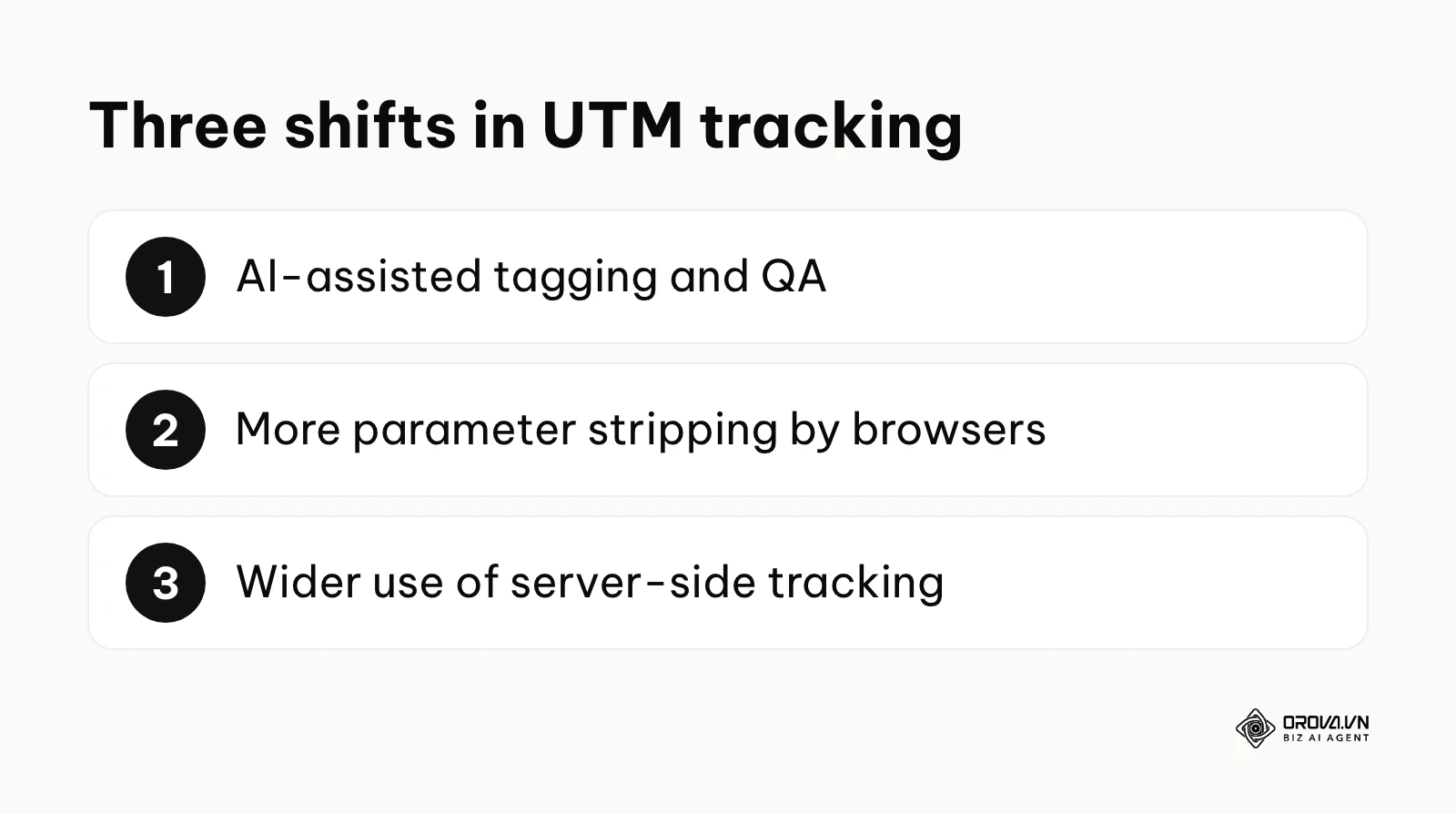
AI-driven auto-tagging will become the absolute standard
I expect manual spreadsheet generation to become much less common for sophisticated enterprise teams. We are already seeing the early stages of AI systems that scan outgoing marketing assets—whether it is a social media scheduler, an email draft, or an ad platform—and automatically append perfectly formatted, context-aware parameters before publishing. I think LLMs (Large Language Models) will increasingly read your ad copy, understand the context, and suggest a matching UTM string. Marketers should prepare by standardizing their naming rules now, so future AI tools have a clean, logical framework to learn from. If you are setting priorities for your analytics roadmap, cleaning up your foundational data architecture belongs near the top of the list.
Privacy features will aggressively strip parameters
With privacy-centric features like Apple's Link Tracking Protection (LTP), introduced in iOS 17, already removing some user-specific click IDs (such as fbclid) from URLs in Mail, Messages and Safari Private Browsing, I anticipate that broad parameter stripping will become significantly more common across all major browsers, including Chrome and Edge. While standard campaign parameters (UTMs) are currently relatively safe because they do not track individual users (they track the campaign aggregate), privacy-focused browsers like Brave may eventually give users the option to automatically strip all query strings entirely to prevent any footprinting. I strongly recommend that marketing teams stop relying solely on client-side URL parameters and begin actively exploring robust server-side tracking solutions as a necessary backup.
Server-side tracking will slowly replace client-side tags
As client-side tracking (firing a pixel in the user's browser) becomes less reliable due to robust ad blockers, Intelligent Tracking Prevention (ITP), and privacy features, I lean toward the belief that server-side tracking (via Google Tag Manager Server-Side) will become far more common. Instead of the user's browser sending data directly to GA4 based on a URL parameter, your secure server will process the click, clean the data, and send it directly to the analytics platform via a secure API. Marketers must start familiarizing themselves with server-side tagging concepts and first-party data strategies today to stay ahead of this infrastructure shift.
Frequently asked questions about how to create utm codes
Do I need to use all five UTM parameters every single time?
No, you absolutely do not. The only technically required parameters to maintain clean data are usually utm_source, utm_medium, and utm_campaign. Using utm_term is generally reserved for paid search campaigns to track specific keywords or granular audiences, while utm_content is best used when you are actively A/B testing different creatives, button colors, or link placements within the exact same piece of content. Using all five parameters when unnecessary simply creates unmanageably long URLs and fragments your data into too many small rows, making statistical significance much harder to achieve.
How to manage utm tracking codes for a large, decentralized marketing team?
The most effective way is to centralize the creation process and remove individual autonomy over naming conventions. Abandon individual web-based URL builders immediately and force the entire team, including external partner agencies, to use a shared, cloud-based spreadsheet with strict data validation rules (locked dropdown menus). Nominate one data-oriented person as the "Data Governance Lead" to audit the sheet weekly and ensure no one is bypassing the naming conventions. For maximum security, build a custom web app linked to your spreadsheet that forces users to generate links through a controlled interface.
Should I use utm_term for non-search campaigns?
While traditionally designed exclusively for paid search keywords, innovative and advanced marketers frequently repurpose utm_term to track target audiences in paid social or programmatic campaigns. For example, if you are running a Facebook ad, you might use utm_term=lookalike_purchasers_1_percent or utm_term=retargeting_cart_abandoners_30_days. Just ensure your entire team documents this non-standard, custom usage in your shared naming convention wiki so analysts know exactly how to read the resulting reports.
What happens to my data if I hide my UTMs behind a short link?
Your data stays intact as long as you shorten the full, already-tagged URL: the short link simply redirects to the long address, and the UTM parameters travel with it. If you instead add parameters to the short link itself, the shortener must be configured to pass incoming query strings through to the final destination. This is the strongly recommended approach for offline marketing, printed materials, social media bios, and text-message campaigns where visible URL character length and aesthetics are a major concern.
How do I handle UTMs if my URL contains a fragment (a hash #)?
If your URL jumps to a specific section of a page using an anchor link (e.g., example.com/page#pricing), the UTM parameters MUST be placed before the hash symbol. A perfectly correct URL looks like this: example.com/page?utm_source=email&utm_medium=newsletter#pricing. If you mistakenly place the UTMs after the hash (example.com/page#pricing?utm_source=email), the analytics script will completely fail to read them, as web browsers generally do not send any information located after the hash to the server.
How will AI impact the way we generate and manage UTM codes?
AI will primarily automate the tedious governance, QA, and insight-generation processes. Instead of manually checking spreadsheets for rogue uppercase letters or broken spaces, AI assistants built into your workflow (via chat tools or browser extensions) can flag non-compliant URLs before they are published. AI can also help analyze the resulting data exponentially faster, instantly identifying which specific utm_content variation drove the highest lifetime value without requiring a data analyst to manually build complex pivot tables.
Where should you start?
If you are overwhelmed by the prospect of overhauling your entire tracking infrastructure, do not panic. The best approach is to start small, taking incremental, measurable steps based on your current organizational situation, technical resources, and budget.
- For the solo marketer drowning in "Direct" traffic: Do not worry about complex spreadsheets or automated scripts yet. Your single, achievable goal for this afternoon is to establish a basic, foundational naming convention. Open a simple notepad, write down your top 5 most used marketing channels, define exactly what their Source and Medium names will be (e.g., facebook / organic), and commit to using those exact lowercase terms for your next three major campaigns.
- For the small team dealing with fragmented, messy data: Your immediate next step is to build the centralized spreadsheet template described in Step 2. Spend one hour configuring the columns and adding strict data validation dropdowns for your Source and Medium columns. Share this link in your team's primary communication channel, pin it, and aggressively mandate its use for all future outgoing links. Establish a firm rule: if a link isn't logged in the sheet, it doesn't go live.
- For the enterprise department migrating systems: Your initial focus should be entirely on auditing historical data before building new systems. Spend a dedicated session in GA4 analyzing your Traffic acquisition report to identify the most common naming errors currently polluting your database. Use this forensic audit to build an airtight, comprehensive governance document. From there, train your team, implement a locked link generation tool, and rigidly monitor the percentage drop in "Unassigned" traffic over the next 90 days as your key performance indicator.
By taking these methodical, disciplined steps and respecting the underlying technology of query strings, you will finally unlock the true, actionable value of your marketing analytics and master exactly how to create utm codes for long-term, sustainable business success. ---BAI---
About the author

Builder of Orova
Nguyễn Đỗ Trọng Ân has 8 years of experience in marketing, including 6 years managing market development across Asia. He builds Orova, a Biz AI Agent that never sleeps: it plans, runs and optimizes work for businesses.
Run your business with AI Agents
Orova is the always-on Biz AI Agent — it plans, runs, and optimizes the work for you.
Save time, unlock productivity.