
What is a QR code business card? The 2026 definitive guide

Imagine attending a major industry conference where you meet a high-value prospect. You hand them your traditional paper card, feeling confident about the interaction. A week later, you realize they never called. Did they lose the card? Did they mistype your email address? Or did your card just end up at the bottom of their laptop bag, completely forgotten? This is the fundamental flaw of physical networking in a digital age.
When you use a qr code business card, you eliminate the friction between a physical handshake and a digital connection. Instead of hoping the prospect manually enters your data, you provide an instant gateway straight into their smartphone. However, simply generating a random barcode online and slapping it onto your card design is a recipe for disaster. If the image is too small, the colors lack contrast, or the hosting platform suddenly injects ads into your link, your professional image shatters instantly. In this guide, you will explore the deep mechanics of digital networking, discover how to avoid catastrophic print errors, and learn how to measure the real return on investment for your interactions.
What is a QR code business card?
A QR code business card is a modern networking tool that utilizes a scannable two-dimensional barcode to instantly share professional contact information. It differs from a traditional paper card by digitizing the data transfer process, allowing recipients to save your details directly into their smartphone address book seamlessly.
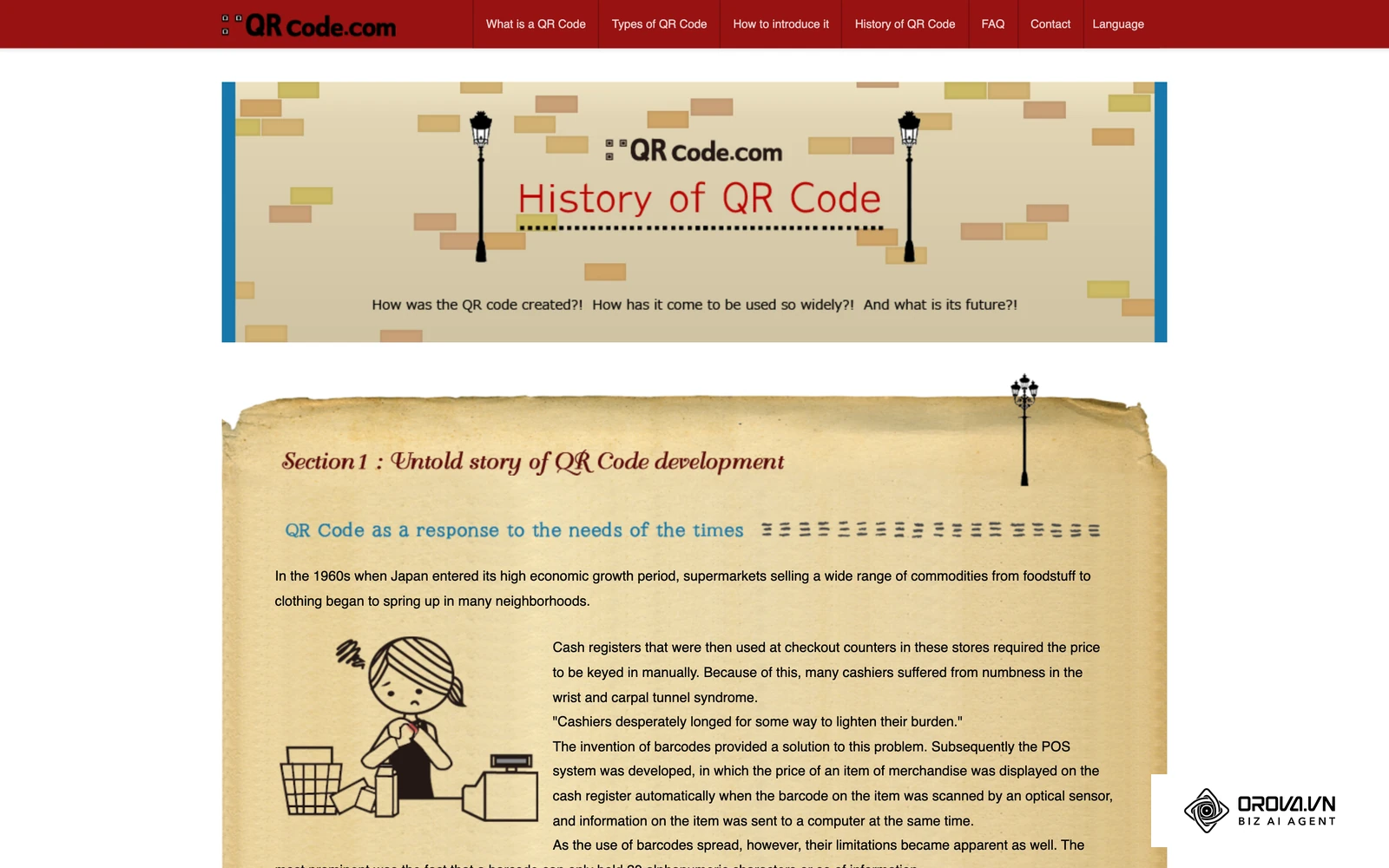
The technology originates from the automotive industry, where it was invented in 1994 by Denso Wave to track vehicle parts during manufacturing. According to the ISO/IEC 18004:2015 specification by the International Organization for Standardization (ISO), these matrix barcodes store data across two dimensions, allowing them to hold significantly more information than traditional linear barcodes. Today, they have evolved from factory floors into essential networking assets.
To understand where this tool stands, let us look at how it differs from other common networking technologies:
| Concept | How it differs | Example use case |
|---|---|---|
| NFC Card | Uses radio frequencies requiring physical tapping, whereas barcodes require optical scanning via a camera. | Tapping a smart card on a phone to share a profile. |
| Digital Portfolio Link | Just a URL that must be typed manually or clicked, lacking a physical bridge. | A link in an email signature. |
| Standard Paper Card | Relies entirely on manual data entry by the recipient. | Handing over a printed card at a local meetup. |
For a daily example, imagine you are sitting at a coffee shop and strike up a conversation with a potential client. Instead of searching for a pen, you simply open your phone, display your unique barcode on the screen, and the client scans it to instantly save your phone number and email.
The significance of digital networking: Why it exists
The shift toward digital contact sharing exists to solve a massive bottleneck in professional communication: data entry friction. Business professionals attend countless events, accumulating stacks of paper that eventually end up in the trash. The gap between receiving a paper card and actually sending a follow-up email is where most networking opportunities die. A QR code business card bridges this gap by acting as the translation layer between the physical world and the digital database.
In the broader picture of enterprise sales and marketing, this tool sits precisely at the top of the funnel. It is the very first touchpoint in a modern customer journey. Before you can nurture a lead through email marketing, and before you can analyze their behavior using click tracking, you must first capture their information accurately. If you ignore this transition, you lose data integrity. Every time a prospect has to type your email manually, you risk a typo that permanently severs the connection. You also lose the ability to measure physical interactions.
When you don't need a QR code business card yet: There are specific situations where adopting a QR code business card is unnecessary. If your business relies entirely on local, foot-traffic customers like a neighborhood bakery, investing in digital tracking is wasteful. Similarly, if you attend highly secure government or defense facilities where smartphones are strictly prohibited, a scannable digital card becomes useless. In these cases, sticking to traditional paper cards or relying on verbal introductions and manual email follow-ups is far more practical and appropriate for your immediate networking environment.
Core values and benefits: Measuring the impact
The transition to scannable profiles delivers distinct advantages that scale from individual interactions up to enterprise-level data management. Understanding these benefits requires looking at both the corporate bottom line and the daily experience of the employee.
Enterprise value: Security, scalability, and ROI
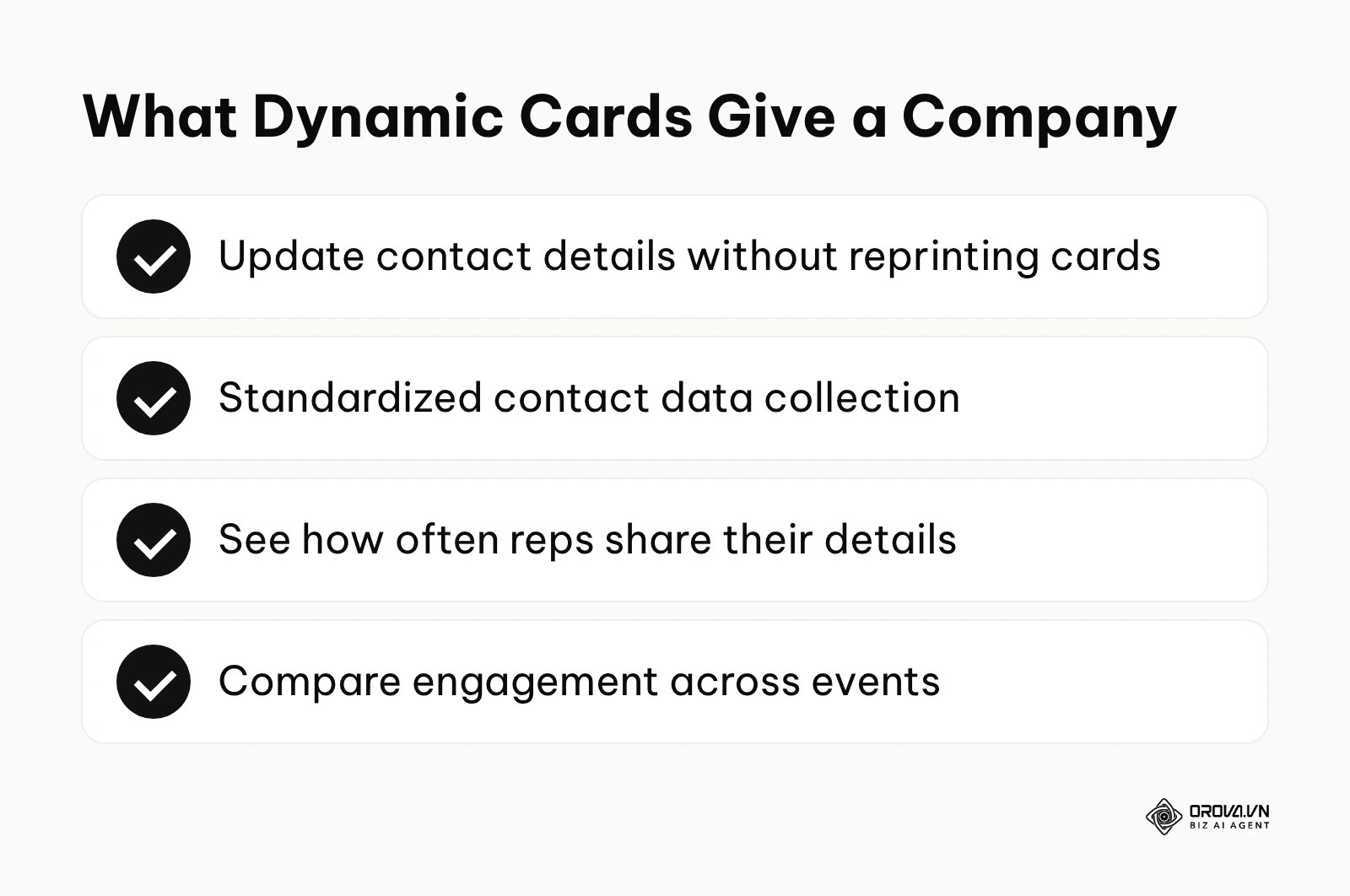
For a company, the primary value lies in standardized data collection and cost reduction. When an enterprise updates its brand or moves to a new office, reprinting thousands of traditional paper cards costs significant time and money. By deploying dynamic profiles, administrators can update contact details universally in the backend without discarding a single printed asset. Furthermore, corporate IT departments gain visibility. They can measure exactly how many times representatives are sharing their details and which events yield the highest engagement rates.
Illustrative example:
- Context: A regional director at a mid-sized software company managing a team of 45 field sales representatives.
- Steps taken: The director stopped ordering traditional paper cards and issued uniform NFC-enabled cards featuring dynamic matrix barcodes on the back. They integrated the scanning destination directly into their corporate CRM.
- Challenges faced: Several older sales reps resisted the change, preferring to hand out physical flyers. The IT team had to conduct a mandatory half-day training session to demonstrate how to guide prospects to scan the code properly.
- Results: The team stopped reprinting cards after every title or phone change, and the CRM began logging event contacts that could be traced back to physical scans, which cut most of the manual data entry.
Individual value: Frictionless connections
For the individual professional, the value is pure speed and confidence. You never have to apologize for running out of cards. You never have to worry about a prospect misspelling your complex last name. You present the code, they scan, and the relationship begins instantly.
| Benefit | Measured by which metric | Time to see results |
|---|---|---|
| Faster data transfer | Average time spent exchanging details (seconds) | Immediately |
| Reduced printing costs | Monthly budget allocated to print materials | 1 month |
| Higher follow-up rate | Percentage of prospects who initiate contact | 2-3 months |
Ready to upgrade your networking cards? Orova Link & QR offers 59 QR code types, including dedicated vCard and dynamic QR options whose destination you can change after printing. You can customize colors, add your company logo and a frame, then download PNG or SVG files ready for print.
How it works: The anatomy of a QR code business card
Understanding how to make a qr code for business card applications requires dissecting the technology into its core components. A scannable graphic is not just a random arrangement of squares; it is a sophisticated data container engineered for speed and error resilience.
The data payload: vCard vs. dynamic landing pages
The fundamental difference between a mediocre experience and a professional one lies in the data payload. When a camera interprets the matrix, it extracts a string of text. What that text contains changes everything.
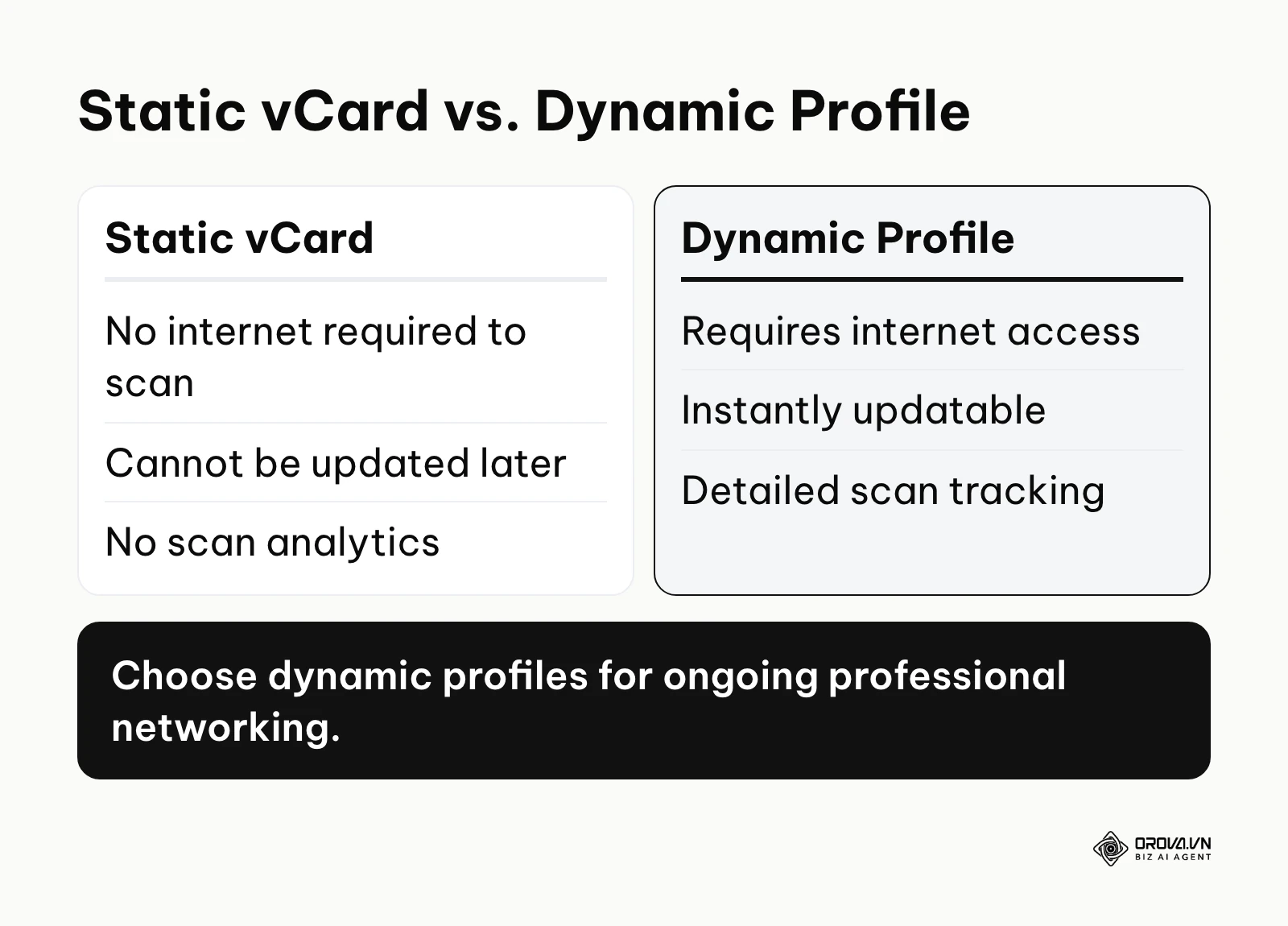
The first approach is encoding a raw .vcf (Virtual Contact File) directly into the graphic. According to the vCard 4.0 specification (RFC 6350, 2011) by the Internet Engineering Task Force (IETF), this standard dictates exactly how names, organizations, and phone numbers must be formatted to ensure compatibility across different operating systems. Because all the text is embedded within the squares, the resulting barcode is highly dense and complex. It does not require an internet connection to scan, making it perfect for offline environments like basement conference halls. However, once you print it, the data is permanent. If you change your phone number, the printed card becomes useless.
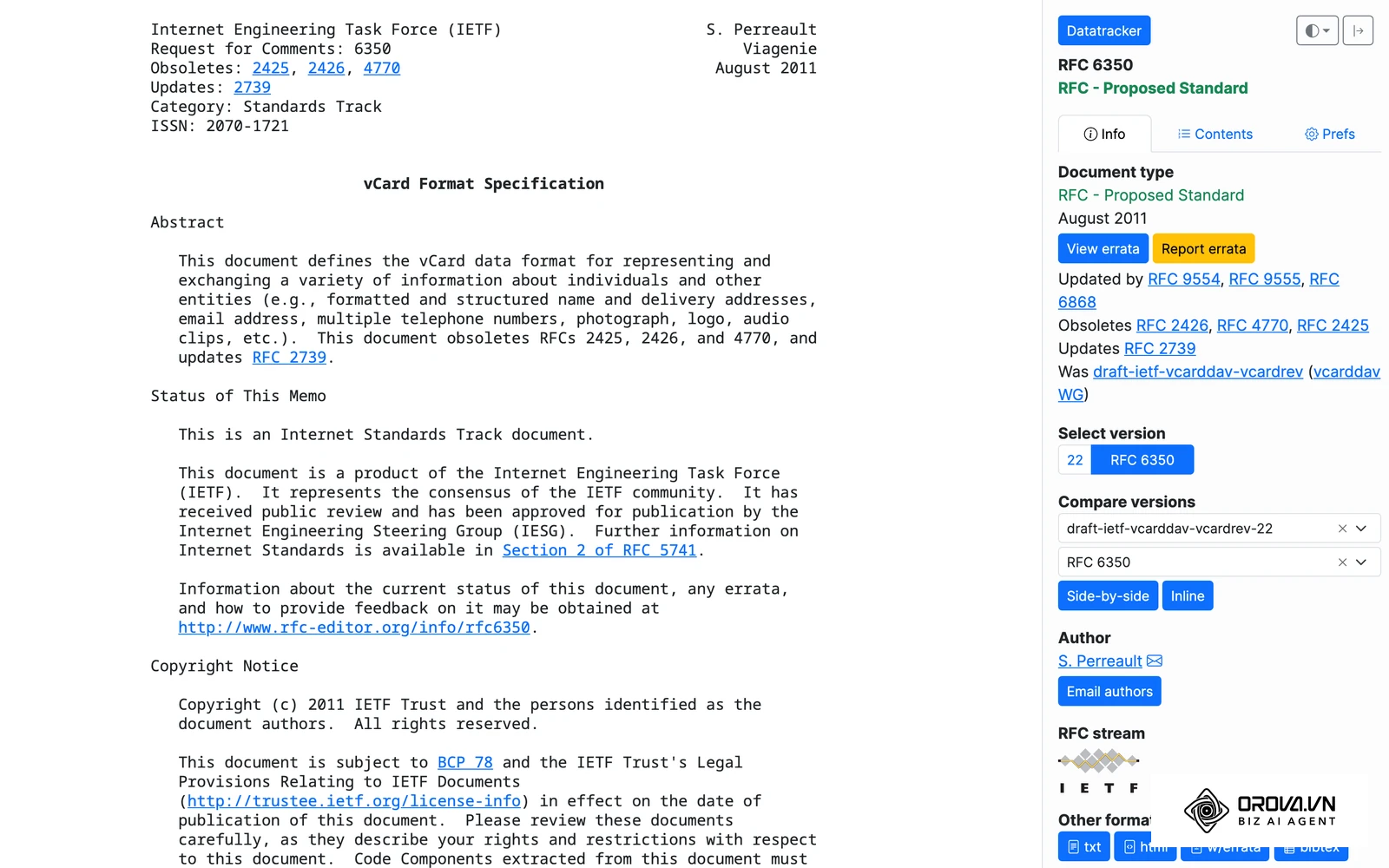
The second approach is encoding a short URL that redirects to a dynamic landing page. When scanned, the phone opens a browser to a mobile-optimized profile containing your details, a download button for your contact file, and links to your social media. Because a URL is very short, the resulting graphic is simple and easy for older cameras to read. More importantly, you can change the destination profile anytime without altering the printed graphic. If you want to create a dynamic QR code for your card, you must rely on a dedicated service to handle the redirects.
The generation engine and security risks
The software platform you use to generate the graphic is the most critical decision in this process. Many professionals make the critical mistake of searching for a "free generator" online, pasting their details, and downloading the image without reading the terms of service.
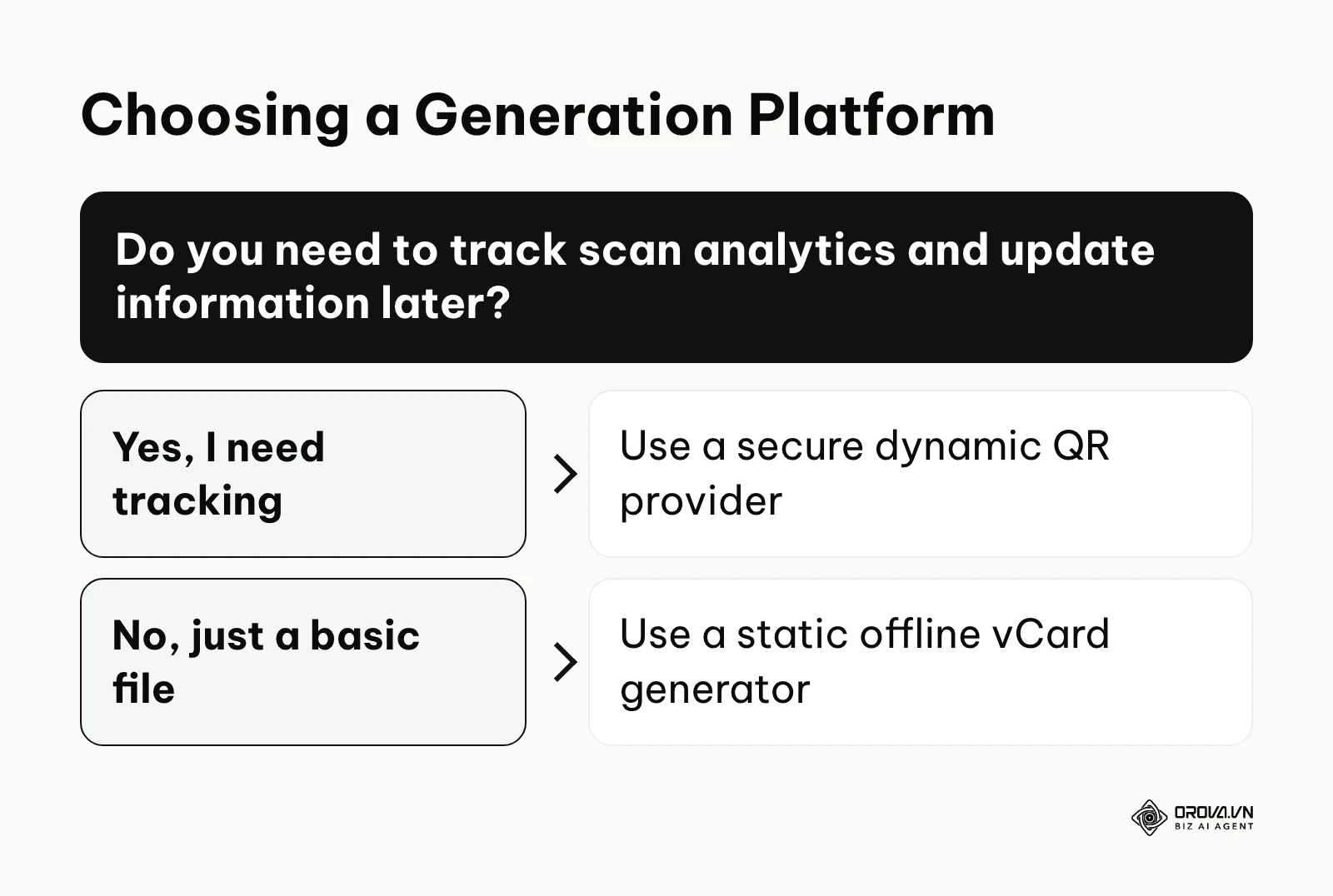
Security teams increasingly warn that printed barcodes can be abused as a physical-to-digital attack vector, and executives are attractive targets. Unscrupulous generation platforms often practice data harvesting. When you input your executive phone number and email into a free tool, they may sell that data to third-party marketers.
Worse, many "free" dynamic providers employ bait-and-switch tactics. They allow you to generate a code, you print it on 1,000 premium metal cards, and two weeks later, the link breaks. The provider demands a monthly subscription fee to reactivate the link. Alternatively, they might inject unskippable advertisements before redirecting the prospect to your profile, destroying your professional credibility. If you want to know whether free QR codes are permanent, read the fine print regarding link expiry and ad-injection policies before you print anything.
To help you navigate, here is an evaluation of common platform types:
| Platform Type | Characteristics | Best suited for |
|---|---|---|
| Open-source offline generators | Completely free, no tracking, outputs raw vCard files. | Privacy-conscious freelancers working strictly offline. |
| Ad-supported free web tools | Free upfront, injects ads upon scan, high risk of link expiration. | Do not use for professional business cards. |
| Enterprise subscription platforms | High cost, robust security, detailed analytics, custom branding. | Large sales teams and corporate executives. |
Visual design and error correction levels
The visual design goes far beyond picking a pretty color. The matrix utilizes a mathematical algorithm called Reed-Solomon error correction. This algorithm deliberately duplicates data within the graphic so that if a portion of the code is smudged, torn, or covered by a thumb, the camera can still reconstruct the full payload.
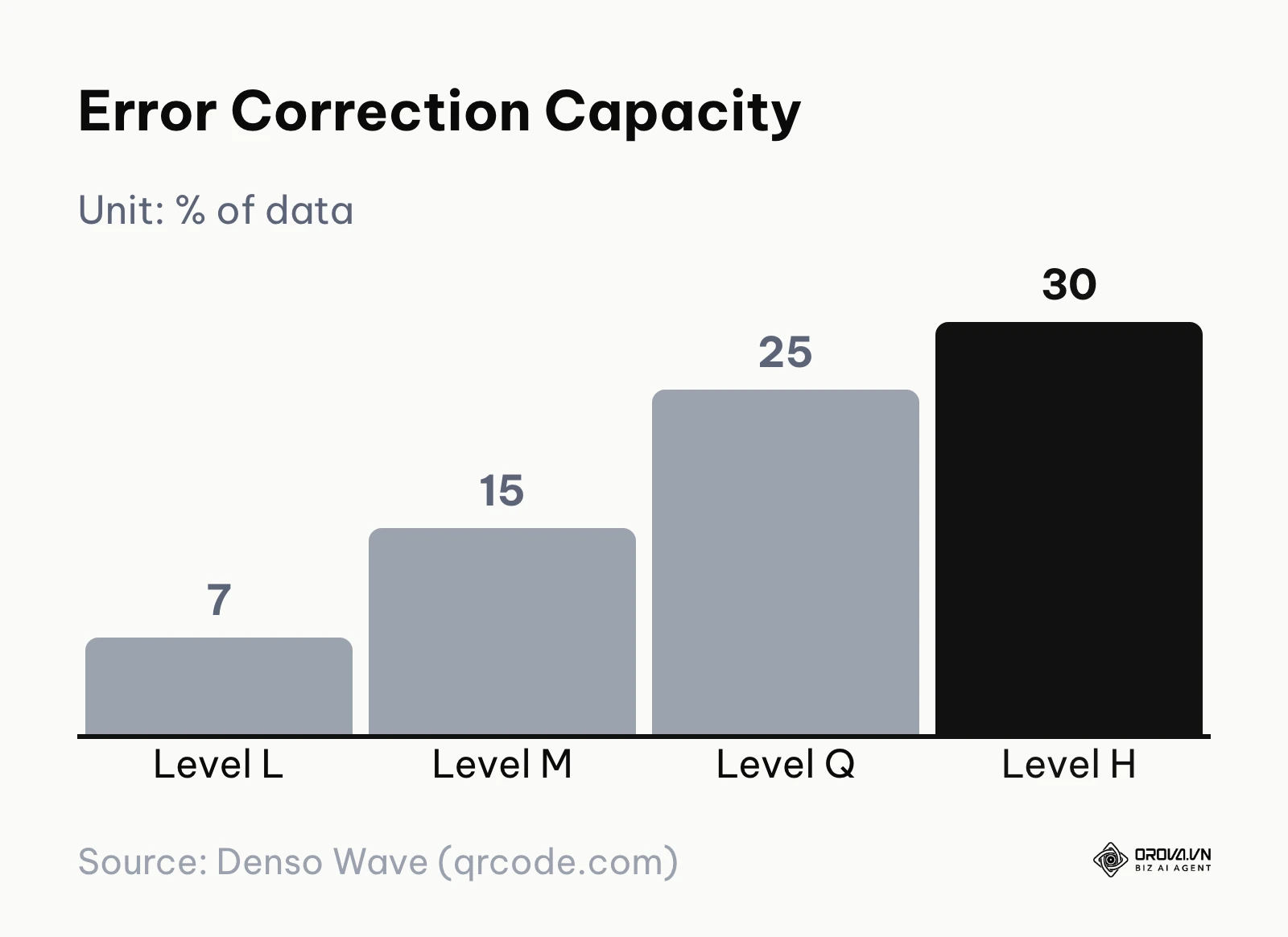
There are four standard levels of error correction:
- Level L (Low): Restores about 7% of data. Results in a very clean, simple graphic. Ideal for small prints where space is limited.
- Level M (Medium): Restores about 15% of data. The standard default for most general applications.
- Level Q (Quartile): Restores about 25% of data.
- Level H (High): Restores about 30% of data. Creates a very dense, complex graphic.
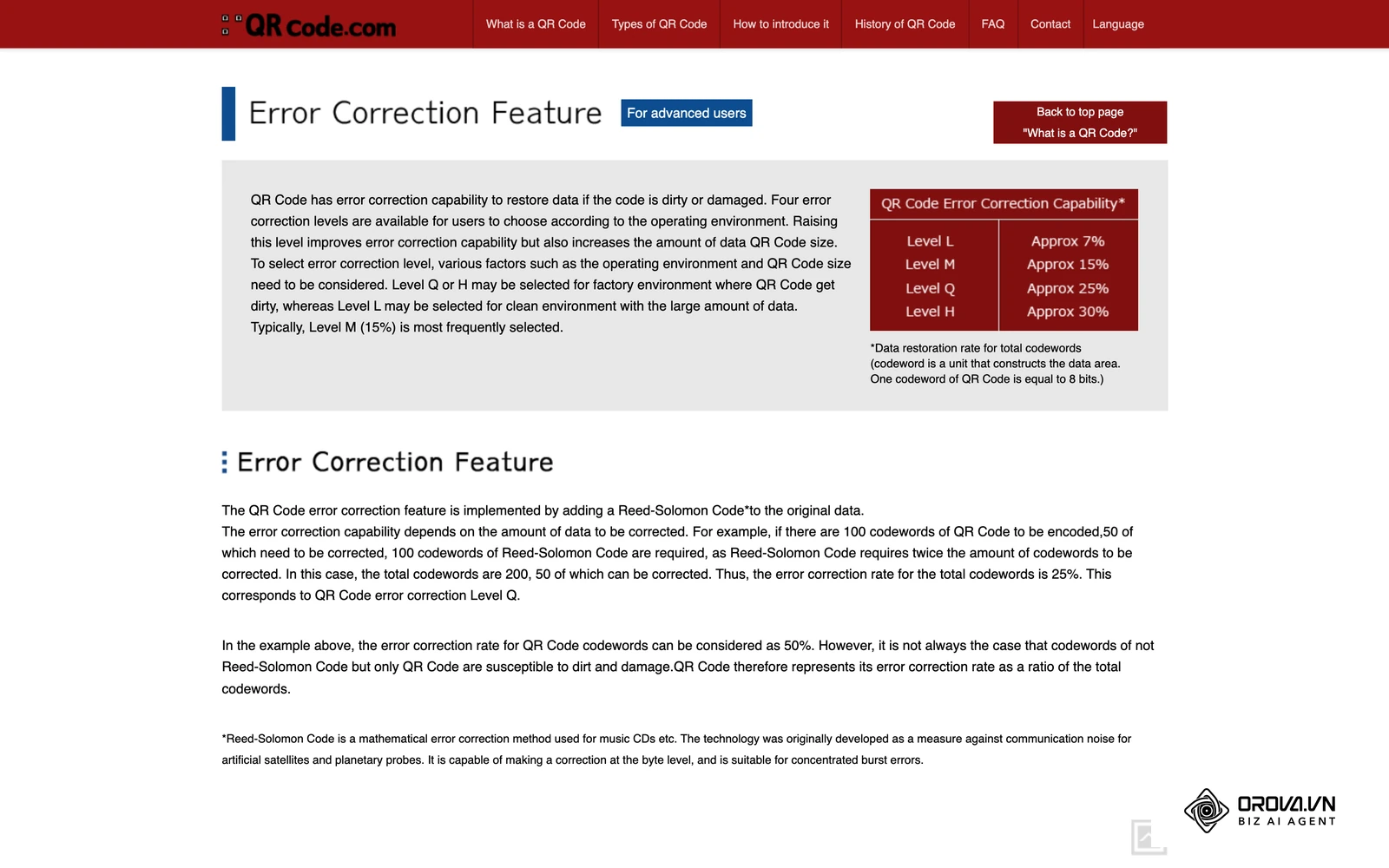
If you plan to embed your company logo right in the middle of the barcode, use Level H. The algorithm treats your logo as "damage" to the code, and the 30% redundancy allows the camera to bypass the logo and still read the data accurately.
Print specifications and best practices
The transition from a digital screen to a physical object introduces dozens of variables that can ruin scan reliability. A code that scans perfectly on your brightly lit retina monitor might fail completely when printed on matte paper under dim restaurant lighting.
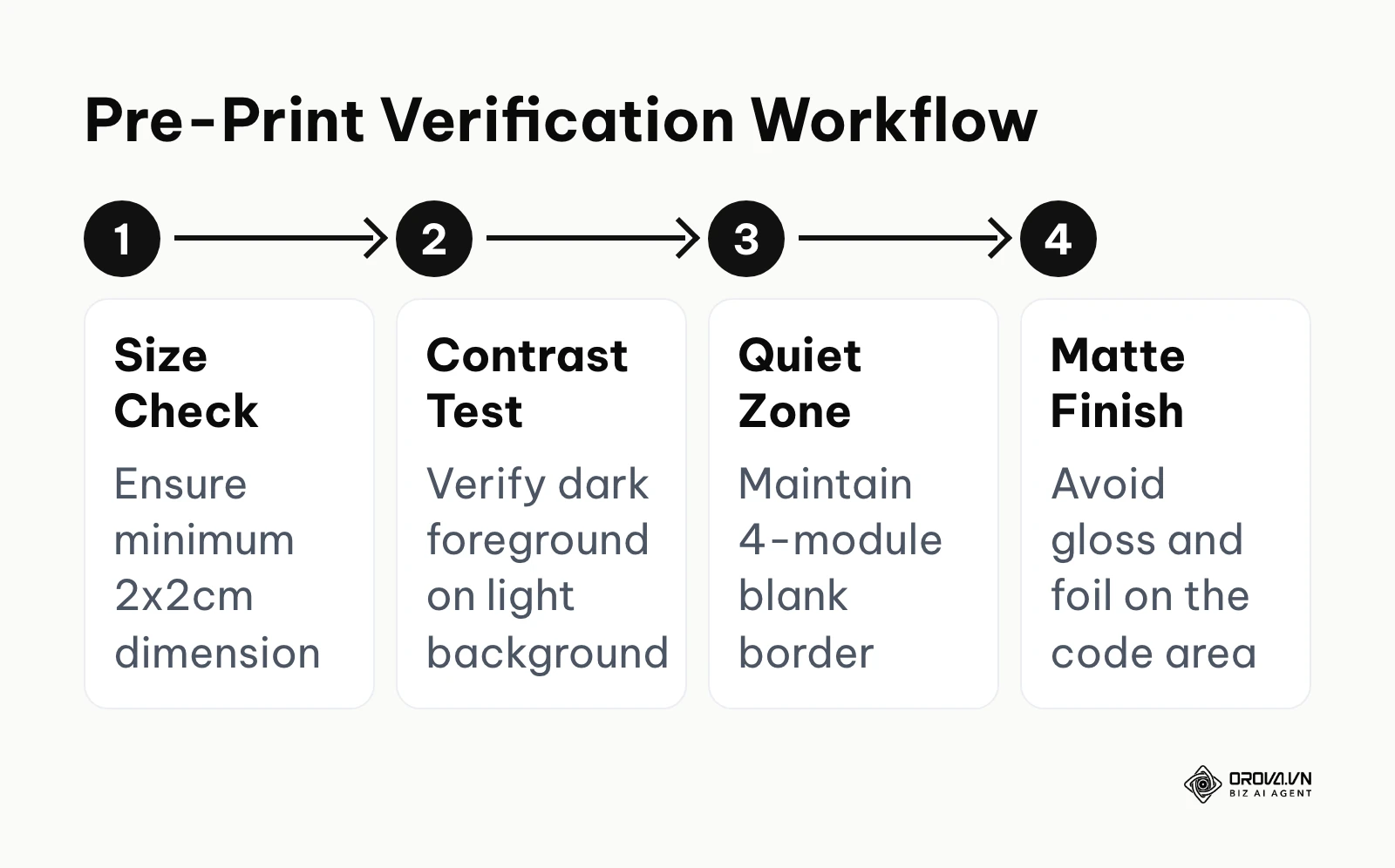
To avoid catastrophic print runs, follow this rigorous design workflow:
- Respect the Quiet Zone: The quiet zone is the mandatory blank border surrounding the matrix. It must be at least four modules (the tiny black squares) wide. If you place text or graphics too close to the edge of the matrix, the camera cannot distinguish where the code begins and ends.
- Ensure Maximum Contrast: Cameras rely on sharp contrast to decode the matrix. Always use a dark foreground on a light background. Avoid inverting the colors (white squares on a black background), as some older scanner apps cannot process negative barcodes. Avoid using yellow or light gray for the modules.
- Maintain Minimum Sizing: Never print the graphic smaller than 2 x 2 centimeters (0.8 x 0.8 inches). If it is any smaller, older smartphone cameras lack the focal length to lock onto the pattern.
- Choose the Right Material: Avoid highly glossy finishes or metallic foil stamping for the barcode area. Glossy materials reflect ambient light, creating glare that blinds the camera lens. Always opt for an uncoated or matte finish where the code is placed.
Illustrative example:
- Context: A boutique design agency preparing for a major international trade show.
- Steps taken: The lead designer created a stunning, minimalist card featuring a tiny 1x1 centimeter graphic printed in light gray on a textured beige background to match their brand aesthetic. They ordered 5,000 copies.
- Challenges faced: Upon arriving at the trade show, they realized the convention center lighting was incredibly dim. When prospects tried to scan the tiny, low-contrast graphic, their cameras failed to focus.
- Results: The team had to abandon the cards entirely and manually dictate their email addresses for three days, capturing far fewer leads than planned and wasting most of the print budget.
Security considerations and privacy risks
When evaluating qr code vs nfc business card options, security must be a primary concern. With NFC, the interaction range is limited to a few centimeters. With optical scanning, malicious actors can capture your code from across a room using a zoom lens.
Always treat your dynamic link as public information. Never put sensitive internal documents, private calendar links, or direct access to your home network behind a public networking profile. Furthermore, if you are using an enterprise system, ensure your provider complies with data privacy regulations like GDPR, meaning they do not harvest the IP addresses or location data of the people who scan your card without explicit consent.
How to adapt and get started with QR networking
Transitioning away from traditional paper requires a strategic approach tailored to your specific role and organizational scale. Implementing this technology requires behavioral changes just as much as technical setup.
Independent professionals and freelancers
For independent consultants, the focus should be on agility and personal branding. You do not need complex enterprise software.
- Step 1: Secure a reliable generation tool that guarantees permanent links without hidden fees.
- Step 2: Design a mobile-optimized landing page featuring your portfolio, a brief biography, and a downloadable contact file.
- Step 3: Integrate the matrix graphic not just on physical cards, but as the background of your video conferencing software and at the bottom of your presentation slides.
- Step 4: Test the code across at least three different device brands before finalizing any designs.
Sales teams and corporate representatives
For sales professionals, the focus shifts entirely to lead capture and tracking. You need to know if your physical interactions are converting into pipeline revenue.
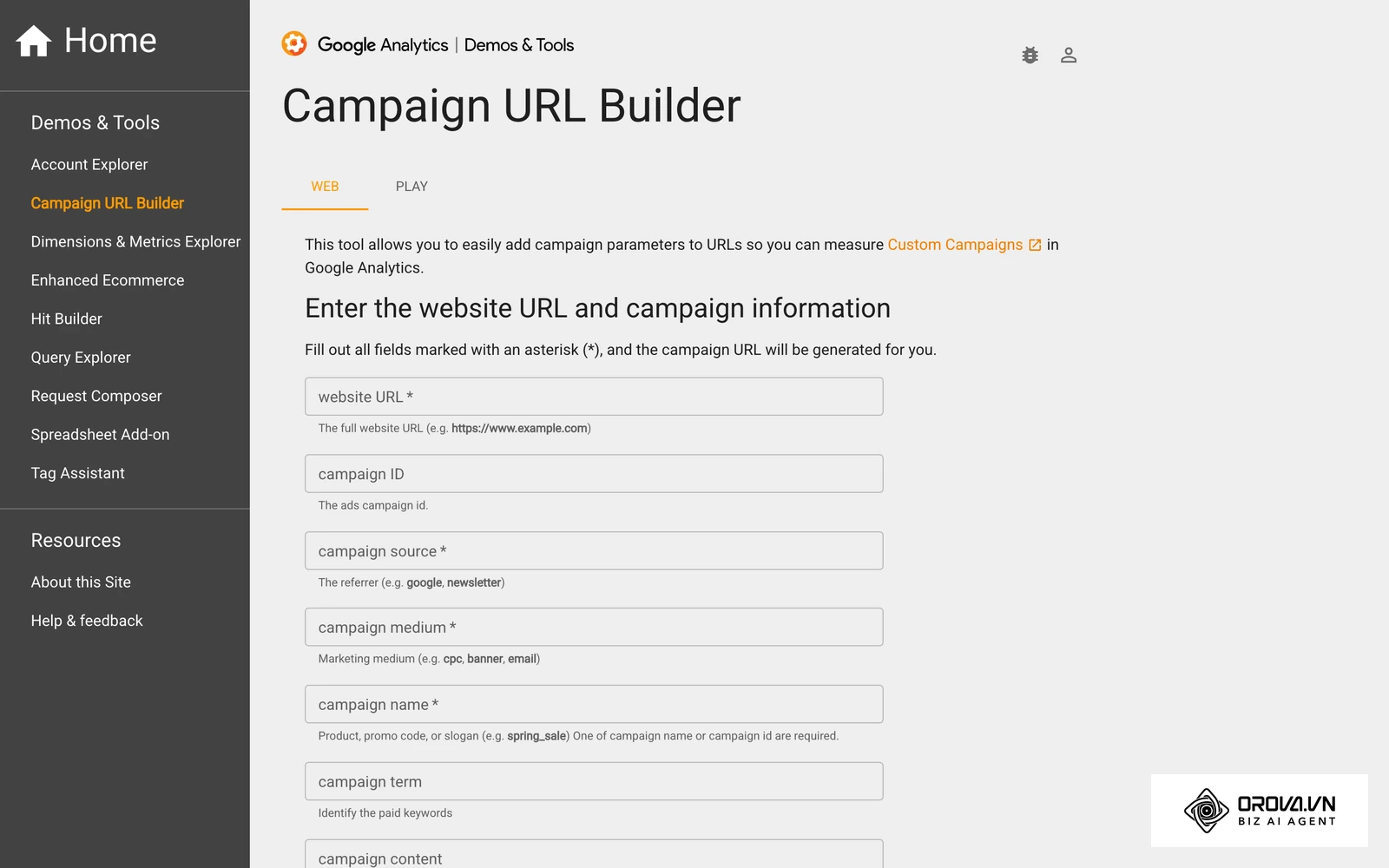
- Step 1: Create UTM codes to tag your URLs. Create different graphics for different events (e.g., one for a tech expo, one for a real estate conference) so you can track which event generated more scans.
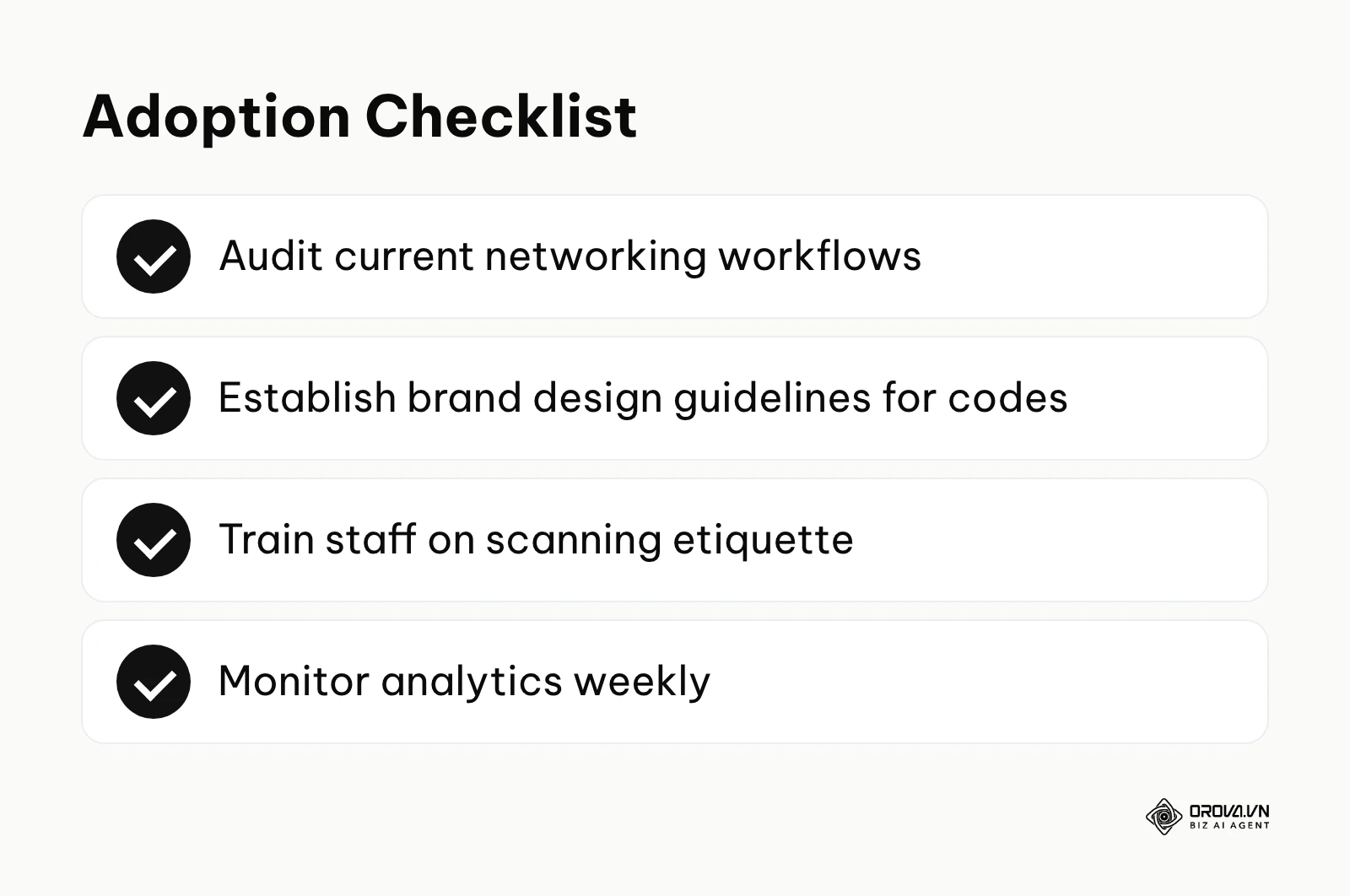
- Step 2: Train your team on scanning etiquette. Do not just shove a card in a prospect's face. Say, "The easiest way to get my details is to just point your camera at this graphic right here."
- Step 3: Connect the scanning destination directly to a form that pushes data into your CRM.
- Step 4: Review scan analytics weekly to determine which representatives are actively engaging in the field.
HR and enterprise administrators
At the enterprise level, standardizing the brand and maintaining security are paramount. Unmanaged digital profiles lead to disjointed brand experiences and security vulnerabilities.
- Step 1: Ban the use of rogue third-party generators across the company. Mandate a single, secure enterprise platform for all profile creation.
- Step 2: Create a standardized design template that locks in corporate colors, logo placement, and error correction levels.
- Step 3: Implement Single Sign-On (SSO) so that when an employee leaves the company, their dynamic profile is instantly deactivated or redirected to a central department inbox.
- Step 4: Automate the onboarding process so that a new employee's digital profile is generated automatically the moment their HR record is created.
Illustrative example:
- Context: An HR director at a logistics firm with high turnover in the entry-level sales department.
- Steps taken: The director implemented a centralized platform where digital profiles were generated automatically via an API integration with their HR software. Physical cards were replaced entirely by digital wallets.
- Challenges faced: Terminated employees were previously taking their printed cards and continuing to represent the company to poach clients.
- Results: The new system allowed the HR director to redirect a departing employee's digital profile to a central team inbox on their last day, making it much harder for former staff to keep using the company's cards to approach clients.
When adopting these systems, beware of common pitfalls:
| Common mistakes | Consequences | How to avoid |
|---|---|---|
| Printing a raw URL without tracking | Zero visibility into networking performance. | Always route traffic through an analytics layer first. |
| Using complex, dense matrices on small cards | Cameras fail to focus, causing extreme frustration. | Use dynamic links to keep the graphic clean and simple. |
| Forgetting to renew custom domains | The link breaks, rendering all printed cards dead. | Set domain auto-renewal and monitor uptime strictly. |
Stop wondering if your networking efforts are actually working. With Orova Link & QR, you gain access to detailed scan analytics broken down by device, country, and traffic source. Start tracking your physical connections seamlessly—it is completely free until July 7, 2027.
Future trends of digital business cards: The author's perspective
As physical media continues to converge with digital tracking, the landscape of professional networking is shifting rapidly. Based on the current trajectory of mobile operating systems and hardware capabilities, here is my perspective on where this technology is heading over the next few years.
The death of standalone apps in favor of native wallet integration
I believe that forcing prospects to download a specific proprietary app to view your digital profile will gradually fall out of favor. Phone makers already build contact sharing into the operating system itself. I suspect that digital business cards will increasingly live inside native digital wallets—right next to your credit cards and airline boarding passes. You should prepare for this by ensuring whatever platform you choose supports direct exporting to these native wallet environments rather than relying on a walled-garden ecosystem.
AI-driven contextual contact sharing
I expect artificial intelligence to change how contact data is processed after the scan. Currently, scanning a code simply dumps a static file into your phone. In the near future, I expect AI agents to act as intermediaries. When you scan a prospect's card, your personal AI will instantly cross-reference their profile with LinkedIn, analyze the context of your meeting location, and automatically draft a highly personalized follow-up email summarizing the context of your interaction. To prepare, professionals must ensure their public-facing digital profiles are heavily optimized and structured logically so that AI web scrapers can read and interpret their expertise accurately, much like how marketers already structure pages for search engines.
Biometric authentication for contact exchange
Concern about privacy and unwanted data scraping at public events keeps growing. I foresee a possible trend where premium digital profiles will require biometric verification before revealing sensitive contact details. You might display a code on a screen, and when the prospect scans it, they only see your public name and company. To unlock your direct phone number, they must verify their own identity through their device. While this adds friction, it could become a useful security layer for high-level executives seeking to prevent their private numbers from ending up on public spam lists.
Frequently asked questions about QR code business cards
Do I still need to carry paper cards at all?
Yes, it is highly recommended to carry a small backup supply of traditional cards. You will inevitably encounter situations where a prospect's phone battery is dead, they are operating in an area with zero cellular reception, or they simply lack the technical proficiency to operate their camera.
Will a QR code business card still be necessary when AI networking agents take over?
Absolutely. Even as AI agents automate follow-ups and data entry, there must be an initial trigger to connect two distinct digital entities in the physical world. The scannable graphic acts as that instantaneous, secure handshake mechanism, giving the AI the explicit permission and accurate endpoint it needs to begin its automated tasks.
What happens if I change my phone number after printing my cards?
If you used a static vCard generator, your printed cards are permanently ruined and must be thrown away. However, if you utilized a dynamic link generator, you simply log into your dashboard, update the phone number on your landing page, and all existing printed cards will instantly route traffic to your newly updated information.
Can I track exactly who scanned my card?
Generally, no. Analytics platforms can tell you the time of the scan, the geographical city, and the operating system (e.g., an iPhone in London at 2:00 PM). However, due to strict global privacy laws, they cannot capture the exact name or personal identity of the person scanning unless that person voluntarily fills out a lead capture form on your landing page afterward.
Why does my printed code scan fine on iPhone but fail on older Androids?
This usually stems from character encoding issues within a dense static vCard, or a lack of contrast in the physical print. Older Android devices have lower-resolution cameras and less forgiving decoding software. Always test your physical proofs on an older device, and stick to dynamic links to keep the matrix pattern as simple and readable as possible.
Where to begin?
Transitioning your networking strategy does not require a massive immediate overhaul. The best approach depends entirely on your current infrastructure.
If you are starting completely from scratch and still rely exclusively on paper, your first step is to generate a simple dynamic profile URL. Spend an hour designing a clean landing page with your headshot, basic contact details, and a clear call to action. Generate the corresponding matrix graphic and print it on a small batch of just 50 premium cards to test the waters at your next local meetup.
If you already have fragmented digital cards—perhaps one from a free app and another linked in your email signature—your priority must be consolidation. Having multiple profiles confuses prospects and scatters your data. Spend an afternoon auditing every digital touchpoint you own. Pick a single, robust platform that allows you to manage one master profile, and update all your physical and digital assets to point to that single, unified destination.
If you have been using scannable graphics for a while but have zero visibility into their performance, you must immediately implement an analytics layer. Stop flying blind. Transition your static links into tracked URLs. Set up a dashboard to monitor your scan locations and device types. By measuring this data over a four-week period, you will finally understand exactly which networking events are driving real engagement and which ones are a waste of your time.
About the author

Builder of Orova
Nguyễn Đỗ Trọng Ân has 8 years of experience in marketing, including 6 years managing market development across Asia. He builds Orova, a Biz AI Agent that never sleeps: it plans, runs and optimizes work for businesses.
Run your business with AI Agents
Orova is the always-on Biz AI Agent — it plans, runs, and optimizes the work for you.
Save time, unlock productivity.