
Best QR code generator (2026): 14 tools compared and the freemium traps to check
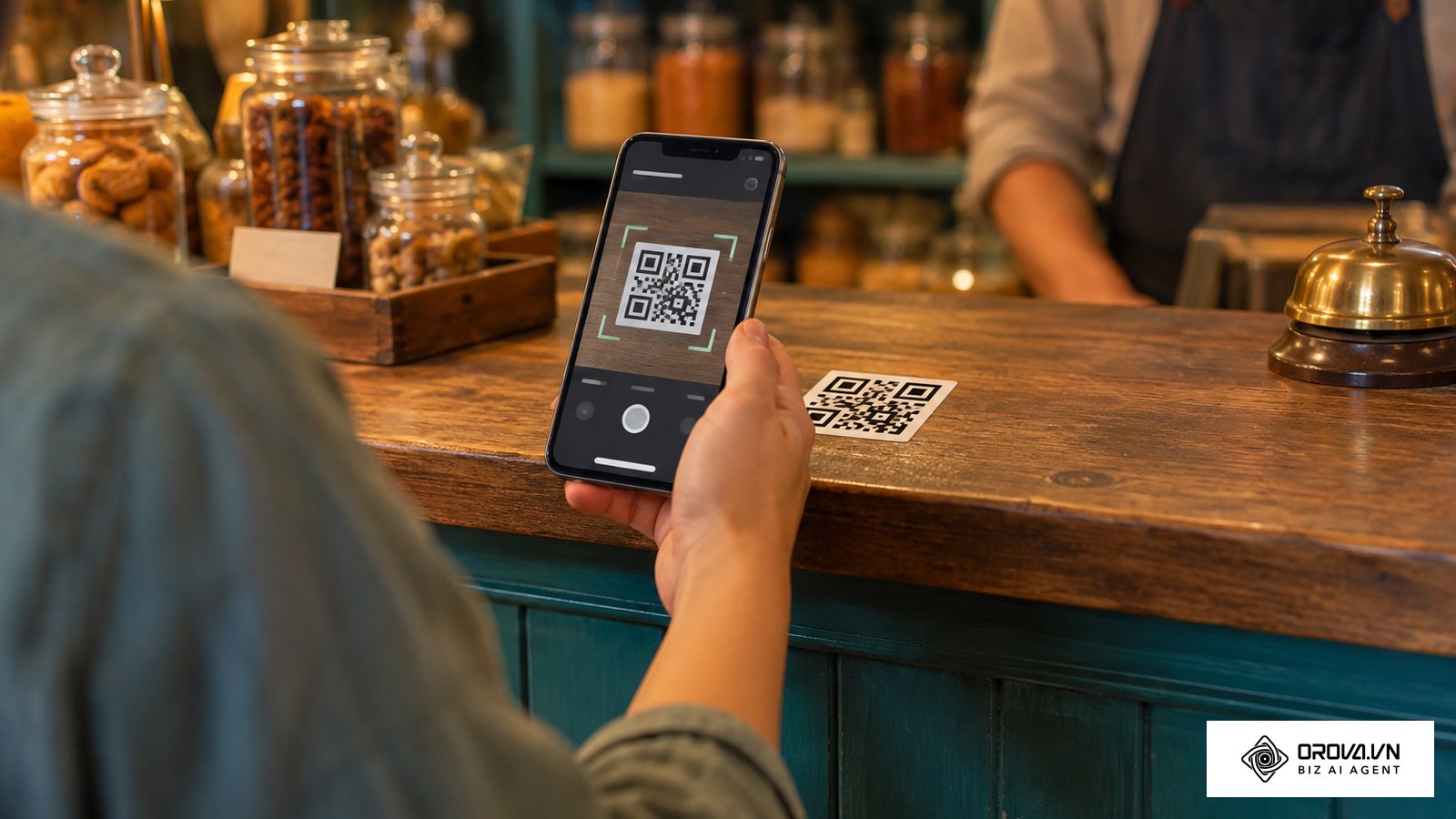
Imagine printing 10,000 expensive flyers for your upcoming trade show, only to discover on opening day that your scanned links lead to a generic "Trial Expired" page. This is the nightmare scenario many professionals face when quickly searching for the best qr code generator online and clicking the first sponsored result. As of 2026, the technology behind these matrix patterns has evolved significantly. The problem you face today is not a lack of available tools, but rather the freemium limits embedded within them. Many platforms promise completely free codes but place scan limits and expiration rules in their terms of service. In short, the best QR code generator is the one whose free plan, export formats and tracking match what you will print. This guide compares 14 established platforms, based on their public features, to show what to check after you generate a pattern. Whether you need a simple link for a temporary poster or a robust dynamic tracking system for a global product launch, this analysis will help you avoid costly reprints and select a reliable platform that aligns with your actual operational needs.
What makes the best QR code generator in 2026?
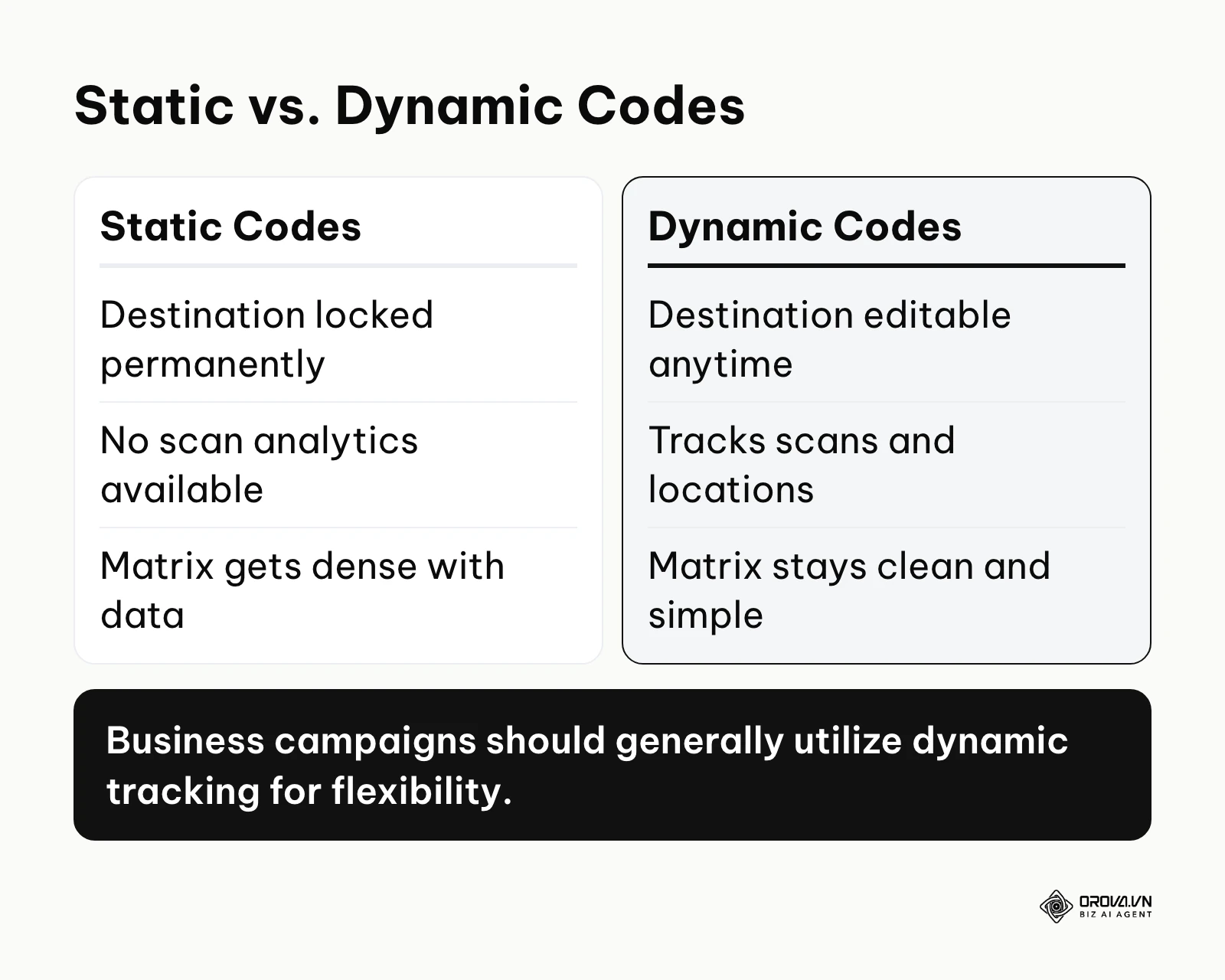
The best tool for you depends entirely on what happens after the code is printed. A reliable platform provides absolute transparency regarding its data retention policies and pricing structures. You must clearly differentiate between a Static QR code (a pattern where the destination data is hardcoded directly into the pixels) and a Dynamic QR code (a pattern containing a short URL that redirects to your actual destination, allowing tracking and editing). Choosing correctly prevents dead links.
The ultimate best QR code generator comparison table
The market is saturated with hundreds of identical-looking tools. To help you narrow down your choices rapidly, this list covers 14 established platforms whose websites were live at the time of writing. The table categorizes them by their core function and suggests who they suit best.
| Tool Name | Core Category | Primary Function | User Value | Best Target Audience |
|---|---|---|---|---|
| QRCode Monkey | Static / Design | Custom static generation | Free vector downloads | Print designers |
| goQR.me | Static / API | Minimalist creation | Simple, lightweight API access | Developers |
| The-QRCode-Generator | Static / Basic | Quick browser tasks | No account required | Solo users |
| QR Stuff | Static / Niche | Diverse data types | Many specialized formats | Event organizers |
| Uniqode | Dynamic / Business | Enterprise security | SSO and team controls | Large corporations |
| QR Tiger | Dynamic / Business | Multi-URL campaigns | Routes users based on location | Global marketers |
| Scanova | Dynamic / Business | Lead generation | Built-in custom landing pages | B2B sales teams |
| Flowcode | Dynamic / Business | Visual branding | Circular, highly designed patterns | Consumer brands |
| Orova Link & QR | Dynamic / Business | All-in-one utility | Consolidates links and payments | Scaling businesses |
| Adobe Express | Design Integration | Creative Cloud integration | Native Adobe workflow | Agency designers |
| Unitag | Design / Custom | Unique matrix shapes | Advanced module manipulation | Brand managers |
| ME-QR | Dynamic / Ad-supported | High-volume temporary | Free dynamic with ads | Budget campaigns |
| QR.io | Dynamic / Landing | Custom landing pages | Deep mobile optimization | Retail shops |
| Bitly QR | Dynamic / Link | Link management | Ties codes to short links | Existing Bitly users |
The free static and basic tools
If you simply need to encode a URL, a Wi-Fi password, or a plain text string into a pattern without any tracking requirements, you should use a static generator. Because the data is hardcoded into the image itself, static codes do not rely on the provider's servers to redirect traffic. Therefore, a true free qr code generator will allow you to create and download these patterns without creating an account or paying subscription fees.
QRCode Monkey: Best for Free SVG Export
What it does: QRCode Monkey is an entirely web-based platform that excels at generating highly customizable static codes. It allows you to input various data types, from standard URLs to raw text and emails. Static patterns are generated without requiring an account, and the preview updates as you adjust the settings.
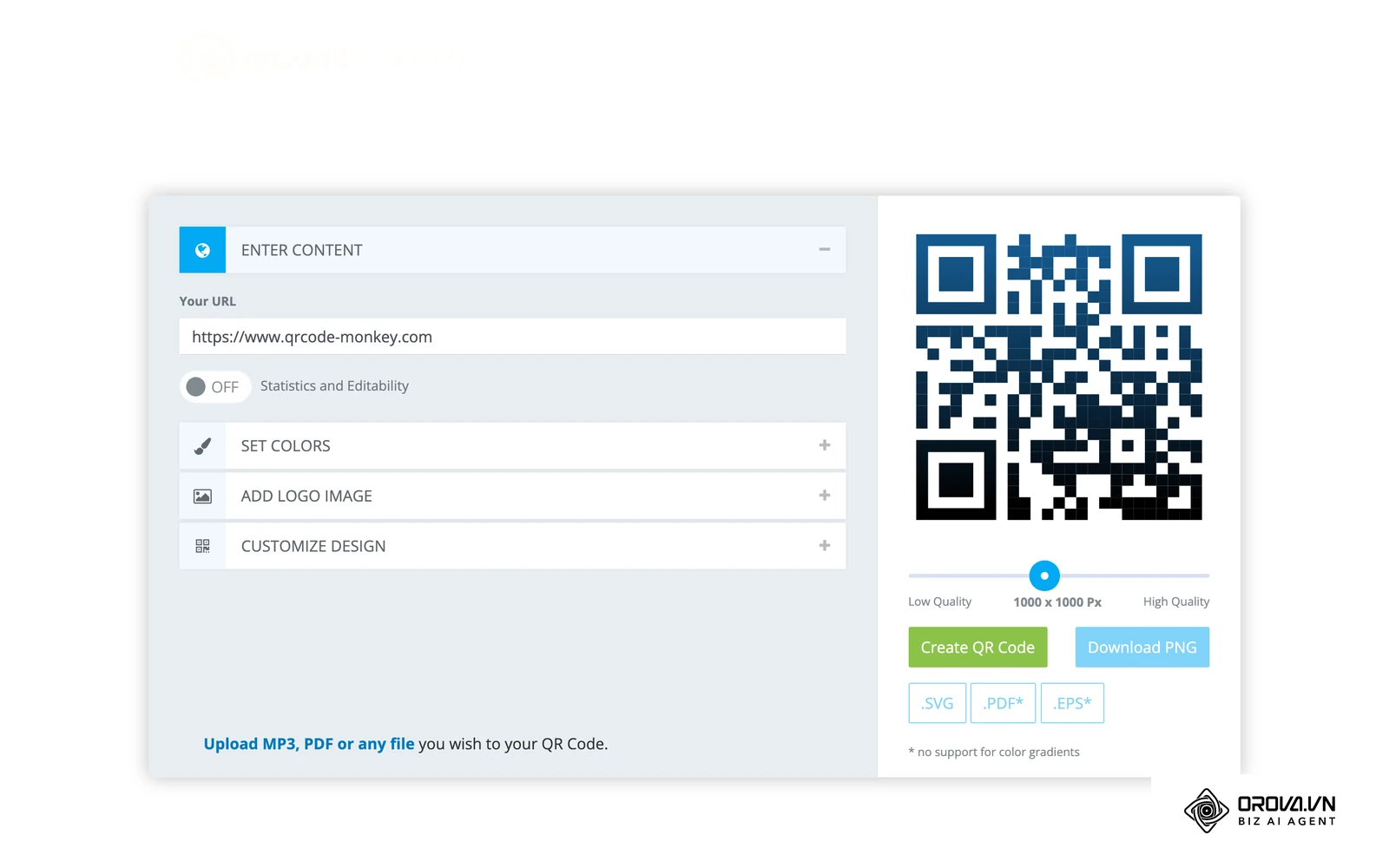
Platform Interface: The interface is divided into a clean, top-level navigation bar for selecting data types, and a vertical accordion menu for design settings. On the right side, a live preview updates in real time as you tweak colors or add logos. It is highly intuitive and requires zero onboarding to understand.
User value: The defining feature that sets this platform apart is its robust design engine coupled with unrestricted vector downloads. You can completely alter the shape of the data modules, change the corner eye styles, and inject custom brand colors. Most importantly, you can download the final design as an SVG (Scalable Vector Graphics, a file format that can be enlarged infinitely without pixelation), PDF, or EPS file without creating an account. This is critical for print workflows where scaling a standard PNG would result in severe pixelation.
Best for: Graphic designers, print media specialists, and small businesses needing permanent, high-resolution codes for physical marketing materials.
Freemium reality: Static codes encode the data directly, so they have no scan limits or expiration dates by design. The site displays advertising. Editable (dynamic) codes are not part of the free static generator, so check the terms of any linked dynamic service before relying on it.
How to start:
- Navigate to the homepage and select the specific data category (e.g., URL, Text) from the top navigation bar.
- Enter your destination link or raw data into the primary text input field.
- Expand the "Set Colors" accordion to apply your brand palette, using exact hex codes.
- Open "Add Logo Image" to upload your company emblem; the system will automatically clear the matrix modules behind it to ensure scannability.
- Adjust the quality slider beneath the preview to the maximum setting, then click the "Download SVG" button for your print-ready file.
Illustrative example:
- Context: A graphic designer for a local real estate agency needed to create a massive code for a highway billboard promoting a new housing development.
- Steps taken: 1. They generated the URL using a standard basic tool and downloaded the default PNG file. 2. They imported the PNG into Adobe Illustrator and attempted to scale it up to fit the 10-foot billboard dimensions. 3. They sent the file to the print shop for a test run.
- Hiccup and fix: The test print was heavily pixelated. The raster format could not handle the extreme scaling, making the code unscannable from a distance. They switched to QRCode Monkey, regenerated the pattern, and downloaded it as an SVG vector file, which scales infinitely without quality loss.
- Result: The final billboard featured a crisp, scannable pattern at full size, with no need for another test print.
goQR.me: Best for Minimalist API Generation
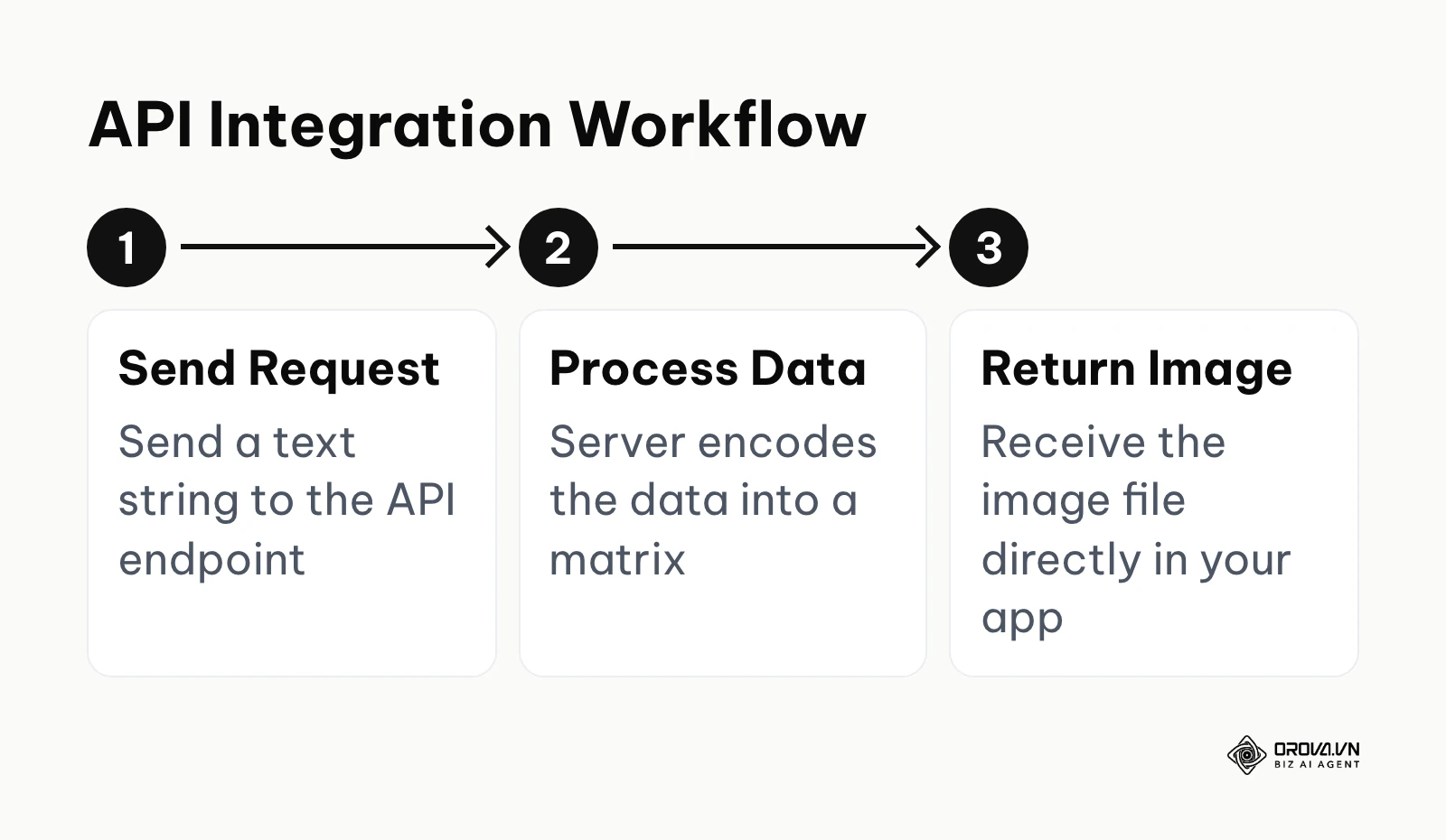
What it does: goQR.me is a long-running and straightforward platform. It skips complex design panels in favor of a simple, functional interface. Beyond its consumer-facing website, it provides an API that allows developers to programmatically generate codes by simply sending an HTTP request with the desired parameters.
Platform Interface: The website features a stark, no-nonsense layout. You are presented with a series of tabs for different data types (such as URL, Text, vCard, Location, Event and Wi-Fi). A large preview box sits to the right, updating instantly as you type.
User value: The true value of goQR.me lies in its speed and developer-friendly API. For users who need a standard, black-and-white code instantly without navigating through menus or ads, it is incredibly efficient. For developers, the ability to generate patterns on the fly by appending text to a standard URL string makes integrating this technology into custom software or internal tools exceptionally easy.
Best for: Software developers, system administrators, and users who prioritize speed and simplicity over visual customization.
Freemium reality: Static codes from the web tool have no scan limits or expiry by design. For heavier API use, read the current usage terms on the official site.
How to start:
- Visit the site and click on the tab corresponding to your data type (e.g., the globe icon for URLs).
- Type your destination address into the text field.
- Click the "Download" button below the live preview.
- Select your desired size and format (JPEG, PNG, SVG, or EPS) from the pop-up window to save the file locally.
The-QRCode-Generator: Best for Quick Browser Tasks
What it does: The-QRCode-Generator is a highly accessible web application that bridges the gap between basic static generation and simple dynamic tracking. It provides a very clean, modern interface that works exceptionally well on mobile browsers, allowing users to create codes on the go without needing to download a dedicated application.
Platform Interface: The interface is built around a central card that changes dynamically based on whether you select "Static" or "Dynamic" at the top. The design options are somewhat limited compared to specialized design tools, focusing mostly on adding frames and basic logos, but it remains very user-friendly.
User value: It offers a frictionless experience. You do not need to hunt for the download button or wade through heavy advertisements. It also offers dynamic codes, which let you edit the destination link later, for users who create an account.
Best for: Solo entrepreneurs, students, and casual users who occasionally need to create a code and want the option to track a few clicks.
Freemium reality: Static codes do not expire by design. Dynamic codes depend on the account plan, so read what happens to a dynamic code when a trial or plan ends before you print it.
How to start:
- Open the website and ensure the toggle is set to "Static" if you want a permanent, limit-free code.
- Select your content type, such as a URL or plain text.
- Use the basic design tabs to add a standard frame or upload a small logo.
- Click the download icon to save the PNG file directly to your device.
QR Stuff: Best for Diverse Data Types
What it does: QR Stuff is a long-running platform known for offering a wide variety of data encoding options. Beyond URLs and vCards, it offers templates for specific actions such as app downloads, pre-filled emails and social media profiles.
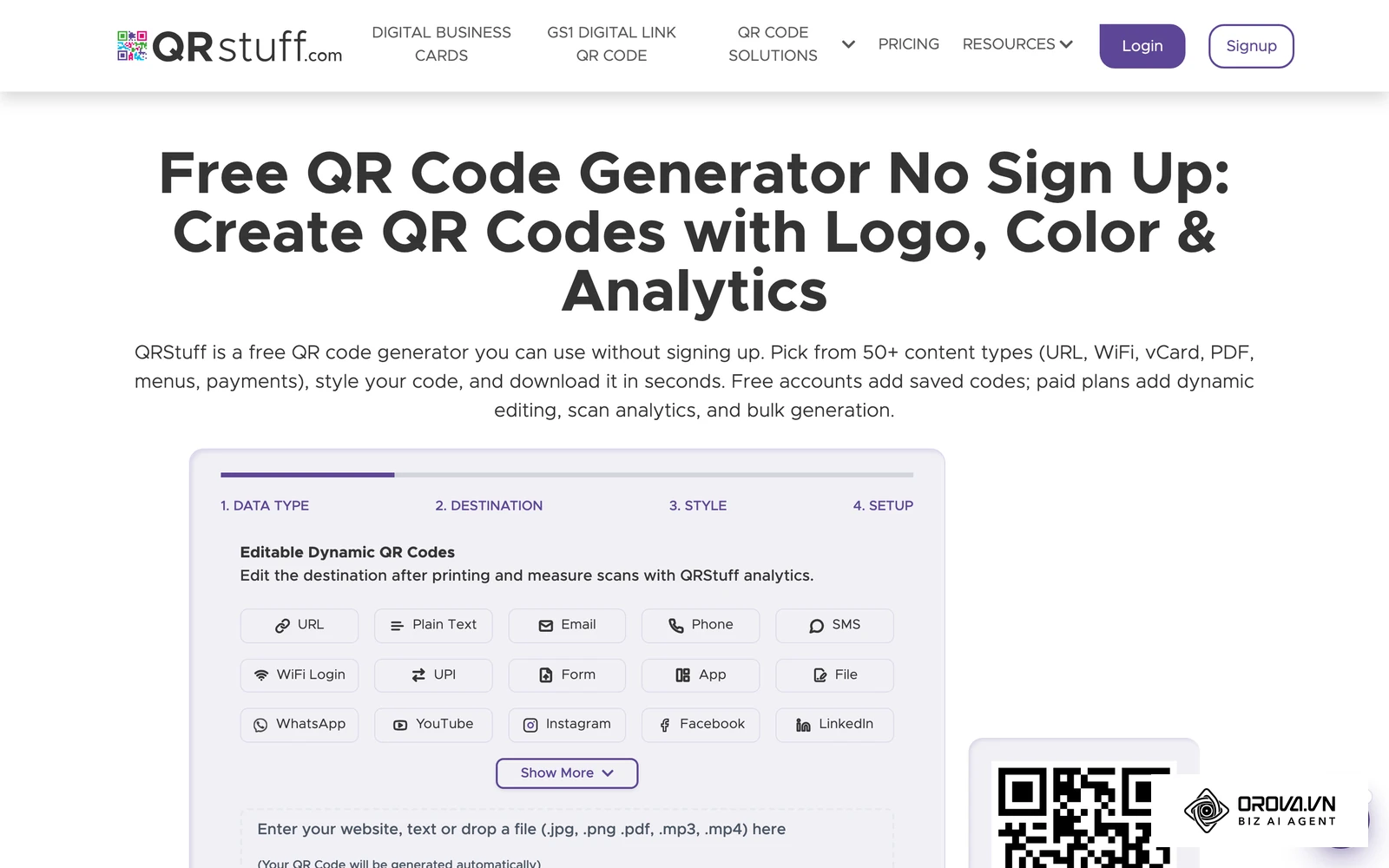
Platform Interface: The interface is highly utilitarian, displaying a massive list of data types in the first column. Selecting an option updates the input fields in the second column. The third column handles basic color customization and output formats. It is utilitarian rather than decorative, but covers a lot of ground.
User value: The primary benefit is the sheer breadth of supported formats. If you need a code that automatically triggers a specific action—like opening a pre-populated email or launching a specific mobile application—QR Stuff likely has a dedicated template for it, saving you the hassle of figuring out the correct URL syntax yourself.
Best for: Event organizers, niche marketers, and users who need to trigger specific hardware or software actions beyond simple website redirection.
Freemium reality: Static codes keep working without scan limits by design. Higher-resolution downloads, some design features and dynamic tracking sit in paid plans, so confirm the output resolution you can download for free before a large print job.
How to start:
- Scan the exhaustive list in column one and select your specific data type (e.g., "App Store Download").
- Fill in the required parameters in column two, such as your app ID or specific store link.
- Select a foreground color in column three using the color picker.
- Click the "Download" button to receive your standard resolution PNG file.
Tired of dealing with expired links and scattered tracking data? Orova Link & QR gives you one place to generate 59 types of QR codes, including restaurant menus and VietQR payments, create short links, and track scans by day, device, country and source.
The Business & Dynamic Tracking Platforms
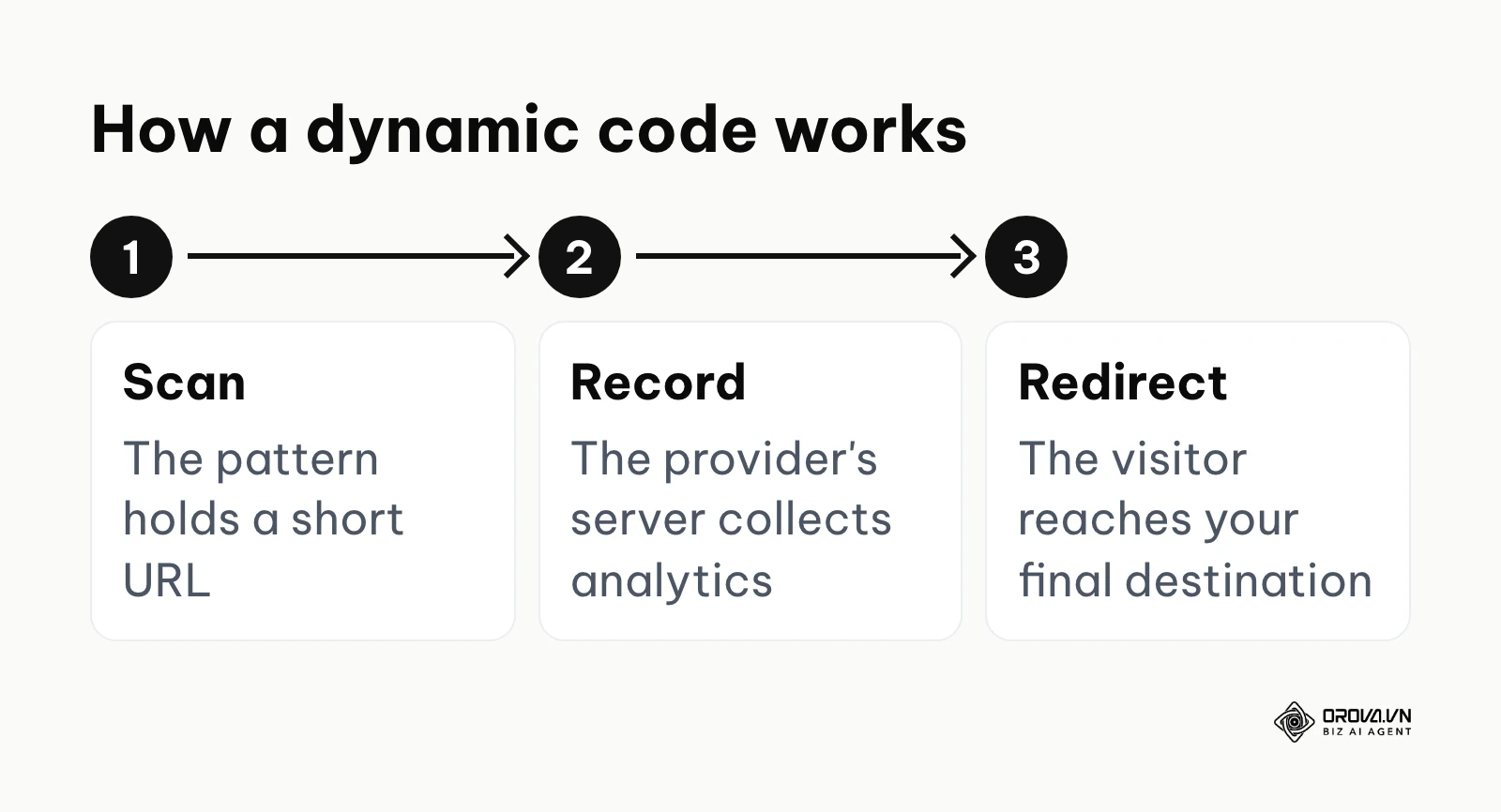
When running a professional marketing campaign or managing physical assets, static codes are generally insufficient. You need the ability to measure engagement and update destinations if a product page moves or a promotion ends. Dynamic platforms encode a specialized short URL that routes traffic through their servers, allowing them to collect analytics before sending the user to the final destination. For teams that need to measure the return on printed campaigns, this tracking is the main reason to choose a dynamic platform.
Uniqode (formerly Beaconstac): Best for Enterprise Security
What it does: Uniqode is a heavy-duty platform built specifically for large organizations that require strict security compliance and team management features. It generates dynamic codes and puts security, compliance and team controls at the center of its product.
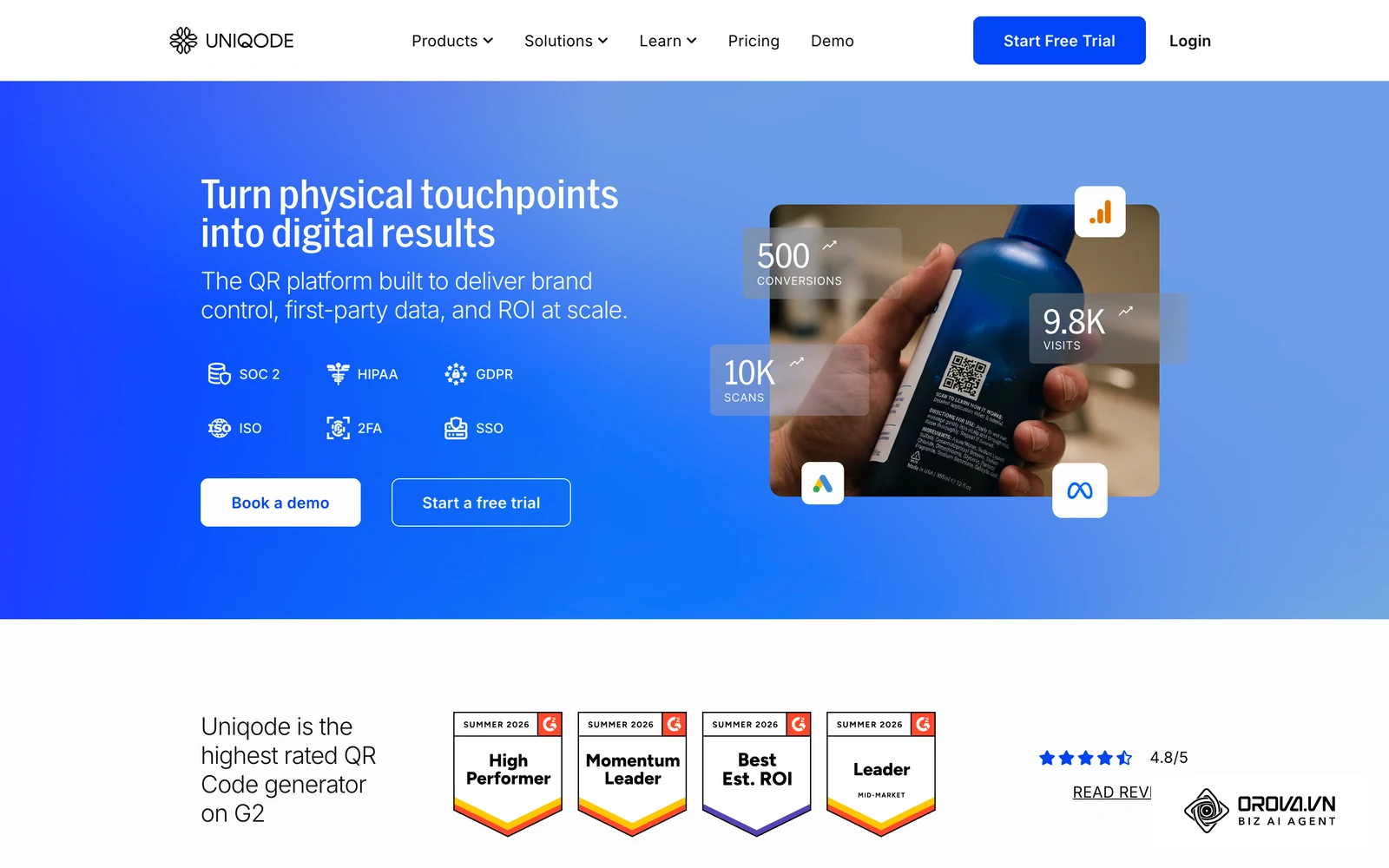
Platform Interface: The dashboard is complex and data-heavy, resembling a traditional enterprise software suite rather than a simple consumer tool. It features detailed analytics charts, folder management systems for organizing campaigns, and robust team permission settings.
User value: For large companies, the risk of a malicious redirect or data breach is a massive liability. Uniqode addresses this with features such as Single Sign-On (SSO) and custom domains (so the short URL matches your brand, not theirs). If you need to create dynamic qr code assets that will be managed by multiple departments safely, this is a highly reliable choice.
Best for: Large corporations, government agencies, and organizations with strict IT security and compliance requirements.
Freemium reality: Uniqode is built around paid plans and offers a trial. Before printing anything created during a trial, check what happens to the dynamic codes when the trial ends, so a permanent print does not depend on a temporary account.
How to start:
- Sign up for the trial and access the main dashboard.
- Click "Create" and select your campaign type.
- Configure your destination URL and set up your custom domain routing if available.
- Design the pattern using the enterprise branding tools.
- Save the campaign and download the high-resolution files for your procurement team.
Illustrative example:
- Context: A restaurant owner managing 3 locations needed a code for their new table tents directing diners to a seasonal PDF menu.
- Steps taken: 1. They created static codes using a basic tool. 2. They printed 500 acrylic table tents. 3. They deployed them across all dining rooms.
- Hiccup and fix: A month later, the chef updated the menu PDF, changing the underlying URL on the website. The printed codes now led to a 404 error page. They had to throw away all printed materials and switch to Uniqode to generate a dynamic code, allowing backend URL updates without altering the printed pattern.
- Result: Later menu changes only required updating the destination in the dashboard, with no reprint of the table tents.
QR Tiger: Best for Multi-URL Campaigns
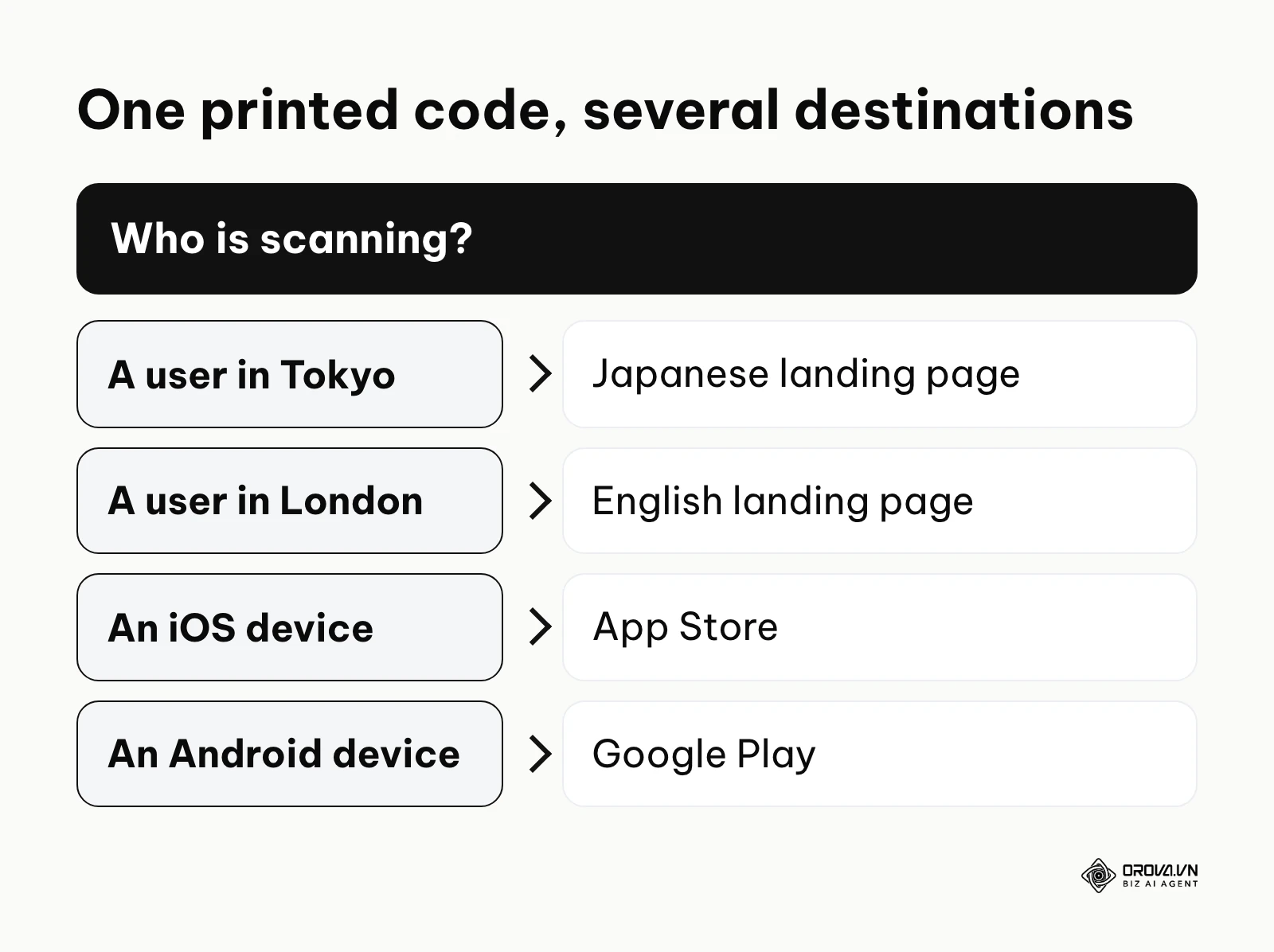
What it does: QR Tiger is a dynamic platform known for its routing options. It excels at creating "Multi-URL" codes, a sophisticated feature where a single printed pattern can redirect users to entirely different destinations based on specific conditions.
Platform Interface: The interface is feature-rich but remains relatively easy to navigate. The top menu highlights the various specialized dynamic options, while the creation flow guides you logically from data input to design customization and finally to the analytics dashboard.
User value: The Multi-URL feature is incredibly powerful for global campaigns. You can program a single code to redirect a user in Tokyo to a Japanese landing page, while a user scanning the exact same printed code in London is routed to an English page. Conditions such as the scanning device's operating system (e.g., directing iOS users to the App Store and Android users to Google Play) can also be used.
Best for: Global marketers, app developers, and campaign managers running complex promotions that require conditional logic.
Freemium reality: Free and trial dynamic codes come with limits. Read the current scan and expiry terms on the official site, and test what a scanner sees once a limit is reached, before you put the code on an active campaign.
How to start:
- Log into the platform and select the "Multi-URL" option from the main menu.
- Define your routing conditions (e.g., by location or OS).
- Input the specific destination URLs for each defined condition.
- Customize the visual appearance to match your campaign branding.
- Generate the code, run test scans using different VPN locations to verify routing, and download the asset.
Scanova: Best for Lead Generation
What it does: Scanova focuses heavily on the intersection of physical scanning and digital lead capture. While it handles standard dynamic routing, its core strength lies in its ability to quickly generate custom, mobile-optimized landing pages that sit between the scan and the final destination.
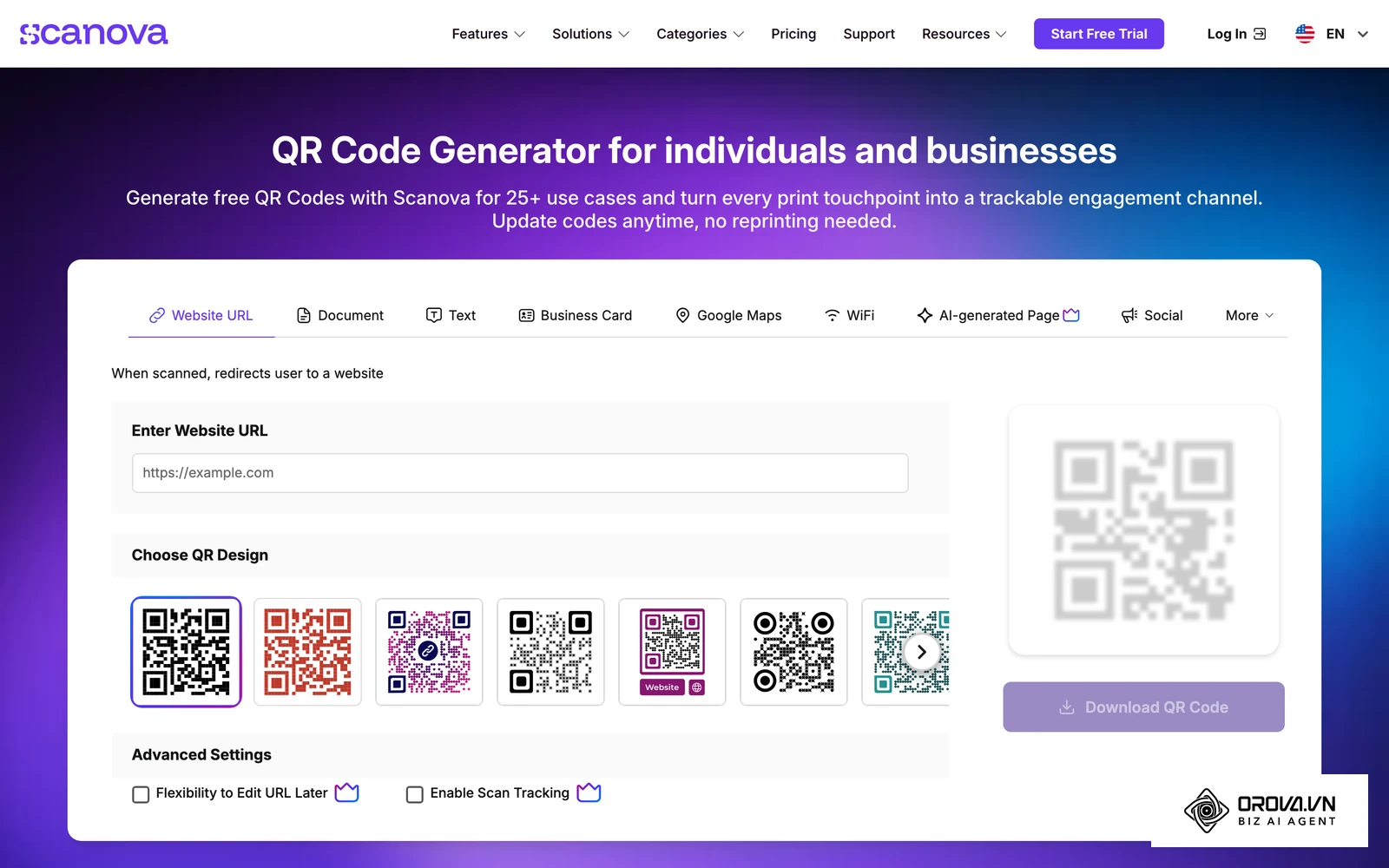
Platform Interface: The dashboard feels like a hybrid between a code generator and a lightweight website builder. When creating a campaign, you are often prompted to design the intermediary mobile page, adding text blocks, images, and lead capture forms directly within the Scanova interface.
User value: It is particularly strong when building a qr code business card for networking events. Instead of just dumping a vCard file onto the user's phone, Scanova allows you to present a polished mobile profile page with your photo, social links, and a button to save the contact. It also excels at capturing emails or phone numbers before releasing a whitepaper or discount code.
Best for: B2B sales teams, real estate agents, and marketers focused on building email lists from physical foot traffic.
Freemium reality: Scanova is built around paid plans and offers a trial. If you plan a long-term print, check what happens to dynamic codes after the trial so your leads do not land on an inactive page.
How to start:
- Create an account and select the "Landing Page" or "vCard Profile" option.
- Use the visual editor to build your mobile-optimized intermediary page.
- Add form fields if you intend to capture visitor information.
- Customize the actual matrix pattern to fit your brand.
- Generate the code and deploy it on your physical networking materials.
Flowcode: Best for Visual Branding
What it does: Flowcode takes a different approach to matrix design. Instead of relying on the standard square modules and sharp corners, its design engine focuses on circular patterns, fluid shapes, and deep visual integration. It is designed to make the code look like a natural extension of a brand's artwork rather than a technical barcode.
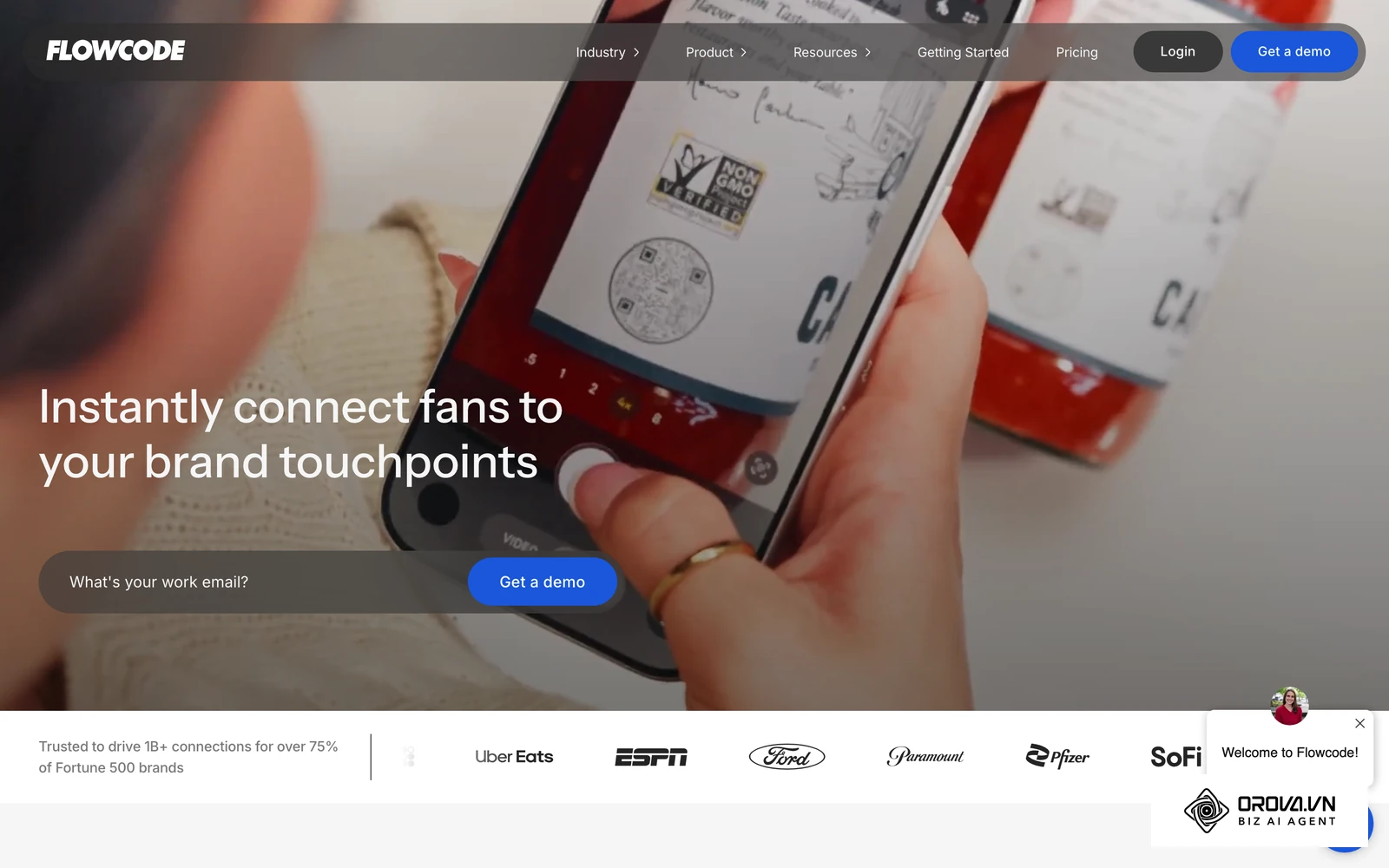
Platform Interface: The creation studio is highly visual and design-centric. It focuses heavily on uploading background images, selecting pre-designed artistic templates, and manipulating the flow of the data points. It is less about entering raw data and more about crafting a visual experience.
User value: For high-end consumer brands, a blocky, black-and-white square can ruin the aesthetic of a carefully designed product package or television commercial. Flowcode solves this by providing visually striking, highly scannable circular patterns that blend seamlessly into premium marketing materials.
Best for: Consumer packaged goods (CPG) brands, television networks, and design agencies that refuse to compromise on visual aesthetics.
Freemium reality: Flowcode offers a free tier as well as paid plans. Advanced features sit in the paid plans, so compare the free tier's limits with your campaign needs before printing.
How to start:
- Access the Flowcode studio and select your desired destination type.
- Enter your link and proceed to the design phase.
- Choose a circular template or upload your brand's specific background imagery.
- Adjust the data point colors to complement the background while maintaining high contrast.
- Generate the design and test scan it meticulously before downloading, as highly stylized codes can sometimes be harder for older cameras to read.
Orova Link & QR: For Links, Payment QR and Scan Tracking in One Place
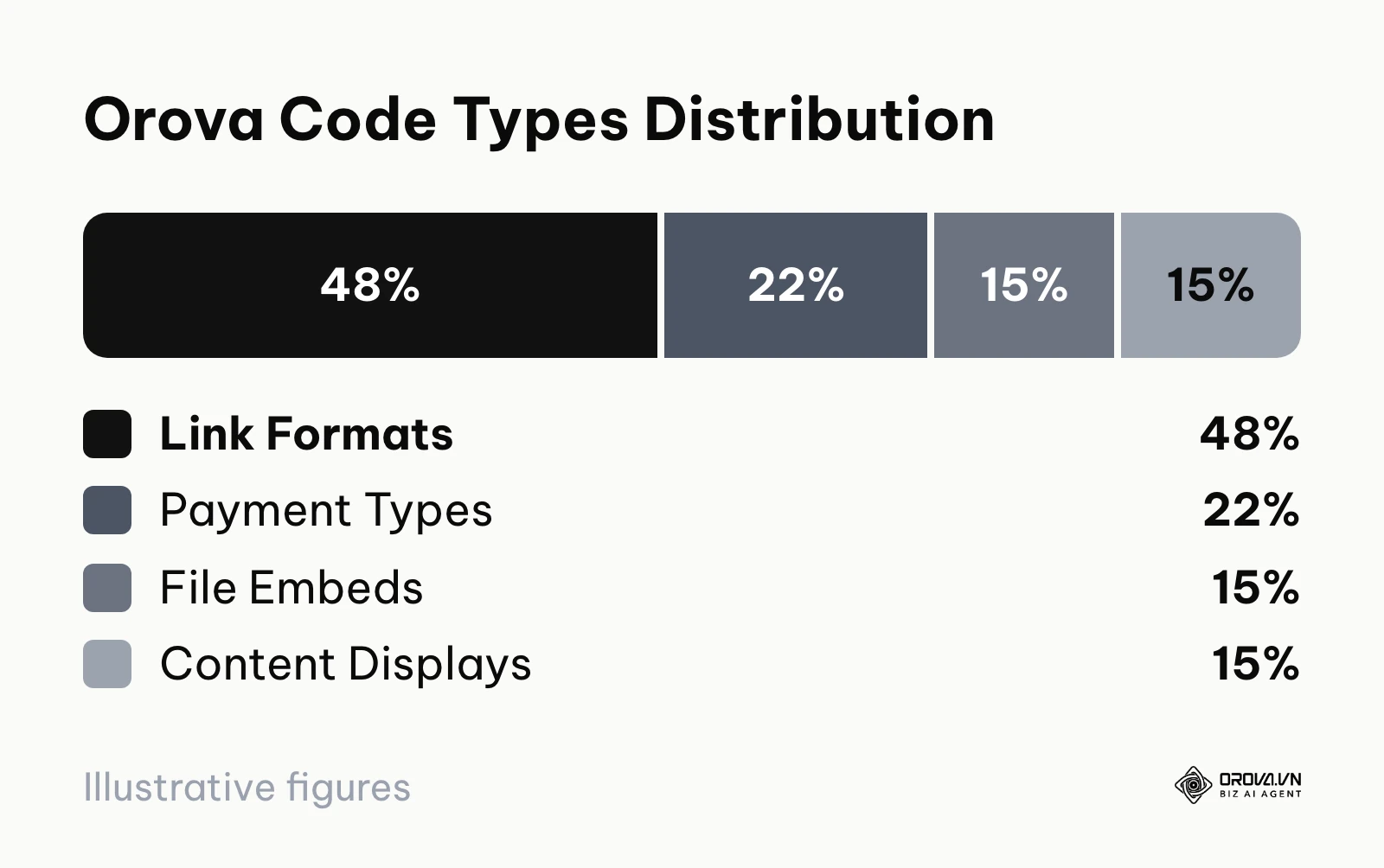
What it does: Orova Link & QR is a module of the Orova platform that handles QR code generation and short link management together. It supports 59 code types, grouped into 28 link formats, 13 payment configurations, 9 file embeds, and 9 content displays (roughly 48%, 22%, 15% and 15% of the total). It covers standard website links, Wi-Fi codes, vCards and restaurant menus, plus regional qr pay formats such as VietQR, PromptPay and KHQR.
Platform Interface: The dashboard keeps generated patterns and shortened orova.vn/l/... links (with click counts) in one place. The interface includes a built-in UTM (Urchin Tracking Module, small text codes added to URLs to track traffic sources) building tool, allowing marketers to append campaign parameters directly before generating the pattern.
User value: The primary value is operational consolidation. Instead of using one tool for payment collection and another for marketing links, businesses can manage all offline-to-online touchpoints in one place. Dynamic codes let you change the destination after the material is printed. Scan and click statistics are broken down by day, device, country and source. Users can fully customize the color, upload logos, select frames, and download production-ready PNG or SVG files.
Best for: Businesses and marketing teams that want links, payment QR codes and scan statistics in one place, especially in Southeast Asian markets that use VietQR, PromptPay or KHQR.
Freemium reality: Orova is free until July 7, 2027. Every plan includes all features; plans differ only by usage quota, so check your quota in the app before a large campaign.
How to start:
- Log into your dashboard and navigate to the creation hub.
- Select from one of the 59 available types, such as a digital menu or a VietQR payment template.
- If creating a marketing link, use the integrated UTM tool to define your campaign source and medium.
- Customize the visual appearance by altering the frame design and embedding your corporate logo in the center.
- Generate the pattern and download it in your preferred format (PNG for digital, SVG for print), then follow the scan statistics as the campaign runs.
Illustrative example:
- Context: A regional sales manager wanted to implement a cashless payment system and a digital contact card for their team of 20 field representatives attending a trade show.
- Steps taken: 1. They accessed Orova Link & QR and selected the VietQR payment type for bank transfers, and the vCard type for contact sharing. 2. They customized the frame with the company logo. 3. They distributed the codes to the team.
- Hiccup and fix: Initially, representatives could not easily tell which code was for payment and which was for contact info on their badges. The manager regenerated the codes with different colors and frames (blue for vCard, green for payment) so each one was easy to tell apart.
- Result: Visitors could tell the two codes apart at a glance, and the team kept both codes in one dashboard.
The Design-First & High-Resolution Export Tools
Sometimes, the generation of the pattern is only half the battle. If you are creating marketing materials, you need the code to integrate smoothly with your existing design workflow. These tools prioritize visual customization and high-resolution exports (like SVG or EPS), ensuring that the pattern looks professional when scaled up for large banners or printed on specialized packaging materials.
Adobe Express QR Code: Best for Creative Cloud Users
What it does: Adobe Express offers a built-in generation tool aimed at users who operate within the Adobe ecosystem. It provides a quick, reliable way to create static patterns without leaving the Adobe environment, ensuring seamless integration with other Creative Cloud assets.
Platform Interface: The interface is clean and integrated directly into the Adobe Express workspace. It lets you tweak colors and styles before finalizing the pattern on your canvas.
User value: For agency designers already heavily invested in Adobe tools, using the Express generator keeps the workflow in one place. It allows teams to quickly add scannable elements to social graphics or quick-turn print materials without disrupting their established creative processes.
Best for: Agency designers, marketing teams, and creative professionals who utilize the Adobe Creative Cloud suite for their primary workflows.
Freemium reality: The generator is available within Adobe Express and produces static codes. Premium design assets and some export options sit in Adobe's paid plans.
How to start:
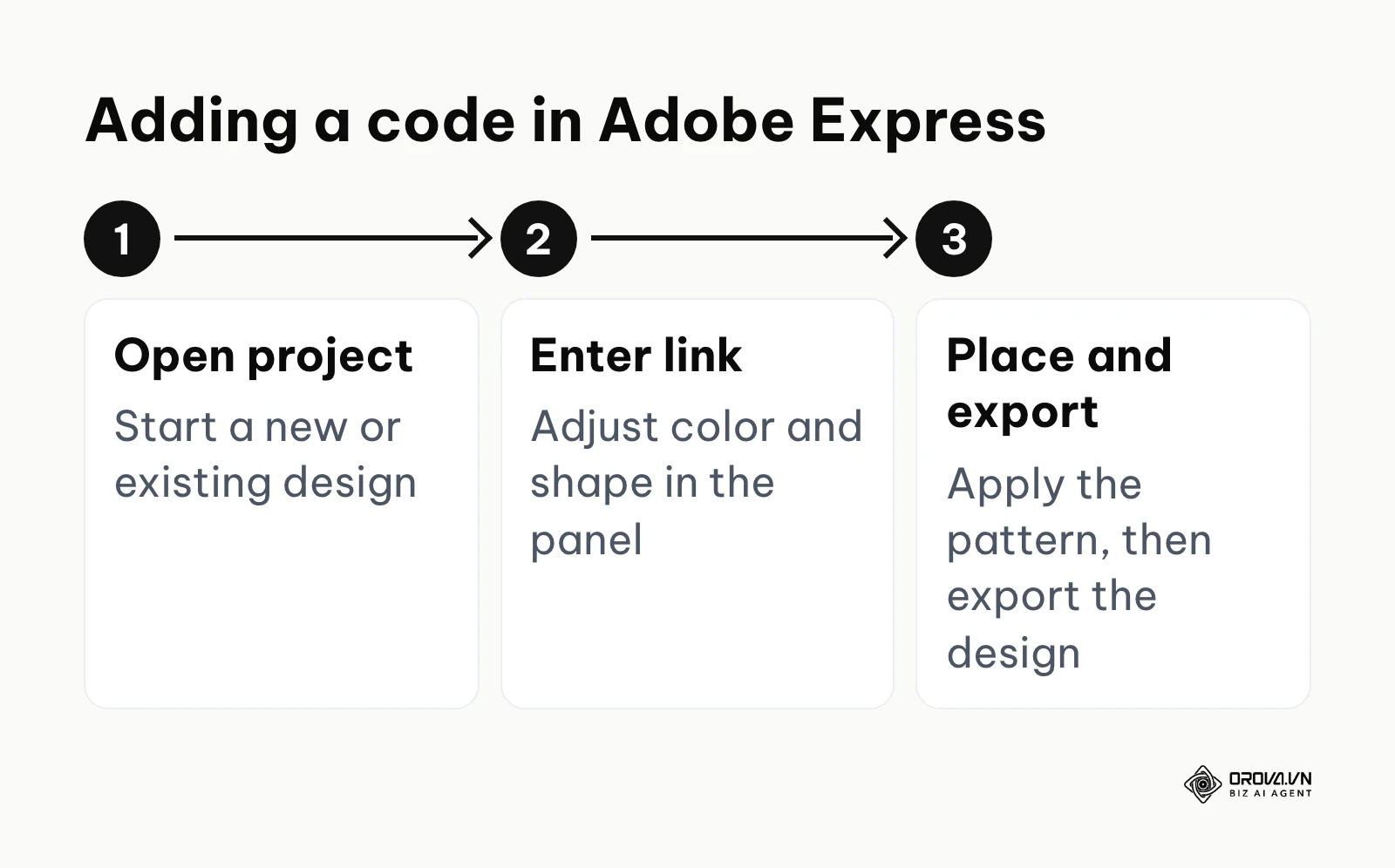
- Open a new or existing project in Adobe Express.
- Locate the generation tool within the features menu.
- Enter your link and adjust the style settings (color, shape) provided in the panel.
- Apply the pattern to your design.
- Export the final composition according to your project requirements.
Unitag: Best for Unique Matrix Shapes
What it does: Unitag is a specialized design platform focused on matrix customization. While most tools let you change colors or add a logo, Unitag allows you to fundamentally alter the shape of the individual data modules, turning standard square pixels into stars, circles, diamonds, or fluid interconnected lines.
Platform Interface: The creation studio is highly detailed, featuring multiple tabs specifically dedicated to manipulating the "eyes" (the three large squares in the corners) and the internal data modules. It provides a vast library of pre-made templates while allowing granular control over every visual element.
User value: If a brand requires a pattern that looks distinctly different from the standard, utilitarian barcode, Unitag provides the tools to achieve it. By manipulating the module shapes, designers can create patterns that feel organic, tech-forward, or playful, aligning the code perfectly with the brand's specific visual identity.
Best for: Brand managers, creative directors, and boutique agencies looking to create highly memorable, visually distinct scanning experiences.
Freemium reality: Unitag offers free static generation alongside paid plans. Check which download formats and resolutions the free option includes, and which features (such as dynamic tracking) need a paid plan, before you commit a design to print.
How to start:
- Access the Unitag studio and input your destination data.
- Navigate to the "Design" tab and explore the "Modules" section to change the pixel shapes.
- Customize the "Eyes" to contrast with the internal modules.
- Carefully test the scannability of your highly customized design using multiple devices.
- Download the format your printer needs, upgrading only if the free option does not cover it.
ME-QR: Best for High-Volume Temporary Codes
What it does: ME-QR is a high-volume platform that offers an extensive array of data types, similar to QR Stuff, but with a more modern interface. It offers dynamic tracking and editing on its free plan, and its free offer is supported by advertising.
Platform Interface: The website is very straightforward, prioritizing speed. You select a type, enter the data, and immediately get a code. The dashboard for managing links is basic but functional for tracking scan counts over time.
User value: The value proposition is clear: you get dynamic features (tracking, editing destinations) on a free plan. This is highly appealing for users running temporary campaigns, student projects, or low-budget promotions where tracking is desired but budget is tight.
Best for: Students, non-profit organizations, and users running short-term, low-budget campaigns who need dynamic tracking without a financial commitment.
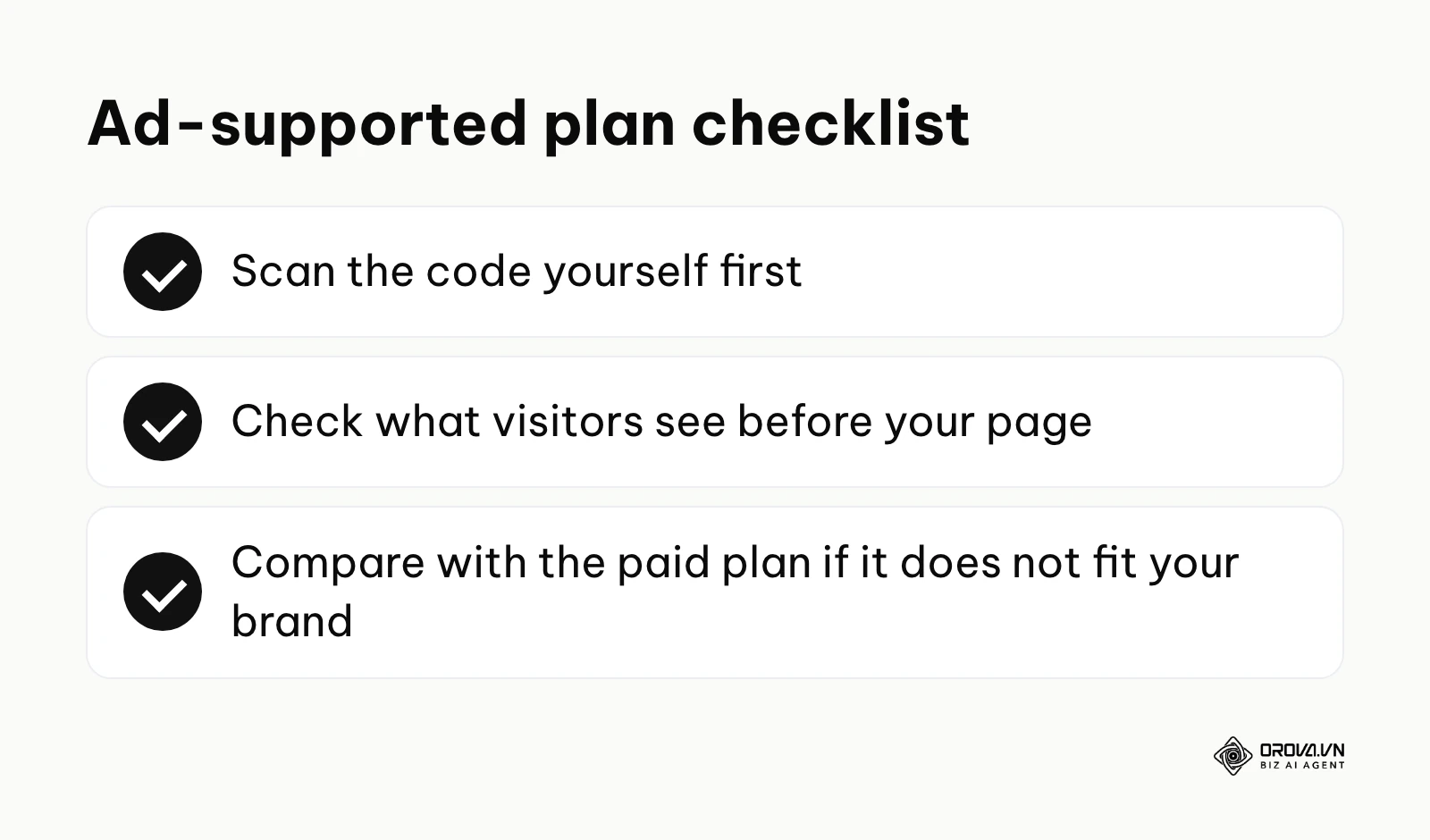
Freemium reality: Because the free offer is ad-supported, scan the code yourself to see exactly what your visitors see between the scan and your destination. If the experience does not fit your brand, compare it with the paid plan.
How to start:
- Select your data type on the ME-QR homepage.
- Enter your link and generate the pattern.
- Create an account to access the dashboard and monitor scan analytics.
- Scan the code yourself to check the redirect experience.
- Decide if the free plan fits your specific audience.
QR.io: Best for Custom Landing Pages
What it does: QR.io is a dynamic platform that focuses heavily on creating rich, interactive mobile landing pages. Rather than just redirecting to an existing website, it provides robust tools to build custom pages for restaurants (digital menus), musicians (linking to multiple streaming platforms), and app developers (linking to various app stores).
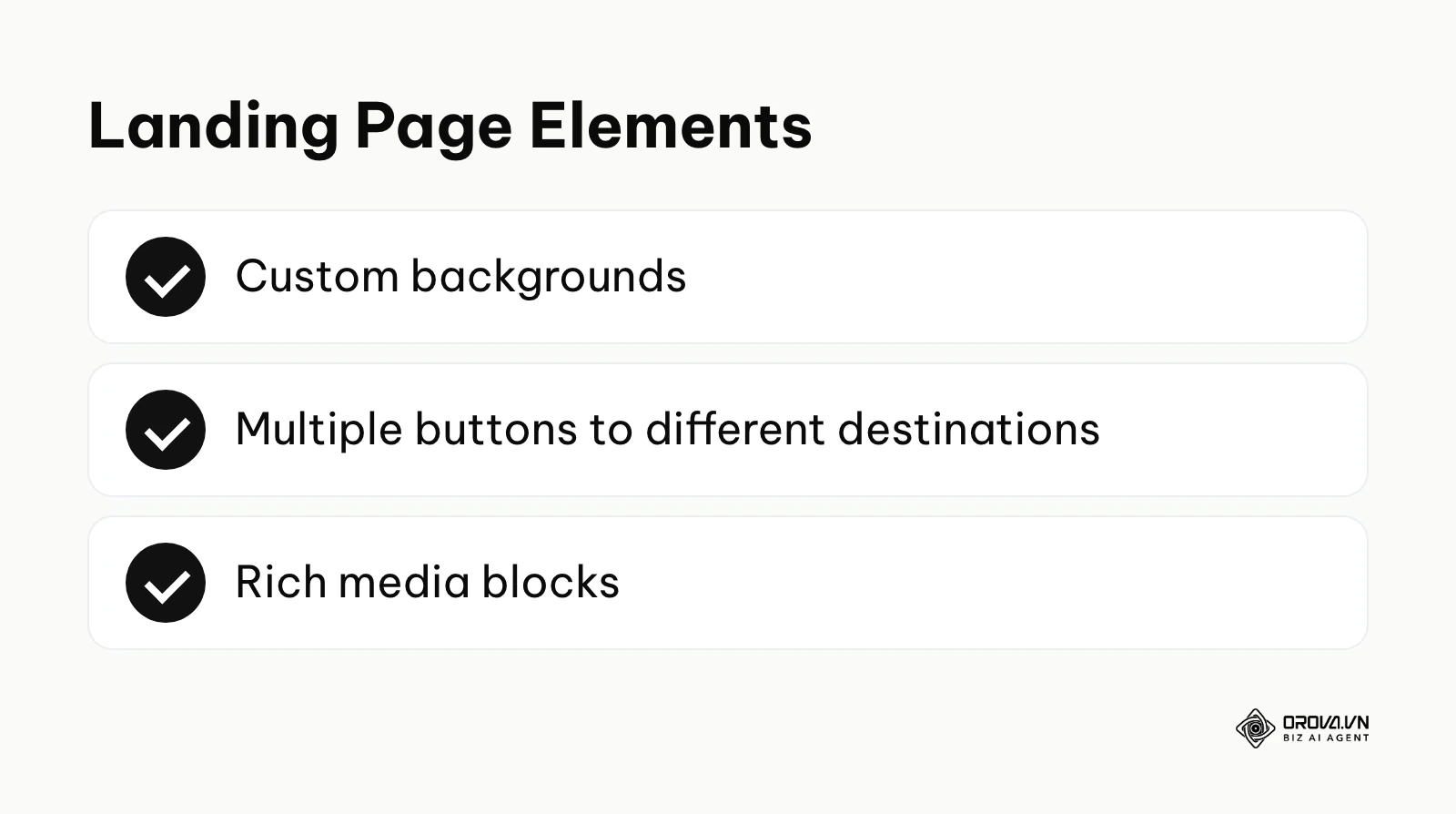
Platform Interface: The platform functions largely as a mobile webpage builder. When you select a complex data type, you are taken to a visual editor where you can customize backgrounds, add multiple buttons, and insert rich media before finalizing the actual matrix pattern.
User value: It solves the problem of needing a centralized hub. If a local band prints a code on a poster, they don't want to just link to Spotify; they want to link to Spotify, Apple Music, their merchandise store, and their tour dates. QR.io makes building that intermediary hub incredibly simple and visually appealing.
Best for: Musicians, independent creators, restaurants, and retail shops that need a centralized, mobile-optimized landing page for their physical traffic.
Freemium reality: QR.io is built around paid plans with a trial. Before printing, check what happens to codes and landing pages created during the trial once it ends.
How to start:
- Sign up for the trial and select a landing page template (e.g., "Social Media Hub").
- Use the editor to add your links, customize the background, and upload your profile image.
- Design the scanning pattern to match the aesthetics of your new landing page.
- Deploy the code, and confirm your plan covers the full life of the printed material.
- Monitor the click-through rates on the various buttons within your landing page.
Bitly QR Code Generator: Best for Existing Bitly Users
What it does: Bitly, the industry giant in link shortening, has integrated code generation directly into its core platform. It treats the matrix pattern simply as an alternative physical manifestation of its famous short links, combining robust link management with offline scannability.
Platform Interface: The generation tool is seamlessly integrated into the standard Bitly dashboard. When you create a short link, generating the corresponding pattern is often just a single click away. The design options are somewhat limited, focusing on functional, branded codes rather than highly artistic shapes.
User value: If your marketing team already relies on Bitly to manage thousands of short links, track UTM parameters, and monitor global click data, using their native generator keeps all your analytics in one centralized location. There is no need to export data from a separate tool and combine it manually.
Best for: Large marketing teams, social media managers, and enterprise organizations that already utilize Bitly as their primary link management infrastructure.
Freemium reality: Bitly offers a free tier and paid plans. Features such as custom domains and wider design options depend on the plan, so compare the plan details with your needs.
How to start:
- Log into your existing Bitly dashboard.
- Click to create a new short link and enter your long destination URL.
- Toggle the option to generate a pattern alongside the short link.
- Apply basic customizations, such as adding your brand colors.
- Download the file and track the offline scans directly alongside your digital clicks in the main analytics view.
Plan your next printed campaign with codes you can still edit after printing. Create dynamic QR codes and short links with Orova Link & QR, customize colors, logos and frames, and download PNG or SVG files. It is free until July 7, 2027, so you can start today.
How to choose a generator and spot freemium traps
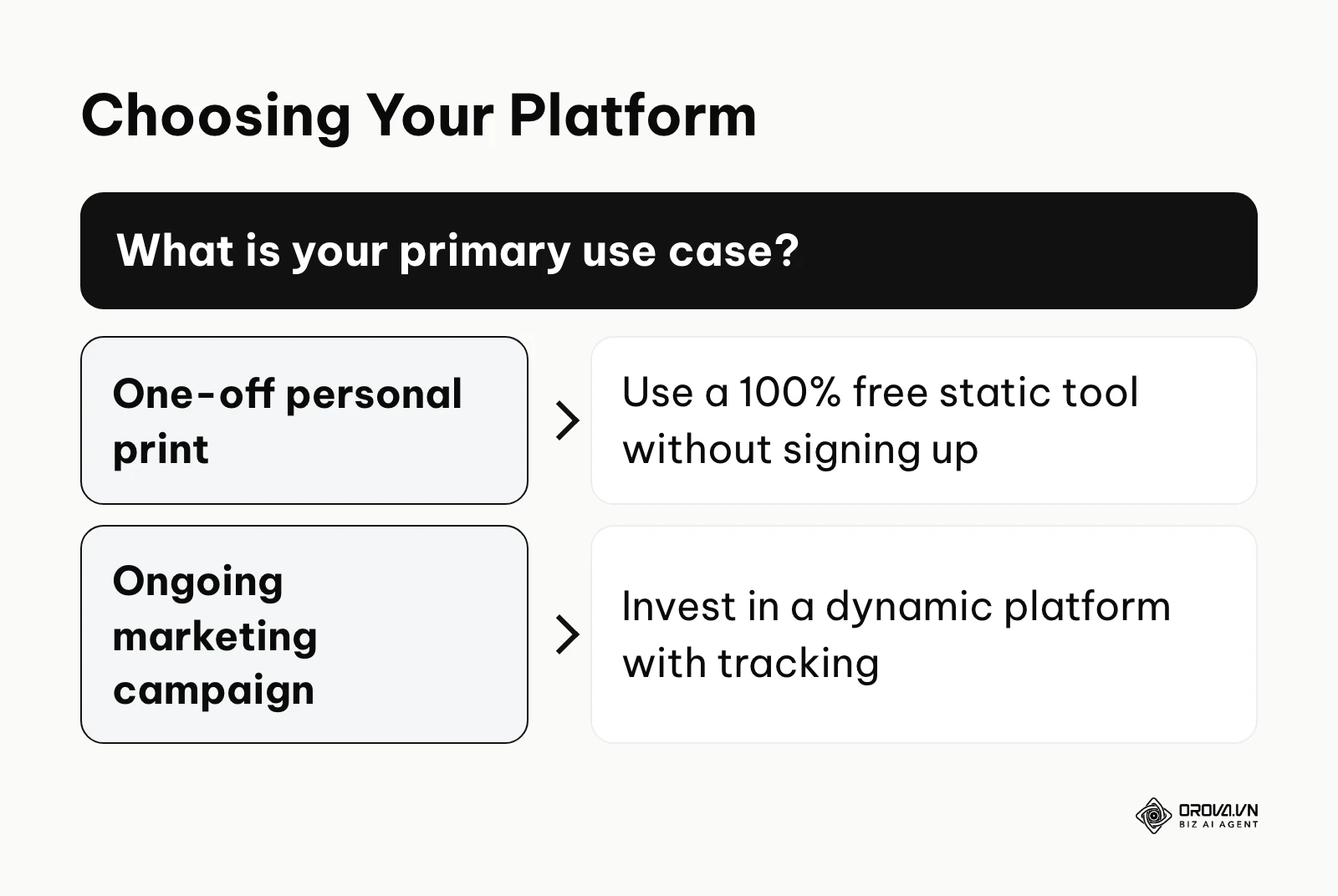
Selecting the right platform requires matching your specific operational scale to the technology's capabilities. If you over-invest, you waste budget on enterprise features you do not need. If you rely on a free trial for long-lived print, you risk unusable materials when the links stop working.
| Scale / Context | Recommended Approach | Reason Why |
|---|---|---|
| Solo / Personal | 100% Free Static Tools | No budget required, zero risk of expiration for simple text or URLs. |
| Small Local Business | Basic Dynamic Platforms | Needs editing capability for changing menus or hours. |
| Marketing Agency | High-Res / White-label | Requires SVG exports for print and custom domains for clients. |
| Enterprise Operations | Secure Dynamic Hubs | Requires security compliance, SSO, and large-volume management. |
Before committing to any platform, especially for a large print run, you must evaluate them against these five common freemium traps:
- The Trial Time Bomb: The code works during the trial, but may stop working or show a notice once the trial ends. Always read the fine print regarding trial expiration.
- The Scan Limit Ceiling: The tool offers a "free" dynamic code but caps the number of scans. Check what scanners see once the cap is reached.
- The Vector Hostage: Static generation is free, but downloading an SVG or EPS file (preferred for professional printing) requires a paid plan.
- The Ad-Injected Redirect: Some free dynamic codes show advertising between the scan and your actual link, which may not fit your brand.
- The Data Lock-In: Some platforms do not let you export your scan analytics or redirect your short URL to a different domain if you decide to leave the platform in the future.
Future trends in QR code generators: author's opinion
As of 2026, the fundamental technology of matrix patterns is largely solved. The future of this industry lies in how these patterns are integrated into broader workflows and enhanced by artificial intelligence.
AI models will blend patterns seamlessly into branded artwork
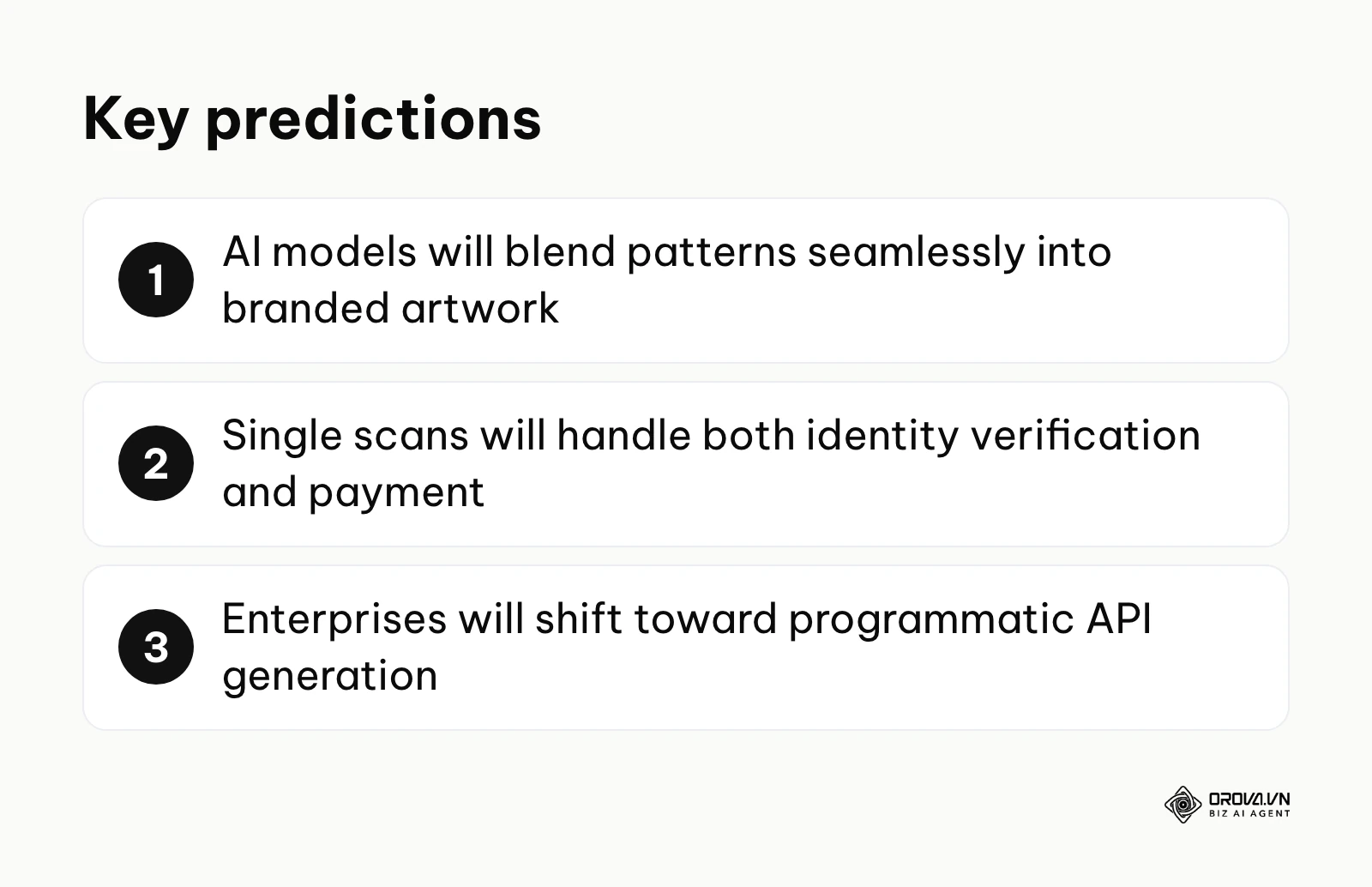
I believe that the traditional black-and-white square is nearing the end of its lifecycle for high-end consumer marketing. We are already seeing the early stages of generative AI models (like Stable Diffusion) being used to embed scannable data directly into complex, beautiful illustrations. I expect major platforms to offer native AI generation tools where you simply prompt the system (e.g., "a cyberpunk cityscape") and it will generate an artistic image that functions perfectly as a tracking link. Marketing teams should prepare to shift their design strategies from "placing a code on an ad" to "making the ad itself scannable."
Single scans will handle both identity verification and payment
Looking at mobile commerce trends, I think the friction of requiring multiple scans for different actions is a major bottleneck. I lean towards the view that platforms will soon consolidate these actions. A single scan at a retail kiosk will simultaneously verify the user's loyalty program identity, apply relevant discounts, and process the financial transaction. This requires deep integration between the generation platforms, digital wallets, and point-of-sale systems, pushing the technology far beyond simple URL redirection.
Enterprises will shift toward programmatic API generation
I expect that large organizations will gradually move away from manual dashboard creation. Instead, more of the generation process will become programmatic. When a new product rolls off the assembly line, or a new employee is onboarded, the internal ERP systems will automatically call an API to generate, assign, and track a unique dynamic matrix without any human intervention. Teams should start evaluating platforms based heavily on their API documentation and rate limits rather than just their visual interface.
Frequently asked questions about the best qr code generator tools
Are free codes permanent?
Static codes generated by reputable platforms are generally permanent because the actual data (like a website address) is hardcoded directly into the visual pattern. Because they do not rely on a redirect server, they cannot "expire" unless the destination website itself is taken down. However, "free" dynamic codes are often tied to a trial period or a scan limit, so check the terms before you print them.
What is the difference between static and dynamic?
A static pattern contains the actual data directly within its pixels. If the URL is long, the pattern becomes extremely dense and difficult for cameras to read. You cannot change the destination after printing. A dynamic pattern only contains a short "redirect URL" pointing to the provider's server. When scanned, the server records the analytics (time, location, device) and then instantly forwards the user to your final destination. This allows the pattern to remain simple and allows you to edit the final destination anytime.
How is AI changing the way we create these codes?
AI is primarily impacting the visual design phase. Generative AI models are being trained to manipulate the error correction modules of the matrix, allowing them to embed the necessary data points seamlessly into artistic images, logos, or photographs without breaking the scannability. This transforms the pattern from a technical barcode into a piece of native brand artwork.
What is Error Correction, and why does it matter?
Error correction is a mathematical feature that allows a code to remain readable even if a portion of it is damaged, covered, or removed. When you place a logo in the center of a pattern, you are technically damaging it. High error correction ensures it still works.
| Level | Name | Damage Tolerance | Best Use Case |
|---|---|---|---|
| L | Low | ~7% damage | Clean digital displays, simple URLs. |
| M | Medium | ~15% damage | Standard print materials, minimal graphics. |
| Q | Quartile | ~25% damage | Adding small logos or minor customizations. |
| H | High | ~30% damage | Heavy customization, large central logos, industrial environments. |
Where to start?
Choosing the right tool does not have to be a prolonged research project. Identify your immediate operational need and take one decisive step forward today.
If you are a solo user needing a quick, one-off print for a temporary project (like a lost pet flyer or a Wi-Fi sign for a guest room): Skip the account creation process entirely. Go directly to a free static generator like QRCode Monkey, generate your pattern, and download the file. A static code does not expire and requires no ongoing management.
If you are a marketing manager preparing materials for a quarterly trade show or a large-scale print campaign: Do not risk using a free trial. Centralize your tracking by establishing a dedicated dynamic platform account. Before generating any patterns, define your UTM tracking conventions to ensure every scan is properly attributed in your broader analytics dashboard.
If you are a graphic designer working on high-end retail packaging or large-format outdoor advertising: Prioritize platforms that offer unrestricted SVG exports. Generate a test code, download the vector file, and import it into your design software (like Adobe Illustrator) to verify that you can manipulate the paths and scale the asset infinitely without any loss of quality before finalizing the layout.
By carefully evaluating your needs against these freemium traps, you can confidently select the best qr code generator for your next successful campaign.
About the author

Builder of Orova
Nguyễn Đỗ Trọng Ân has 8 years of experience in marketing, including 6 years managing market development across Asia. He builds Orova, a Biz AI Agent that never sleeps: it plans, runs and optimizes work for businesses.
Run your business with AI Agents
Orova is the always-on Biz AI Agent — it plans, runs, and optimizes the work for you.
Save time, unlock productivity.