
Email finder vs waterfall enrichment: which wins in 2026?

Choosing an email finder represents one of the most consequential software investments for modern outbound sales teams. Every sales development representative (SDR) and growth marketer eventually confronts the same dilemma: should you buy a traditional single-database platform or construct a multi-provider waterfall enrichment pipeline? If you need a simple, self-contained tool to quickly source contacts within a modest monthly budget, a single-database platform offers an accessible entry point. Conversely, if your priority is maximizing match rates on enterprise accounts while protecting your domain health against high bounce rates, waterfall enrichment is the superior choice. This deep-dive comparison examines both architectures across six objective dimensions: data match rates, credit pricing transparency, catch-all domain verification, pre-enrichment qualification, multi-channel extraction, and workflow integration speed.
Email Finder vs Waterfall Enrichment: The Core Differences at a Glance
The fundamental difference between these two approaches lies in their underlying data architecture. A single-database email finder queries one proprietary index of scraped and crowdsourced records, whereas waterfall enrichment routes every query through a sequence of several independent data providers until a verified email address is located. The following comparison table summarizes how these two models perform across essential sales operations criteria:
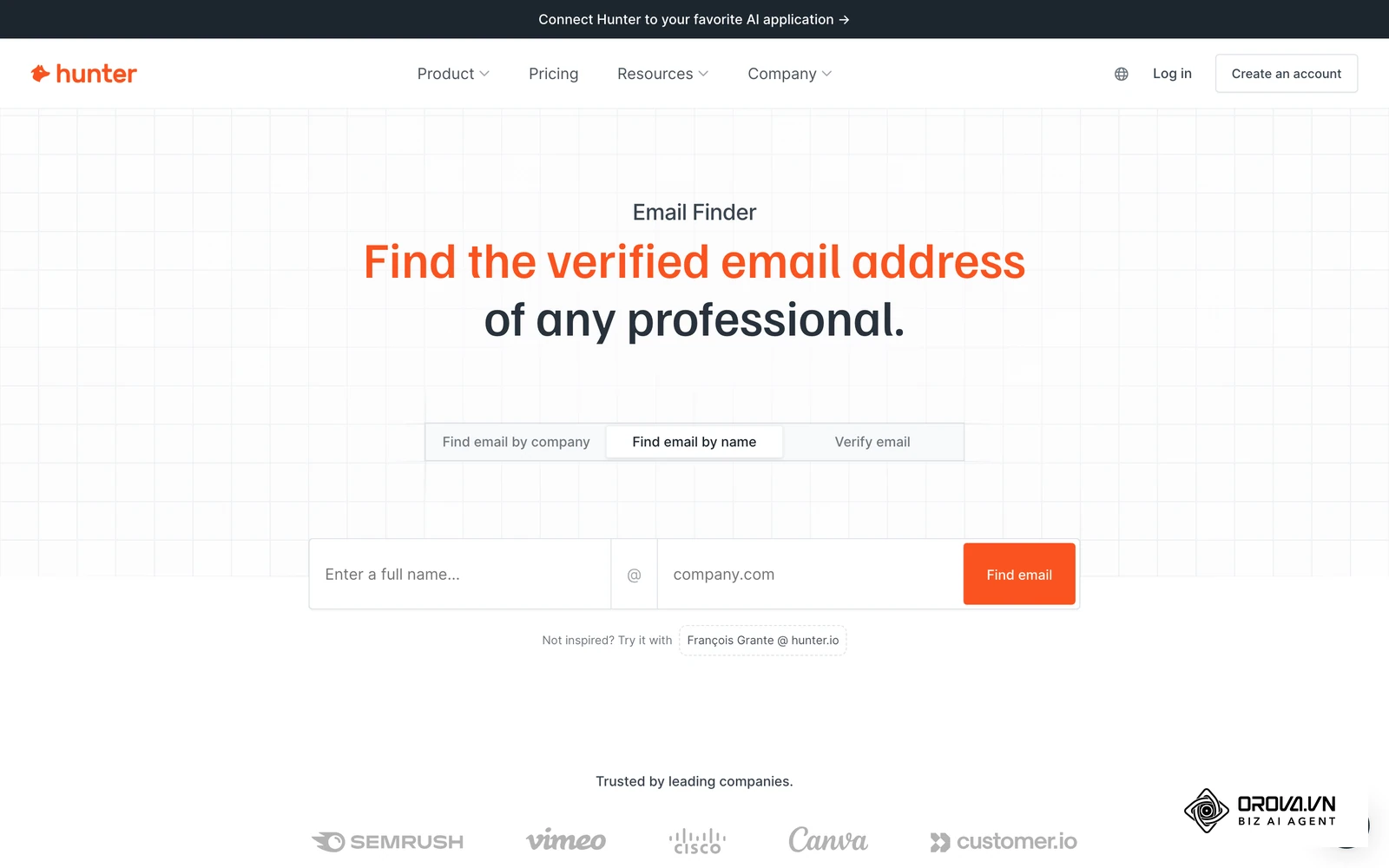
| Evaluation Criterion | Single-Database Email Finder | Waterfall Enrichment Pipeline | Clear Winner |
|---|---|---|---|
| Match Rate on Target Accounts | Capped by what one index already holds; varies by region and segment | Usually higher, because each extra provider fills gaps the previous one left | Waterfall Enrichment |
| Verification Mechanism | Periodic database re-verification and basic SMTP ping | Verification run by each provider at the moment of the query | Waterfall Enrichment |
| Catch-All Domain Handling | Often marks accept-all servers as valid or skips entirely | Multi-vendor consensus and deep mailbox risk scoring | Waterfall Enrichment |
| Pricing Model | Fixed monthly subscription with expiring search credits | Pay-per-match credit burn or consolidated API billing | Context-dependent |
| Setup Complexity | Immediate plug-and-play browser extension and web portal | Requires webhook routing, middleware, or multi-tool setup | Single-Database Email Finder |
| Pre-Enrichment Lead Screening | Static firmographic filters (employee headcount, industry) | Depends on the orchestration tool; some add AI qualification steps before lookups | Context-dependent |
| Data Decay Sensitivity | Vulnerable to stale data between vendor scrape intervals | Draws on several vendor pools, reducing exposure to any one stale record | Waterfall Enrichment |
| Multi-Channel Extraction | Primary focus on corporate email; phone numbers cost extra | Aggregates emails, direct mobile numbers, and social handles | Waterfall Enrichment |
| Speed per Individual Query | Near-instant return from a single indexed record | Slower, because fallback providers are called one after another | Single-Database Email Finder |
The table above demonstrates that while single-database platforms provide speed and simplicity, waterfall architectures consistently outperform them on data coverage and verification depth.
Understanding the Fundamentals: What Each Architecture Actually Does
Sales teams often confuse individual data vendors with enrichment architectures. Understanding what each solution was engineered to accomplish clarifies where each belongs in your modern outbound tech stack.
What is a Single-Database Email Finder?
A single-database email finder is a standalone software service built on top of a centralized internal data repository. These platforms continuously crawl public corporate websites, analyze email syntax patterns (such as firstname.lastname@company.com), and ingest crowdsourced contact books from user integrations. They were created to give individual sales reps a fast, accessible directory to find email address data and corporate domains without needing custom engineering.
What is Waterfall Email Enrichment?
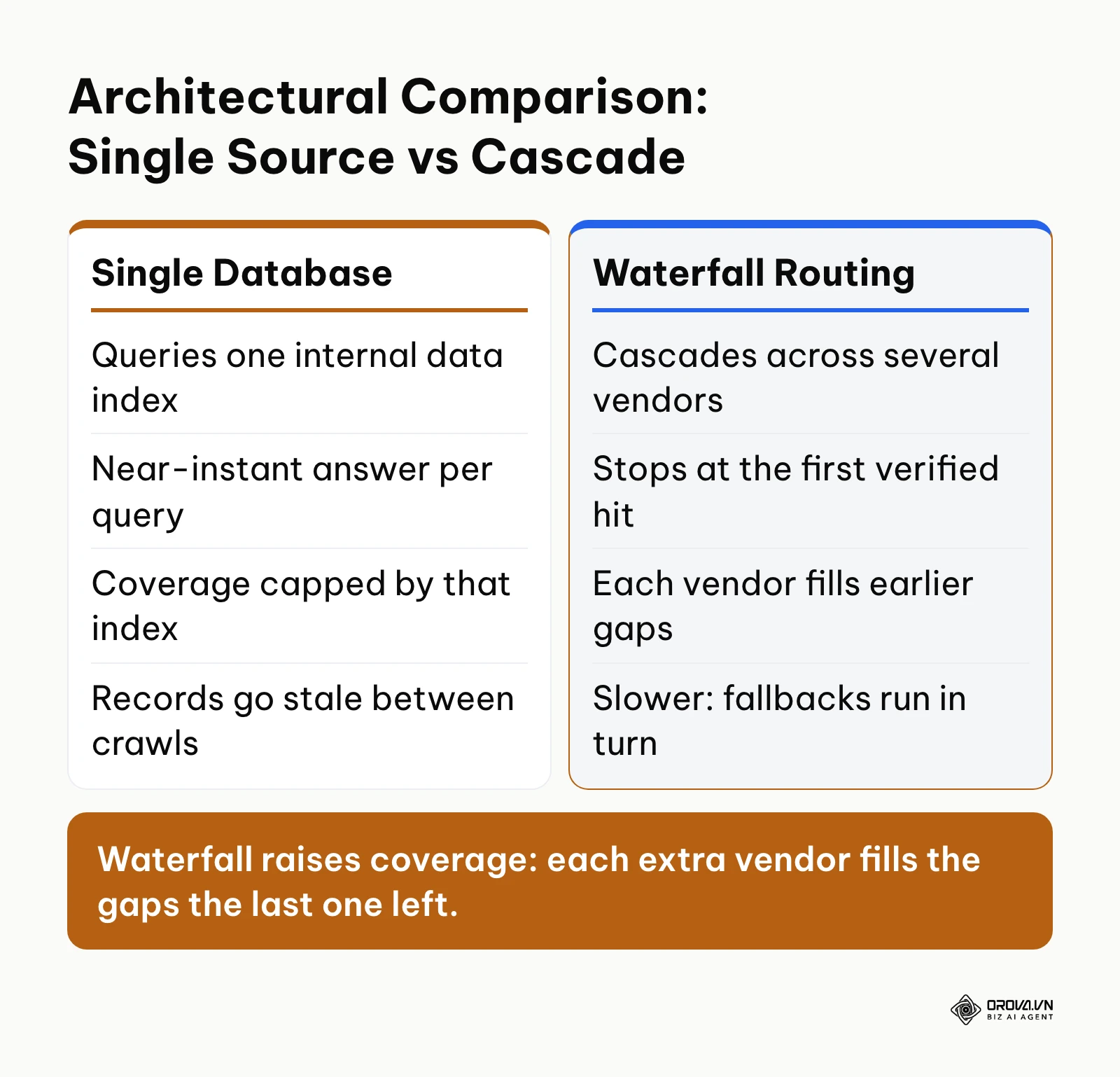
Waterfall email enrichment is a multi-vendor routing architecture that queries secondary data providers whenever a primary provider returns an empty or unverifiable record. Instead of relying on a single vendor's database, the waterfall system queries Provider A; if no verified email exists, it instantly queries Provider B, then Provider C, halting only when a deliverable contact is confirmed. This process was engineered to solve the coverage ceiling inherent in any single data warehouse. The diagram below illustrates the architectural divergence between these two approaches.
Data Accuracy and Match Rates: Single Database vs Waterfall Enrichment
Match rates determine how many prospective leads in your target account list actually receive an outreach email. Single-database email finder tools eventually hit a coverage ceiling on mid-market and enterprise accounts, because every record must already exist in one index. In contrast, waterfall enrichment combines specialized regional and industry databases, so each additional provider only has to fill the gaps the previous one left.
When you query an enterprise domain in a single database, the platform checks its own indexed table. If that specific record has not been crawled recently, or if the individual employee changed positions, the tool returns an empty result or a stale contact. Waterfall enrichment mitigates this limitation by orchestrating requests across multiple specialized vendors. If an international provider fails to locate a director in Germany, a local European registry in the waterfall sequence frequently supplies the verified record.
Illustrative example (hypothetical numbers):
A commercial sales operations specialist at a 20-person logistics software firm needed to enrich a target account list of 500 supply chain directors across North America and Europe. Using a popular single-database tool, the initial search returned 235 email addresses (a 47% match rate). The specialist then routed the 265 missing accounts through a four-provider waterfall cascade. The secondary and tertiary providers located 145 additional verified email addresses, elevating the final deliverable list to 380 total contacts (a 76% aggregate match rate). The team executed outreach across 145 enterprise decision-makers who would have otherwise been abandoned due to single-database blind spots.
For high-value account-based marketing where reaching every buying committee member is critical, waterfall enrichment provides a decisive advantage in total verified data yield.
The True Cost per Valid Email: Credit Burn vs Cascading Pricing
Headline subscription pricing in prospecting software is easy to misread. Plans are usually sold as a monthly fee for a block of credits, which tempts buyers to divide one number by the other and call the result their cost per contact. In practice, the true cost per valid email is higher, because of searches that return nothing, credits that expire unused, and unverified contacts that must be discarded.
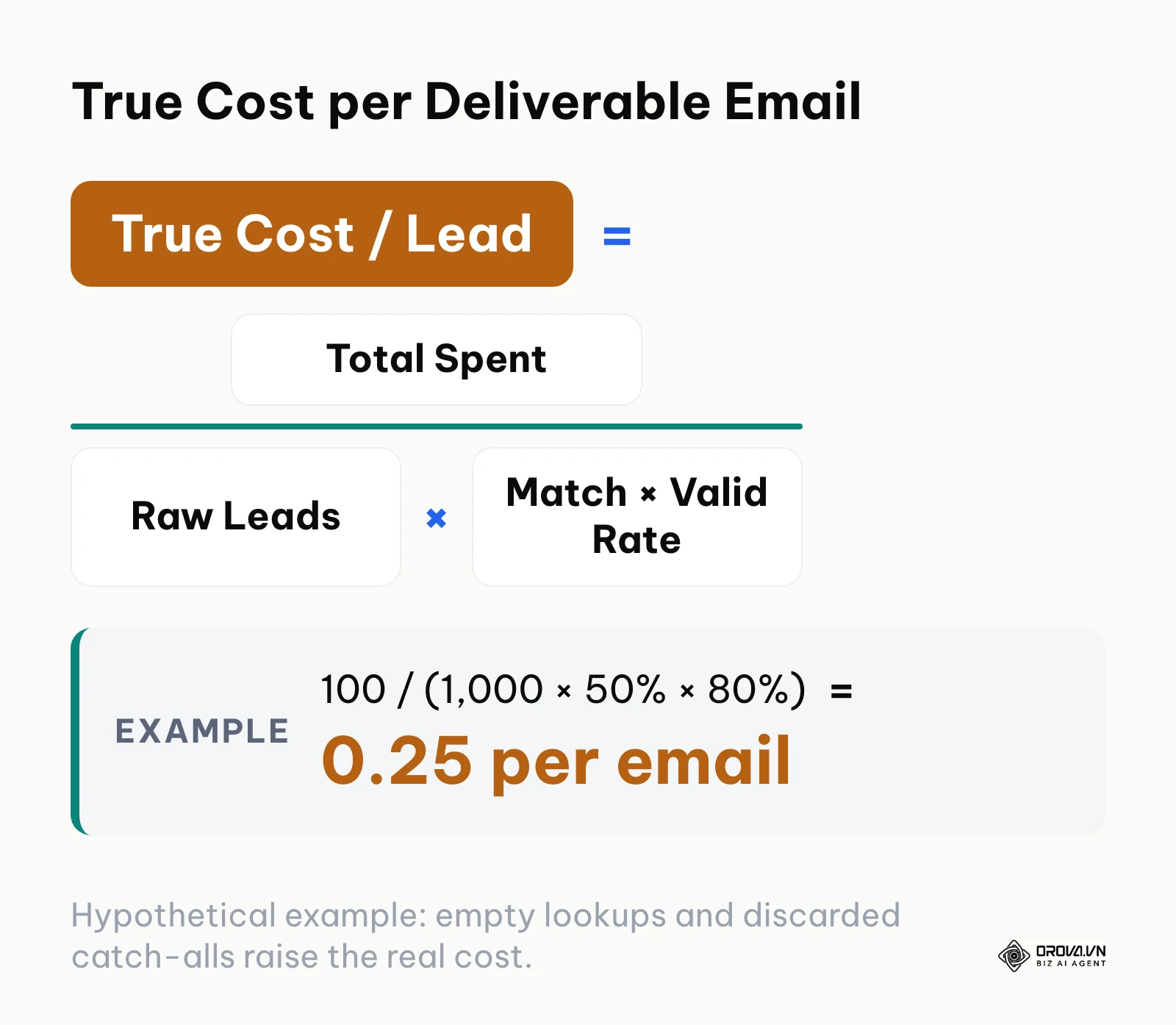
To calculate your actual financial outlay, you must evaluate the true cost per deliverable lead using a comprehensive formula. The diagram below illustrates the core mathematical relationship between raw expenditure and verified deliverable outputs.
Consider 1,000 prospect lookups run under three common pricing structures. Some platforms deduct a credit for every search, including empty or catch-all results, and some plans let unused credits expire at the end of the billing cycle. Many waterfall tools charge only when a verified email is returned, although terms vary by vendor. The table below uses hypothetical numbers, in generic budget units rather than any real currency or vendor price, to show how these rules change the real cost; replace them with your own plan price, match rate and bounce data:
| Pricing model (hypothetical) | Spend (budget units) | Lookups used | Match rate | Valid rate | Deliverable emails | Cost per 100 deliverable emails |
|---|---|---|---|---|---|---|
| Subscription, one credit charged per search | 100 | 1,000 | 50% | 80% | 400 | 25.00 |
| Same subscription, 400 credits expire unused | 100 | 600 | 50% | 80% | 240 | 41.67 |
| Waterfall, 0.20 budget units charged only per verified email | 135 (675 × 0.20) | 1,000 | 75% | 90% | 675 | 20.00 |
The example shows why the headline price says little on its own: expired credits and charges for empty or risky results can push the cost per deliverable email well above what the plan suggests. Pricing that charges only for verified matches tends to suit high-volume teams, but read each vendor's terms first, because some cascades still bill every underlying provider call.
Handling Catch-All Domains: SMTP Verification vs Risk Scoring
Catch-all mail servers (also known as accept-all domains) represent the single greatest technical hazard in outbound prospecting. A significant share of business domains configure their mail exchange servers to accept incoming messages addressed to any mailbox prefix without returning a standard bounce code during the initial handshake.
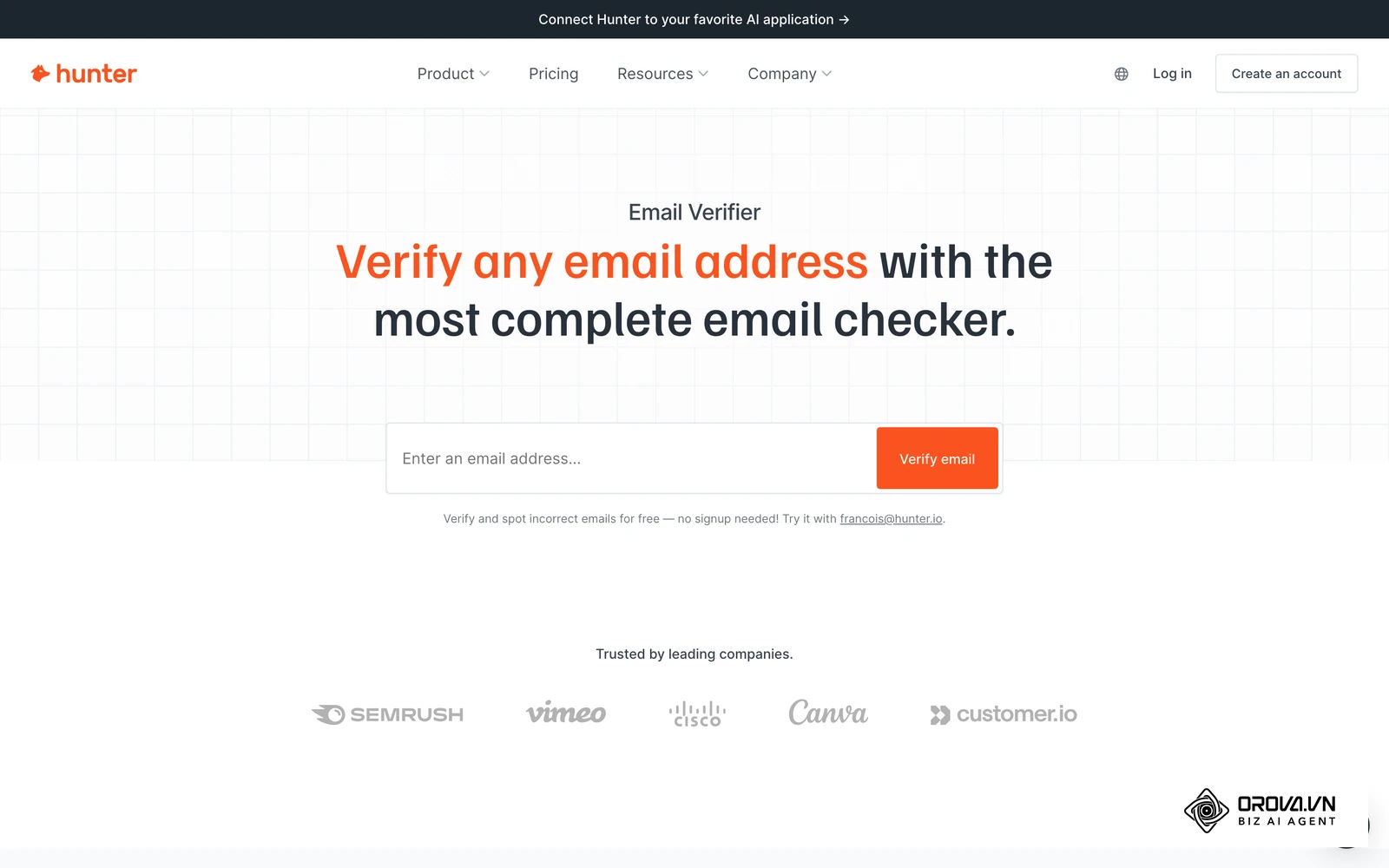
According to the Internet Engineering Task Force (IETF) RFC 5321 Simple Mail Transfer Protocol specification (2008), the receiving server answers each recipient with a numeric reply code during the SMTP conversation, such as 250 when the recipient is accepted and 550 when the mailbox is unavailable. A catch-all server simply answers 250 for every mailbox name. Consequently, a basic email finder cannot verify whether john.doe@enterprise.com actually exists or simply routes to a dead administrator mailbox. If you send cold emails to unverified catch-all inboxes, your delivery bounce rate can climb quickly.
According to the Google and Yahoo Email Sender Guidelines (2024), bulk senders must authenticate their mail and keep spam complaint rates below 0.3%, with Google recommending staying under 0.1%. The guidelines do not set one official bounce ceiling, but many deliverability teams treat 2% as an internal warning line, because a high bounce volume signals poor list hygiene to mailbox providers.
To safeguard your sender score, outbound teams must follow a rigorous 5-step checklist and decision process whenever catch-all servers are detected:
- Verify DNS Mail Exchange (MX) Records: Check whether the domain routes mail through an enterprise security gateway such as Proofpoint, Mimecast, or Barracuda; these gateways often answer SMTP checks in ways that make individual mailboxes impossible to confirm.
- Execute SMTP Handshake with Control Address: Transmit an intentional nonsense string (e.g., randomstring98723@domain.com). If the server returns a 250 OK status, designate the domain as an active catch-all server.
- Cross-Reference Secondary Public Activity: Utilize modern enrichment to confirm the individual has published public activity or verified career updates within the last 60 days, establishing proof of current employment.
- Isolate Catch-All Contacts into Secondary Inboxes: Never mix unverified catch-all records with confirmed SMTP contacts. Direct them into low-volume secondary sending domains warmed specifically for speculative delivery.
- Enforce Hard 2% Bounce Threshold Triggers: If three consecutive catch-all messages bounce within a single sending pool, immediately suspend outbound sequences to that corporate domain.
Illustrative example (hypothetical numbers):
An outbound lead generation manager at a financial technology consultancy discovered that 420 out of 1,200 prospective enterprise banking contacts resided on catch-all mail servers. Rather than blindly transmitting campaigns from the company's primary corporate domain, the manager deployed the 5-step audit checklist. Cross-referencing revealed that 180 contacts possessed verified public activity from the current quarter, while 240 showed no external digital footprints. The manager purged the 240 unverified records and routed the 180 active prospects through a separate warmed domain. The primary domain maintained an overall bounce rate of 0.8%, preserving deliverability across existing enterprise pipeline conversations.
Tools that score catch-all risk, instead of labelling every accept-all address as valid, give you far more control over this step than single-database finders that skip it.
Spent hours searching the web and still can't find B2B prospects that fit your ideal customer profile? Orova Bot uses AI to find businesses based on your description. With a list of relevant prospects to contact, you spend less time searching and more time selling.
Try it now at orova.vn/bot
Pre-Scraping Qualification: AI Evidence Scoring vs Blind Credit Consumption
The most prevalent source of wasted budget in outbound sales is not failed email verification; it is spending credits on contacts who do not match your ideal customer profile (ICP). Traditional email finder tools encourage users to download hundreds of contacts based solely on surface-level job titles such as "Head of Marketing" or "VP of Sales".
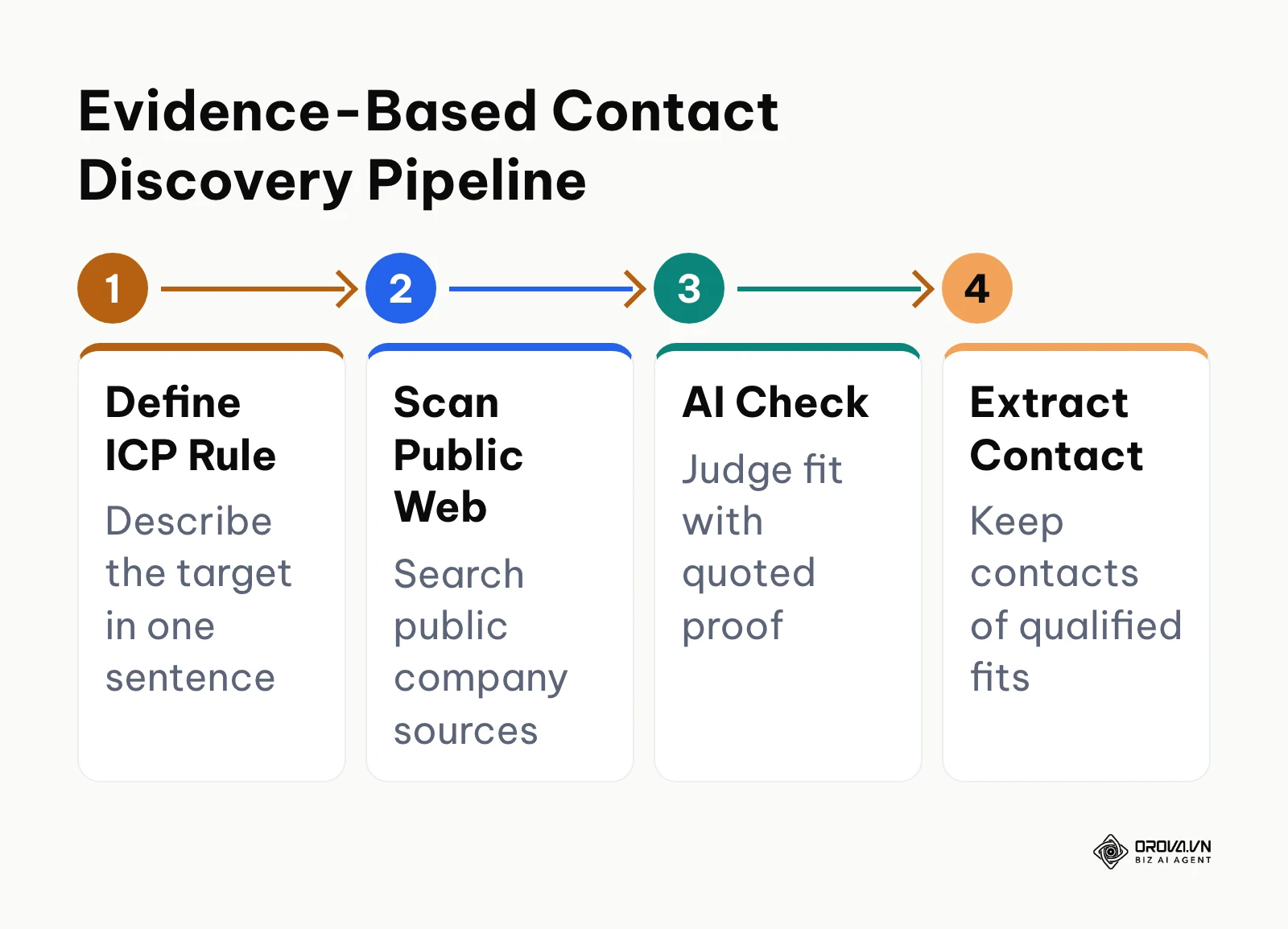
Sales reps regularly burn search credits extracting emails for individuals at companies that lack the requisite budget, technological infrastructure, or operational need for their solution. Modern outbound workflows address this issue by integrating artificial intelligence into the qualification phase before initiating any search to find email address data.
Instead of paying for raw contact records, modern outbound engines analyze public web data, company careers pages, and corporate press releases against specific qualification criteria. The system identifies verifiable statements confirming that the prospective company uses specific technology, maintains distributed sales teams, or recently expanded into new geographical markets. Only when a prospect meets these pre-set criteria does the software trigger an enrichment credit. The diagram below illustrates this evidence-first discovery sequence.
When comparing pre-scraping capabilities, single-database finders remain limited to rigid, pre-indexed filters. Contemporary enrichment architectures that incorporate conversational prompts and automated verification allow sales organizations to spend acquisition capital exclusively on high-probability target accounts.
Workflow Efficiency: Direct CRM Multi-Channel Sync vs Manual CSV Export
Data accuracy becomes irrelevant if your sales reps lose hours every week downloading CSV spreadsheets, manually formatting columns, and uploading files into customer relationship management (CRM) platforms. Single-database tools frequently require reps to export search files, re-verify contacts in secondary software, and manually import rows into their outreach sequences.
Manual CSV manipulation creates duplicate records, introduces formatting errors, and delays sales touchpoints. Furthermore, modern outreach campaigns increasingly rely on coordinated multi-channel touches across corporate email, direct mobile phone calls, and business social networks. Relying solely on an email finder that isolates email data forces SDRs to hunt for phone numbers and social profiles across separate tools.
| Workflow step | Manual CSV export | Direct sync into your contact system |
|---|---|---|
| Moving records | Export a file, clean columns, re-import | Records flow in automatically after each search |
| Duplicates | Checked by hand, often missed | Matched against existing contacts on import |
| Channels per record | Usually email only; phone and social found elsewhere | Email, phone and social profiles kept on one row |
| Source of each contact | Lost once the file is edited | Kept with the record for later review |
| Time to first touch | Waits for the next manual import | Contact is ready for outreach as soon as it is saved |
Modern automated pipelines consolidate multi-channel extraction by aggregating verified corporate emails, standardized mobile numbers, and active business social media profiles into a single contact record. These enriched records flow directly into your CRM or outbound sequencer through automated webhooks. The funnel diagram below illustrates the progressive qualification and synchronization of prospect records.
Single-database extensions remain convenient for ad-hoc, one-off lookups while browsing corporate websites. For systematic outbound operations, however, continuous multi-channel enrichment that synchronizes directly with your sales infrastructure eliminates administrative overhead and accelerates pipeline velocity.
When to Choose a Single-Database Email Finder
Single-database tools maintain a legitimate and valuable role in the sales technology ecosystem. Investing in complex waterfall pipelines is inefficient if your outbound strategy does not possess the volume or complexity to justify it. A single-database email finder is the recommended choice in the following operational scenarios:
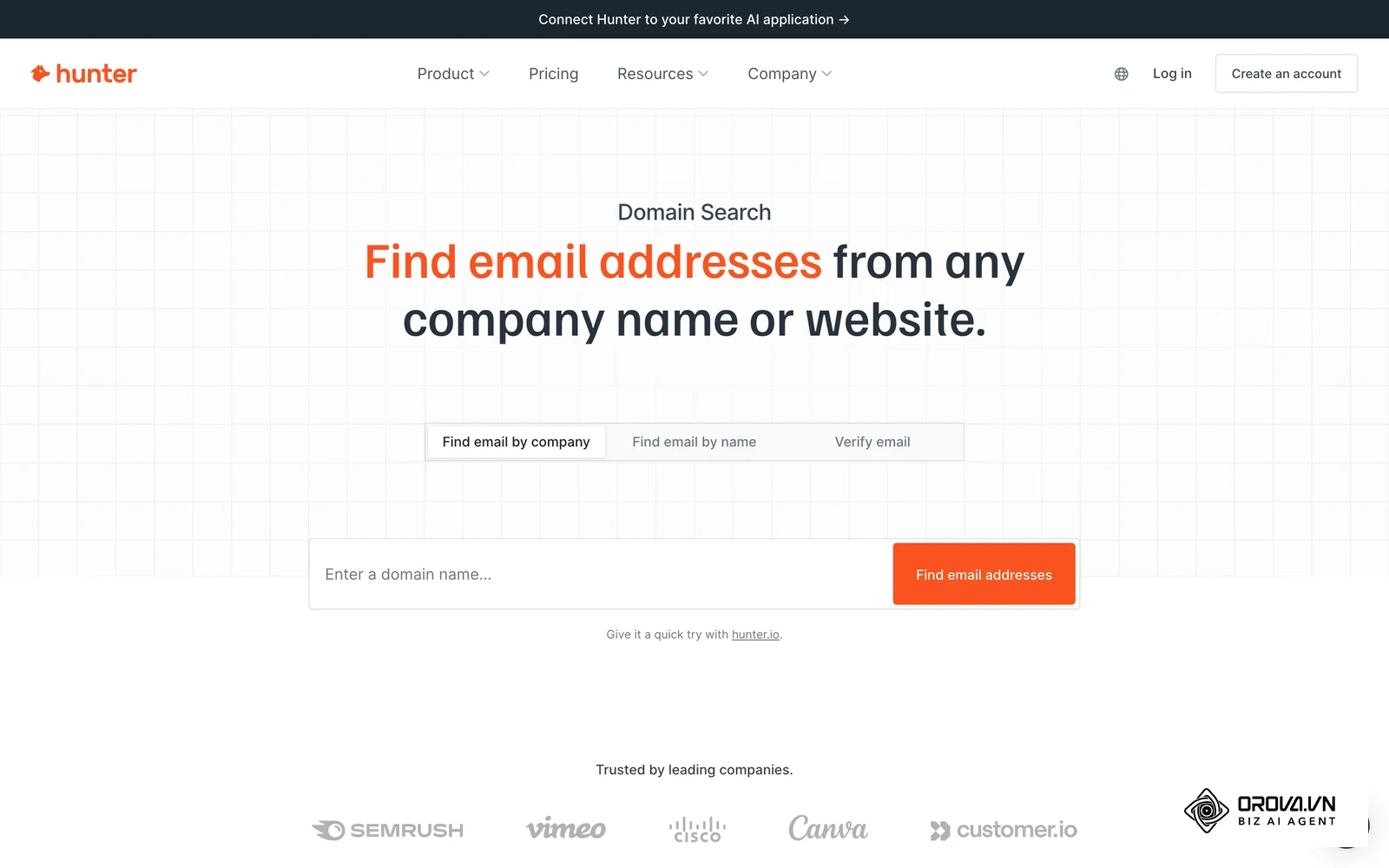
- Solo Founders and Early-Stage Startups: If your outbound team consists of one or two individuals sending a modest number of highly personalized emails per month, a single-database subscription (such as Hunter or Apollo) provides an affordable, all-in-one environment without engineering friction.
- Strict Budget Caps: When working with constrained initial capital, spending hundreds of dollars on middleware, custom webhook tables, and multiple API keys is financially impractical. Standalone platforms provide predictable monthly expenses.
- Direct Domain Pattern Discovery: If your primary objective is identifying whether an enterprise follows a firstname.lastname or firstinitiallastname convention so you can manually test delivery, single-database search bars return instant answers.
- Zero Technical Operations Support: Setting up waterfall cascades requires familiarity with API keys, data mapping, and webhook triggers. If your team lacks operational bandwidth to manage multiple software connections, a standalone tool offers immediate utility.
If your sales motion resembles manual, high-touch account research with low monthly volume, a single-database tool delivers sufficient capability without unnecessary complexity.
When to Choose Waterfall Enrichment
As sales organizations expand outbound capacity, the limitations of static contact warehouses directly constrain pipeline growth. Waterfall enrichment becomes essential in the following operational environments:
- Dedicated Outbound Teams with 3+ SDRs: When multiple reps prospect full-time, a low match rate leaves whole accounts uncovered and wastes selling hours. Lifting the match rate directly increases account coverage across assigned territories.
- Enterprise Account-Based Marketing (ABM): In enterprise sales, deals require multi-threading across several executive stakeholders. If a single database fails to identify the Chief Information Security Officer or Head of Infrastructure, deal momentum stalls. Waterfall routing maximizes discovery across the entire buying committee.
- Aggressive Domain Reputation Protection: If your outbound infrastructure operates under zero-tolerance bounce policies, waterfall systems equipped with deep catch-all verification ensure that risky mailboxes are isolated before campaigns launch.
- Cross-Border and Multi-Regional Prospecting: Single databases rarely provide equal data quality across global markets. A waterfall pipeline that routes European queries through regional specialists and North American queries through domestic databases maximizes international reach.
For growing sales organizations seeking to scale outbound pipeline efficiently, the improved match rates and data accuracy of waterfall enrichment justify the operational investment.
Can You Use Both Single-Database Tools and Waterfall Enrichment Together?
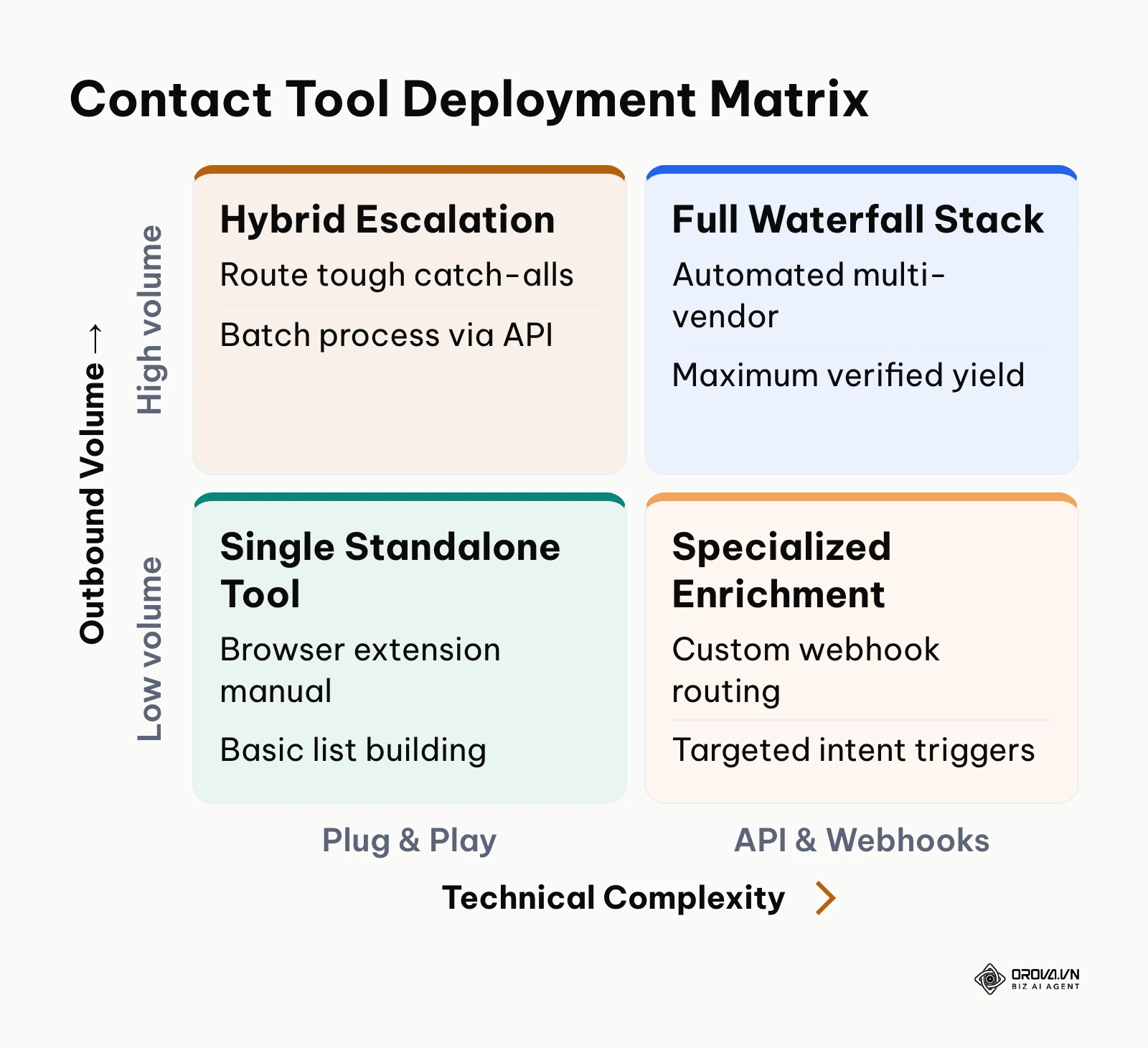
High-performing revenue operations teams frequently deploy both models in a coordinated hybrid architecture. Rather than treating them as mutually exclusive choices, you can use a single-database tool as your primary prospecting interface and reserve waterfall enrichment as an automated failover for unreturned contacts.
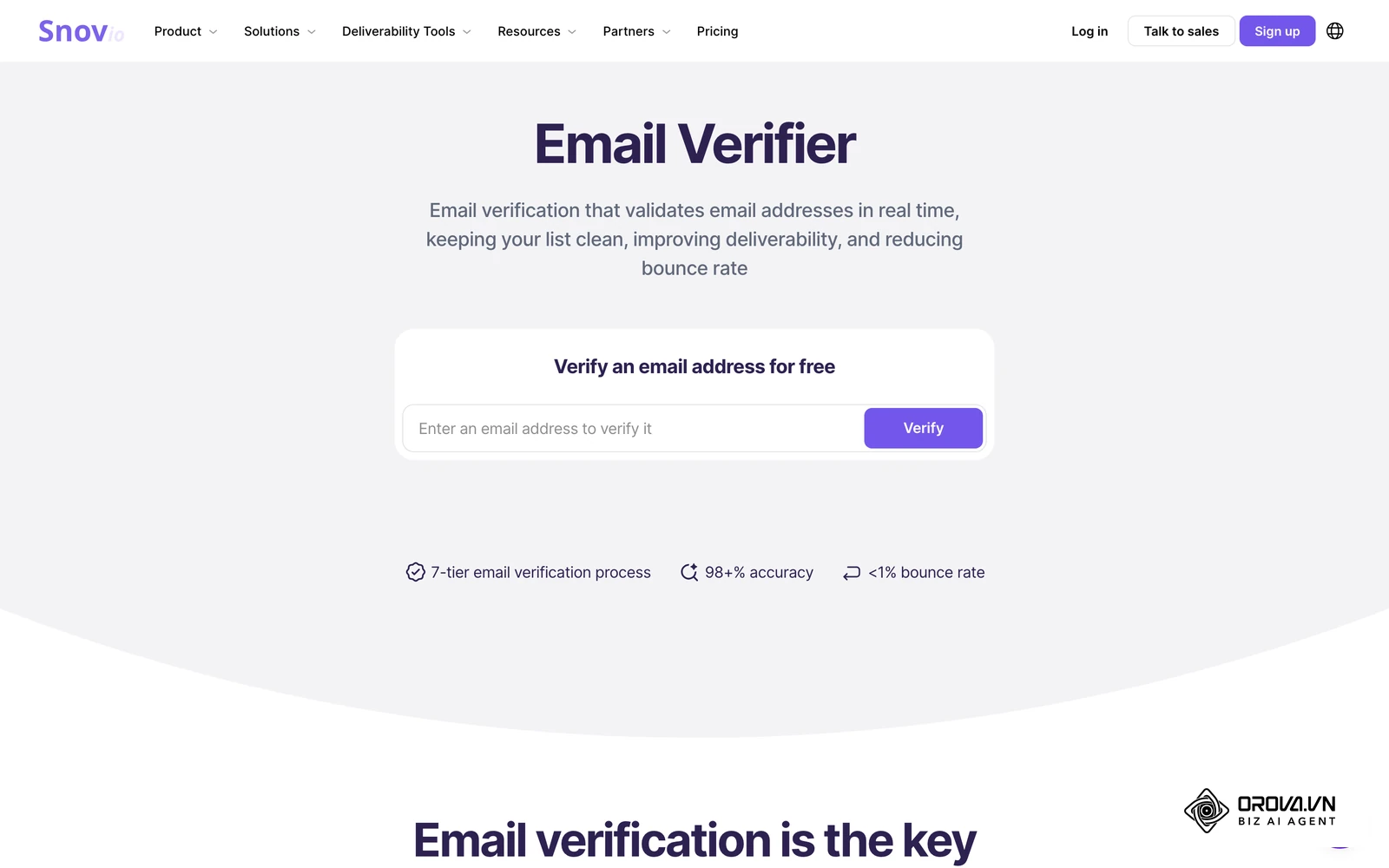
In a practical hybrid setup, sales reps use an affordable single-database browser extension to conduct initial account research and source standard contacts. If the single database returns an empty result or flags a contact as an unverifiable catch-all address, the rep tags the record in their CRM. A background webhook then automatically transmits that specific record into a secondary waterfall cascade. This two-tier division of labor preserves expensive waterfall API credits for difficult enterprise accounts while maintaining rapid prospecting velocity for standard queries.
Migrating between architectures requires careful planning. If you transition entirely away from a single database, ensure your waterfall pipeline connects directly to your outreach sequencer to prevent manual data exports. Additionally, audit your data privacy compliance across every provider in the waterfall sequence to ensure legitimate interest criteria are consistently met.
For teams that want an integrated prospecting environment without stitching multiple third-party API keys together, Orova Bot covers the discovery side within the Orova business operating platform. You describe your ideal customer in one sentence, and Orova Bot searches public sources such as company websites, business directories, industry association lists and open maps.
Instead of selling records from a prebuilt contact database, Orova Bot checks each business against your own criteria, backs every judgment with a verbatim quote and a source link, and collects the emails, phone numbers with country codes and social profiles that the company publishes itself. Contacts with an email can then go straight into Orova Connect contact lists. Note the difference in scope: it finds companies and their published contacts rather than looking up a named person's private inbox. Modern teams can pair such automated discovery tools with specialized ai marketing automation tools to execute structured, multi-channel outreach campaigns without handling manual spreadsheets.
Is your sales team making plenty of calls but reaching prospects whose needs don't match your offer? Orova Bot uses AI to select suitable B2B prospects and explain why they're worth calling. Your team gets a list they can start calling right away, with clear reasons to prioritize each prospect.
Try it at orova.vn/bot, free through July 7, 2027.
Email Finder Trends in the Coming Years: Author's Perspective
As of 2026, the economics behind traditional email discovery tools are under pressure. Having observed email deliverability protocols evolve alongside generative language models, I anticipate three major structural shifts over the next two to three years.
First, I believe static, scraped B2B contact warehouses will steadily lose ground. Job changes and privacy regulations make stored contacts go stale, and keeping very large repositories fresh gets harder as websites add stronger bot protection. In my view, the market will pivot toward on-demand, real-time agentic discovery that crawls and verifies an individual's digital presence at the precise moment a sales rep initiates a search. Outbound leaders should begin auditing data vendors today to identify how much of their data relies on aged warehouse caches rather than live verification. A sudden breakthrough in decentralized corporate identity registries could render this prediction inaccurate, but the direction of travel currently favors on-demand web retrieval.
Second, I expect artificial intelligence agents to fundamentally replace human-driven list building and contact extraction. Current SDR workflows involve manually adjusting filters for job titles and headcounts, followed by bulk credit scraping. In the near future, sales development will shift toward autonomous prospect qualification, where autonomous models analyze corporate quarterly reports, hiring velocity, and software stack changes before extracting contact coordinates. Outbound operators should stop training junior reps on manual database filtering and begin developing skills in prompt architecture and evidence-based qualification criteria. This shift could slow if major email service providers implement strict protocol-level authentication firewalls that block automated crawler agents entirely, though enterprise demand for transparent vendor discovery makes complete isolation unlikely.
Third, I anticipate mailbox providers will enforce an absolute zero-tolerance standard for speculative outbound prospecting. We are already witnessing Google and Yahoo progressively tighten sender verification mandates. In the coming years, I expect mail gateways to become even stricter with poorly authenticated or low-reputation senders. Relying on basic email finder tools that guess permutations and accept high bounce rates is likely to cause lasting damage to domain reputation. Revenue teams must immediately transition away from high-volume, speculative outbound blasts and build data pipelines anchored by deep catch-all verification and strict sender hygiene.
Frequently Asked Questions About Email Finder
How do you verify an email on a catch-all domain without harming sender reputation?
Verifying a catch-all email safely requires testing whether the mail exchange server returns an accept-all response code to an invalid control address during the initial SMTP handshake. If the server accepts all names, cross-reference the prospect's active employment through recent public professional activity rather than sending a speculative test message. If secondary confirmation is absent, isolate the contact into a secondary sending pool or discard the record to keep your overall bounce rate below your internal 2% warning line.
Should you find email address data for personal inboxes of B2B prospects?
Under the European Union General Data Protection Regulation (EU) 2016/679 (2016), processing personal contact data requires a verified legal basis such as legitimate interest, which becomes difficult to defend when harvesting personal consumer inboxes. Reaching out to personal addresses (such as @gmail.com or @yahoo.com) for business solicitation also triggers severe consumer spam complaints under United States CAN-SPAM regulations. Outbound B2B campaigns should strictly target verified corporate email addresses hosted on custom corporate domains.
What is the real cost of waterfall enrichment if early cascade layers return empty results?
In many waterfall enrichment tools, vendors are queried sequentially and credits are deducted only when a provider returns a verified deliverable contact. If the first two providers in a five-tier waterfall fail to locate a valid email, those empty queries cost nothing under that model. Check your tool's terms, though: if you connect your own provider accounts, each underlying call may still be billed by that provider.
How can a system automatically confirm a prospect is still in their role before spending credits?
Automated platforms confirm current employment status by inspecting recent corporate announcements, active company leadership directories, and professional social profiles for public timestamped activity. By evaluating whether an executive actively represents the organization in public web documentation, modern enrichment systems eliminate stale database records before triggering paid credit extraction routines.
What is the role of AI in modern email finder tools?
Artificial intelligence transforms email discovery from static pattern-matching into an intelligent qualification pipeline. Rather than blindly extracting contacts based on superficial job titles, AI models evaluate prospect websites against complex buying criteria, verify operational fit using textual evidence, and harmonize messy multi-channel contact records before synchronizing them directly into your CRM.
Where Should You Start?
Optimizing your outbound contact discovery requires aligning your technology with your current operational scale. Identify which of the following three operational states best describes your sales organization, and complete the corresponding initial action:
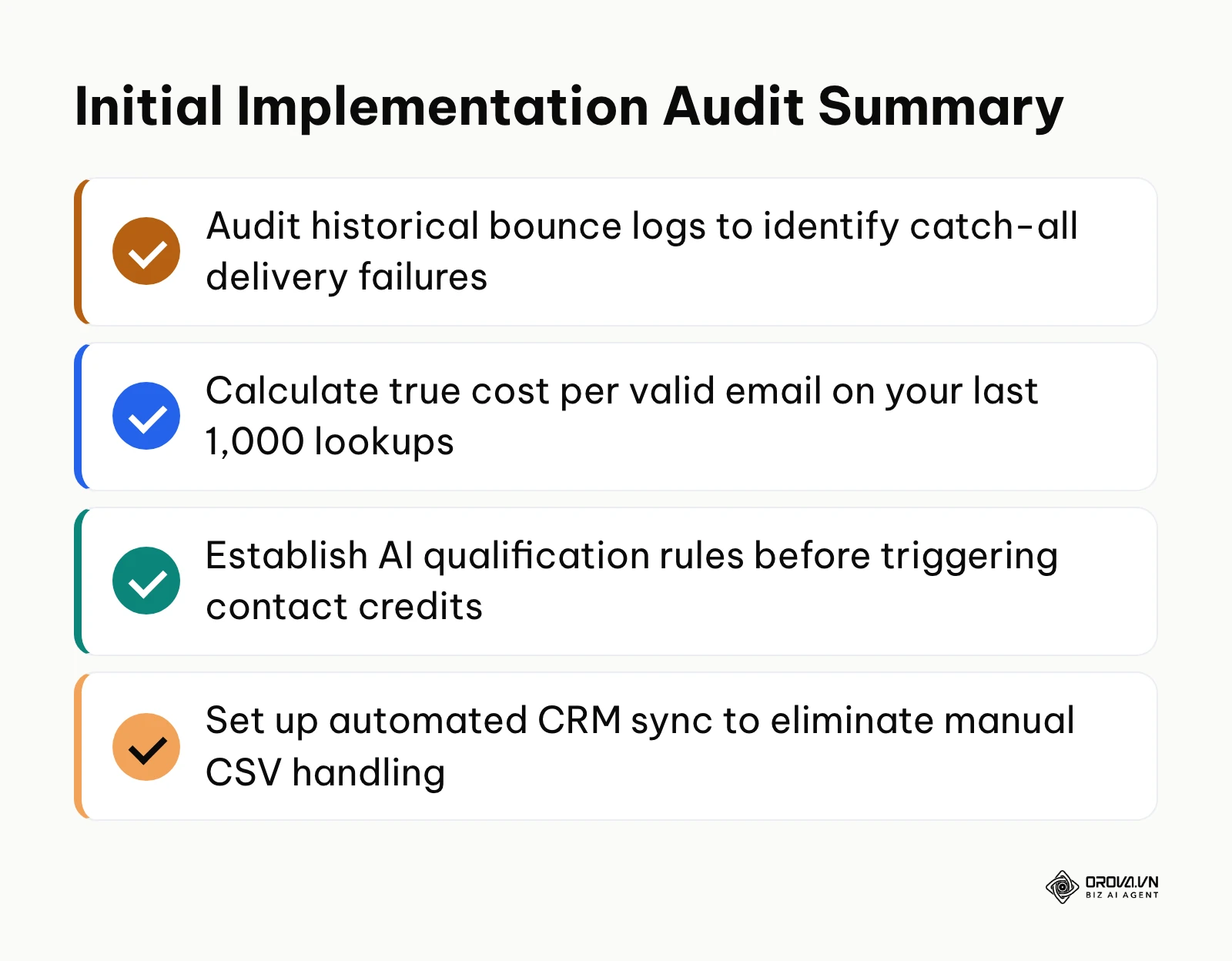
- If you are a solo founder or early-stage team with no outbound data infrastructure: Audit your target market to determine account concentration. If your total addressable market comprises fewer than 1,000 regional companies, sign up for an entry-tier standalone platform, practice verifying addresses using simple browser plugins, and review your outreach analytics using dedicated marketing analytics tools before committing to complex enterprise software.
- If you are an active SDR team struggling with bounce rates above 3% on existing lists: Extract your last three outbound campaign logs and isolate every email flagged as an accept-all or catch-all server. Run these records through a dedicated secondary verification engine, implement the 5-step catch-all safety checklist outlined above, and purge unverified entries to restore sender reputation.
- If you are a growth marketing leader managing high-volume outbound campaigns across multiple territories: Map your current contact coverage by calculating your true cost per valid email across all active vendors. If your current match rate leaves large parts of your target list uncovered, configure an automated multi-provider waterfall routing pipeline that synchronizes directly with your CRM and evaluates outbound efficiency alongside self service bi tools.
Establishing a disciplined verification protocol and prioritizing data accuracy over raw list volume ensures that your sales organization protects its domain reputation while maximizing pipeline revenue from every email finder you use.
About the author

Builder of Orova
Nguyễn Đỗ Trọng Ân has 8 years of experience in marketing, including 6 years managing market development across Asia. He builds Orova, a Biz AI Agent that never sleeps: it plans, runs and optimizes work for businesses.
Run your business with AI Agents
Orova is the always-on Biz AI Agent — it plans, runs, and optimizes the work for you.
Save time, unlock productivity.