
How to Get WiFi QR Code Access for Guests Securely
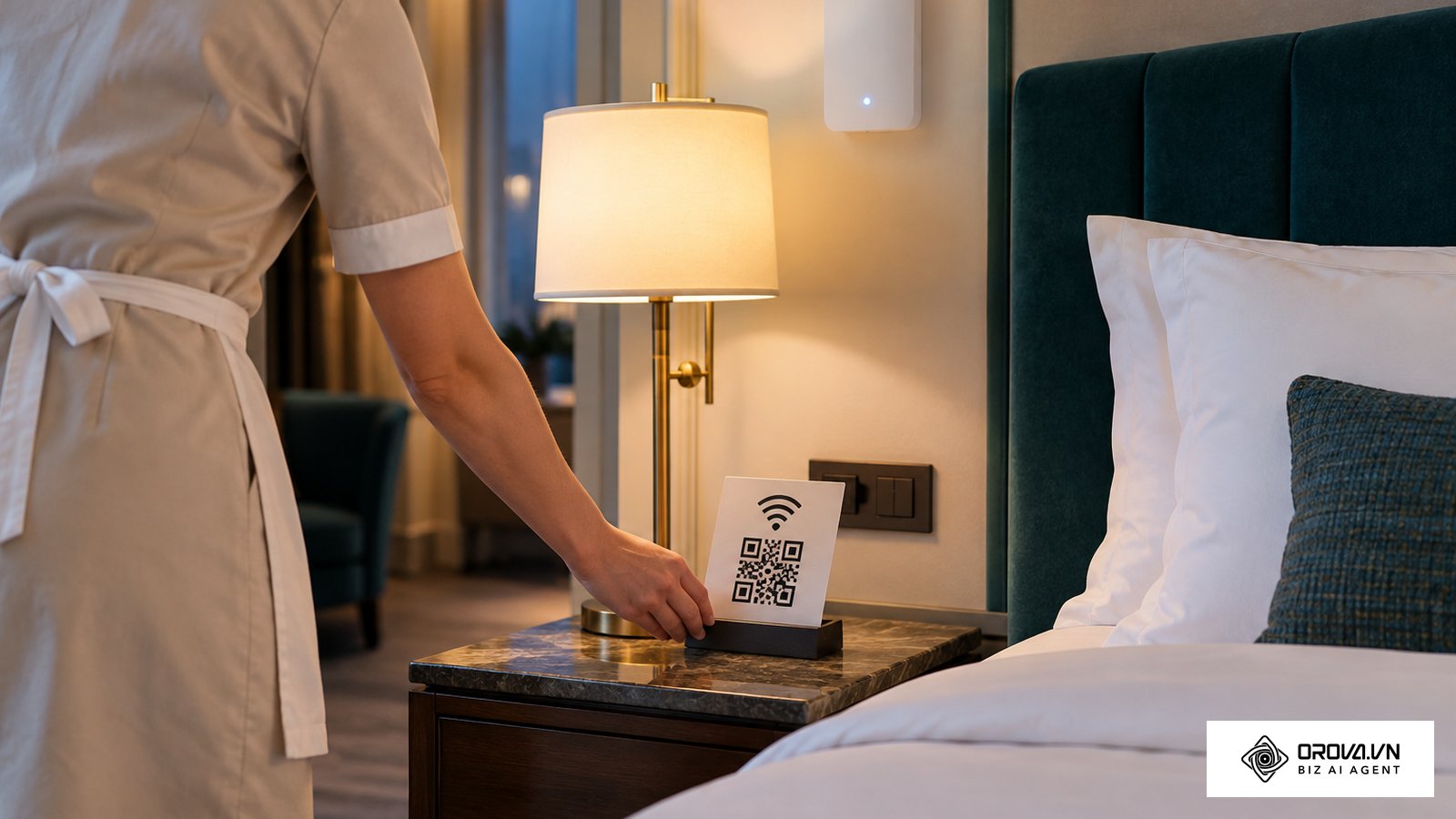
Providing seamless access to a local network is a fundamental requirement for modern businesses, hospitality venues, and even private households. The traditional method of loudly dictating a long string of random characters, or forcing guests to manually type complex symbols into their devices, creates unnecessary friction and frequent technical support requests. The modern solution revolves around a visual, instant authentication method. The short answer: to get wifi qr code access for your own phone, open the Wi-Fi settings on Android and tap Share, or on iPhone (iOS 18 or later) open the Passwords app and choose to show the network QR code. To get a wifi QR code that guests can scan from a printed sign, you encode the string WIFI:S:<network name>;T:WPA;P:<password>;; with a generator that runs locally in your browser, then print it on a matte card. Understanding this process is essential for any cafe, hotel, or office that shares a guest network. This approach not only improves the user experience but also introduces a layer of operational security by keeping the raw alphanumeric password out of plain sight. In this comprehensive guide, we will explore the underlying technology of network encoding, evaluate the severe security risks associated with unverified generation tools, and provide actionable strategies to deploy these assets flawlessly across any environment.
What Is a WiFi QR Code?
To get wifi qr code access means using a built-in phone feature or a dedicated tool to generate a scannable matrix barcode containing a wireless network's SSID, encryption type, and password. It allows users to connect smartphones to a local network instantly via their camera, differing from standard URLs by triggering system-level Wi-Fi authentication.
The concept traces its origins back to the widespread adoption of two-dimensional barcodes created by Denso Wave, initially used for automotive tracking but later expanded to hold complex formatting strings. Today, it serves as the universal bridge between physical venues and digital networks.
| Concept | Core Difference | Common Use Case |
|---|---|---|
| Network Matrix | Triggers an operating system-level authentication protocol. | Coffee shop guest access points. |
| URL Matrix | Opens a web browser to load a specific internet address. | Restaurant digital menus or promotional pages. |
| vCard Matrix | Prompts the device to save a new contact into the address book. | Professional networking events and conferences. |
Example illustration: Context: A local community library manager needs to provide internet access to dozens of elderly patrons daily. Steps: 1. The manager finds the network credentials on the router. 2. They input the data into an offline script. 3. They print the resulting graphic on heavy cardstock. 4. They tape it to the main circulation desk. Hurdle & Fix: The initial print was too glossy, causing camera glare. The manager reprinted it on matte paper. Result: Patrons now simply point their phone cameras at the desk, establishing a connection without needing staff assistance to read the password aloud.
The Meaning Behind Network Sharing
This technology exists primarily to solve the human error inherent in credential distribution. In any environment where people gather, network access is treated as a basic utility. However, network administrators are caught in a difficult compromise: they must enforce strong, complex passwords involving mixed cases and special characters to prevent brute-force attacks, but these exact requirements make it incredibly difficult for a guest to type the password accurately.
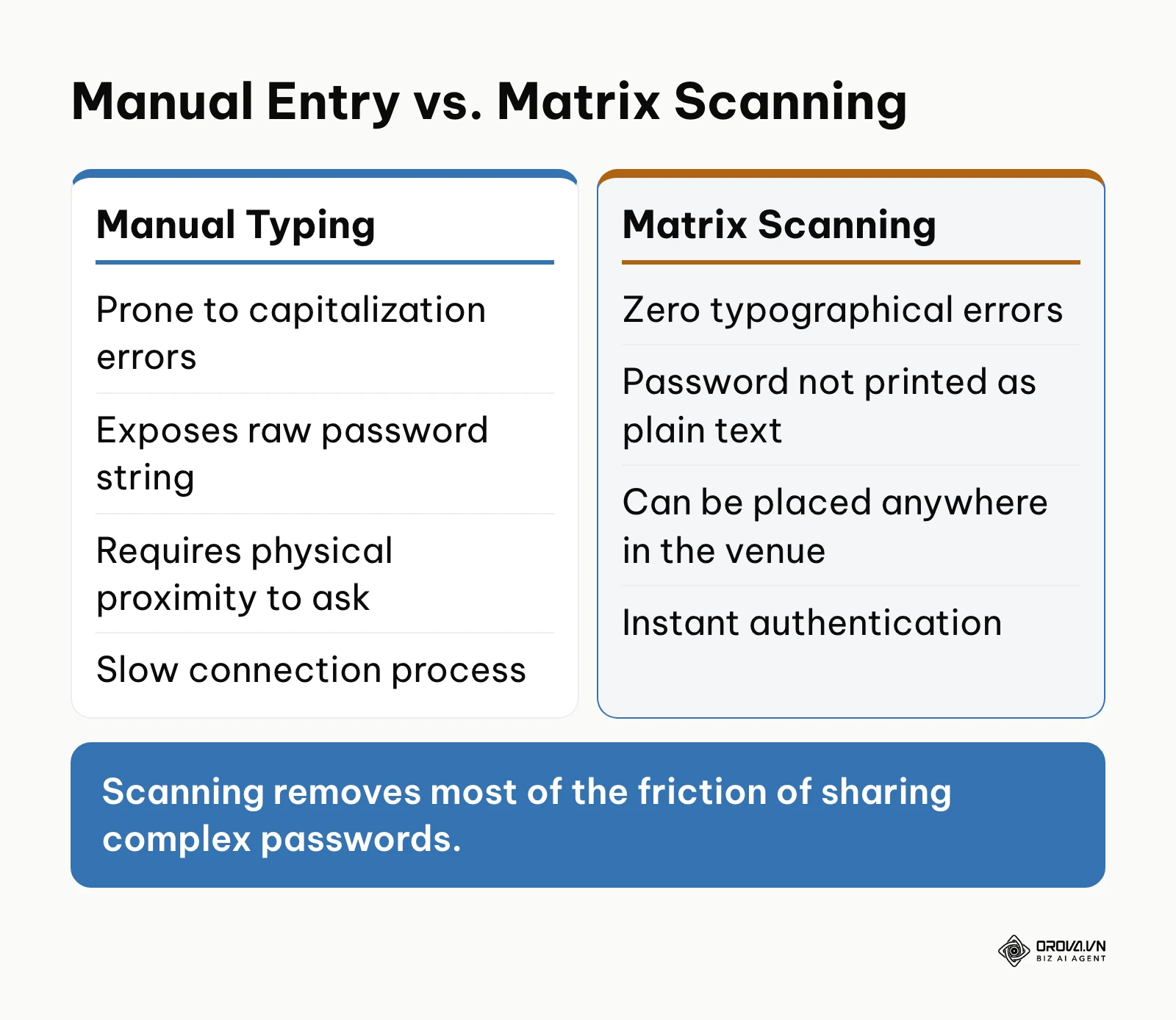
Visual encoding sits precisely at the authentication layer of the networking stack. It acts as an offline, optical bridge. When you implement this system, you are essentially pre-packaging the required handshake data. The device's camera acts as the input mechanism, bypassing the keyboard entirely. If an organization ignores this technology and insists on manual entry, they suffer tangible losses. The operational cost manifests in wasted staff time answering the same question repeatedly, frustrated visitors, and the eventual degradation of network security as administrators inevitably simplify the password to avoid complaints.
There are specific scenarios where implementing this visual sharing method is unnecessary or detrimental. If your venue operates an entirely open public network that relies on a captive portal for user authentication and terms-of-service agreement, a standard network broadcast is sufficient. Furthermore, in highly secure, air-gapped corporate environments handling classified data, physically displaying network credentials violates zero-trust architecture principles. In these cases, enterprise device management should handle silent, backend certificate provisioning instead.
Value & Benefits for Modern Venues
Implementing a visually scannable network credential system delivers distinct advantages categorized broadly into business operational gains and direct benefits for the IT staff managing the infrastructure.
Operational Efficiency and Security
For business owners, the primary metric is time. In a bustling hospitality environment, not having to spell out a password for every guest keeps the queue moving and frees staff for real service. Furthermore, this method enhances baseline security. By not printing the raw text of the password on a chalkboard, you reduce casual observation and memorization. Keep in mind that the code itself still contains the password in plain text, so anyone who scans it can read it; treat the sign as guest-network access, never as a key to your internal network. The credential is only passed to the device actively attempting to connect, mitigating the risk of the password being shared verbally outside the premises.
Streamlined Infrastructure Management
For the individuals directly responsible for IT deployment, this approach standardizes onboarding. When rolling out a new access point or updating a compromised password, the administrator does not need to send an email blast or manually reconfigure visitor devices. They simply update the printed physical asset at the location.
| Benefit Area | Measured By (Metric) | Visible Impact Timeframe |
|---|---|---|
| Staff Productivity | Reduction in verbal inquiries | Immediate (Day 1) |
| Connection Speed | Average time to authenticate | Immediate (Day 1) |
| Credential Security | Frequency of required password rotations | Long-term (Quarterly) |
Example illustration: Context: A boutique hotel operations director oversees a property with 150 rooms, facing constant complaints about complex network passwords. Steps: 1. The director gathers the specific VLAN credentials for the guest network. 2. They generate high-density visual matrices for the exact credentials. 3. They embed the graphic into the acrylic welcome sign in every room. 4. They train front desk staff to stop verbally sharing the password. Hurdle & Fix: Older Android devices struggled to read the dense graphic. The director reduced the error correction level to simplify the visual pattern, allowing faster scanning. Result: The front desk saw a clear drop in calls about internet connectivity, allowing them to focus entirely on guest hospitality.
Once your guest network sign is sorted, you can manage the rest of your printed codes in one place. Orova Link & QR offers 59 QR code types, including Wi-Fi, vCard and menu codes, with custom colors, logo and frame, and downloads in PNG or SVG for print.
The Anatomy of Network Generation
Understanding how to construct and parse these visual assets requires a deep dive into the underlying protocols, payload formatting, and the severe security implications of using untrusted tools. This is the most technically complex aspect of network sharing.
Decoding the MECARD Network String Syntax
At its core, a network visual matrix is simply a text string wrapped in a specific formatting standard, heavily inspired by the MECARD protocol developed for early mobile phones. When your device camera focuses on the image, the software interprets the black and white squares back into text. If the text begins with a very specific trigger sequence, the operating system knows to intercept it and send it to the Wi-Fi management module rather than a web browser.
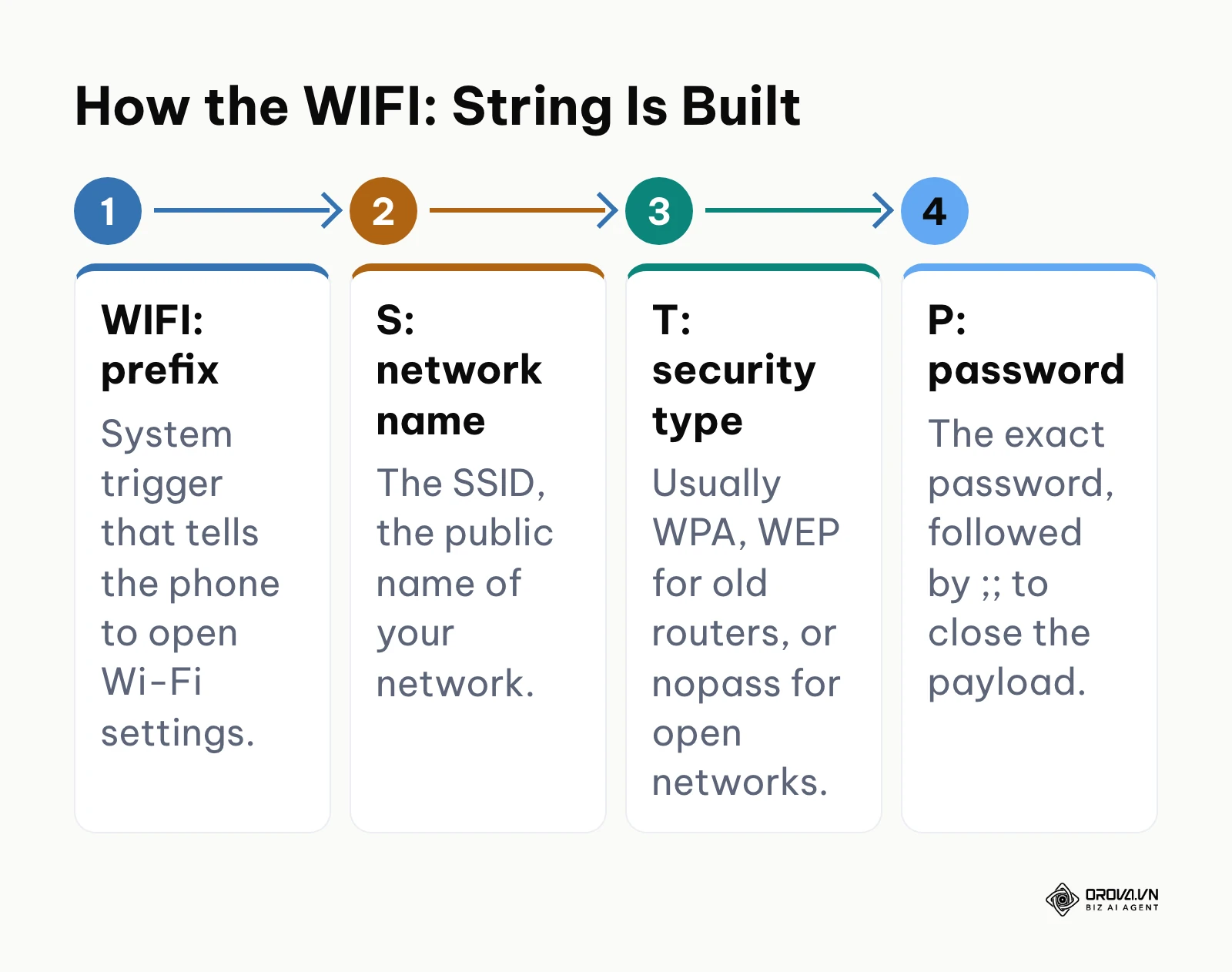
The universal structure looks precisely like this: WIFI:S:MyNetworkName;T:WPA;P:MySuperSecretPassword;;. Let us break down the components. The WIFI: prefix is the absolute requirement; it is the system trigger. The S: denotes the Service Set Identifier, or SSID, which is the public name of your network. The T: indicates the security protocol type. This is usually WPA (which covers WPA2 and WPA3 for most mobile parsers), WEP (which is severely outdated and insecure), or occasionally nopass for open networks. Finally, the P: holds the exact password string. The entire sequence must be terminated with a double semicolon ;; to signal the end of the data payload. If even a single semicolon is misplaced, the native camera app will fail to recognize the intent and will likely display the raw text on the screen, exposing your credentials.
Security Risks: Why Some Web Generators Are Dangerous
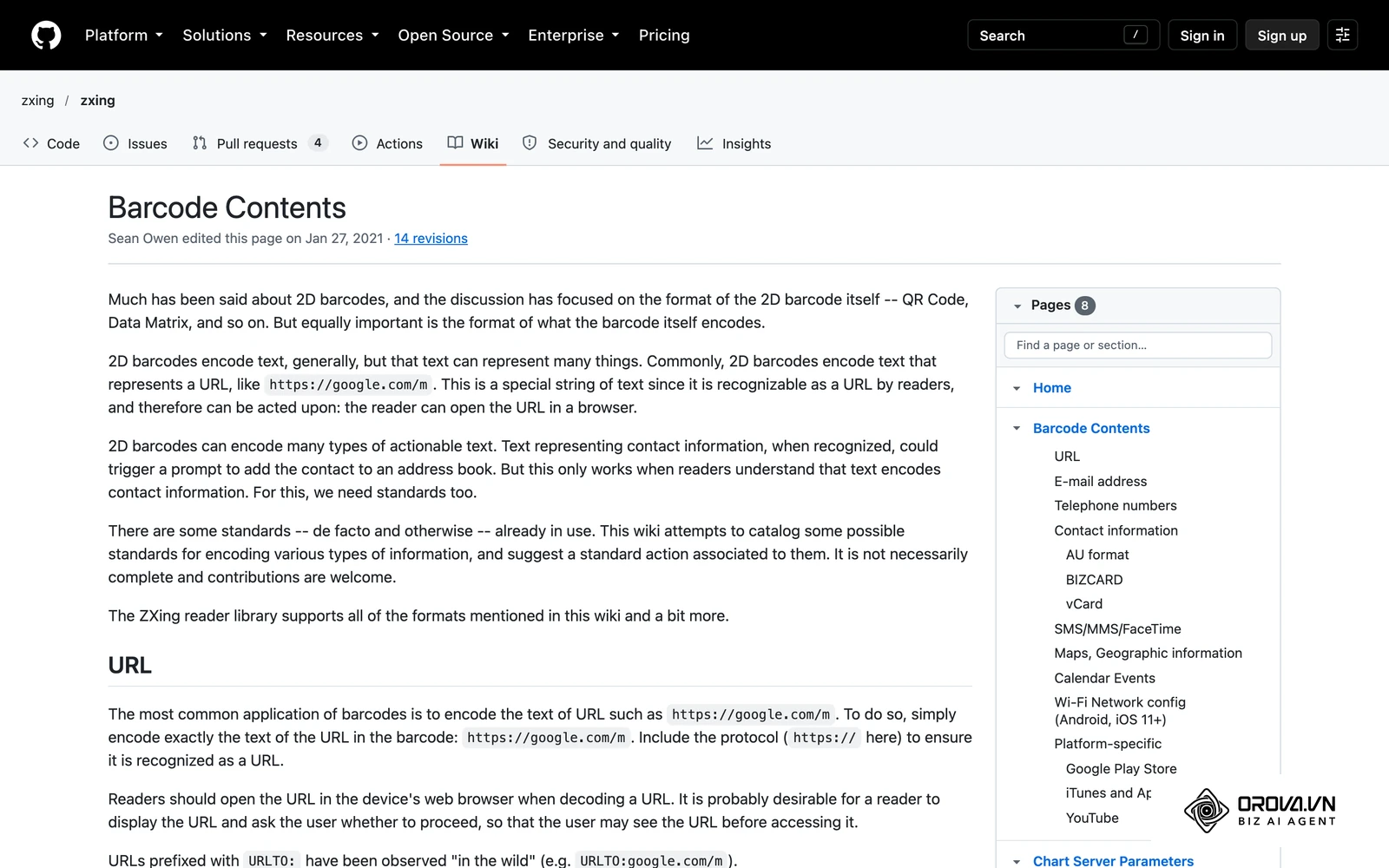
The most critical vulnerability in this entire process occurs during the creation phase. When you search for a tool to build your graphic, you will find hundreds of free websites offering the service. However, providing your exact SSID and password to an unknown server poses a massive security threat.
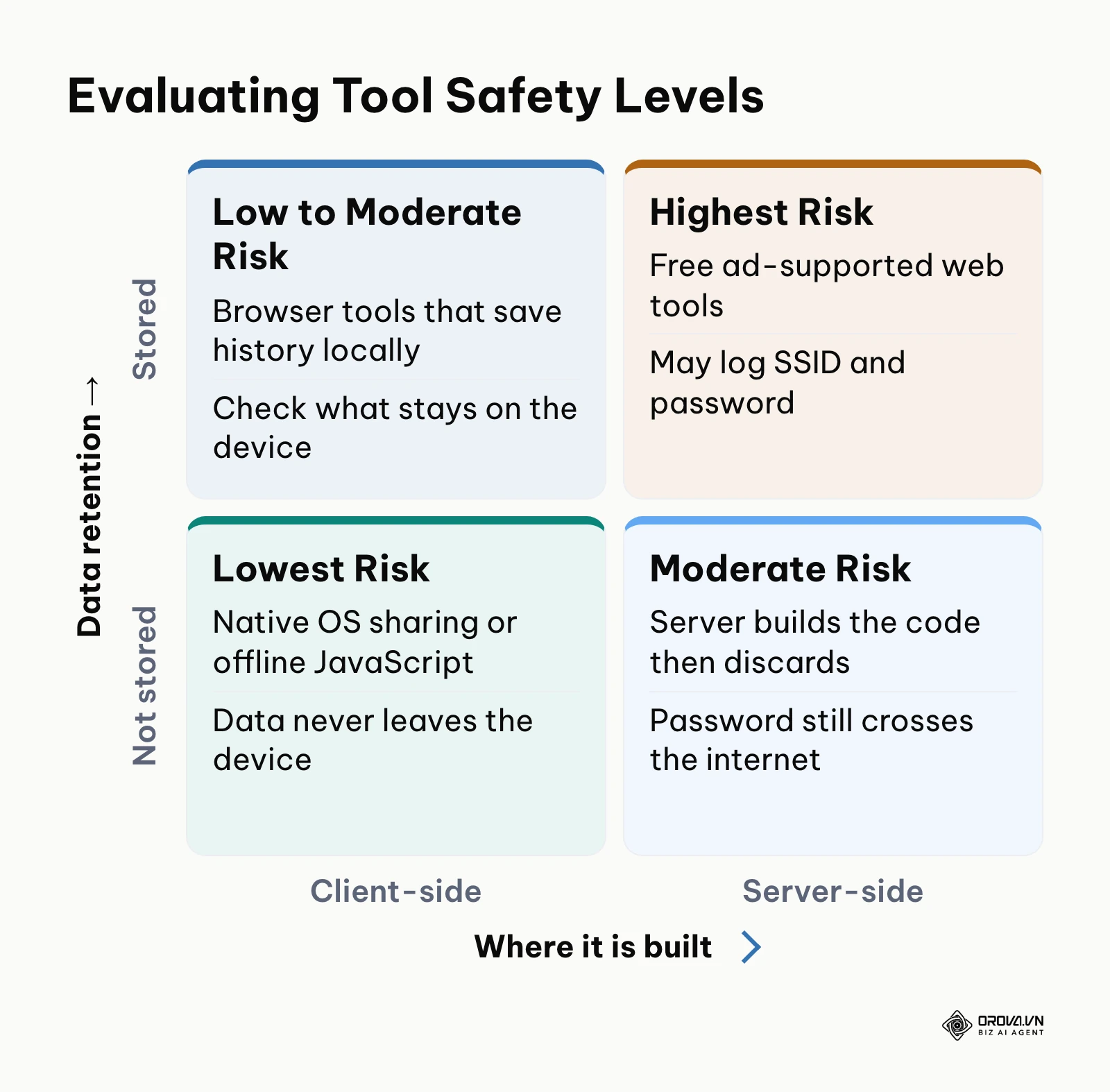
Many cloud-based tools utilize server-side processing. This means when you click "generate", the website sends your network name and password in plain text over the internet to their database. The server constructs the graphic and sends the image file back to you. During this fraction of a second, a malicious actor can log your IP address, your exact network name, and your unencrypted password. By looking up the network name in public wardriving databases such as WiGLE, an attacker can often find the physical location of your building, and they now hold the key to that network.
Modern encryption such as WPA3 strengthens the handshake between device and router, but strong encryption is useless if you hand the plaintext key to a third-party logging server. You must ensure that any tool you use relies purely on Client-Side JavaScript. This means the script downloads to your browser, and the graphic is constructed locally on your machine's RAM. The data never travels across the internet. When guests use a free qr reader app instead of the native iOS camera, they might expose themselves to intrusive ads, but the risk to your network originates when you, the administrator, leak the credentials during generation. Finding the best qr code generator involves checking the developer tools in your browser to confirm no network requests are made when you hit the generate button.
Navigating Hidden Networks and WPA3-Enterprise
Standard configurations assume your router is actively broadcasting its SSID. If you operate a hidden network (where SSID broadcasting is disabled for security by obscurity), a standard generated graphic will fail. The scanning device reads the string, looks at the list of visible networks, fails to find a match, and aborts the connection.
To solve this, the MECARD syntax supports an additional parameter: H:true. The payload becomes WIFI:S:HiddenNet;T:WPA;P:MyPass;H:true;;. When the mobile OS parses this specific flag, it forces the device's wireless radio to actively broadcast a probe request searching for that specific hidden name, rather than just listening passively.
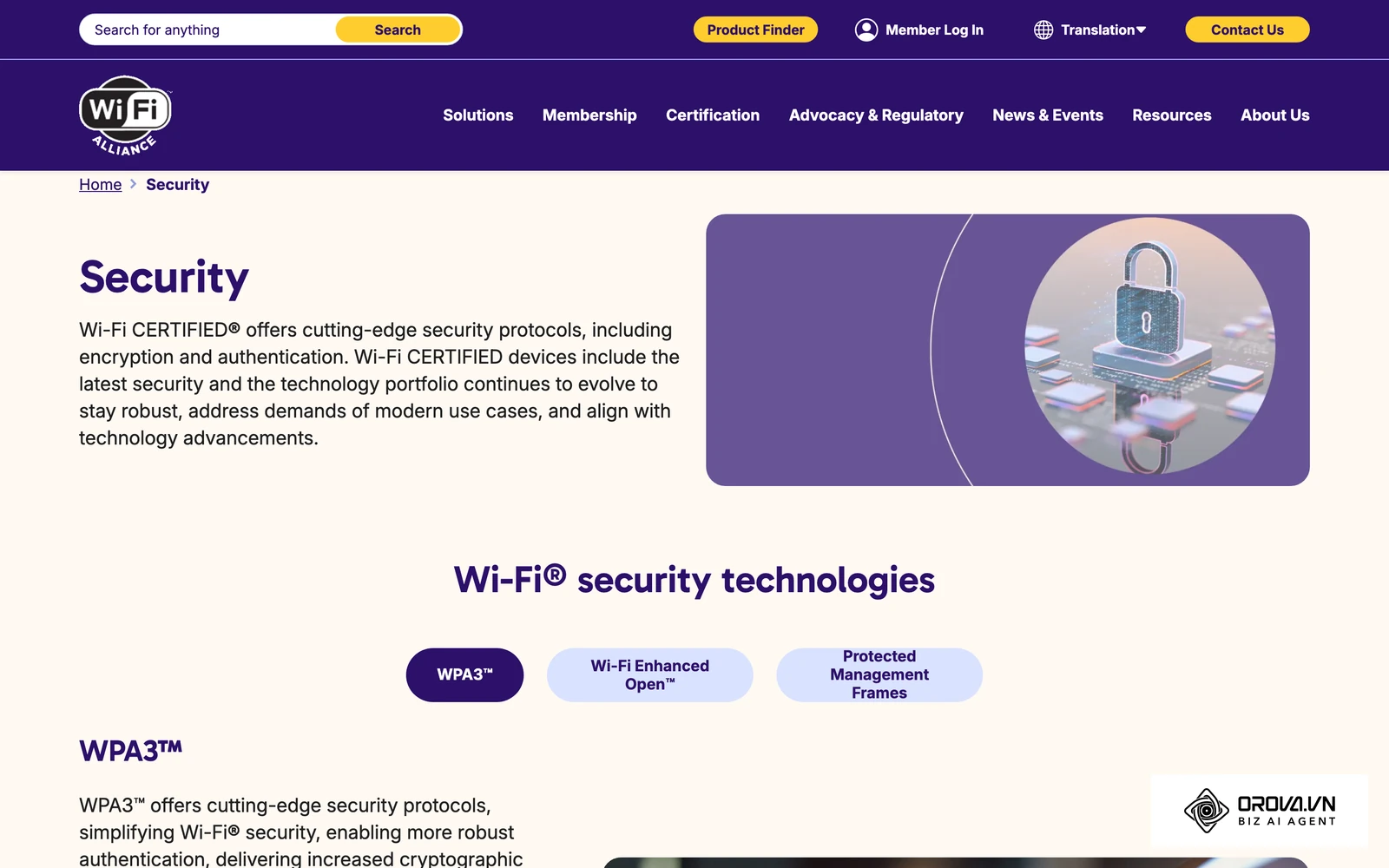
Furthermore, corporate environments utilizing WPA3-Enterprise or 802.1X authentication (where each user has a unique username and password, often tied to a RADIUS server) cannot use a standard static graphic. The basic syntax is built around a single Pre-Shared Key (PSK), and support for enterprise extensions varies between phones. For Enterprise networks, administrators should rely on Mobile Device Management (MDM) profiles or Apple Configurator payloads, as the simple text string cannot encapsulate the required certificate validations and dual-credential inputs.
Native OS Generation and Windows Extraction
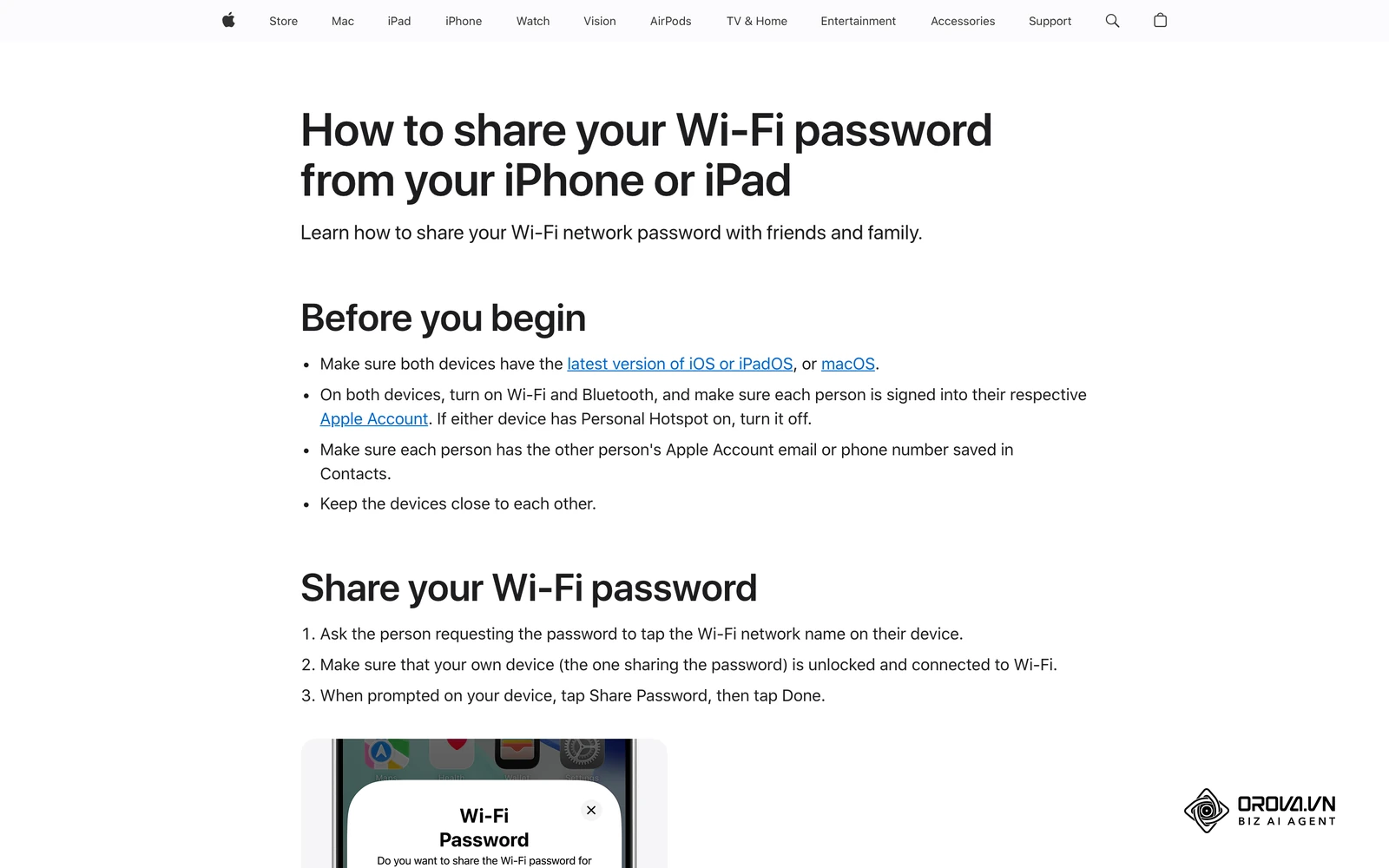
The safest way to create these assets is utilizing the features built directly into your operating systems. On Android, opening the active Wi-Fi network in Settings and tapping "Share" renders the graphic on the screen. On iPhone, iOS 18 and later can show a network QR code from the Passwords app, and Apple devices can also share a password directly with nearby contacts. This is inherently secure as it never leaves the device.
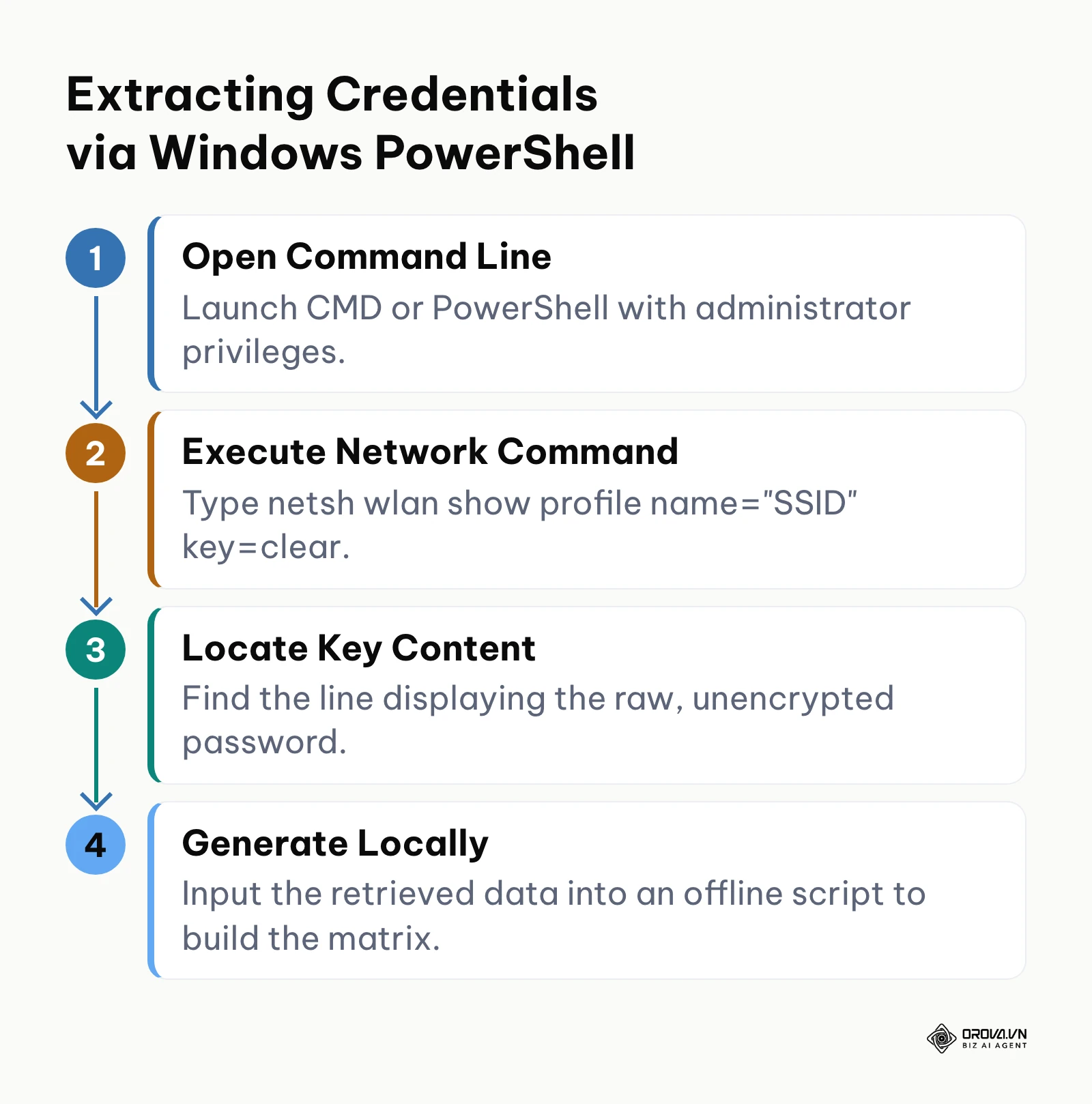
However, if you are managing infrastructure from a Windows PC, the process is decidedly more complex, as Windows has historically not offered a simple built-in QR view for saved wireless networks. Network administrators must extract the raw password first. This is achieved by opening a command prompt with administrator privileges and utilizing the Network Shell utility. By executing the command netsh wlan show profile name="YourSSID" key=clear, the system outputs a detailed text block. Under the "Security settings" section, the "Key Content" field reveals the plaintext password. Once extracted safely offline, the administrator can feed this string into a local Python script using a standard graphics library to build the matrix, completely bypassing the need for web-based tools and maintaining strict operational security.
Example illustration: Context: A corporate IT systems engineer is tasked with providing secure access to an isolated staging network for a team of visiting auditors. Steps: 1. The engineer opens PowerShell on their secure terminal. 2. They execute the netsh wlan command to retrieve the active, complex staging password. 3. They open a strictly offline, locally hosted HTML file containing a pure JavaScript generation library. 4. They input the extracted string and save the generated SVG file to a secure local drive. Hurdle & Fix: The auditors' devices failed to connect initially because the network was configured as Hidden. The engineer manually appended ;H:true to the payload string and regenerated the SVG. Result: The auditors connected instantly upon scanning the printed SVG, and the engineer successfully avoided transmitting highly sensitive staging credentials to any external web service.
How to Adapt and Deploy Safely
Transitioning from verbal password sharing to a physical, visual system requires different strategies depending on the scale and nature of your environment. A successful deployment is not just about creating the code; it is about presenting it effectively.
For Hospitality and Small Businesses
Owners of cafes, restaurants, and short-term rentals must prioritize aesthetics and durability. Printing a raw, black square on standard copy paper looks unprofessional and degrades quickly. You need to utilize design templates that frame the graphic as a deliberate customer service feature. Many owners wonder if outputs from a free qr code generator expire; standard Wi-Fi codes are static and never expire, making physical durability the main concern.
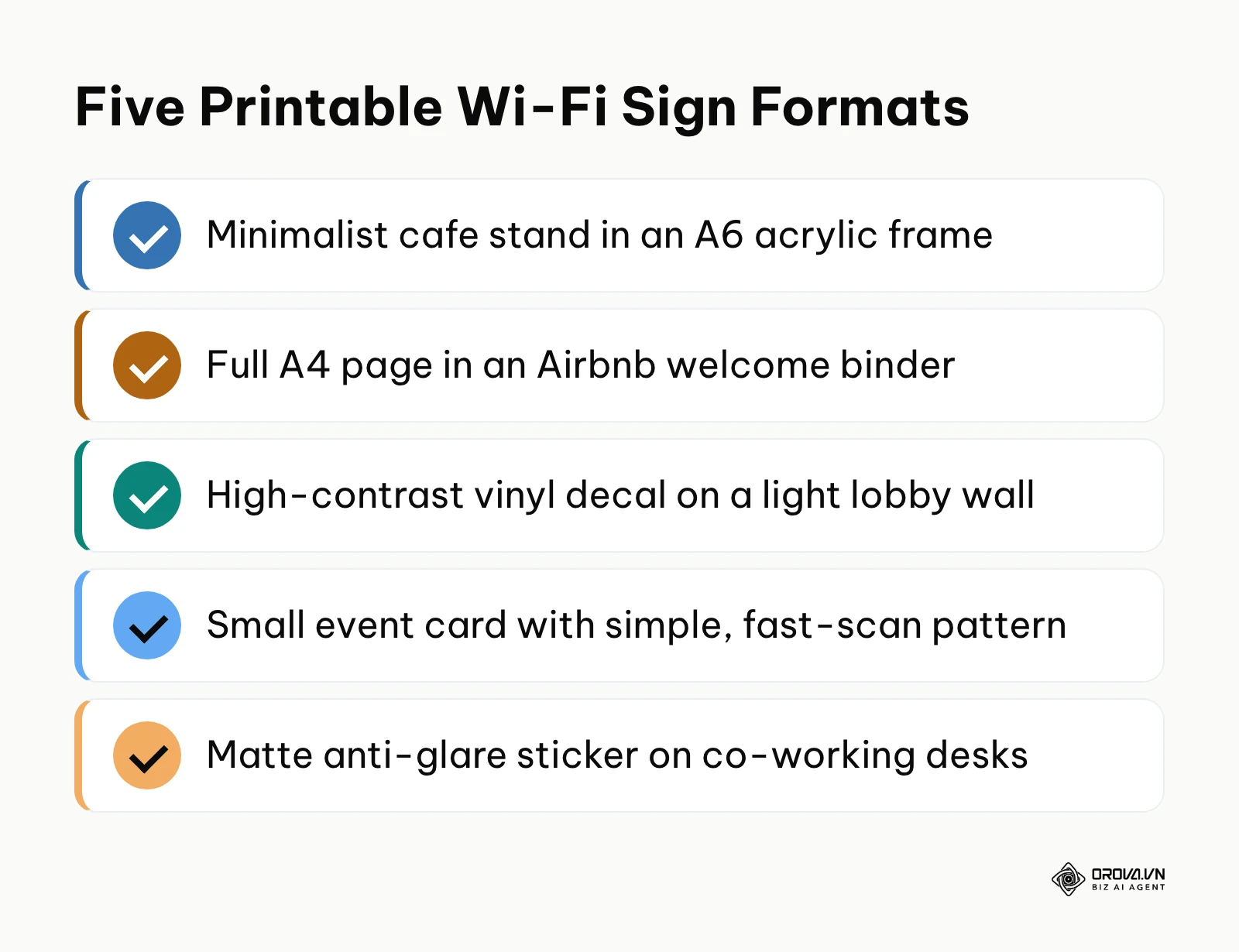
Consider these five printable template concepts:
- The Minimalist Cafe Stand: Print the graphic on heavy cardstock and slide it into a clear, A6-sized acrylic stand for tables. Keep text minimal: "Scan to Connect."
- The Airbnb Welcome Binder: Dedicate a full A4 page in your welcome book. Use large margins and include brief text instructions for guests who might be unfamiliar with the technology.
- The High-Contrast Wall Decal: For lobbies, use vinyl cutouts. Ensure the surface is perfectly flat. The matrix must be dark, and the wall must be light to maintain the necessary optical contrast.
- The Temporary Event Card: For conferences, print small business-card-sized assets with a lower error correction level to keep the matrix simple and fast to scan in crowded areas.
- The Co-working Desk Sticker: Use matte, anti-glare laminated stickers placed on the corner of individual workstations, ensuring they can be scanned from steep angles under harsh fluorescent office lighting.
For Corporate IT Managers
In an enterprise setting, you are dealing with scale and security rotations. IT departments should integrate the generation process into their automated workflows. When a guest network password rotates on a scheduled thirty-day cycle, the script that updates the wireless controller should simultaneously generate a new visual asset and push it to digital e-ink displays located in conference rooms. This eliminates the need for manual reprints and ensures the physical asset always perfectly matches the active network state.
For Event Agencies and Freelancers
Event planners dealing with high-density pop-up networks face unique challenges. When five hundred people enter a keynote hall simultaneously, network congestion is guaranteed. Ensure the physical assets are placed at choke points—like registration desks—before guests enter the main hall. Furthermore, clearly label the asset with the specific band (e.g., "Connect to 5GHz Network") if you are attempting to steer modern devices away from crowded 2.4GHz frequencies.
Overcoming Older Device Limitations
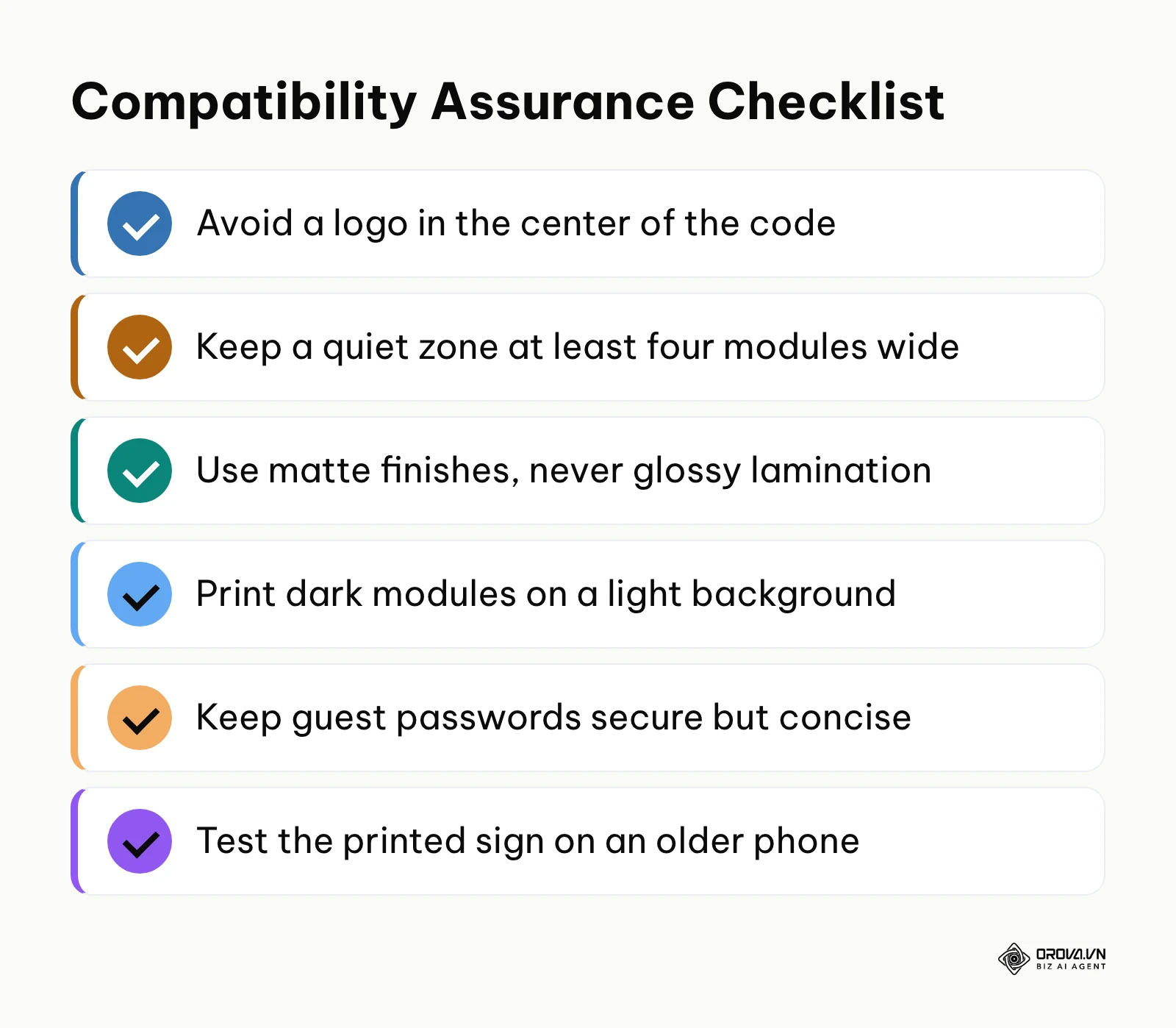
While modern flagship phones parse these codes instantly, a significant portion of the public utilizes older hardware with degraded camera sensors or outdated operating systems. To ensure universal compatibility, you must optimize the physical design. First, avoid placing a logo in the center of the matrix. While visually appealing, it destroys a portion of the data, relying heavily on the built-in Reed-Solomon error correction algorithm to guess the missing pieces. Older phones with weaker cameras recover from this damage less reliably. Second, maintain a strict "quiet zone"—a completely blank white margin surrounding the code, at least four modules wide. If text or graphics intrude into this margin, the camera's alignment sensors will fail to detect the boundaries of the image, rendering it unreadable. Before rolling out a new sign, test the printed version on at least one older phone.
| Common Mistake | Consequence | How to Avoid It |
|---|---|---|
| Glossy lamination | Overhead lights cause a white glare spot, destroying the data pattern. | Always use matte finishes for printed materials. |
| Inverting colors | Many older scanning engines fail to read white patterns on black backgrounds. | Strictly adhere to dark patterns on light backgrounds. |
| Overly complex passwords | Forces the matrix to become dense and pixelated, requiring a very steady hand to scan. | Keep guest passwords secure but concise to maintain a simple visual pattern. |
For menus, feedback pages and promotions next to your Wi-Fi sign, Orova Link & QR adds dynamic QR codes you can repoint after printing, plus scan stats by day, device, country and source. Sign up and use it free until July 7, 2027, no card needed.
Future Trends in Network Access: My Perspective
In my view, the visual matrix is an effective but ultimately transitional technology. I believe the way venues hand out local connectivity will keep shifting.
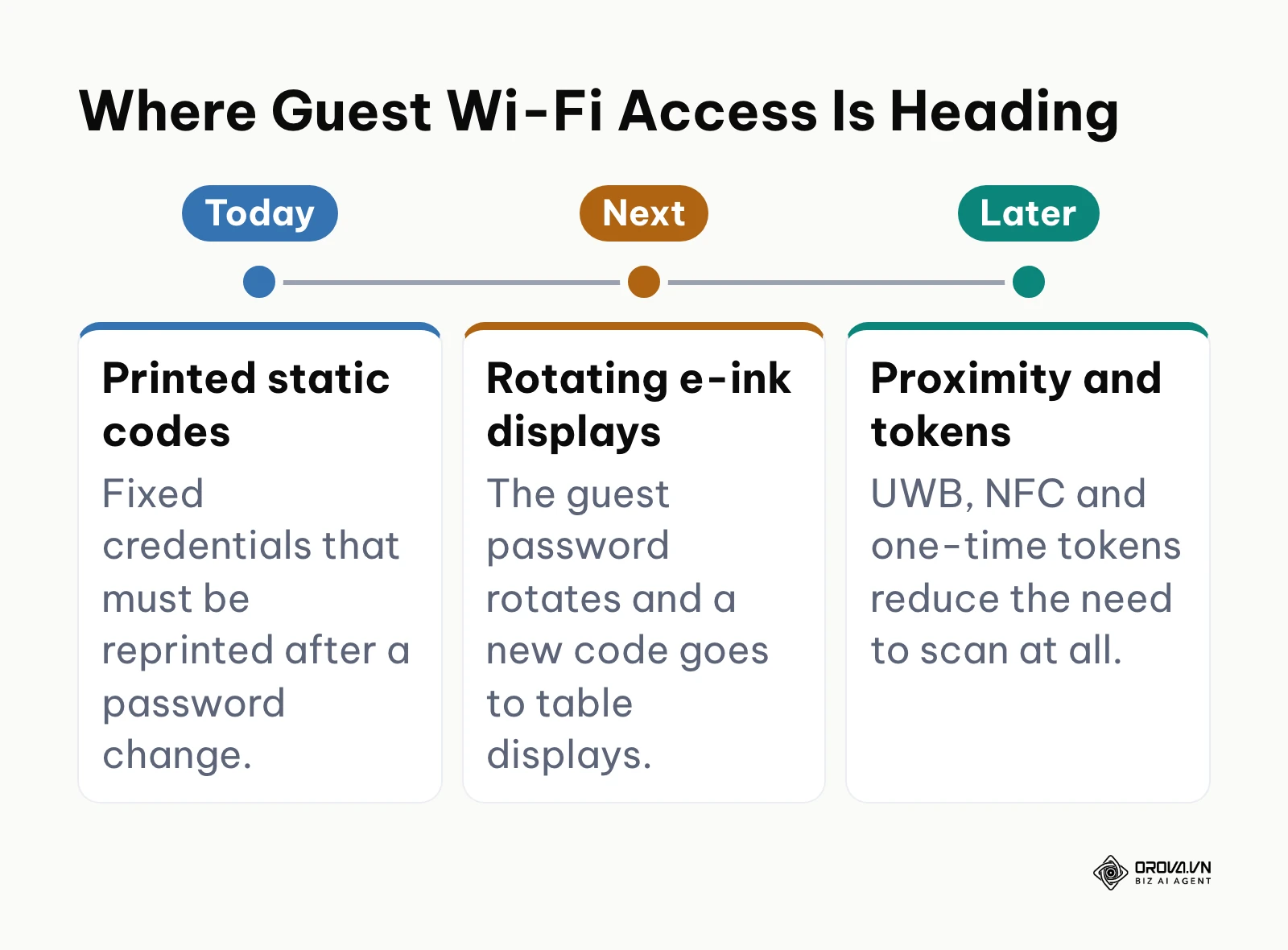
The Rise of AI-Driven Dynamic Rotation Currently, most hospitality venues use static credentials because updating physical signs is tedious. I expect more venues to pair smarter network controllers with low-power e-ink displays. Such a system could rotate the guest password on a schedule to discourage lingering connections and push the new code to the displays on the tables at the same time, cutting most of the manual work. If you manage a physical venue, you should prepare for this by budgeting for digital, rather than printed, signage in your next hardware refresh.
Convergence with Ambient Proximity Protocols While pointing a camera is easier than typing, it still requires a conscious action. I suspect that visual scanning will eventually be superseded by Ultra-Wideband (UWB) and advanced NFC protocols. As these chips become ubiquitous in smartphones, a user will simply sit at a cafe table, and their phone will securely negotiate a network token via physical proximity to a hidden beacon under the table. The camera will remain a fallback, but the primary connection method will become entirely ambient and invisible to the user.
The End of Shared Passwords via Tokenization Finally, I believe the fundamental MECARD syntax we rely on today will evolve. Rather than encoding a permanent WPA2 password, future systems will likely encode a one-time, time-limited token. When scanned, the device will present this token to the router, which will issue a temporary, individualized certificate for that specific session. This eliminates the concept of a "shared" password entirely, bringing enterprise-level zero-trust architecture down to the local coffee shop level.
Frequently Asked Questions
FAQ Regarding Credential Changes and Asset Lifespan
If I change my network password on the router, does the old printed sign still work? No, it will immediately fail. The visual matrix is simply a static translation of text. It literally contains the exact characters of your old password. When a device scans the old graphic, it attempts to pass the old password to the router, which will instantly reject the authentication attempt. You must generate and print a completely new asset every time the network credentials change.
Can a network access graphic contain a built-in time limit for guests? Natively, no. The standard protocol string only holds the SSID and password. It possesses no mechanism to tell the phone's operating system to disconnect after a certain period. To enforce time limits, you must implement a backend RADIUS server or a captive portal on your router that handles session management independently of the initial scanning action.
FAQ Regarding Tool Safety and Verification
How can I verify if a web-based generation tool is safe to use? The most reliable method requires basic browser inspection. Open the web tool, right-click anywhere on the page, and select "Inspect Element." Navigate to the "Network" tab. Fill out your network details and click the generate button. If you see a new network request fire off to a server containing your SSID or password in the payload, the tool is dangerous. If the graphic appears instantly and the Network tab remains completely empty, the tool is using safe, local client-side JavaScript.
FAQ Regarding Technology Shifts
Will we still need this technology when AI heavily manages our devices? Yes, primarily as a physical bridge of intent. Even as AI agents become capable of managing our digital lives, connecting to an unknown local network carries massive security implications. Pointing a physical camera at a physical object provides undeniable proof of user intent. It tells the AI, "I am physically present in this location, and I explicitly authorize a connection to this specific hardware." It acts as a necessary physical safeguard against automated spoofing attacks.
How to share wifi without password disclosure securely? The most secure method without revealing the raw string is utilizing the encrypted proximity sharing features built into ecosystem silos (like Apple's iOS-to-iOS sharing). However, for universal, cross-platform sharing without forcing the user to read the text, utilizing a locally-generated, offline matrix is the industry standard. It shields the string from casual observation while executing the required technical handshake flawlessly.
Where to Start?
Implementing a secure, frictionless connectivity strategy does not require a massive immediate overhaul. Your first step depends entirely on your current state of infrastructure and operational maturity. Do not attempt to build a complex, rotating digital display system if you have not yet mastered basic static deployment.
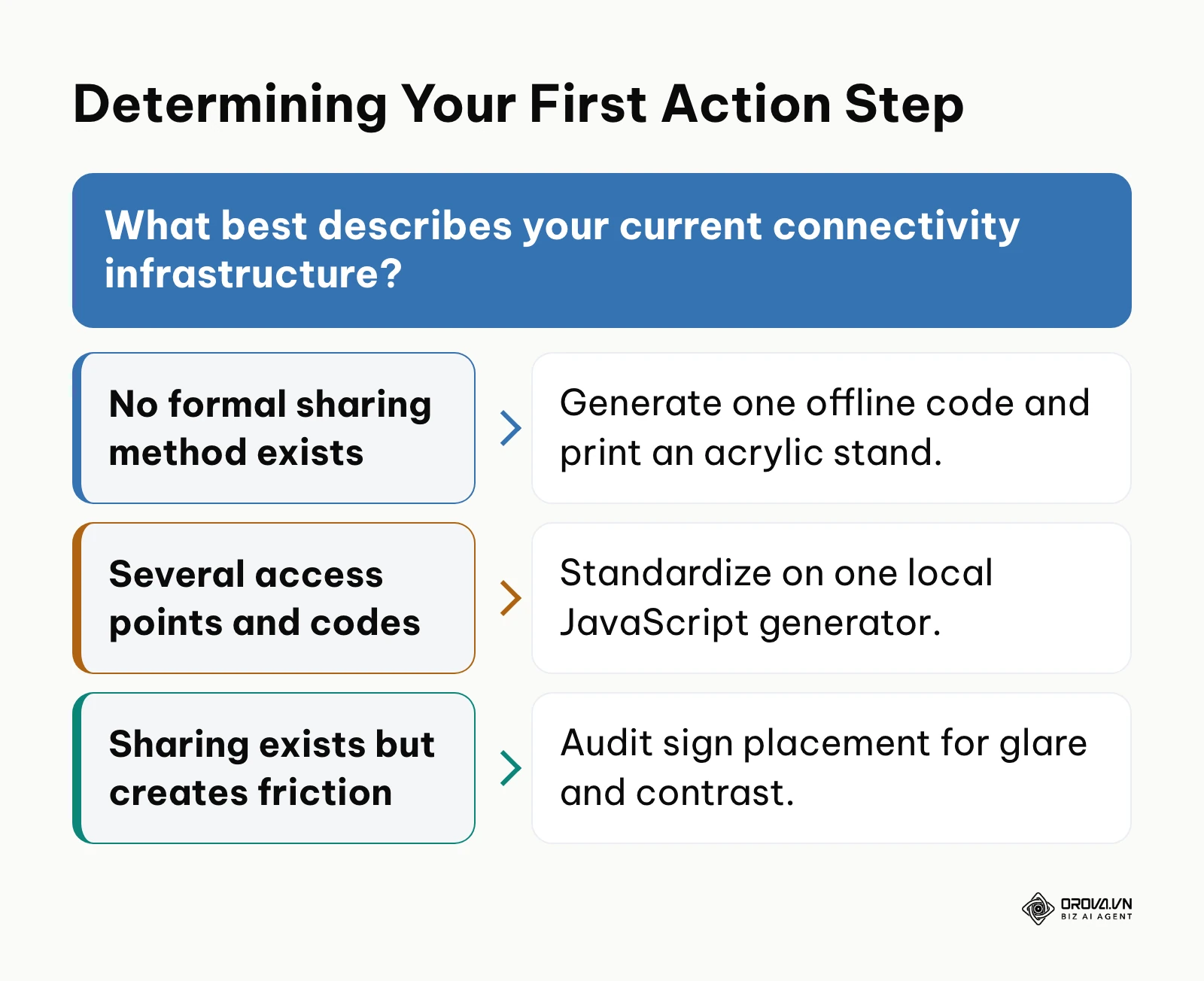
If you operate a small venue and currently rely entirely on verbal communication or a handwritten chalkboard, your immediate step is standardization. Stop writing the password down. Find a verified, pure client-side generation tool, input your current credentials, and print a single, high-contrast sheet of paper. Place it in a standard acrylic frame at your primary point of sale. This single action, which takes less than ten minutes, will eliminate almost all verbal friction.
If you manage a medium-sized office with multiple access points and scattered, poorly formatted printed codes, your priority is consolidation and security auditing. You must inventory every printed asset currently in the building. It is highly likely that older signs contain outdated passwords that cause device confusion, or were generated using tracking servers. Gather your current active credentials, utilize a secure offline script to generate uniform graphics for all locations, and physically destroy the old, inconsistent assets.
If you are already utilizing visual scanning heavily but lack insight into network usage, you need to bridge the gap between the physical scan and your analytics. While you cannot track native OS network scans directly, you can begin placing trackable links alongside them, such as a dynamic QR code for your menu or feedback page, to measure engagement in those specific physical zones.
About the author

Builder of Orova
Nguyễn Đỗ Trọng Ân has 8 years of experience in marketing, including 6 years managing market development across Asia. He builds Orova, a Biz AI Agent that never sleeps: it plans, runs and optimizes work for businesses.
Run your business with AI Agents
Orova is the always-on Biz AI Agent — it plans, runs, and optimizes the work for you.
Save time, unlock productivity.