
What is Google Shopping advertising? A profit-first guide

Most e-commerce merchants hit a painful growth plateau when relying entirely on traditional search text ads. You bid aggressively on transactional keywords, write compelling ad copy, and still watch your conversion rates flatline because the customer clicks without knowing what the product actually looks like or how much it costs. This disconnect wastes budget and frustrates buyers. Google Shopping advertising closes that gap by putting the product image, price and store name straight into the search results, before anyone clicks.
The old approach assumes that telling a customer about a product is enough. In reality, modern shoppers demand immediate visual confirmation before they are willing to leave the search engine results page. If they search for a "leather weekend travel bag," they want to see the color, the shape, the price, and the store name instantly.
By shifting the focus from text to visual catalog data, it transforms the search engine into a virtual storefront. This guide will dismantle the technical complexities of the platform, showing you exactly how to bypass rookie mistakes and structure your campaigns for maximum profit.
What is Google Shopping advertising?
Google Shopping advertising is a visual, product-based marketing channel that displays your inventory directly at the top of Google search results. It is used to capture high-intent buyers by showcasing product images, prices, and reviews before they even click, differing from traditional text ads by relying on product feeds instead of keyword bidding.
Historically, this format began as "Froogle" in the early 2000s, serving purely as an organic price comparison engine. Over time, Google realized the immense commercial intent behind these visual searches and transitioned the platform to a pay-per-click (PPC) model, eventually rebranding it to Google Shopping. Today, it is one of the most important channels for retail advertisers.
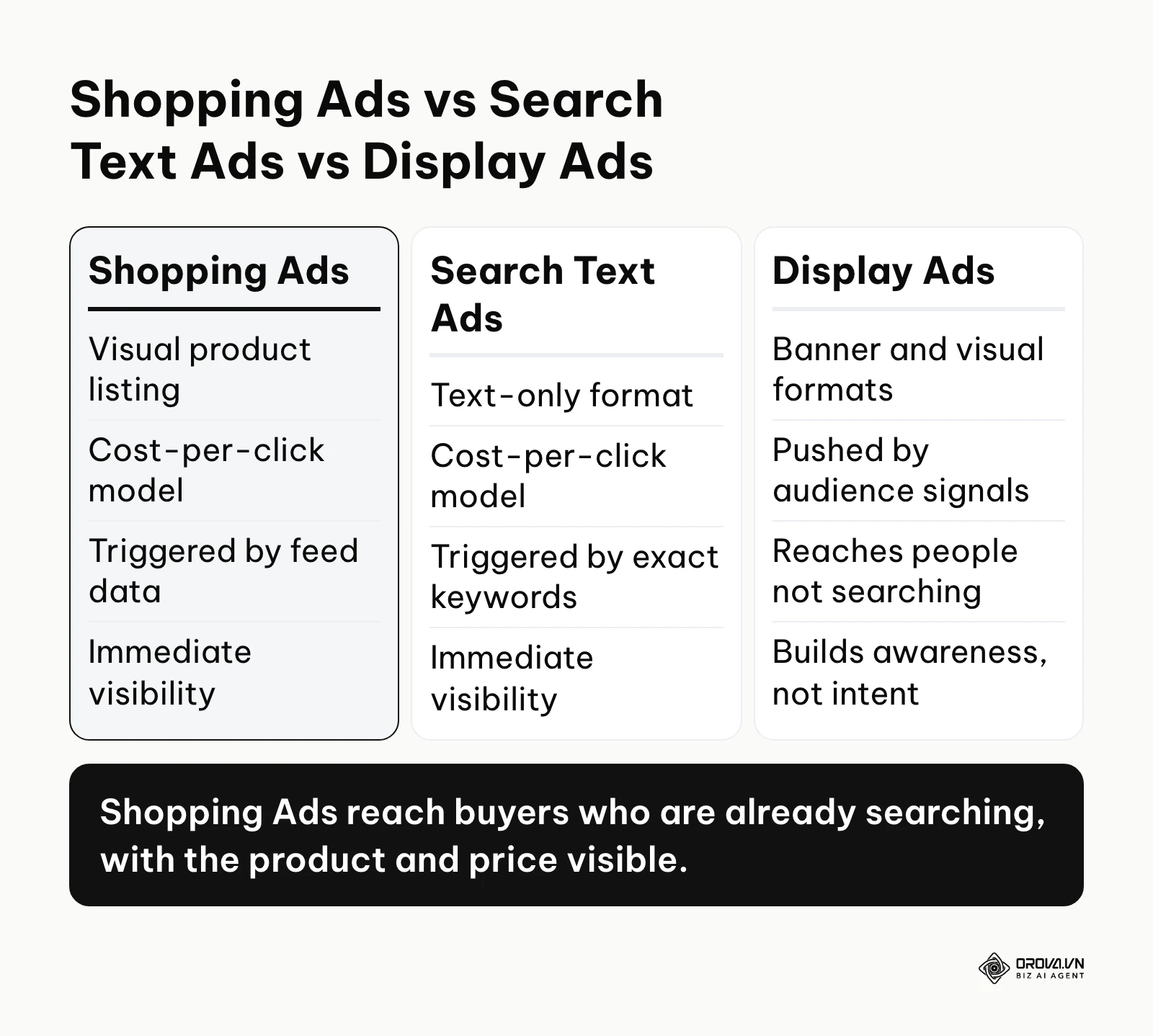
To understand its unique position, you must see how it contrasts with the other primary traffic acquisition methods available to e-commerce brands. The differences are not just cosmetic; they dictate entirely different daily workflows for your marketing team.
| Concept | How it differs | Example |
|---|---|---|
| Shopping Ads | Driven by a live data feed of your inventory, not keywords. | Uploading a spreadsheet of 500 shoe SKUs to let Google decide when to show them based on user searches. |
| Search Text Ads | Driven by manual keyword bidding and handwritten ad copy. | Bidding 2 dollars per click on the exact phrase "buy running shoes online" and writing a headline offering 20% off. |
| Display Ads | Pushed to users based on audience demographics, not active searches. | Showing a banner ad for shoes on a cooking blog to someone who visited your site yesterday. |
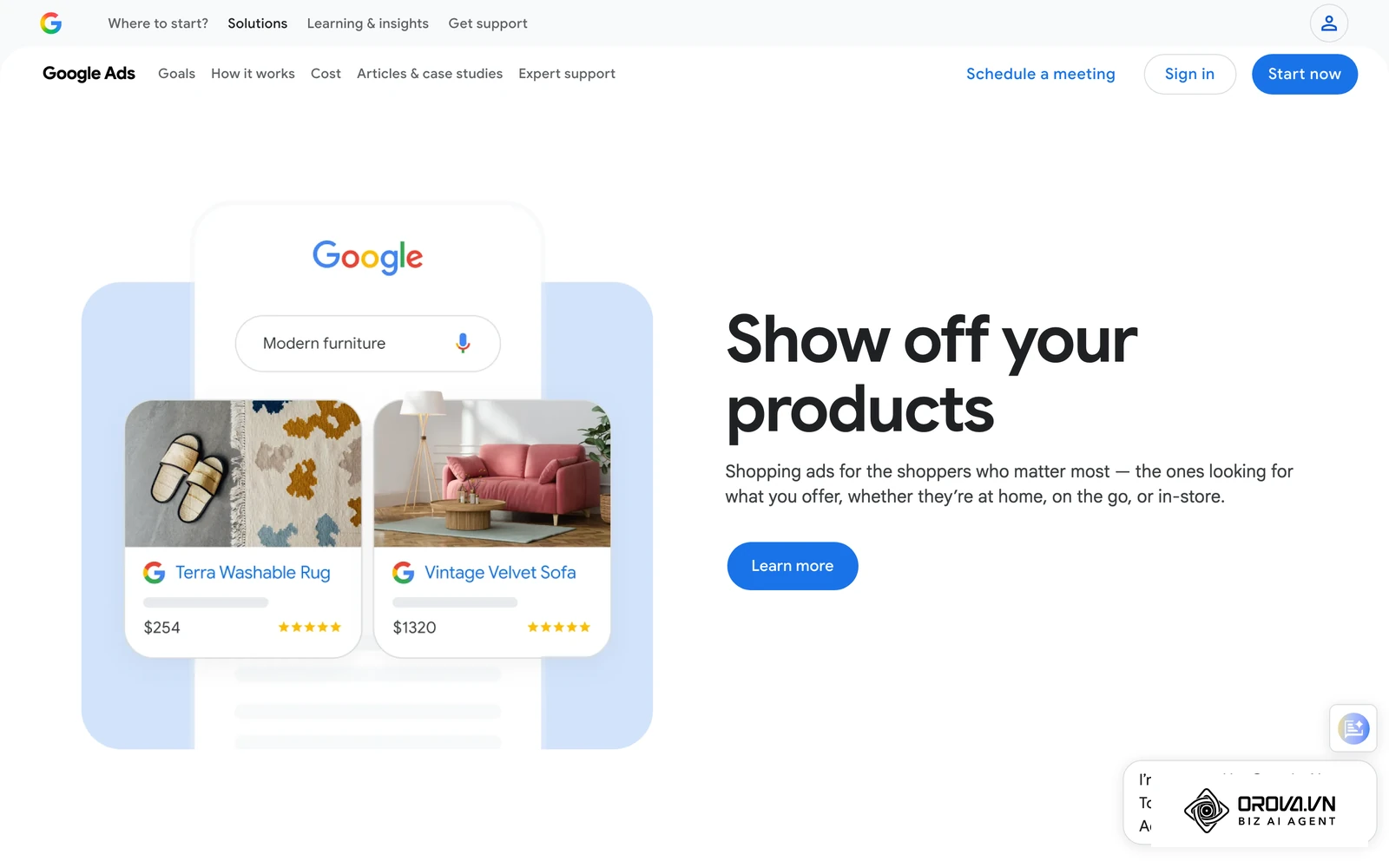
Consider a real-world scenario. Imagine you run a hardware store and a customer searches for a specific 20-volt cordless drill. If you use text ads, they see a blue link that says "Buy Cordless Drills Here." If you use Google Shopping advertising, they see a crisp image of the drill, its exact price, a star rating, and a shipping badge. The visual ad inherently filters out window shoppers whose budget is far below your price, ensuring you only pay for a click when the user is genuinely interested in your specific offer.
The meaning and purpose of Google Shopping advertising
Google Shopping advertising exists to solve a massive friction point in online retail: the information gap between the search query and the landing page. For the consumer, it eliminates the need to open five different tabs just to compare prices and styles. For the business owner, it solves the problem of paying for unqualified traffic. It acts as a visual filter, ensuring that a user only costs you money if they are comfortable with your product's appearance and price point.
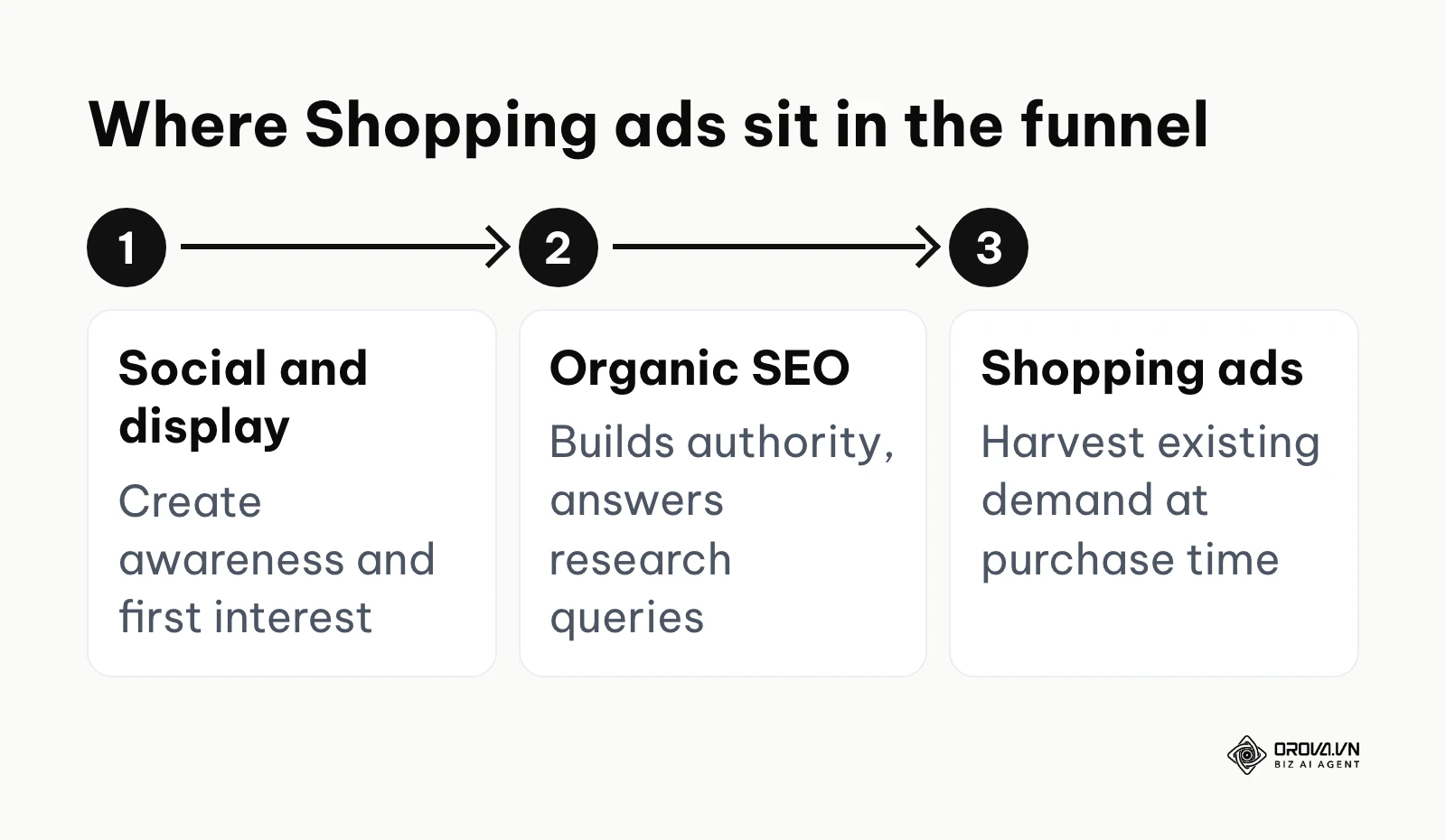
In the broader picture of digital marketing, this channel sits at the very bottom of the marketing funnel. It is designed specifically to harvest existing demand. Social media marketing and display advertising sit at the top of the funnel, creating awareness and generating initial interest. Organic search engine optimization (SEO) sits in the middle, building long-term authority and capturing informational queries. Shopping ads sit at the very end, waiting for the user to type in a specific product name with their credit card in hand.
If you choose to ignore this channel as an e-commerce retailer, you forfeit the most valuable real estate on the internet. Because shopping ads appear above text ads and above organic results, your competitors will physically block your website from being seen on mobile devices. You lose the ability to compete on price dynamically, and you miss out on the highest-converting traffic source available in the Google ecosystem.
When should you hold off on this channel? If you sell highly complex, custom B2B services rather than physical products, this visual format is ineffective. Additionally, if your e-commerce margins are razor-thin (under 10%) and you lack the budget to sustain a two-week algorithmic learning phase, diving in will only burn cash. Finally, if your website lacks basic secure checkout features or clear return policies, you should fix your foundation first, as Google will instantly suspend your merchant account anyway.
The value and benefits of Google Shopping advertising
The value of this advertising model must be analyzed through two distinct lenses to grasp its full impact. First, we must look at the macro-level value it brings to the business itself in terms of revenue, risk management, and overall growth. Second, we must examine the practical benefits it offers to the digital marketer or agency media buyer responsible for executing the strategy day-to-day.
Direct Business Growth: Scaling Revenue Predictably
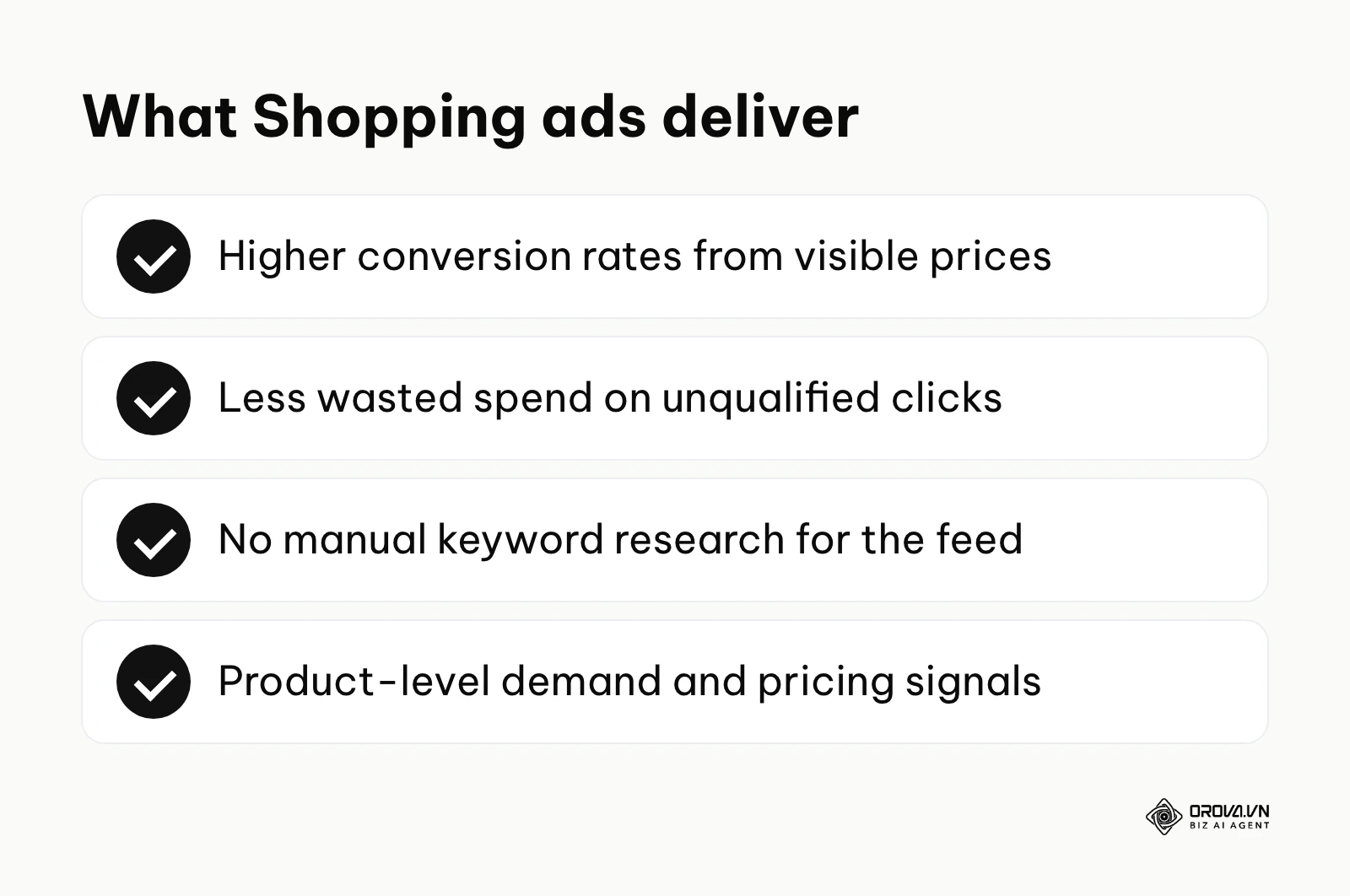
For a business owner, the primary value is raw, scalable revenue. Unlike traditional advertising where you hope a creative campaign resonates with an audience, shopping ads intercept people who have already decided they want to buy. Because the ads display the price upfront, the conversion rates are naturally higher. This allows businesses to calculate their Return on Ad Spend (ROAS) with near-scientific precision, treating the advertising budget not as an expense, but as a direct revenue-generating machine.
Illustrative example: An online furniture retailer struggled to scale their search text ads because customers needed to see the products to make a purchasing decision. They shifted 60% of their acquisition budget to shopping campaigns and optimized their product feed. The initial roadblock occurred when their campaigns stalled due to poor click-through rates; their product images featured cluttered living rooms instead of clean, white backgrounds. By updating the primary image links in their feed to minimalist product shots, they passed Google's strict visual guidelines. The result was a highly visible increase on their daily sales dashboard, doubling their transaction volume within a month.
Risk Mitigation: Paying Only for High Intent
The visual nature of the format acts as a powerful financial shield. In a text ad, a user might click expecting a 20-dollar product, realize your product costs 200 dollars, and immediately bounce. You still pay for that click. With Google Shopping advertising, the price tag is visible before the click. This transparency naturally repels users who cannot afford your items, protecting your budget. When this high-intent traffic reaches a landing page optimized with strong conversion rate optimization practices, the likelihood of a wasted click drops dramatically.
Practitioner Efficiency: Bidding on Auto-Pilot
From the perspective of the person managing the account, the greatest benefit is the elimination of manual keyword research. You no longer have to spend hours brainstorming thousands of variations of "blue sneakers" or "running shoes." Instead, the system uses the data in your product feed to automatically match your items to relevant searches. This frees up the practitioner's time, allowing them to focus on strategic tasks like margin analysis, feed optimization, and promotional planning rather than tedious spreadsheet keyword mapping.
Actionable Insights: Uncovering Product-Level Demand
The reporting capabilities provide a granular look at market demand. You can see exactly which specific products, brands, or categories are generating the most interest, even down to the color or size. This data is invaluable not just for advertising, but for broader business decisions like inventory purchasing and pricing strategy. If you notice that a specific brand of jacket gets thousands of clicks but zero sales because your price is 10 dollars higher than competitors', you have a clear, data-driven mandate to adjust your pricing strategy.
| Benefit | Measured By | Time to See Results |
|---|---|---|
| Higher Conversion Rates | Conversion Rate (%) | 14 to 30 days |
| Reduced Wasted Spend | Cost per Acquisition (CPA) | 7 to 14 days |
| Time Saved on Setup | Hours spent on keyword research | Immediately |
| Pricing Intelligence | Click Share vs. Impression Share | 30 to 60 days |
OROVA ADS applies AI Agent to automate and optimize ad performance on Google, Meta and TikTok. Scale your budget safely, monitor 24/7 and expand your business quickly.
Experience the solution at orova.vn/ads
How Google Shopping advertising works: The ecosystem
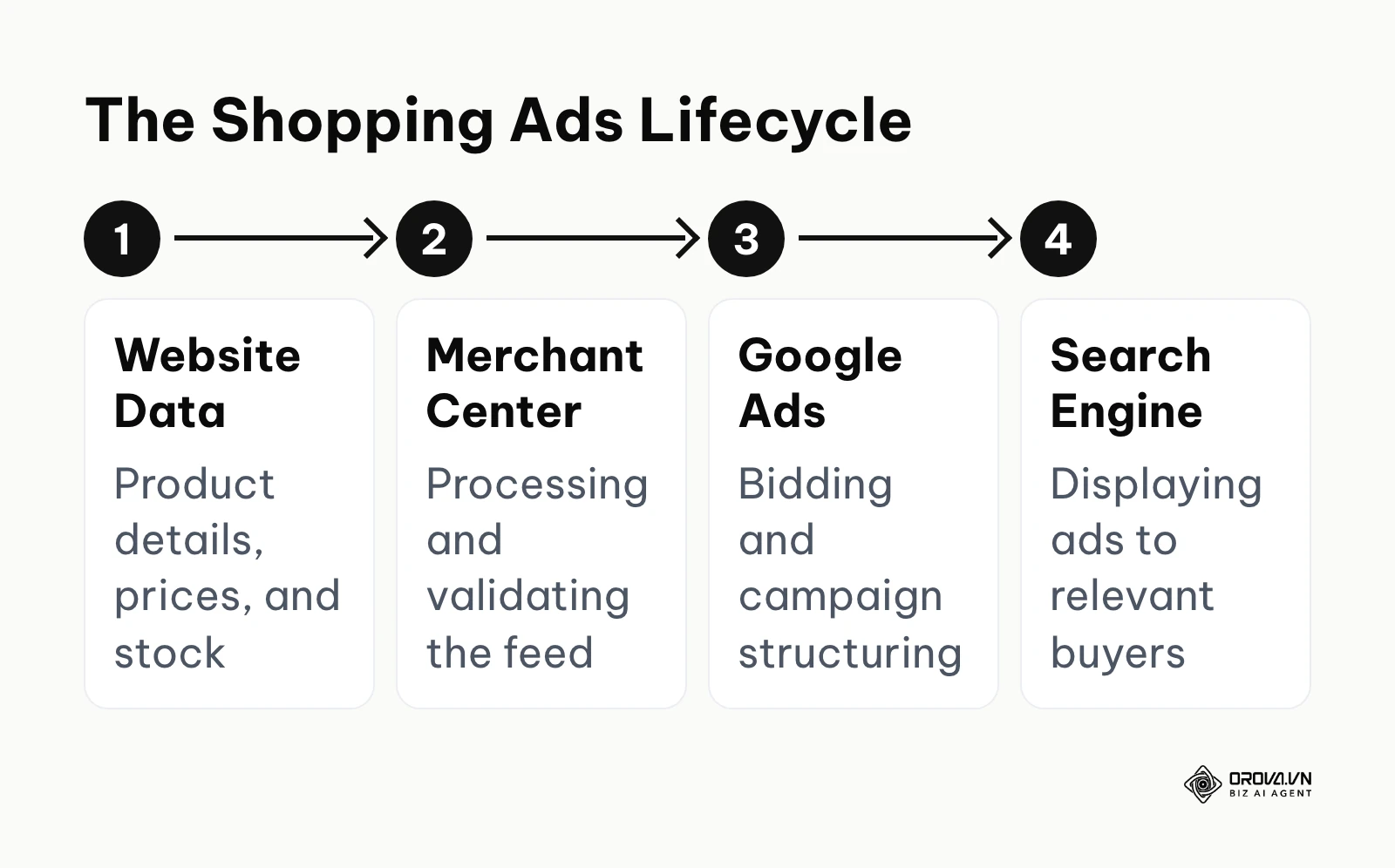
Understanding the mechanics of this channel requires looking under the hood. Unlike text ads, where everything lives inside the Google Ads platform, shopping campaigns rely on an interconnected ecosystem of three distinct platforms: your e-commerce website, the Google Merchant Center, and Google Ads. If any one of these links breaks, your ads stop running entirely. We will break down this anatomy to show you exactly how data flows and where you can intervene to maximize your profits.
The Product Data Feed: Your Foundation
The heart of Google Shopping advertising is the product data feed. This is essentially a massive spreadsheet or XML file exported from your website that contains all the critical information about your inventory. It includes the product ID, title, description, link, image URL, price, condition, and availability. Google's algorithm reads this file daily to understand what you sell.
Because you cannot bid on keywords directly, the data in your feed dictates when your ads show up. The product title is the single most important factor. If your title just says "Running Shoe," Google won't know when to show it. A highly optimized title follows a strict formula: Brand + Gender + Product Type + Attributes (Color, Size). Therefore, renaming it to "Nike Men's Air Zoom Pegasus 39 Running Shoe - Black - Size 10" drastically increases your visibility. Optimizing this feed requires the exact same principles found in a comprehensive ecommerce SEO strategy, as you are essentially optimizing for the algorithm's understanding of your product.
Mastering Custom Labels for Profit Optimization
A major gap in most beginner setups is treating every product equally. If you put all your items into one campaign, Google will inevitably spend your budget on the products that get the most clicks, which are often your cheapest, lowest-margin items. Custom labels are the secret weapon to prevent this. They are optional columns in your feed that allow you to tag products with internal business data that Google doesn't natively understand.
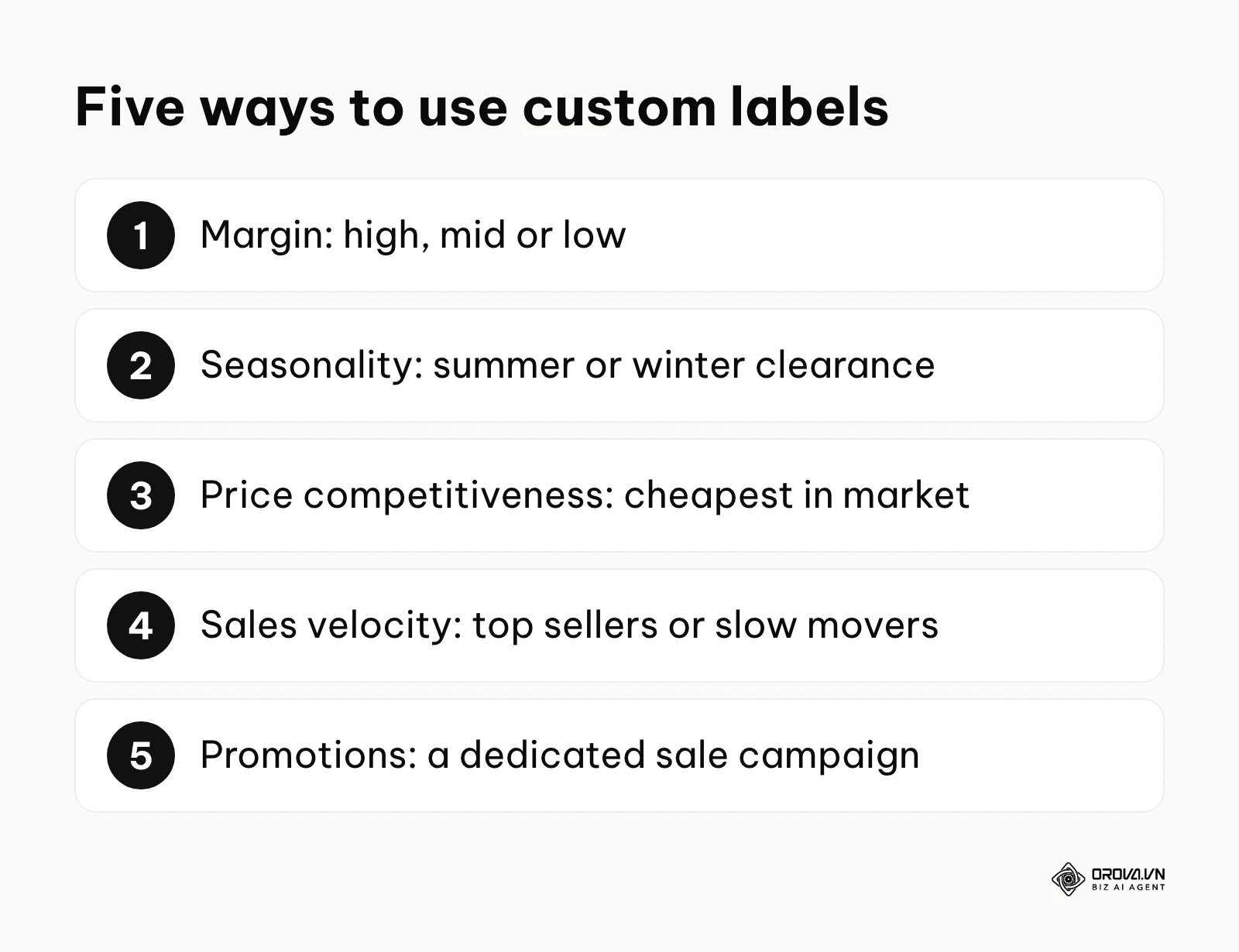
You can create up to five custom labels (Custom Label 0 through 4). By tagging your products intelligently, you can group them into highly specific campaigns and set different profitability targets for each. Here are five practical examples of how veteran marketers use custom labels to control the algorithm:
- Margin-Based Tagging: Tag products as "High_Margin," "Mid_Margin," or "Low_Margin." This allows you to set aggressive ROAS targets for low-margin items to protect profitability, while accepting a lower ROAS on high-margin items to drive maximum volume.
- Seasonality Tagging: Label items as "Summer_Collection" or "Winter_Clearance." When the season changes, you can instantly boost bids on the relevant group without digging through individual SKUs.
- Price Competitiveness: If you use dynamic pricing software, tag items where you are the "Cheapest_in_Market." You can confidently push maximum budget to these products, knowing your conversion rate will be stellar.
- Sales Velocity: Label items as "Top_Sellers" or "Slow_Movers." Top sellers deserve unrestricted budget, while slow movers might need a heavily restricted, manual bidding approach to avoid wasted spend.
- Promotional Tagging: Tag items that are part of a specific weekend sale as "Black_Friday_Promo." You can isolate these items into a dedicated campaign with a massive budget for exactly 72 hours.
Illustrative example: A consumer electronics merchant was bleeding budget by advertising low-margin HDMI cables alongside high-margin laptops in the same campaign. They mapped out a new strategy using Custom Labels (Margin_High, Margin_Low) to split their products into distinct campaigns. The initial roadblock occurred when their automated feed rules mislabeled hundreds of items due to a spreadsheet syncing error from their inventory software. They quickly intervened by manually uploading a corrected CSV override via the Merchant Center to fix the tags. Once resolved, they could bid aggressively on laptops while strictly limiting cable bids, resulting in their daily ROAS dashboard turning consistently green for the first time in a year.
Google Merchant Center: The Gatekeeper and Suspension Traps
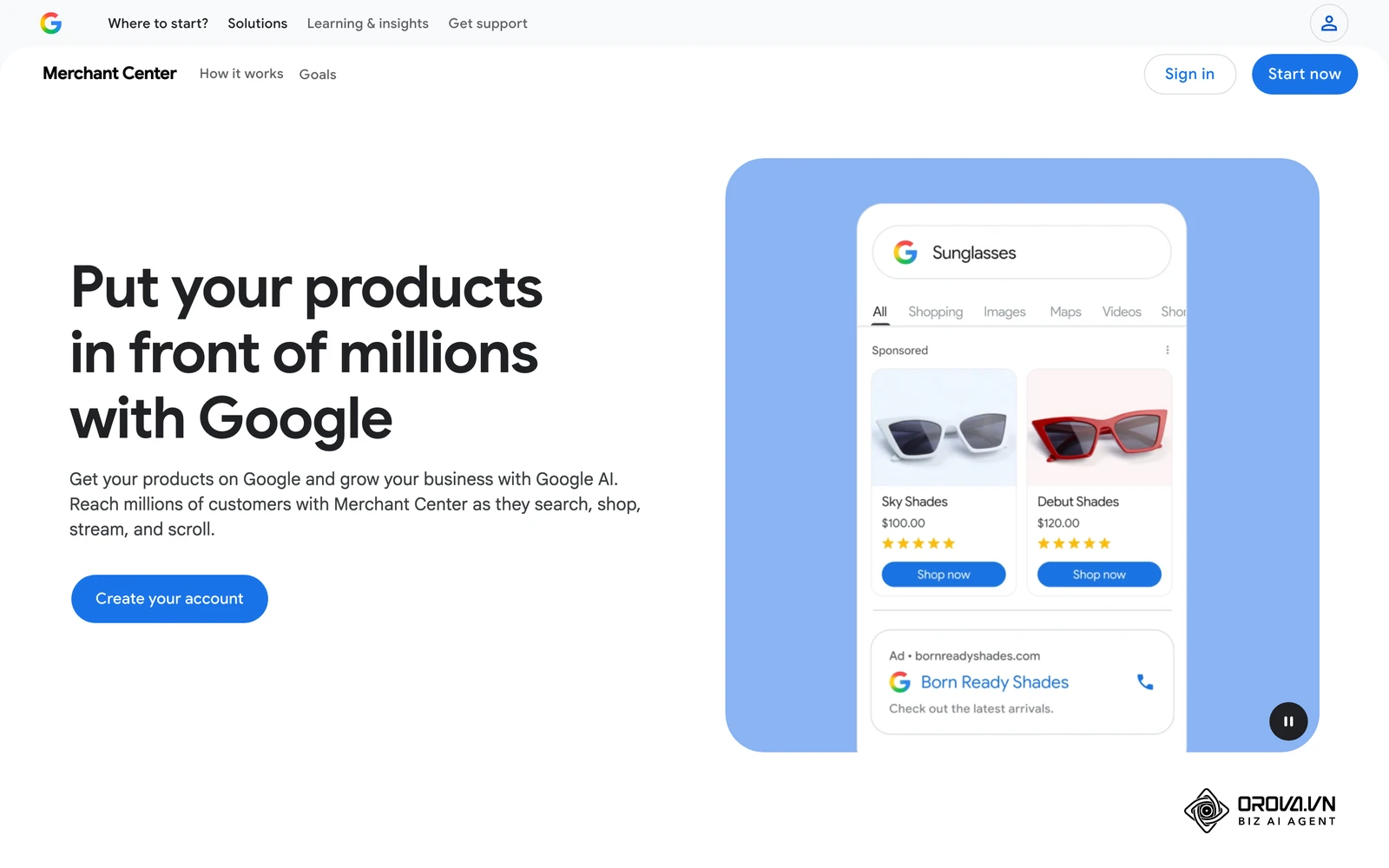
The Google Merchant Center (GMC) is the intermediary platform between your website and Google Ads. It is where you upload your feed, configure your shipping rates, and set your tax rules. More importantly, it is the strict enforcer of Google's policies. Beginners often treat GMC as a simple upload tool, ignoring the diagnostic tab until their account is suddenly shut down.
Account suspensions are the most terrifying aspect of Google Shopping advertising. Google uses automated bots to crawl your website and compare it to the data in your feed. If it finds discrepancies, it will flag your account for "Misrepresentation" or "Policy Violation," halting all your ads immediately. A missing or hard-to-find return and refund policy is one of the most common triggers for these suspensions.
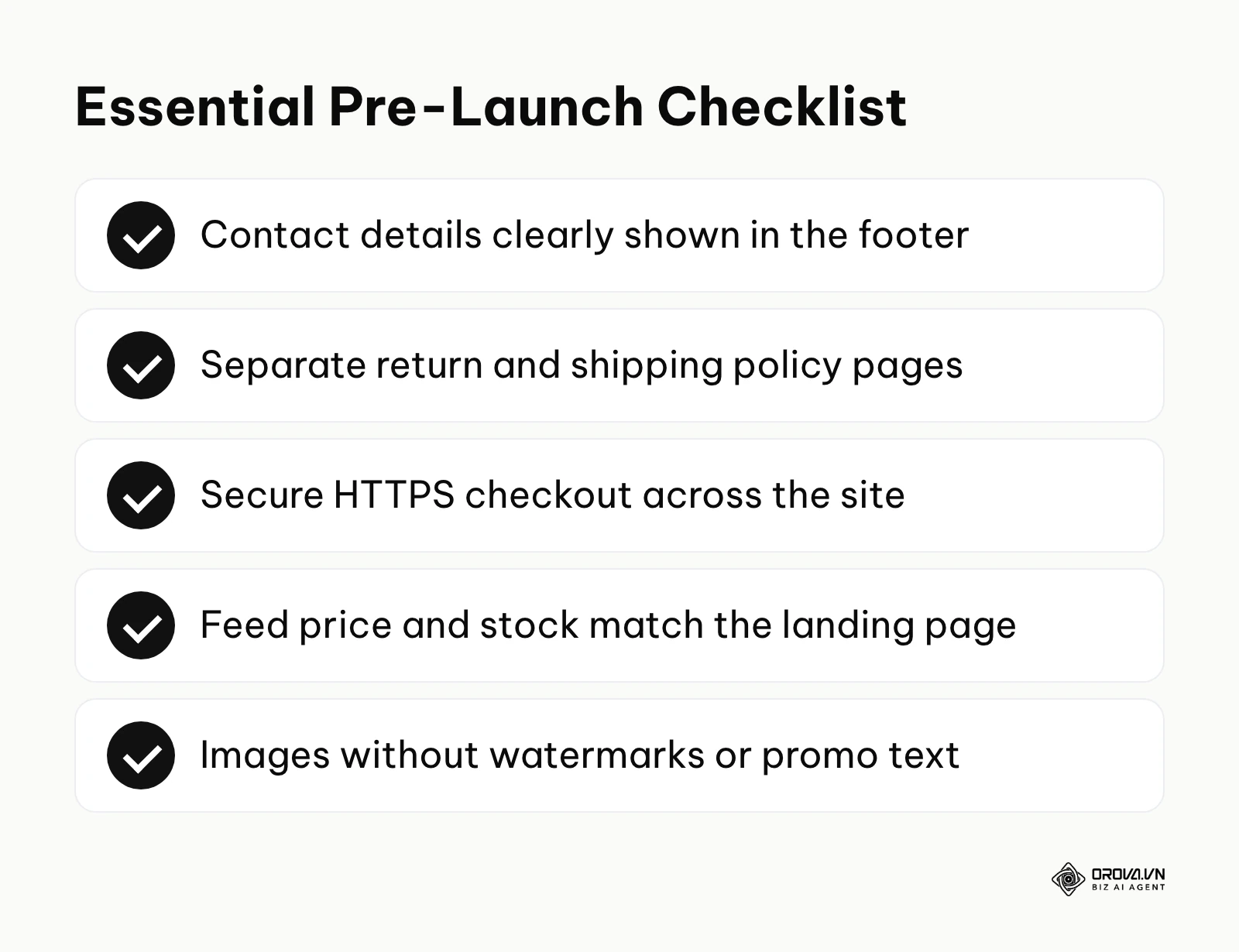
To survive the Merchant Center, you must proactively align your website with their hidden requirements. Here is a 15-point checklist to pass before you spend any budget:
- Accurate Contact Info: Display a physical business address, professional email, and phone number clearly in your footer.
- Dedicated Policies: Create separate, easy-to-find pages for your Return Policy and Shipping Policy.
- Transparent Returns: Explicitly state return timeframes, who pays for return shipping, and the refund processing time.
- Secure Checkout: Ensure your entire site, especially the checkout process, is protected by a valid SSL certificate (HTTPS).
- No Broken Links: Crawl your site to fix any 404 errors, particularly in your main navigation and footer menus.
- Consistent Pricing: The exact price in your product feed must match the price displayed on the landing page perfectly, down to the cent.
- Accurate Availability: Out-of-stock items on your site must be marked as out-of-stock in the feed immediately.
- No Fake Reviews: Remove any imported product reviews that cannot be verified or seem artificially generated by bots.
- Image Quality: Use high-resolution images without promotional overlays, watermarks, brand logos, or promotional text.
- Clear Billing Terms: Explain exactly when and how the customer will be charged before they enter any payment details.
- Door-to-Door Shipping Rates: Ensure your feed's shipping settings accurately reflect the final cost a user sees at checkout, avoiding hidden fees.
- Domain Verification: Claim and verify your website URL using a meta tag or Google Analytics integration.
- Language Consistency: The language of your feed must perfectly match the language of your landing pages.
- Currency Matching: The currency submitted in the feed must be the default currency selected on the destination page.
- No Prohibited Items: Audit your catalog to ensure you aren't accidentally pushing restricted products like unapproved supplements or weapons.
Illustrative example: A boutique home decor brand faced a sudden account suspension for 'Misrepresentation' right before the critical holiday season. They audited their entire website, realizing their footer lacked a visible business address and a dedicated refund policy page. After adding these essential trust signals, their first automated appeal was still automatically rejected by Google's system. They then requested a second review with a detailed explanation of every fix and screenshots of the newly updated policy pages. The account was reactivated soon after, restoring their primary stream of high-converting traffic just in time for Black Friday.
Campaign Structuring: The Profit-Based Blueprint
Once your feed is healthy and your custom labels are set, you move into Google Ads to build the actual campaigns. The amateur approach is to create one campaign containing all products and let the algorithm figure it out. This guarantees failure. The professional approach is to build a tiered campaign structure based entirely on the profit margins of the products, utilizing the custom labels you created earlier.
By segmenting your campaigns, you assign different financial goals to different product groups. A high-margin product can afford a lower Target ROAS (e.g., 200%), allowing the algorithm to bid higher and win more auctions. A low-margin product requires a high Target ROAS (e.g., 600%), forcing the algorithm to bid conservatively and only show the ad when a conversion is highly likely.
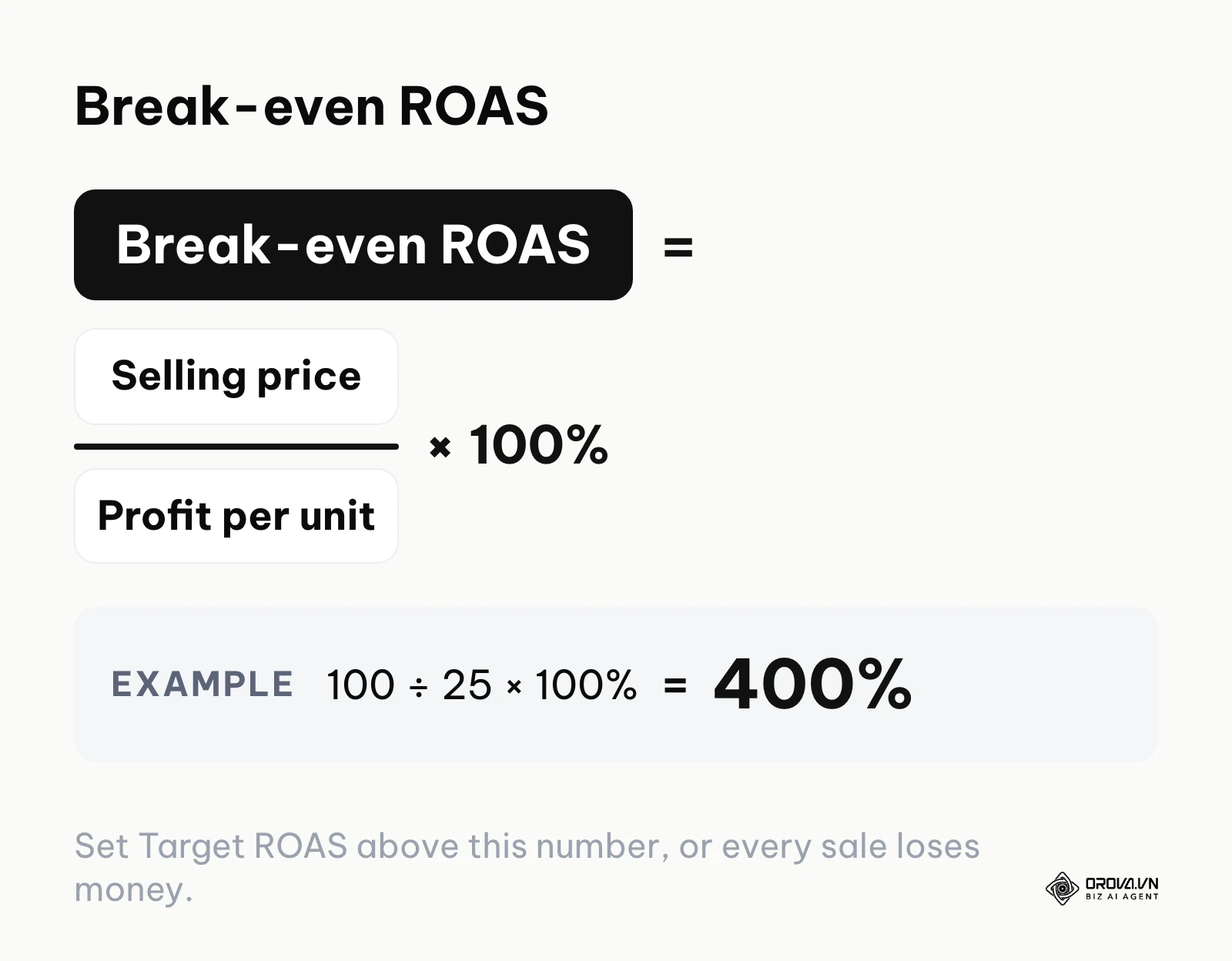
To set those targets, start from your break-even ROAS: selling price divided by profit per unit, times 100%. A product that sells for 100 dollars and leaves 25 dollars of profit breaks even at 400% (100 ÷ 25 × 100%). Any target below that number loses money on every sale, which is why the ROAS formula belongs in your spreadsheet before you touch a bid.
Here is an example of how a profit-based campaign structure looks when mapped out on a spreadsheet before building it in the account:
| SKU | Selling Price (dollars) | COGS (dollars) | Margin % | Custom Label (Margin) | Target Campaign | Bidding Strategy |
|---|---|---|---|---|---|---|
| A-101 | 150 | 50 | 67% | High_Margin | Standard - High Priority | Target ROAS (250%) |
| B-202 | 120 | 80 | 33% | Mid_Margin | Performance Max | Maximize Conv. Value |
| C-303 | 40 | 32 | 20% | Low_Margin | Standard - Low Priority | Target ROAS (600%) |
| D-404 | 20 | 15 | 25% | Clearance | Catch-All (Low Bid) | Manual CPC (low bid) |
This structure ensures that your advertising budget acts as an investment tool rather than a blind expense. You deliberately choke off traffic to items that don't make you money, redirecting those funds to the items that pay your operational bills.
Bidding and Machine Learning (Performance Max vs Standard)
The final piece of the ecosystem is how you bid. Historically, advertisers used Standard Shopping campaigns, manually adjusting the cost-per-click (CPC) for individual products based on performance. Today, the landscape is dominated by Performance Max (PMax), a fully automated campaign type that serves ads across the entire Google network (Search, Shopping, YouTube, Display, Discover) using advanced machine learning.
Transitioning to Performance Max requires a deep understanding of AI ads optimization, as you are trading manual control for algorithmic scale. While PMax often delivers more volume, it works much like a black box. Search term reporting and negative keyword controls are more limited than in Standard Shopping, although Google has expanded both over time, so check what your account currently offers. Standard Shopping, conversely, offers full transparency but requires significantly more manual labor to manage effectively.
| Feature | Standard Shopping | Performance Max (PMax) |
|---|---|---|
| Network Placements | Search and Shopping tab only. | Search, Shopping, YouTube, Display, Discover. |
| Search Term Visibility | Full search terms report. | Less granular; reporting has expanded over time. |
| Bidding Control | Manual CPC or automated options. | Strictly automated (AI-driven algorithms). |
| Negative Keywords | Easy to add at campaign/ad group level. | More limited; check current campaign settings. |
| Best Used For | Strict budget control, granular keyword targeting. | Broad scaling, multi-channel reach, leaning on AI. |
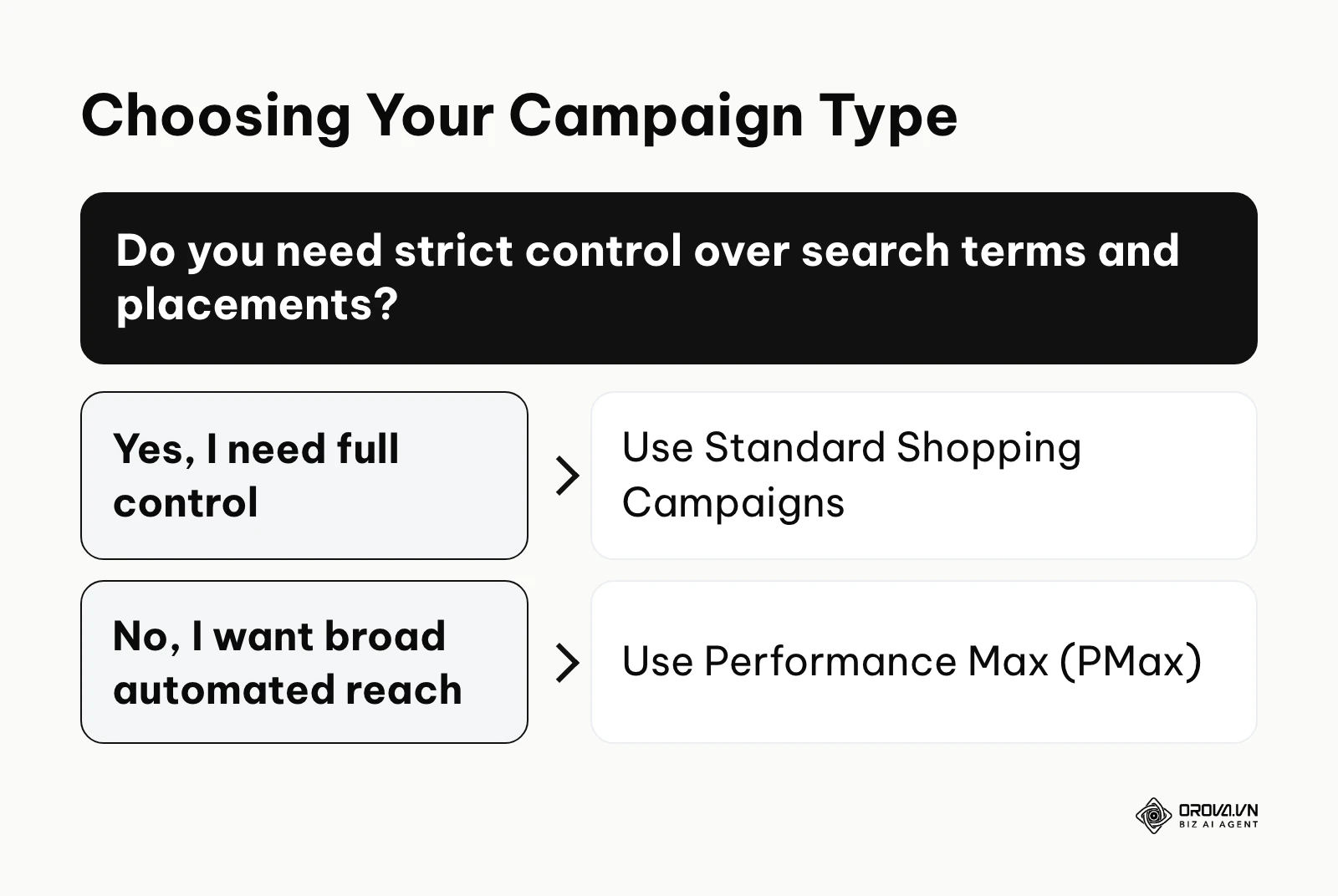
Choosing between the two depends on your resources and goals. If you have a small budget, a limited catalog, and need absolute control over where your brand appears, stick to Standard Shopping. If you have a large budget, clean conversion tracking, a healthy feed, and want to scale aggressively across all Google surfaces, Performance Max is usually the better vehicle.
Want to scale your budget but afraid of breaking performance? 📉
Integrate OROVA ADS now - an AI Agent that automatically monitors and optimizes Google, Meta, TikTok ads 24/7. Now, expanding and replicating your Performance Ads team is just one click away.
🚀 Try it now at: orova.vn/ads
What you need to do to start and adapt
Implementing Google Shopping advertising successfully requires different approaches depending on your role and resources. A small business owner cannot execute the same playbook as a massive agency. The key is to focus on the specific tasks that move the needle for your current operational scale.
Small E-commerce Owners: Establishing the Basics
If you are running a small operation, your primary goal is to get your products approved without suspension and start gathering data cheaply. You do not need complex automated scripts; you need a solid foundation.
- Use your Google Search Console reports to verify domain ownership and monitor any crawling errors that might prevent Google from reading your product pages.
- Review your website footer to ensure all contact information, shipping policies, and return policies are clearly visible and legally compliant.
- Export a basic spreadsheet of your top 20 best-selling products and upload it manually to the Merchant Center to test the waters.
- Launch a single Standard Shopping campaign with a low manual CPC bid to ensure traffic is flowing correctly.
In-House Digital Marketers: Advanced Feed Management
For dedicated in-house marketers, the focus shifts to data manipulation and structural optimization. Your job is to feed the algorithm the best possible signals to outsmart competitors.
- Implement an automated feed management tool to dynamically update prices and inventory levels multiple times a day.
- Rewrite product titles using the 'Brand + Attribute + Product Type' formula to capture long-tail search intent.
- Add high-quality lifestyle images to your feed as additional images, and test them against standard white-background shots to see which earns more clicks.
- Build out custom labels based on profit margins and segment your campaigns accordingly.
Agency Media Buyers: Scaling and Automation
Agency professionals managing massive budgets must focus on efficiency, automated scaling, and cross-channel strategy. Manual adjustments are no longer viable at this level.
- Transition mature, data-rich accounts from Standard Shopping to Performance Max to unlock inventory across YouTube and Discover.
- Upload robust first-party customer lists into the Google Ads audience manager to provide strong signals for the PMax algorithm.
- Implement complex feed rules directly within the Merchant Center to automatically strip out promotional text from titles and prevent disapprovals at scale.
- Build custom dashboard reports that track ROAS at the SKU level, proving precise financial value to clients.
| Common Mistake | The Consequence | How to Avoid It |
|---|---|---|
| Making large, sudden budget changes | Can push the bid strategy back into a learning period | Make small, incremental budget changes weekly |
| Ignoring Merchant Center warnings | Sudden account suspension and lost revenue | Check the diagnostics tab every single morning |
| Putting all products in one campaign | Budget gets eaten by cheap, low-margin items | Use custom labels to segment by profitability |
| Using generic manufacturer titles | Ads don't trigger for specific searches | Rewrite titles to include critical attributes |
Where Google Shopping advertising is heading in the next few years: the author's take
The landscape of digital retail acquisition is shifting quickly. Based on the current trajectory of ad tech platforms, here are three trends I think will reshape how we manage these campaigns over the next two to three years.
The Complete Transition to AI-Driven Bidding
We are already seeing Google strongly push advertisers away from manual bidding and Standard Shopping toward Performance Max. I think that within the next two to three years, manual CPC bidding for shopping feeds will be pushed further to the margins. Automated bidding can weigh a huge number of auction-time signals, like a user's location and device type, that a human could never process. Prepare now by spending less time on bid adjustments and more on the quality of your business data. Ensure your profit margins are accurately tracked and passed back to the ad platform, because the AI can only optimize effectively if it knows exactly what a conversion is actually worth to your bottom line.
The Rise of Visual Search
The integration of Google Lens into everyday mobile behavior is a strong indicator of where product discovery is heading. My read is that more and more users will skip text searches in favor of uploading photos of products they see in the real world to find matching items. If that happens, the visual quality of your product feed will matter as much as your optimized titles. You need to start investing in unique, high-resolution, multi-angle photography today so your products can surface as visual search grows.
Stricter Data Privacy and First-Party Tracking
With the continuous degradation of third-party cookies and increasing browser privacy restrictions, relying on standard pixel tracking is becoming a massive liability. I think campaigns running only on browser-based tracking will keep losing sight of conversions, and their bidding will suffer for it. The practical move is to start setting up server-side tracking and Conversion APIs now. Sending conversion data from your CRM to the ad platform server-side is far less exposed to browser blocks. Marketers who build robust first-party data infrastructures now will have a real competitive advantage, as their AI bidding models will have accurate data to learn from, while their competitors operate in the dark.
Frequently asked questions about Google Shopping advertising
What is the minimum daily budget required?
Google does not enforce a meaningful minimum, but the practical answer is a budget large enough to buy a steady stream of clicks every day for your average cost per click, which varies widely by industry. The machine learning algorithms require enough daily data (clicks and conversions) to understand user behavior and optimize bids. If your budget is too low, the system stays stuck in the learning phase indefinitely, leading to erratic performance and wasted spend.
Is Google Shopping advertising still needed with AI?
Yes, it is more critical than ever. While generative AI is changing how people search, commercial intent remains heavily visual. Google's shopping experiences, including AI-assisted ones, draw heavily on structured product data such as Merchant Center feeds. If you do not keep an active, well-optimized feed, your products have far fewer chances to appear when shoppers ask for recommendations.
How do I fix a 'Misrepresentation' suspension?
This suspension almost always stems from trust and policy issues on your website, not your feed. First, ensure your physical address, phone number, and email are prominently displayed in your footer. Second, verify that your return policy and shipping policy have dedicated, clearly written pages accessible from every part of the site. Finally, ensure your checkout is secure (HTTPS) and that prices match exactly. Do not request a review until every single issue is thoroughly fixed, because repeated failed reviews can lead to longer waiting periods before you can try again.
How can I see which keywords are spending in PMax?
Performance Max has historically shown far less search term detail than Standard Shopping. Start with the Insights page, which groups queries into search categories and shows which themes drive traffic and conversions. Google has been expanding search terms reporting for Performance Max, so check what your account offers today, but expect spend data per query to remain less granular than in a Standard Shopping campaign.
Can I use shopping campaigns for digital products?
No, you cannot. Shopping campaigns are built for physical products that are shipped or picked up in store. Digital goods, downloads and most services are generally not eligible for Shopping ads, and submitting them to Merchant Center usually leads to disapprovals. Check Google's current Shopping ads policies for your category before you upload anything that is not a physical item.
Where should you start?
Knowing the theory of Google Shopping advertising is useless without a clear execution plan. Your next step depends entirely on the current state of your e-commerce infrastructure. Do not try to execute advanced strategies if your foundation is broken. Look at the three scenarios below and commit to the single action that matches your reality today.
If you have no setup at all, your only priority is passing Google's strict compliance checks. Before you even create a Google Ads account, audit your website. Create dedicated pages for your shipping and return policies, place your physical business address in the footer, and ensure your checkout is secure. Failing to do this first step guarantees a frustrating, immediate suspension when you eventually try to launch.
If you have a fragmented setup where campaigns run intermittently but performance is erratic, your first step is to fix your product titles. Go into your data feed and rewrite the titles for your top 50 best-selling products. Apply the formula of Brand + Gender + Product Type + Core Attributes (like color or size). This simple, zero-cost action gives the algorithm exactly what it needs to match your products to high-intent searches.
If you have campaigns running but aren't measuring profit accurately, your first step is to build a margin-based framework. Export your product catalog and calculate the true profit margin for every single SKU. Group them into High, Medium, and Low margin buckets. Use this spreadsheet as your blueprint to implement custom labels next week, ensuring you stop wasting ad budget on products that generate revenue but zero actual profit.
About the author

Builder of Orova
Nguyễn Đỗ Trọng Ân has 8 years of experience in marketing, including 6 years managing market development across Asia. He builds Orova, a Biz AI Agent that never sleeps: it plans, runs and optimizes work for businesses.
Run your business with AI Agents
Orova is the always-on Biz AI Agent — it plans, runs, and optimizes the work for you.
Save time, unlock productivity.