
Online quiz maker comparison: 14 tools for marketers, teachers and HR

You want to capture qualified leads, train your growing staff, or keep students engaged during a virtual class. You search for an online quiz maker and immediately hit a wall. There are dozens of platforms, all claiming to be the top solution.
The problem is that many reviews are affiliate roundups or content published by the vendors themselves. They highlight the templates but say little about response limits, how logic branching really works, or what an embed does to mobile page speed. If you choose the wrong platform, you risk frustrating your audience, failing a compliance review, or locking your data inside an ecosystem that is hard to leave.
This guide groups 14 platforms by use case and explains how each builder works, who it suits, and the trade-offs to check before you subscribe.
What defines a modern online quiz maker?
A modern interactive assessment tool is no longer just a digital scantron sheet. It is a sophisticated data routing engine designed to evaluate responses and trigger automated actions based on those results.
Whether you are assigning weights to specific answers to calculate a personality type, or enforcing strict time limits for corporate compliance, these tools manage the entire user flow. They replace static PDF exams and basic web forms with dynamic, conditional logic. Marketers use them to segment audiences, educators use them for instant gamified feedback, and HR departments rely on them to certify employee competencies securely.
Online quiz maker comparison matrix: 14 platforms at a glance
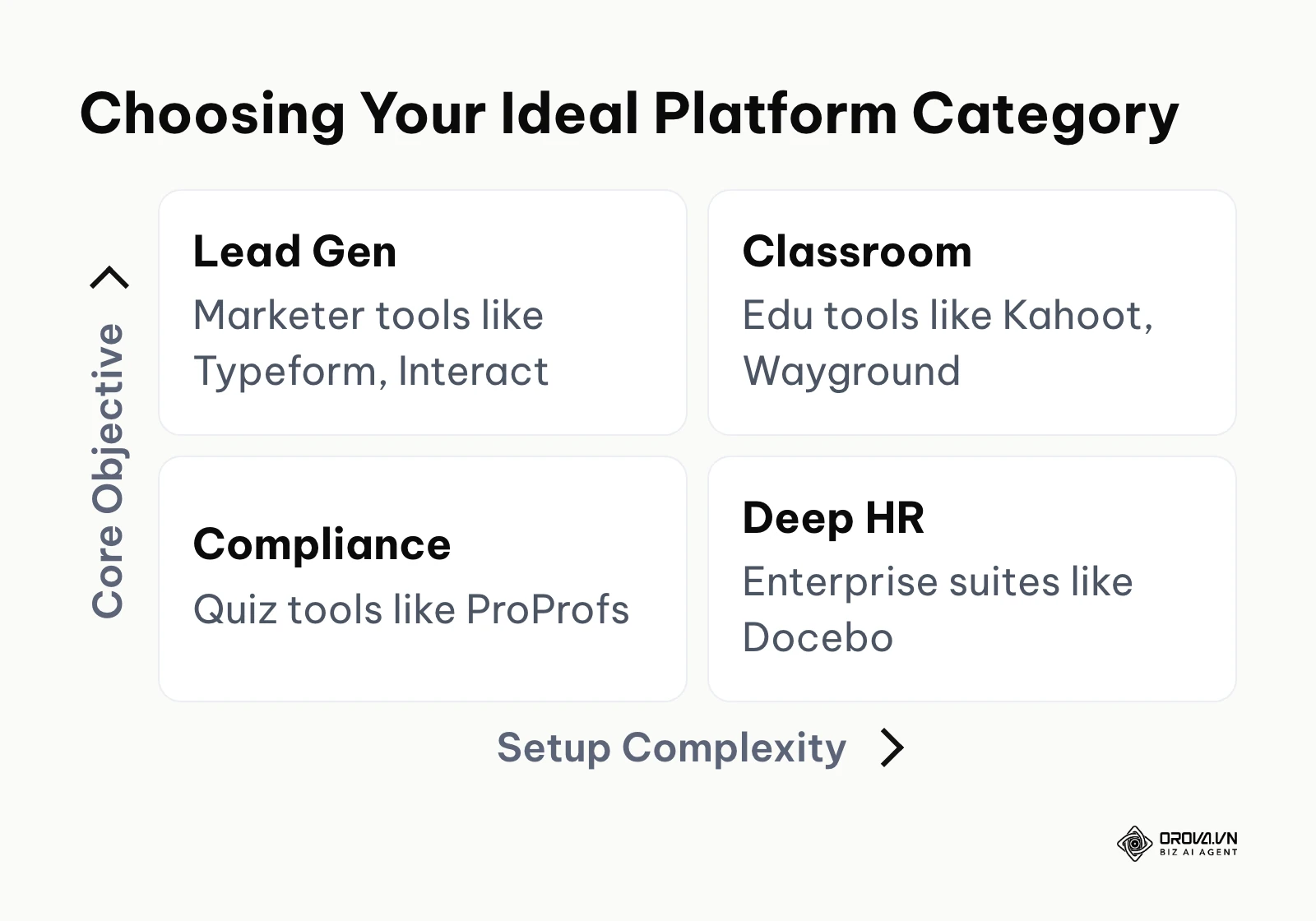
Before diving into detailed reviews, you need a high-level overview. The table below categorizes the top platforms by their primary strength, allowing you to bypass software that isn't built for your specific industry requirements.
| Software Name | Primary Category | Main Task / Strength | Value for User | Best Scale |
|---|---|---|---|---|
| Typeform | Marketers | Lead generation | Beautiful, conversational UI | Small biz |
| Interact | Marketers | Personality assessments | High conversion templates | Agency |
| Outgrow | Marketers | Complex calculators | Advanced logical routing | Enterprise |
| Riddle | Marketers | Secure data collection | Privacy-first, GDPR focus | Mid-market |
| LeadQuizzes | Marketers | Quick funnel building | Easy client handover | Agency |
| Kahoot! | Education | Live classroom games | High-energy competitive engagement | Schools |
| Wayground (formerly Quizizz) | Education | Self-paced learning | Asynchronous homework testing | Schools |
| Blooket | Education | Arcade-style reviews | Deep gamification mechanics | K-12 |
| Socrative | Education | Formative assessment | Utilitarian, instant teacher feedback | Higher Ed |
| Formative | Education | Detailed rubrics | Real-time student tracking | K-12 |
| iSpring Suite | Internal Training | SCORM authoring | Works inside PowerPoint | Enterprise |
| Articulate 360 | Internal Training | Complex interactive courses | Highly custom interactions | Enterprise |
| ProProfs | Internal Training | Basic compliance | Massive pre-made question banks | Small biz |
| Docebo | Internal Training | Complete LMS ecosystem | Enterprise HR system integrations | Enterprise |
You can copy this matrix directly into your internal documentation to help stakeholders understand the landscape. The most crucial step is identifying your "Primary Category" first, as a marketer will find an educational tool completely useless for routing leads.
Best online quiz maker software for marketers (lead generation)
Marketers do not use assessments to grade knowledge; they use them to segment audiences and capture contact information. A lead generation tool must offer seamless integration with Customer Relationship Management (CRM) systems and focus heavily on design aesthetics.
If you are executing lead generation content marketing, your tool needs to map specific answers to custom fields in your database. This allows for highly personalized email follow-ups based on the user's specific pain points.
Typeform
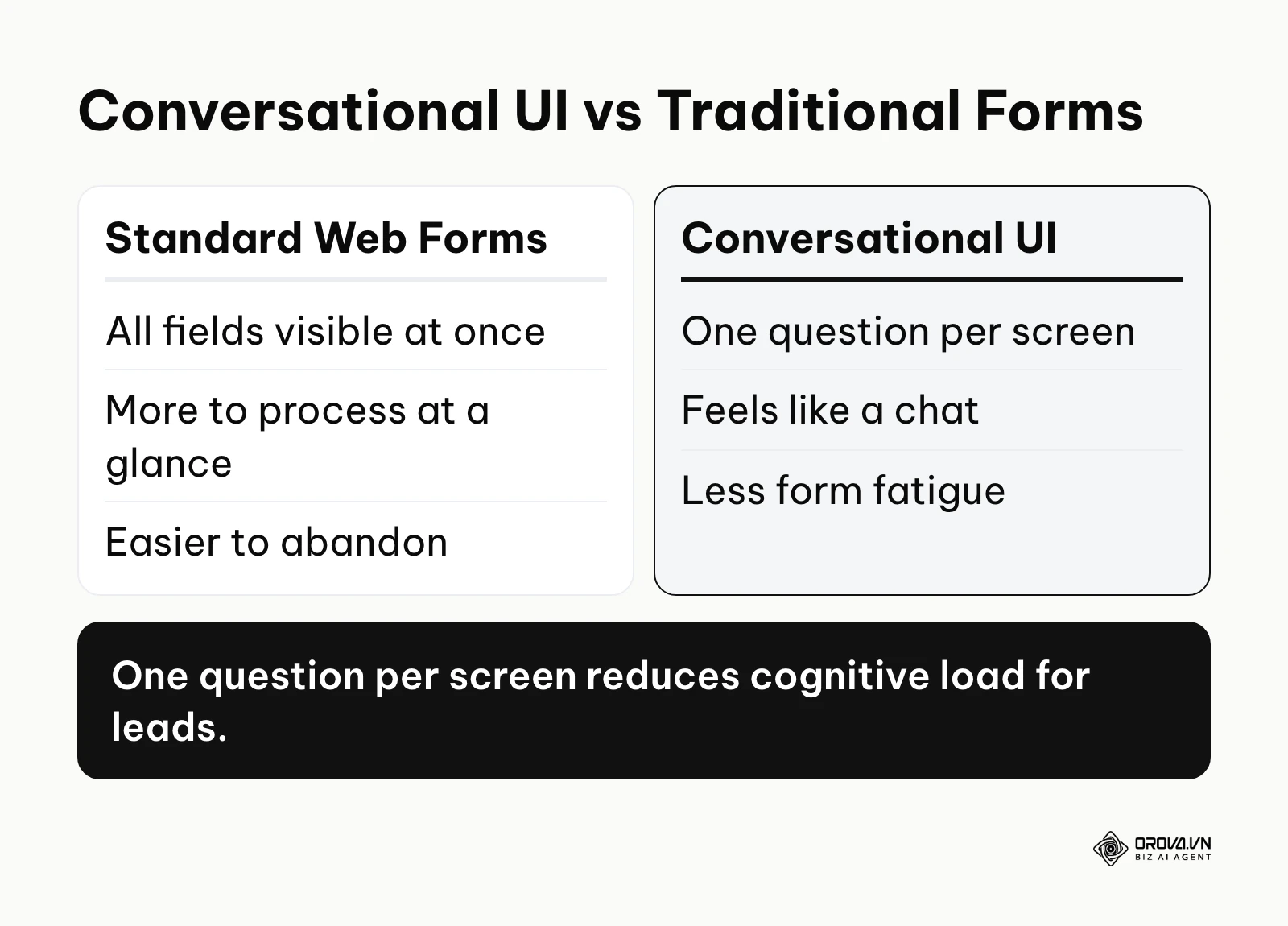
Typeform fundamentally changed how people perceive data collection by introducing a "one question at a time" interface. Instead of confronting users with a daunting, endless scroll of radio buttons, it presents a clean, conversational flow. This design philosophy reduces cognitive load and significantly decreases form abandonment rates.
For marketers, the core value lies in its aesthetic superiority and robust conditional logic. You can build complex lead generation funnels that feel like a personalized chat. If a user selects "Enterprise" for their company size, the tool seamlessly routes them to a different set of qualifying questions than a small business owner would see. This platform is best suited for brand-conscious marketing teams and design agencies who prioritize user experience over sheer volume.
To get started with your first interactive assessment:
- Navigate to the builder dashboard and select "Start from scratch" to avoid being boxed into generic templates.
- Add a Welcome Screen with a compelling hook, then insert a Multiple Choice block, ensuring you map each choice to a specific background variable.
- Open the "Logic" tab to draw connection paths between your blocks, routing users to different "Ending Screens" based on their accumulated score.
Trade-off to check: Plans cap the number of responses you can collect, so a campaign that suddenly takes off can push you into a higher tier. Embedding the form with JavaScript also adds weight to the page, so test your Core Web Vitals on mobile after you embed it.
Interact
Interact positions itself strictly as a tool for creating personality, scored, and assessment-style marketing funnels. It strips away the broad form-building features of its competitors to focus entirely on converting anonymous website traffic into segmented email subscribers.
The primary value is its massive library of conversion-optimized templates and direct integrations with almost every major email marketing platform. It allows marketers to visually map out which outcome leads to which specific email sequence. This tool is heavily favored by coaches, consultants, and boutique agencies looking to build list-building magnets quickly.
To deploy a high-converting personality funnel:
- Choose a template aligned with your industry, such as "What is your leadership style?".
- Edit the outcome pages first, ensuring you have a distinct, valuable result for each personality type.
- Connect your email marketing platform in the integration settings, mapping the specific quiz outcome to a unique tag in your mailing list.
Trade-off to check: Interact is built around marketing funnels, not exams. Once a quiz grows to many questions and outcomes, the logic map gets harder to read, so sketch the routing on paper before you build it.
Outgrow
Outgrow is designed for technical marketers who need more than just simple multiple-choice paths. It specializes in interactive calculators, ROI estimators, and complex graded assessments that require heavy background math.
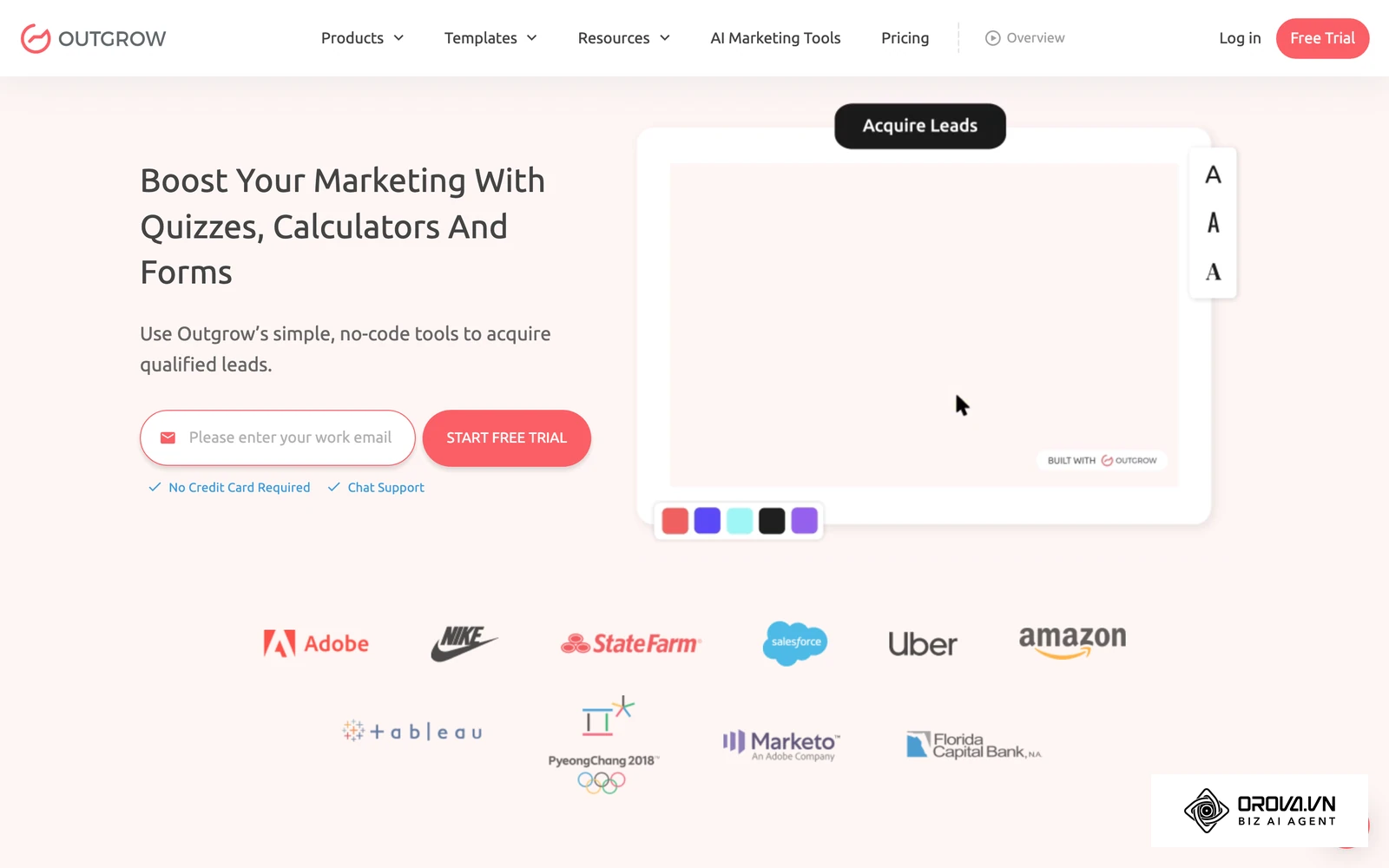
The value here is the ability to offer users highly personalized, data-backed results. Instead of telling a user they are a "marketing expert," Outgrow allows you to calculate exactly how much money they could save by switching to your service based on their specific inputs. This makes it an incredibly powerful tool for B2B enterprise sales teams handling high-ticket items.
To build a custom ROI calculator:
- Select the "Numerical Calculator" module from the dashboard to enable formula inputs.
- Define your variables using slider inputs, allowing the user to select their current monthly spend.
- Access the formula builder to write the mathematical logic that will output their estimated savings on the final results page.
Trade-off to check: The formula builder has a real learning curve, and the number of customization options can overwhelm a first-time user. Check which CRM integrations are included in the plan you are considering before you build a campaign around them.
Riddle
Riddle distinguishes itself by heavily prioritizing European data privacy laws and enterprise-grade security. It operates on a zero-cookie tracking philosophy, ensuring that no personal data is harvested or sold to third-party ad networks.
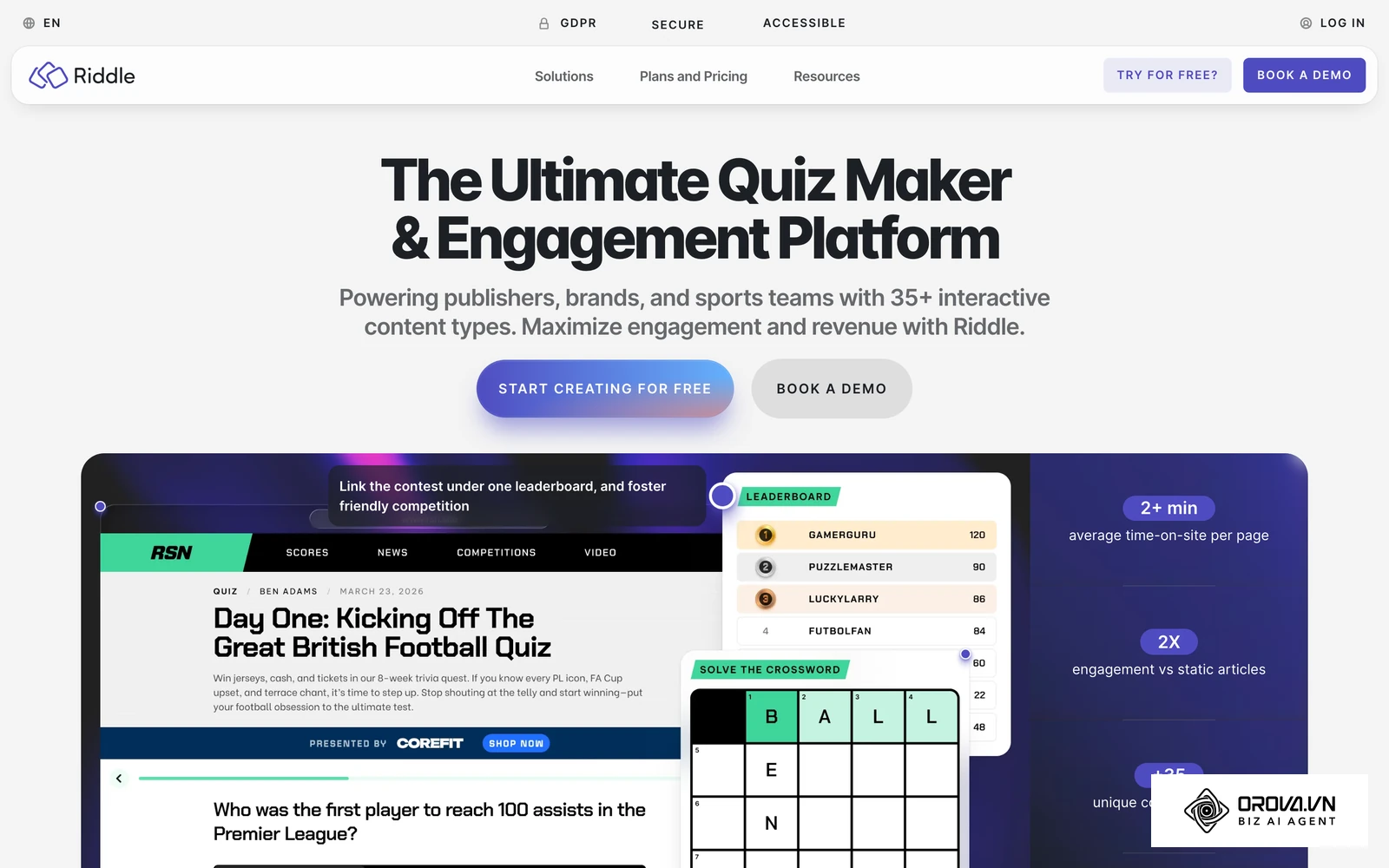
Its core value proposition is peace of mind for legal and compliance teams. Marketers can build engaging content without worrying about violating strict privacy frameworks. It is best suited for mid-market European companies, healthcare organizations, or any brand operating in a highly regulated industry.
To launch a secure data collection campaign:
- Create a standard assessment and utilize the built-in image search to find royalty-free assets directly within the builder.
- Set up the lead generation form at the end of the flow, utilizing Riddle's native double opt-in feature to ensure strict compliance.
- Configure a webhook to push the collected data to your own systems.
Trade-off to check: If you rely on a niche CRM without a ready-made connector, plan for webhooks and some custom development to move your data, which adds deployment time.
LeadQuizzes
LeadQuizzes is built specifically for speed, allowing entrepreneurs and agencies to spin up lead capture funnels in minutes. It focuses on the core mechanics of offering a free assessment in exchange for an email address.
The platform provides value through its simplicity and its robust split-testing capabilities. You can easily duplicate a campaign, change the headline, and let the software tell you which version converts better. It is highly popular among solo founders and digital marketing agencies who need to launch multiple client campaigns weekly.
To set up a split-tested campaign:
- Import a basic lead capture template and customize the branding to match your client's website.
- Use the A/B testing feature to create a variant of the initial hook question to see which drives higher engagement.
- Embed the final product using a simple iframe code or run it as a standalone landing page hosted on their servers.
Trade-off to check: The simplicity that makes LeadQuizzes fast also limits design. If you need bespoke CSS styling or multi-step animations, test that during the trial before you commit.
For example: Consider a marketing agency handling lead generation for a regional real estate firm. They mapped out a complex "Which neighborhood fits your budget?" flow. First, they built the logic branching perfectly. Next, they attempted to route the captured emails to a proprietary real estate CRM. The hurdle was the sheer cost of third-party API connectors when the campaign went viral, hitting task limits instantly and generating a massive invoice. The visible result was a forced migration to a platform with native webhooks, which stabilized the data flow and eliminated the API connector invoices entirely.
If you run internal training, Orova Training lets you build courses with AI, run online quizzes that AI grades (with manual score edits), and award certificates automatically when learners pass. You can track each person's progress and export to SCORM 1.2.
Best online quiz maker platforms for schools and teachers
Educators have entirely different requirements than marketers. They need tools that handle large groups simultaneously, prevent cheating, and provide instant performance metrics.
In a classroom setting, engagement is just as important as the assessment itself. These platforms often incorporate heavy gamification elements, leaderboards, and timed responses to keep students actively participating.
Kahoot!
Kahoot! popularized the concept of the live, gamified classroom assessment. It turns a standard review session into a high-energy game show, complete with catchy music and real-time competitive leaderboards.
The value of Kahoot! lies in its ability to instantly capture the attention of a room. Students use their own devices as controllers to answer questions projected on a main screen. It is universally loved in K-12 environments for Friday review sessions and breaking up long lectures with bursts of interactivity.
To host your first live review game:
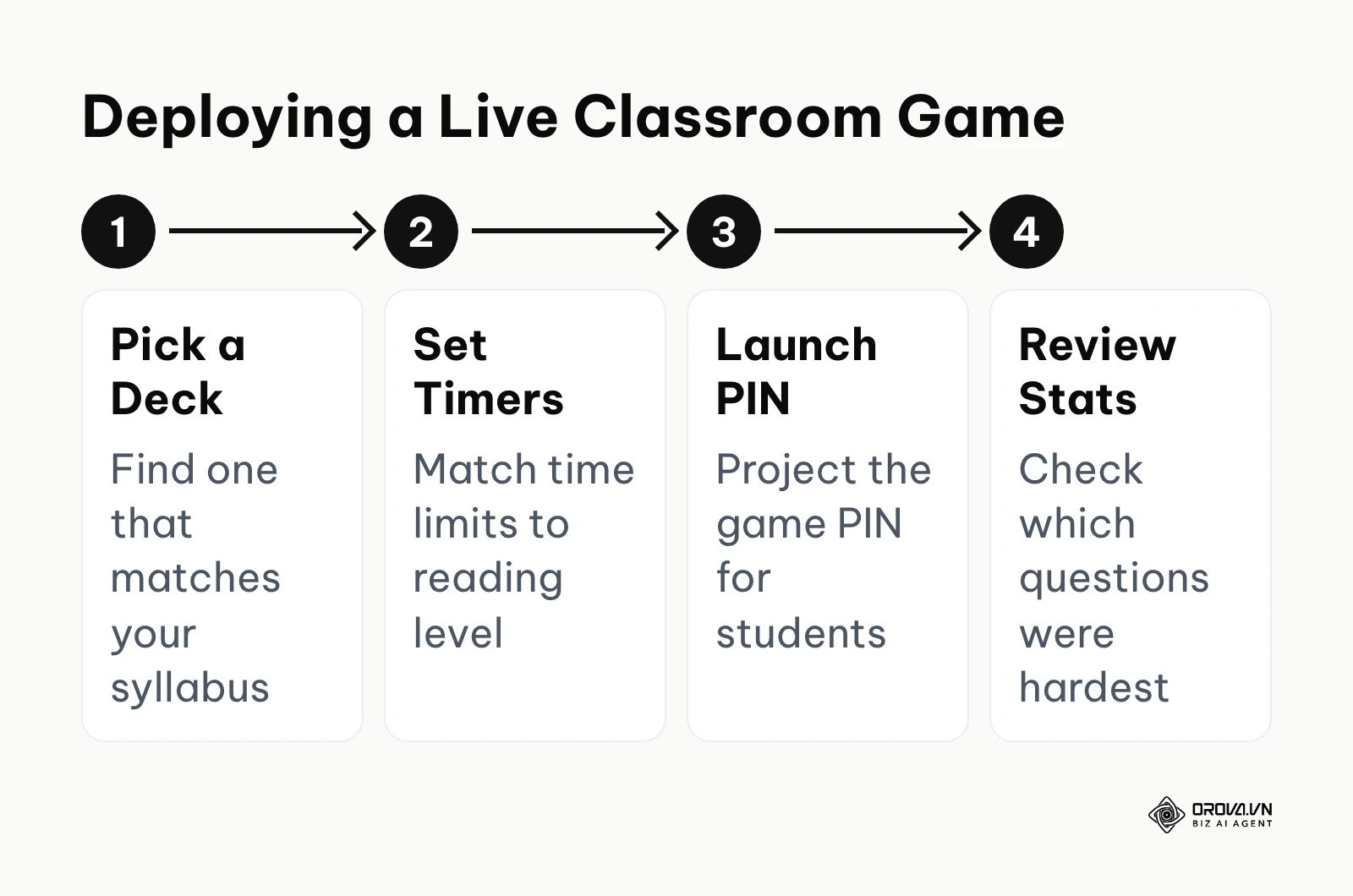
- Create an account and search the massive public library for a pre-made deck matching your current syllabus topic.
- Edit the deck to ensure the time limit per question is appropriate for your students' reading level.
- Click "Play" to generate a unique PIN, project it on your smartboard, and instruct students to join via their mobile browsers.
Trade-off to check: Some question types and features sit in paid tiers, so confirm your plan covers what you need. Speed-based scoring can also push students to guess rather than read carefully, which matters if you want an accurate read on what they learned.
Wayground (formerly Quizizz)
Wayground, the platform previously known as Quizizz, offers a slightly more subdued, student-paced alternative to the chaotic live environment of its competitors. While it still features gamification, students see both the questions and the answers on their own screens and progress at their own speed.
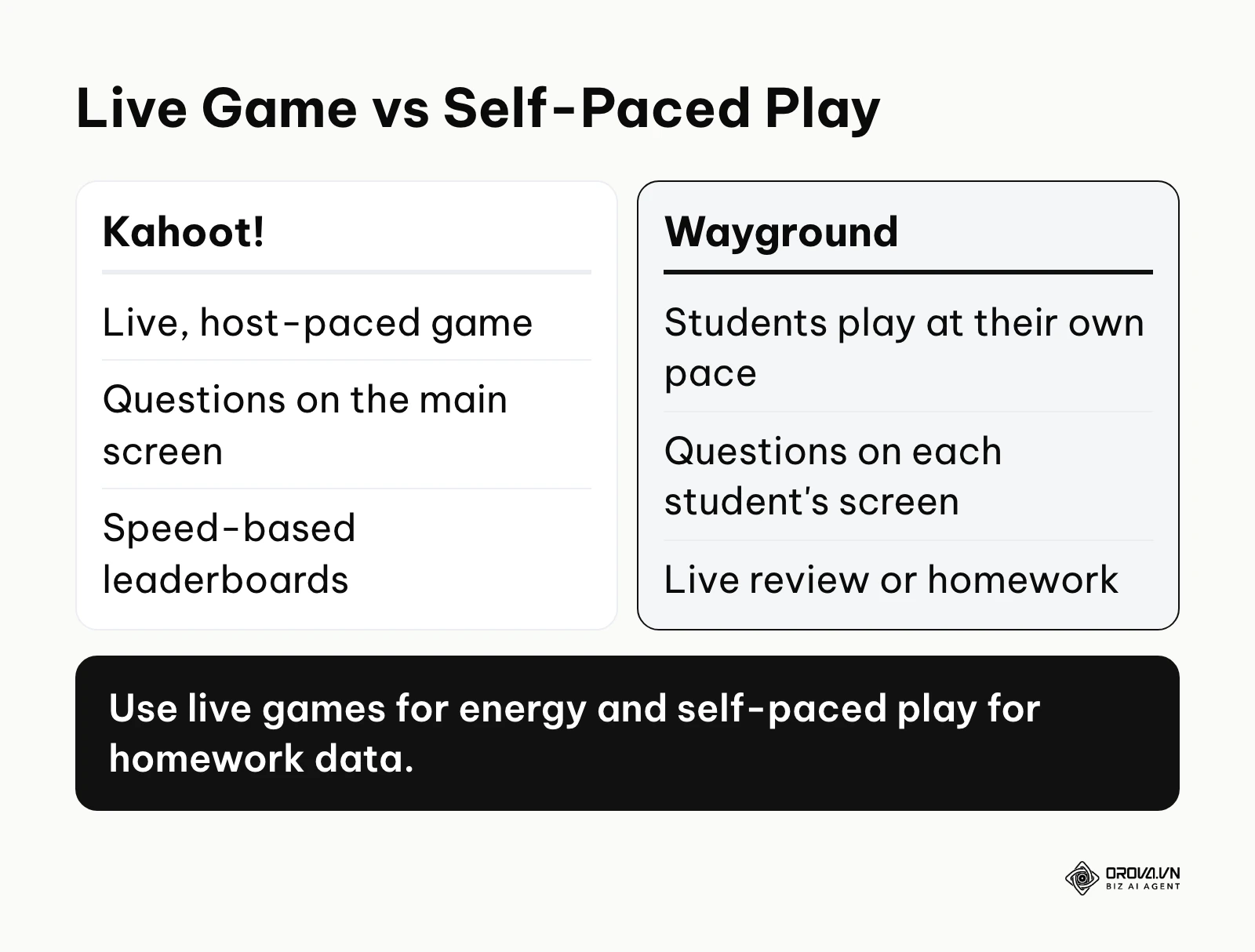
The primary value is its flexibility. It works exceptionally well for both live in-class reviews and asynchronous homework assignments. Teachers receive detailed reports highlighting exactly which concepts the class struggled with as a whole. This makes it an ideal tool for middle and high school educators who need actionable data to guide their next lesson plan.
To assign asynchronous homework:
- Draft your questions, utilizing the built-in math equation editor if you are teaching STEM subjects.
- Select the "Assign as Homework" option, setting a strict deadline for completion.
- Review the dashboard the next morning to identify the exact questions that had the lowest correct response rate across the class.
Trade-off to check: Playful extras such as memes and power-ups can distract younger students or those who struggle to focus, so review the game settings before class and switch off what you do not need.
Blooket
Blooket takes gamification to the extreme by embedding standard multiple-choice questions inside actual arcade-style video games. Students answer questions to earn currency, which they then use to build defenses, collect digital pets, or sabotage classmates.
Its value is undeniable when dealing with highly disengaged students. By masking the assessment behind compelling game loops, students willingly answer dozens of questions repeatedly without complaint. It is best suited for late elementary and middle school classrooms where traditional review methods fail to hold attention.
To launch an arcade review session:
- Import a standard question set, ideally one with at least 30 items to prevent excessive repetition.
- Select a game mode, such as "Tower Defense" or "Gold Quest," which dictates how the students will interact with the material.
- Monitor the live dashboard to ensure students are actually answering correctly and not just focusing entirely on the game strategy.
Trade-off to check: Blooket leans heavily into the game. Students who answer poorly can still win through luck or sabotage features, so use it for review and engagement rather than for graded, summative assessment.
Socrative
Socrative is the utilitarian workhorse of the educational assessment world. It strips away the colorful mascots and distracting music to focus entirely on clean, efficient formative assessment and instant data gathering.
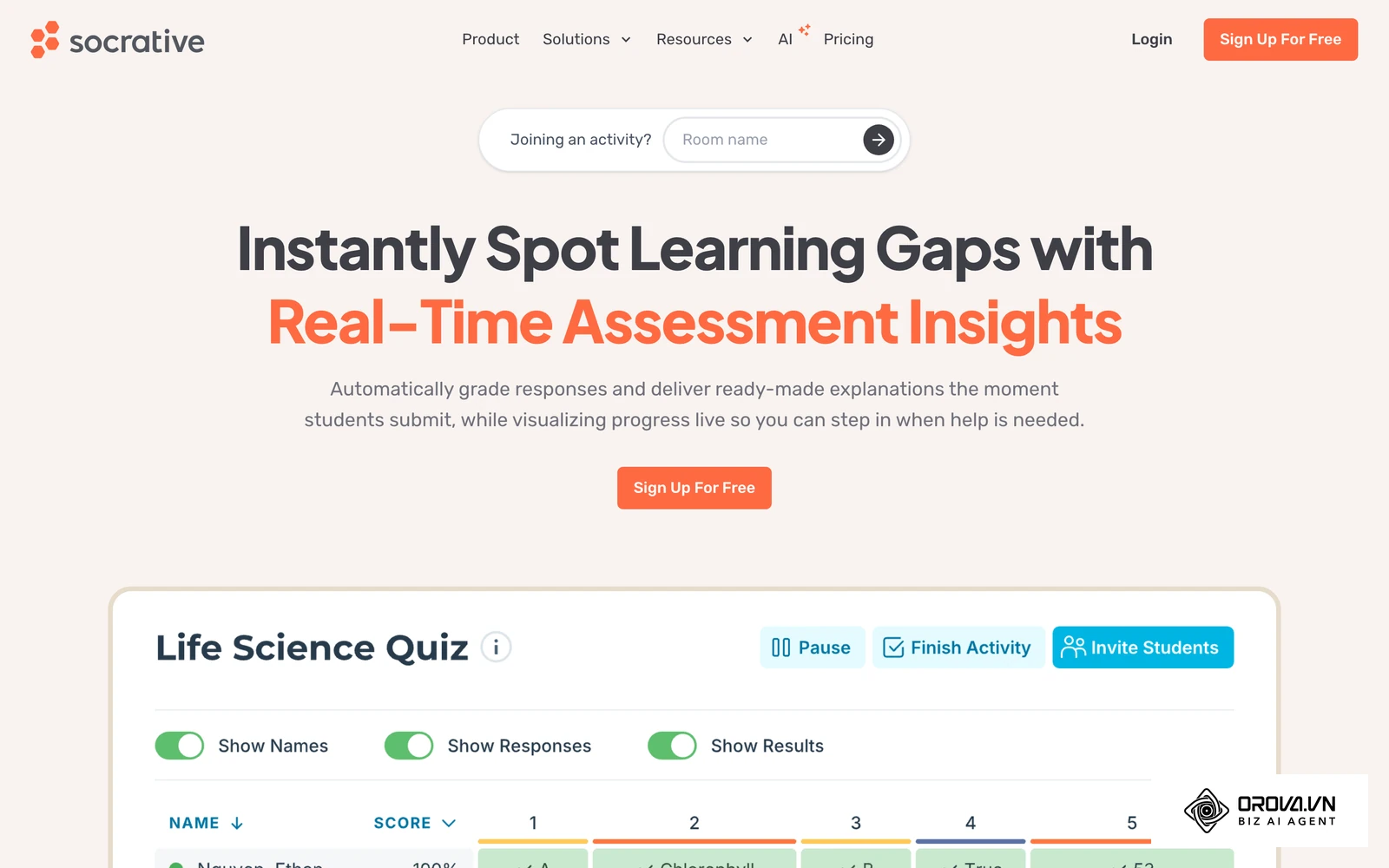
The value of Socrative is its sheer reliability and professional interface. Teachers can launch quick polls, exit tickets, or full exams in seconds, receiving a cleanly formatted spreadsheet of results instantly. It is highly favored in higher education environments, university lecture halls, and serious high school prep courses.
To run a quick exit ticket:
- Log into your teacher dashboard and launch the pre-built "Exit Ticket" activity during the last five minutes of class.
- Instruct students to join your static "Room Name," which never changes, making it easy for them to connect daily.
- Watch the live results grid populate on your screen, allowing you to instantly see who grasped the day's concept.
Trade-off to check: The interface is deliberately plain. Older students tend to be fine with that, but younger classes used to game-style tools may find it less engaging.
Formative
Formative is a powerhouse for detailed, real-time student tracking. It allows teachers to watch students type their answers, draw diagrams, or upload audio responses live, providing intervention opportunities before the student even hits submit.
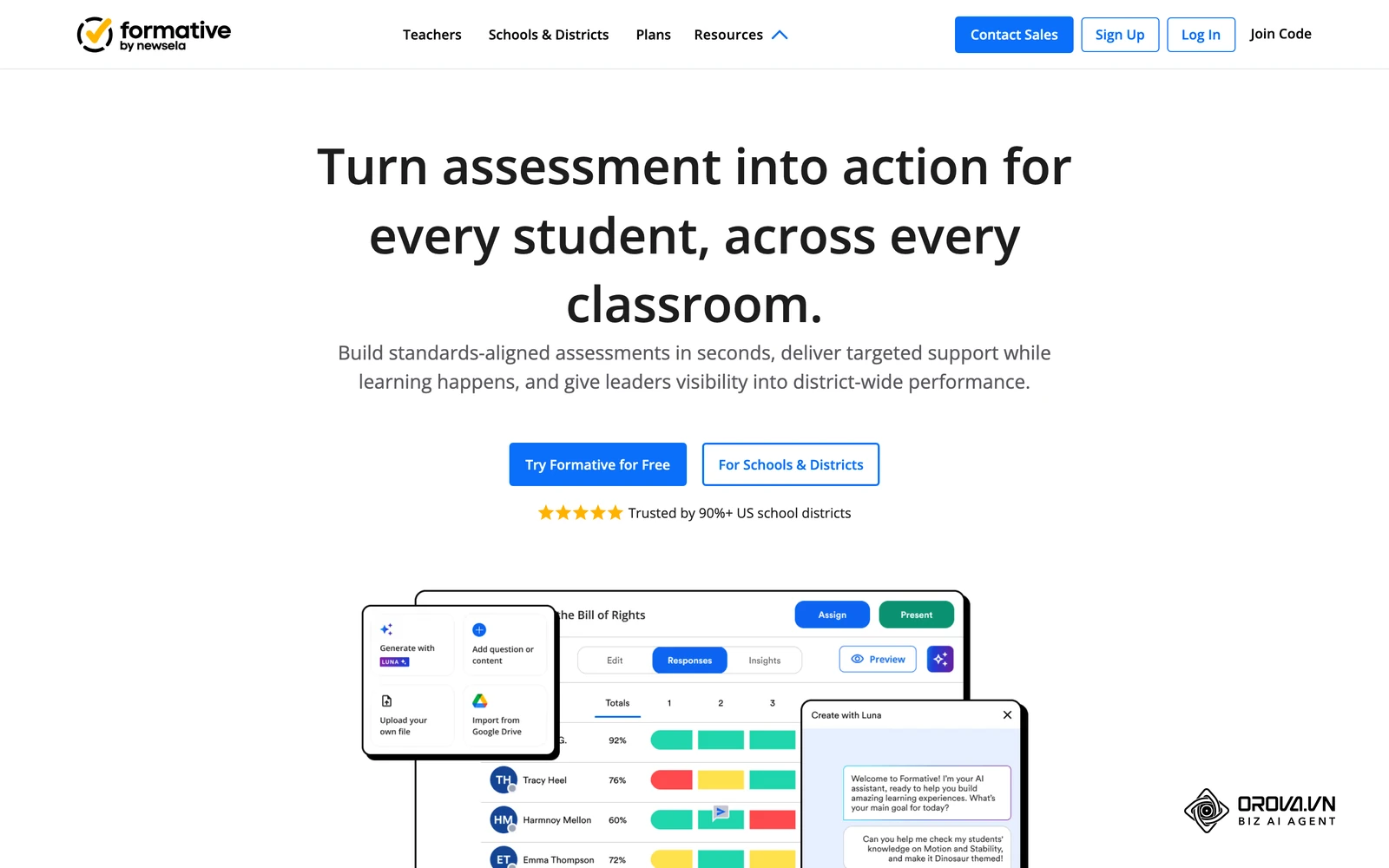
The core value is the depth of insight it provides. You can upload an existing PDF worksheet, click on specific areas to add input fields, and instantly transform a static document into a trackable digital assignment. It is an essential tool for schools implementing strict data-driven instruction and complex grading rubrics.
To digitize an existing worksheet:
- Upload your legacy PDF document into the builder interface.
- Click anywhere on the document to overlay an interactive block, such as a short answer text box or a graphing tool.
- Assign a point value and a specific grading rubric to each block, allowing the system to auto-grade the simpler inputs.
Trade-off to check: Building detailed, auto-graded rubrics takes setup time, and the product leans toward school and district rollouts. If you only want a quick five-question poll, a lighter tool may serve you better.
For example: Imagine a high school history teacher managing 30 students. They deployed a colorful, fast-paced gamified tool for a Friday review session. First, they loaded the historical dates. Second, they projected the PIN on the board. The hurdle became apparent when students simply mashed colored buttons on their phones to answer as fast as possible, prioritizing speed over actually reading the historical context. The visible result was the teacher shifting to a platform that requires typed short answers; this resulted in a quieter room, but significantly higher retention scores on the actual state standardized exam.
Best online quiz maker tools for internal training and HR
Corporate training requires entirely different infrastructure. HR departments are not looking for lead generation or arcade games; they need secure environments to certify employees, track compliance hours, and integrate with massive enterprise systems.
These tools must support industry standards like SCORM and provide rigorous reporting to satisfy legal audits. If you are not sure whether you need a full platform, start with what a learning management system does and how it differs from a standalone quiz tool. When planning your elearning authoring tools stack, security and scalability are the primary concerns, and onboarding is usually the first use case, so tie your quizzes to your new hire training plan early. Orova Training, Orova's own module, also runs AI-graded online quizzes inside its courses.
iSpring Suite
iSpring Suite operates on a unique philosophy by integrating directly into Microsoft PowerPoint. It transforms the familiar presentation software into a robust elearning authoring tool, allowing corporate trainers to leverage their existing slide decks.
The value proposition is the non-existent learning curve for anyone familiar with Microsoft Office. You build your slides, add interactive quiz layers via the iSpring ribbon tab, and publish the entire package securely. It is a favorite among traditional corporate training departments that have massive archives of legacy PowerPoint material.
To convert a legacy slide deck:
- Open your existing PowerPoint presentation and navigate to the newly installed iSpring suite tab.
- Insert a quiz between your informational slides to test retention immediately after a concept is introduced.
- Publish the file, selecting the specific SCORM standard required by your company's Learning Management System.
Trade-off to check: The desktop authoring tool runs as a PowerPoint add-in on Windows. If your team works on macOS or wants fully browser-based collaboration, check how authoring would fit your workflow.
Articulate 360
Articulate 360, specifically its Storyline application, is one of the most widely used tools for complex, highly interactive corporate elearning. It functions more like a professional video game engine or advanced animation software than a simple quiz builder.
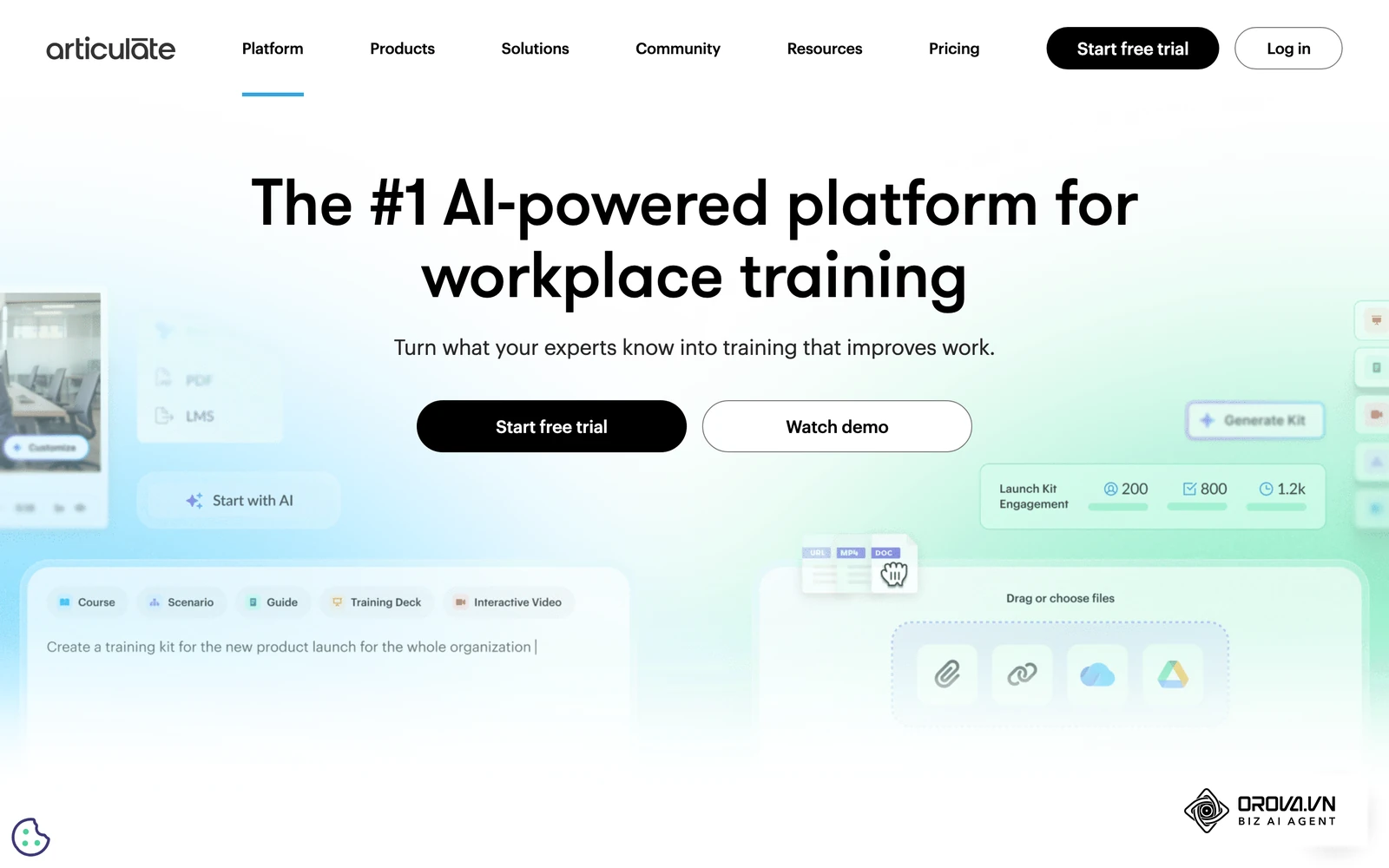
Its immense value comes from limitless customization. Instructional designers can build branching scenarios, drag-and-drop simulations, and custom variable triggers that react to every mouse click an employee makes. It is the mandatory tool for massive enterprises creating high-budget compliance and safety training modules.
To build an interactive compliance simulation:
- Open a blank workspace and utilize the timeline editor to synchronize character animations with imported voiceover audio.
- Build custom trigger states, ensuring a "Next" button only appears after the employee has clicked every required safety protocol on the screen.
- Set up complex variable tracking to ensure the final assessment adapts its difficulty based on the choices made during the simulation.
Trade-off to check: Articulate 360 is licensed per seat, and Storyline has a steep learning curve. Most organizations get the best results with trained instructional designers at the controls rather than a busy HR generalist.
ProProfs Quiz Maker
ProProfs is a veteran in the SaaS testing space, focusing heavily on providing ready-to-use compliance and HR templates. It aims to be the fastest way to get a standard sexual harassment or workplace safety quiz deployed to a small team.
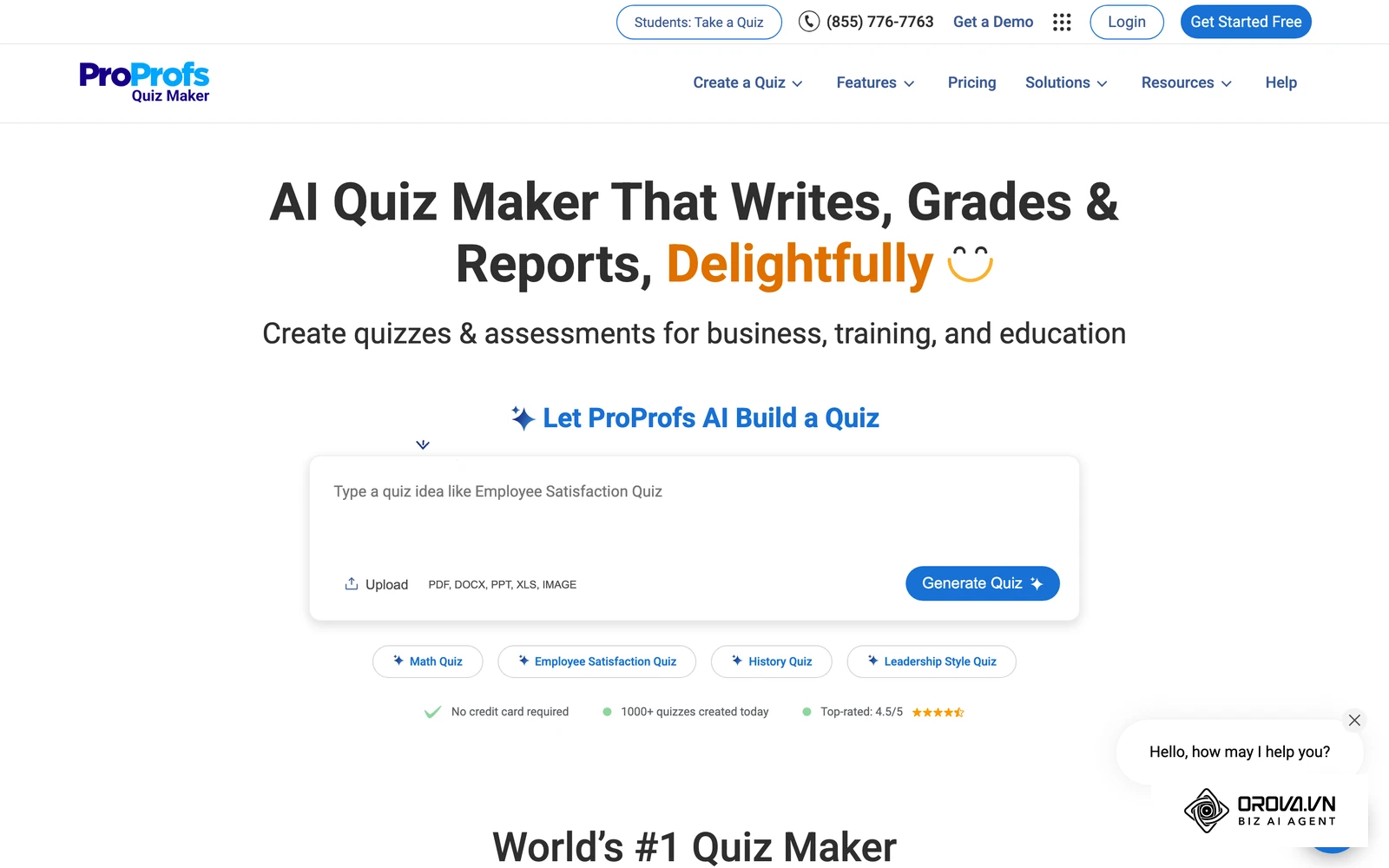
The platform's value is its massive public library of pre-written questions and its straightforward certification engine. It handles the basics of grading, emailing results, and issuing digital certificates without any unnecessary complexity. It serves well for small businesses that simply need to check a compliance box quickly.
To deploy a standard compliance test:
- Search the template library for your specific required topic, such as "Fire Safety Basics".
- Brand the template with your company logo and customize the passing score threshold to meet local regulatory requirements.
- Import your employee email list and utilize the bulk-send feature to distribute unique tracking links to your staff.
Trade-off to check: The admin area packs in a lot of options, so it can feel busy at first. Build one real quiz during the trial to see whether the workflow suits your team.
Docebo
Docebo is not just an authoring tool; it is a massive, enterprise-grade Learning Management System that includes robust assessment capabilities. It is designed to manage the entire lifecycle of corporate education, from onboarding to continuous leadership development.
Its primary value is deep enterprise integration. Docebo can sync directly with tools like Salesforce and Workday, ensuring that training records are tied directly to an employee's HR profile. It is built strictly for massive, global corporations managing thousands of learners across multiple time zones.
To configure an enterprise learning path:
- Work with their implementation team to map your existing HR database to the Docebo user hierarchy.
- Upload your existing SCORM packages or utilize the built-in authoring tools to create new assessments.
- Set up automated enrollment rules so that when a user's title changes in your HR software, they are instantly assigned the relevant new management quizzes.
Trade-off to check: Docebo is a full enterprise LMS. Rollouts usually involve IT and project planning, so it is a heavy choice if you only need to run simple tests.
Example scenario: imagine a corporate HR manager tasked with deploying annual compliance training for 200 retail employees. They built a beautiful module in a heavy desktop authoring tool. First, they designed the slides. Next, they exported a massive SCORM file to their legacy LMS. The hurdle? A simple typo in the compliance policy required opening the desktop file, republishing the entire package, and re-uploading a 500MB zip file, which subsequently broke the bookmarking for users halfway through the course. The visible result was migrating to a cloud-native platform where text edits update live instantly across all branches, saving hours of administrative downtime.
Want quizzes and courses in one place? With Orova Training, you can create AI lessons, slides and podcasts, host a live ranked quiz room, assign courses by person or group, and work in a 9-language interface. Sign up and start free until July 7, 2027.
How to choose the right platform and avoid vendor lock-in
Selecting the correct platform requires understanding that no single tool excels at marketing, education, and HR simultaneously. Attempting to force an educational tool to handle secure HR compliance will result in data leaks and frustration.
When evaluating your options, you must look beyond the initial monthly subscription price. The true cost of these platforms often lies in API connector fees, per-seat licensing, and the time required to migrate data if you decide to leave the ecosystem.
The minimum viable stack based on your scale
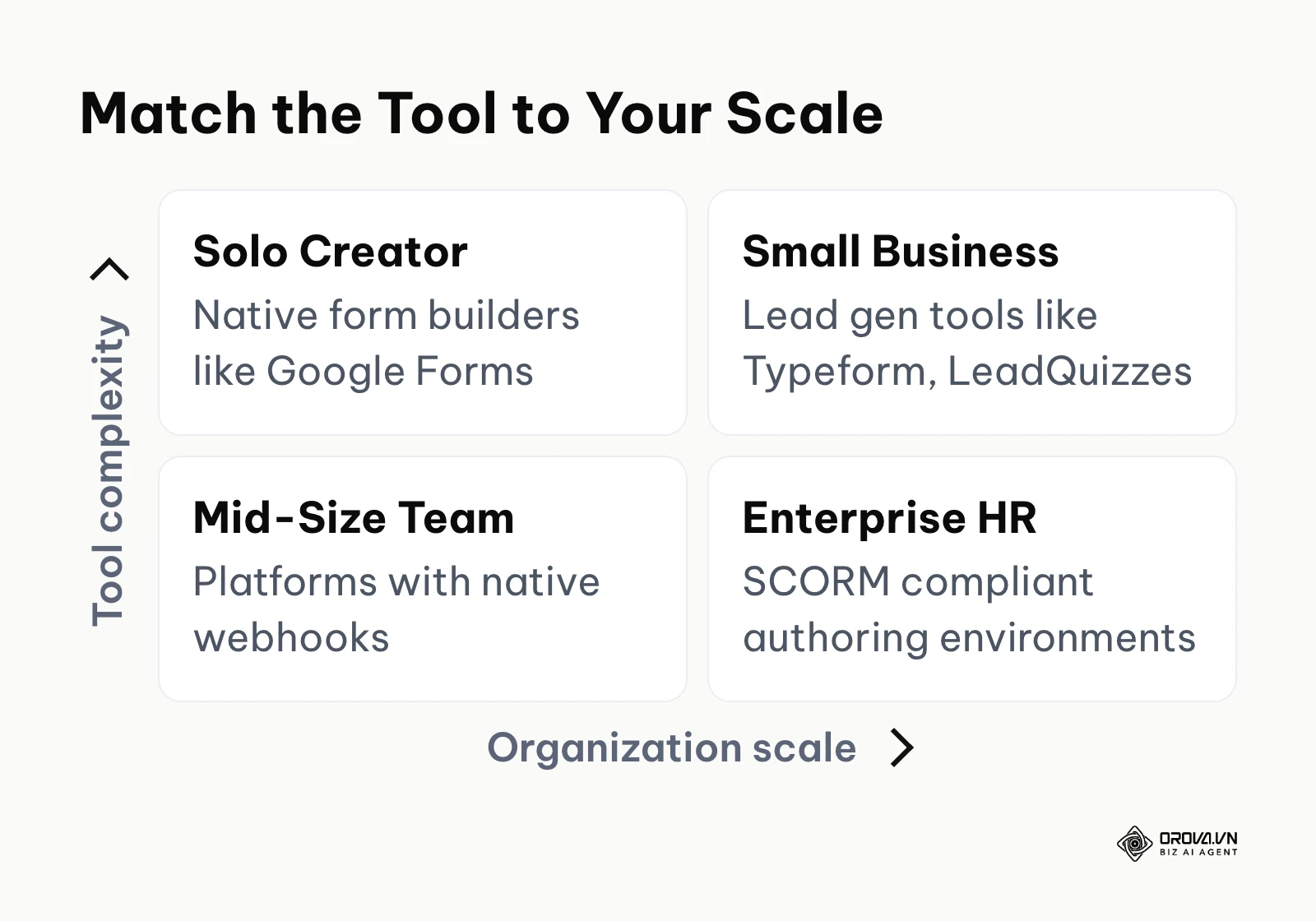
Do not overbuy features you will never use. The table below outlines the recommended approach based on the size and maturity of your organization.
| Your Organization Scale | Recommended Approach | Why this avoids common traps |
|---|---|---|
| Solo Creator / Freelancer | Native form builders (Google Forms) | Avoids recurring monthly subscriptions before revenue is validated. |
| Small Business (1-10) | Dedicated lead gen tools (Typeform, LeadQuizzes) | Focuses entirely on capturing contact info without complex LMS features. |
| Mid-Size Team / Agency | Platforms with native Webhooks | Eliminates exorbitant third-party API costs when campaigns scale rapidly. |
| Enterprise / Corporate HR | SCORM compliant authoring environments | Ensures your content can move to a new LMS if vendor pricing changes. |
A common trap is the "per-seat" pricing model enforced by many enterprise tools. If you have a team of five instructional designers who only need to log in occasionally, you might be forced to pay thousands of dollars for licenses that sit idle most of the month. Always negotiate shared admin accounts or usage-based billing when dealing with enterprise vendors.
10 Data Privacy Requirements Checklist (GDPR/HIPAA/CCPA)
If you are collecting personal information, health data, or employee records, your assessment tool becomes a massive liability. Under the EU General Data Protection Regulation (GDPR), you need a clear lawful basis, such as documented consent, before collecting personal data through an assessment. Never deploy a tool before verifying these ten critical IT security requirements.
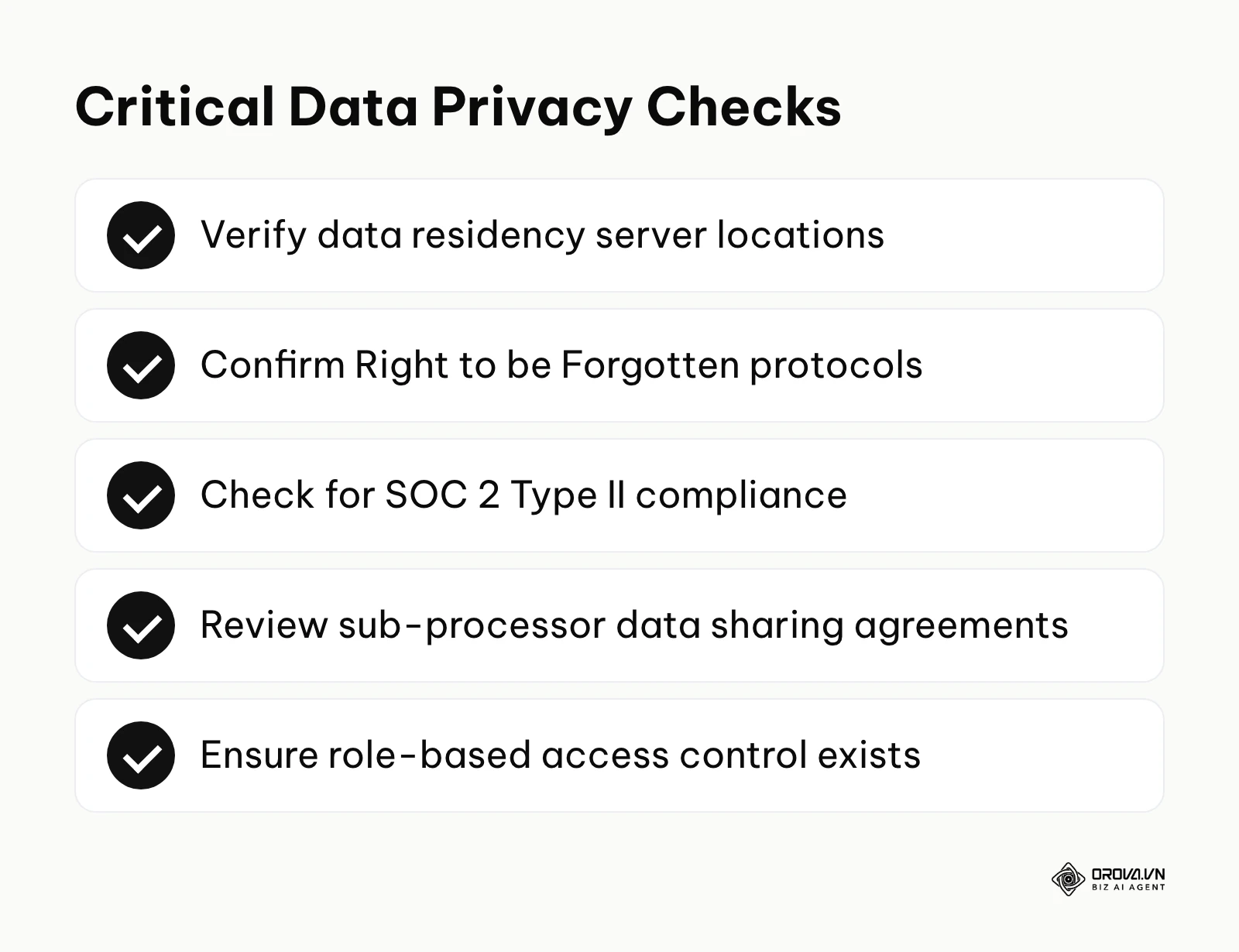
- Data Residency Limits: Can you guarantee that European user data is processed and stored exclusively on servers located within the EU?
- Right to be Forgotten: Does the platform offer a one-click protocol to permanently purge a specific user's quiz history and contact data upon request?
- Data Encryption Standard: Is all user data encrypted both in transit (TLS 1.2+) and at rest (AES-256)?
- Sub-processor Transparency: Does the vendor publish a clear, updated list of third-party services that will have access to your raw data?
- Cookie Consent Integration: Can the builder interface seamlessly inherit your website's native cookie consent banners before dropping tracking pixels?
- Role-Based Access Control (RBAC): Can you restrict junior staff from downloading the raw CSV files of user responses while still allowing them to edit questions?
- Anonymization Protocols: Does the tool allow you to strip personally identifiable information (PII) from the analytics dashboard to view aggregate trends safely?
- Data Retention Policies: Can you set the system to automatically delete raw assessment data after a rolling 90-day period?
- SOC 2 Type II Certification: Has the vendor undergone an independent security audit verifying their operational security practices?
- HIPAA Compliance (If applicable): Will the vendor sign a Business Associate Agreement (BAA) if you are collecting medical intake information?
Where online quiz makers are heading in the next few years: the author's take
I think AI will shift from writing questions to adaptive scoring. Currently, the most prominent use of AI in testing platforms is generating banks of questions from uploaded PDFs. However, as of 2026, I think the real value will shift toward adaptive difficulty. Instead of a static 20-question test, the AI will analyze a user's hesitation time and previous answers to dynamically alter the next question. If a student struggles with basic algebra, the system will instantly pivot to foundational questions rather than pushing them into advanced calculus and causing frustration. You should prepare your organization by moving away from rigid, linear curriculum planning.
My read is that standalone quiz platforms will turn into API infrastructure. I believe that within a few years, marketing teams will no longer log into a separate SaaS dashboard to build forms. Instead, assessment logic will be managed via headless CMS systems. The "quiz" will simply be a set of API calls rendered natively within a company's custom mobile app or website. This eliminates the page speed issues caused by heavy iframe embeds. Marketing teams should begin prioritizing tools that offer robust REST APIs over those that only offer visual drag-and-drop builders.
I expect anti-cheating to lean on behavioral signals. Traditional proctoring software—which locks down browsers and records webcams—is highly intrusive and easily bypassed by secondary devices. I lean toward a future where platforms ensure integrity through behavioral biometrics. The software will analyze typing cadence, mouse movement patterns, and interaction speed to verify identity continuously. If the typing rhythm suddenly changes during a high-stakes exam, the system will flag the session for review. HR and compliance officers must start evaluating vendors based on these passive security features rather than relying on invasive camera monitoring.
Frequently asked questions about online quiz makers
How to embed a quiz in WordPress without ruining PageSpeed?
Avoid relying on the standard JavaScript embed codes provided by most vendors, as they load heavy external libraries that block your main thread. Instead, utilize iframe lazy loading, or better yet, use a tool that connects via a native REST API to render the questions using your own lightweight CSS. If you must use an iframe, ensure it only loads after the user interacts with a "Start" button.
How to export data to a CRM securely without paying for Zapier?
The most cost-effective method is to choose a platform that supports native webhooks. A webhook allows the assessment tool to push a data payload directly to your CRM's receiving URL the instant a user hits submit. This bypasses the need for expensive middleware and reduces latency. You will need basic developer support to format the JSON payload correctly.
Which platform has the best anti-cheating features for serious exams?
For high-stakes academic or certification environments, you need tools that offer a dedicated lockdown browser. This prevents users from opening new tabs, using keyboard shortcuts, or capturing screenshots. Additionally, the platform must support randomized question pulling from a massive master bank, ensuring that no two users ever see the exact same exam sequence.
What is the role of AI in an assessment tool today?
Beyond simply generating multiple-choice text, advanced AI is now used to provide instant, conversational feedback. If a user selects the wrong answer, the AI can read the specific context of their mistake and generate a custom paragraph explaining why it is wrong, rather than just flashing a red "X". It is also increasingly used to grade open-ended, short-essay responses, although a person should still review those scores.
Can I create a free interactive quiz maker setup without subscriptions?
Yes, but it requires technical assembly. You can combine Google Forms with custom Google Apps Script to handle logic routing and automated email replies. Alternatively, if you host a WordPress site, you can install the open-source H5P plugin, which allows you to build highly interactive, branching video assessments entirely for free, provided you manage your own server hosting.
Where to start with your first assessment?
Do not let the sheer volume of software features paralyze your deployment. The most common mistake is spending weeks evaluating software before ever writing a single question. Your initial step depends entirely on your immediate bottleneck.
If you are a marketer with zero budget mapping a new funnel: Close your laptop and map the logic tree on a physical whiteboard first. Define the exact three outcomes you want users to reach before you even look at a software interface. Once the logical flow is solid on paper, you can confidently build it in a free trial version of any tool in a single afternoon.
If you are a teacher needing instant engagement for tomorrow's class: Do not attempt to build an interactive curriculum from scratch. Log into a gamified platform, search the public library for a highly-rated template covering your exact topic, and run it as a pilot test. Quick feedback helps students remember material, as long as the game mechanics do not overshadow the thinking the task requires. Observe how your students interact with the mechanics before committing to a paid tier.
If you are an HR manager tired of manual grading and lost paperwork: Take your most critical, frequently used PDF compliance manual. Upload it into an AI-driven authoring environment and allow the system to generate a 10-question pilot test automatically. Export this pilot test as a SCORM package and upload it to your existing LMS. This single-afternoon exercise will prove the concept of automated certification to your stakeholders without requiring a massive budget approval. Packaging content in a standard format such as SCORM is what keeps it portable across corporate systems, so test that portability right away.
About the author

Builder of Orova
Nguyễn Đỗ Trọng Ân has 8 years of experience in marketing, including 6 years managing market development across Asia. He builds Orova, a Biz AI Agent that never sleeps: it plans, runs and optimizes work for businesses.
Run your business with AI Agents
Orova is the always-on Biz AI Agent — it plans, runs, and optimizes the work for you.
Save time, unlock productivity.