
Zalo OA management: advanced strategies for scalable operations

Zalo OA management is the work of running a business's Official Account on Zalo, Vietnam's home-grown messaging app, as a structured operation: clear reply rules, a written SOP, consistent tags, a CRM connection and tight access control. Foreign managers entering the Vietnamese market quickly learn that much of customer conversation happens on Zalo rather than email. However, operating a corporate account at scale is a completely different beast compared to using a personal chat app. Most companies struggle immensely during this transition because they treat their enterprise channel as just another chaotic inbox. This results in incredibly fragmented customer service, lost high-value leads, and severe broadcast penalties from the platform itself.
This is precisely where professional Zalo OA management becomes a critical operational requirement rather than an optional marketing tactic. If you are currently relying on native mobile apps without standard procedures, your team is likely drowning in untracked, unmeasured conversations. Furthermore, the lack of centralized control exposes your business to massive data security risks and customer churn. This in-depth guide gives you a practical framework to build standard operating procedures, implement highly effective smart tagging matrices, integrate seamlessly with your CRM, navigate the complex technical limitations of the Zalo API, and secure your proprietary data against both internal and external threats.
What is Zalo OA management?
Zalo OA (Official Account) management is the systematic, structured administration of a business's official presence on the Zalo network, encompassing customer service workflows, audience segmentation, broadcast strategy, and strict data security protocols. You implement this discipline to transform a basic messaging channel into a scalable, highly measurable revenue and retention engine.
To truly grasp this concept, you must stop comparing Zalo OA to a Facebook Page or a WhatsApp Business account. Zalo operates as a walled garden with highly specific rules governing how and when a brand can initiate contact with a user. Zalo OA management requires navigating these strict quotas, understanding the distinct difference between a "Follower" and an "Interacted User," and leveraging the platform's unique toolset—like the Menu bar, Articles, and ZNS (Zalo Notification Service).
This level of management matters most for marketing and customer support teams handling a steady daily flow of customer inquiries, or for organizations dealing with complex sales cycles that require multiple touchpoints spanning weeks or months. For e-commerce businesses, it is the central hub for post-purchase communication, upselling, and loyalty programs. For B2B enterprises, it serves as the secure, authenticated channel for sharing contracts, coordinating technical support, and nurturing long-term client relationships.
Conversely, you should generally not invest heavily in enterprise-grade Zalo OA infrastructure if your business operates exclusively outside of Vietnam, or if you manage a very low-volume, highly specialized B2B service where personal relationship building via individual Zalo accounts is legally compliant and sufficient for your operational needs. The core difference lies in transitioning from individual communication—which is siloed, unmeasurable, and poses a high flight risk if an employee leaves—to brand-level, trackable, and scalable engagement.
The Strategic Value of the "Verified Tick"
A core component of OA management is obtaining and keeping the account's verified status. Verification is not merely a vanity badge; according to Zalo's own OA pages, several features (including access to ZNS and some API capabilities) depend on the account's verification and service level. Check the current requirements on Zalo's official OA site rather than relying on older blog posts. Therefore, managing a Zalo OA inherently involves managing corporate compliance and ensuring that your business registration, brand trademarks, and platform adherence are constantly in perfect, updated alignment.
Preparation for Zalo OA management
You cannot simply register an account, hand the login credentials to a junior staff member, and expect scalable results. Proper preparation is the bedrock of establishing how to manage zalo oa effectively. If you skip these foundational steps, your operations will eventually hit a severe bottleneck regarding API limits, messaging quotas, or data compliance issues.
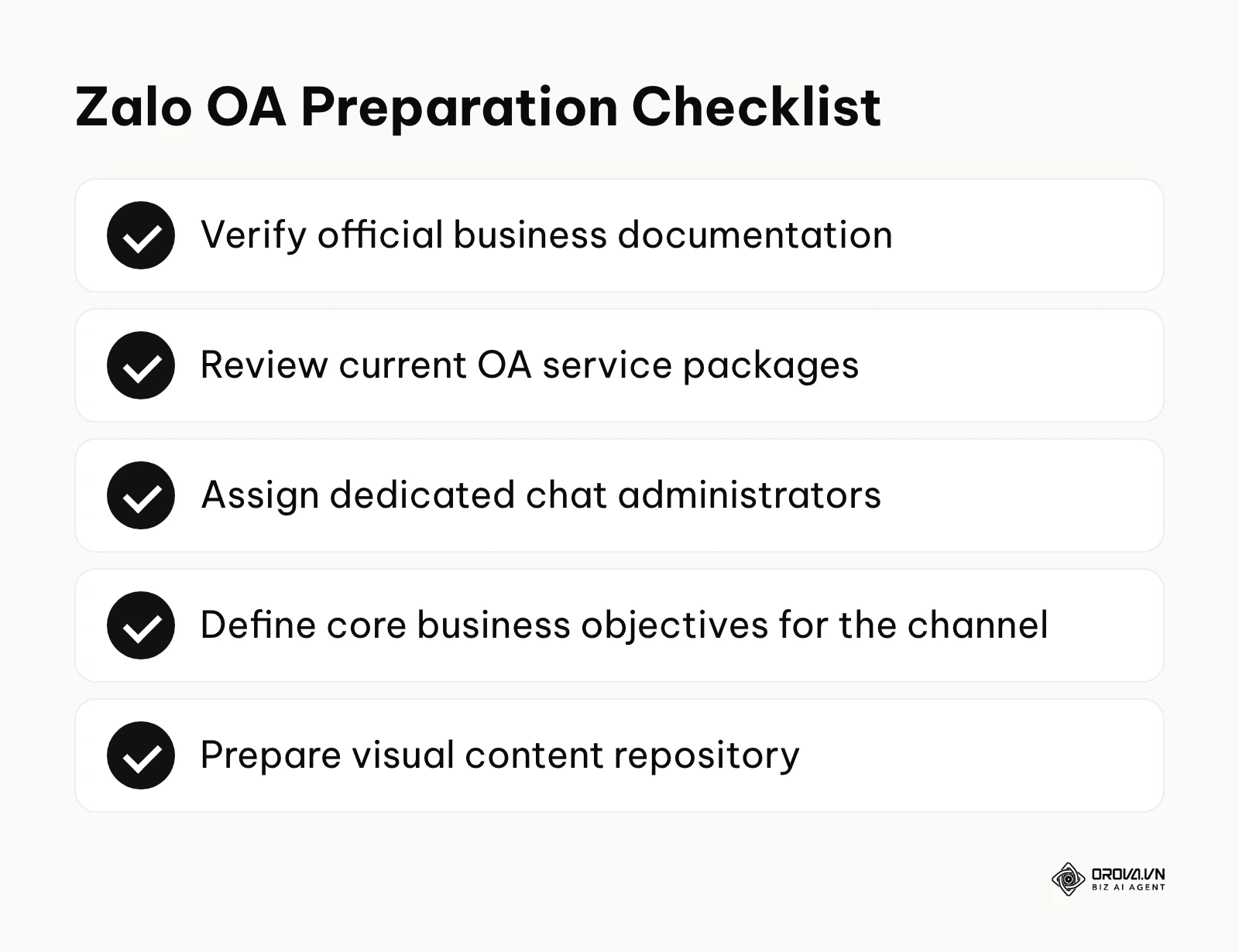
A verified Official Account is the sensible starting point for serious businesses, because verification and the account's service level determine which messaging and API features you can use. You must also define the operational budget up front. Zalo publishes its OA service packages and message pricing on its official pages and updates them over time, so read the current terms there before you commit to a messaging plan.
Deep Dive into Prerequisites and Resource Allocation
The preparation phase must be treated as an enterprise IT and Marketing project. It requires cross-departmental coordination.
| Preparation Item | Where to Source | Estimated Time Required | Critical Dependency |
|---|---|---|---|
| Business Registration & Trademark Documents | Internal Legal/Compliance Department | 1-2 Business Days | Must perfectly match the requested OA name to pass Zalo's strict moderation algorithms. |
| OA Service Package Review | Finance/Marketing Budget Allocation | 1 Week | Compare the packages listed on Zalo's official OA site against your messaging volume and API needs. |
| Dedicated Chat Administrators | Internal HR or Agency Partners | 2-4 Weeks | Requires personnel with high emotional intelligence, local cultural nuance, and high typing speed. |
| CRM API Credentials & Webhook Architecture | IT Department or CRM Vendor | 3-5 Business Days | Requires developers who understand REST APIs, Webhooks, and JSON payloads. |
| Standardized Visual Assets (Banners, Rich Menus) | Internal Design Team | 1 Week | Must adhere strictly to Zalo's specific aspect ratios to prevent pixelation on mobile screens. |
| Legal Review for Data Privacy (Decree 13) | Legal Counsel / Compliance Officer | 1-2 Weeks | Ensuring chat workflows comply with Vietnam's Personal Data Protection regulations regarding user consent. |
Choosing an OA service package
Zalo offers more than one OA service package, and the packages differ in how many proactive messages you can send, which features are unlocked and what API access you get. Package names, allowances and prices change, so treat any figure you read in a third-party article (including this one) as out of date and confirm the current package comparison on Zalo's official OA site. A practical way to choose:
- Estimate your volume first: how many followers you expect to message each month and how many conversations your team handles daily.
- List the features you truly need: CRM sync through the API, ZNS for transactional notifications, multiple administrators.
- Match, then review quarterly: pick the package that covers those needs and revisit the choice as volume grows.
Beyond the technical and financial prerequisites, preparing your human resources is paramount. You need personnel who understand both customer service etiquette and platform-specific limitations. When you scale your team to handle hundreds of daily messages, hiring the exact right talent becomes a make-or-break factor. You might want to refer to a comprehensive candidate screening framework to thoroughly evaluate your prospective customer service applicants before granting them access to your most valuable communication channel. They must understand that Zalo users expect a conversational yet highly respectful tone, often blending formal Vietnamese pronouns with rapid-fire digital shorthand.
Zalo OA management steps
Establishing a high-functioning enterprise chat operation requires a methodical approach. The transition from a chaotic shared inbox to a streamlined, CRM-driven machine does not happen overnight. The following steps outline the exact path from initial setup to advanced, data-driven automation.
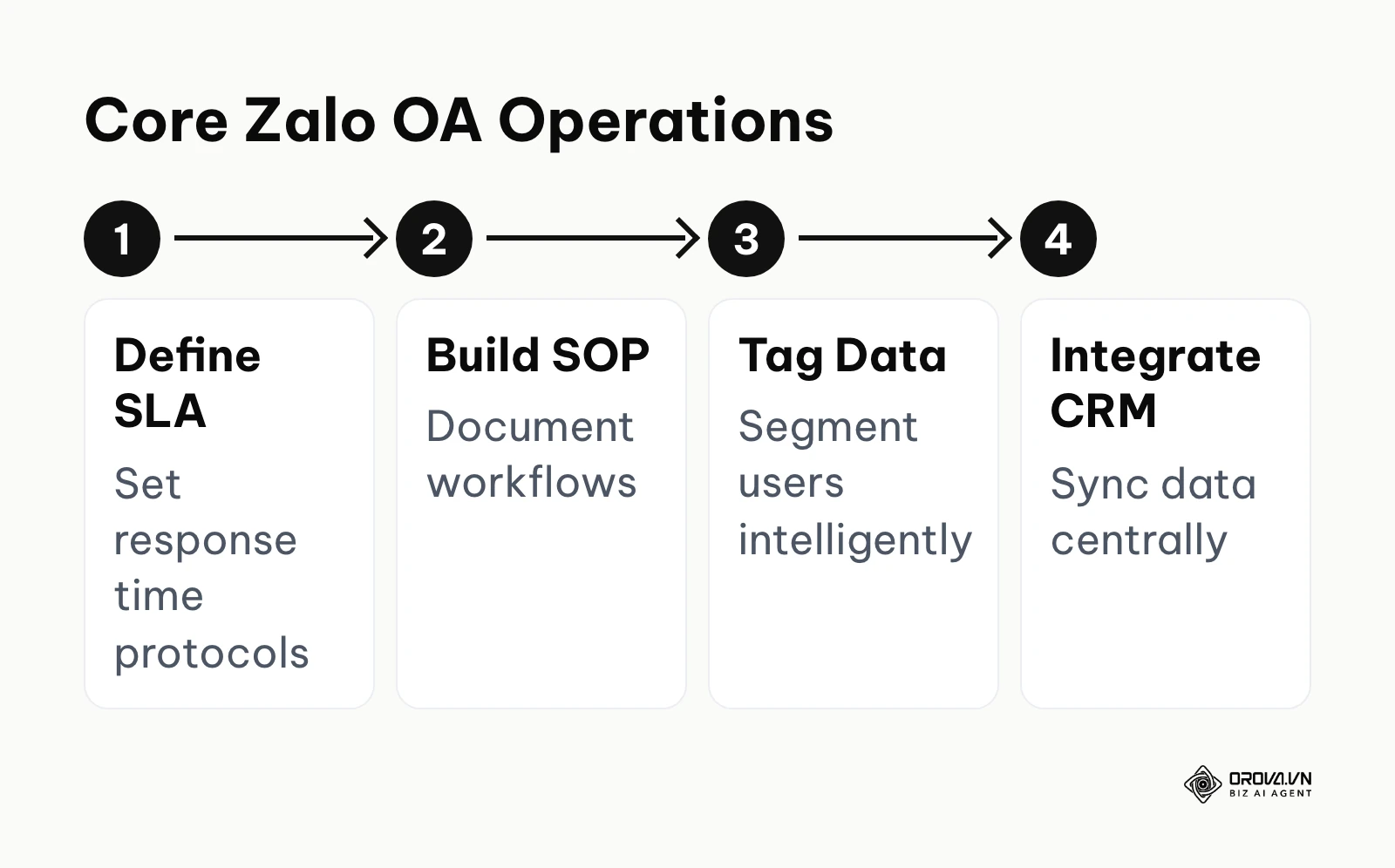
Step 1: Defining the SLA and response protocols
Service Level Agreements (SLAs) for chat channels dictate the maximum acceptable time a customer should wait for a reply. On messaging apps, user expectations are aggressively immediate. Customers who start a chat usually expect a reply within minutes, not hours.
To execute this, you must categorize your incoming inquiries. General product questions might require a strict 5-minute First Reply Time (FRT), while complex technical troubleshooting might allow for a 30-minute window. You configure the native auto-responder within the OA dashboard to immediately acknowledge receipt of the message, explicitly stating your operational hours and expected wait times.
Handling Out-of-Office Hours
A critical component of response protocols is managing off-hours. A customer messaging at 2:00 AM on a Sunday expects a different experience than one messaging at 10:00 AM on a Tuesday. Your auto-responder must dynamically adjust based on time logic.
- During Business Hours: "Hello, thank you for contacting [Brand Name]. An agent will be with you in approximately 3-5 minutes. How can we assist you today?"
- Outside Business Hours: "Hello, you have reached us outside of our normal operating hours (8:00 AM - 5:00 PM, Mon-Fri). We have received your message and will prioritize your request as soon as our team returns. If this is an urgent technical emergency, please call our 24/7 hotline at 1900-xxxx."
The clearest sign that you are doing this right is a sustained high Customer Satisfaction (CSAT) score and a near-zero chat abandonment rate. A very common error here is treating all incoming messages with the exact same urgency, which invariably causes your team to burn out while high-value sales inquiries get buried under basic FAQ requests.
Step 2: Setting up the standard operating procedure (SOP)
A comprehensive zalo oa customer service SOP is a documented, step-by-step workflow that every single customer service agent must follow without exception. It acts as the operational guardrail that prevents inconsistent brand voice, unauthorized discounts, and chaotic escalations.
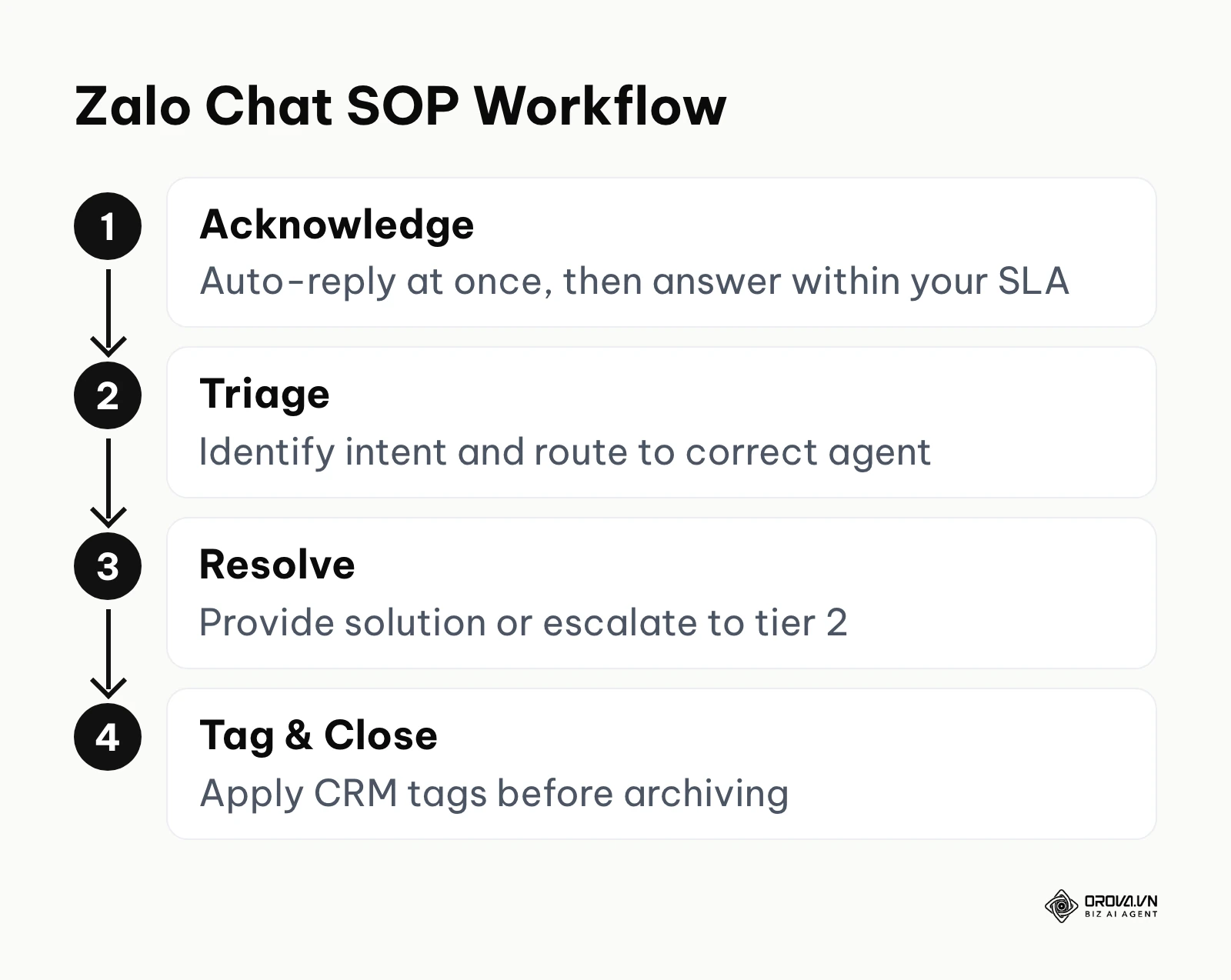
Start by mapping out the entire conversation lifecycle: Greeting, Intent Identification, Information Gathering, Resolution or Escalation, and finally, Closing. You must provide your team with scripted templates for the most common scenarios, but explicitly train them on when to break the script to show human empathy.
The Escalation Matrix
Your SOP must clearly define what an agent should do when they encounter a problem they cannot solve. Without a defined escalation matrix, difficult tickets sit unresolved in the inbox, damaging your brand's reputation.
| SOP Phase / Escalation Level | Action Required | Agent Script / Tool Used | Target Resolution Time |
|---|---|---|---|
| Phase 1: Triage (L1 Support) | Identify intent, answer basic FAQs, collect user ID | Quick replies, internal Knowledge Base | Under 5 minutes |
| Phase 2: Technical/Sales (L2) | Route complex issues to specialized department | CRM Ticket Reassignment / Internal Ping | Under 2 hours |
| Phase 3: Dispute/Crisis (L3) | Escalate to Management/PR due to severe complaint | "I am escalating this to our management team for immediate review." | Under 24 hours |
| Phase 4: Tag & Close | Apply mandatory CRM tags, log user sentiment | CRM Tagging Interface | Post-interaction immediately |
You will know your SOP is highly effective when new hires can reach full productivity within days rather than weeks, and when chat logs read like they were written by a single, highly professional persona. The most frequent mistake managers make is creating an SOP that is far too rigid, essentially turning their human agents into inflexible bots that frustrate customers with repetitive, unhelpful, copy-pasted responses. Empathy cannot be entirely scripted; the SOP should provide the skeleton, but the agent must provide the heartbeat.
Step 3: Implementing a smart tagging matrix
Tagging is the systematic categorization of users based on their explicit behavior, lifecycle stage, or demonstrated interests. Without a robust tagging matrix, your database is just a massive, useless list of anonymous phone numbers and alphanumeric Zalo IDs.
You must establish a strictly enforced taxonomy. Do not allow individual agents to create custom tags on the fly; this leads to disastrous database fragmentation (e.g., having tags for "VIP", "vip customer", and "V.I.P." that all mean the same thing but ruin your filtering capabilities). Create specific, tiered categories:
- Lifecycle Tags: Cold Lead, Marketing Qualified Lead (MQL), Sales Qualified Lead (SQL), Active Customer, Churned Customer.
- Product/Interest Tags: Software User, Hardware Buyer, Enterprise Consulting, Retail Shopper.
- Priority/Value Tags: High Value, Standard, Low Priority, Nuisance/Spam.
- Action-based Tags: Attended Webinar Q3, Downloaded Ebook, Abandoned Cart, Submitted Warranty Claim.
Enforce a strict rule within your workflow that no chat ticket can be closed or archived until at least two relevant tags are applied to the user's profile.
Illustrative example: Context: A marketing lead at a mid-size retail chain struggled with broadcast effectiveness, seeing very low open rates when messaging the entire follower base. Steps taken: The lead implemented a strict tagging matrix, creating three base tags (Cold Lead, Past Buyer, VIP) and trained the staff to apply them after every single interaction. Hurdles and solutions: Initially, staff constantly forgot to apply tags because it added manual clicks to their fast-paced workflow. The solution involved setting up a CRM rule that physically prevented a chat ticket from closing unless a tag was assigned, creating a hard stop in the UI. Visual result: The subsequent targeted broadcast, sent exclusively to the 'Past Buyer' segment promoting a complementary accessory, achieved a clearly higher open rate than their all-follower sends, and repeat purchases from that segment became visible on their monthly sales dashboard.
Step 4: Structuring broadcast campaigns by tags
Sending mass messages is regulated on the platform. Zalo limits how many proactive messages an OA can send, and the allowance depends on the account's service package and Zalo's current messaging policy. Structuring your broadcasts intelligently using the tags you created in Step 3 is the only way to generate ROI without getting banned.
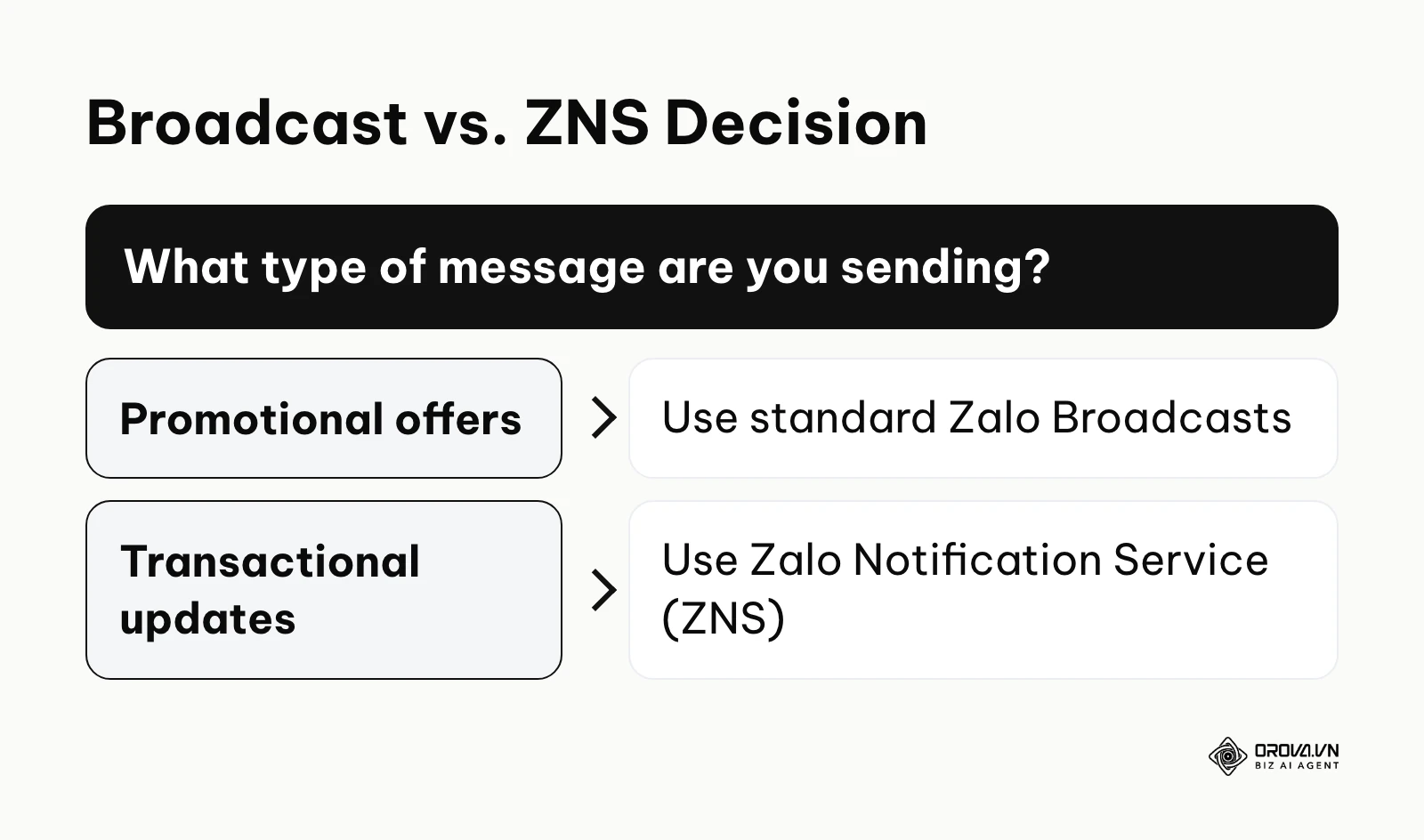
Instead of blasting a generic discount code to your entire audience, segment your list. Use standard promotional Broadcasts exclusively for warm leads or VIPs who have shown recent interest. High block or unfollow rates right after a broadcast are a warning sign: users can report or block an OA, and Zalo's policies allow it to restrict accounts that send unwanted messages.
ZNS vs. Standard Broadcasts: A Critical Distinction
It is critical to distinguish between standard OA Broadcasts and the Zalo Notification Service (ZNS).
- Standard Broadcasts: Delivered to followers' Zalo inbox like a regular message. Best for newsletters, major promotions, and brand announcements. Limited by the allowance of your OA package, and sent to people who follow your OA.
- ZNS (Zalo Notification Service): API-driven transactional messages, often used where a business would otherwise send a text message. Used for OTPs (One Time Passwords), shipping updates, order confirmations, and appointment reminders. ZNS messages use templates that Zalo must approve first, and they are charged per message according to Zalo's published pricing. Per Zalo's ZNS documentation, they can reach Zalo users who have not followed your OA, which makes them useful for operations, but they are meant for transactional and customer care content, not cold promotional outreach.
The hallmark of a well-structured broadcast strategy is an open rate that holds steady or rises from campaign to campaign, with an unfollow rate near zero. The biggest error businesses make is treating Zalo broadcasts like early 2000s email marketing, sending daily spam that inevitably leads to users reporting the account and Zalo permanently restricting messaging capabilities.
To properly track which specific broadcast message drives actual revenue, you must understand how to create UTM codes for absolutely every external link you send via your Zalo campaigns. Without UTM parameters, all traffic from Zalo will show up in Google Analytics as obscure mobile referral traffic, making accurate ROI calculation virtually impossible.
Step 5: Integrating CRM for seamless data flow
Operating directly out of the native Zalo OA web interface is acceptable for micro-businesses, but it severely limits data visibility for enterprise operations. A comprehensive zalo oa CRM integration guide will emphasize moving all conversations into a centralized Customer Relationship Management platform.
To achieve this, you need to connect your Zalo OA to your CRM using Zalo's Open API. This usually involves generating an Access Token, setting up Webhook endpoints to receive incoming message events, and mapping Zalo User IDs to your CRM's contact records. A successful integration means your sales and support representatives never actually have to open the native Zalo application; all communication happens within the CRM interface, providing a complete 360-degree view of the customer's history across all channels (email, phone, Zalo, and website behavior).
The Challenge of Identity Resolution
A major pitfall during integration is failing to account for data deduplication. The Zalo API identifies a person by a user ID that is specific to your OA, not by their phone number, unless the user explicitly agrees to share it. This results in multiple CRM profiles for the same customer if they use a different name on Zalo than they do on your website. To solve this, you must build conversational workflows that gently prompt the user to verify their phone number, allowing your CRM to merge the Zalo ID with their existing customer record.
Step 6: Enforcing security and access controls
Security is arguably the most overlooked aspect of enterprise chat management. Protecting your customer data and your brand reputation requires strict controls over who can access the platform and what actions they can perform. Vietnam's personal data protection rules, starting with Decree 13/2023/ND-CP, apply to the customer data you collect in chat, and mishandling it can bring legal penalties and serious reputational damage.
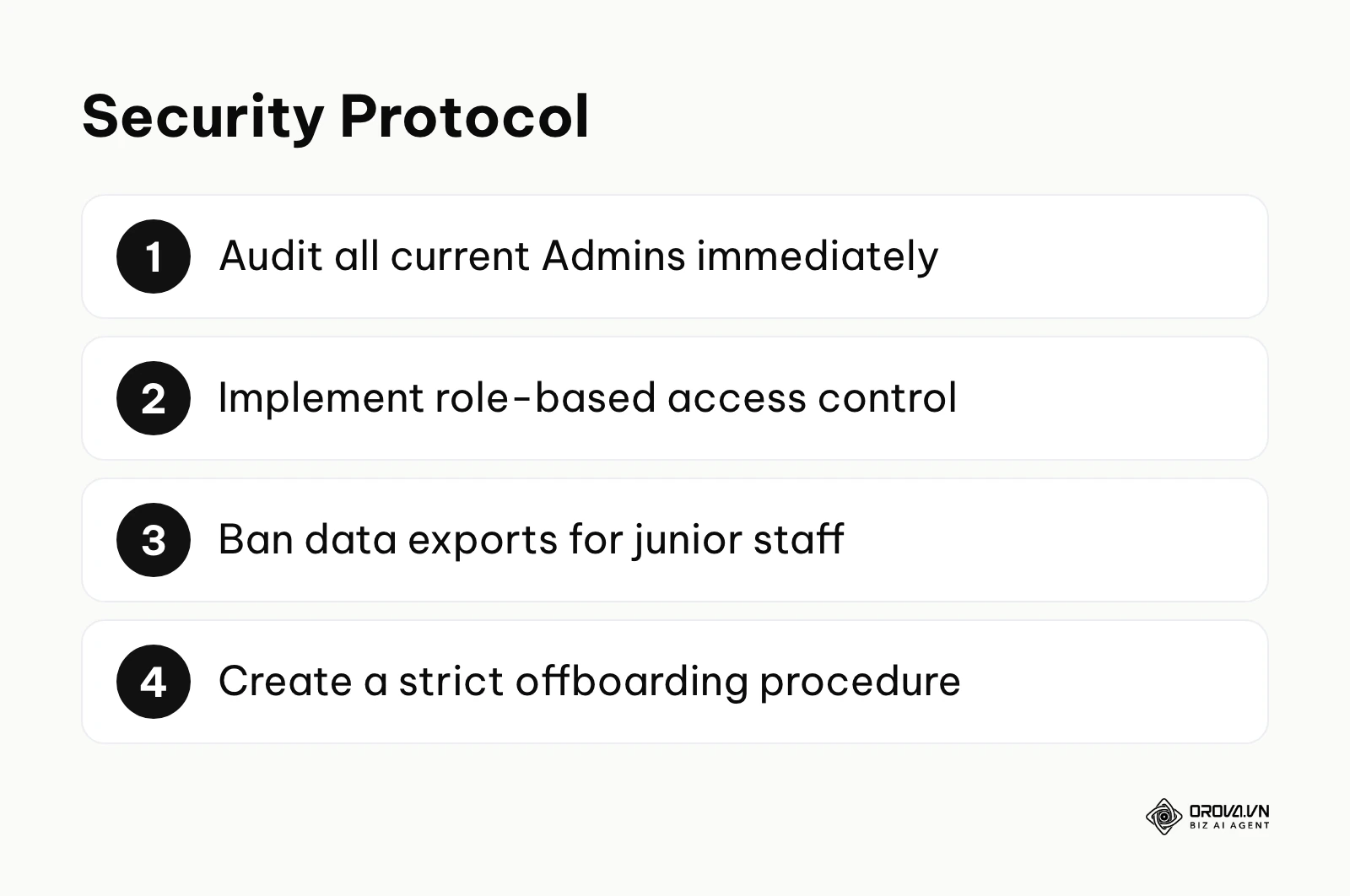
You must apply the principle of least privilege. The business owner or a C-level executive should hold the ultimate Admin rights. Daily operators should receive the most limited role the OA admin panel offers for their job, so they cannot export follower data, alter core account settings, or send unauthorized mass broadcasts.
You need to implement regular quarterly audits of user access and create an uncompromising offboarding checklist to revoke access the exact moment an employee leaves the company. If your security is tight, you can always tell which staff member holds which role, and your CRM records show who handled each conversation. The most dangerous error is granting full Admin rights to junior staff or external agency members simply because it is slightly faster for them to upload a banner image.
Furthermore, ensure that any integrated third-party tools (like chatbots or shared inboxes) comply with your internal data security policies. The API tokens you generate grant massive power over your account; they must be treated with the same security rigor as your corporate bank account passwords. Rotate these keys periodically and monitor your API dashboards for unusual spikes in data extraction.
Struggling to keep your content calendar organized across multiple networks? Orova Social allows you to compose once and publish to 8 channels, including Zalo OA. Let the built-in AI write captions in your specific brand voice and schedule everything in advance. Try it completely free until July 7, 2027.
In-depth analysis of Zalo OA CRM integration
Deciding exactly how to integrate your Zalo operations with your broader technology stack is a complex strategic choice that will define your digital architecture for years. You generally have three paths: using the native app, using a shared inbox aggregator, or executing a deep, custom CRM integration.
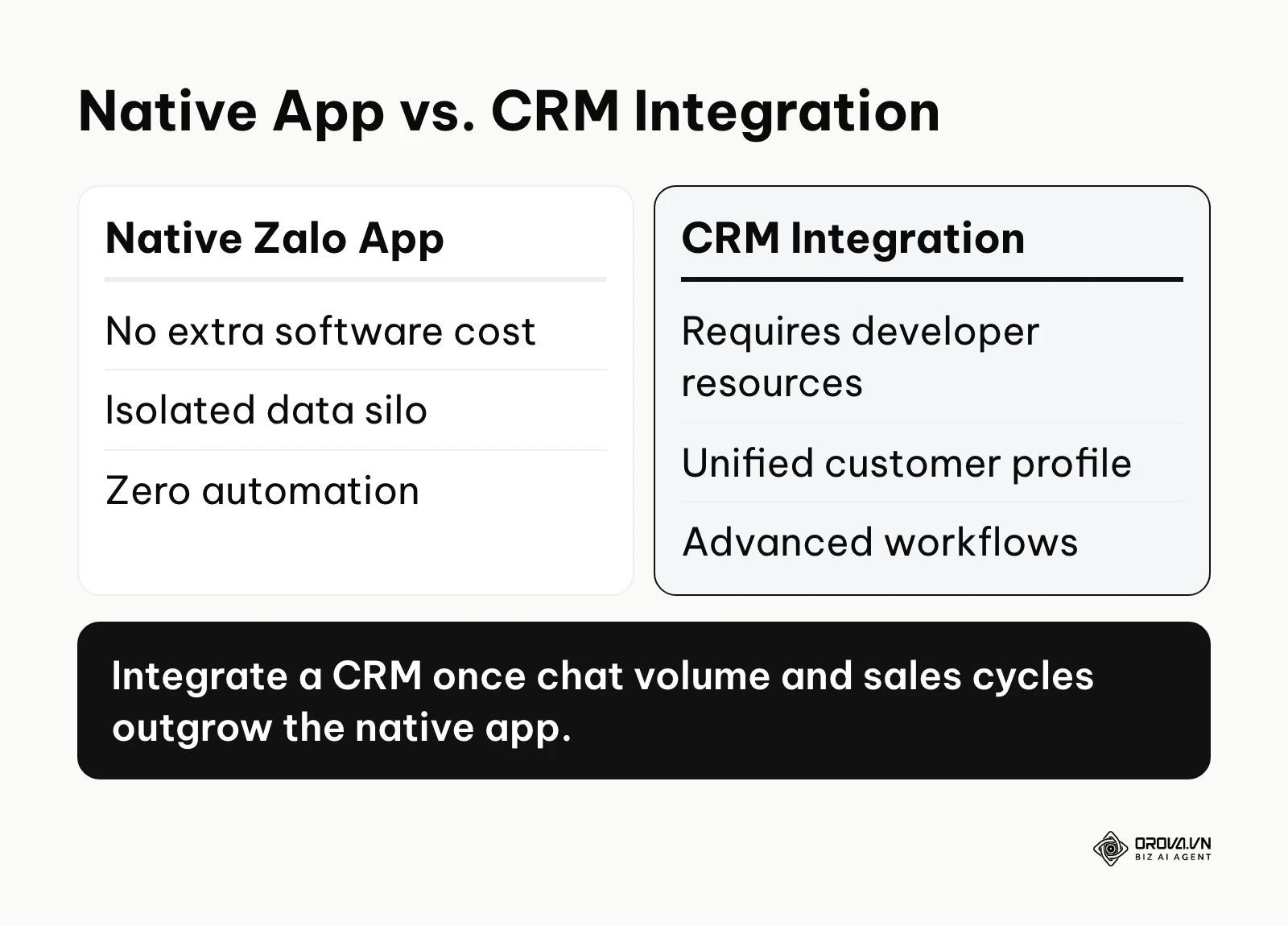
| Integration Approach | Ideal Use Case | Critical Weakness | Data Portability & Ownership |
|---|---|---|---|
| Native Zalo App (Web/Desktop) | Micro-businesses and solo operators with a very small team | Zero automation, massive data silos, impossible to scale | Low. Data is trapped within the Zalo ecosystem. |
| Shared Inbox Aggregator | High-volume e-commerce, retailers needing basic Facebook/Zalo/Insta sync | Limited custom reporting, generic tagging, struggles with B2B pipelines | Medium. Good for fast replies, but weak on historical relationship mapping. |
| Enterprise CRM Integration | B2B companies, large CS teams, complex multi-stage sales cycles | Requires developer resources, high setup cost, requires API maintenance | High. You own the unified customer profile completely. |
If you opt for the Native Zalo App, you pay nothing extra, but you suffer from a complete lack of data continuity. If a staff member resigns, their contextual knowledge of a customer conversation is largely lost, even if the chat log remains. You also cannot easily export performance data for holistic business analysis.
Shared inbox aggregators sit in the middle. They are excellent for fast-paced e-commerce businesses that need to reply to Facebook comments, Shopee messages, and Zalo chats in one unified window. They usually offer built-in basic chatbots and order-creation shortcuts. However, they often lack the deep, relational data structures necessary for complex B2B sales cycles or long-term account management.
Deep Enterprise CRM Integration is the gold standard. It allows for complex automated workflows. For example, you can set up a workflow that creates a support ticket in your help desk when a user messages specific technical keywords on Zalo, or starts an email sequence in your CRM when a contact's tag changes from "Prospect" to "Lost." While the initial setup cost is high and requires navigating Zalo's API documentation, it is the only way to future-proof your data and align your messaging channel with your overall corporate data strategy.
Illustrative example: Context: A mid-sized B2B SaaS company's sales director needed far better visibility into ongoing client conversations to forecast revenue accurately. Sales reps were using personal Zalos, leading to massive intellectual property leakage when reps left for competitors. Steps taken: The director forced a complete transition from individual personal Zalo accounts to a central corporate OA and integrated it with their CRM via custom API webhooks. They mapped Zalo user IDs to CRM contact records. Hurdles and solutions: The main hurdle was rampant duplicate contacts, as customers frequently used different phone numbers for Zalo than their official work emails on file. The API payload from Zalo only provided an alphanumeric user ID. They solved this elegantly by building an automated Zalo chatbot flow that fired upon the first interaction, asking users: "To pull up your account details securely, please click here to share your registered phone number." Once the user agreed to share their number, the integration matched the Zalo ID to the existing CRM record without manual entry errors. Visual result: The CRM dashboard now displays a beautifully unified timeline view, showing Zalo chats chronologically alongside formal email threads, phone call logs, and website visits, permanently eliminating data loss and dramatically improving the accuracy of the sales pipeline forecast.
Measuring Zalo OA management success
You cannot improve what you do not measure. Evaluating the performance of your chat operations requires looking past vanity metrics like 'total followers' and focusing on actionable data that impacts your bottom line. Resolution metrics deserve as much attention as response speed.
| Core Metric | Business Meaning | Example Alert Threshold (calibrate to your baseline) | How to Improve |
|---|---|---|---|
| First Reply Time (FRT) | The speed at which a user gets an initial human or helpful bot response. | > 15 minutes | Improve auto-responder routing; staff more agents during peak hours. |
| Average Resolution Time (ART) | How fast a customer's core issue is actually, permanently solved. | > 24 hours | Improve the internal Knowledge Base; refine the L1 to L2 escalation matrix. |
| Broadcast Open Rate | The relevance, copywriting quality, and timing of your mass messaging. | < 15% | Segment audiences tighter using tags; A/B test broadcast banner images. |
| Tag Utilization Rate | Percentage of chats properly categorized by staff before closing. | < 80% | Force CRM hard-stops requiring tags; simplify the tagging taxonomy. |
| Follower Churn Rate | Number of users unfollowing immediately after a broadcast is sent. | > 2% per campaign | Stop sending irrelevant spam; ensure messages provide tangible value. |
| Cost Per Resolution (CPR) | Total cost of OA software + agent time divided by resolved tickets. | Rising month-over-month | Implement AI drafting tools; improve self-service FAQ rich menus. |
You can view basic interaction metrics in the statistics area of the Zalo OA admin page. However, these native metrics do not show what happens after a user leaves the chat. For accurate measurement, especially regarding revenue, you must rely on your integrated CRM or analytics platform. Usually, it takes a full month of standardized operation before the data becomes reliable enough to inform strategic decisions.
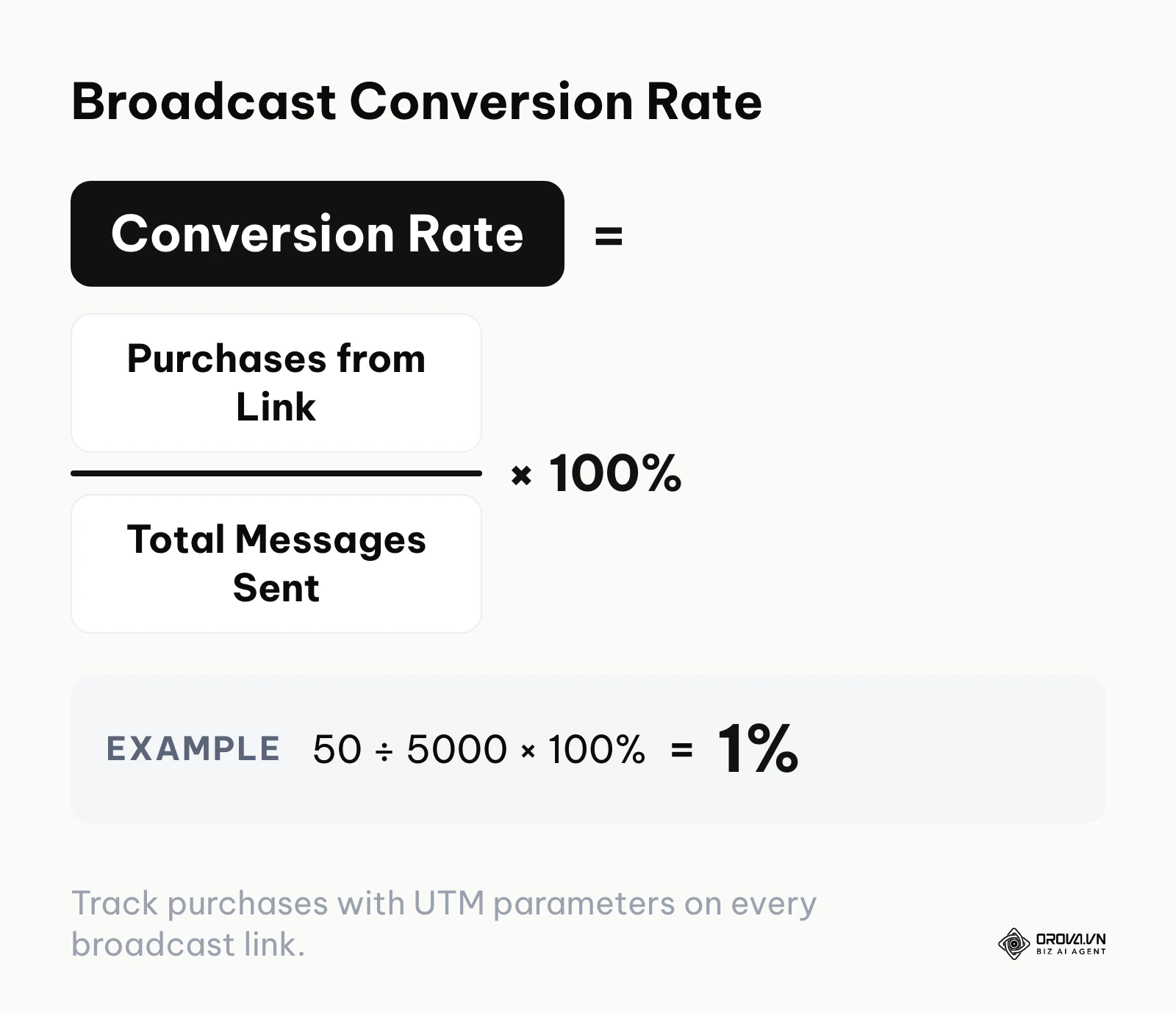
A simple way to judge a single broadcast is its conversion rate: purchases from the broadcast link divided by total messages sent, multiplied by 100%. For example, 50 purchases from 5,000 messages sent gives 50 ÷ 5000 × 100% = 1%.
Beyond tracking basic message responses, understanding exactly what a user does after they click a promotional link in your Zalo message is critical for calculating ROI. Implementing proper click tracking methodologies ensures you know if that Zalo interaction actually led to a website purchase, a whitepaper download, or a form submission. By using structured UTM parameters (e.g., ?utm_source=zalo_oa&utm_medium=broadcast&utm_campaign=tet_sale_2026), you can pull up a Looker Studio or Google Analytics report and see how much revenue your Zalo campaigns are generating.
Ready to keep your publishing calendar under control? Orova Social lets you schedule posts ahead, automatically publishes posts that missed their slot, and exports your content calendar to Excel for team reporting. Start with full access, free until July 7, 2027.
Common mistakes in Zalo OA management
Even experienced marketing teams stumble when moving to enterprise messaging. Here are the most critical mistakes and how to fix them.
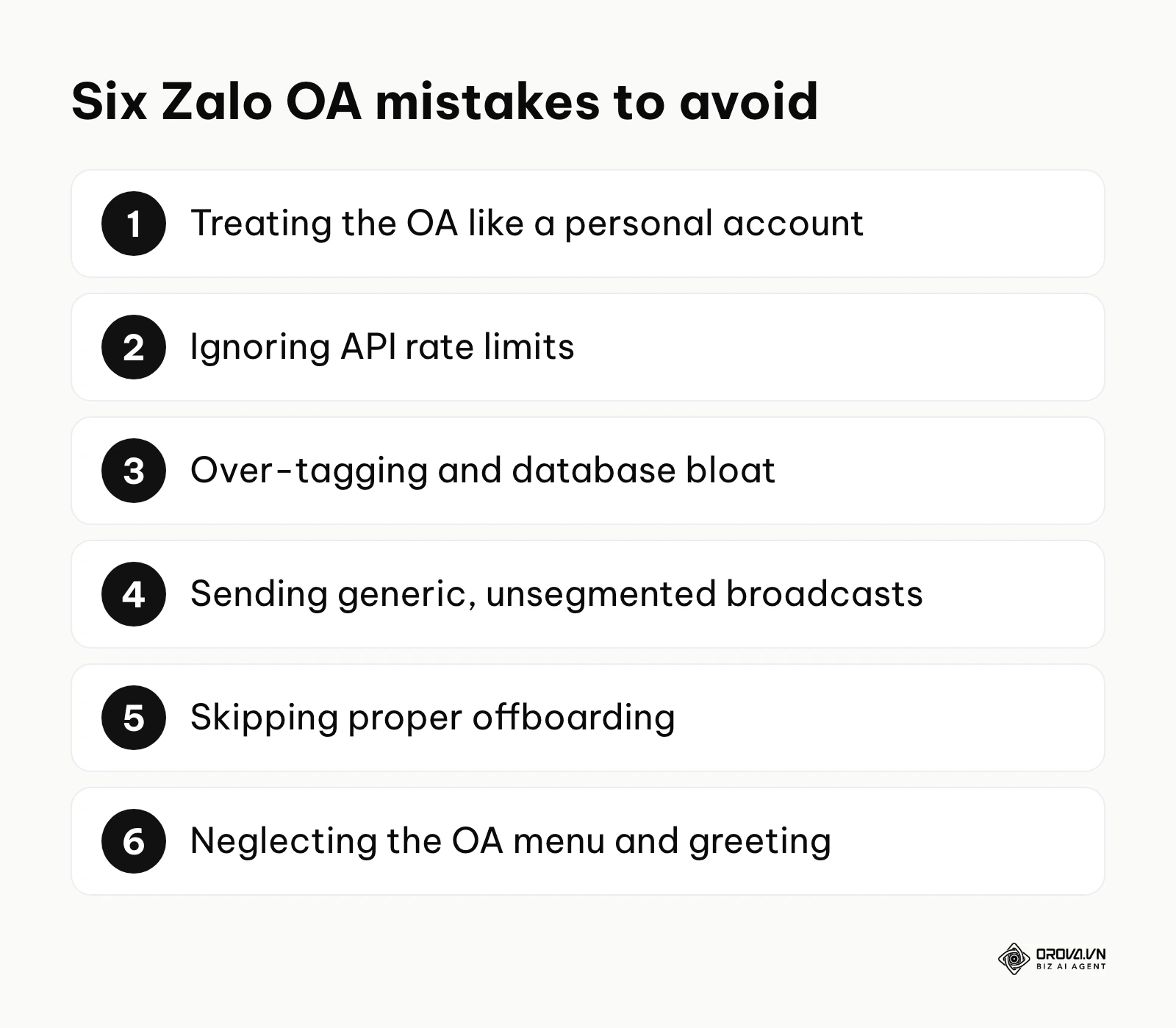
Mistake 1: Treating the OA like a personal account. This leads to inconsistent tone and informal language. When every agent replies however they want, the brand identity fractures. Fix: Strictly enforce the SOPs outlined earlier and conduct weekly chat reviews with your team. Implement a "brand voice" guideline specifically for chat.
Mistake 2: Ignoring API rate limits. Zalo's developer documentation sets limits on API usage. If you build an aggressive automated chatbot or trigger a massive sync without respecting these limits, requests start failing and live customer messages can go unanswered. Fix: Implement robust queuing and retry systems within your integration architecture. Cache user data locally where possible rather than querying the Zalo API for every single message event.
Mistake 3: Over-tagging and database bloat. Creating a new tag for every minor customer interaction (e.g., "likes blue", "wants discount", "complained once") results in a bloated, unusable database. When marketing goes to send a broadcast, they face 500 tags and give up, sending to "All" instead. Fix: Audit your tags monthly. Consolidate redundant categories. Keep the core taxonomy to under 20 clearly defined, highly actionable tags.
Mistake 4: Sending generic, unsegmented broadcasts. This guarantees high block rates. Users will block you, and repeated complaints put your messaging ability at risk. You need to apply rigorous PPC ad management principles to calculate the true cost and return of every message sent. Fix: Strictly adhere to your tagging matrix. A broadcast to 1,000 highly targeted users is infinitely more profitable than a generic blast to 50,000 cold followers.
Mistake 5: Failing to implement proper offboarding. Allowing former employees to retain access is a massive security vulnerability. A disgruntled ex-employee with Admin access can send offensive broadcasts or take your lead data. Fix: Create a rigid IT checklist that revokes access to the Zalo OA, the CRM, and any shared inboxes before the employee's final exit interview concludes.
Mistake 6: Neglecting the Zalo OA Menu and Greeting Interface. Many businesses leave their OA menu blank or link it to broken pages, wasting prime space at the bottom of the chat. Fix: Configure the rich menu to link directly to your top products, your FAQ page, and a live agent request button. Configure the greeting message to clearly state your value proposition the moment a user taps Follow.
Illustrative example: Context: An operations director at a large creative agency had a near miss when a client's data was almost leaked. Steps taken: The director immediately audited the Zalo OA permissions via the web dashboard, moved most staff from Admin to more limited roles, and removed former employees who still had lingering access. They instituted a strict, IT-enforced offboarding checklist. Hurdles and solutions: Account managers pushed back, saying they needed Admin rights to export data for client reporting. The director solved this with scheduled, sanitized exports from the CRM instead of native OA exports. Visual result: The next quarterly audit found every role matched the person's job.
Overcoming these operational mistakes requires discipline more than software. Keep the chat side (SOP, tags, access) separate from the publishing side: if your OA posts sit alongside Facebook, TikTok or LinkedIn content, a social media scheduler keeps that calendar in one place so the chat team is not also juggling publishing deadlines.
Zalo OA management trends: the author's view
Based on how the platform and the wider business software market are moving, here are three shifts I expect in how companies run their Official Accounts. These are personal views, not forecasts with dates attached.
The rise of hyper-personalized, LLM-driven AI chatbots Many chatbots on Zalo today are rule-based menus ("Type 1 for Sales, Type 2 for Support") that can frustrate users. I expect large language models to reach OA conversations more and more, whether through Zalo's own tools or third-party middleware, so that bots handle more routine multi-turn questions with awareness of the customer's history. You need to prepare for this by obsessively cleaning your historical chat data and CRM records today, as AI models require pristine data to train effectively.
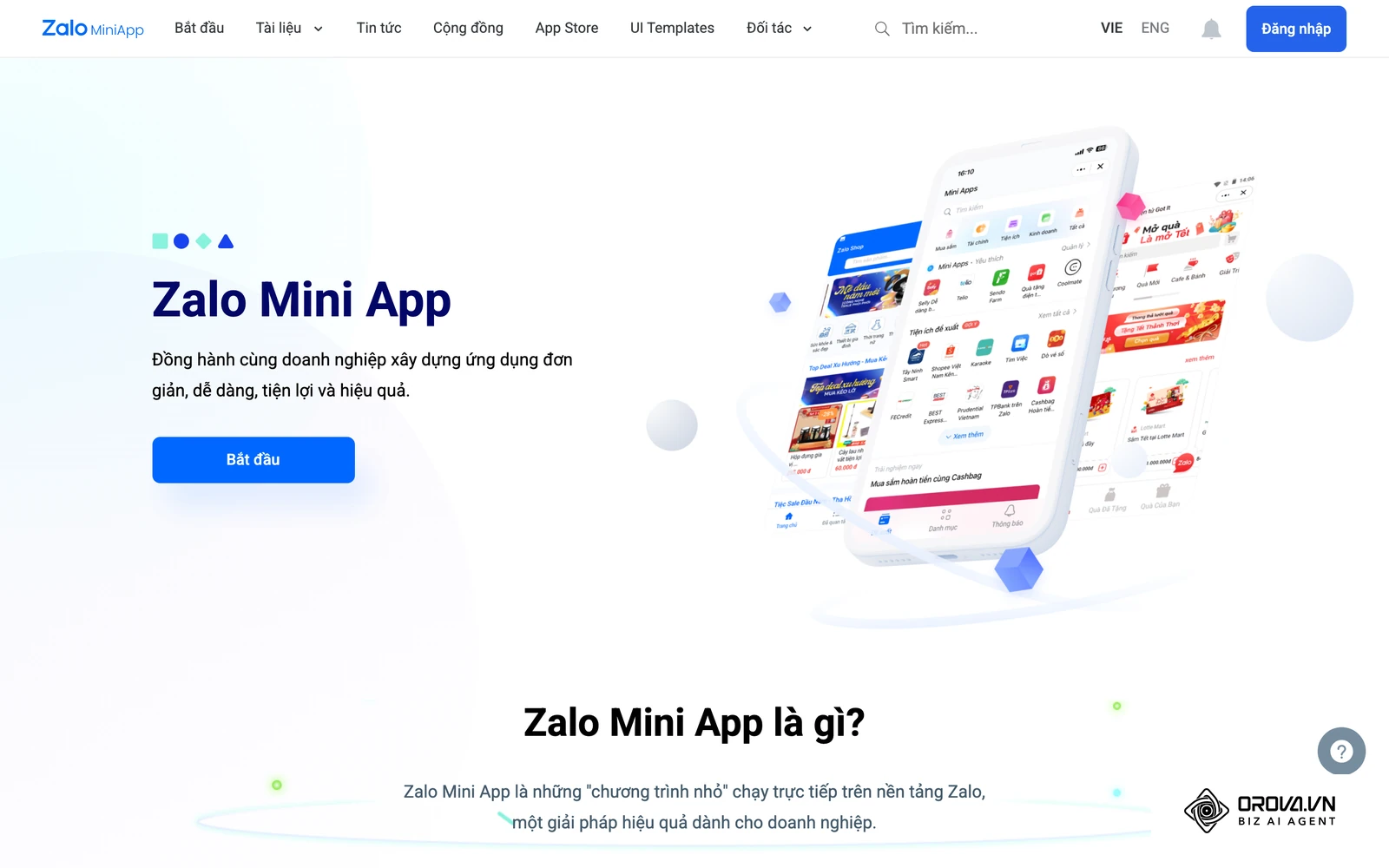
The shift toward complete Mini App ecosystems I think text chat plus links will gradually give way to richer in-app journeys. Zalo already offers a Mini App framework, and I expect more of the customer journey (browsing, checkout, post-purchase support) to move into Mini Apps opened from the OA chat, much as conversational commerce has blurred chatting and buying elsewhere. Businesses should start evaluating their mobile web experiences and consider re-architecting them specifically for the Zalo Mini App environment to reduce friction and keep users completely within the app ecosystem.
Stricter compliance and zero-party data emphasis As privacy rules tighten globally and in Vietnam, I believe businesses will face stricter expectations around consent when collecting user data on Zalo. Broadcasting to unengaged audiences or collecting phone numbers without clear consent looks increasingly risky. You must prepare by shifting your strategy toward zero-party data collection—creating highly valuable, interactive experiences within your Zalo OA (like quizzes, personalized calculators, or exclusive VIP content) that encourage users to explicitly and willingly share their preferences and information with you in exchange for real value.
Frequently asked questions about Zalo OA management
How much does it cost to manage a Zalo OA?
Costs vary widely, and this guide deliberately does not quote prices because Zalo updates them. Budget for four items: the OA service package you choose (listed on Zalo's official OA site), per-message charges if you use ZNS (per Zalo's published pricing), your CRM or shared inbox license, and usually the largest item, the salaries of your chat agents and technical integrators.
Can an AI marketing agency manage my Zalo OA better than an in-house team?
It depends entirely on your operational complexity and core business. If you are comparing an AI marketing agency with your internal team, agencies often excel at initial setup, API integration architecture, and crafting high-converting broadcast copy. They have the technical chops to build complex webhooks. However, for deep, highly technical customer support, handling sensitive client data, or executing complex B2B sales negotiations, an in-house team fully immersed in your product will almost always provide a superior, more accurate, and more secure customer experience. A hybrid approach—agency for setup and tech, in-house for daily operation—is often optimal.
Why was my account blocked from sending broadcasts?
Zalo enforces content and messaging policies for Official Accounts to protect users. Restrictions commonly follow a wave of blocks, unfollows or reports after a broadcast, and the notice in your OA admin page is the first place to read the reason. This usually happens when businesses send irrelevant, unsegmented promotional blasts to their entire audience without utilizing a proper tagging matrix. It can also happen if your content violates platform guidelines regarding prohibited goods, misleading claims, or inappropriate imagery.
What is the role of AI in managing these accounts?
Currently, AI is primarily used to analyze sentiment, automatically route complex tickets to the correct human department based on intent detection, and draft suggested replies for agents to approve before sending. Moving forward, AI will increasingly handle end-to-end resolution of routine inquiries (order tracking, basic troubleshooting), drastically lowering the Average Handling Time (AHT) and allowing human agents to focus exclusively on high-value sales negotiations, relationship building, and complex escalations.
How do I handle negative feedback or a PR crisis on Zalo?
Unlike a public Facebook page where a negative comment can go viral, Zalo interactions are 1-on-1 private messages. This provides a massive advantage for crisis management. The key is speed and de-escalation. Your SOP should trigger an immediate alert to a Level 3 manager when negative sentiment keywords are detected. Acknowledge the issue instantly, move the conversation to a phone call if it is highly complex, and never use automated bots to handle an angry customer—it will only infuriate them further.
Can I merge multiple Zalo OAs into one?
Do not plan on it. Zalo's public OA documentation does not describe a self-service way to merge the followers of two OAs. If a brand rebrands or consolidates departments, the usual route is to sunset the old OA by sending a final broadcast urging followers to "click here to follow our new, unified Official Account," which typically loses part of the audience along the way. This underscores the importance of planning your OA architecture carefully from day one.
Where to start?
Transitioning to a professional management structure can feel overwhelming. Do not attempt to implement everything at once. Use this phased approach to systematically upgrade your operations over a 30-day period.
Immediate Actions (Days 1-7): Administrative lockdown If your current setup consists of a few staff members sharing a single login on their mobile phones, your first step is strictly administrative. Spend your next afternoon compiling your business documents and submitting them to Zalo to secure your official 'tick' (Verification). Immediately transition your team to the desktop web interface. Revoke access from anyone who does not absolutely need it. You cannot begin to scale until your account is verified, secure, and on a service package that fits your volume.
Short-term Actions (Days 8-14): Operational baselines If you already have a verified account but your team is overwhelmed, dropping messages, or providing inconsistent answers, your immediate focus must be operational. Dedicate one full day this week to drafting your first basic SOP document. You do not need a perfect 50-page manual; start with a simple 2-page flowchart outlining how to greet, how to triage using a basic 5-tag matrix, and exactly when to escalate a complaint. Force your team to use these 5 tags on every conversation.
Medium-term Actions (Days 15-30): Technical integration If your team is operating smoothly under the new SOP but you have zero visibility into ROI and your sales team is complaining about data entry, your next step is technical integration. Schedule a meeting with your IT department or CRM vendor to map out exactly how to connect the Zalo Open API to your existing database. Focus purely on syncing the basic OA User ID and routing incoming messages to the CRM inbox first. Do not attempt complex automated workflows until the basic message syncing is flawless and stable. Once stable, begin implementing ZNS for transactional updates to reduce the load on your human agents. ---BAI---
About the author

Builder of Orova
Nguyễn Đỗ Trọng Ân has 8 years of experience in marketing, including 6 years managing market development across Asia. He builds Orova, a Biz AI Agent that never sleeps: it plans, runs and optimizes work for businesses.
Run your business with AI Agents
Orova is the always-on Biz AI Agent — it plans, runs, and optimizes the work for you.
Save time, unlock productivity.