
Corporate elearning implementation: a 90-day rollout and ROI plan

Every organization eventually hits a critical breaking point where manual onboarding and ad-hoc knowledge sharing simply stop working. You might be experiencing this right now. Senior employees are spending countless hours answering the exact same procedural questions. Managing compliance training has turned into a logistical nightmare of scattered spreadsheets. Tracking who has actually learned what is virtually impossible. This is the exact moment when a corporate elearning implementation becomes a strict business necessity rather than just a nice idea from the human resources department.
However, simply buying a new software platform and dumping dozens of long PDF documents into it will never build a sustainable learning culture. The traditional approach to deploying these systems often fails completely because it focuses entirely on the software features rather than the human beings using it. As a result, employees ignore the platform, managers refuse to allocate time for their teams to study, and the executive board questions the financial return on the investment.
This guide provides a deeply researched, step-by-step roadmap to rolling out a digital training ecosystem that actually resonates with your team. We will cover the exact 90-day implementation plan, internal marketing templates to drive adoption, and the precise formulas you need to prove tangible financial value to your leadership.
What is corporate elearning implementation and why it matters
Corporate elearning implementation is the strategic process of introducing, configuring, and launching a digital learning platform within an organization to train employees. This process goes far beyond merely purchasing a software license. It involves aligning educational content with specific business goals, managing the technical setup, and driving cultural change so that employees actively want to learn. If you are entirely new to this concept, understanding exactly what is elearning in a business context is your required starting point.
You do this to achieve measurable results. A proper implementation reduces employee onboarding time from weeks to days, makes compliance with industry regulations far easier to prove, and standardizes operational knowledge across different geographic locations. It allows your best performers to document their knowledge once and distribute it infinitely.
This process is absolutely essential for companies experiencing rapid growth, organizations with high turnover rates in entry-level positions, or businesses operating in highly regulated industries like healthcare and finance. If you have more than fifty employees and your human resources team is spending more than ten hours a week manually organizing training sessions, you need to implement a formal digital learning system.
Conversely, you should not undertake a complex corporate elearning implementation if your company consists of five people working in the same small room. For highly unstructured, creative teams where knowledge sharing happens organically over daily coffee breaks, investing months into rolling out a heavy Learning Management System (LMS) is a waste of resources. A simple shared cloud drive is often enough for extremely small teams.
Prerequisites for a successful corporate elearning implementation
Jumping straight into comparing software vendors without proper preparation is the fastest way to guarantee project failure. Before you even look at a single platform, you must establish a solid foundation. You need executive backing, a clear understanding of your current technical limitations, and a realistic inventory of the training materials you already own. Missing any of these prerequisites will cause significant delays later in the project.
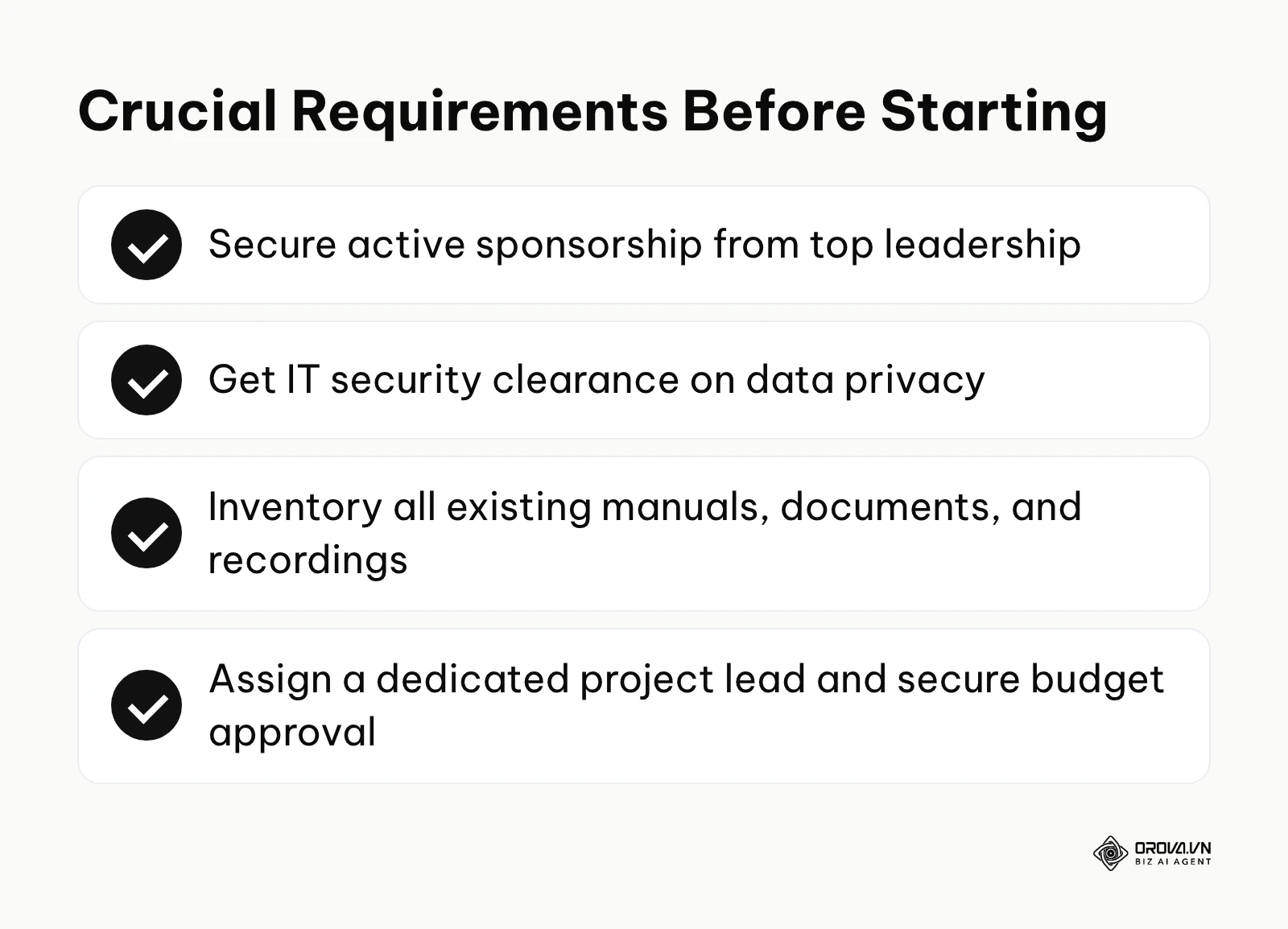
The checklist below details exactly what you need to secure before officially kicking off the implementation process.
| Asset or Resource | Where to get it | Time required to secure |
|---|---|---|
| Executive Sponsor | Pitch the CEO or COO with a specific business problem (e.g., high onboarding costs). | 1 to 2 weeks |
| Technical Security Clearance | Consult your internal IT department regarding data privacy policies. | 2 to 3 weeks |
| Existing Content Inventory | Audit your current Google Drive folders, printed manuals, and recorded Zoom calls. | 1 to 2 weeks |
| Dedicated Project Lead | Assign a specific Learning and Development manager to own the entire rollout. | 1 week |
| Budget Approval | Finance department, based on the initial problem pitch and projected savings. | 2 to 4 weeks |
Securing an executive sponsor is arguably the most critical item on this list. If the leadership team does not actively talk about the importance of the new learning system during all-hands meetings, the rest of the company will assume it is just another human resources experiment that they can safely ignore. You must also conduct a harsh audit of your existing content. Many companies realize too late that their training manuals are five years out of date and completely unusable in a modern digital format.
The definitive corporate elearning implementation strategy: A 90-day roadmap
A successful rollout requires strict project management. Trying to launch a comprehensive learning system in two weeks will lead to broken integrations, frustrated users, and terrible content. A realistic, comfortable timeframe for a mid-sized organization is exactly ninety days. This allows enough time for careful planning, rigorous testing, and a strategic marketing campaign.
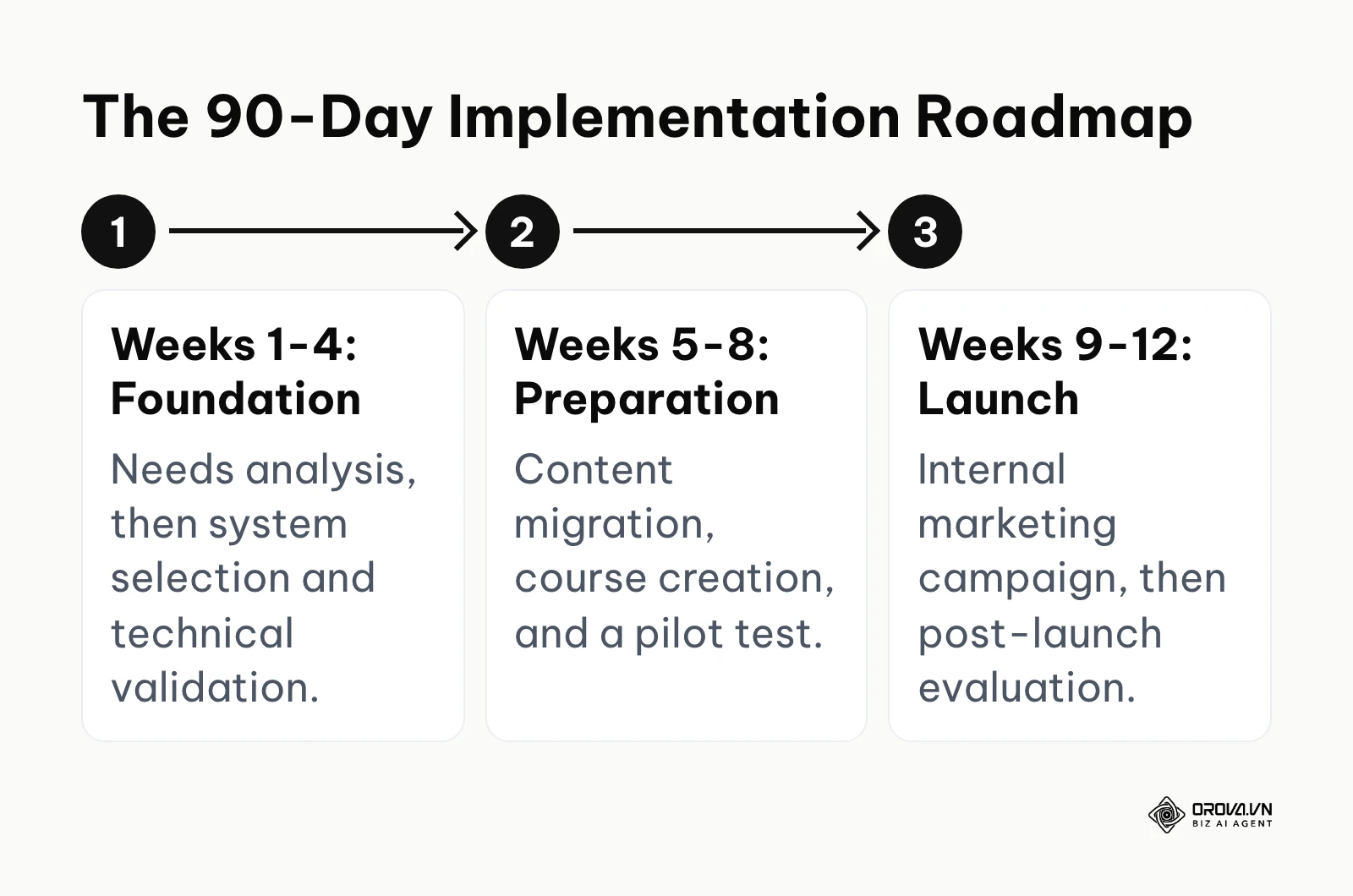
The following six steps outline the exact roadmap you should follow, broken down week by week.
Step 1: Needs Analysis and Business Goal Alignment (Weeks 1-2)
The implementation must start by identifying the exact business problems the learning system will solve. You are not buying software just to have software. You are buying it to reduce customer support resolution times, decrease manufacturing defect rates, or speed up the time it takes a new sales representative to close their first deal.
To execute this step, you must schedule direct interviews with department heads. Ask them what specific mistakes their junior staff make most frequently. Ask them how much time their senior staff spend fixing those mistakes. Once you gather this information, translate these pain points into measurable training goals. For example, if you are building training for your hiring team, you might want to review a specific candidate screening workflow and build a course entirely around improving that specific metric.
The sign of a correctly executed needs analysis is a documented list of three to five highly specific, measurable business goals agreed upon by the leadership team. A common mistake at this stage is setting vague goals like "improving company culture" or "increasing general knowledge." If you cannot attach a number to the goal, it is not specific enough to drive a successful implementation.
Illustrative example: A mid-sized retail chain with three hundred employees wanted to standardize their cashier training. The human resources team initially assumed everyone needed a deep dive into the massive desktop point-of-sale manual. They conducted field interviews and discovered that most cashiers only struggled with complex returns processing, and they strongly preferred learning on their mobile phones during breaks. The initial hurdle was that the IT department restricted mobile access to company systems for security reasons. The human resources team worked directly with IT to create a secure, limited-access gateway specifically for the learning platform. As a visible result, the management saw cashiers completing the ten-minute mobile modules directly on the shop floor, and the customer queue time during return processes noticeably decreased within a month.
Step 2: System Selection and Technical Validation (Weeks 3-4)
Once you know your goals, you can select the platform that best serves them. The market is flooded with hundreds of Learning Management Systems, ranging from simple cloud-based tools to massive enterprise architectures.
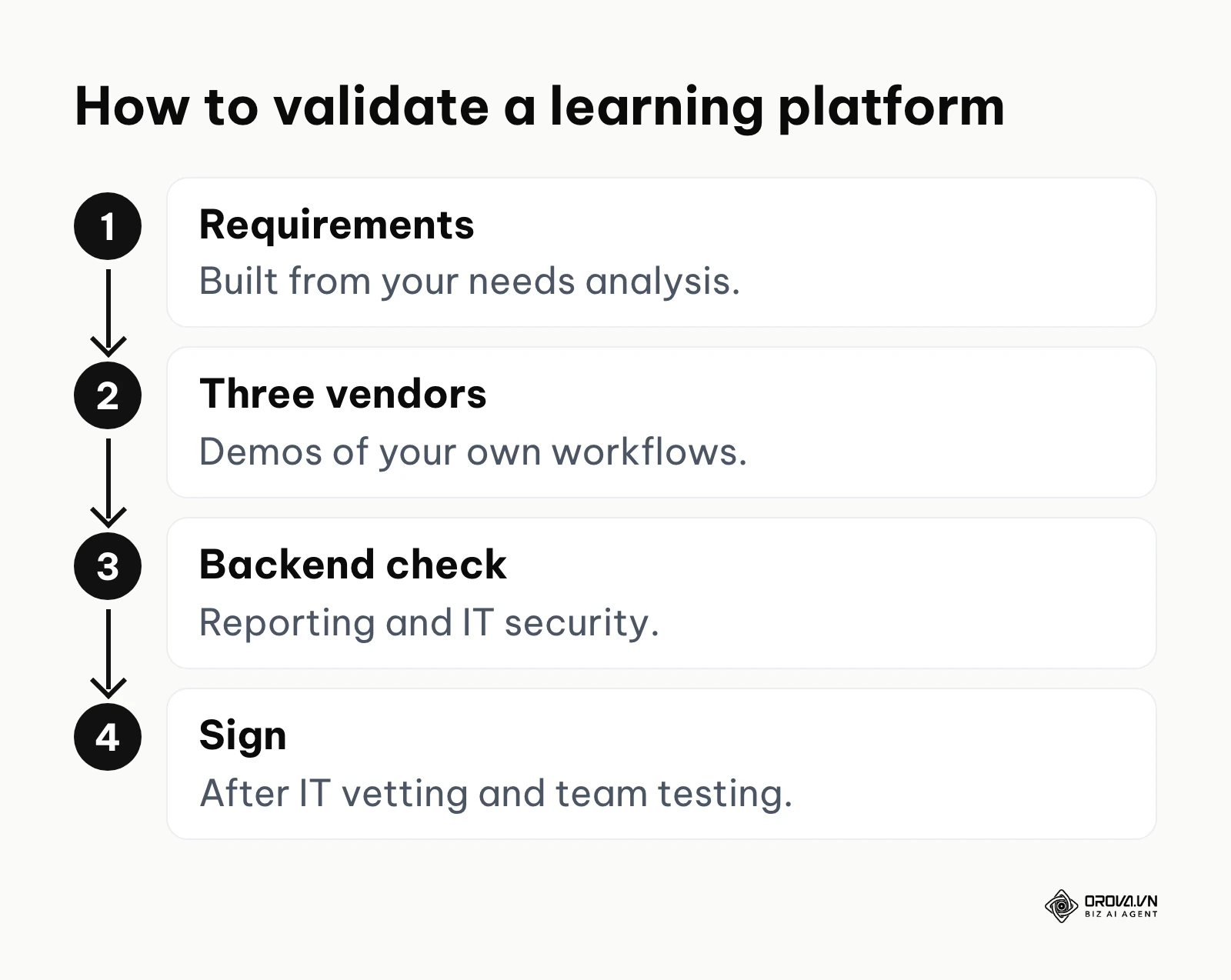
To do this correctly, create a strict requirements document based on your needs analysis. If your workforce is primarily mobile, a flawless mobile application is a non-negotiable requirement. If you need to connect the training data to your existing payroll system, open API access is mandatory. Once you have your list, invite three vendors to provide highly customized demonstrations. Do not accept generic sales pitches. Force them to show exactly how their system handles your specific workflows. Knowing exactly how to choose an lms will save you from getting locked into expensive, rigid contracts.
The sign of a correct system selection is a signed contract for a platform that your IT department has fully vetted for security and that your team has personally tested. A catastrophic mistake here is buying a system based purely on a beautiful user interface while ignoring the lack of backend reporting capabilities. You must validate the technical backend just as heavily as the visual frontend.
Step 3: Content Migration and Course Creation (Weeks 5-7)
A learning system is completely useless without high-quality content. During these three weeks, you must move your usable existing materials into the new system and create the initial batch of new courses.
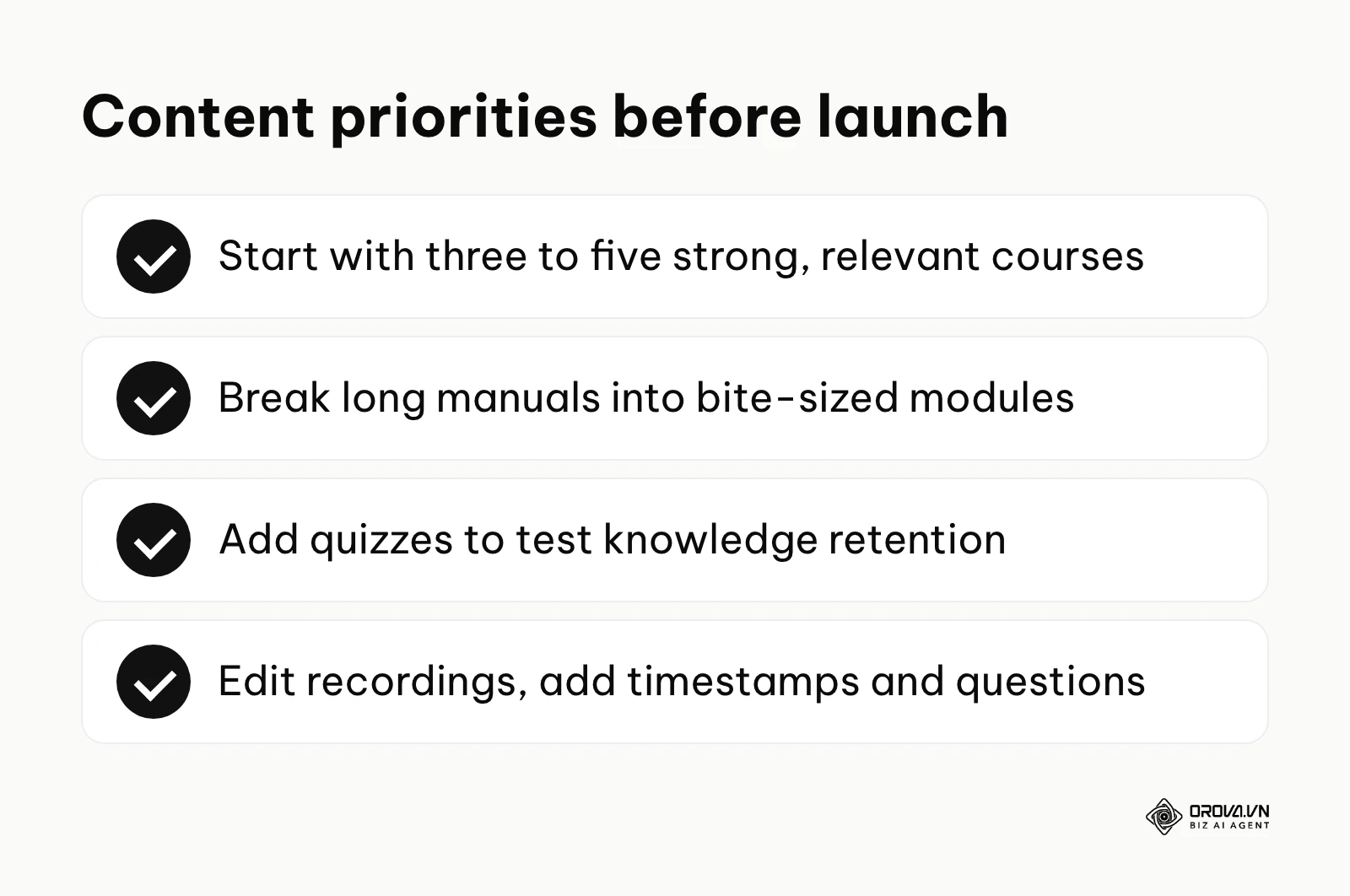
Start by formatting your core onboarding materials, since structured new hire training is usually the first course path every employee touches. You do not need to create one hundred courses before launch. You only need three to five incredibly strong, highly relevant courses to prove the concept. Break down long, boring manuals into interactive, bite-sized modules. Incorporate quizzes to test knowledge retention. If you do not have built-in tools, you will need to evaluate external elearning authoring tools to create dynamic content. Ensure all content meets industry standards for tracking. Packaging your content to the SCORM standard maintained by ADL (Advanced Distributed Learning) ensures that the system can track exact learner progression and quiz scores without data loss.
A clear sign of success in this step is having a fully functional onboarding path ready for a new hire to complete from start to finish. A frequent mistake is taking a two-hour recording of a Zoom meeting and uploading it directly as a course. Nobody will watch a two-hour unedited video. You must edit the content, add timestamps, and insert interactive questions to maintain attention.
Step 4: Pilot Testing and Feedback Gathering (Week 8)
Never launch a new system to the entire company at once. You must run a pilot test with a small, diverse group of real employees to catch technical bugs and confusing user interfaces before the massive rollout.
Select ten to fifteen employees from different departments and different technical skill levels. Give them a specific assignment, such as logging in, changing their password, completing one specific course, and downloading their certificate. Do not give them extensive help. You need to observe where they naturally get stuck. After they finish, send them a detailed survey asking about the loading speed, the clarity of the instructions, and the relevance of the content.
The hallmark of a successful pilot test is receiving harsh, constructive feedback and adjusting the platform settings based on that feedback. A critical mistake is selecting only highly technical employees for the pilot group. Technical employees will easily bypass bad interface design, leaving your less technical staff completely stranded on launch day.
Step 5: Internal Marketing and The Launch Campaign (Weeks 9-11)
Building the system is only half the battle. Getting people to actually use it requires a dedicated internal marketing campaign. You cannot just send one boring email with a login link and expect a learning revolution. Whether a continuous learning culture takes hold depends heavily on how you communicate during the first weeks after launch.
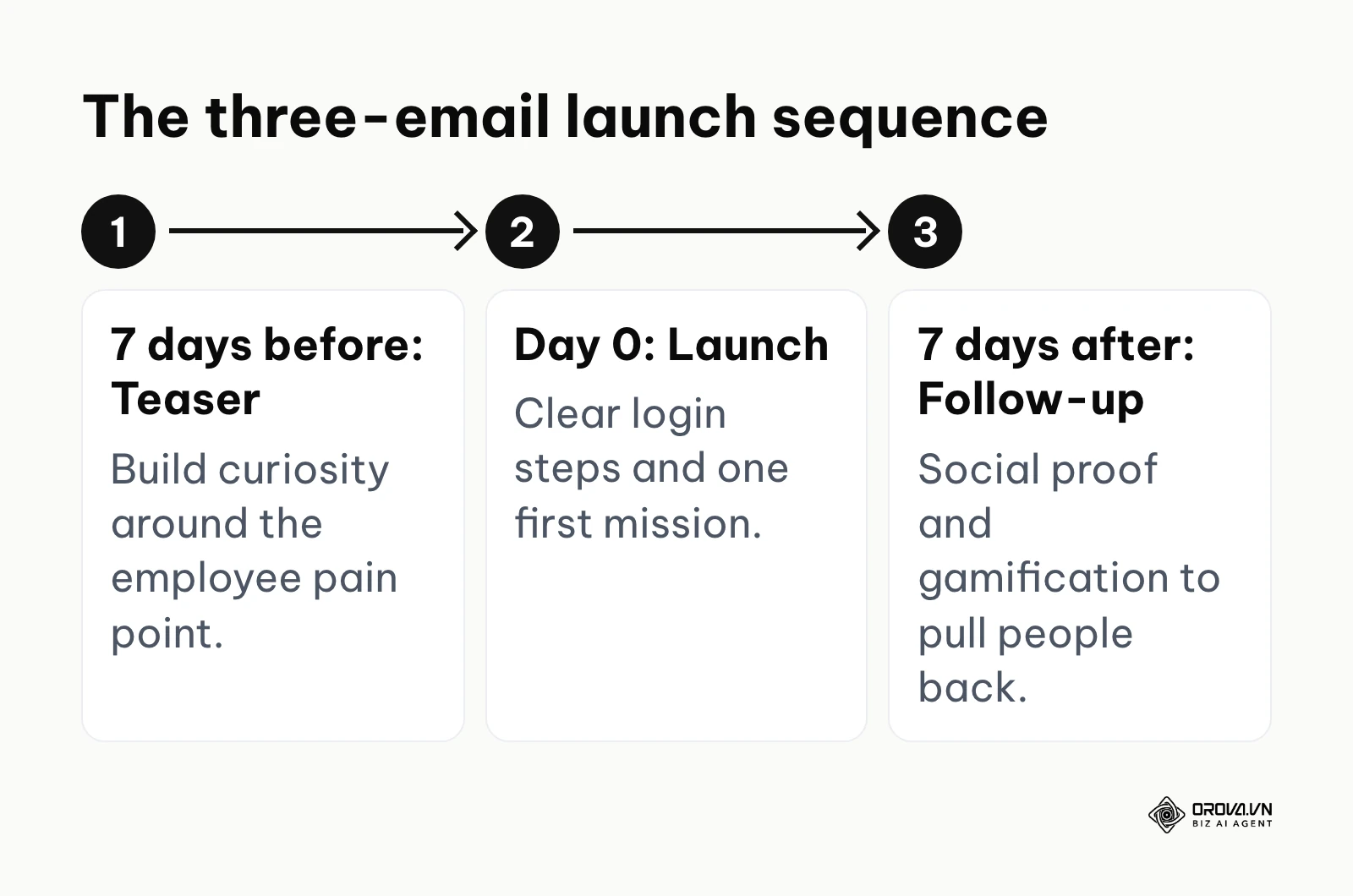
You need to execute a multi-touchpoint communication strategy. Below are three specific email templates you should adapt and use to drive excitement and adoption.
Template 1: The Teaser Email (Sent 7 days before launch) The goal of this email is to build curiosity and address the core pain point of your employees. Do not talk about software features. Talk about how their daily lives will get easier.
- Subject: A new way to grow your career at [Company Name]
- Body: "Hi everyone. We know that finding the right training materials or waiting for an onboarding session has been frustrating and time-consuming. You have told us you want faster access to the knowledge you need to succeed. Next week, we are launching a completely new learning experience designed specifically to help you master your role faster, without digging through old folders. Stay tuned for your personal access link next Tuesday."
Template 2: The Launch Day Email (Sent on Day 0) The goal here is immediate action. Provide extremely clear, step-by-step instructions on how to access the system and what exactly they should do first.
- Subject: It is live. Welcome to your new learning hub.
- Body: "Hi team. Our new digital learning platform is officially live. This system will be your single source of truth for all training, compliance, and skill development. Your first mission is simple: 1. Click this link to log in using your company email. 2. Complete your profile setup. 3. Take the five-minute introductory course waiting on your dashboard. If you run into any technical issues, please reply directly to this email."
Template 3: The Gamification Follow-Up (Sent 7 days after launch) After the initial spike, login rates will drop. You must use social proof and gamification to pull people back into the system.
- Subject: Week 1 Results: Who is leading the learning board?
- Body: "Hi everyone. We have seen incredible engagement in the first week. A special shoutout to the Customer Success team for achieving a ninety percent completion rate on the new product modules. For those who have not logged in yet, your introductory courses are still waiting. Remember, the first ten people to complete the Advanced Communication track by Friday will receive a free lunch voucher. Click here to jump back in."
Illustrative example: A fast-growing tech startup rolled out a highly expensive technical training library. The initial launch consisted of a single, corporate-style email listing the login instructions. After two weeks, the dashboard showed less than a five percent login rate. The learning and development manager realized the communication was too dry for their engineering culture. They paused the campaign and restarted it with a gamified approach, sending out a weekly leaderboard of the top learners and tying the first completed course to a free lunch delivery voucher. The visible result was a crowded internal chat channel where developers were actively comparing their quiz scores and discussing the course material during their daily stand-up meetings.
Step 6: Post-Launch Evaluation and Continuous Optimization (Week 12)
The implementation does not end on launch day. After a month of real usage, you must dive into the analytics dashboard to evaluate the health of the system.
Look at the completion rates of your core courses. Look at the average time spent on the platform. More importantly, look at where people are dropping off. If eighty percent of your users abandon a specific video halfway through, that video is either too long, too boring, or technically broken. You must establish a monthly review cycle where you archive outdated content, update quiz questions, and interview users about what new skills they want to learn next.
Success in this final phase looks like a living, breathing system that evolves based on user data. The biggest mistake you can make is adopting a "set it and forget it" mentality. A neglected learning platform will quickly become a digital graveyard of obsolete information.
Turning your training materials into digital courses does not have to be a manual grind. Orova Training uses AI to draft lessons, slides, flashcards, and podcasts with thirty AI voices. You can also run online quizzes with AI grading and a live game-style ranking room to keep your team engaged.
Corporate elearning implementation: SMBs vs. Enterprise requirements
The strategy for deploying a learning platform changes drastically depending on the size of the organization. A small-to-medium business (SMB) with two hundred employees cannot and should not attempt to replicate the heavy architectural deployment of a massive global enterprise with fifty thousand employees. Trying to force enterprise-grade complexity onto a small team will crush the project under unnecessary administrative weight.
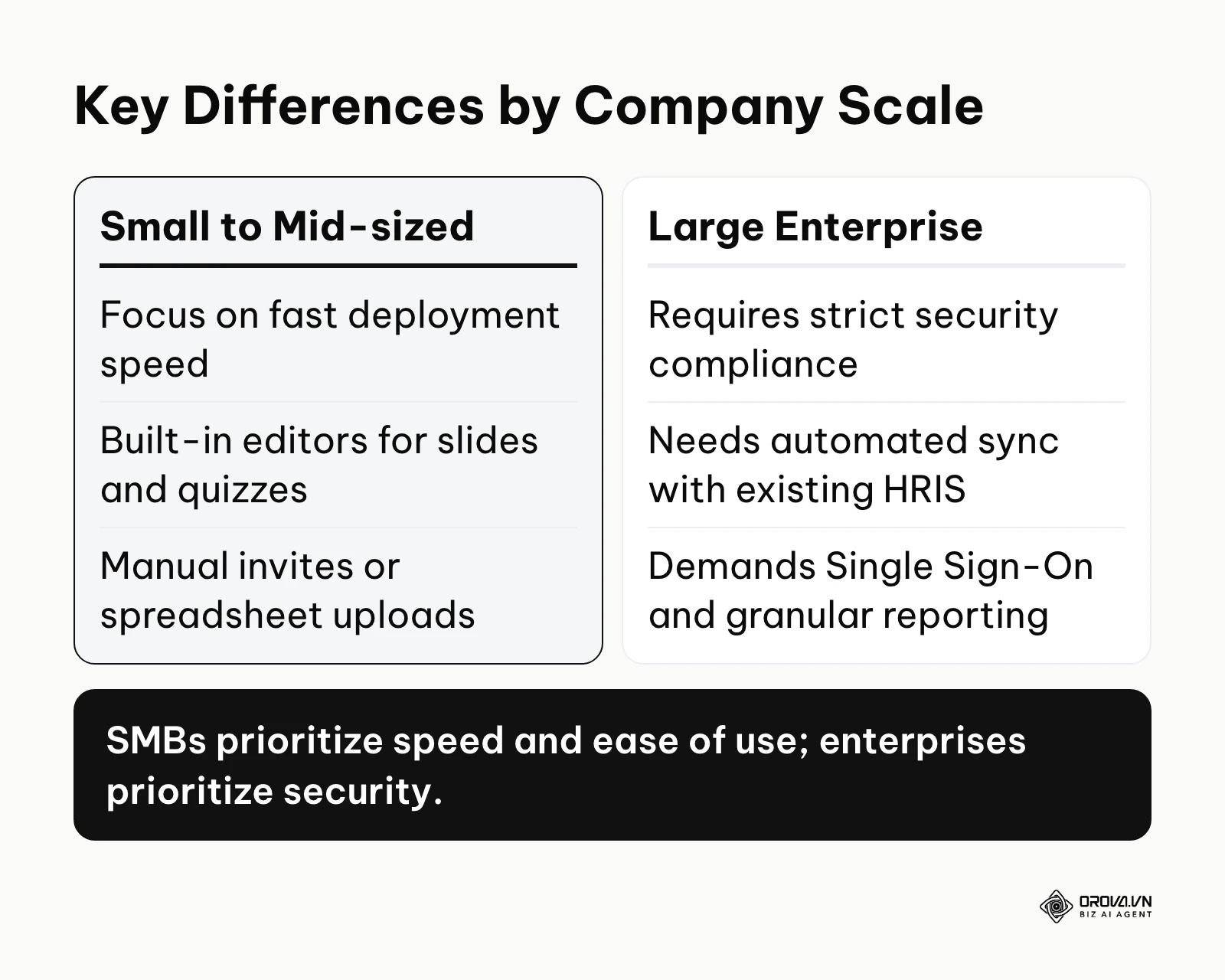
Small businesses must prioritize extreme speed and user experience. They generally lack massive IT departments, so they need cloud-based platforms that require zero local installation. SMBs also benefit immensely from platforms that include built-in content authoring tools, allowing a single human resources manager to write text, record audio, and publish a course in a single afternoon. The focus for an SMB is getting knowledge out of people's heads and into a system as fast as possible.
Enterprises, however, face entirely different challenges. Their primary concerns are data architecture, security compliance, and system integration. An enterprise cannot manually create user accounts. Their learning platform must connect seamlessly with their central Human Resources Information System (HRIS) so that when a new employee is hired, their learning account is automatically generated with the correct department-specific permissions. Enterprises also require highly granular reporting to prove regulatory compliance to external auditors.
| Feature Category | SMB Approach | Enterprise Approach |
|---|---|---|
| User Management | Manual email invites or simple spreadsheet uploads | Automated synchronization via complex HRIS API connections |
| Content Creation | Built-in editors to quickly create slides and quizzes | Specialized external authoring tools utilizing SCORM standards |
| Security | Standard password protection and basic cloud security | Strict Single Sign-On, regional data hosting, and deep audits |
| Budget Allocation | Prioritizes low monthly subscriptions per user | Prioritizes long-term contracts covering implementation consulting |
Choosing the wrong approach for your size is fatal. If an enterprise chooses a lightweight SMB tool, they will fail their compliance audits. If an SMB chooses a heavy enterprise tool, the system will take a year to deploy, and the staff will refuse to use its overly complicated interface.
Measuring success: How to calculate corporate eLearning ROI
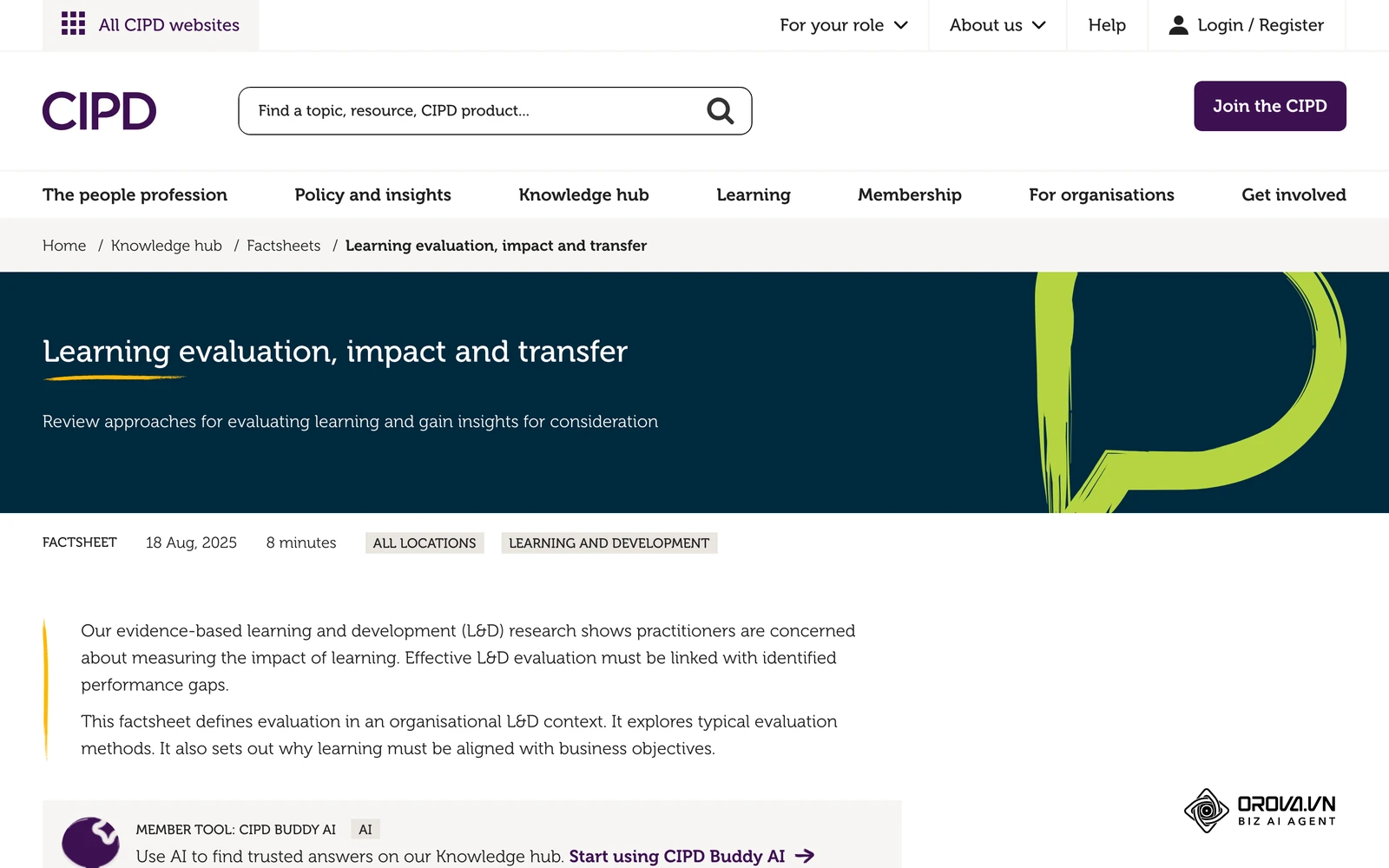
Proving the financial value of your implementation is the only way to secure ongoing budget for future years. Executives do not care how many hours of video your employees watched. They care about how that video improved the bottom line. Learning teams that link their training metrics directly to business outcomes are in a much stronger position when the next budget cycle comes around.
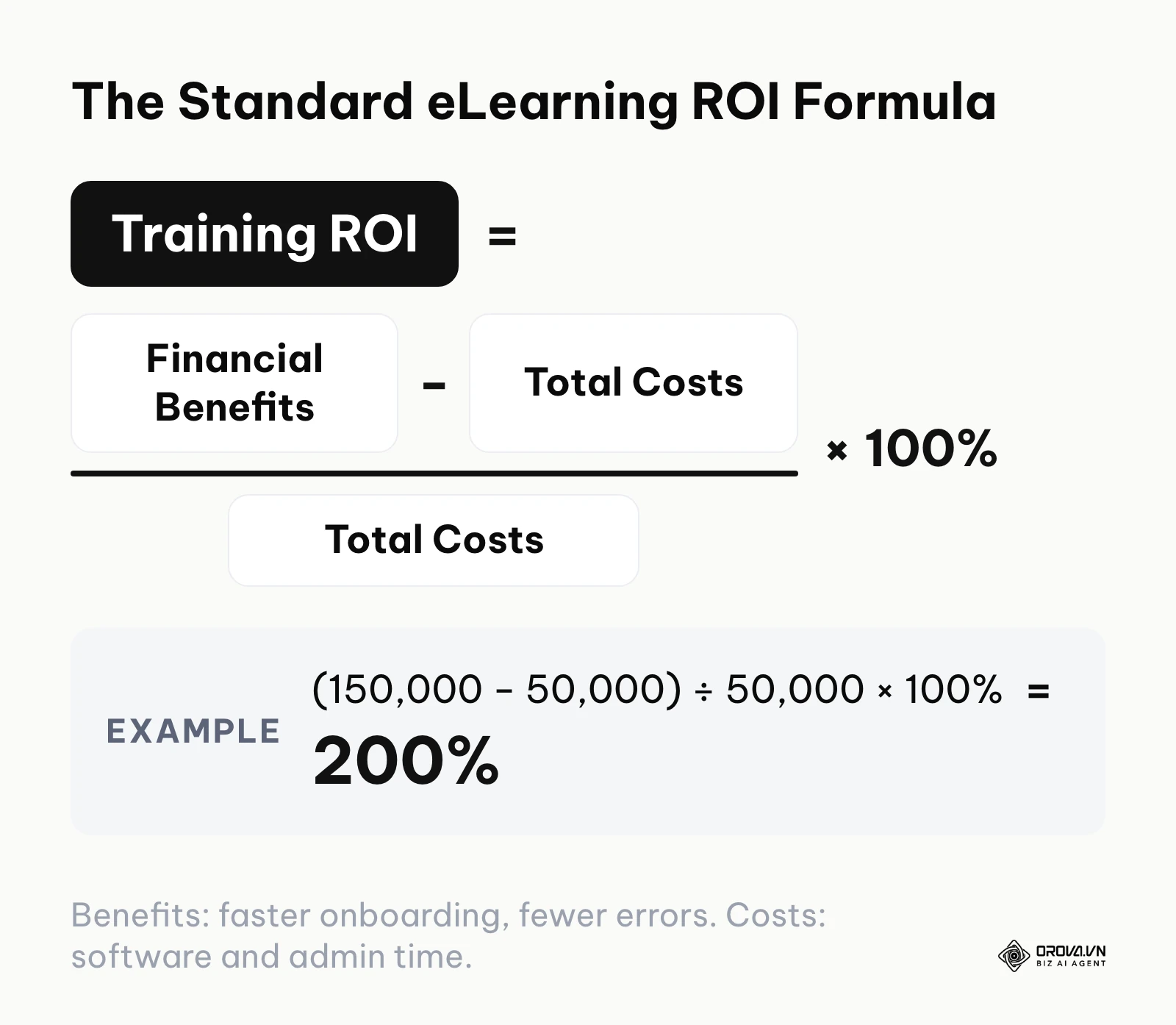
To calculate the Return on Investment (ROI), you must quantify both the total costs of the implementation and the total financial benefits generated by the new system.
First, calculate the Total Costs. This includes the direct software licensing fees, the setup fees, and the cost of any external course content you purchased. You must also include the indirect costs, primarily the salary hours of the administrative team who built the system, and the salary hours of the employees spending time taking the courses.
Second, calculate the Financial Benefits. This is harder but absolutely crucial. Benefits include the reduction in travel costs because instructors no longer fly to regional offices. They include the value of instructor hours saved because training is now automated. Most importantly, they include performance improvements, such as a measurable decrease in manufacturing errors or a faster ramp-up time for new sales hires to hit their revenue quotas. For a deep dive into specific metric tracking, studying proper training evaluation methodologies is highly recommended.
Once you have these two numbers, the formula is straightforward: ROI = ((Total Financial Benefits - Total Costs) / Total Costs) x 100%
For a detailed mathematical example, imagine your company spends fifty thousand dollars on software licenses and administrative setup time. Because the new system eliminates the need for expensive in-person seminars and reduces new hire onboarding time, you save one hundred and fifty thousand dollars in instructor travel and lost productivity. In dollars, your calculation is ((150,000 - 50,000) / 50,000) x 100%. The result is a two hundred percent ROI: every dollar you spent came back with two extra dollars of net benefit.
| Metric | Meaning | Alarming Threshold |
|---|---|---|
| Platform Login Rate | The percentage of invited staff who log in monthly | Consistently dropping below 30% indicates terrible content |
| Course Completion Rate | The percentage of users who finish a started course | Below 50% means the modules are far too long |
| Time to Competency | Days required for a new hire to reach full productivity | If this number does not decrease, the training is failing |
| Support Ticket Volume | The number of basic procedural questions asked internally | If this stays high, the learning system is not easily searchable |
Stop tracking compliance completions in spreadsheets. Orova Training issues certificates with public lookup codes when learners pass, lets you block video skipping, and tracks each person's progress. Assign courses by workspace, person, or group, and export SCORM 1.2 when you need it. It is free until July 7, 2027. Create your account to streamline your corporate elearning implementation.
Critical mistakes in corporate elearning implementation and how to fix them
Even with a perfect roadmap, implementations frequently derail due to avoidable tactical errors. Recognizing these mistakes before you make them will save your organization from wasting thousands of dollars and months of effort.
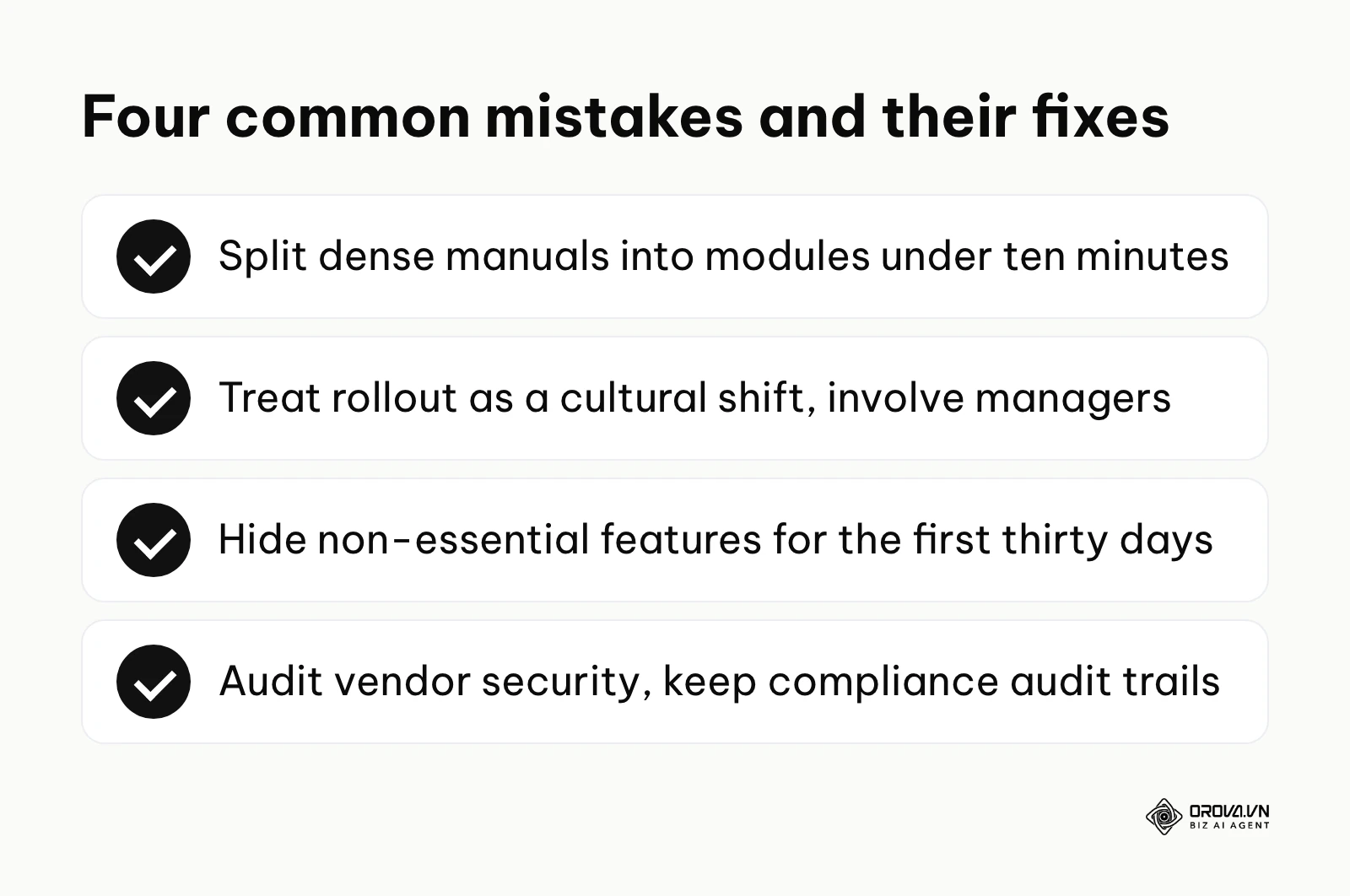
Ignoring the learner's cognitive load Many administrators take massive, dense compliance manuals and simply copy-paste them into the system. When employees see a solid wall of text that takes two hours to read, their cognitive load maxes out. They will click to the end without reading a single word just to pass the requirement. How to fix it: Break every large topic into microlearning modules. A module should never take more than ten minutes to complete. Mix text with short videos, audio clips, and interactive flashcards.
Treating the rollout as an IT project instead of a cultural shift If you treat the learning platform simply as new software, it will fail. Human resources teams often focus entirely on configuring the servers and forget to manage the people. How to fix it: Involve department managers early. Ask them to contribute content. If the managers do not champion the system within their specific teams, the ground-level employees will never adopt it.
Overcomplicating the user interface Administrators love turning on every single feature a platform offers. They activate discussion boards, complex branching paths, and overwhelming dashboard widgets. This confuses users who just want to log in, take their assigned course, and log out. How to fix it: Hide every feature that is not strictly necessary for the first thirty days. Provide a clean, minimal dashboard that clearly shows exactly what the user needs to do next.
Failing to map data privacy and compliance Uploading proprietary company processes to an unvetted third-party server is a massive security risk. Additionally, failing to properly record compliance completion can result in severe legal fines in heavily regulated industries. How to fix it: The IT department must audit the vendor's security certifications before the contract is signed. Ensure the system has robust, unalterable audit trails for all compliance-related courses.
Corporate eLearning trends to watch in the next few years: My perspective
Looking ahead, the landscape of corporate learning is shifting aggressively away from passive consumption toward hyper-personalized, active engagement. Based on the developments I am tracking as of 2026, I expect the traditional model of assigning identical courses to an entire department to look increasingly dated.
AI will increasingly curate personalized learning paths Currently, we see basic recommendation engines suggesting courses based on job titles. I believe that in the next few years, AI tools could analyze an employee's daily output—such as the code they write or the emails they send—identify specific skill gaps in real-time, and suggest a custom micro-course to address that exact weakness. Administrators should prepare by ensuring their learning platforms have open APIs to eventually connect with daily workflow tools.
Learning will move closer to workflow applications Right now, employees have to leave their daily work environment, log into a separate portal, and search for answers. I suspect much of this friction will shrink. More learning modules are likely to appear directly inside chat tools, collaboration suites, and internal CRM systems. If a sales rep struggles to enter a specific deal type, a two-minute tutorial could pop up directly within the CRM. It is worth weighing integrations as seriously as the standalone portal itself.
Gamification will evolve into verifiable micro-credentialing We already see basic badges and leaderboards. However, I expect more of these internal badges to become verifiable micro-credentials with public lookup codes. Employees may gradually build a portable digital wallet of highly specific skills they have proven, rather than relying on broad university degrees. Companies need to start structuring their training around rigorous, verifiable assessments rather than just tracking time spent watching videos.
Of course, these rapid advancements depend heavily on organizations maintaining strict data privacy protocols. If employees feel the AI is spying on them to punish mistakes rather than help them learn, adoption of these tools will stall.
Frequently asked questions about corporate elearning implementation
How long does it realistically take to implement an LMS? For a small business using a cloud-based tool, a basic launch can happen in four weeks. However, for a mid-sized organization aiming for high adoption and quality content, a ninety-day timeline is the realistic standard. Enterprise deployments involving complex HRIS integrations often take six to nine months.
What is the biggest hidden cost in an eLearning project? The software license is only a fraction of the cost. The biggest hidden cost is the internal labor required to create, edit, and maintain high-quality content. If you do not budget time for your subject matter experts to write the materials, the project will stall indefinitely.
How is AI changing the corporate eLearning landscape? AI is drastically reducing the time it takes to build courses. Instead of spending weeks recording voiceovers and designing slides, administrators can use AI to generate interactive modules, quizzes, and podcasts from raw text documents in minutes, allowing them to focus on strategy rather than tedious formatting.
Should we force employees to complete non-compliance courses? No. Forcing employees to take soft-skills or general knowledge courses usually creates deep resentment toward the platform. Compliance training must be mandatory, but developmental training should be heavily marketed and incentivized through gamification and career advancement opportunities, not forced.
How do we handle legacy training data when switching to a new system? You must export your historical completion records via CSV files and map them to the new system's database structure before the final launch. Never run two systems simultaneously for a prolonged period, as it creates massive confusion regarding where employees should go to find their required materials.
Where should you start?
Staring at a massive implementation project can be paralyzing. The best approach is to ignore the overall complexity and focus strictly on the immediate next step that matches your current reality. Identify which of these three situations applies to you and take the corresponding action today.
If your company currently has absolutely zero digital training and relies entirely on scattered Google Docs and printed manuals, do not start by shopping for expensive software. Your first step is to spend one afternoon categorizing your existing documents. Create a simple spreadsheet listing every manual you own, who wrote it, and whether the information is still accurate. You cannot build a digital system on top of messy, outdated information.
If you are currently trapped using an outdated, clunky legacy LMS that your employees actively despise, do not immediately cancel the contract. Your first step is to send a targeted, three-question survey to your department heads. Ask them exactly what tasks take the longest to complete in the current system and what specific feature would make their lives easier. You need this data to justify the budget for a modern replacement.
If you already have budget approval from your executive team but have not yet selected a vendor, your immediate step is to draft a ruthless technical requirements document. Write down the five absolute deal-breaker features your new system must have. By doing this today, you will protect yourself from smooth sales pitches and ensure you only evaluate platforms that actually fit your infrastructure.
About the author

Builder of Orova
Nguyễn Đỗ Trọng Ân has 8 years of experience in marketing, including 6 years managing market development across Asia. He builds Orova, a Biz AI Agent that never sleeps: it plans, runs and optimizes work for businesses.
Run your business with AI Agents
Orova is the always-on Biz AI Agent — it plans, runs, and optimizes the work for you.
Save time, unlock productivity.