
What is facebook ad account setup? A step-by-step guide

Mastering your facebook ad account setup is often the first major technical hurdle for small businesses attempting to establish a digital advertising presence. You might have your creative assets ready and your target audience perfectly defined, but the moment you try to launch, you hit a frustrating wall of security checks.
Many beginners expect a simple workflow of clicking a few buttons and entering a card number. In practice, Meta now asks for a business portfolio, clear ownership of each asset, a valid payment method and, in many cases, identity or business verification. Treating it like creating a regular social media profile is a common reason new advertisers get stuck. This article explains what the setup includes, gives a preparation checklist, walks through the current steps in Meta Business Suite, covers payment setup and explains what to do if Meta restricts the account. Following these steps in order gives you a stable foundation that protects your budget and keeps your campaigns running.
What is facebook ad account setup?
Facebook ad account setup is the systematic process of configuring a secure payment and campaign management environment within Meta's ecosystem. It is used to organize billing, assign team permissions, and launch ads. Unlike a simple Facebook Page, this framework controls who can spend money, how you are billed and which tracking tools your campaigns can use.
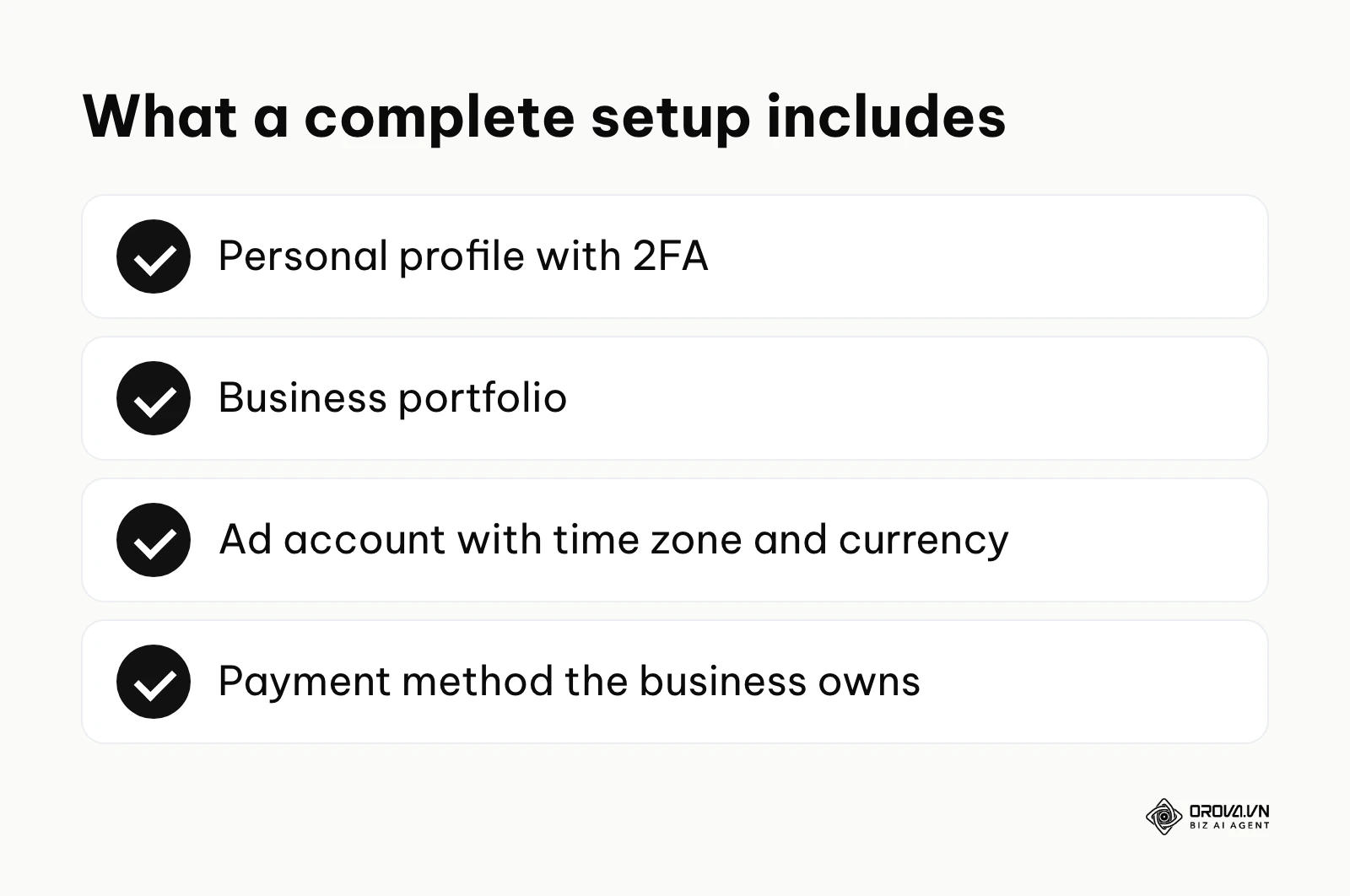
The summary below lists the components of a complete setup.
Historically, this process was as simple as boosting a post directly from a personal feed. However, as the platform matured to accommodate complex enterprise needs, the architecture transformed significantly. Today, a proper ad account setup involves navigating a multi-tiered hierarchy. At the top is your verified personal profile, acting as the master key. Below that sits the business portfolio (the current name for what used to be called Business Manager), serving as a digital corporate headquarters. Finally, housed inside this portfolio are the individual ad accounts where the actual financial transactions occur.
Many beginners confuse these structural elements, leading to severe organizational errors. The table below outlines the core differences:
| Concept | Key Differences | Practical Example |
|---|---|---|
| Facebook Page | A public storefront for organic content. It cannot run complex ads on its own. | A local bakery posting daily photos of fresh bread. |
| Business Manager | The central umbrella that securely holds all assets, pages, and personnel. | The corporate headquarters managing multiple store branches. |
| Ad Account | The specific financial entity where the budget is spent and campaigns are built. | The dedicated marketing budget allocated for a holiday campaign. |
Illustrative example: A local bakery owner wanted to promote custom holiday cakes. They initially tried boosting posts directly from their phone, which offered limited targeting and no retargeting options. By transitioning to a proper business setup, they configured a dedicated Facebook Ads Manager environment and assigned a marketing consultant as an analyst. The consultant encountered a temporary asset restriction due to a mismatched email address, which was fixed by adding the official domain email. As a result, the bakery owner could view detailed audience and results reports, rather than just basic engagement counts.
The purpose of a proper setup
The primary reason a structured ad account setup exists is to create a secure, scalable boundary between your personal social media activity and your corporate financial liabilities. It solves the critical problem of asset ownership and digital security. When multiple employees, external contractors, or agency partners need access to launch campaigns, sharing personal login credentials is a severe security risk that often leads to compromised accounts. A structured architecture allows you to assign specific, granular roles, such as financial analyst, campaign editor, or page moderator, without ever exposing sensitive passwords or giving someone permanent control over your brand.
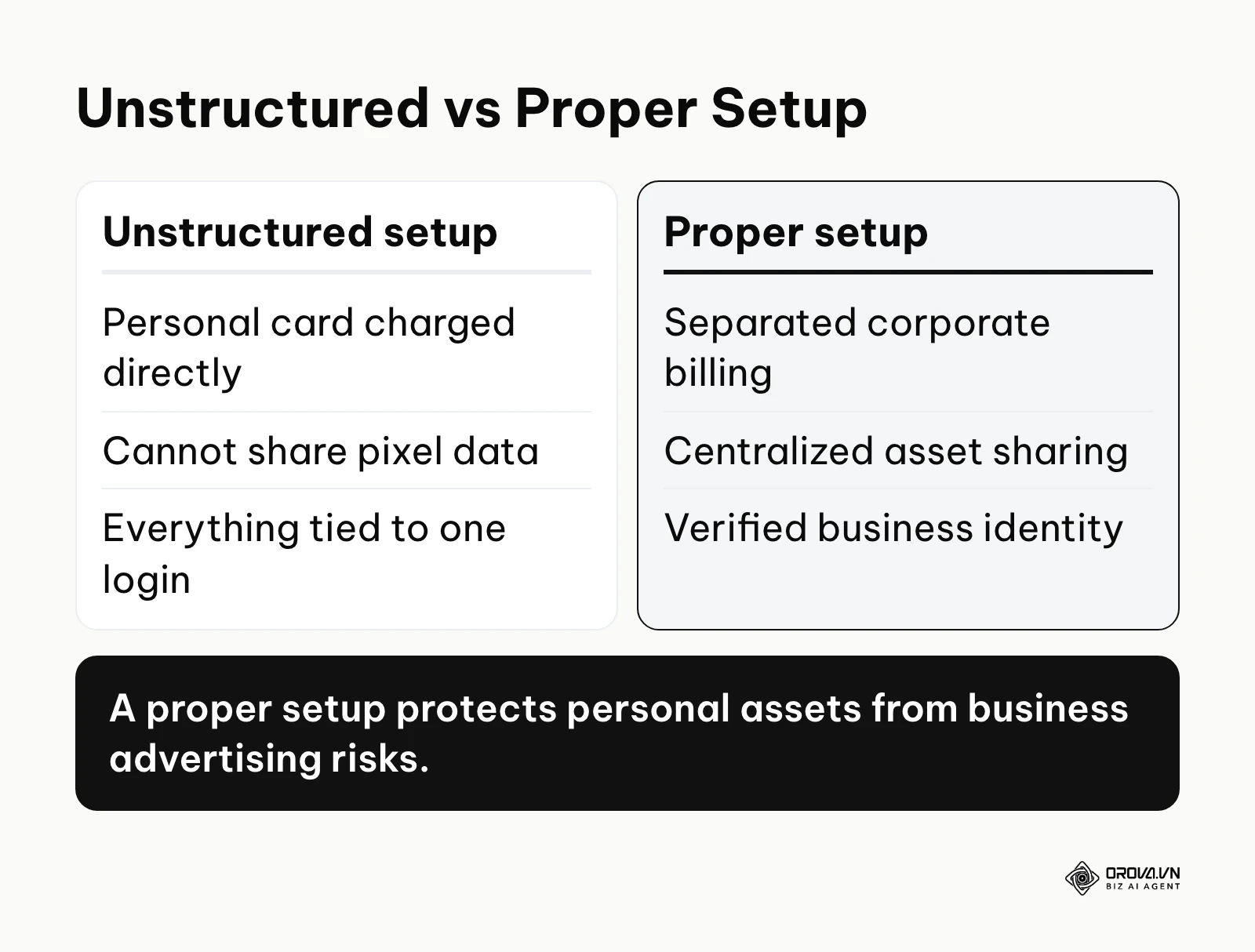
The schematic below summarizes the distinct differences between an unstructured approach and a proper configuration.
In the broader marketing ecosystem, this meticulous process sits directly between your initial brand creation phase and your actual campaign execution phase. You cannot leverage advanced demographic targeting, utilize custom audiences, or deploy precise Facebook pixel tracking if you do not have a compliant financial entity ready to process the data securely. Businesses that do not separate their digital assets properly often find it hard to attribute results and measure return on investment.
If you skip this foundational phase and run everything from one personal profile, a single restriction on that profile can cut you off from your Page, your ad account and its history at the same time. Furthermore, improper billing configurations often lead to suspended credit cards and frozen budgets, causing campaigns to halt right when they start gaining momentum in the algorithmic learning phase.
When you do not need a facebook ad account setup: If your goal is merely to build a community by replying to comments, a standard Facebook Page is sufficient. Similarly, if you are a micro-business relying solely on organic reach in local marketplace groups, investing time in a complex Business Manager is unnecessary. Finally, if an agency runs your ads, you still benefit from owning a business portfolio, but the agency can work inside it through partner access instead of you building every detail yourself.
Value and benefits of a proper setup
Executing a proper ad account setup delivers compounding returns across the entire organization, positively affecting both top-level management and the daily operators. For the business as a whole, it drastically reduces financial risk, protects corporate time by avoiding lengthy appeal processes, and ensures that the advertising budget is spent efficiently without sudden interruptions. Advanced PPC ad management strategies require a stable environment to function optimally. For the practitioners operating the platform daily, it eliminates the anxiety of technical blocks and streamlines the workflow, allowing them to focus on creative testing rather than troubleshooting account bans.
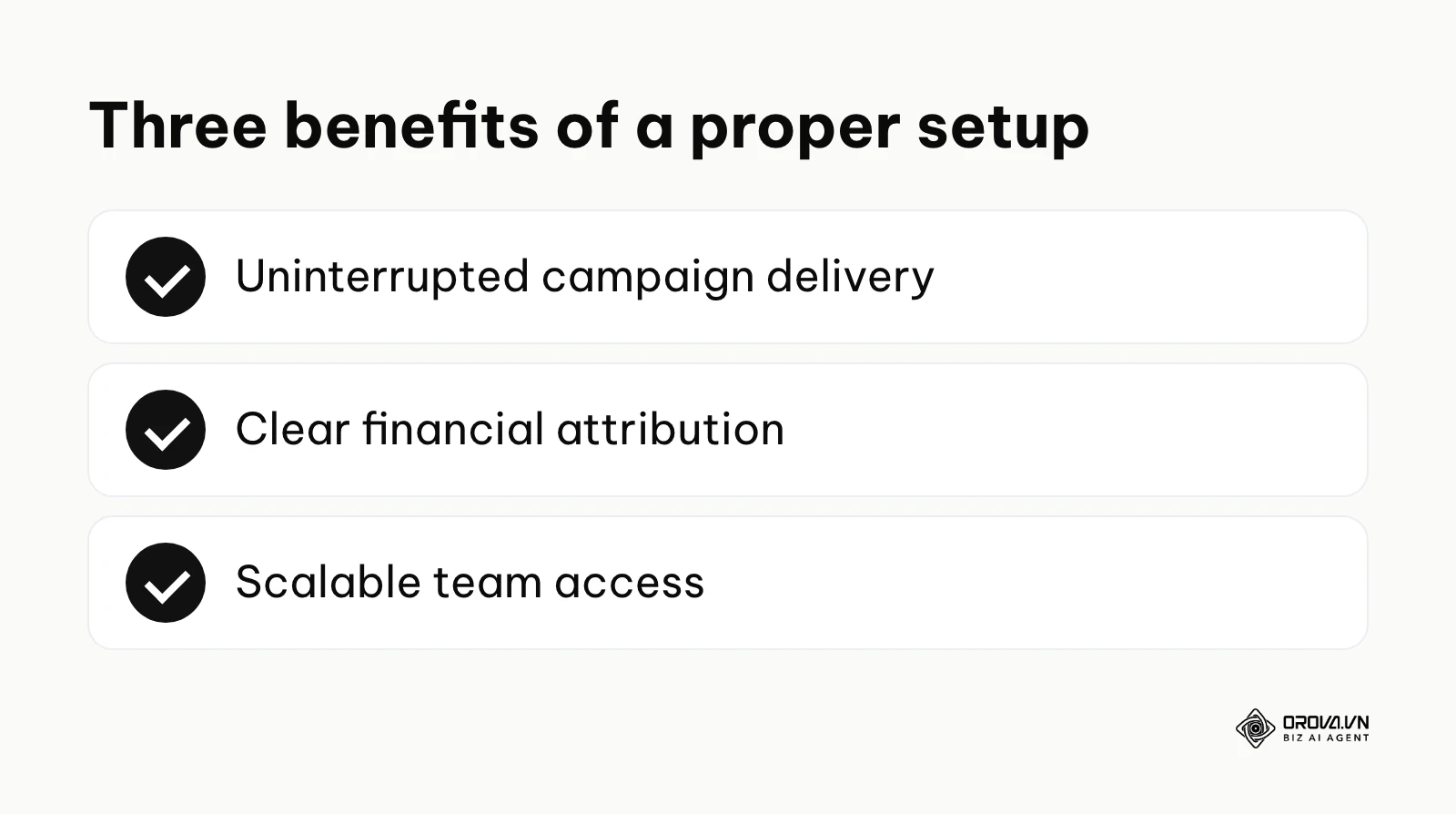
Uninterrupted campaign delivery
Before a rigorous setup, advertisers often face random pauses, rejected ads, and unexpected payment holds that severely disrupt the learning phase of a platform's delivery algorithm. When an ad set stops unexpectedly, delivery can be disrupted and results are often less stable when it resumes. After setting up a verified business portfolio with a valid payment method, campaigns are less likely to stop for avoidable reasons. This stability allows the system to optimize delivery over time, maintaining a consistent flow of traffic and keeping lead generation costs predictable.
Clear financial attribution
Previously, companies using mixed personal accounts struggled to separate ad spend from personal online purchases, creating absolute nightmares for accounting departments during tax season. Budgets were often misallocated because there was no clear distinction between different departmental campaigns. With a proper structure, every transaction is logged under a distinct business entity. This allows finance teams to download accurate, itemized invoices directly from the billing center, ensuring that every dollar spent is properly attributed to the correct corporate initiative.
Scalable team access
Initially, founders often act as a massive operational bottleneck. They must approve every minor change manually because they are justifiably afraid to share their personal login credentials with junior staff. Following a structured ad account setup, the owner can invite agencies or new hires via their corporate email, granting precise access levels tied strictly to their job function. If an employee leaves the company, their access to the entire portfolio is revoked globally with a single click, keeping the historical campaign data completely secure and preventing any malicious changes.
| Key Benefit | Measured Metric | Time to See Results |
|---|---|---|
| Fewer avoidable restrictions | Number of manual account appeals per quarter | First 14 days of campaign launch |
| Financial clarity | Time spent reconciling monthly billing invoices | End of the first billing cycle |
| Team efficiency | Hours saved onboarding new marketing contractors | Immediate upon granting access |
Illustrative example: A mid-sized clothing retailer managed a single ad account for multiple regional branches, leading to a tangled mess of budgets where one region would frequently overspend its allocation. The regional manager implemented a restructured environment by creating separate asset groups for each city within the central business portfolio. During this transition, the manager set an account spending limit on each regional ad account so no branch could overspend its allocation. The new setup allowed the finance team to download localized billing invoices directly, eliminating the need to manually split a single massive monthly receipt and saving the accounting team several hours each week.
OROVA ADS applies AI Agent to automate and optimize ad performance on Google, Meta and TikTok. Scale your budget safely, monitor 24/7 and expand your business quickly.
Experience the solution at orova.vn/ads
How the setup process works
The journey to a stable advertising presence requires careful orchestration of multiple technical layers. Meta reviews new advertisers against its policies and verification requirements, so the information you prepare is just as important as the buttons you click on the screen.
Phase 1: Preparing your profile and business details (the 10-step checklist)
Many problems with new ad accounts come from incomplete business information, shared logins or payment details that do not match the business. Preparing the items below before you start makes the creation flow faster and gives Meta consistent information if it asks you to verify anything.
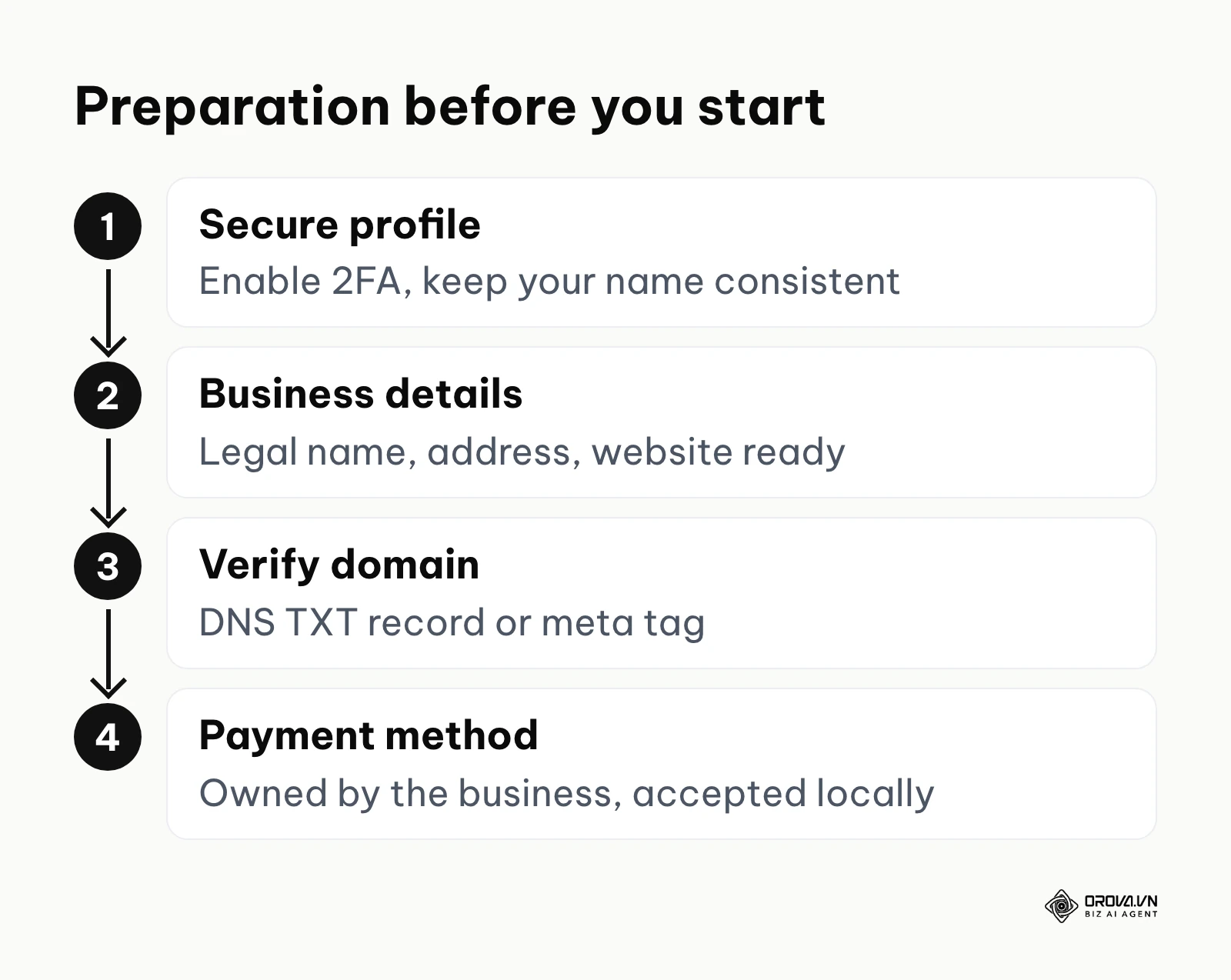
The schematic below summarizes the preparation steps.
- Use your real personal profile: A business portfolio is created from a personal Facebook account. Use your own authentic profile; Meta's rules allow one personal account per person, so do not create extra profiles just to run ads.
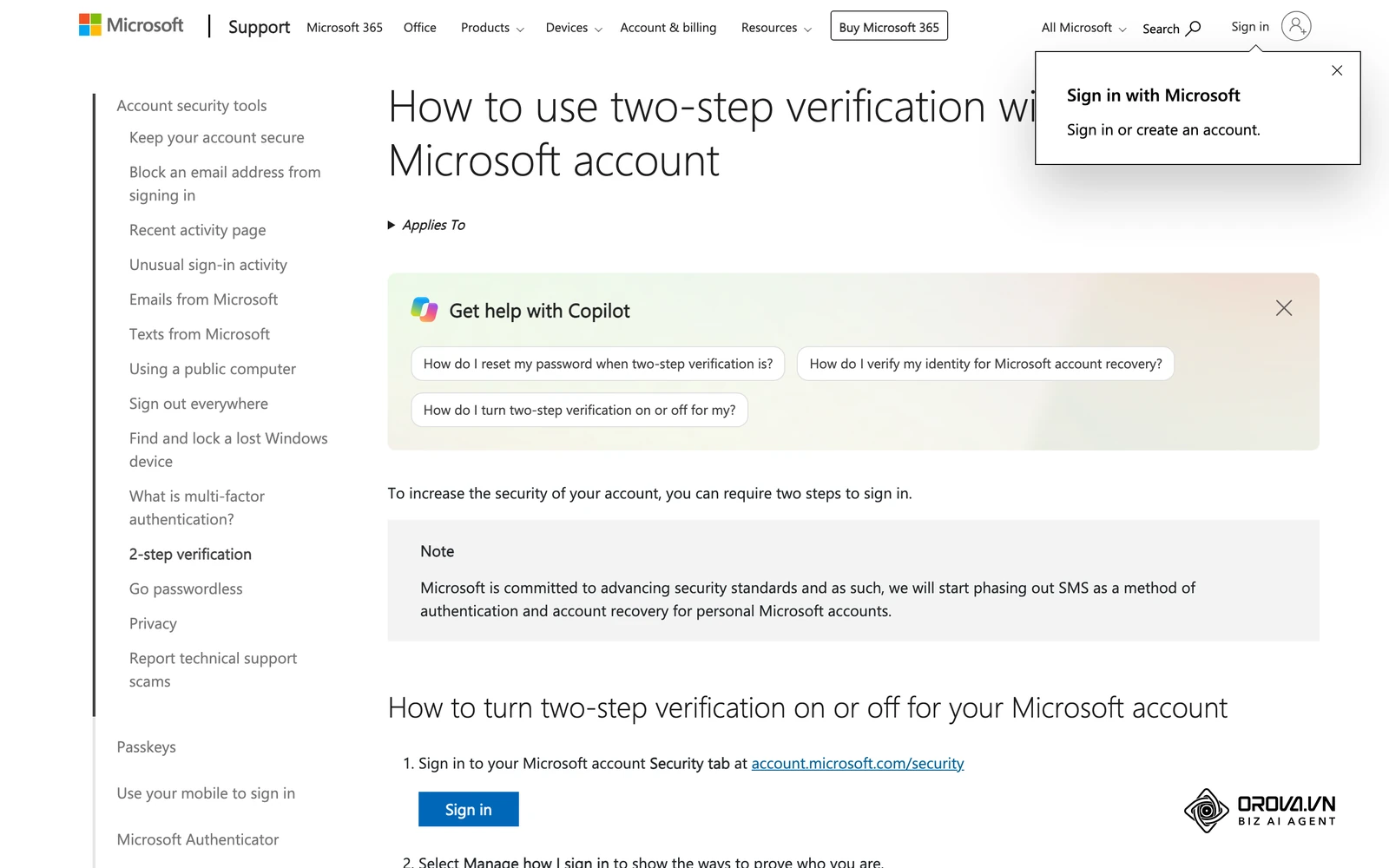
- Enable 2FA: Turn on two-factor authentication, ideally with an authenticator app. Meta may require it for people who manage a business portfolio.
- Keep your name consistent: Use the name you are known by in everyday life and that matches your ID, because Meta may ask you to confirm your identity before you can manage ads.
- Log in only as yourself: Do the setup from your own login on your usual device. Never share passwords; teammates should get their own access later.
- Get your Page ready: Make sure you are an admin of the Facebook Page (and the Instagram account, if you use one) that will run the ads.
- Collect business details: Have your legal business name, address, phone number and website exactly as they appear on your registration documents. Business verification uses them.
- Business email: Use an email on your own domain where possible. It makes ownership clearer and simplifies verification.
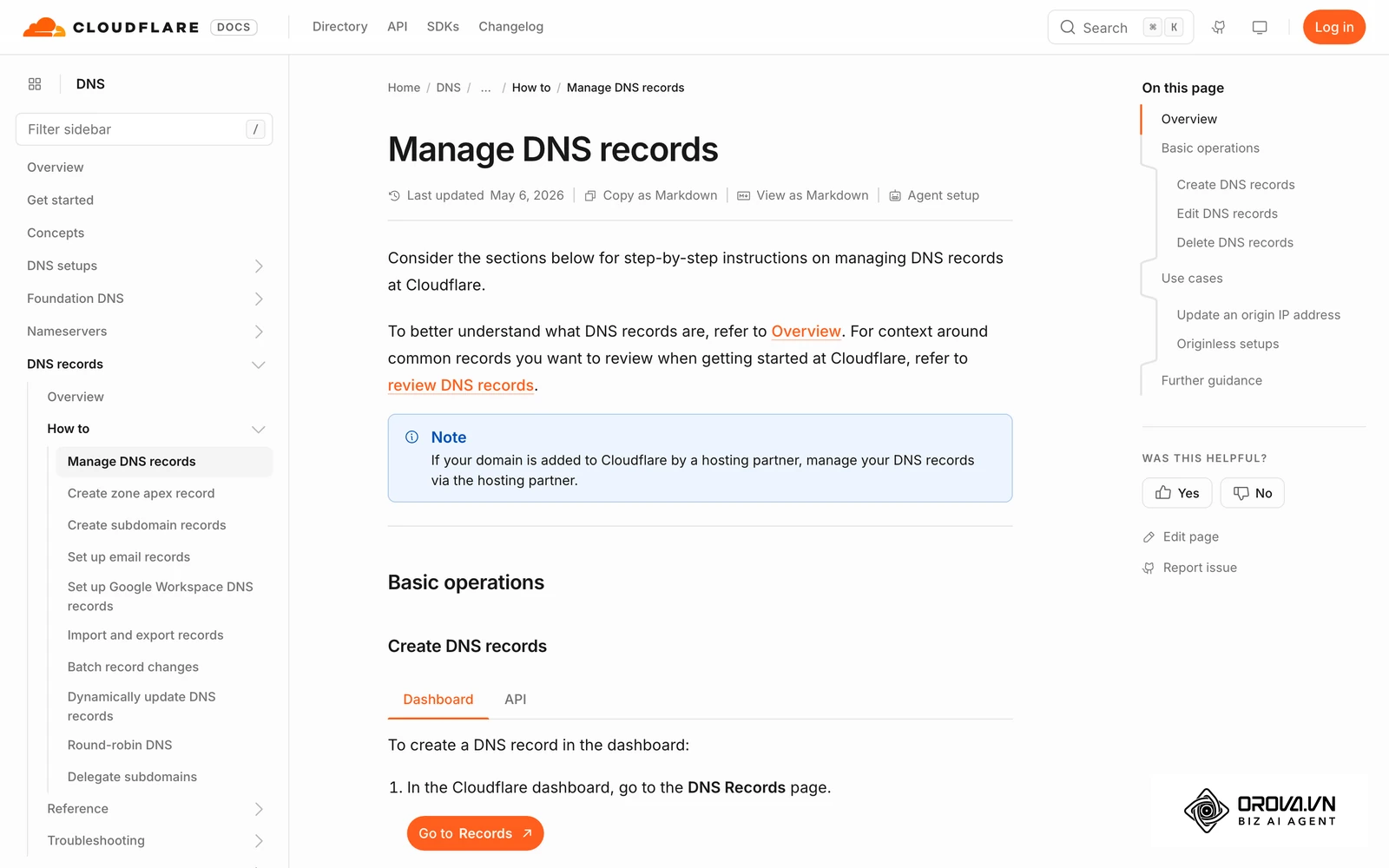
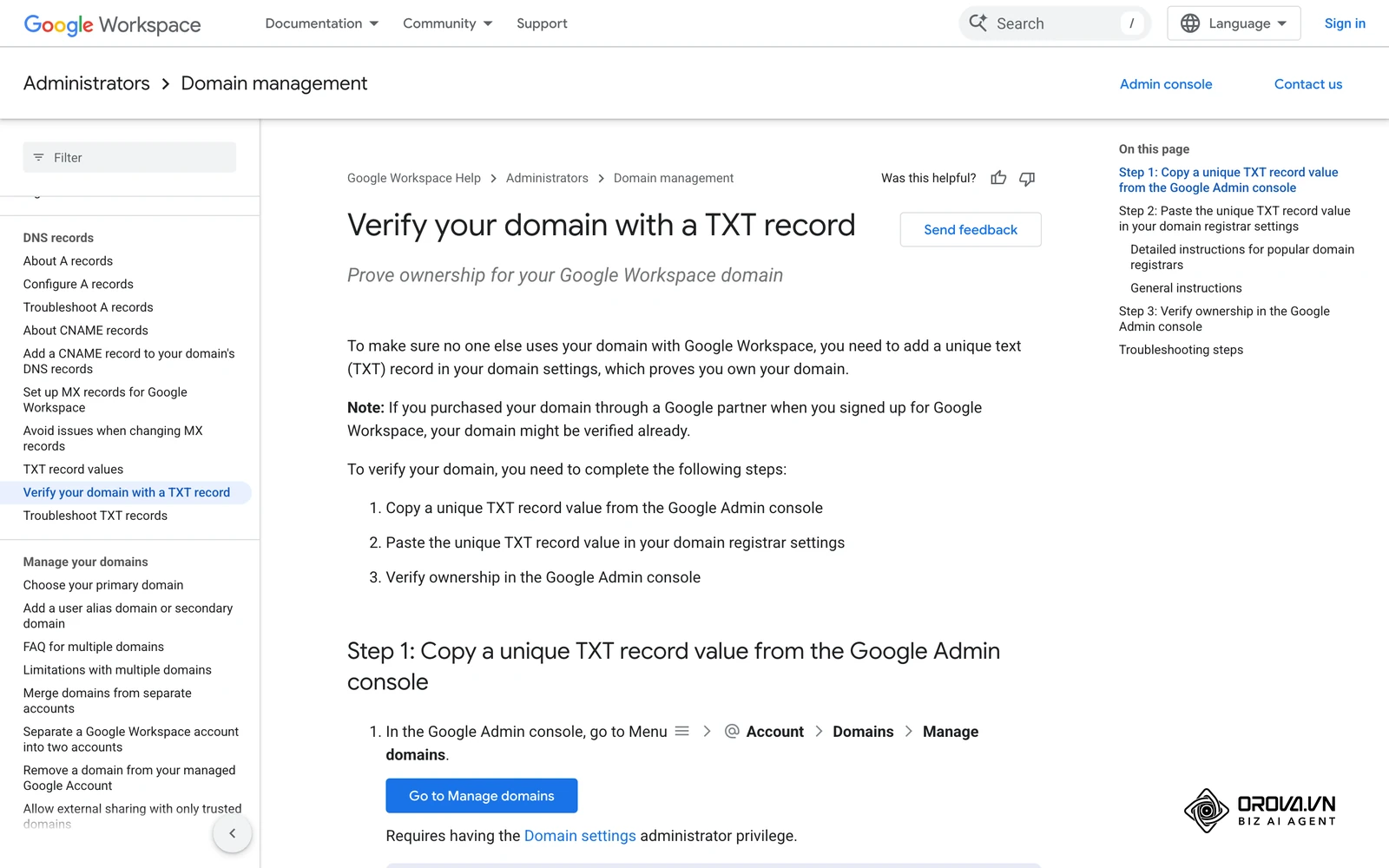
- Domain access: Make sure you can add a DNS TXT record or a meta tag to your website, so you can verify your domain.
- Payment method: Prepare a payment method that belongs to the business or that you are authorized to use, and check that it is accepted for your country and currency.
- Policy check: Read Meta's Advertising Standards and confirm that your product, ads and landing page comply before you create your first campaign.
Phase 2: Choosing the right account structure
Advertisers often struggle with deciding which framework suits their long-term needs. The platform offers different tiers of access depending on your operational scale, and choosing incorrectly can lead to complicated data migrations later.
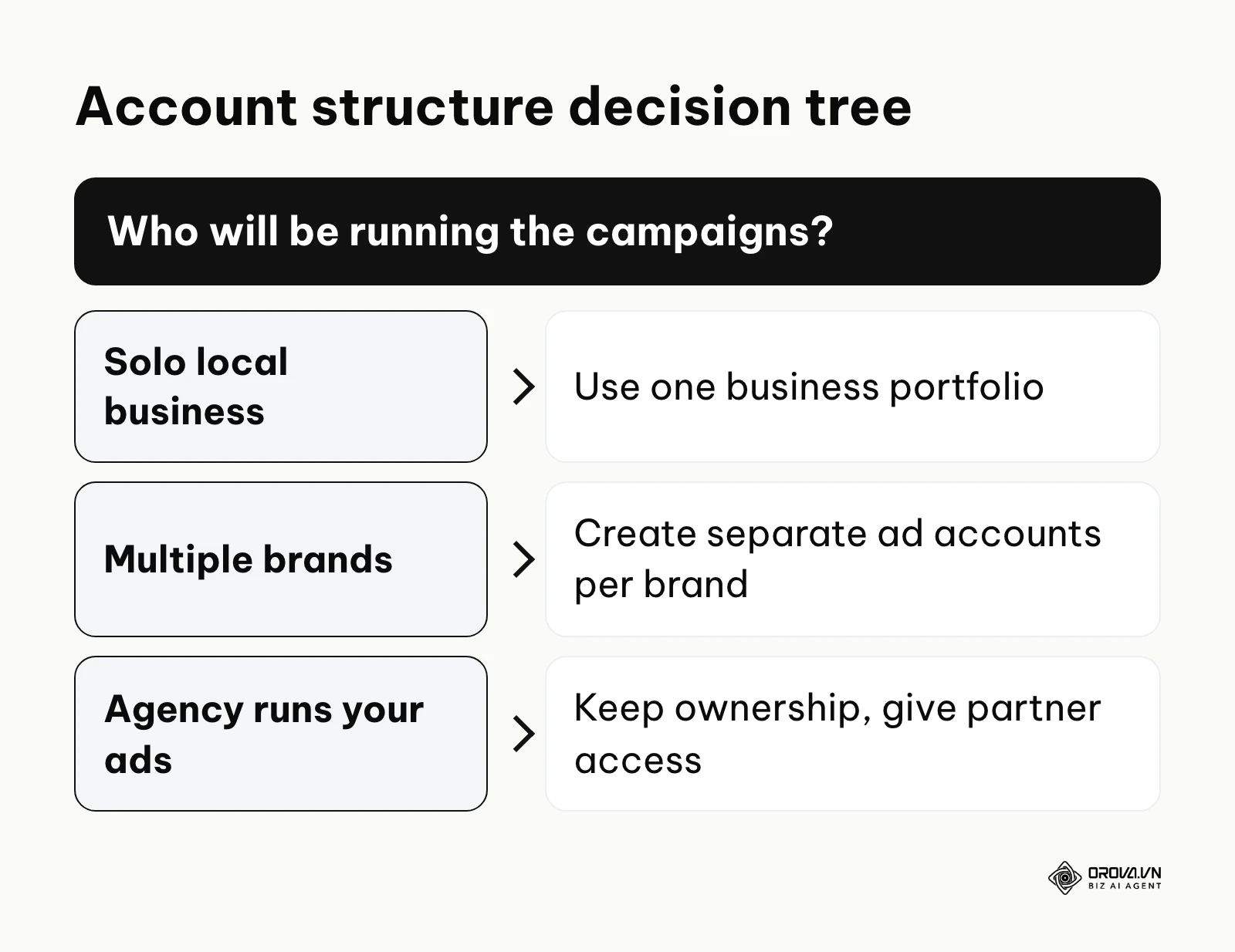
The decision tree below summarizes how to choose the correct entity based on your specific operational needs.
| Account Type | Key Characteristics | Best Suited For |
|---|---|---|
| Personal Ad Account | Attached directly to your personal profile. Very limited sharing capabilities, and everything depends on one person's login. | Hobbyists running a one-time low-budget post boost. |
| Business portfolio (formerly Business Manager) | A centralized hub separating personal profiles from business assets. Allows pixel sharing, domain verification, and custom audiences. | Small to large enterprises looking for stable, long-term growth. |
| Partner access | You own the business portfolio and assign an agency or freelancer partner access to specific Pages, ad accounts and datasets. | Businesses that hire an agency but want to keep ownership of their assets and data. |
Phase 3: Creating the business portfolio and ad account
The creation flow lives in Meta Business Suite. Menu labels change from time to time, but the order of steps has stayed the same:
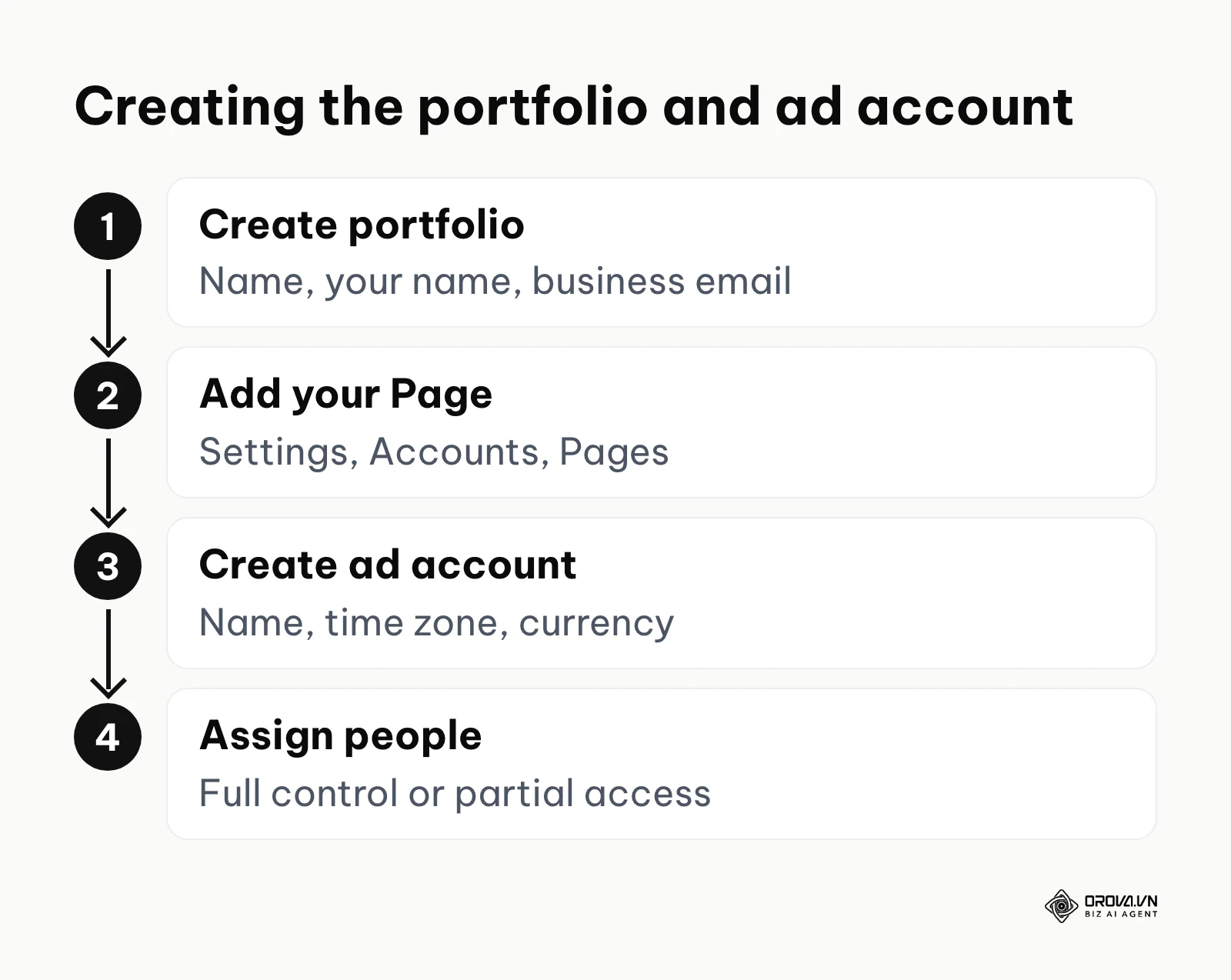
- Go to business.facebook.com while logged in to your personal profile and choose to create a business portfolio.
- Enter the business portfolio name (use your public business name), your name and your business email, then submit. Confirm the email Meta sends you.
- Open Settings (Business settings) and go to Accounts, then Pages. Add the Facebook Page you already own, or request access to a Page owned by someone else.
- Go to Accounts, then Ad accounts, and choose Add, then Create a new ad account. Enter the ad account name, time zone and currency, and confirm that the account is for your own business.
- Assign yourself and your teammates to the ad account with the right level of access, such as full control for owners and partial access for people who only build or report on campaigns.
- If Meta asks for business verification, start it from the Business info or Security centre section and submit the documents it requests.
Choose the time zone and currency carefully at step 4. They drive your billing and reporting, and changing them later is limited and can split your reporting history.
Illustrative example: A software startup first ran ads from the ad account attached to the founder's personal profile. When a contractor joined, the founder had no safe way to give access without sharing a password. The founder created a business portfolio, added the company Page, created a new ad account in the company's currency and time zone and gave the contractor partial access. The contractor could build and report on campaigns while billing and ownership stayed with the business.
Phase 4: Adding secure payment methods
Billing is the step most likely to stop a new account before it starts, because ads cannot run without a valid payment method. You add payment methods in the Billing and payments section of Meta Business Suite, either for the whole business portfolio or for a specific ad account.
Accepted payment methods depend on your country and the ad account currency. They usually include credit and debit cards, and in some markets PayPal, local bank methods or manual (prepaid) payments. Meta's Help Center keeps the current list for each country, so check it before you start. Use a payment method that belongs to the business or that you are authorized to use; adding cards you do not own can lead to restrictions.
With automatic payments, Meta charges you when your spend reaches your payment threshold or on your monthly billing date, whichever comes first. The threshold can change over time as you pay successfully, and you can see the current value in your billing settings instead of guessing. You can also set an account spending limit to cap the total amount an ad account can spend.
If a charge fails, your ads stop delivering until the outstanding balance is paid. Fix the cause with your bank or add another payment method, then pay the balance from Billing and payments instead of creating a new ad account.
Phase 5: Configuring tracking assets
A proper ad account setup is fundamentally incomplete until the measurement foundation is firmly laid. You must generate a tracking pixel (frequently referred to as a dataset in modern interfaces) and install its base code on your website header. Following this initial installation, you must verify your domain within the brand safety section of the portfolio. This verification proves you own the destination URL and protects your domain from being used maliciously by unauthorized advertisers.
Beyond the basic pixel, many advertisers also configure the Conversions API. This server-side connection sends events directly from your server to Meta, so it depends less on the browser, and it works alongside the pixel. Our Conversions API guide explains how to set it up. While it takes more technical effort to configure, it is valuable for more complete reporting and algorithmic training in today's privacy-centric landscape. Structuring a rigorous ad testing phase relies on the data accurately flowing back through these verified tracking mechanisms.
Troubleshooting and appeal templates
Even with a careful setup, Meta can restrict an account, for example after a policy review or a failed payment. Do not create a new profile or another business portfolio to get around the restriction; Meta treats that as circumventing its systems, which can lead to further restrictions. Instead, open Account Quality in Meta Business Suite, read the reason given and request a review if you believe the decision is wrong.
If the review form offers a text field for an ad account disabled for unusual activity, a short, factual note works best: "Hello, our ad account was recently disabled for unusual activity. I am the owner of this business portfolio and the only person who logs in to my profile. Our business details match our registration documents, and I can provide identity or business verification if needed. Please review the account. Thank you."
If Meta asks you to confirm your identity, follow the steps it shows and add a note such as: "Hello, I am submitting my identification to confirm my identity. The name on my ID matches the name on my profile. Please let me know if you need any further information. Thank you."
What you need to do to get started
The approach to establishing your advertising infrastructure varies significantly based on your specific role and responsibilities within the organization. A tailored preparation strategy ensures you do not waste valuable time on unnecessary technicalities that do not apply to your situation.
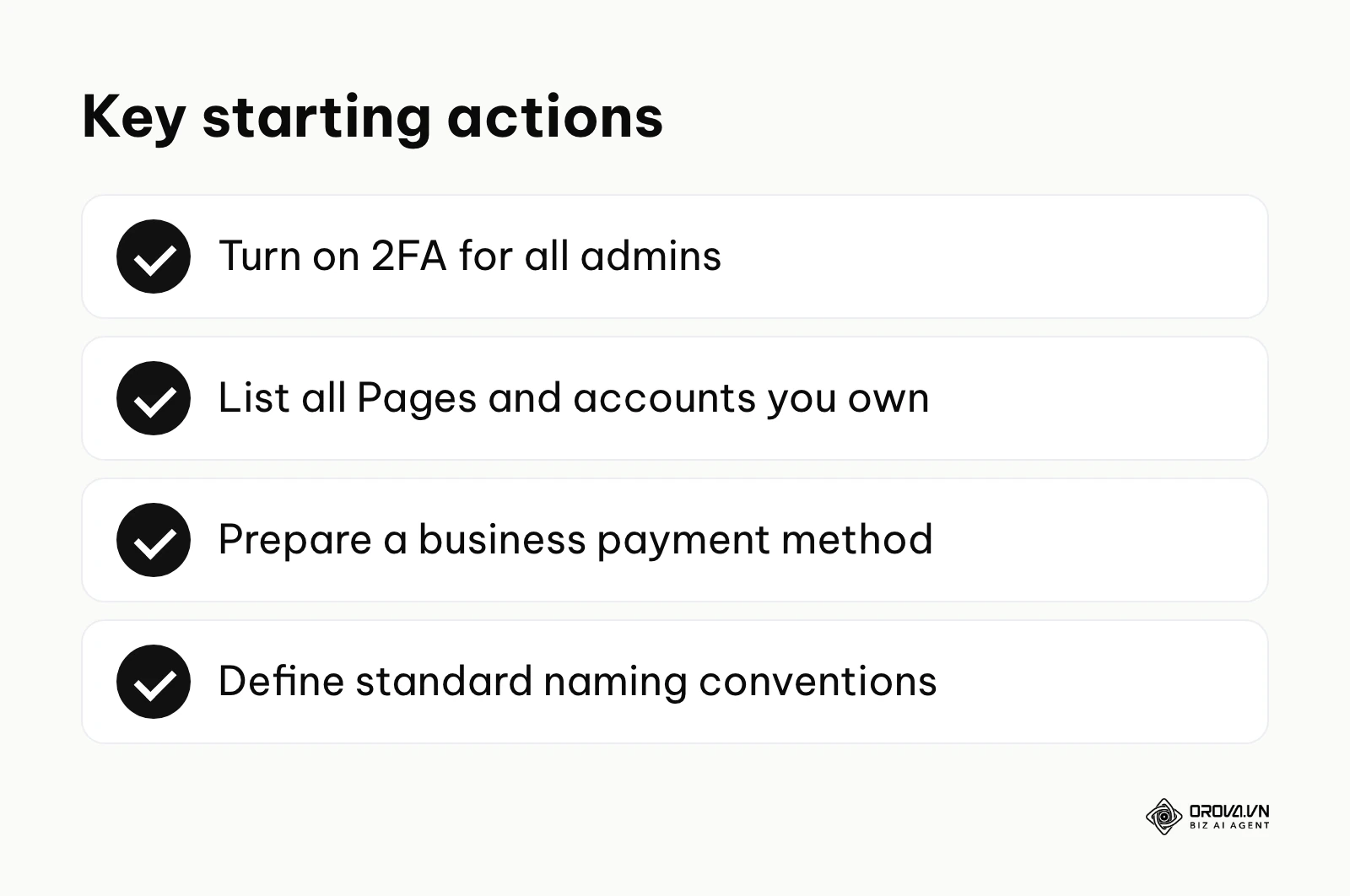
The checklist below summarizes the critical items you must gather before logging into the platform.
For small business owners
If you are running the entire operation yourself, your primary goal is maintaining strict compliance and ensuring absolute security to protect your limited budget.
- Gather your personal government ID, corporate registration, and utility bills, taking clear, unedited, glare-free photos of each document.
- Upgrade your personal profile security immediately by enforcing two-factor authentication via a trusted mobile authenticator app.
- Check with your bank that online (and, if relevant, international) charges from Meta will not be blocked on the business payment method.
- Register a professional domain name and set up an official business email address if you are still relying on a free email service.
For in-house marketing managers
Managers must focus heavily on organizational architecture, data integrity, and streamlining team workflows to prevent bottlenecks.
- Map out all existing digital assets comprehensively, identifying any stray pages, disconnected pixels, or old ad accounts created by former employees.
- Establish a strict, documented naming convention for all future assets, campaigns, and datasets to maintain operational order as the account scales.
- Centralize all page ownership and Instagram accounts under one primary, heavily secured Business Manager.
- Audit current team access levels thoroughly, removing any external contractors or former employees who no longer require administrative rights.
For freelance media buyers
Freelancers must aggressively prioritize protecting their own personal profiles while onboarding multiple new clients seamlessly.
- Create a standardized, step-by-step onboarding document instructing clients on exactly how to grant you secure partner access via your agency ID.
- Never ask for a client's Facebook login. Request partner access to their portfolio instead, so each person works under their own profile.
- Insist that clients independently verify their own domains and handle their own billing configurations before you launch any live campaigns.
- Keep a simple record of which assets each client has shared with you, and ask clients to remove your access when a contract ends.
| Common Setup Mistake | Consequence of the Error | How to Avoid It |
|---|---|---|
| Sharing one login among several people. | Security checkpoints and no record of who changed what. | Give each person their own access inside the business portfolio. |
| Adding a payment method the business does not own. | Payment method removed and possible account restriction. | Use a payment method in the business's name or one you are authorized to use. |
| Skipping domain verification. | Less control over who can use your domain in ads. | Verify via a DNS TXT record or meta tag before launching conversion campaigns. |
| Ignoring a failed payment. | Ads stop delivering until the balance is paid. | Fix the cause with your bank, then pay the balance from Billing and payments. |
| Using mismatched profile names. | Delays when Meta asks you to confirm your identity. | Use the name that matches your ID on your profile. |
Want to scale your budget but afraid of breaking performance? 📉
Integrate OROVA ADS now - an AI Agent that automatically monitors and optimizes Google, Meta, TikTok ads 24/7. Now, expanding and replicating your Performance Ads team is just one click away.
🚀 Try it now at: orova.vn/ads
Future trends of ad account setup: Author's perspective
As platforms face increasing pressure from regulatory bodies regarding data privacy and fraudulent advertising, the initial onboarding process will inevitably transform. Based on current trajectories observed up to 2026, I believe the landscape of account creation will become much more rigorous, resembling strict financial compliance models. Here are my three main predictions for where this is heading over the next few years.
AI-driven behavioral verification
Today, we already see automated systems flagging unusual login locations or rapid clicking patterns. I believe that in the coming years, AI will not just check static data such as login locations, but will continuously analyze behavioral biometrics during the setup phase. If the cadence of your typing, the speed of your mouse movements, or your navigation patterns do not match a legitimate human user, the AI will halt the setup. Advertisers should prepare by ensuring they do not use automated scripts or macro tools when managing their administrative settings.
Decentralized identity passports
Currently, verifying a business involves uploading physical documents that take days to manually review by human support staff. I lean toward the prediction that major ad networks will adopt decentralized digital identity protocols. Instead of submitting a paper passport, businesses will connect a cryptographic identity token verified by a third-party financial institution. This would make the onboarding process instantaneous for legitimate businesses while completely locking out bad actors. You should start familiarizing yourself with corporate digital identity services now to stay ahead of this shift.
Partner access becomes the default way to work with agencies
I expect more small businesses to keep ownership of their own business portfolio and give agencies partner access, rather than handing over logins or running ads in accounts they do not own. Owning your assets means your Page, ad account history and tracking data stay with you if you change agency. To prepare, keep your portfolio organized and learn how partner access works before you hire outside help.
Frequently asked questions about facebook ad account setup
Navigating the initial configuration often leads to confusion, especially when the platform interface updates frequently. Here are answers to the most common roadblocks advertisers face.
Why did my account get disabled immediately after creation?
Meta can restrict a new account if it suspects a policy issue, unauthorized access or a payment problem. Open Account Quality in Meta Business Suite to see the reason, then follow the steps shown there, such as confirming your identity or requesting a review. Do not create a new account to get around the restriction.
Should I add my payment method right away or wait?
There is no need to rush. Many advertisers add it once the business portfolio, Page and ad account are in place. Add it before you publish your first ad, because ads cannot run without a valid payment method or, in markets that offer it, prepaid funds.
How can I increase my ad account creation limit?
Meta sets how many ad accounts a business portfolio can create, and you can see the current limit when you add an ad account. The limit depends on factors such as your advertising history and account standing, and it can increase over time. You cannot request a higher limit directly, and opening extra portfolios to get around it is not allowed.
Which payment methods can I use?
It depends on your country and the ad account currency. Credit and debit cards are the most common option, and some markets also support PayPal, local bank methods or manual payments. Check Meta's Help Center for the current list, and use a payment method that belongs to the business.
Is facebook ad account setup still needed when we have AI?
Yes, a proper ad account setup remains absolutely essential even in an era of advanced artificial intelligence. While AI tools can automate bid management, write ad copy, and optimize creative testing, they still require a secure, compliant infrastructure to operate within. AI cannot bypass identity verification, authorize legal billing methods, or resolve policy violations on your behalf.
Where should you start?
Taking the first step toward a stable advertising presence depends entirely on what you have already established. Rather than jumping blindly into the settings menu, you must tailor your approach to your current situation to avoid triggering security alerts.
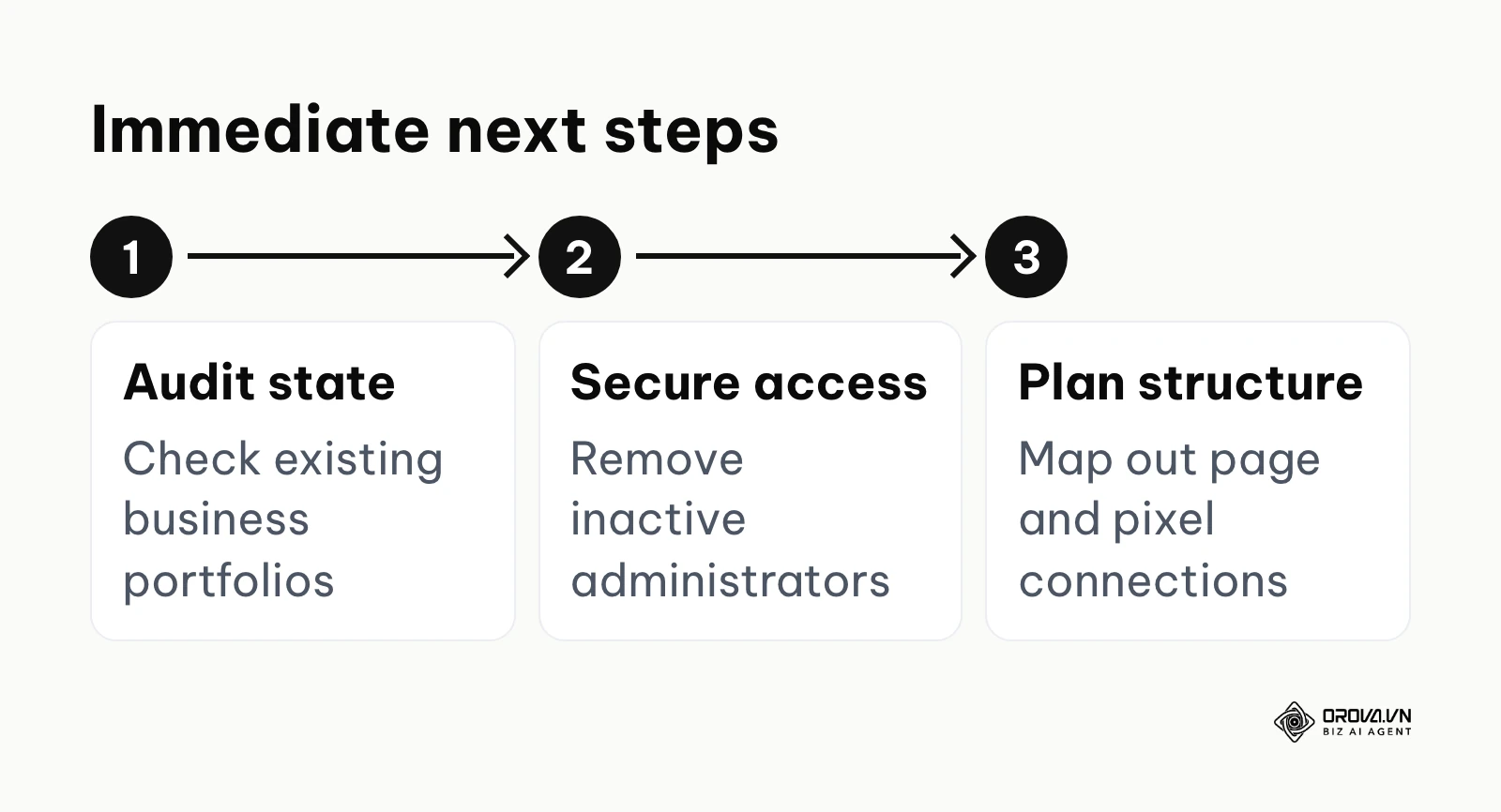
The process flow below summarizes the immediate actions required based on your current operational state.
If you have nothing set up yet, your absolute first step is to secure your personal environment. Do not touch the business portal until you have enabled two-factor authentication on your main profile and confirmed that your display name exactly matches your legal documents. This single action acts as an insurance policy against permanent lockouts when you eventually initiate the business creation phase.
If you have a scattered setup with pages and billing tied to various personal profiles, your immediate task is consolidation. Choose one primary corporate email and create a central business portfolio to house everything safely. From there, systematically send requests to claim ownership of all rogue pages and ad accounts, bringing them under one secure umbrella.
If you are already running campaigns but lacking proper measurement, your focus must immediately shift to asset verification. Verify your website domain via your DNS records, then set up your dataset and conversion events so you can attribute revenue accurately. Taking the time to build this foundation correctly ensures your future facebook ad account setup remains resilient and ready for scale.
About the author

Builder of Orova
Nguyễn Đỗ Trọng Ân has 8 years of experience in marketing, including 6 years managing market development across Asia. He builds Orova, a Biz AI Agent that never sleeps: it plans, runs and optimizes work for businesses.
Run your business with AI Agents
Orova is the always-on Biz AI Agent — it plans, runs, and optimizes the work for you.
Save time, unlock productivity.