
What Is WordPress SEO? A Practical Guide to Organic Visibility

If you are running a website on the world's most popular CMS, mastering wordpress seo is no longer just about installing a plugin and waiting for traffic to roll in. For years, the standard advice was simple: uncheck the 'Discourage search engines' box, set your permalinks to 'Post name', install a popular optimization tool, and make sure the traffic lights in the editor turn green. However, as search engines become more sophisticated, this old understanding is fundamentally flawed.
Relying solely on basic plugin settings often leads to bloated database tables, technical code conflicts, and massive missed opportunities in the era of AI-driven search behaviors. This guide provides an objective, unbiased deep dive into the reality of optimizing your site today. We will cover strict plugin performance benchmarks, advanced troubleshooting during technical migrations, and highly practical ways to integrate AI into your daily workflows without losing your unique brand voice. You will learn how to build a lean, high-performing foundation that actually drives measurable revenue rather than just ticking arbitrary boxes.
What is WordPress SEO?
WordPress SEO is the practice of optimizing a WordPress website's technical infrastructure, content architecture, and performance settings to improve its visibility on search engines. It serves to align a site's structure with Google's crawling guidelines, differing from generic SEO by focusing on CMS-specific configurations like permalinks, taxonomy, and dedicated plugins.
The term gained massive prominence alongside the platform's rapid rise in the late 2000s, as developers quickly realized that the platform's out-of-the-box settings required significant fine-tuning to compete in search engine results pages (SERPs). While the core principles of search remain the same across the internet, the execution changes drastically depending on your platform.
| Concept | Difference | Example |
|---|---|---|
| WordPress SEO | Focuses on platform-specific settings, themes, and plugin ecosystems. | Configuring the Rank Math XML sitemap module to exclude tag archives. |
| Custom CMS SEO | Requires manual coding for routing, meta tags, and schema generation. | Asking a backend developer to hardcode JSON-LD into the page <head>. |
| Wix/Squarespace SEO | Relies on closed-source, built-in tools with strict limitations on code modification. | Using the platform's built-in SEO Wiz checklist for basic tagging. |
Everyday example: Think of building a website like opening a newly built retail store. Generic search optimization is deciding what products to sell, identifying your target market, and painting the outdoor sign to attract attention. WordPress SEO is specifically knowing how to arrange the modular shelves, wire the electricity, and set up the checkout counters using the exact standardized shelving system (WordPress) you purchased, ensuring both customers and the building inspectors (search engines) can navigate effortlessly without hitting dead ends.
The Meaning Behind the Optimization
Why does this specialized technical configuration matter so much? Search engines, despite their advancements, are essentially blind robots; they rely heavily on structured signals to understand human-centric content. Optimizing your site exists to translate your human-readable articles and product pages into machine-readable data. It solves the critical problem of digital obscurity for local businesses, independent bloggers, and large-scale e-commerce owners alike.
In the broader picture of a company's digital marketing strategy, a technically sound website is the absolute baseline foundation. It comes directly after establishing your initial brand identity and product-market fit, but it must happen long before you spend a single dollar on paid advertising campaigns, PR outreach, or social media boosts. If you ignore this technical foundation, you lose the compounding return on investment that organic search traffic provides; every brilliant piece of content you publish will fight a massive, unnecessary uphill battle just to be indexed, let alone seen by potential buyers. WordPress powers a very large share of the web, which means the competition within this specific ecosystem is fierce, and poor technical setups quickly fall behind.
When you don't need WordPress SEO yet: If you are building a temporary landing page for a weekend event, or a private internal portal strictly for your employees, investing time in organic search visibility is a waste. Similarly, if your entire acquisition model relies completely on outbound sales or paid advertising where you control the exact traffic flow, heavy technical tuning is premature. In these scenarios, focus entirely on conversion rate optimization and user experience, and revisit search strategies only when you are ready to build passive acquisition channels.
The Tangible Value of Search Visibility
The true value of optimizing your site spans two distinct layers: the strategic financial impact on the overall business and the operational efficiency for the people managing the site on a daily basis.
Business Value: Revenue, Time, and Risk Mitigation
For the business as an entity, organic traffic is an asset that appreciates over time. Unlike paid advertisements that immediately stop generating leads the exact moment your budget runs out or your credit card fails, a well-optimized article continues to attract potential buyers for years with minimal maintenance. This drastically reduces your blended cost per acquisition (CPA) and mitigates the severe risk of relying on a single, highly volatile advertising channel. Furthermore, technical optimization ensures that the server resources you pay for are used efficiently, as proper crawling prevents search bots from overwhelming your hosting with unnecessary requests to low-value pages.
Worker Benefits: Clarity and Reduced Friction
For the content creators, copywriters, and marketers on the front lines, a properly configured site removes immense technical friction. Instead of constantly worrying whether a new page can actually be crawled, or manually writing out structured data code, writers can focus entirely on answering user questions and crafting compelling narratives. The software handles the translation layer automatically.
Illustrative example: A mid-sized B2B software agency struggled with unpredictable lead generation and high ad costs.
- Context: A 30-person agency managing a 200-page WordPress site, relying heavily on outbound cold sales and expensive LinkedIn ads.
- Steps taken: The marketing team audited their category structure, fixed 50 broken internal links, and implemented proper FAQ schema markup for their core service pages using a dedicated plugin.
- Stumbling block and fix: Initially, their heavily customized theme broke the schema output, causing severe validation errors in Google's testing tools. They bypassed the theme's default output entirely by injecting the schema via a lightweight, standalone snippet manager instead.
- Visible result: Within four months, their service pages started appearing as rich snippets in the search results, and inbound inquiries from organic search became a consistent weekly occurrence, allowing them to slash their ad budget by half.
| Benefit | Measured by | Seen after |
|---|---|---|
| Lower overall acquisition cost | Blended Cost Per Acquisition (CPA) reduction | 3-6 months |
| Higher content ROI | Organic sessions per published article | 2-4 months |
| Faster publishing workflows | Hours spent formatting meta data and schema | Immediately |
| Improved site health | Reduction in crawl errors and 404 statuses | 1-2 weeks |
Discover Orova.vn – a Biz AI Agent platform with OROVA SEO, a complete solution for every website. The system supports search engine optimization from A to Z with features including keyword research, writing new SEO-ready articles, optimizing existing content, rank tracking, plus competitor analysis and in-depth technical analysis. Sign up today to experience OROVA SEO completely free (offer valid through July 7, 2027).
How It Works: The Anatomy of a High-Ranking Site
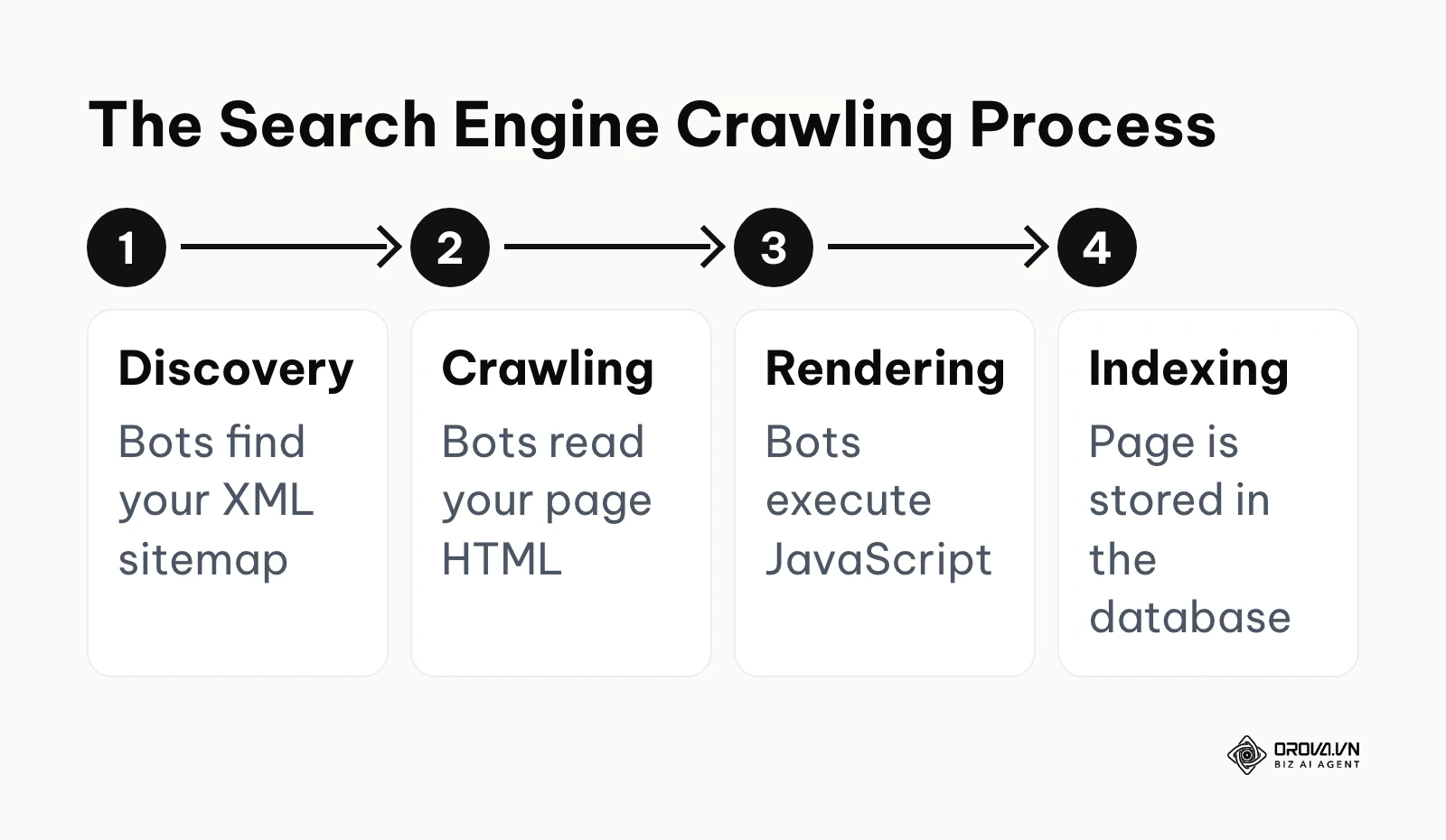
Optimizing a site is not a single action; it involves managing several moving parts continuously, from basic dashboard settings to advanced technical configurations and server environments. Underneath all of them sits one pipeline: discovery (bots find your URLs, usually through your XML sitemap), crawling (bots read the page HTML), rendering (bots execute JavaScript to see the final page), and indexing (the page is stored and becomes eligible to rank). Every setting below exists to remove a roadblock at one of these four stages.
Essential Core Settings
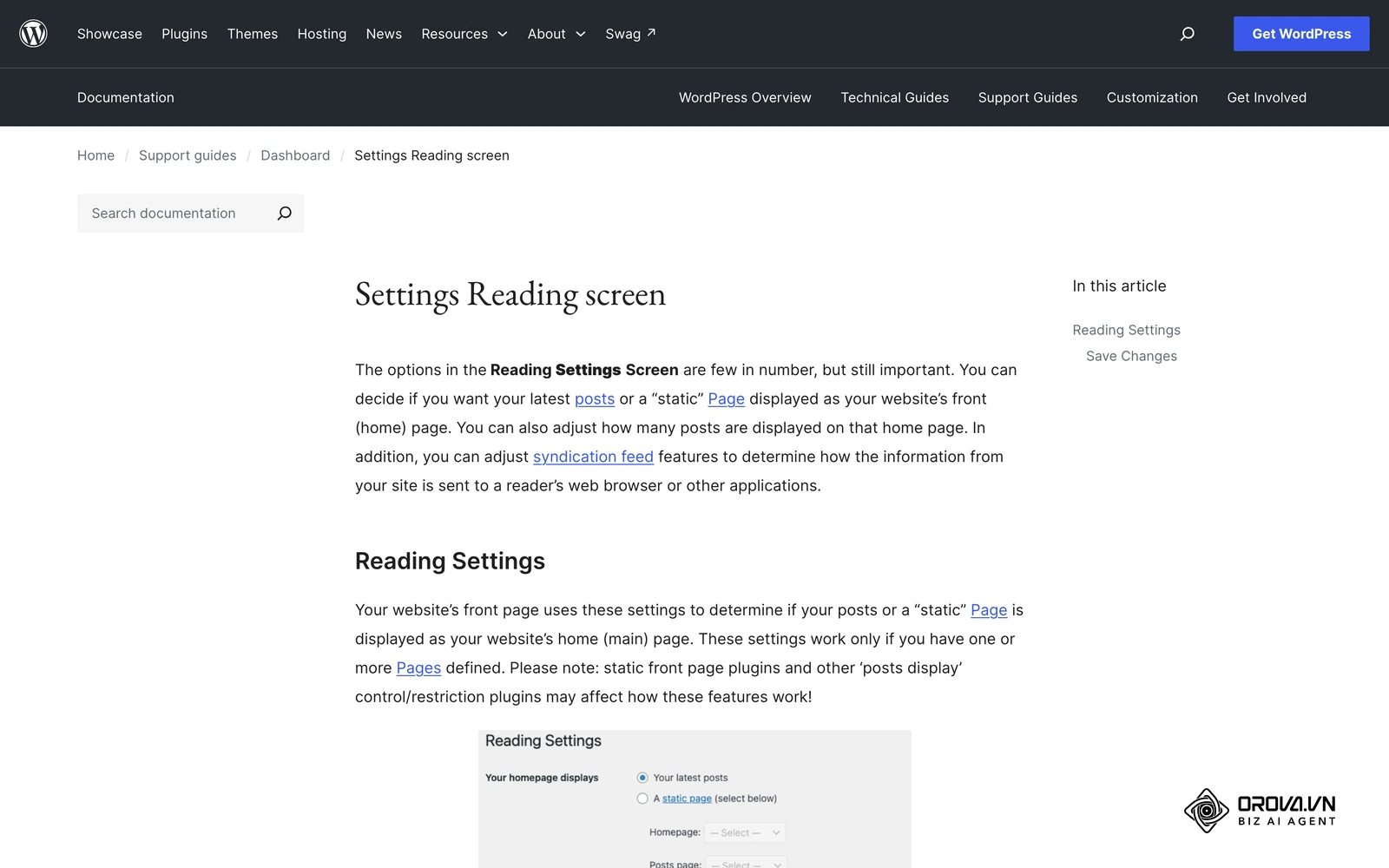
While many guides over-complicate this phase, the basics are simple but absolutely mandatory. You must ensure search engines are allowed to crawl your site by verifying that 'Discourage search engines from indexing this site' is strictly unchecked in your Reading Settings.
Furthermore, your Permalinks must clearly reflect the content. Setting them to the 'Post name' structure (/your-post-title/) rather than the default numerical IDs (/?p=123) or date-based structures (/2026/10/title/) is critical. Date-based URLs force your content to look outdated quickly, harming your Click-Through Rate (CTR). Properly configuring categories and tags prevents massive duplicate content issues; a common mistake is creating a tag that is identical to a category, forcing two identical archive pages to compete against each other. While everyone mentions these basic settings, they only form the baseline. To truly excel, you must look at database performance, advanced integrations, and a solid grasp of technical SEO fundamentals to ensure your server handles requests efficiently.
How to Compare Plugin Performance Objectively
A massive gap in most online tutorials is the blind recommendation of heavy optimization plugins without ever considering their severe impact on site speed and database health. Heavy plugins can bloat your database's wp_options table, slowing down the Time to First Byte (TTFB) drastically because they load hundreds of autoloaded queries on every single page load, regardless of whether they are needed.
Published speed numbers for these plugins vary widely between hosting setups, so the only benchmark that matters is the one you run on your own site. Use the same page, the same cache state, and several runs per plugin.
| Plugin | General approach | Often chosen by |
|---|---|---|
| Yoast SEO | Guided on-page analysis inside the editor, plus sitemaps and schema | Beginners who want writing tips while they draft |
| Rank Math | Modular design, so you can switch off modules you do not use | Users who want many features in one dashboard |
| AIOSEO | All-in-one suite with setup wizard, sitemaps, and schema options | Site owners who prefer a guided setup |
| The SEO Framework | Minimal interface focused on clean technical output | Developers who want a lean, low-configuration tool |
| What to measure | How to measure it | Why it matters |
|---|---|---|
| Time to First Byte (TTFB) | Same page, cache cleared, several runs before and after activation | Shows extra server work the plugin adds to every request |
| Autoloaded options size | Query the wp_options table for autoloaded rows before and after | Large autoloaded data slows every page load |
| Database queries per page | A query monitoring plugin on a staging copy | Reveals plugins that run heavy queries on pages that do not need them |
| Admin editor speed | Time to open and save a long post | Affects your team's daily publishing speed |
Google's own SEO guidance stresses that search engines must be able to crawl and render your pages properly. A plugin that adds noticeable delay to your TTFB before images even begin loading is a technical disadvantage you can avoid, so test before you commit.
AI Integration in SEO Workflows
Artificial Intelligence is fundamentally changing how we approach content architecture and technical tagging. Instead of manually writing dozens of meta descriptions or hiring developers to write JSON-LD code, you can use AI to scale the process accurately. This is one of the most practical daily applications of AI SEO.
| Task | Copy-Paste Prompt Template |
|---|---|
| Write Meta Description | "Act as an expert copywriter. Write a strictly 140-155 character meta description for a blog post titled '[Title]'. The main keyword is '[Keyword]'. Make it actionable, highly relevant, and include a call to action. Do not use quotation marks in the final output." |
| Generate FAQ Schema | "Create valid JSON-LD FAQ schema markup for the following three questions and answers: 1. [Q1] - [A1], 2. [Q2] - [A2], 3. [Q3] - [A3]. Ensure the code is fully minified, escapes all special characters, and is ready to be pasted directly into the HTML <head>." |
| Suggest Content Gaps | "Analyze the top 3 ranking articles for the search intent behind '[Keyword]'. List 3 specific subtopics, technical nuances, or user questions they completely failed to answer, which I should include in my new article to provide superior value." |
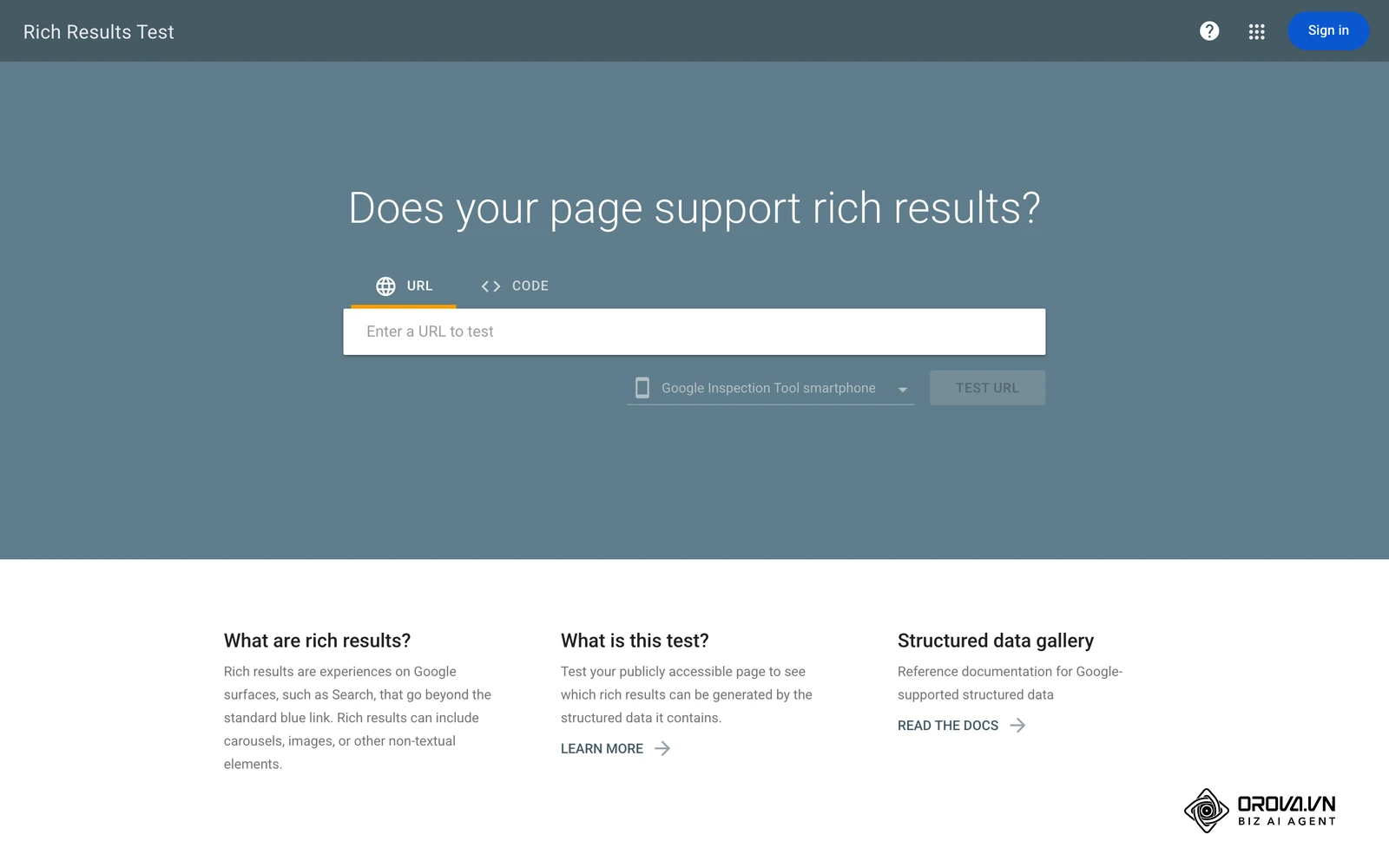
When using these prompts, it is crucial to validate the schema output using Google's Rich Results Test tool before pushing it live. AI models occasionally hallucinate brackets or fail to escape quotation marks properly, which will completely break the schema implementation on your page.
Troubleshooting Technical Errors During Migration
Changing your primary optimization plugin is a massive source of anxiety for site owners. Does it cause rankings to drop? Only if the migration is executed carelessly.
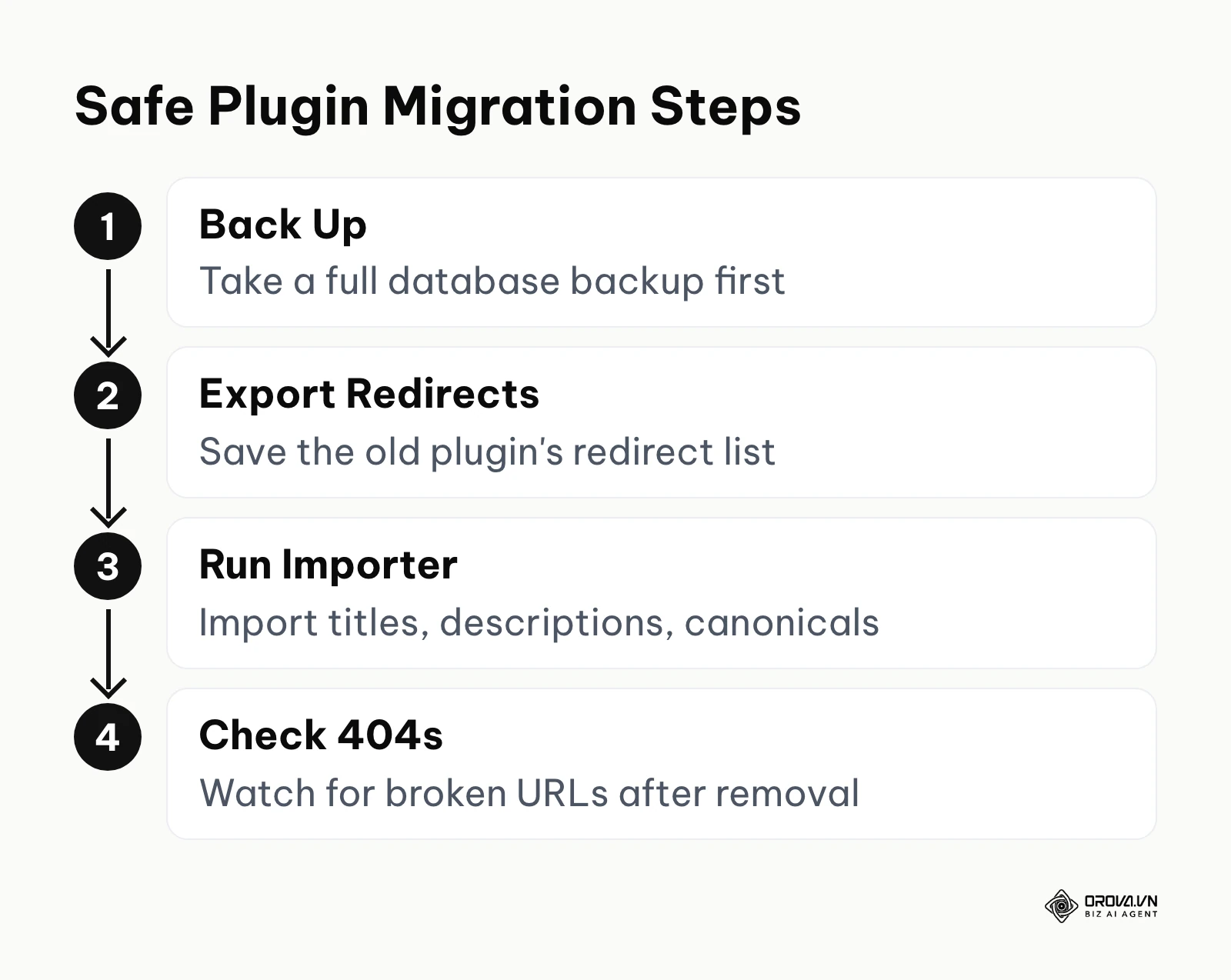
Illustrative example: An e-commerce store migrating from a heavy, outdated optimization suite to a lighter alternative to improve Core Web Vitals.
- Context: A WooCommerce store with over 5,000 active products needing to reduce database query times to speed up checkout.
- Steps taken: The team fully backed up the database, installed the new lightweight plugin alongside the old one momentarily, and used the built-in import wizard to safely transfer all existing title tags, meta descriptions, and custom canonicals.
- Stumbling block and fix: Post-migration, after deleting the old tool, hundreds of old category URLs suddenly returned 404 errors because the old plugin's automatic redirect manager was deleted along with it. They had to manually export the redirect list via CSV from a database backup and import it into a new, standalone redirect management tool.
- Visible result: The site completely recovered its lost URLs within a week without any ranking drops, and the overall backend product editing speed improved noticeably for the management team.
| Type | Features | Best For |
|---|---|---|
| All-in-One Suites | Meta tags, sitemaps, redirects, basic schema, social graphs | Most standard business sites and blogs. |
| Specialized Schema Tools | Deep, conditional JSON-LD generation based on custom fields | Complex affiliate, review, or real estate sites. |
| Performance / Caching | Minification, object caching, lazy loading, database cleanup | Every single site, acting as a companion to the suite. |
What to Do to Start or Adapt
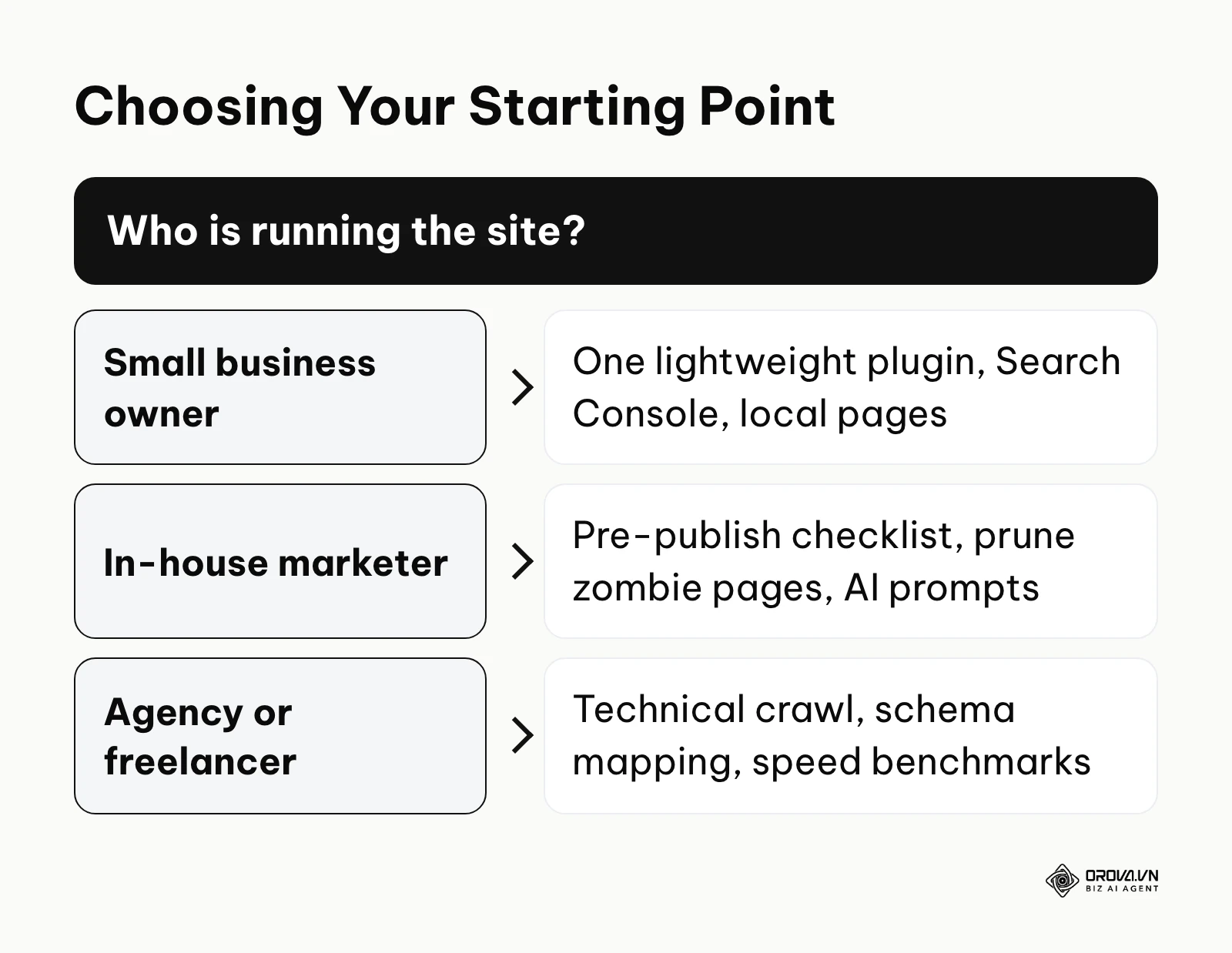
Depending on your role and the scale of the website, your immediate action plan to build this foundation will differ significantly.
For the Small Business Owner
Your primary goal is maximum local impact with minimal ongoing technical configuration.
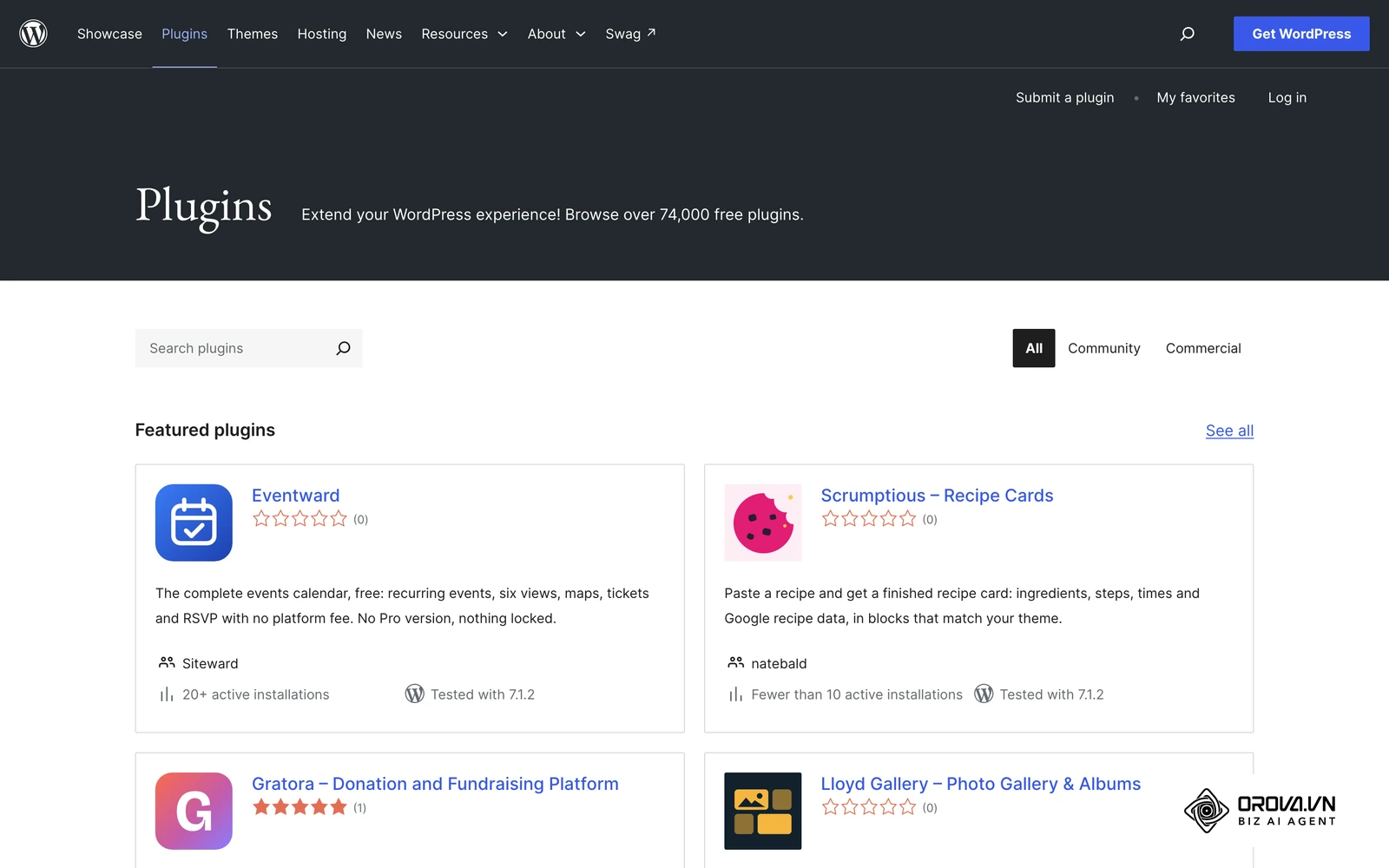
- Choose a lightweight, modular plugin (like Rank Math or The SEO Framework) and complete the initial setup wizard to establish your baseline.
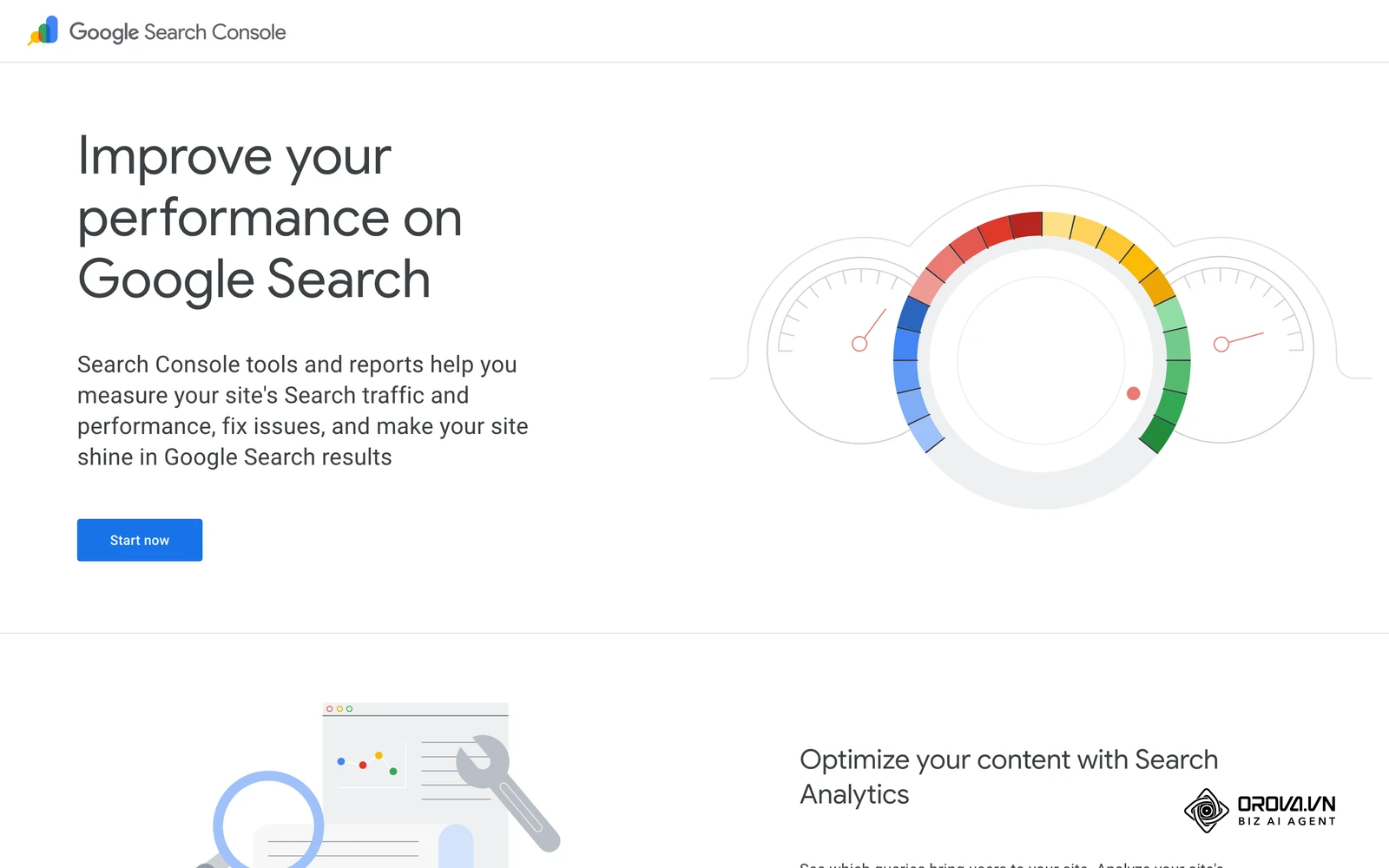
- Connect your site immediately to Google Search Console to monitor real performance data rather than guessing.
- Map out your 5 most important service-area pages and ensure they have highly targeted title tags that include your specific city or region.
- Claim your Google Business Profile and ensure the URL links directly to your localized landing page, not just the homepage.
For the In-House Marketer
You need highly scalable processes, tight integration with your content production pipeline, and excellent reporting.
- Create a strict, standardized pre-publish checklist for your internal writing team to ensure formatting consistency.
- Conduct a deep audit of the site to identify "zombie pages" (thin content with zero traffic over 12 months) and aggressively redirect or consolidate them to preserve crawl budget.
- Implement the AI prompt templates discussed earlier to speed up the creation of meta data at scale.
- Set up automated weekly position tracking reports to monitor the exact impact of your optimizations over time.
For the Agency or Freelancer
Your focus must be strictly on client ROI, risk management during redesigns, and advanced technical implementation.
- Perform a deep technical crawl using external software to identify indexing bloat caused by poor WordPress taxonomy (like thousands of empty author or tag archives).
- Set up automated 301 redirect logging on the client's server to catch 404 errors proactively before Google notices them.
- Configure advanced, dynamic schema markup (like LocalBusiness, Product, or JobPosting) mapping directly to custom fields to automate rich snippet generation.
- Rigorously benchmark the site's TTFB and database queries before and after any plugin installations to clearly demonstrate your performance gains to the client.
| Common Mistake | Consequence | How to Avoid |
|---|---|---|
| Installing multiple SEO suites simultaneously | Severe code conflicts, duplicate meta tags, and high risk of database crashes. | Pick exactly one all-in-one suite and stick to it; never run two simultaneously. |
| Changing page URLs without setting up redirects | Massive 404 errors, immediate loss of existing keyword rankings, and severed backlinks. | Always create a permanent 301 redirect from the exact old URL to the new one before publishing the change. |
| Ignoring aggressive image optimization | Excruciatingly slow page loads, frustrated mobile users, and lower Core Web Vitals scores. | Use a dedicated image compression pipeline or convert all media to the WebP format prior to uploading. |
If publishing volume is your bottleneck, Orova SEO can write SEO articles with illustrations and schedule them to publish on your WordPress site.
With OROVA.VN and the OROVA SEO module, you put an end to the exhausting days of manual work for good. Instead of struggling for hours to write articles and compile reports, the entire process is now optimized and completed in just 5 minutes.
Where WordPress SEO is heading in the next few years: the author's take
The way WordPress sites earn search visibility is shifting quickly. These are opinions, not forecasts, and each one comes with what I would do about it today.
AI Will Become a Native CMS Layer, Not Just a Prompt
Today, most AI inside WordPress arrives through plugins connected to an API key, and it mostly helps write text. I think that over the next two to three years, AI features will move closer to the core editing experience, suggesting internal links, flagging missing schema, and spotting outdated content while you work, rather than waiting for you to paste a prompt. My advice is to treat AI as part of your publishing workflow, not just a writing assistant, and to keep a human review step for anything that changes structure or markup. This view could prove wrong if privacy rules limit how on-site tools may process visitor data.
More Optimization Work Will Move to the Edge
Right now, most optimization runs through PHP plugins that load on every page request. My read is that more of this work, such as redirects, header rules, and some markup injection, will gradually shift to edge networks and server-level configuration that act before a request reaches WordPress. That would make very heavy plugins less necessary for sites that care about speed. A sensible step today is to learn how your host handles caching and redirects at the server level. The shift may be slow, though, because edge setups are still complex for many small business owners.
Demonstrable Experience Will Matter More Than On-Page Text
Search engines already reward content that shows first-hand experience, especially in reviews. I think the flood of AI-generated text will push them to lean even more on signals that are hard to fake, such as original data, real product photos, and tools people actually use, while classic checks like keyword placement become table stakes rather than differentiators. To prepare, start building a few genuinely useful assets on your site, such as calculators, original comparisons, or documented tests, instead of only adding more articles.
Frequently Asked Questions about WordPress SEO
Is WordPress SEO still needed with the rise of AI search?
Yes, absolutely. While generative AI can answer user queries directly on the search page, it still desperately needs to extract accurate facts from structured, crawlable websites. Optimizing your site ensures that AI engines (like Google's AI Overviews) can accurately read, properly cite, and directly link back to your original content as the authoritative source.
Do multiple SEO plugins cause conflicts if installed together?
Yes. Installing Yoast, Rank Math, and AIOSEO simultaneously is a massive technical mistake. They will actively attempt to rewrite the exact same database tables and output duplicate meta tags in your site's header, which severely confuses search engine bots and drastically degrades your site's backend speed. Pick only one.
Does changing SEO plugins drop your rankings?
Not if executed properly. If you use the new plugin's built-in import tool to perfectly migrate your existing title tags, meta descriptions, and schema settings, search engines will notice absolutely no difference in the front-end code. Rankings drop only when a migration fails to carry over custom configurations or accidentally breaks existing 301 redirects.
Do heavy Page Builders lower SEO scores compared to Gutenberg?
Yes, generally speaking. Visual builders like Elementor or Divi inherently inject significantly more DOM elements and heavy CSS/JS files into the page payload compared to the native Gutenberg block editor. While you can certainly still rank well with a page builder by heavily optimizing your server caching, Gutenberg undeniably offers a leaner, faster baseline for technical performance.
Is the free version of SEO plugins enough for most sites?
For most small businesses, independent service providers, and bloggers, the free versions are sufficient. They provide the highly necessary XML sitemaps, meta tag controls, and basic article schema. Paid, premium versions are typically only required if you need automated internal linking suggestions, complex multi-location local markup, or advanced WooCommerce integration.
Where to Start?
Knowing exactly where to begin depends entirely on your current technical setup. Avoid blindly following a generic checklist if you haven't established your site's baseline health.
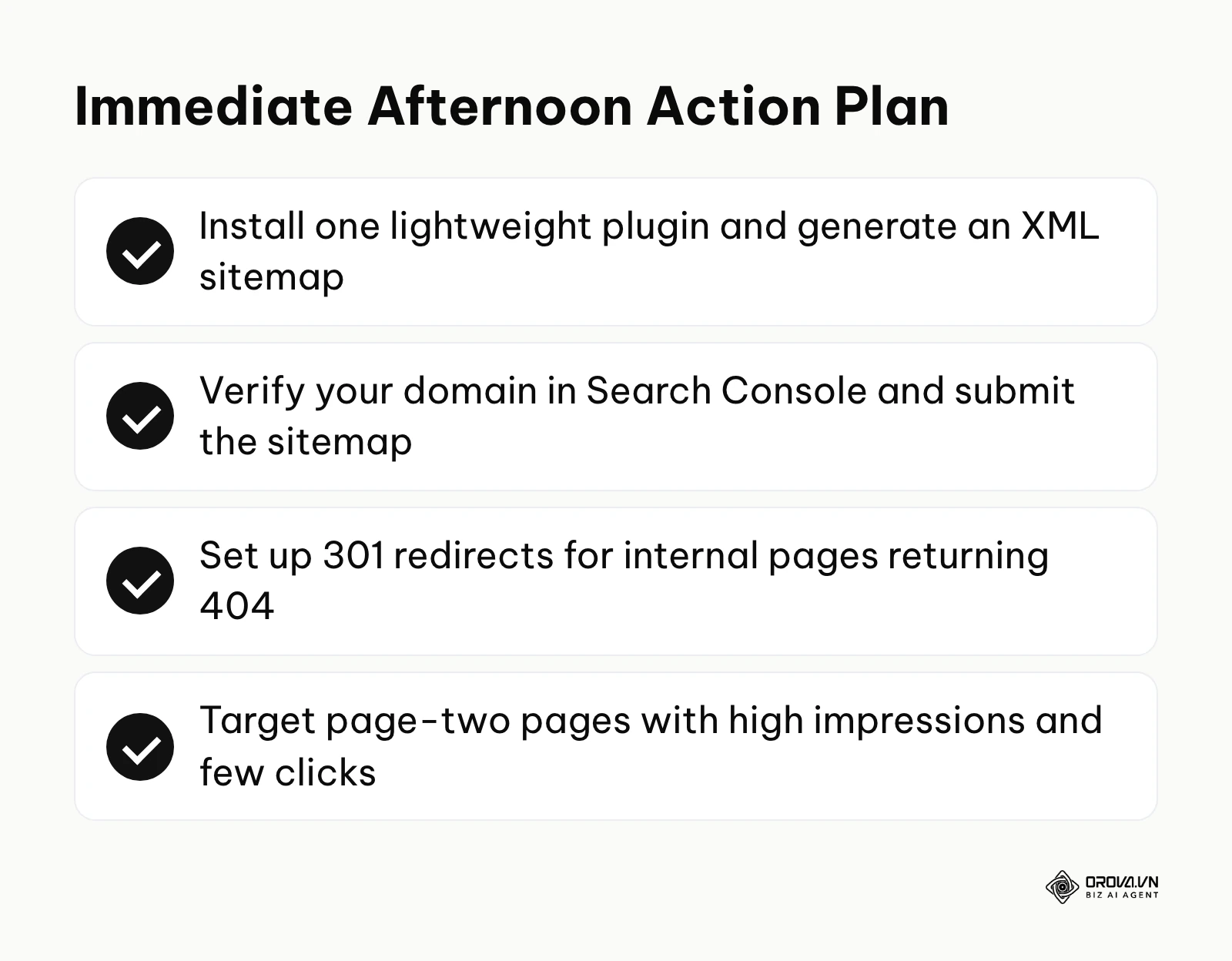
For those with absolutely nothing in place: Your very first, non-negotiable step is to establish a secure communication line with Google. Install a single, highly lightweight optimization plugin and use it to instantly generate an XML sitemap. Then, create a free account on Google Search Console, verify your domain ownership via a DNS record, and explicitly submit that sitemap URL. This singular action forces the search engine to acknowledge your existence, which is a strict prerequisite for any advanced tactics covered in our guide to on-page SEO. You can easily accomplish this in a single afternoon.
For those with a fragmented, messy setup: If you have multiple plugins overlapping, thousands of unused tags, or years of unorganized content, your first step must be a technical audit. Spend one afternoon running a technical crawl using a free external tool or your existing plugin's diagnostic dashboard. Identify any internal pages returning 404 errors and immediately set up 301 redirects pointing them to the most relevant live page. Cleaning up broken paths restores lost link equity instantly and signals to search engines that the site is actively maintained.
For those who have done the work but remain unmeasured: If your technical settings are sound but traffic remains stagnant, you must connect your daily efforts to actual performance metrics. Spend your afternoon pulling Google Search Console data for SEO into a visual reporting dashboard. Find specific pages that rank on page two of the search results with high impressions but abysmal clicks. These are your immediate, high-value targets for aggressive title tag optimization and content expansion, providing the fastest route to revenue growth.
About the author

Builder of Orova
Nguyễn Đỗ Trọng Ân has 8 years of experience in marketing, including 6 years managing market development across Asia. He builds Orova, a Biz AI Agent that never sleeps: it plans, runs and optimizes work for businesses.
Run your business with AI Agents
Orova is the always-on Biz AI Agent — it plans, runs, and optimizes the work for you.
Save time, unlock productivity.