
Facebook ads guide 2026: a beginner's map from setup to first sales

Many business owners burn through hundreds of dollars on Meta platforms before realizing their campaigns are entirely optimized for the wrong objective. You might be struggling with unexplained account bans, skyrocketing cost per click, or a complete lack of sales despite getting thousands of views on your creatives. Relying on outdated manual targeting or ignoring the platform's machine learning capabilities is no longer a viable option in the current digital landscape. A good facebook ads guide gives a beginner the whole map first: what to prepare, which steps to follow in what order, and how to judge results before spending more. This article gives you a step-by-step framework to secure your ad accounts against random restrictions, leverage artificial intelligence for high-converting creatives, and deploy small budgets effectively. You will learn how to spend your first 100 dollars wisely, when to trust automated targeting over manual inputs, and exactly what to do when your campaign stops delivering results. Think of it as an overview map: each stage links to a deeper guide when you are ready to go further.
What is a facebook ads guide and who needs it?
A facebook ads guide is a strategic blueprint that explains how to plan, build, and optimize advertising campaigns across the Meta network to achieve specific business goals without wasting your marketing budget. It serves as a practical manual for navigating the complex Ads Manager interface.
This guide is specifically designed for small business owners, freelance marketers, and e-commerce founders who need to generate measurable returns on their investment. It is built for those who cannot afford to lose thousands of dollars testing the wrong strategies. Conversely, if you have absolutely zero marketing budget, or if your product strictly violates Meta's advertising policies, this guide will not magically bypass platform restrictions. It requires a willingness to invest a small amount of money to buy data and learn what resonates with your audience. If you are still deciding between the Boost button and a full campaign, compare the two before you commit any budget.
Preparation: What you need before running Facebook ads
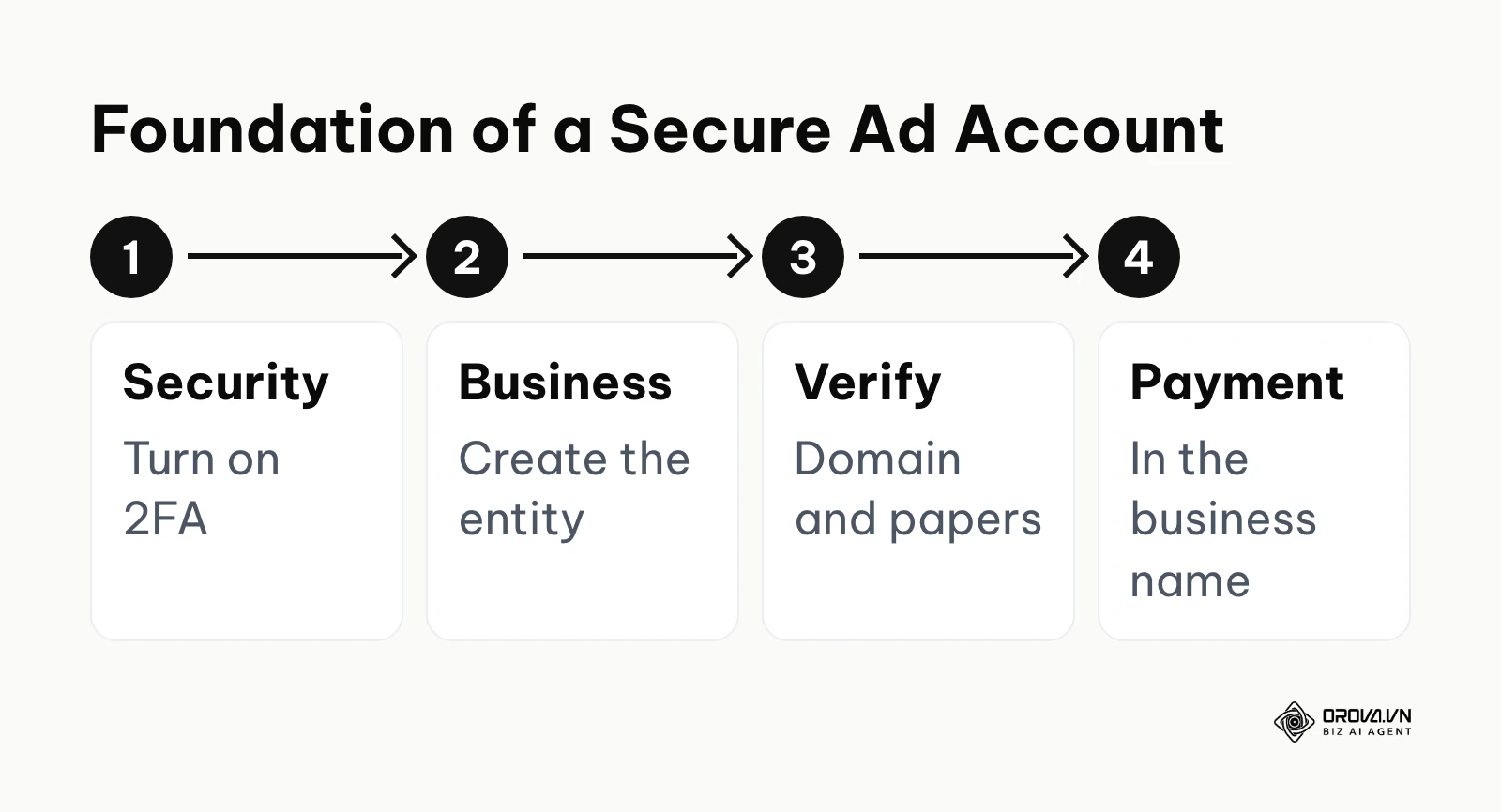
Before you launch any campaigns, you must establish a secure foundation. You need a verified Business Manager, an active Facebook Page, a functioning Meta Pixel, and a secure payment method. Rushing into the Ads Manager without these elements is the fastest way to get your account disabled by automated security bots.
| Requirement | Where to get it | Time to complete |
|---|---|---|
| Business Manager Account | business.facebook.com | 15 minutes |
| Two-Factor Authentication | Personal Facebook Security Settings | 5 minutes |
| Verified Business Domain | Domain Registrar & Business Settings | 30 minutes |
| Meta Pixel Code | Events Manager | 45 minutes |
The biggest challenge advertisers face today is the random, unprovoked suspension of their advertising accounts. Meta relies heavily on artificial intelligence to police its platform. These security bots often flag legitimate businesses as suspicious due to minor setup errors. To protect your assets, you must look like a real, trustworthy business to the algorithm.
The 15-Step Anti-Ban Account Setup Checklist
Follow these exact steps to dramatically reduce your chances of being restricted:
- Always use a real, aged personal Facebook profile with a history of organic activity. Never create a fake profile just to run ads.
- Enable two-factor authentication (2FA) on your personal profile and force all team members to do the same.
- Create a Business Manager rather than running advertisements directly from your personal ad account. What is facebook ad account setup? A step-by-step guide provides more details on this transition.
- Verify your business domain in the Brand Safety section of your Business Manager settings.
- Add at least one backup administrator to your Business Manager in case your personal profile is temporarily locked.
- Complete the Business Verification process by uploading official tax documents and utility bills.
- Add a payment method in the business's own name, and make sure the billing details match your business information.
- Ensure your Facebook Page has all contact information completely filled out, and that this info perfectly matches your website.
- Post organic, non-promotional content on your Page consistently for a week before running any paid campaigns.
- Review Meta's Advertising Policies thoroughly, especially if you operate in restricted categories like finance, health, or housing.
- Avoid using words that indicate personal attributes in your copy. Copy such as "Are you bankrupt?" implies you know something personal about the viewer and is likely to be rejected.
- Ensure your landing page has a clear, accessible Privacy Policy and Terms of Service linked in the footer. A clear privacy policy also shows visitors and reviewers that you handle their data responsibly.
- Start a new ad account with a modest budget and simple, policy-safe ads before attempting larger sales campaigns.
- Do not drastically increase your daily budget overnight. Raise it in gradual steps so both your results and your spending pattern stay stable.
- If you do get banned, always request a review through the Account Quality dashboard immediately rather than trying to create a new, duplicate account to bypass the ban.
Step-by-step Facebook ads guide for beginners
Running a successful campaign requires executing a precise sequence of actions. Skipping a step or configuring it poorly will severely impact your final results.
Step 1: Setting up your Business Manager securely
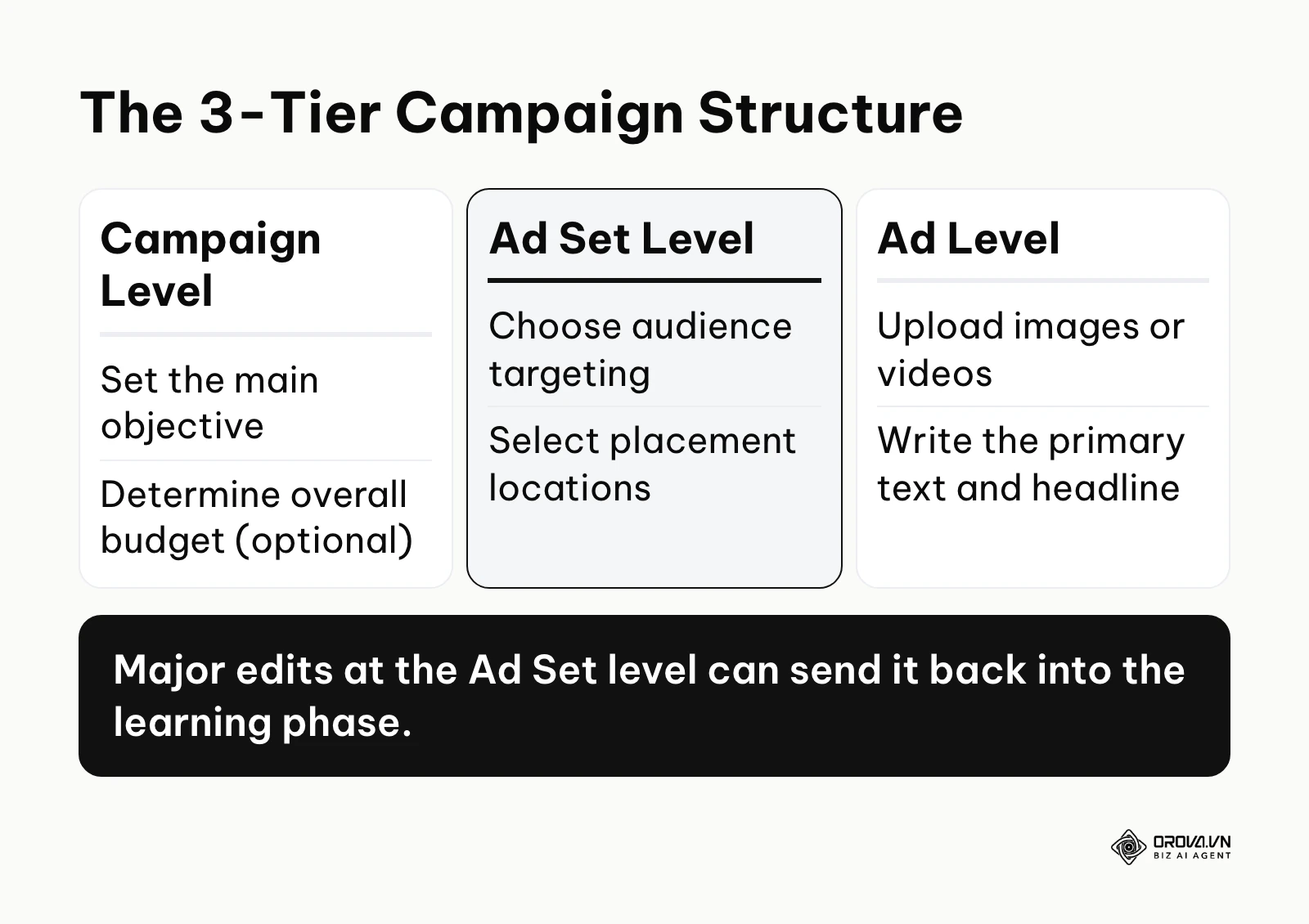
The first step is establishing your central workspace. You must navigate to the business creation page and log in with your personal profile. From there, you will create a new entity that houses your pages, ad accounts, and tracking pixels.
To do this, go to business.facebook.com and follow the prompts. You need to assign your Facebook Page to this manager and create a new ad account. The sign that you have done this correctly is seeing a dashboard that lists your connected assets. A common mistake here is confusing the Meta Business Suite with the actual Ads Manager tool. To understand the interface deeply, reviewing a What is Facebook Ads Manager? A practical guide to Meta's ad platform resource is highly recommended.
Step 2: Choosing the right objective and setting the budget
Your campaign objective dictates how the algorithm finds people. If you want sales, you must tell the system you want sales.
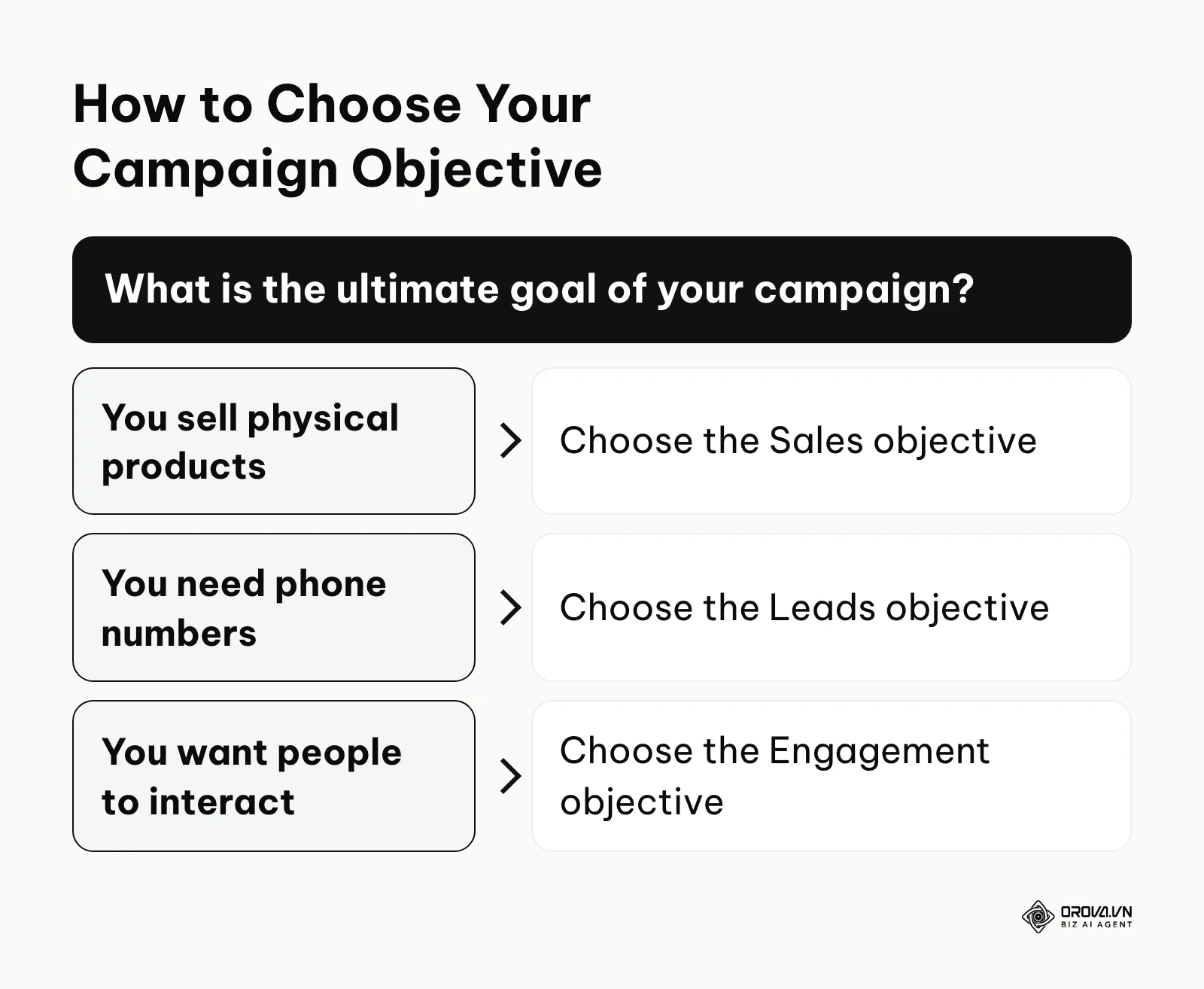
When you click the green "Create" button, you will face several options. If you own an e-commerce store, select the "Sales" objective. If you are a service business needing inquiries, select "Leads". Set your budget at the Campaign level using Advantage Campaign Budget, or set it individually at the Ad Set level. If you do this correctly, your estimated daily results will align with your goals. The most devastating mistake beginners make is choosing "Traffic" because it yields cheaper clicks. The algorithm will give you people who click links but never buy anything.
Step 3: Defining your audience targeting
This step determines who will actually see your message. You must balance between being too specific and being too broad.
Navigate to the Ad Set level. Here, you can select locations, age ranges, and specific interests. For example, if you sell high-end coffee, you might target people interested in "Espresso" and "Gourmet foods". A sign of a good setup is an audience definition meter that shows your audience is neither too specific nor too broad. A common error is layering too many interests, forcing the algorithm into a tiny, expensive corner. For the full targeting logic, see Facebook ads targeting in 2026: why broad fails and how to fix it.
Illustrative example:
- Context: A local yoga studio owner wanted to attract new members for a summer bootcamp using a limited budget.
- Steps taken: They created a lead generation campaign targeting women aged 25 to 40 within a five-mile radius. They uploaded a video showing a typical class and used a simple Meta lead form to collect phone numbers.
- Obstacle and fix: Initially, they received many leads, but people were not answering the phone. The issue was that the lead form auto-filled the phone number from the user's profile, and users submitted it without thinking. They fixed this by adding a custom question requiring users to manually type out their biggest fitness goal, filtering out low-intent users.
- Result: The studio saw a waiting list form populate with 30 highly qualified sign-ups, and the owner welcomed 15 new paying attendees walking into the studio for the trial week.
Step 4: Creating ad creatives using AI
Your creative—the image, video, and text—is the most important factor in your campaign. People do not click on targeting settings; they click on compelling visuals and words.
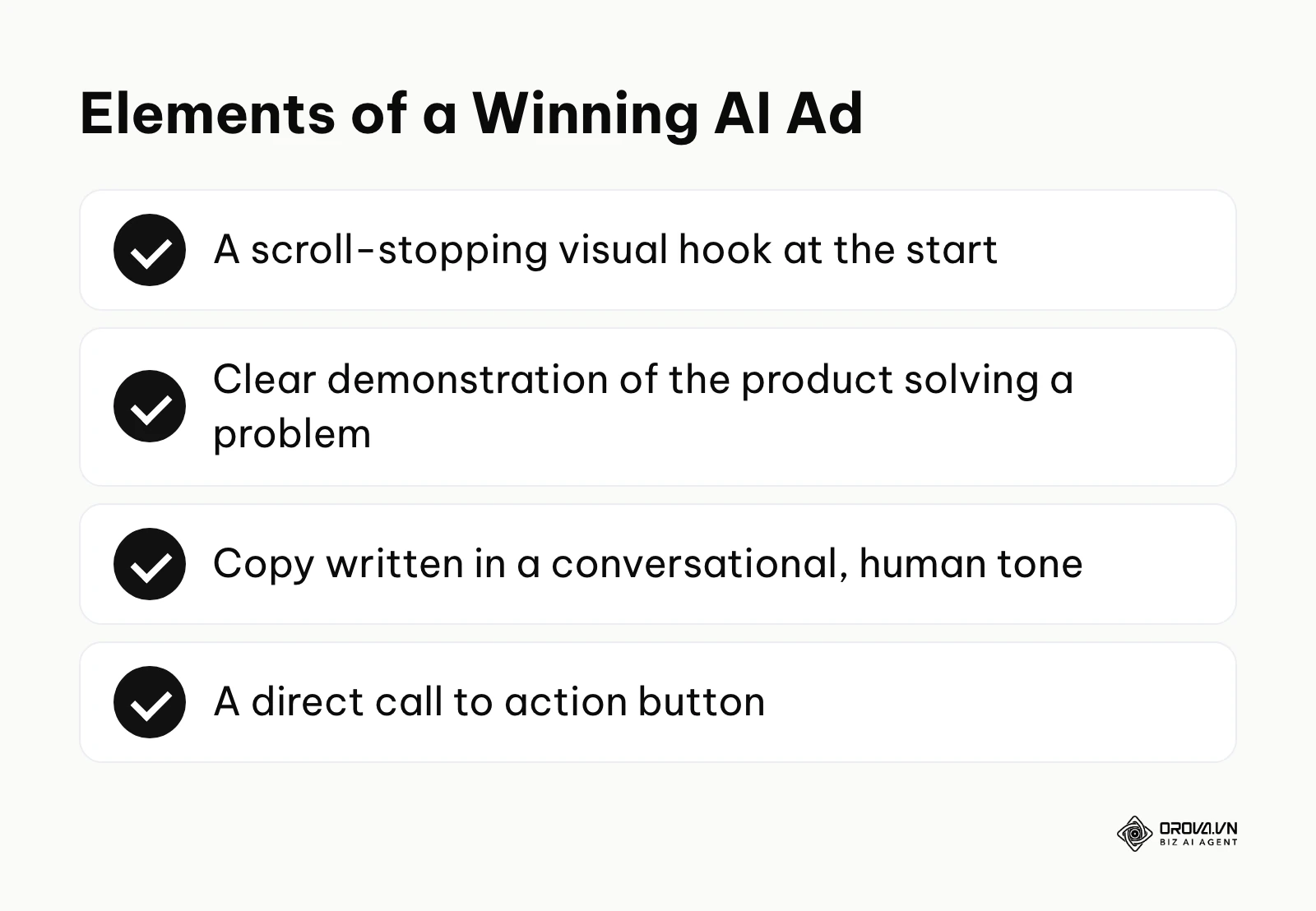
You do not need an expensive agency to create good ads. You can use tools like Canva's AI image generator to create clean, native-looking visuals. For the text, you can leverage ChatGPT. To use AI correctly, you must provide it with strict frameworks rather than asking it to simply "write an ad." If done right, your ad will read naturally and highlight the benefits of your product. A common mistake is using corporate jargon that feels completely out of place on a social media feed. Before writing, browse competitors' live ads for ideas, as explained in Facebook Ad Library strategy, and if you plan to lead with video, read the Facebook video ads guide.
Here is a library of 10 ChatGPT prompts designed specifically to write high-converting ad copy:
- The PAS Framework (Problem, Agitate, Solution)
Prompt: "Act as a direct-response copywriter. Write a Meta ad for [Product] targeting [Audience]. Use the Problem-Agitate-Solution framework. Start with a question calling out their specific pain point. Agitate the problem by explaining how it worsens. Present our product as the solution. Include a call to action to [Action]."
- The AIDA Model (Attention, Interest, Desire, Action)
Prompt: "Write an ad copy using the AIDA model for [Product]. Grab attention with a bold statement. Build interest with a surprising fact. Create desire by listing three main benefits. End with a strong call to action."
- The Storytelling Hook
Prompt: "Write a short, engaging story about a customer who struggled with [Problem] until they found [Product]. Keep the tone conversational, like a friend recommending a solution."
- The Objection Handling Copy
Prompt: "Identify the top three reasons someone might hesitate to buy [Product]. Write an ad copy that directly addresses and dismantles these objections while highlighting our guarantee."
- The Urgency and Scarcity Angle
Prompt: "Create a promotional ad copy for a limited-time sale on [Product]. Emphasize that the offer expires in 48 hours and stock is running low. Keep the text punchy and urgent."
- The Benefit-Driven Bullet Points
Prompt: "Write an ad highlighting the features of [Product], but translate every feature into a direct benefit for the user. Present these benefits as a bulleted list with relevant emojis."
- The Social Proof and Review Format
Prompt: "Write an ad that opens with a glowing five-star review from a customer named [Name]. Follow the review with a brief explanation of why the product works, and invite the reader to experience the same results."
- The Contrarian Hook
Prompt: "Write an ad that challenges a common industry myth regarding [Topic]. Position [Product] as the smart, alternative solution that actually works. Be slightly controversial but professional."
- The Direct Offer and Call to Action
Prompt: "Write a short, aggressive ad copy that gets straight to the point. State the offer, the price, the main benefit, and tell them exactly what to click to claim it."
- The Educational 'How-To' Ad
Prompt: "Write an ad that teaches the audience three quick tips about [Topic]. Position [Product] seamlessly as the ultimate tool to execute tip number three."
Step 5: Setting up tracking with the Meta Pixel and Conversions API
Without tracking, you are flying blind. The algorithm needs data to understand who is buying your products so it can find more people just like them.
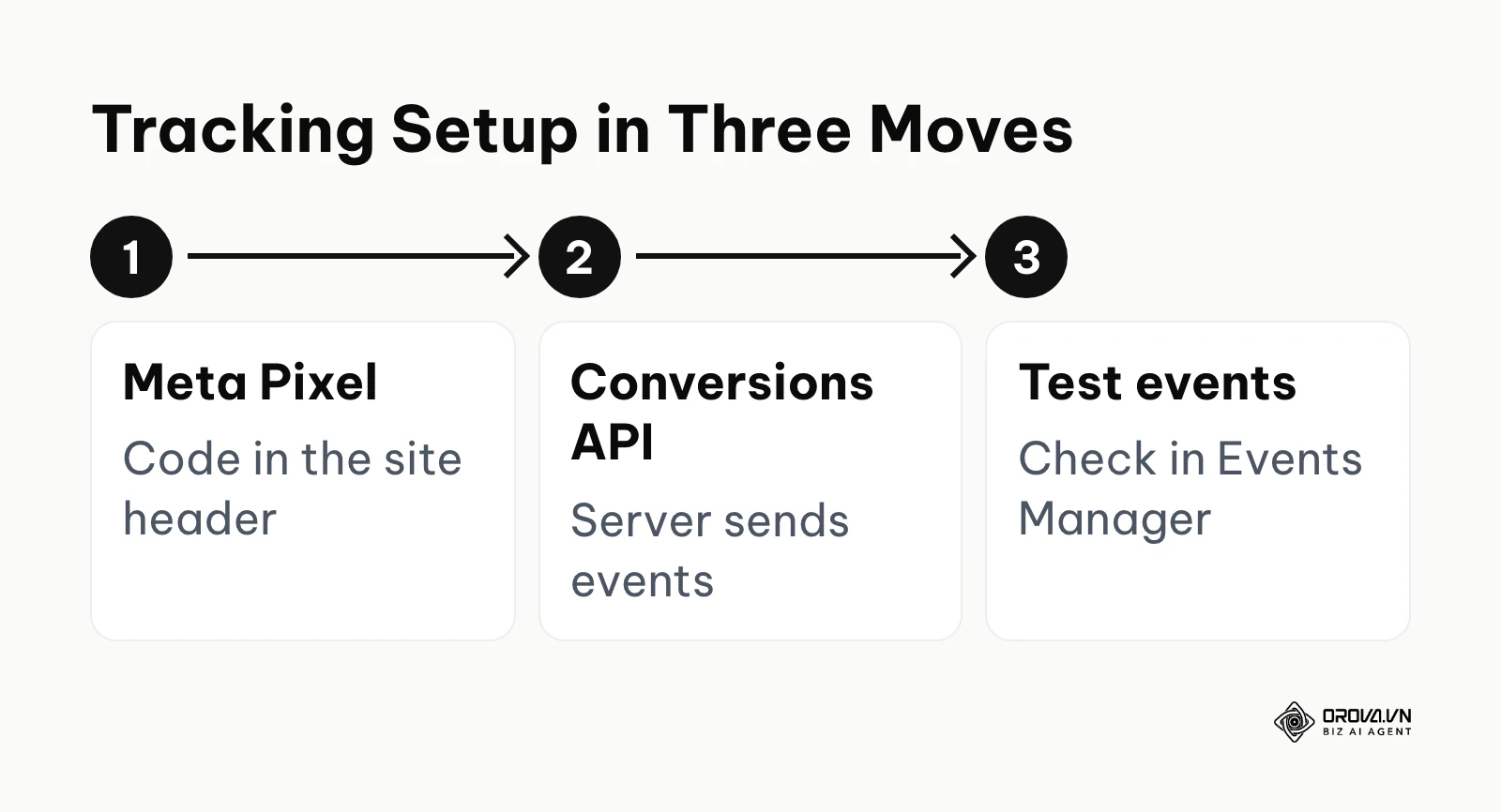
You must install a piece of code called the Meta Pixel onto your website header. Additionally, you should configure the Conversions API to send data directly from your server to Meta, bypassing browser restrictions. You do this inside the Events Manager interface. When done correctly, the diagnostic tab will show active events firing when you test your website. A massive mistake is running conversion campaigns without verifying that the purchase event is actually being recorded. The basics are covered in What is Facebook Pixel tracking?
Step 6: Publishing, reviewing, and the learning phase
Once everything is built, you hit the publish button. Your campaign now enters the review phase, followed by the learning phase.
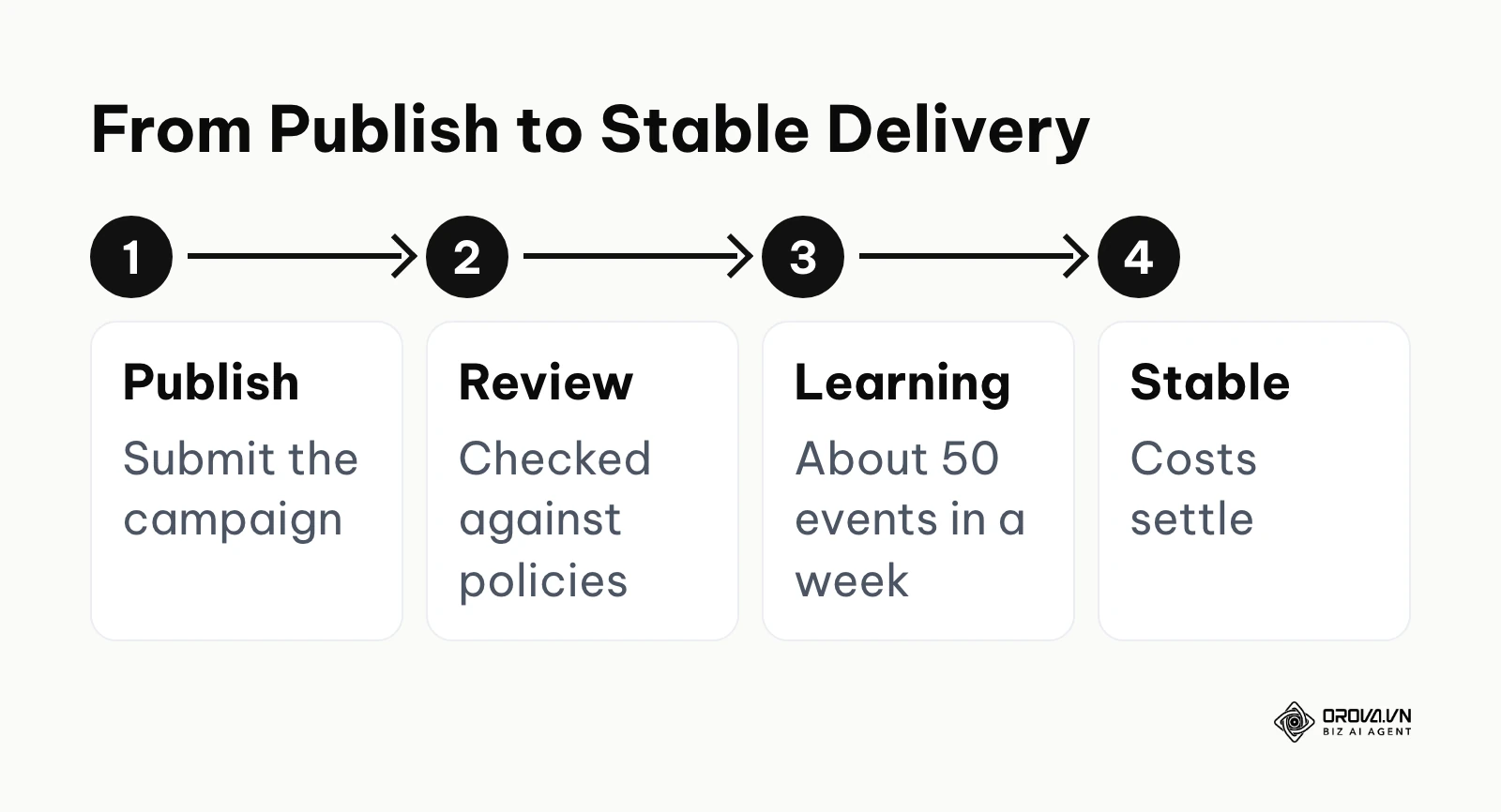
The platform will review your creative against its policies. Once approved, it begins to serve impressions. Meta's guidance is that an ad set needs roughly fifty optimization events within a week to exit the learning phase. A sign of success is seeing your cost per acquisition settle as the learning phase progresses. The most destructive mistake beginners make is editing the ad, changing the budget, or pausing the campaign during this learning phase, which forces the algorithm to start completely over from scratch.
OROVA ADS applies AI Agent to automate and optimize ad performance on Google, Meta and TikTok. Scale your budget safely, monitor 24/7 and expand your business quickly.
Experience the solution at orova.vn/ads
Deep dive: Advantage+ vs Manual Targeting and Small Budget Strategies
The platform's capabilities have evolved dramatically. Understanding when to trust the machine and how to test with limited funds is what separates profitable advertisers from those who lose money.
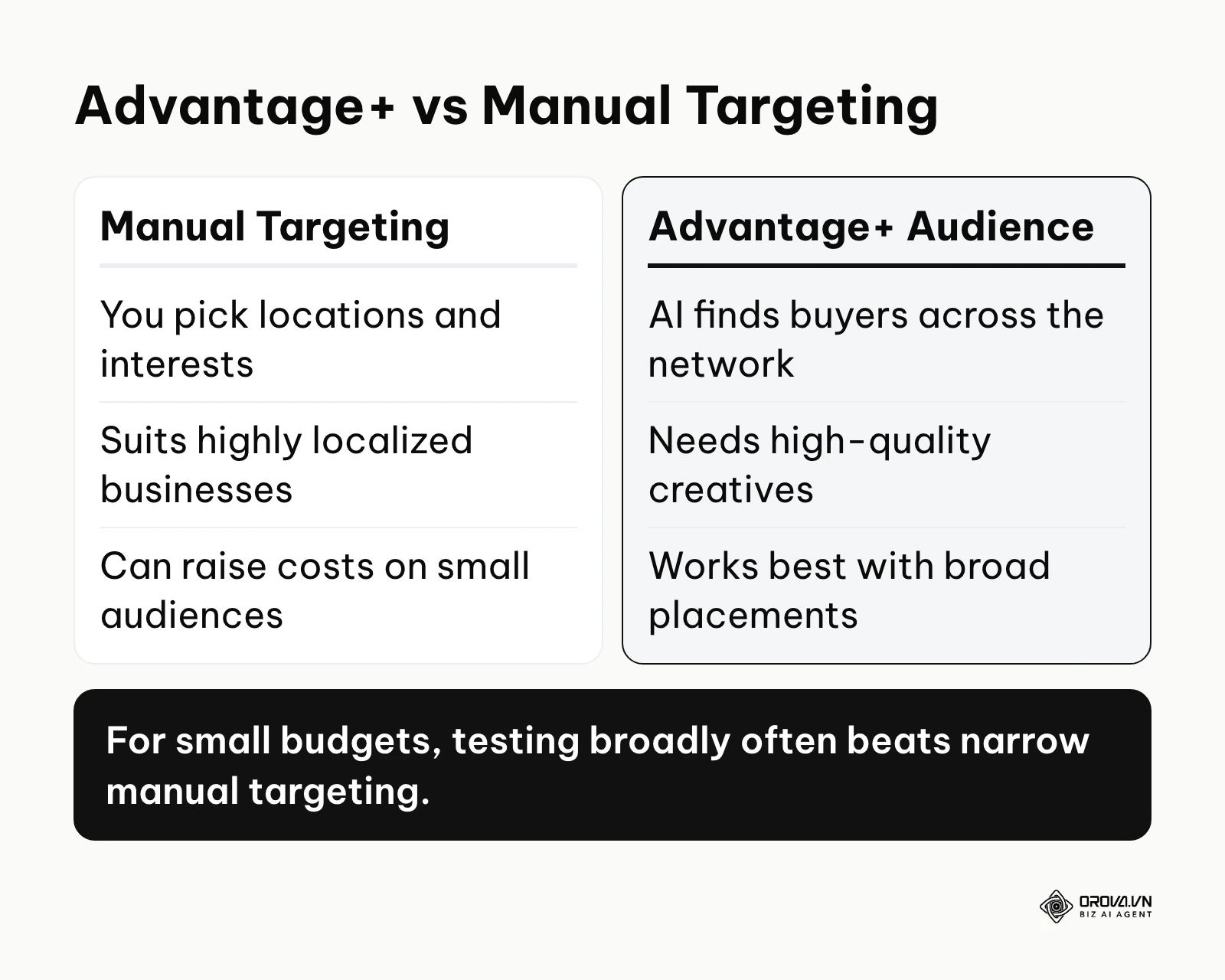
Advantage+ uses advanced artificial intelligence to find buyers automatically across the entire Meta network, while manual targeting lets you restrict demographics and placements based on your own assumptions. For small budgets, testing broadly often drastically outperforms narrow manual targeting.
| Strategy | When to use it | Key weakness |
|---|---|---|
| Strict Manual Targeting | Highly localized businesses (e.g., a physical dentist office) | Can lead to high costs due to restricted audience sizes |
| Advantage+ Audience | E-commerce brands with mass-market products | Requires high-quality creatives to let the AI do the sorting |
| Manual Placements | When you know your video only looks good on vertical Instagram Reels | Limits the algorithm's ability to find cheap inventory elsewhere |
| Advantage+ Placements | The default for almost all campaigns | Might display ads on low-quality Audience Network sites |
One major question advertisers face is when to use Advantage+ Placements versus turning off specific platforms like Instagram or the Audience Network. If your creative is a static, square image, you might want to manually exclude the Audience Network, as banner ads there often yield accidental, low-quality clicks. However, automated placements give the system more inventory to search, which often helps keep cost per result down when your creative adapts well to different formats.
The Strategy for Not Wasting Your First 100 Dollars
If you only have a small budget, roughly fifteen dollars a day or less, you must deploy it with surgical precision. Most beginners spread their money too thin.
To execute the smart small-budget strategy, follow this exact blueprint: First, create one single campaign optimized for your ultimate goal, such as Sales. Turn Campaign Budget Optimization off. Second, create exactly three Ad Sets. Leave the targeting completely broad (only restrict age and country). Set the daily budget for each Ad Set to exactly five dollars. Third, place two different ad creatives inside each Ad Set. Finally, publish the campaign and do not touch it for four full days.
You will spend exactly sixty dollars over these four days. On the fifth day, you review the data. You kill the Ad Sets that generated zero results or have a cost per action that is three times higher than your breakeven point. You then take that budget and move it into the Ad Set that actually generated a lead or a sale. You have now bought valuable data for under one hundred dollars.
Illustrative example:
- Context: A mid-sized e-commerce brand selling ergonomic office chairs needed to increase their daily sales volume without overspending on testing.
- Steps taken: They launched an Advantage+ sales campaign (previously called Advantage+ Shopping), uploading their entire product catalog and providing ten different lifestyle images of the chairs being used in home offices. They set a daily budget of 150 dollars and allowed the AI to find the audience across all placements.
- Obstacle and fix: During the first three days, the cost per acquisition spiked to 80 dollars, which was highly unprofitable. Instead of panicking and turning the entire system off, they waited for the learning phase to progress. They also realized one specific catalog image was consuming eighty percent of the budget with zero sales, so they paused only that specific creative.
- Result: The campaign stabilized on day five, and the dashboard displayed a consistent flow of 12 orders per day at a highly profitable 25-dollar acquisition cost, visible as completed transactions in their Shopify backend.
Measuring results: How to know if your ads are working
You know your campaigns are successful by tracking the Cost Per Action and Return on Ad Spend against your actual profit margins, rather than vanity metrics like clicks or comments.
Many beginners do not know how to evaluate their data. They see cheap clicks and assume they are winning, while their bank account empties. Understanding how to interpret the dashboard is vital, which is why consulting a Facebook ads report guide: from metrics to diagnostic decisions can clarify the process.
| Metric | Meaning | Worrying threshold |
|---|---|---|
| Click-Through Rate (CTR) | Percentage of people who saw the ad and clicked | Steadily falling below your own earlier campaigns |
| Cost Per Click (CPC) | How much you pay for one link click | High enough that your CPA baseline exceeds your margin |
| Cost Per Action (CPA) | How much you pay to acquire a lead or sale | Higher than your product's gross profit margin |
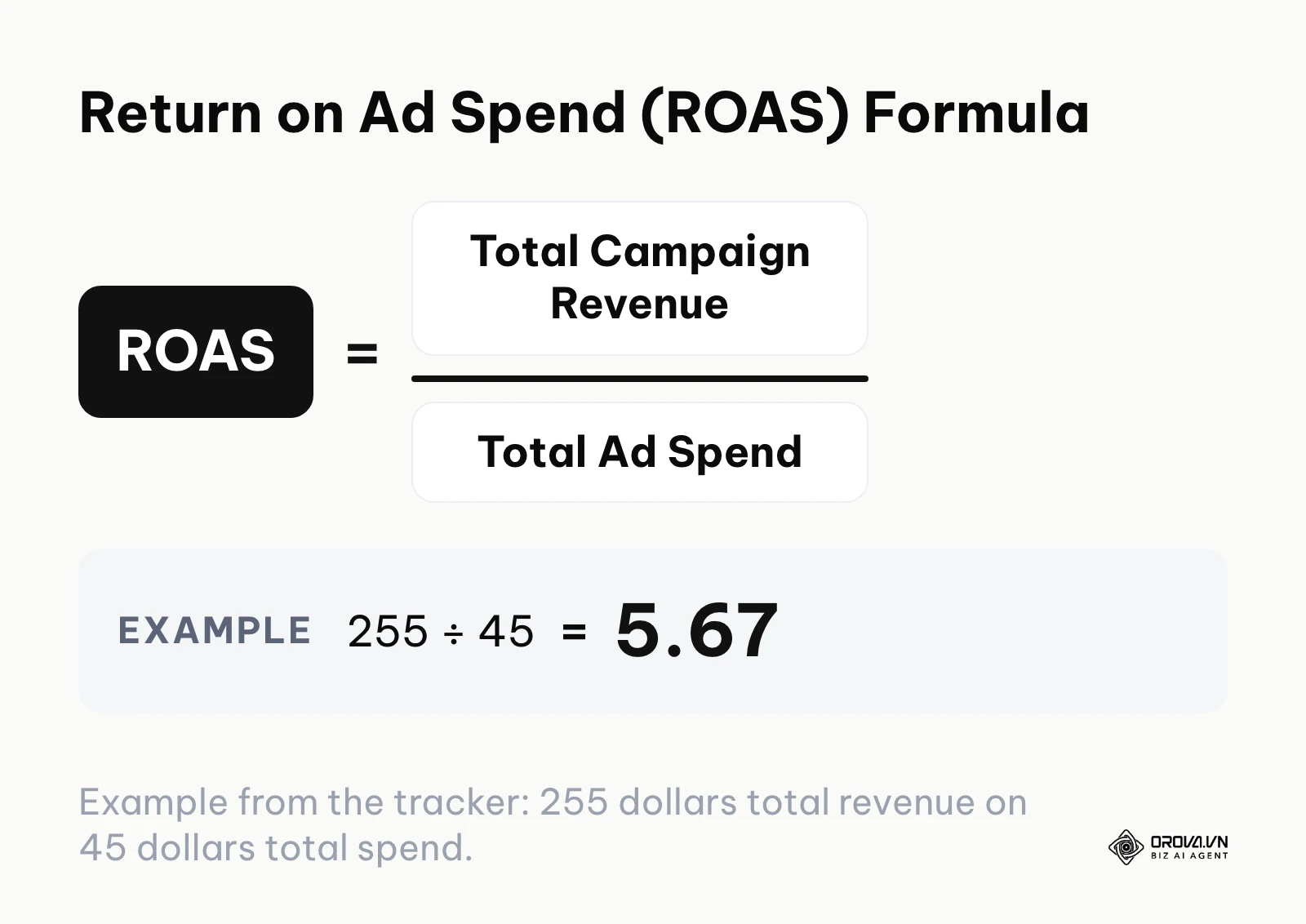
| Return on Ad Spend (ROAS) | Revenue generated divided by amount spent | Below 1.0 (you are actively losing money) |
A common question is: "How do I know if my cost per acquisition is expensive?" Build your own baseline from your numbers instead of borrowing someone else's. As an illustrative assumption, if your website converts three percent of visitors, you need roughly 33 clicks to get a sale. If you then pay one dollar per click, your baseline CPA is 33 dollars. Replace these assumptions with your real conversion rate and click cost, and compare your results against that baseline, not against random screenshots you see on social media.
The Two-Day Rule
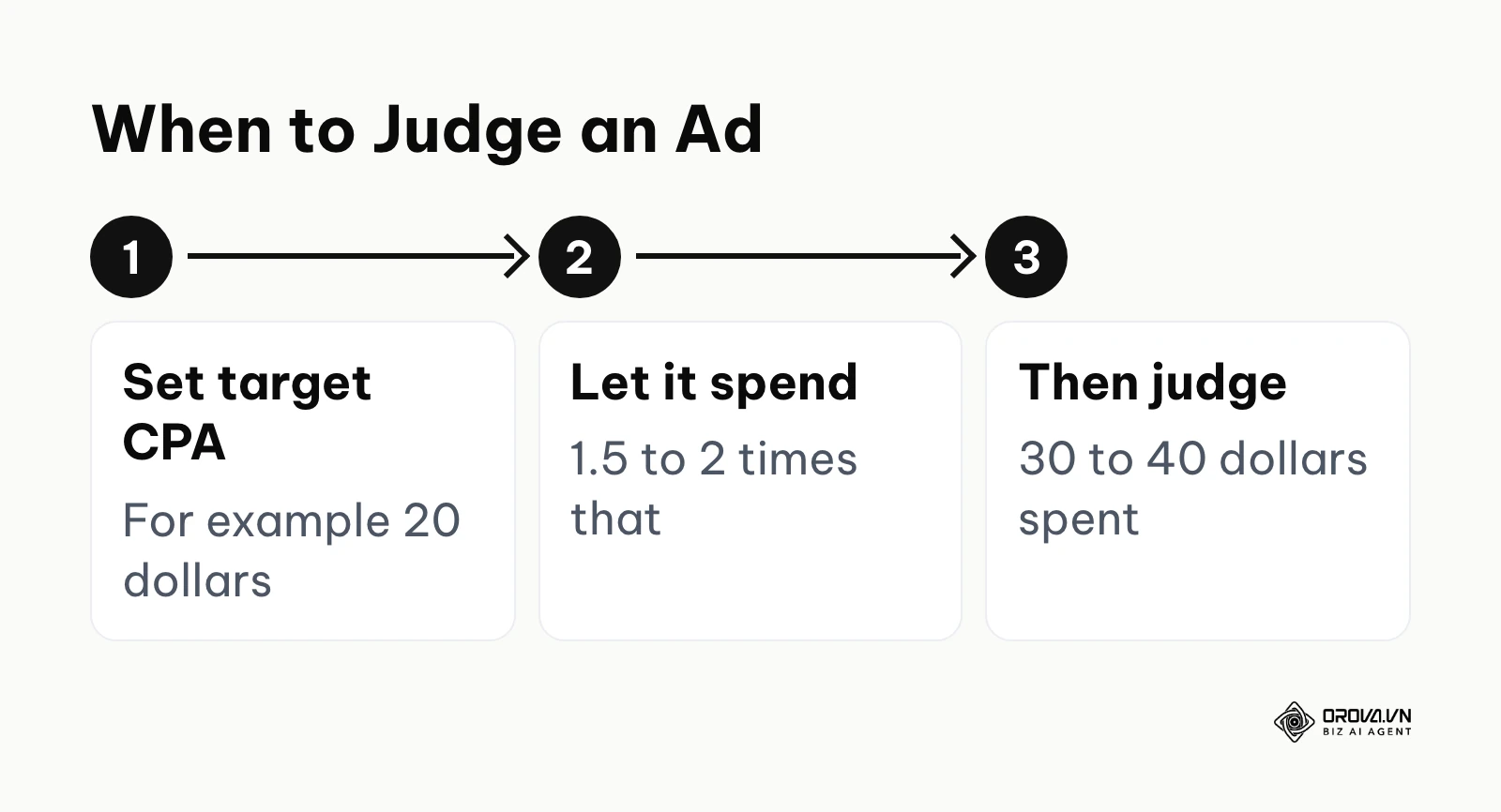
When your campaign runs for two days and generates zero sales, should you immediately turn it off? The answer lies in the math, not the timeline. If your budget is five dollars a day, two days of running means you have spent ten dollars. If your product sells for one hundred dollars, ten dollars in ad spend is simply not enough data to make a decision. The golden rule is that you must never turn off an advertisement until it has spent at least one and a half to two times your target acquisition cost. If you are willing to pay twenty dollars to acquire a customer, you must let the ad spend thirty to forty dollars before you judge its effectiveness.
The Google Sheets ROI Tracker
To maintain discipline, use a simple tracking sheet updated daily. The example below uses illustrative numbers; spend, sales, revenue, CPA, and ROAS are running totals since launch.
| Date | Daily Spend (dollars) | Total Spend (dollars) | Link Clicks | Total Sales | CPA (dollars) | Total Revenue (dollars) | ROAS | Action Taken |
|---|---|---|---|---|---|---|---|---|
| Oct 1 | 15.00 | 15.00 | 45 | 0 | n/a | 0.00 | 0.00 | Launched |
| Oct 2 | 15.00 | 30.00 | 52 | 1 | 30.00 | 85.00 | 2.83 | Waited |
| Oct 3 | 15.00 | 45.00 | 48 | 3 | 15.00 | 255.00 | 5.67 | Kept running |
Want to scale your budget but afraid of breaking performance? 📉
Integrate OROVA ADS now - an AI Agent that automatically monitors and optimizes Google, Meta, TikTok ads 24/7. Now, expanding and replicating your Performance Ads team is just one click away.
🚀 Try it now at: orova.vn/ads
7 Common mistakes in Facebook ads
Making mistakes with paid traffic costs real money. Avoiding these common pitfalls will instantly put you ahead of the majority of advertisers.
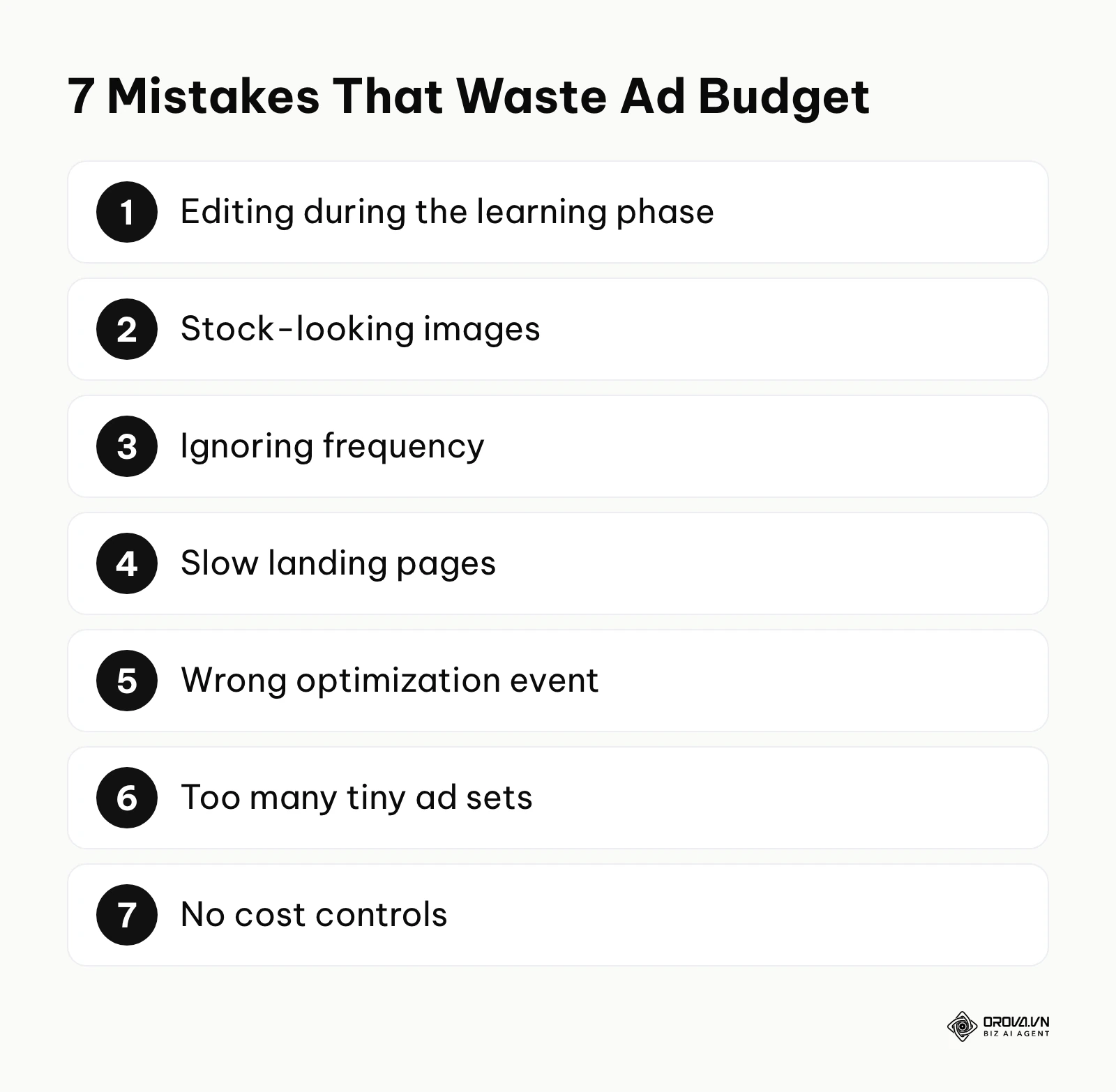
- Touching the campaign during the learning phase.
If you change the budget, edit the text, or adjust the targeting within the first few days, the algorithm resets. The consequence is permanently high costs. The fix is to exercise patience and wait a full week before making any adjustments to the ad set.
- Using broad, generic images instead of native content.
Stock photos look like advertisements, and people scroll past advertisements. The consequence is a terrible click-through rate. The fix is to use user-generated content or simple images shot on a mobile phone that blend seamlessly into a social media feed.
- Ignoring ad frequency and causing creative fatigue.
If the exact same audience sees your exact same video ten times, they will become annoyed and ignore it. The consequence is a sudden spike in costs after weeks of good performance. The fix is to introduce new creatives every few weeks when you notice the frequency metric climbing above three.
- Sending traffic to a slow or unoptimized landing page.
You can have the best campaign in the world, but if your website takes ten seconds to load on a mobile phone, users will leave. The consequence is high clicks but zero sales. The fix is to compress your website images and ensure the checkout process requires less than three clicks.
- Setting the wrong optimization event.
If you tell the platform to optimize for "Add to Cart," it will find people who love adding items to carts but never actually pull out their credit cards. The consequence is a dashboard full of abandoned carts. The fix is to always optimize for the final "Purchase" event.
- Overcomplicating the account structure.
Creating fifty different ad sets with a one-dollar budget each confuses the machine learning system. The consequence is that no single ad set gets enough data to optimize properly. The fix is to consolidate your budget into three or four broad ad sets.
- Failing to set a cost control mechanism.
Allowing the platform to spend your budget indiscriminately on expensive days can ruin your profitability. Reviewing a Facebook ads cost cap: how to set it and fix delivery strategy can help you establish limits. The fix is to use a cost cap or bid cap when you have strict margin requirements.
Illustrative example:
- Context: A business-to-business software consulting agency with a team of three consultants wanted to generate booked discovery calls using paid traffic.
- Steps taken: They created a campaign optimized for the "Traffic" objective, sending people to a landing page equipped with a calendar booking widget. They used a highly technical, text-heavy whitepaper screenshot as the ad image.
- Obstacle and fix: The campaign generated 500 link clicks very cheaply, but resulted in absolutely zero calendar bookings. The platform gave them exactly what they asked for: people who casually click links, not high-intent professionals who book meetings. They fixed this by changing the campaign objective to "Leads" and swapping the technical image for a short, authentic video of a consultant explaining a common industry problem.
- Result: The calendar interface showed 8 new highly qualified meetings booked within the following week, directly tied to the new, corrected campaign structure.
Future trends in Facebook ads: Author's predictions
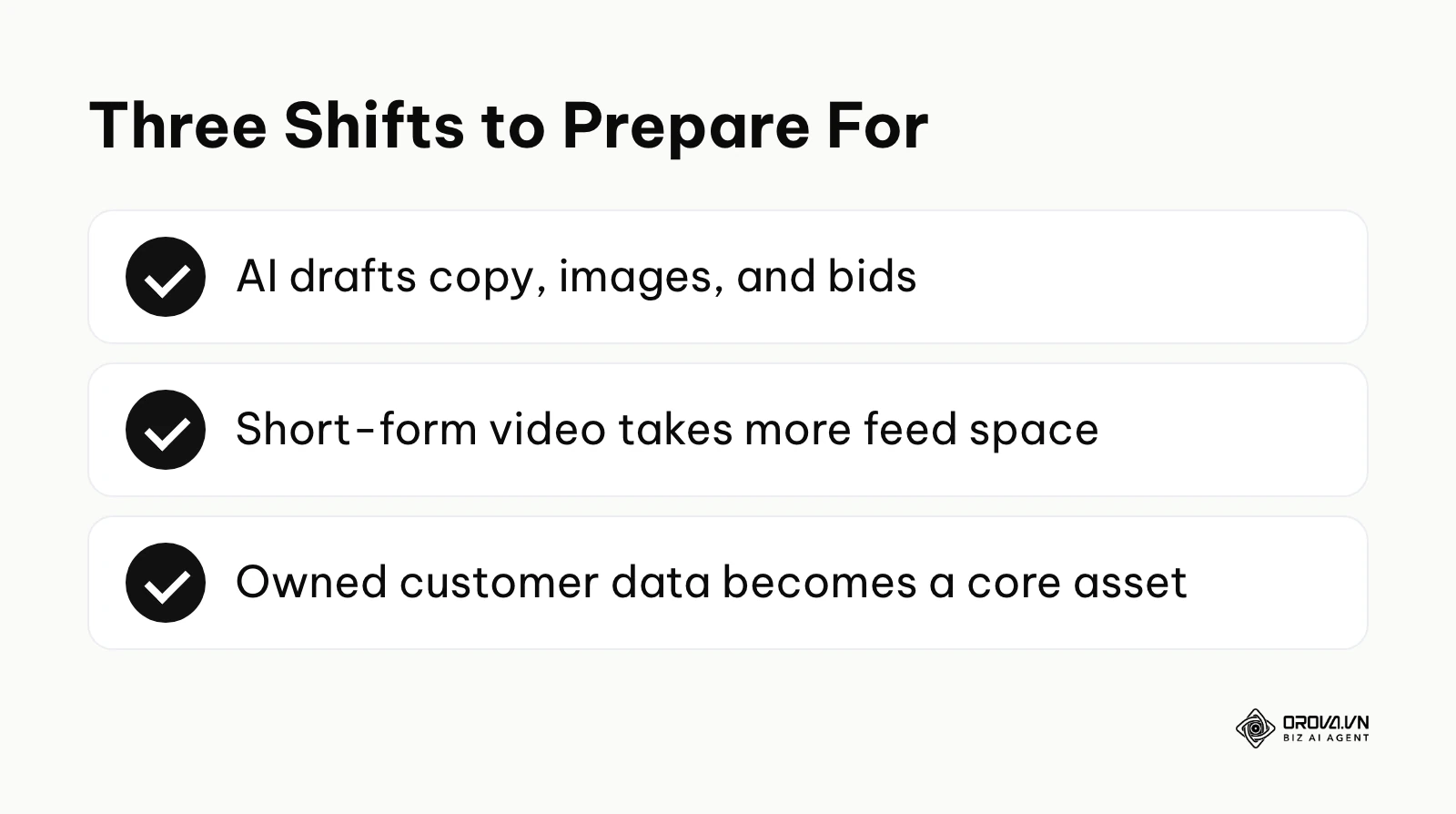
As of 2026, the digital advertising landscape is shifting rapidly. Based on the aggressive integration of machine learning across major platforms, here are three major trends I see dominating the space.
Fully autonomous campaign generation
The signs are already visible with Advantage+ features gradually taking over targeting decisions. I believe marketers will increasingly upload a product URL and let the AI draft the copy, generate image variations, and manage bids, with humans reviewing rather than building every piece. You should start focusing intensely on your product quality and backend unit economics today, because the technical skill of media buying is likely to matter less over time.
Video-first delivery pushing static images aside
Feeds are visibly shifting toward short-form video across major networks. I expect traditional square graphics to keep losing ground in direct-response marketing. Platforms are giving short-form video feeds more and more space to retain user attention. You must begin building systems to produce vertical video content efficiently, even if you are a traditional service business that relies heavily on text.
Zero-party data becoming a core asset
Third-party tracking pixels are losing their effectiveness due to ongoing privacy regulations. I anticipate that businesses relying solely on platform algorithms to find their customers will face rising acquisition costs. A safer path is owning your audience through zero-party data—information the customer intentionally shares with you. You should prioritize building robust email lists and customer contact databases right now, using paid traffic merely as the initial acquisition mechanism rather than the entire sales engine.
Frequently asked questions about Facebook ads
How does AI impact Facebook ads today?
Artificial intelligence fundamentally powers the targeting engine through products like Advantage+. Instead of advertisers manually guessing which interests to target, the system analyzes large amounts of behavioral data to predict which user is most likely to convert based on their historical behavior across the network. Furthermore, generative AI tools are now commonly used to rapidly draft ad copy and generate visual variations, drastically lowering the cost of creative testing.
Why is my cost per click suddenly so high?
A sudden spike in cost per click is usually caused by creative fatigue. If the same audience has seen your image too many times, they stop clicking, which causes the platform's algorithm to charge you a higher premium for the space. It can also be caused by increased seasonal competition, such as during major holiday sales events when major retailers flood the auction with massive budgets.
Can I run ads without a website?
Yes, you can utilize native lead generation forms or direct-to-messenger campaigns. These formats keep the user on the social media platform, allowing you to collect phone numbers or initiate sales conversations without needing to build, host, and optimize an external landing page.
What is a good daily budget for a local business?
A local business should start with a budget of ten to twenty dollars a day. This is enough to reach a significant portion of a tight geographic radius consistently. The goal at this level is not necessarily immediate massive scale, but rather establishing local brand awareness and capturing high-intent inquiries over time.
How long does the learning phase last?
The learning phase typically lasts until your specific ad set achieves fifty optimization events, such as fifty purchases or fifty leads, within a seven-day window. Once this threshold is crossed, the algorithm has enough statistical confidence to stabilize delivery and costs.
Where should you start?
If you have a product but no Meta assets yet, your very first step is to dedicate one afternoon exclusively to setting up your infrastructure. Create the Business Manager, verify your domain, install the tracking pixel, and ensure your payment methods are securely attached. Do not attempt to design creatives or write copy until this technical foundation is completely solid.
If you have a Business Manager but are afraid of getting banned, your immediate action is to audit your account against the 15-step anti-ban checklist provided in this guide. Check your landing page for privacy policies, ensure your personal profile is protected with two-factor authentication, and verify that your ad copy does not aggressively call out personal attributes. Securing the account takes priority over launching new tests.
If you are currently running ads but losing money, your first step is to pause any campaigns that have spent twice your target acquisition cost without generating a single result. Stop creating new ad sets blindly. Take your remaining budget, consolidate it into one broad Advantage+ campaign, and spend your time generating three brand new video creatives that clearly demonstrate the direct benefits of your product.
About the author

Builder of Orova
Nguyễn Đỗ Trọng Ân has 8 years of experience in marketing, including 6 years managing market development across Asia. He builds Orova, a Biz AI Agent that never sleeps: it plans, runs and optimizes work for businesses.
Run your business with AI Agents
Orova is the always-on Biz AI Agent — it plans, runs, and optimizes the work for you.
Save time, unlock productivity.