
Hootsuite social media marketing: The 2026 step-by-step guide

Logging into five different native platforms every morning is a recipe for operational failure. When marketing teams attempt to manage organic distribution without a centralized command center, the result is inevitably disjointed messaging, missed customer service inquiries, and severe team burnout. This chaotic scenario is precisely why establishing a rigorous hootsuite social media marketing framework has become essential for mid-sized and large organizations. However, simply treating this powerful software as a basic calendar scheduler is a massive waste of resources. To generate a tangible return on investment, you must master its advanced architectural features, leverage its artificial intelligence capabilities, and implement seamless team workflows. This guide will walk you through the entire process, from the initial pre-deployment checklist and strategic CRM integrations to weighing the trade-offs against other tools, ensuring your technology stack is fully optimized for 2026.
What is Hootsuite Social Media Marketing and Who Is It For?
Hootsuite social media marketing is the practice of utilizing a centralized, enterprise-grade platform to manage publishing, monitor conversations, route customer service inquiries, and analyze cross-channel performance from a single unified dashboard. It is designed to transform fragmented organic activities into a measurable, scalable business operation.
For years, the marketing industry viewed these platforms primarily as a convenience tool—a way to avoid logging in and out of different browser tabs. However, as the digital landscape has matured, so has the software. Today, it operates as the central nervous system for outbound communications. It is not just about pushing out text and images; it is about managing the entire lifecycle of a digital interaction. This shift in functionality means that deciding to implement this software requires a serious evaluation of your operational needs.
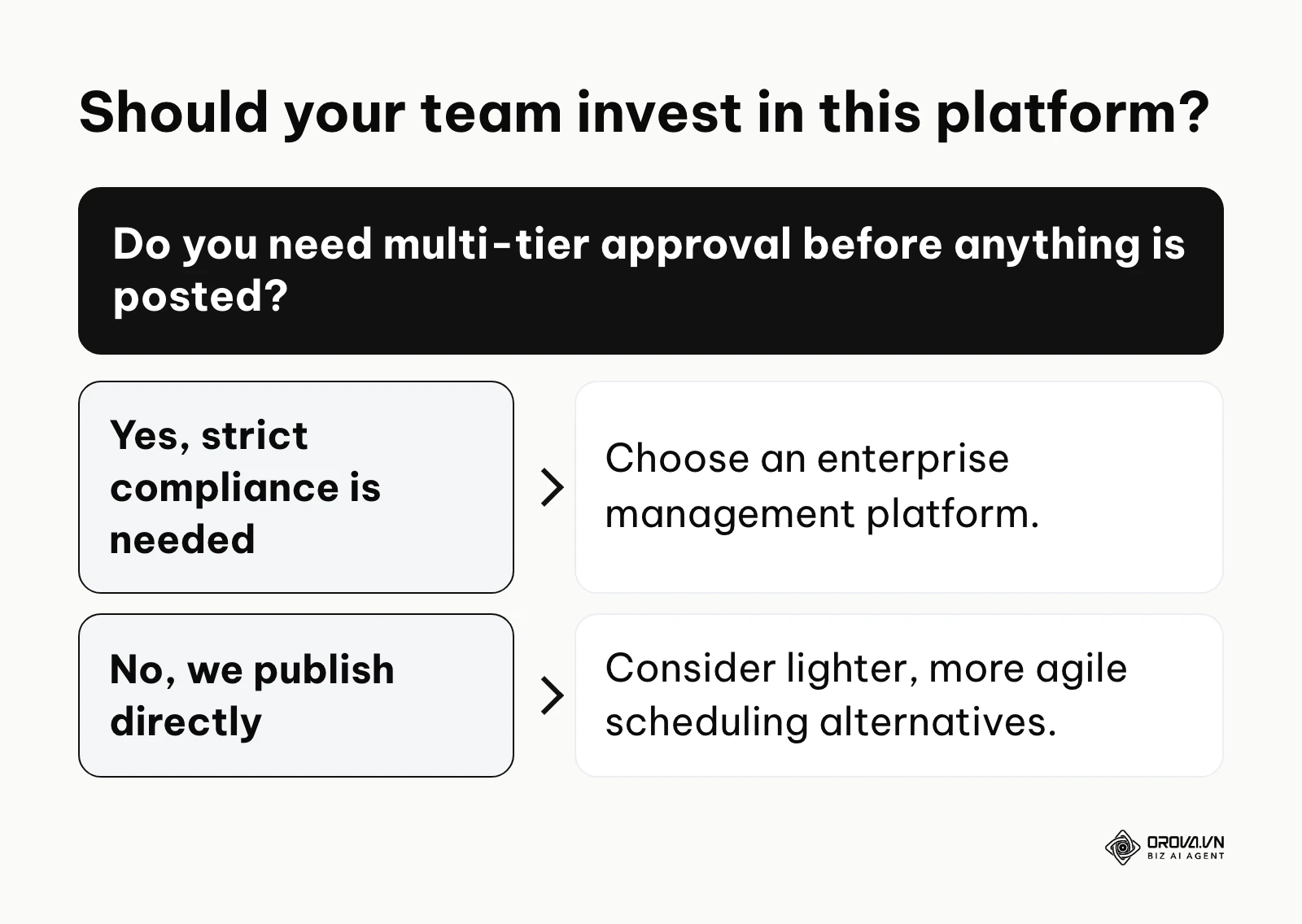
This platform is specifically engineered for mid-market to enterprise-level organizations that face complex governance challenges. If your marketing department consists of multiple specialists, graphic designers, copywriters, and legal compliance officers, you absolutely need a system that can handle multi-tier approval routing. In highly regulated industries like finance, healthcare, or public administration, a rogue post can result in severe fines or catastrophic brand damage. The software provides the necessary guardrails to ensure that no piece of content goes live without explicit, trackable authorization from the appropriate stakeholders. For enterprise buyers, built-in compliance routing is increasingly treated as a baseline requirement rather than an add-on.
Conversely, this tool is generally not the right fit for solo creators, freelance consultants, or micro-businesses that simply need to schedule a few updates a week. If you are a team of one or two people and you do not require layered approval processes, extensive custom reporting, or deep integrations with enterprise sales software, the investment and onboarding effort of a full management suite may outweigh the benefits. For these smaller operations, the native scheduling features provided directly by platforms like Meta Business Suite or lighter, more agile third-party tools are usually more than sufficient.
Preparation: The 2026 Readiness Checklist
Deploying complex enterprise software without a clear strategic foundation will only digitize your existing chaos. Before you even create an administrative account or look at a pricing page, your organization must prepare several critical assets.
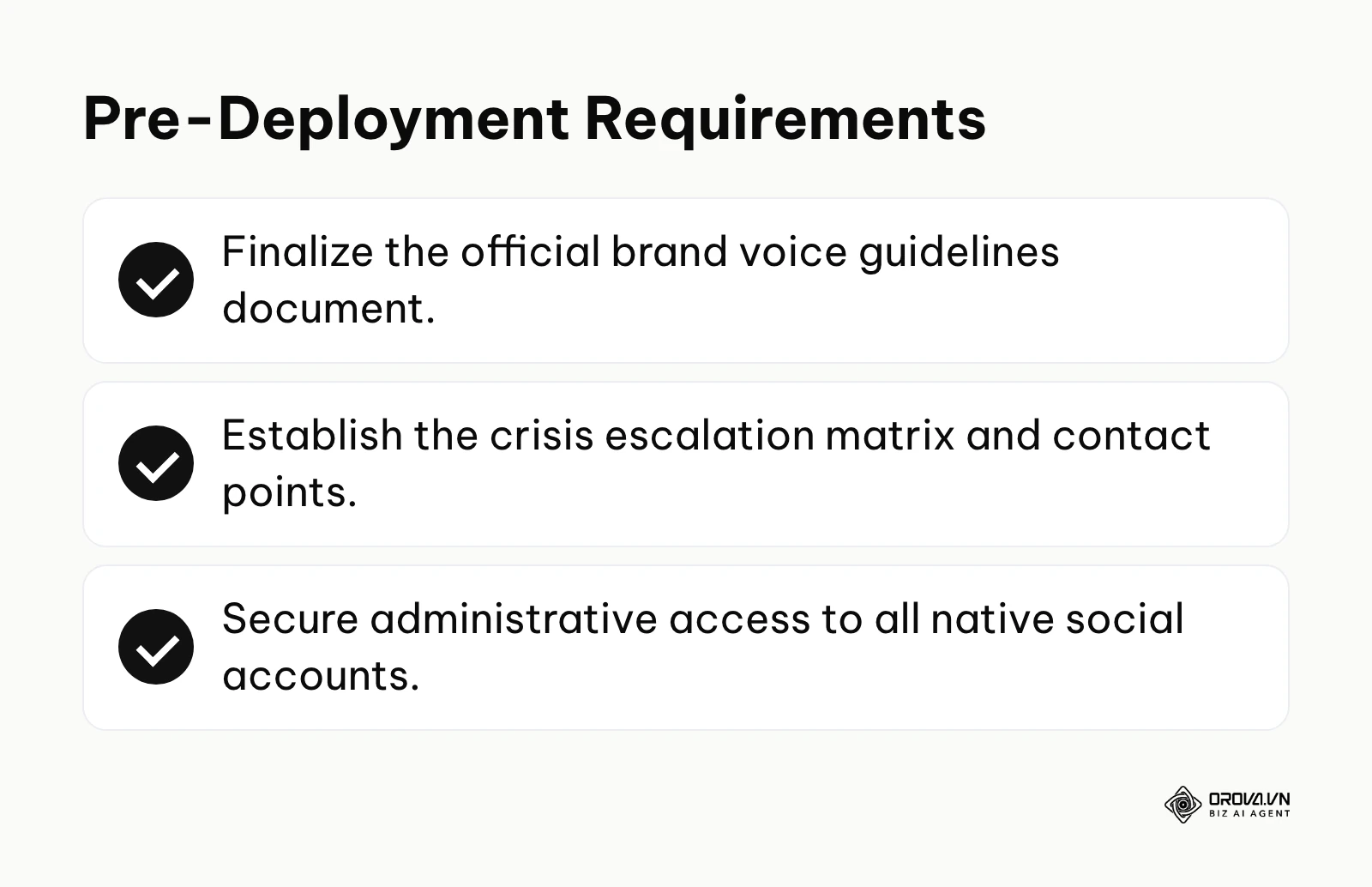
First, you need a finalized, documented brand voice guideline. This is not just a PDF with your logo colors and font choices. It must be a comprehensive manual detailing the exact tone, vocabulary, and phrasing your brand uses across different channels. When multiple team members are drafting content or responding to customer inquiries through a unified dashboard, this document ensures consistency. You must also clearly define the distinct roles and responsibilities within your team. Who is responsible for community management? Who analyzes the weekly data? Who has the final authority to hit the 'approve' button on a high-stakes campaign? Defining these roles beforehand will make configuring the software's permission settings significantly faster and prevent internal political struggles over access rights.
Second, you must establish a rigid crisis escalation matrix. Social media moves at blinding speed, and negative sentiment can spiral out of control in minutes. Your team needs a documented protocol outlining exactly what to do when a severe customer complaint or public relations crisis occurs. This matrix should define what constitutes a minor issue versus a major crisis, list the exact contact information for legal and executive stakeholders, and provide pre-approved holding statements.
Below is a breakdown of what you need to prepare, where to source it, and the realistic timeline for completion:
| Asset Required | Sourced From | Estimated Time to Prepare |
|---|---|---|
| Brand Voice Guidelines | Marketing Director / External Agency | 2 to 3 weeks |
| Role & Permission Map | Operations Manager | 3 to 5 days |
| Crisis Escalation Matrix | Legal & Public Relations Teams | 1 to 2 weeks |
| Native Account Credentials | IT Security / Department Heads | 2 to 4 days |
| Asset Library Repository | Creative Director | Ongoing process |
Gathering these materials ensures that when you finally begin the technical implementation, you are merely mapping your established business rules into the software, rather than trying to invent operational procedures on the fly.
The 10-Step Setup Checklist for Enterprise Teams
Implementing an enterprise platform requires a methodical, step-by-step approach. Rushing through the configuration will inevitably lead to broken connections, lost data, and frustrated team members. This checklist is designed to guide you through a flawless technical setup.
Step 1: Connecting Network Architecture and API Endpoints
The foundation of your entire operation is the technical connection between the dashboard and the native platforms. This is governed by Application Programming Interfaces (APIs). To begin, navigate to the administrative settings and select the option to add a new network. You will be prompted to authenticate via OAuth, a standard protocol that grants the software permission to read and write data on your behalf without storing your actual passwords.
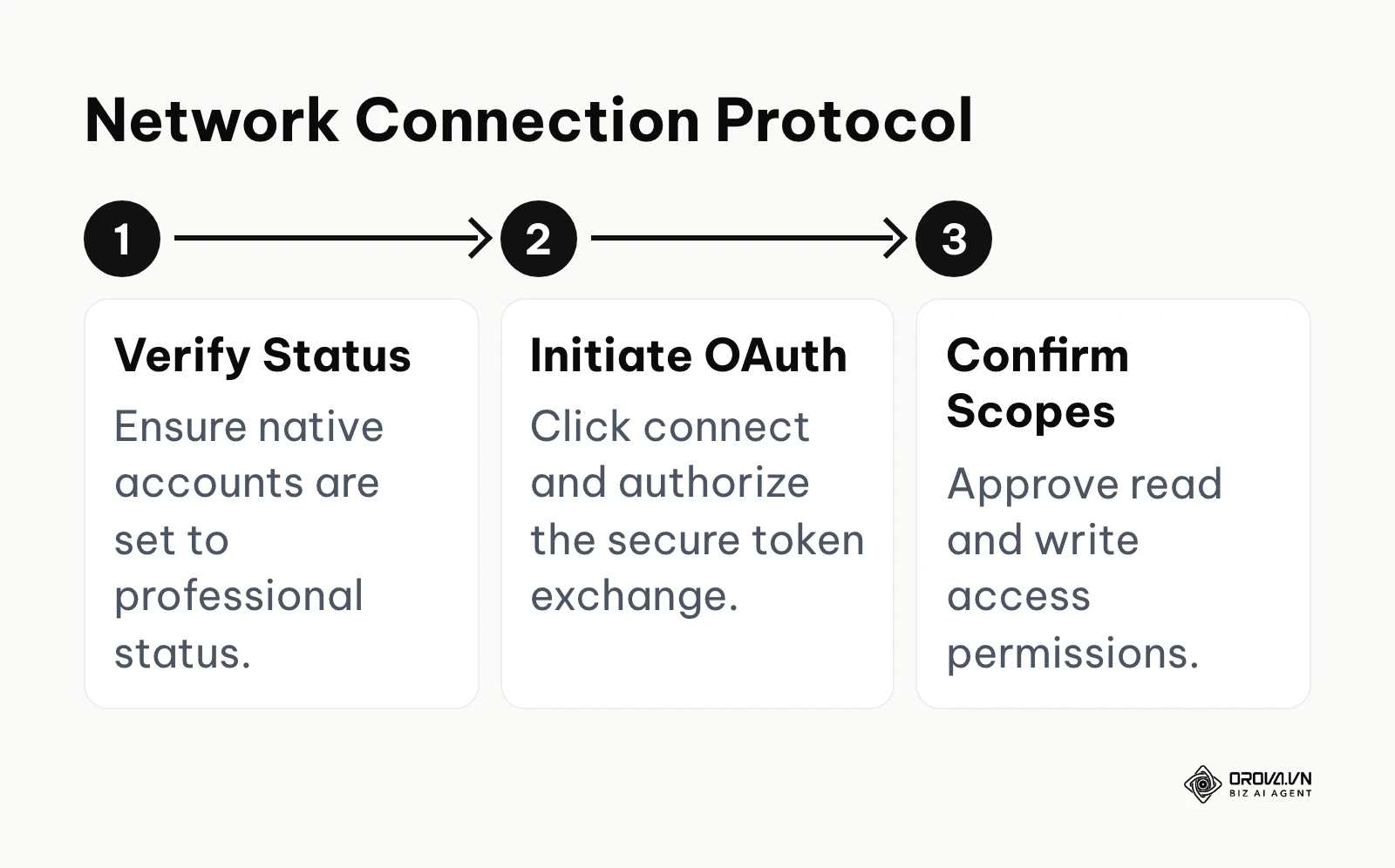
It is critical to understand the nuances of these connections. For example, to connect an Instagram account, it must first be officially converted into a Professional account and permanently linked to a verified Facebook Business Page natively. A common error at this stage is attempting to connect personal profiles or unlinked accounts, which the API will instantly reject. The sign of success here is seeing all your organization's profiles listed as connected, with no warnings about expired or broken authorizations.
Step 2: Configuring Role-Based Access and Approval Workflows
Once the architecture is connected, you must secure it. Never give every team member 'Super Admin' privileges. Navigate to the organization settings and create custom roles based on the map you prepared earlier. Assign specific permissions, dictating exactly who can draft, edit, publish, or export data.
Next, configure the automated routing rules. If a junior copywriter drafts a post for the corporate LinkedIn page, the system should automatically lock the post and send a notification to the senior communications manager for review. The most common mistake here is creating workflows that are too complex, requiring four or five layers of approval, which ultimately paralyses the team's ability to react to real-time events. A successful setup ensures compliance without sacrificing agility.
Illustrative example: A mid-sized financial services firm with 15 regional managers needed to ensure strict compliance before any social post went live. First, the administrators established a three-tier approval hierarchy within the platform settings. Second, they routed all regional drafts to the central compliance officer using the automated assignment trigger. Finally, approved posts were automatically pushed to the scheduled queue. However, the compliance officer initially became a massive bottleneck, receiving over 50 individual notifications a day. The team fixed this by creating dedicated approval time blocks and setting up a separate stream specifically for high-risk keyword flags, allowing standard posts to bypass the full manual review. As a result, the turnaround time for compliant local posts dropped to under four hours, which was immediately visible in the team efficiency dashboard without compromising any regulatory standards.
Step 3: Designing Proactive Social Listening Streams
Publishing content is only half the equation; listening to the market is equally crucial, and dedicated social listening tools exist precisely for this job. Within the main interface, you can construct customized streams that monitor public conversations on your connected networks for specific keywords and mentions. Do not just track your own brand name. You must build sophisticated queries using Boolean search logic (using operators like AND, OR, NOT) to filter out irrelevant noise.
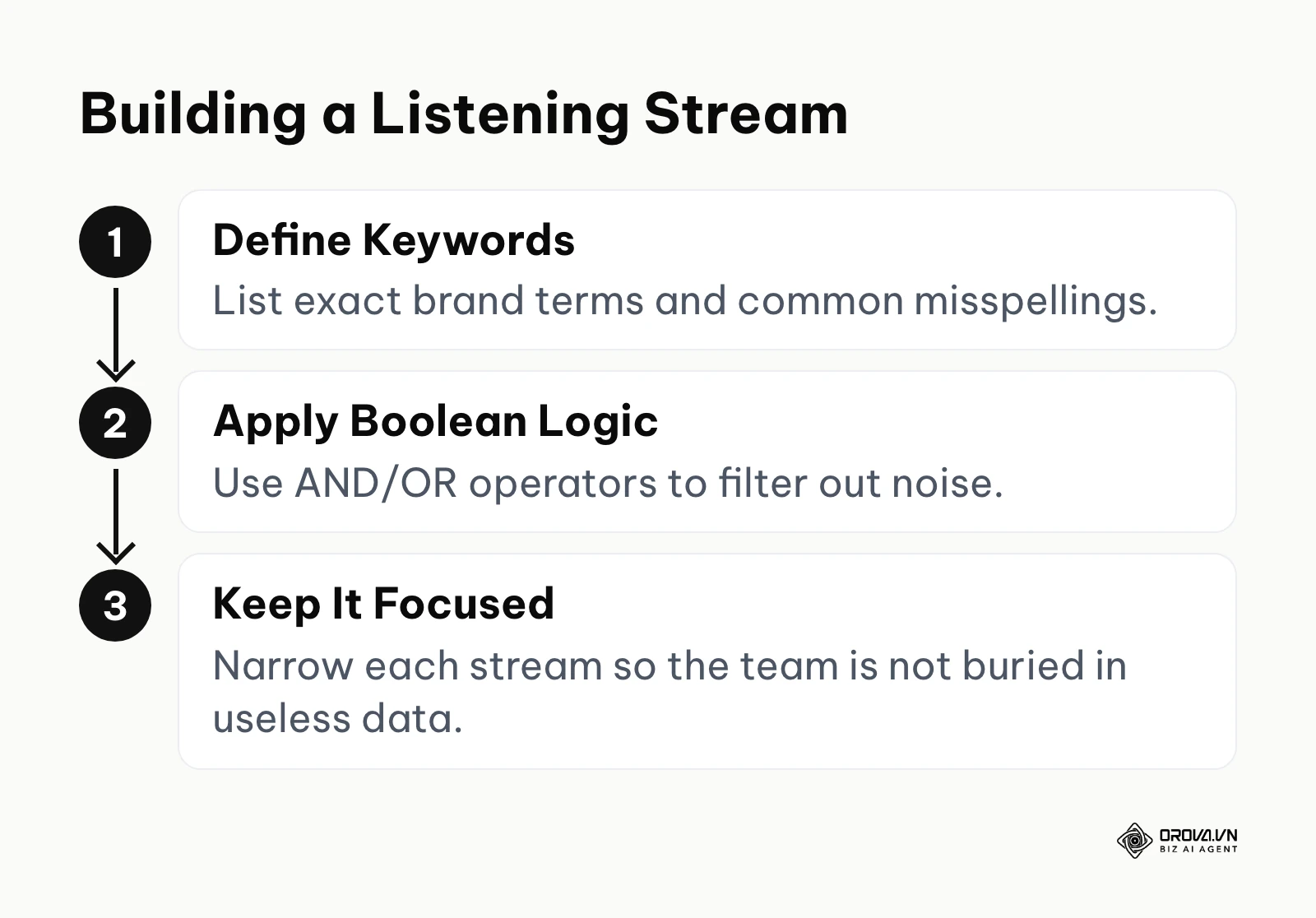
For instance, you might track mentions of your core product alongside the word "broken" or "alternative" to identify dissatisfied customers or potential sales opportunities. The key to success is keeping these streams highly focused. A common error is casting a net that is too wide, resulting in a torrent of useless data that the team eventually ignores. When configured correctly, these streams will act as an early warning system for both PR crises and emerging industry trends.
Step 4: Architecting the Global Content Calendar
The visual calendar is where your strategy becomes a tangible reality. Instead of viewing isolated posts, your team needs to see the entire overarching narrative across all channels. Begin by establishing a taxonomy of tags—specific labels you will attach to every piece of outgoing content, such as 'Product Launch', 'Company Culture', or 'Educational Event'.
This architectural step is vital because it allows you to filter the massive calendar view and eventually report on the performance of specific strategic pillars rather than just individual platforms. The most frequent stumbling block is failing to enforce the tagging rules, leading to messy, unsegmentable data at the end of the quarter. A perfectly architected calendar provides every stakeholder with instant visual confirmation of the week's outbound messaging density.
Step 5: Leveraging OwlyWriter AI for Scalable Content
Artificial intelligence has fundamentally changed the speed of content creation. Integrated AI tools, like OwlyWriter, are designed to help overcome writer's block and scale production. To use this effectively, you must learn prompt engineering. Instead of asking the AI to "write a post about our new software," you must provide dense context: "Write a 50-word LinkedIn post targeting B2B operations managers, highlighting the new API feature, using a professional but slightly disruptive tone, and end with a question."
The success of this feature depends entirely on human oversight. A critical error is blindly trusting the AI output and publishing it directly. The AI is a powerful drafting assistant, but it lacks the nuanced understanding of your specific corporate culture and legal constraints. Always route AI-generated drafts through your standard human editorial workflow to ensure they align perfectly with the brand guidelines established in your preparation phase.
Step 6: Executing Campaign Deployment and Scheduling Logic
When you are ready to deploy a comprehensive marketing campaign, the scheduling logic becomes paramount. You must consider the algorithmic preferences of each individual network. The platform offers best-time-to-post recommendations based on your past performance, which helps you pick publishing slots when your audience is more likely to engage.
However, advanced scheduling also requires crisis awareness. You must know exactly how to pause your scheduled queue, so that outgoing content can be held back quickly when the situation changes. The most common mistake during a public relations crisis is forgetting to stop the automated queue, resulting in tone-deaf promotional posts going live while a serious issue is unfolding. Mastery of deployment means balancing algorithmic optimization with situational awareness.
Step 7: Integrating CRM Pipelines for Lead Routing
Social media is not an isolated silo; it is the top of your sales funnel. Integrating your dashboard with customer relationship management (CRM) systems like Salesforce or HubSpot is critical for enterprise teams. Navigate to the app directory and authorize the connection between the two platforms.
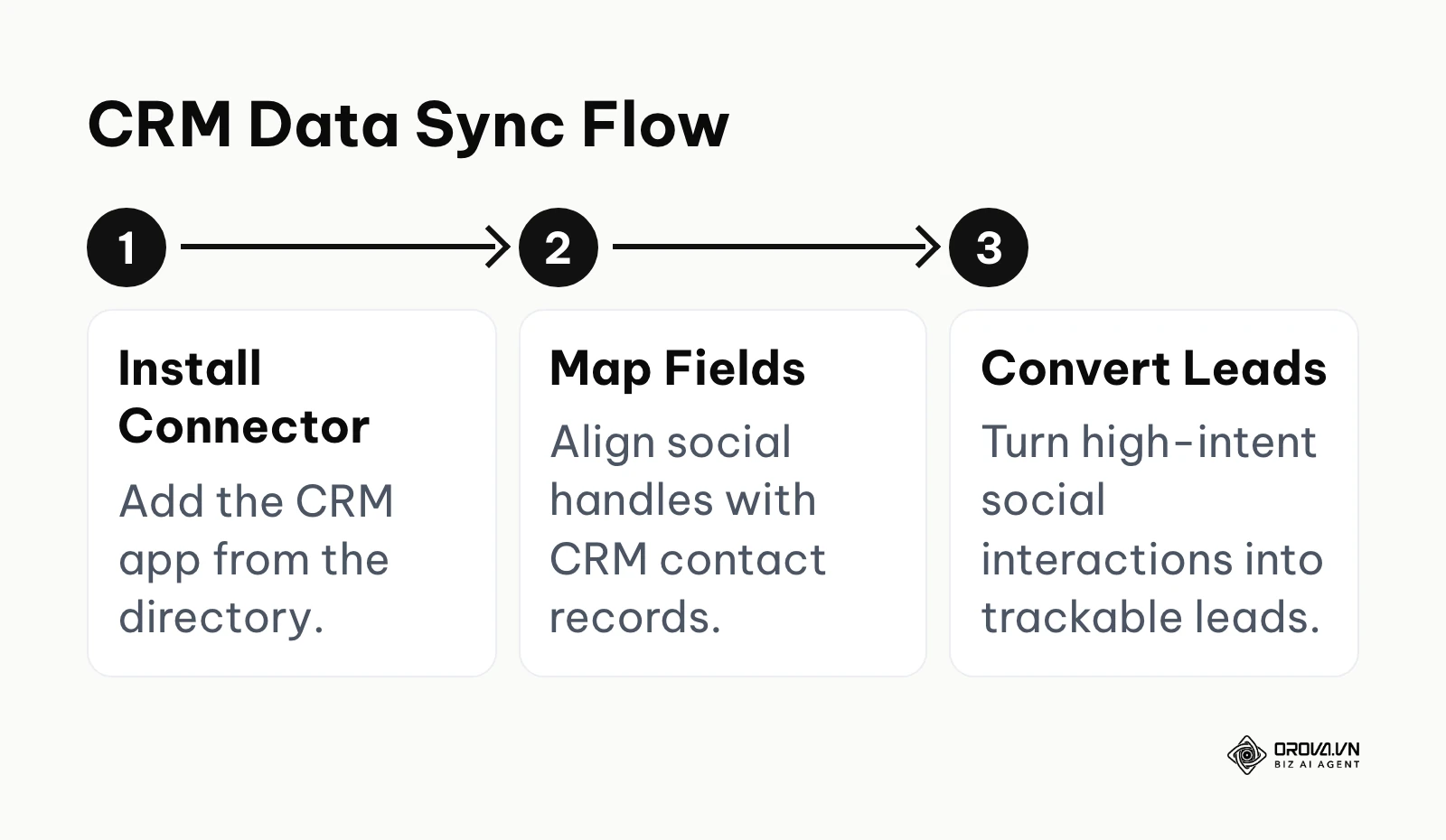
You must then map the data fields carefully, ensuring that an X handle or LinkedIn profile corresponds correctly to a contact record in the CRM. This allows your team to instantly convert a high-intent social interaction into a trackable sales lead. The danger here is creating duplicate records if the matching rules are not configured tightly. When successful, this integration finally bridges the gap between marketing engagement and actual revenue generation.
Illustrative example: A B2B software company was generating hundreds of LinkedIn inquiries but losing them in the native platform inbox, resulting in a disconnected sales pipeline. First, the marketing operations team connected their Salesforce instance directly to the dashboard interface. Next, they configured a rule to convert any direct message containing the word "demo" or "pricing" into a new lead record. They then assigned specific social listening streams directly to the sales development representatives. The primary hurdle was that sales reps were initially frustrated because the system created duplicate contacts for people who reached out on both X and LinkedIn. They resolved this by implementing a primary email matching rule within the connector settings before the data sync occurred. This seamless data flow allowed the team to attribute 12 closed-won deals directly to social media interactions within the first quarter, clearly visible in the CRM origin report.
Step 8: Configuring the Universal Inbox for SLAs
Customers expect incredibly fast responses on digital channels. The universal inbox consolidates comments, direct messages, and mentions from every connected network into a single, chronological feed. To manage this at scale, you must configure Service Level Agreements (SLAs)—internal targets for response times.
Where your plan supports it, set up assignment rules to route specific types of messages to the right people. For example, any message containing the word "refund" should be immediately assigned to the customer support team, bypassing marketing entirely. A common error is leaving the inbox unassigned, leading to the bystander effect where everyone assumes someone else is handling the inquiry. A well-configured inbox ensures zero messages slip through the cracks. Teams that move from scattered native inboxes to one shared queue usually find response times easier to track and improve.
Step 9: Establishing the Centralized Asset Library
Inconsistent visuals severely damage brand credibility. To prevent team members from using outdated logos or unapproved stock photos, you must build out the centralized asset library. Upload all approved graphics, video files, and document templates into this secure repository within the platform.
Add metadata and tags to every file so that a designer in London can easily find the exact campaign graphic created by the team in New York. The success sign here is the complete elimination of back-and-forth emails requesting logo files. The main pitfall is failing to establish a governance protocol for the library, allowing it to become a dumping ground for hundreds of unused, obsolete images that confuse the team.
Step 10: Building Foundational Reporting Dashboards
The final step is proving your value to the executive board. Move past the default overview screens and build highly customized reporting dashboards. You should create distinct views for different stakeholders: a granular, daily performance view for the marketing team, and a high-level, quarterly ROI view for the C-suite.
Schedule these reports to be automatically exported and emailed as PDFs on the first Monday of every month. The most common mistake is presenting massive dumps of raw data without any accompanying narrative or analysis. A successful reporting structure highlights the specific business impact of your campaigns, clearly demonstrating how social engagement is driving measurable organizational goals. Pairing these reports with the tagged content calendar from Step 4 lets you show results by strategic pillar, not just by network.
Managing a fragmented tech stack can slow down your entire team. If you need a more streamlined solution, try Orova Social. You can publish to 8 channels, utilize AI to write captions, and automatically cut long videos into 9:16 vertical clips with subtitles.
Deep Analysis: Platform Comparisons and Strategic Trade-offs
Choosing the right software is a high-stakes financial decision. Enterprise platforms are a significant investment, and the total cost usually depends on the number of user seats, the plan tier, and any add-ons you choose. Check the vendor's current plans directly and analyze whether the features you will actually use justify the investment.
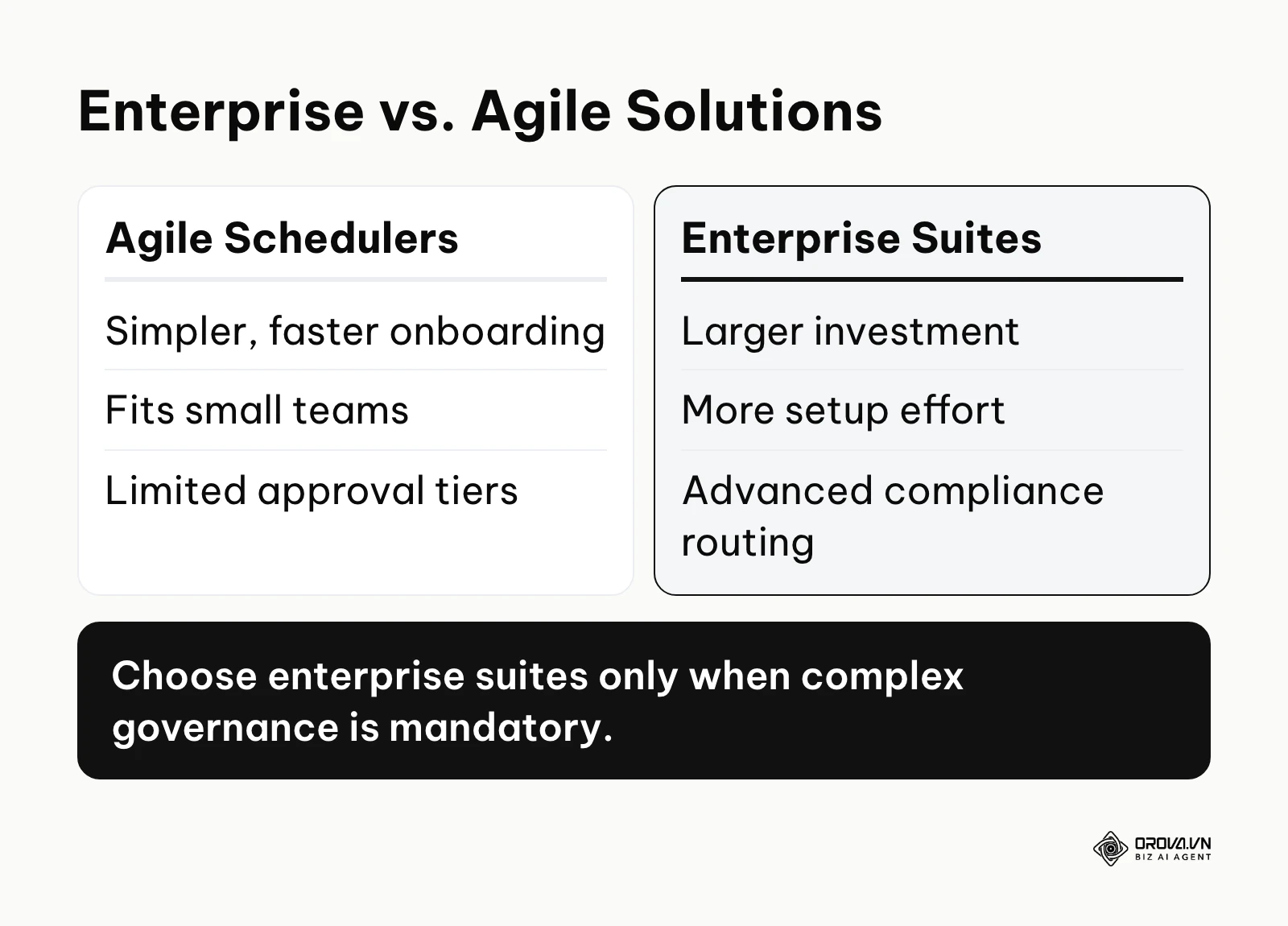
If your primary goal is simply to maintain a consistent posting schedule across a few channels, investing in a complex suite is a misallocation of budget. However, if your strategy requires deep integration with enterprise data lakes, advanced compliance routing, and sophisticated team collaboration, a lighter tool may struggle to keep up. You must evaluate the trade-offs between agility, cost, and control.
| Platform | Ideal For | Trade-off to Consider |
|---|---|---|
| Hootsuite | Large teams requiring complex approval routing and deep CRM integrations. | The broad feature set takes longer for new team members to learn. |
| Buffer | Small teams or agencies focused purely on streamlined content publishing. | Built for simplicity, so teams needing deep listening or layered governance should check fit first. |
| Sprout Social | Mid-market teams prioritizing deep analytics and intuitive inbox management. | Total cost grows with the number of seats, so model it against your team size. |
When exploring a social media scheduler, you must also consider the switching costs. Training a team of twenty marketers to use a new interface takes weeks of lost productivity. Therefore, the decision should be based on where your organization will be in three years, not just the problems you are trying to solve today. If you anticipate rapid scaling, investing in the heavier enterprise infrastructure early can prevent a painful migration process later.
Measuring Results: The Metrics That Actually Prove ROI
Executives do not care about how many likes a post received; they care about revenue, risk mitigation, and customer retention. Measuring results accurately requires a fundamental shift away from vanity metrics toward indicators that reflect actual business impact. You must leverage social analytics tools to track the full user journey from the initial impression to the final conversion event.
This requires rigorous implementation of UTM parameters on every single outbound link. Without UTMs, traffic from dark social—private messaging apps or un-tracked shares—will be miscategorized as direct traffic in your web analytics, robbing your team of the credit they deserve. You must align the data from your dashboard with the data in your core financial systems.
| Metric | Business Meaning | Warning Sign |
|---|---|---|
| Click-Through Rate (CTR) | Indicates if the content successfully drives high-intent traffic to your owned properties. | A sustained drop against your own baseline suggests content fatigue. |
| Inbound Response Time | Measures operational efficiency and commitment to customer service SLAs. | Average times drifting above the SLA your team has set. |
| Cost Per Acquisition (CPA) | Calculates the total spend required to convert a social lead into a paying customer. | When CPA exceeds the lifetime value of the customer segment. |
Illustrative example: An e-commerce brand saw high follower growth but stagnating sales, struggling to determine which specific platform was actually driving high-intent traffic. First, the analytics team audited their reporting dashboard, deliberately shifting focus away from overall reach. They built a custom report focusing strictly on click-through rates and conversion API data. Finally, they tagged all outbound links with dynamic UTM parameters directly within the composer tool. Initially, the reports were heavily skewed by bot traffic clicking on links from X. They had to apply an exclusion filter within the analytics module to remove automated pingbacks and focus purely on verified user sessions. The refined dashboard ultimately revealed that while Instagram had the highest raw reach, Pinterest was generating traffic with a 40 percent lower bounce rate, prompting a complete reallocation of the creative advertising budget. Understanding how to calculate engagement rate contextually is what separates successful teams from failing ones.
Ready to simplify your distribution without heavy enterprise overhead? Orova Social lets you set a brand profile once, schedule posts with automatic catch-up for missed slots, and download your schedule to Excel. It is free until July 7, 2027. Sign up today.
7 Systemic Mistakes in Social Media Operations
Even with the best software, operational failures usually stem from human error and flawed strategic assumptions. Recognizing these systemic mistakes early can save your organization significant time and budget.
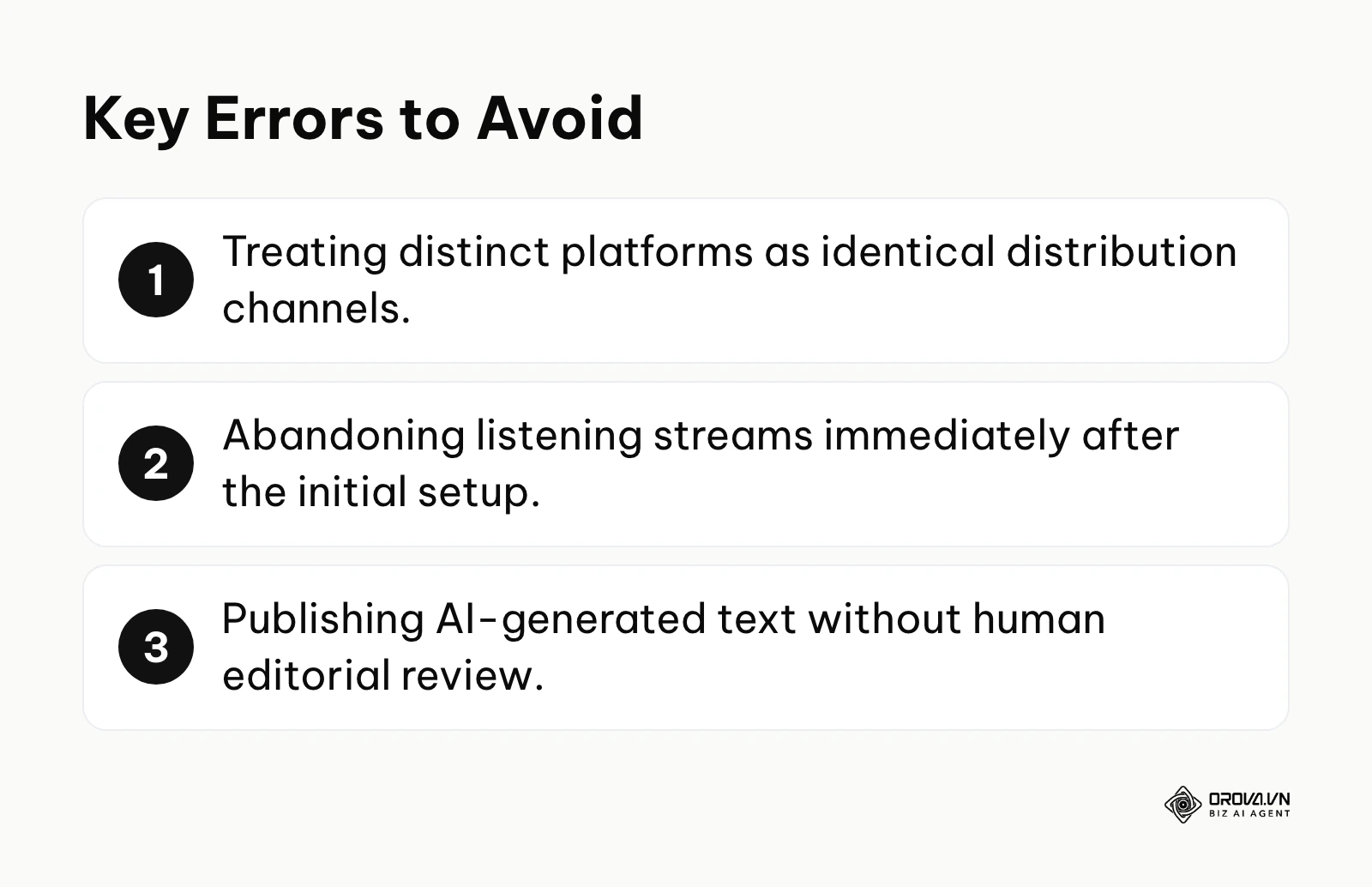
Mistake 1: Treating all platforms as identical distribution channels
Copying and pasting the exact same message, format, and image across LinkedIn, TikTok, and X is a fundamental error. Each network has a distinct culture and algorithmic preference. The consequence is drastically suppressed reach. The fix is to use the software's customization tools to tailor the caption length, aspect ratio, and tagging strategy for each specific network before hitting schedule.
Mistake 2: Ignoring the social listening streams after setup
Many teams spend weeks configuring complex boolean search queries and then never look at the data again. The consequence is missing critical customer feedback and emerging industry crises. The fix is to assign a specific team member to review the listening dashboard daily and compile a weekly brief for the product and PR teams.
Mistake 3: Over-relying on AI without human editing
Using artificial intelligence to generate hundreds of posts without review leads to generic, soulless content that alienates your core audience. The consequence is a loss of brand authenticity and potential legal issues if the AI hallucinates facts. The fix is strictly enforcing an editorial workflow where human copywriters review, inject brand voice, and fact-check every AI-generated draft.
Mistake 4: Bottlenecking the approval process
Designing an overly bureaucratic workflow where a single executive must approve every single tweet paralyzes the marketing team. The consequence is the inability to participate in real-time trends. The fix is implementing dynamic routing, where only posts containing specific high-risk keywords require executive review, while standard updates are approved by mid-level managers.
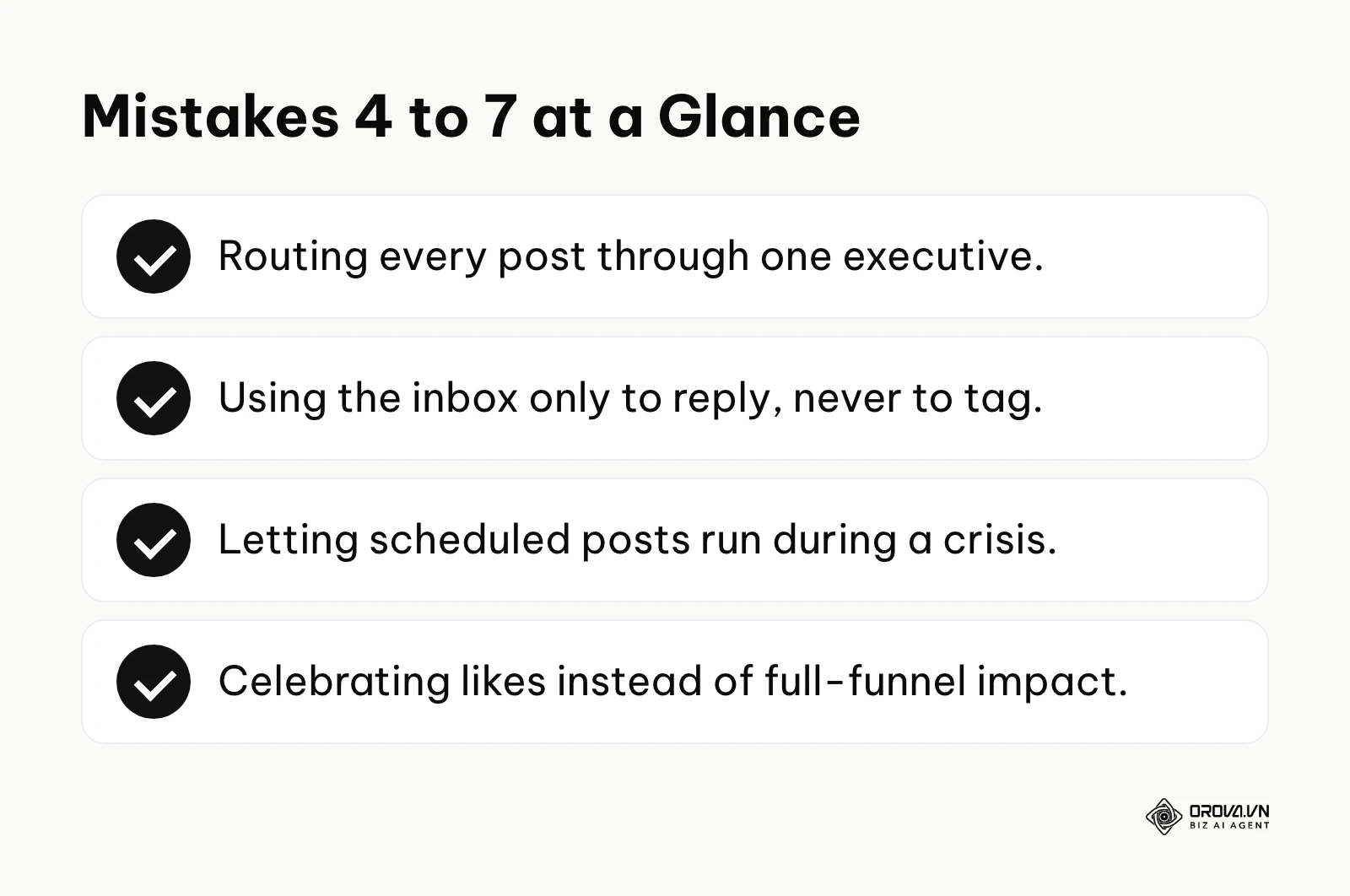
Mistake 5: Failing to tag inbound messages for CRM tracking
Treating the universal inbox simply as a place to reply to comments, rather than a data gathering point, wastes valuable intelligence. The consequence is an incomplete picture of customer sentiment in your main CRM. The fix is requiring community managers to apply specific categorical tags to every significant interaction, ensuring the data syncs correctly with the sales software.
Mistake 6: Setting and forgetting the schedule during a crisis
Allowing pre-scheduled promotional content to fire automatically while a global or industry-specific tragedy is unfolding is catastrophic. The consequence is severe public backlash and accusations of tone-deafness. The fix is immediately utilizing the 'pause all' function at the first sign of a major crisis, giving leadership time to assess the situation.
Mistake 7: Looking at isolated metrics instead of full-funnel impact
Celebrating a viral post that generated thousands of likes but zero website clicks or sales is a strategic failure. The consequence is misallocating budget toward content that does not drive business growth. The fix is integrating your dashboard data with your web analytics to track the entire journey from the first impression to the final purchase.
Social Media Marketing Trends in the Next Few Years: Author's Perspective
Predictive Distribution Powered by AI
The way we utilize artificial intelligence is shifting dramatically. Currently, most teams use AI simply to generate text and images faster. However, as of 2026, I believe the true value of AI will move from content creation to predictive distribution. The tools may increasingly use historical data to suggest not just what to write, but which audience segments are most likely to respond and when. Teams must prepare by ensuring their historical data is meticulously tagged and clean, as predictive models are useless if fed unstructured, garbage data. Integrating AI marketing automation tools will become a baseline requirement.
The Growing Convergence of Social and CRM
I expect the line between a social media management dashboard and a core customer relationship management platform to keep blurring. Customers no longer view social media as a broadcast channel; they view it as the primary support desk. I think enterprise software will move toward a point where meaningful social interactions create or update a profile in the CRM, giving teams earlier signals about churn risk. Organizations need to break down the silos between their marketing and customer success departments today to prepare for this unified future.
Dark Social Tracking Becomes the Standard
We are currently seeing a massive shift in user behavior away from public feeds and into private communities, encrypted messaging apps, and closed groups. I project that platforms will increasingly focus on developing tools to track, analyze, and attribute ROI to these "dark social" interactions. The teams that win will not be those with the biggest public follower counts, but those who can earn trust and provide value within these private communities. You must start training your community managers to operate effectively in these decentralized environments immediately.
Frequently Asked Questions About Hootsuite
How should a small team evaluate the cost in 2026?
Start from the official pricing page and compare it with the features you will actually use every day. Count the number of user seats you need, the social accounts you plan to connect, and any add-ons such as advanced reporting. A short list of must-have workflows makes it much easier to decide whether a full management suite or a lighter scheduler fits your budget.
Can the platform automatically generate full posts using AI?
Yes, tools like OwlyWriter AI can generate complete captions and suggest hashtags based on a simple prompt or a linked article. However, relying on this to run your entire strategy is highly discouraged. AI should be used to accelerate the drafting process, but the final output must always be reviewed by a human to ensure it aligns with your specific brand voice and compliance requirements.
What is the best way to handle negative comments during a weekend?
The best approach is a combination of automated routing and clear escalation protocols. You should configure the universal inbox to automatically flag messages containing aggressive or high-risk keywords and route them to an on-call team member via an urgent email or mobile alert. Do not rely on someone manually checking the dashboard on a Saturday night.
Is third-party scheduling still relevant with native platform tools improving?
While native tools like Meta Business Suite have vastly improved, third-party software remains critical for organizations that operate across multiple distinct ecosystems (like combining LinkedIn, TikTok, and X). If you only operate on Facebook and Instagram, native tools are fine. But if you need cross-channel reporting and unified approval workflows, a centralized dashboard is still absolutely necessary.
How does AI change the way we approach inbound routing?
AI fundamentally transforms inbound routing by moving it from simple keyword matching to deep sentiment analysis. Modern systems can analyze the context and emotion of a message, determining if a customer is slightly annoyed or preparing to cancel their enterprise contract, and instantly route the ticket to the appropriate retention specialist.
Where to Start?
If your team is completely overwhelmed by notifications and struggling to keep up with incoming messages, your first step should be configuring the universal inbox. Spend one afternoon setting up basic rules to filter out spam and route direct inquiries to the correct team members. Simply getting the noise under control will provide immediate operational relief.
If your primary issue is inconsistent posting and a chaotic content pipeline, your focus should be on the calendar architecture. Do not worry about advanced AI or CRM integrations yet. Sit down and define a clear taxonomy of tags, then map out a consistent, strategic one-month content plan. Visualizing the strategy is the fastest way to identify gaps in your messaging.
If leadership is demanding to see the financial impact of your work and you are struggling to prove ROI, your immediate priority is establishing UTM parameters and basic reporting. Take an hour to ensure every link you publish is trackable, and build a simple custom dashboard that focuses strictly on click-through rates and high-intent engagement, ignoring vanity metrics entirely.
About the author

Builder of Orova
Nguyễn Đỗ Trọng Ân has 8 years of experience in marketing, including 6 years managing market development across Asia. He builds Orova, a Biz AI Agent that never sleeps: it plans, runs and optimizes work for businesses.
Run your business with AI Agents
Orova is the always-on Biz AI Agent — it plans, runs, and optimizes the work for you.
Save time, unlock productivity.