
How search engines work: crawling, indexing, ranking and serving

You pour hours of effort into publishing an incredible piece of content. You hit publish, wait a few days, and check your analytics. Nothing. The traffic graph is completely flat. This frustrating scenario happens daily to marketers and developers who treat search algorithms like a mystical black box. They hope that simply creating good content is enough, entirely ignoring the mechanical reality of the systems judging their work. Understanding exactly how search engines work is the foundational step that separates websites earning organic traffic from those lost in the void. The short answer: according to Google Search Central's guide "How Google Search works", a search engine runs in three stages. It crawls the web to download pages, indexes them by analyzing their content and storing it in a large database, and serves results by ranking the indexed pages that best match each query. Everything else in this article sits inside those three stages, and you can start with our primer on what SEO is if the term is new to you.
Search technology has evolved drastically. We are no longer living in an era where basic keyword matching and simple link counting determine visibility. Today's systems involve JavaScript rendering, natural language processing, and generative AI features on the results page. If you do not understand the pipeline that takes your raw code and translates it into search results, your optimization efforts will always be built on guesswork. This guide breaks down that pipeline step by step, sticking to what Google has published about its own systems, and shows you what to check on your site at each step.
The Core Anatomy of Search Engines in 2026
At a fundamental level, a search engine is a massive, highly distributed software architecture designed to discover, organize, evaluate, and retrieve the most relevant information on the internet. It acts as the librarian for a library that keeps growing every single day. The primary goal of any search platform is to satisfy the user's query as quickly and accurately as possible. If they deliver poor results, users leave, and ad revenue plummets.
You need to understand this anatomy because every technical or content decision you make must align with the engine's goals. When you optimize a site, you are not manipulating a system; you are simply formatting your data so that their automated bots can digest it efficiently. This guide is essential for technical marketers, web developers, and content strategists who need to orchestrate large-scale organic growth. However, if you are building an isolated intranet system or an application hidden entirely behind a mandatory login screen, the mechanics of public search engines will not apply to your daily workflow.
Preparation: The Prerequisites for Search Visibility
Before a search engine can even begin to process your website, you must provide a technically sound environment. You cannot invite a health inspector into a restaurant that hasn't been built yet. A significant portion of organic failure stems from poor foundational setup, leading bots to abandon the site before they even read the content. Establishing this foundation requires a comprehensive seo strategy that aligns server performance with clear navigational directives.
The table below outlines the critical prerequisites you must have in place before expecting any organic visibility.
| Prerequisite Component | Source / Where to configure | Expected Time Investment |
|---|---|---|
| Robots.txt File | Root directory of your server | 10 minutes |
| XML Sitemap | Generated via CMS or SEO plugin | 15 minutes (automated) |
| Server Infrastructure (TTFB) | Hosting provider / CDN settings | 2-5 hours of configuration |
| Clear Site Architecture | Internal linking structure | Ongoing during development |
| SSL Certificate (HTTPS) | Domain registrar or host | 30 minutes |
Without a valid robots.txt file, you leave bots guessing which directories they are allowed to access, often resulting in them crawling useless administrative pages while ignoring your core content. The XML sitemap acts as a direct roadmap, handing the search engine a definitive list of URLs you deem important. Finally, if your server's Time to First Byte (TTFB) is exceedingly slow, crawlers will actively reduce the amount of time they spend on your site to preserve their own computing resources.
The Search Pipeline: Crawling, Rendering, Indexing, Ranking and Serving
Google documents three stages: crawling, indexing, and serving search results. That model is accurate, but each stage contains sub-steps that matter in practice. Google's own documentation explains that rendering happens after crawling and before indexing, and that ranking happens when results are served. Below, the pipeline is split into six steps so you can see where each problem on your site actually occurs; steps 5 and 6 are parts of serving and evaluating results, not separate stages in Google's model.
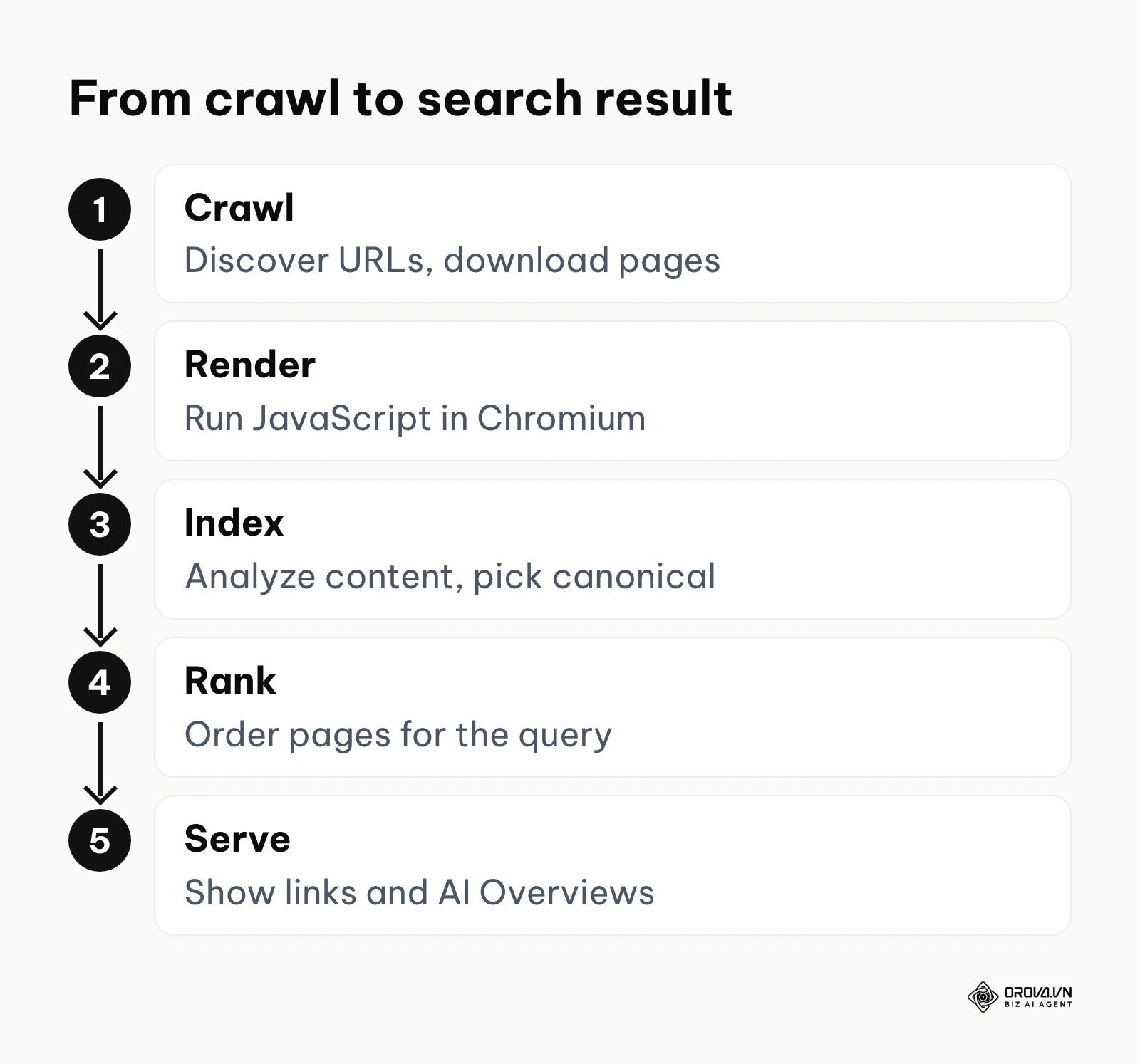
The diagram below summarizes the complex journey data takes through a modern search engine's architecture.
Step 1: Crawling (Discovering the Web)
Crawling is the discovery phase. Search engines deploy automated software programs, commonly known as spiders or bots (like Googlebot or Bingbot), to traverse the internet. These bots do not magically know your website exists. They must discover it, usually by following a link from a page they already know, or by reading an XML sitemap you submit (for Google, through Search Console). Google calls this step URL discovery. A robots.txt file then tells crawlers which paths they may request.
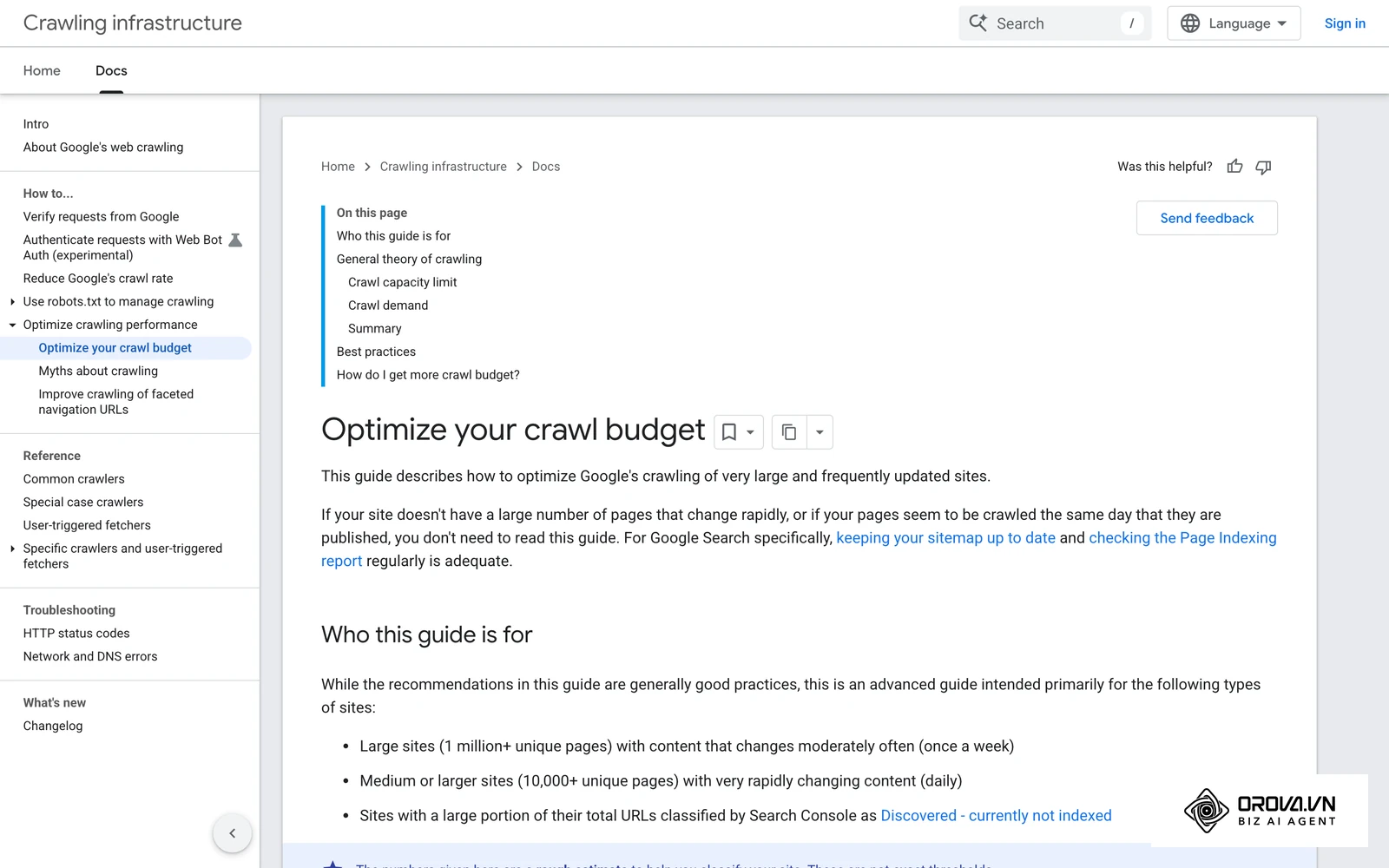
When a bot arrives at a URL, it reads the raw HTML response. However, crawling is strictly constrained by computational economics. Search engines do not have infinite resources. Google describes a crawl budget for each site, made up of two parts:
- Crawl capacity limit: How many requests your server can handle without slowing down. If your server responds slowly or returns 5xx errors, Googlebot crawls less.
- Crawl demand: How popular and how frequently updated your URLs are. A busy news site is crawled far more often than a static portfolio.
Google notes that crawl budget is mainly a concern for very large or rapidly changing sites. Even on smaller sites, though, a page buried behind many layers of pagination is harder to discover and is recrawled less often.
Step 2: Rendering (Executing JavaScript)
This is the most critical and often misunderstood step in the modern web era. In the past, the raw HTML downloaded during the crawl contained all the text. Today, many websites are built using JavaScript frameworks (like React, Angular, or Vue). When a bot crawls these sites, the initial HTML is often essentially empty—just a shell calling for JavaScript files.
Because executing JavaScript is incredibly resource-intensive, search engines separate this process. The raw HTML is passed along, but the JavaScript execution is placed into a Rendering Queue. Google's JavaScript SEO documentation explains that pages wait in a render queue until resources allow, and then a headless, recent version of Chromium executes the JavaScript to produce the final HTML. Content that only appears after rendering is therefore seen later than content in the raw HTML, and content that fails to render (blocked scripts, errors, resources that never load) may never be seen at all.
Illustrative example:
- Context: A mid-sized real estate agency launched a highly interactive property portal built entirely as a Single Page Application (SPA) using React.
- Steps taken: The development team deployed the site to production, submitted the new XML sitemap to the search console, and confidently waited for traffic to arrive.
- Hurdle and fix: After four weeks, traffic was zero. Using URL inspection tools, the marketing team realized the bots were capturing blank white screens because the listing content depended on slow client-side API calls that failed during rendering. The engineering team had to urgently implement Server-Side Rendering (SSR) to pre-render the HTML before delivering it to the bot.
- Result: Once the pre-rendered HTML was deployed, the search bots could instantly read the property descriptions and prices. Over the following weeks, impressions started to grow as the property pages entered the index.
Step 3: Indexing (Organizing the Data)
Once the page is crawled and rendered, the search engine must make sense of the data. Google stores what it learns in the Google index, a large database hosted on many computers. Search engines generally do not look pages up one by one at query time; information retrieval systems organize content in a structure known as an inverted index.
Think of the inverted index like the index at the back of a massive encyclopedia. Instead of listing documents and what words they contain, it lists every known word (or entity) and maps it to the documents where it appears. During this phase, several complex processes occur:
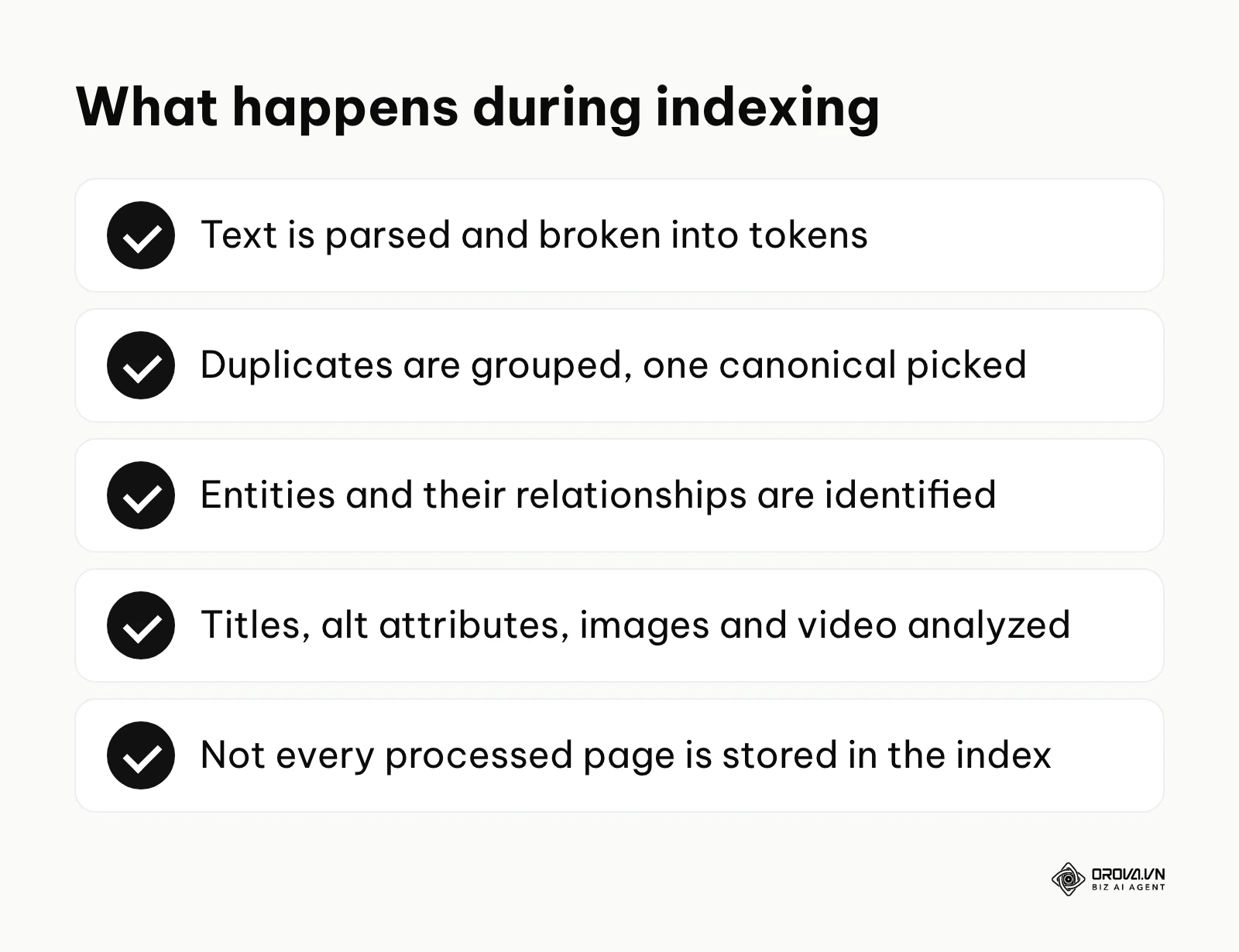
- Parsing and Tokenization: The text is stripped of formatting, converted to lowercase, and broken into distinct tokens (words or phrases).
- Canonicalization: Google groups duplicate or near-duplicate pages and selects one as canonical, the version most likely to be shown in results. The other versions may still be served in some contexts, such as to mobile users or for a very specific query.
- Entity Extraction: Modern engines go beyond matching strings of text. They identify entities (people, places, concepts, brands) and map the relationships between them. This is moving beyond simple keyword matching to true entity SEO, where the engine understands that "Apple" the technology company is different from "apple" the fruit, based entirely on the surrounding context.
Google Search Central's guide describes indexing as the stage where Google tries to understand what a page is about by analyzing its text, key content tags and attributes (such as title elements and alt attributes), images, and videos. Google also states that not every page it processes will be indexed.
Step 4: Retrieval and Ranking (Scoring Relevance and Authority)
When a user types a query into the search bar, the engine retrieves matching pages from its index and orders them, typically within a fraction of a second. This is where the core ranking algorithms take over. The engine first processes the query to understand user intent, correcting spelling mistakes and identifying synonyms.
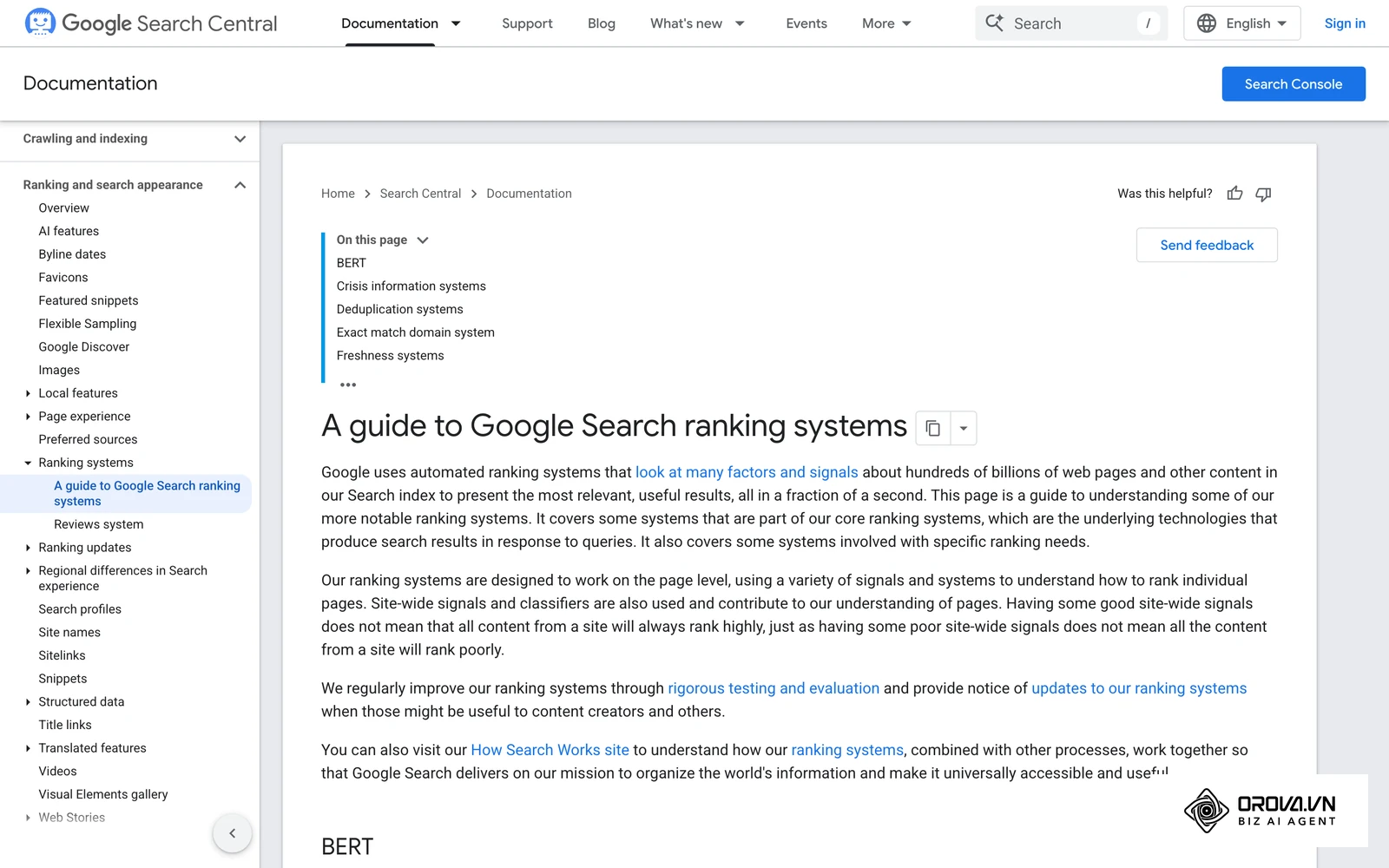
Once a pool of potentially relevant documents is retrieved, ranking systems order them. Google does not publish a full list of signals, but its documentation groups what matters into a few broad ideas, which can be summarized as three pillars:
- Relevance: Does the content on the page actually answer the specific intent of the user's query? Classic information retrieval methods such as TF-IDF and BM25 illustrate the basic idea of matching query terms to documents, though modern engines go well beyond them.
- Quality and authority: Is this source trustworthy? Google says that links from other prominent websites on the same topic are one of the signals it uses to judge expertise, authoritativeness, and trustworthiness, and PageRank, the link analysis method Google was founded on, is still one of its documented ranking systems.
- Usability: Is the page safe, mobile-friendly, and fast-loading? Google says its core ranking systems reward content that provides a good page experience, while relevance and helpfulness still come first.
Google's "How Search works" material names five key groups of factors it considers when serving results. The table below maps each one to what you can check on your own page. Google does not publish weights, so treat this as a checklist, not a formula.
| Factor Google names | What it means | What to check on your page |
|---|---|---|
| Meaning of the query | Understanding what the searcher wants, including spelling fixes and synonyms. | Does the page target one clear intent? |
| Relevance of content | Whether the page contains information relevant to the query. | Is the answer near the top, in plain words? |
| Quality of content | Signals of expertise, authoritativeness, and trustworthiness. | Author, sources, and links from relevant sites. |
| Usability | Whether the page is accessible and works well across devices. | Mobile layout, loading speed, HTTPS. |
| Context and settings | Location, language, and search settings of the user. | Correct language versions and local information. |
Step 5: Serving Results, Including AI Overviews
Serving is the final stage in Google's model: showing the ranked results, in whatever format fits the query. Today that format often includes AI-generated summaries, such as Google's AI Overviews and AI Mode, alongside the familiar list of links.
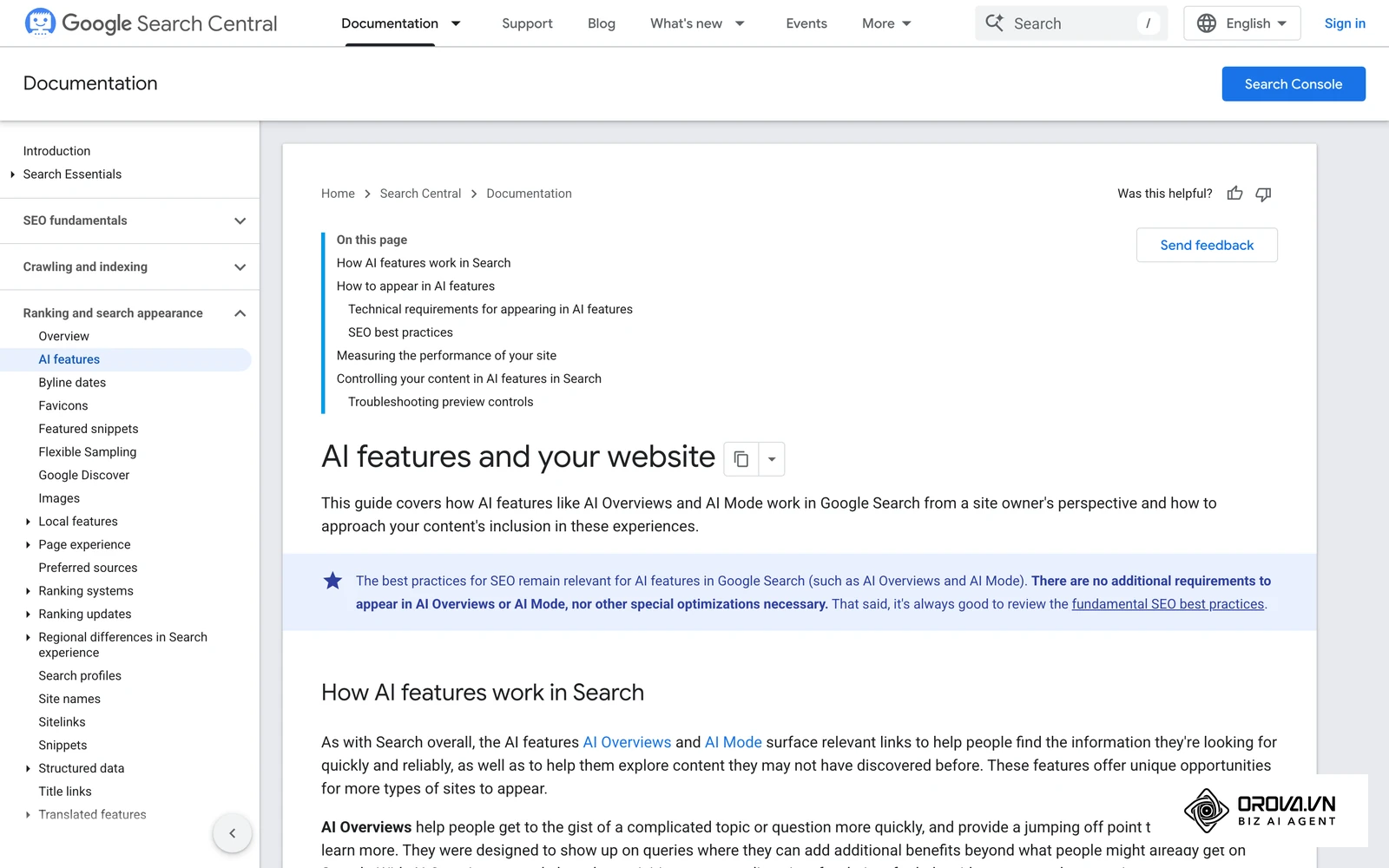
The general technique behind such answers is often called Retrieval-Augmented Generation (RAG): the system first retrieves relevant pages, then a language model writes a summary grounded in them and links to sources. Google's documentation on AI features says they may use a "query fan-out" technique, running several related searches to find supporting pages, and that there are no extra technical requirements to appear in them: a page must be indexed and eligible to be shown with a snippet. In other words, the same crawl, index, and rank fundamentals decide whether your page can be used as a source. Understanding how to navigate the landscape of ai seo is critical for securing these premium visibility spots.
Step 6: The User Interaction Feedback Loop
The final step involves humans rather than bots. Google states that it uses aggregated and anonymized interaction data to assess whether search results are relevant to queries, and that this data is turned into signals that help its machine-learned systems estimate relevance. It also runs quality tests and works with search quality raters, whose ratings evaluate systems but do not directly change the ranking of an individual page.
Google does not publish how individual interactions are weighted, so be careful with claims that a single metric such as bounce rate directly moves a page up or down. The practical lesson is simpler: a page that clearly satisfies the searcher is more likely to perform well over time than one that sends people back to the results to keep looking.
Illustrative example:
- Context: A B2B software review blog was stuck ranking at position #5 for a highly competitive keyword ("best CRM for agencies") despite having excellent backlinks and long-form content.
- Steps taken: The content team analyzed the live search results and realized users searching this term wanted rapid, scannable comparisons, not thousands of words of prose. They restructured the page, moving a dense comparison table to the very top, directly below the H1 tag, and optimized the table to load instantly.
- Hurdle and fix: Initially, the massive table broke the mobile layout, causing users on phones to bounce immediately. The team had to re-code the table into a responsive CSS grid that collapsed gracefully on smaller screens, ensuring readability across all devices.
- Result: Visitors found the answer faster and engagement on the page improved. Over the following months the page gradually moved up. The team could not isolate one cause, since better intent match, faster loading, and a fixed mobile layout all changed at once.
Discover Orova.vn – a Biz AI Agent platform with OROVA SEO, a complete solution for every website. The system supports search engine optimization from A to Z with features including keyword research, writing new SEO-ready articles, optimizing existing content, rank tracking, plus competitor analysis and in-depth technical analysis. Sign up today to experience OROVA SEO completely free (offer valid through July 7, 2027).
Deep Dive: Google Algorithm vs. Bing and Social Search
While Google dominates the global market, understanding search engine architecture means recognizing that different platforms weigh signals differently. Marketers often mistakenly apply Google-centric tactics to Bing or social search engines like YouTube, resulting in poor performance.
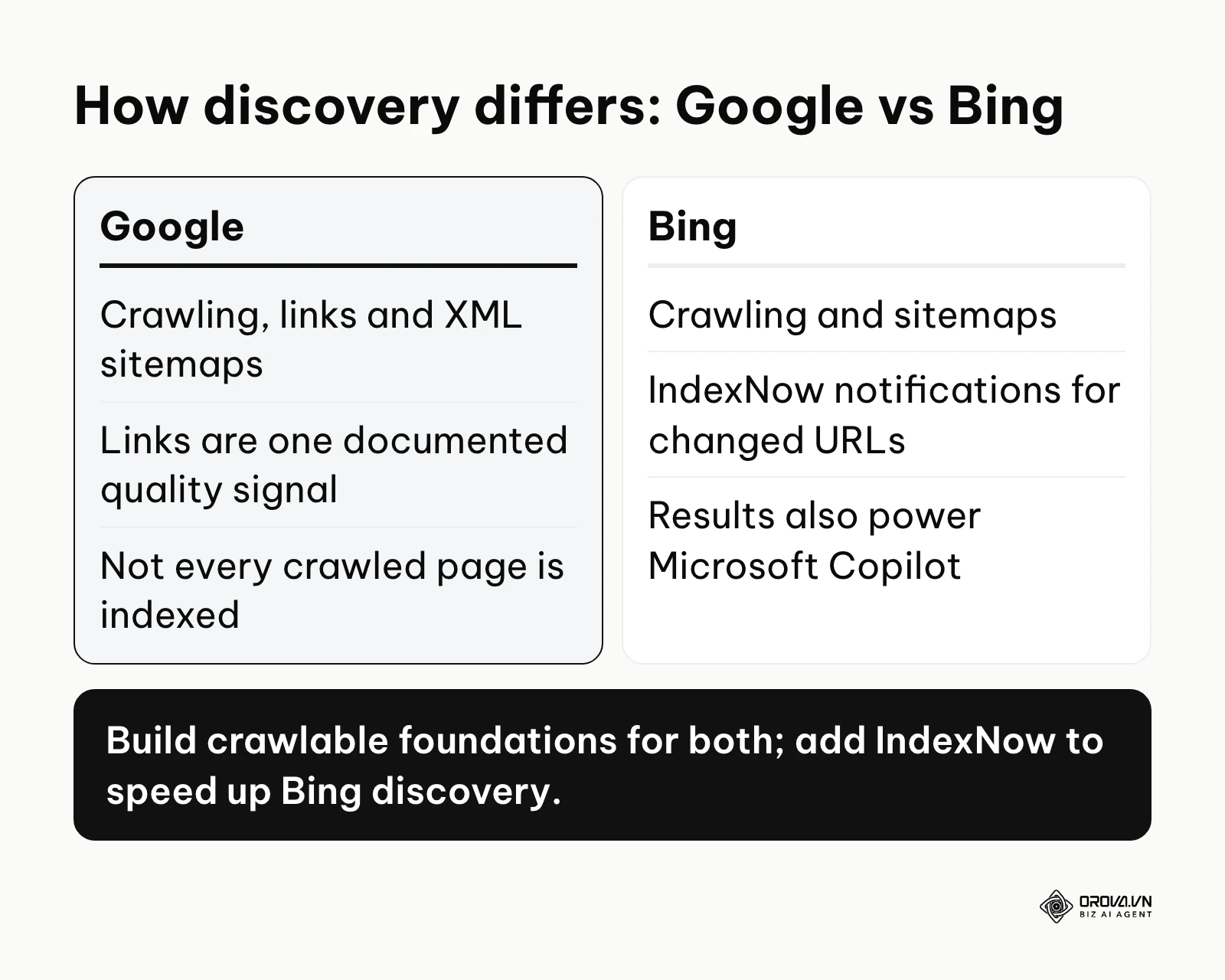
Google's public documentation emphasizes understanding entities and query meaning, helpful content that demonstrates E-E-A-T (Experience, Expertise, Authoritativeness, Trustworthiness), and links as one quality signal. It discovers most pages by crawling and does not index everything it crawls.
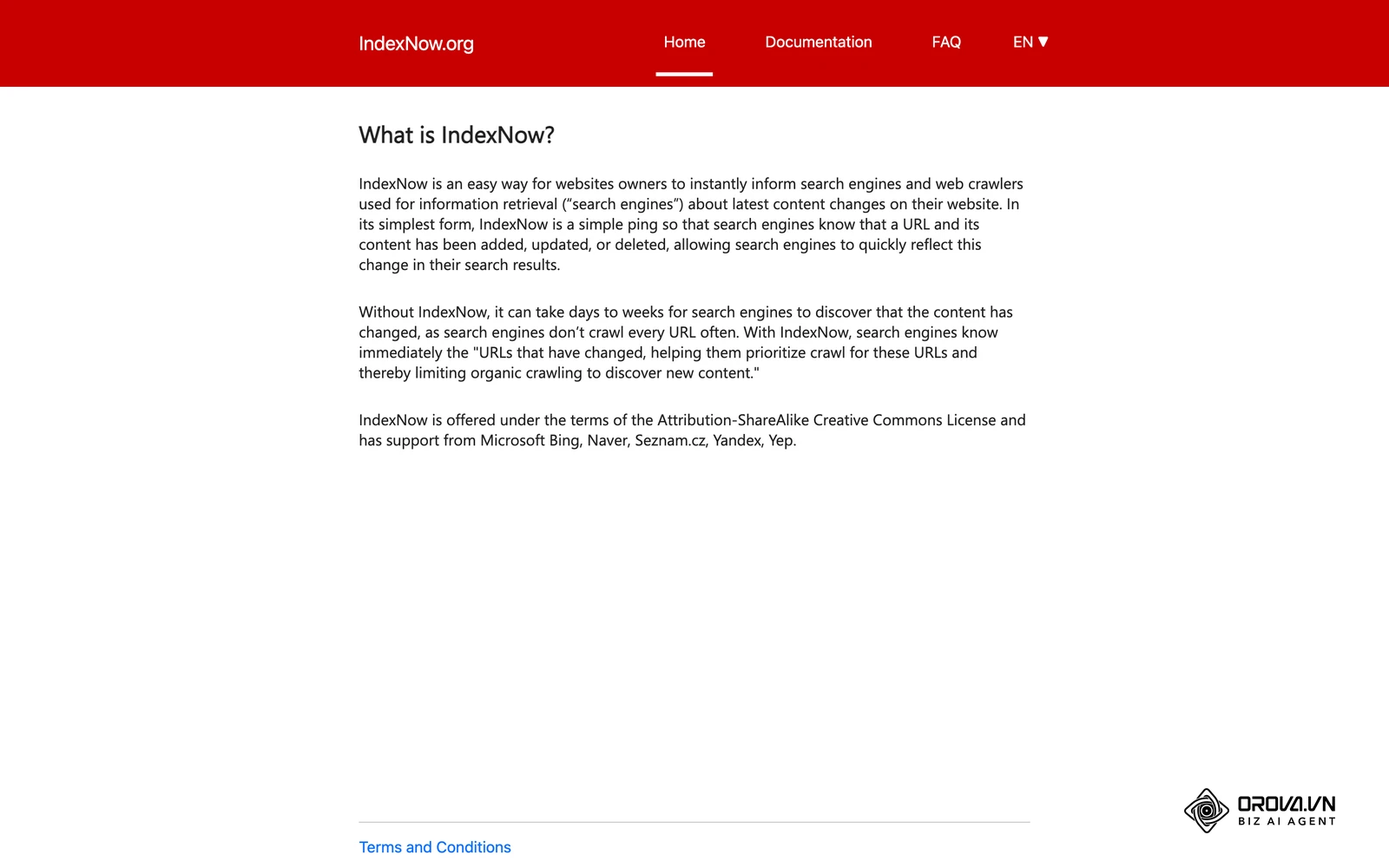
Bing also crawls the web, but it actively supports IndexNow, an open protocol that lets site owners notify search engines the moment a URL is added, updated, or deleted, so discovery does not depend only on the crawler finding the change. Bing's results also power Microsoft Copilot experiences. Platform search inside YouTube or TikTok works differently again: content is uploaded directly, so there is no crawling of the open web, and recommendations lean on how viewers respond to the video rather than on links from other websites.
The diagram below summarizes the core differences between these platforms.
| Ranking Factor / Feature | Google Search | Microsoft Bing | Social Search (YouTube) |
|---|---|---|---|
| Primary Discovery Method | Crawling, links, and XML sitemaps. | Crawling and sitemaps, plus IndexNow notifications. | Native platform uploads and metadata. |
| Role of Links | One of several documented quality signals. | Also used as a signal. | Not a factor in the open-web sense; content lives on the platform. |
| Content Evaluation | Query meaning, relevance, quality, usability, context. | Relevance, quality, and user context. | Viewer response, such as watch time and satisfaction. |
| Speed of Discovery | Depends on crawl demand and sitemaps. | Can be faster for URLs submitted via IndexNow. | Available immediately after upload. |
Measuring Search Engine Visibility: Metrics That Matter
You cannot optimize what you do not measure. However, looking solely at daily traffic is a flawed approach because traffic is a lagging indicator. By the time traffic drops, the technical issue has likely been severely impacting your site for weeks. You must measure the leading indicators of search visibility at every step of the pipeline.
The table below breaks down the specific metrics you must monitor to ensure the search engine architecture is working in your favor.
| Technical Metric | What it signifies | Rule-of-thumb signal to investigate |
|---|---|---|
| Crawl Requests (Bots) | How frequently bots are visiting your server to read files. | A sudden, sustained drop in daily crawl requests (Search Console Crawl Stats). |
| Indexed Share of Sitemap | The share of URLs in your XML sitemap that are actually indexed. | Core pages listed as "Crawled - currently not indexed" or "Discovered - currently not indexed". |
| Average Server Response | How fast your server delivers the initial HTML to the bot. | Response time that keeps rising in Crawl Stats. |
| Organic Impressions | How many times your pages are displayed in the results, regardless of clicks. | A slow, bleeding decline over a three-month period. |
| Click-Through Rate (CTR) | The percentage of people who see your link and actually click it. | CTR clearly lower than your other pages at similar positions. |
The 10 Technical Barriers Preventing Bots from Crawling Your Site
Even with perfect content, technical misconfigurations act as brick walls, blocking crawlers and ensuring your pages never reach the index. These are not minor inconveniences; they are fatal errors. Here is a checklist of common technical barriers and how they affect the pipeline. If you want the wider discipline behind this list, read our guide to technical SEO.
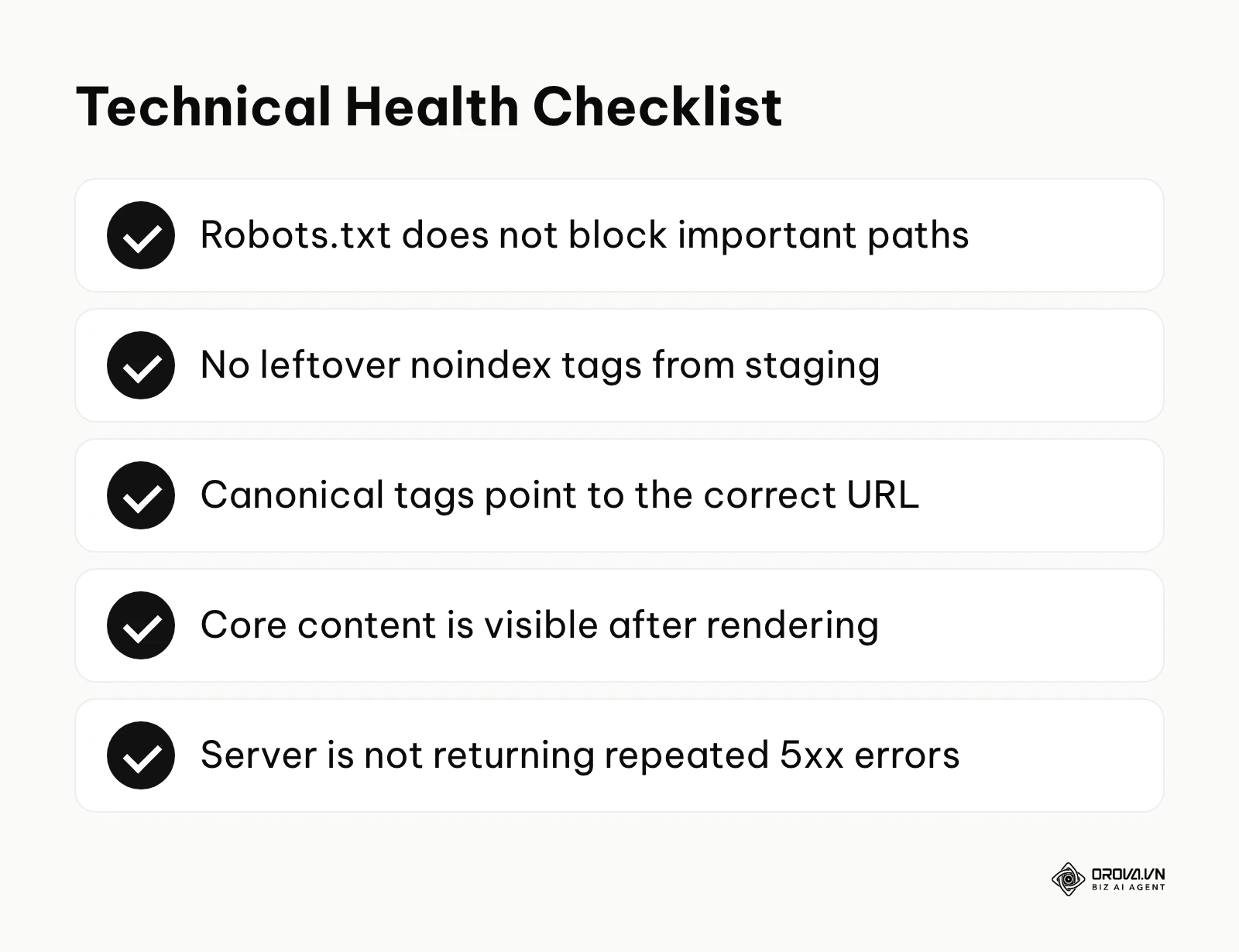
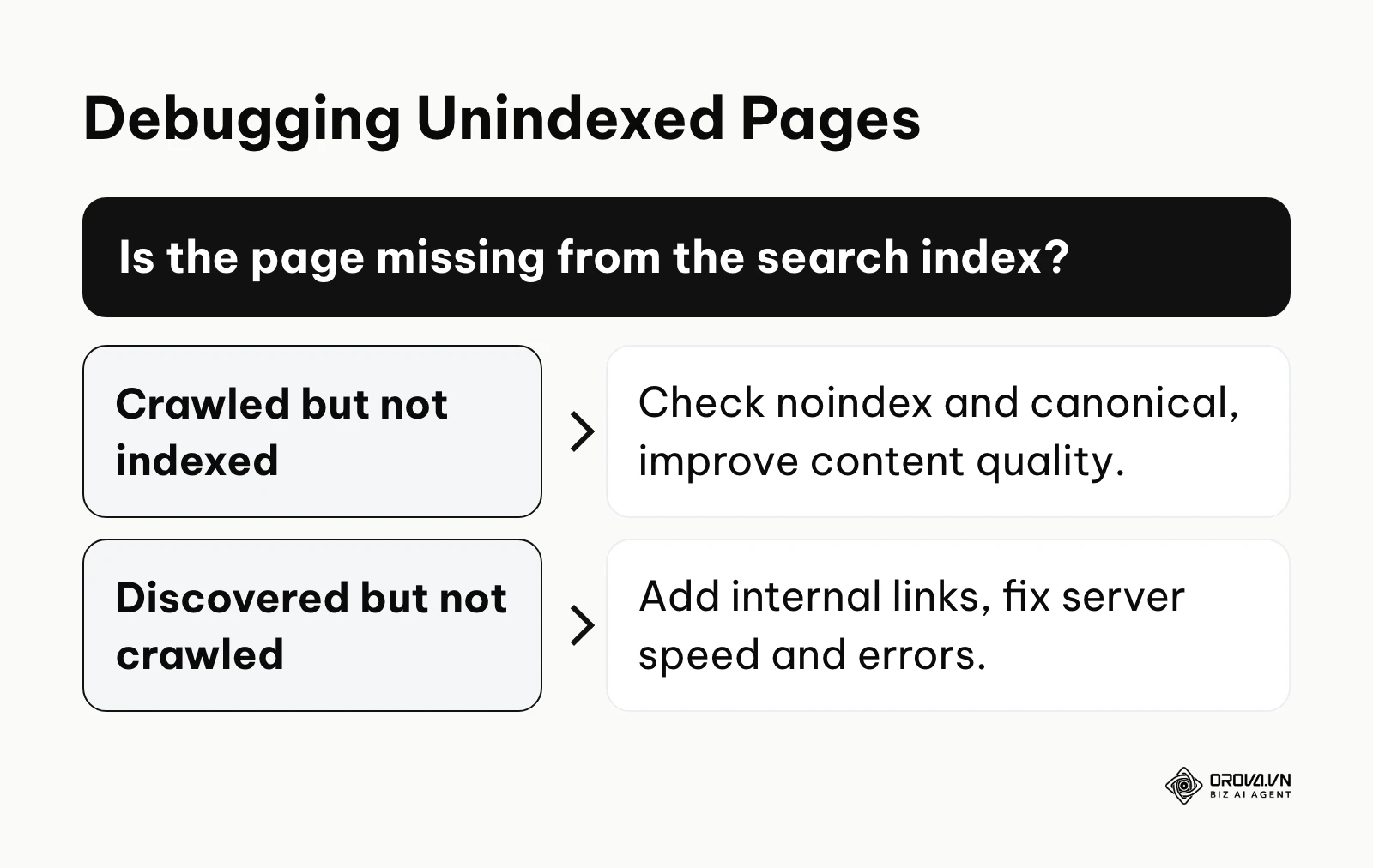
The diagrams below summarize a quick health check and a way to debug unindexed pages.
- Rogue Robots.txt Directives: A simple typo in your root robots.txt file, such as Disallow: /, tells every compliant crawler not to fetch any page on your site. Google can then no longer read your content, so rankings collapse; blocked URLs may still appear in results without a description if other pages link to them. Note that robots.txt controls crawling, not indexing: to keep a page out of the index, use noindex instead.
- Accidental Noindex Tags: Developers often use <meta name="robots" content="noindex"> on staging environments to prevent them from appearing in search. When pushing the site live, forgetting to remove this tag explicitly forces search engines to drop the pages from their database, regardless of how many backlinks they have.
- JavaScript Execution Timeouts: As discussed in the rendering section, if your core content only appears after heavy client-side JavaScript runs, and that script fails or is blocked, the crawler may index an almost empty page.
- Infinite Scroll Without Paginated Fallbacks: Bots do not scroll your website like a human with a mouse. If your blog loads more articles only when a user scrolls to the bottom, the bot will only ever see the first ten posts. You must provide traditional, clickable pagination links (?page=2) in the background HTML for crawlers to follow.
- Persistent 5xx Server Errors: If a bot attempts to crawl your site and repeatedly receives a 500 Internal Server Error or a 503 Service Unavailable, it assumes your site is broken. Google documents that it slows crawling when it sees many server errors, and URLs that keep returning errors can eventually be dropped from the index.
- Orphan Pages Lacking Internal Links: An orphan page is a URL that exists on your server but has zero internal links pointing to it from anywhere else on your website. Since bots navigate primarily by following links, they will rarely find these pages unless they are explicitly listed in an XML sitemap, and even then, the lack of internal links signals that the page is unimportant.
- Canonical Tag Conflicts: A canonical tag tells the engine which version of a page is the master copy. If Page A has a canonical pointing to Page B, but Page B has a canonical pointing back to Page A, you create an infinite loop. The engine will become confused, waste crawl budget, and likely index neither page correctly.
- Blocking Bots via Aggressive WAF/Geo-blocking: Many security teams implement strict Web Application Firewalls (WAF) or block traffic from specific countries to prevent DDoS attacks. If these rules are too aggressive, they might accidentally block Googlebot, making your site invisible to the search engine. Google publishes its crawler IP ranges so you can verify and allow it.
- Excessively Heavy DOM Size: A Document Object Model (DOM) that is too large or deeply nested forces the rendering engine to consume massive amounts of memory. A bloated DOM also slows rendering for real users, hurting page experience.
- Slow Server Response Time (TTFB): Time to First Byte is critical. If your server is slow to answer each request, the crawler can fetch fewer pages in the same time, and Google lowers its crawl rate when a server responds slowly.
Illustrative example:
- Context: A large e-commerce store with a very large catalog noticed a severe drop in organic traffic to their highest-margin category pages.
- Steps taken: The technical SEO team exported their server log files to analyze exactly where Googlebot was spending its time. They discovered the bot was spending most of its visits on low-value faceted navigation URLs (e.g., ?color=blue&size=large&sort=price).
- Hurdle and fix: The initial attempt to fix this involved adding a wild card block in the robots.txt file. However, this accidentally blocked the main category pages as well, worsening the traffic drop. The team quickly reverted the robots.txt file and instead stopped linking to most filter combinations, added canonical tags on the remaining faceted URLs pointing back to the clean category, and tested a narrower robots.txt rule before deploying it.
- Result: Over the following weeks, server logs showed more crawler visits to category and product pages, new products were indexed faster, and organic revenue stabilized.
With OROVA.VN and the OROVA SEO module, you put an end to the exhausting days of manual work for good. Instead of struggling for hours to write articles and compile reports, the entire process is now optimized and completed in just 5 minutes.
Search Engine Trends in the Next Few Years: My Perspective
The architecture of search is not static. As computing power increases and user behavior shifts, the mechanical processes I've outlined above will continue to mutate. Based on what has changed up to 2026, here is how I think search engines may evolve over the next few years. These are my opinions, not predictions backed by data.
The Shift from Information Retrieval to Task Completion
I believe a growing share of searches will shift from retrieving documents toward completing tasks. Currently, AI overviews summarize information. I expect AI agents inside search interfaces to take on more actions for users, such as booking or comparing products, sometimes without a click to a website. In my view, marketers can prepare by making their site readable through structured data and clean HTML, allowing these search agents to seamlessly interact with their business logic rather than just reading their blog posts.
Visual Context Gaining Ground on Text
I think text will become a smaller part of how media is understood. As multimodal models get cheaper to run, I expect search engines to understand images and video more directly, so alt text and file names will matter less on their own, though alt text remains essential for accessibility. I lean towards the idea that the media itself will need to answer the query, not just the words around it.
The Premium on Verified Human Experience
As generative AI adds huge volumes of similar content to the web, I suspect search engines will lean harder on signals of first-hand experience. In my view, unique data, original photography, and clear authorship will become more valuable. My suggestion is to spend less effort summarizing what already ranks and more on original research and real subject matter expertise.
Frequently Asked Questions about How Search Engines Work
How long does it take for a brand new page to be crawled and indexed?
There is no guaranteed timeline; it can range from a few minutes to several weeks. For a highly authoritative news website with massive crawl demand, a new article is often discovered and indexed within minutes. For a brand new domain with no external backlinks, it may take weeks for bots to stumble upon the site. Submitting an XML sitemap via search consoles can drastically accelerate the initial discovery phase, but ultimately, building internal and external links is the most reliable way to speed up indexing.
How do search engines differentiate human-invested content vs AI-generated content?
Google's published guidance says it focuses on the quality of content rather than how it was produced: helpful, original content can rank whether a person or AI helped write it, while content generated mainly to manipulate rankings violates its spam policies. In practice, the question is whether the page adds original information, analysis, or first-hand experience that other pages lack. If it simply repeats what many other articles already say, it has little reason to rank.
How does Googlebot understand the context of an image or video without text?
Historically, search engines relied mostly on surrounding text, file names, and alt attributes. Google's image SEO documentation still recommends descriptive alt text, file names, and nearby text, because they help Google understand the image. At the same time, computer vision technology (the kind Google offers publicly through Cloud Vision) can recognize objects and text inside images. The safe approach is to provide both: a clear image and clear text around it.
Are keyword search volumes still an accurate metric to rely on?
While still useful, relying purely on raw numbers is dangerous in 2026. Because search engines understand many differently worded queries as the same need, and AI summaries can answer some queries without a click, you must evaluate the true keyword search volume by analyzing user intent and the specific layout of the search results page, rather than blindly trusting the numerical output of a third-party tool.
Where Should You Start?
The architecture of search engines is complex, but you do not need to become a senior software engineer to succeed. Your next steps depend entirely on the current state of your website. Pick the one scenario below that matches your situation and take that single action today.
If you have a brand new website: Do not obsess over algorithms yet. Your only goal is to ensure the bots can find your front door. Within the next hour, verify that your website automatically generates an XML sitemap, log into Google Search Console, verify your domain ownership, and submit that sitemap URL directly. This manually alerts the engine that your architecture is ready for its first crawl.
If your pages are indexed but receive zero traffic: The search engine can read your pages, but its scoring algorithms have determined your content lacks relevance or authority. Stop writing new content for a moment. Take one of your core pages, identify the exact query you want it to rank for, and objectively compare your page against the current top three results. Identify the gap: what unique data, experience, or deeper analysis are they providing that you are missing?
If you had high traffic but are slowly losing rankings: Your problem is likely rooted in technical decay or shifting algorithmic weights. You need to identify crawl barriers. Run a comprehensive technical audit to check for creeping page load times, accidental canonical loops, or an expanding DOM size caused by recent website updates. Focus on cleaning the technical foundation before attempting to rewrite content, as pages that fail to render or index cannot rank no matter how good they are.
About the author

Builder of Orova
Nguyễn Đỗ Trọng Ân has 8 years of experience in marketing, including 6 years managing market development across Asia. He builds Orova, a Biz AI Agent that never sleeps: it plans, runs and optimizes work for businesses.
Run your business with AI Agents
Orova is the always-on Biz AI Agent — it plans, runs, and optimizes the work for you.
Save time, unlock productivity.