
What is a conversion event? Standard vs custom events and how to choose

You are looking at your advertising dashboard. The report says you generated ten thousand clicks yesterday. Your cost per click is incredibly low. Traffic is flooding into your website. Yet, when you check your actual bank account or your sales software, there is only one new order. You are burning cash on vanity metrics because the advertising algorithm does not know what success actually looks like for your business. It is just finding people who like to click. To fix this, you need to speak the language of algorithms, and that language is built entirely on the conversion event.
What is a conversion event? The core of data tracking
A conversion event is a specific, measurable action a user takes on your website or app that directly contributes to your business goals. It is used to tell advertising platforms and analytics tools when a success occurs, distinguishing high-value behaviors like purchases from standard actions like page views.
The term originates from the concept of a user "converting" from a passive visitor into an active prospect or paying customer. While it sounds highly technical, it is simply a digital notification.
To understand it clearly, we must separate it from other similar terms that often cause confusion.
| Concept | How it differs | Example |
|---|---|---|
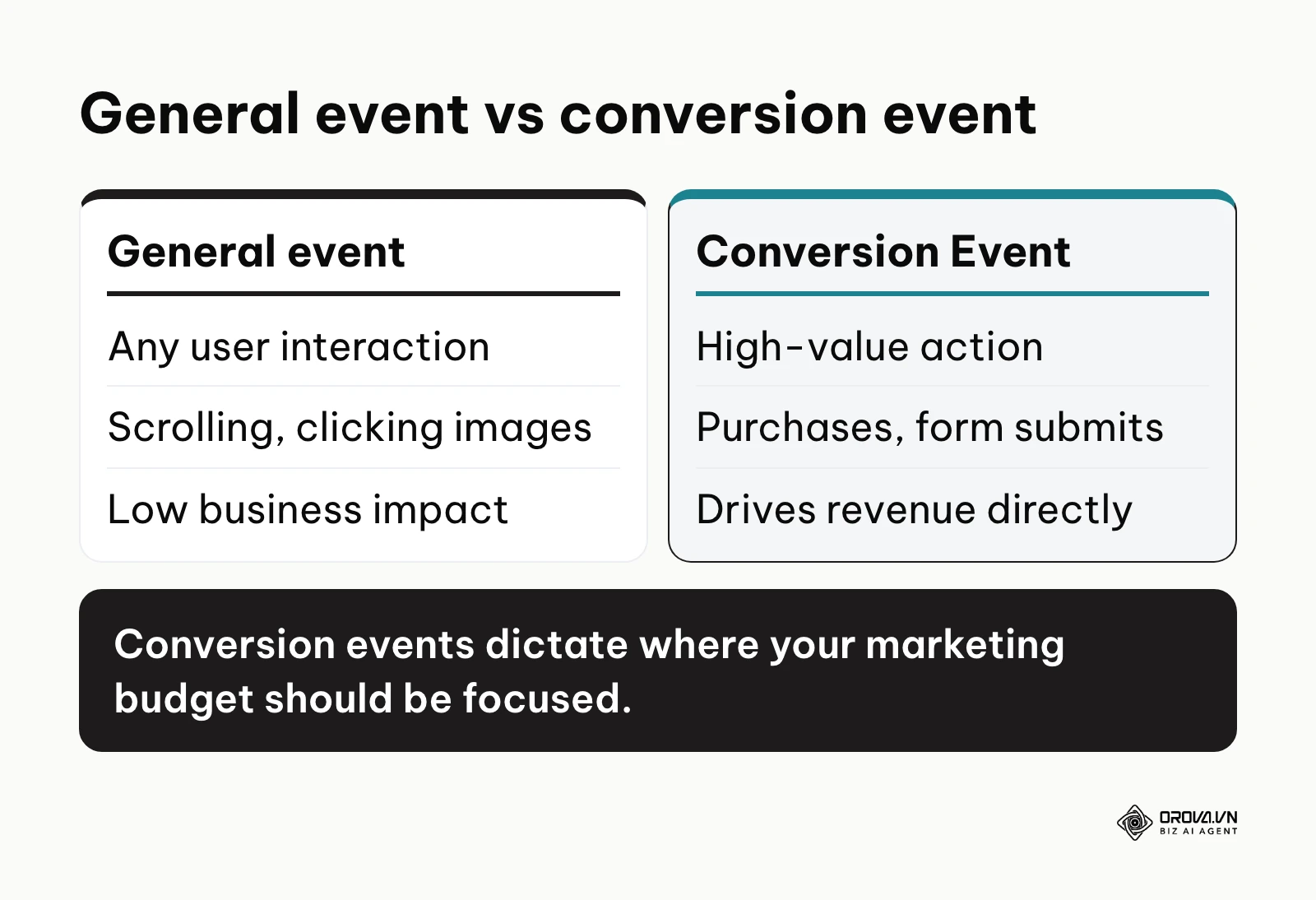
| General event | Any interaction recorded by analytics. It does not necessarily impact revenue. | A user scrolls down 50% of your blog post. |
| Conversion Event | An action tied directly to a business objective. You are willing to pay money to acquire this action. | A user successfully submits a lead generation form. |
| Key event (GA4 term) | Since March 2024, Google Analytics 4 calls conversions "key events": the events you mark as most important for your business. | You mark the "purchase" event as a key event in GA4 settings. |
Think of a physical coffee shop. A general event is a person walking past the window and looking at the menu. A conversion event is that same person walking up to the counter, handing over cash, and receiving a cup of coffee. As a business owner, you track foot traffic, but you only truly care about the transactions at the register.
Standard events vs custom events
The word "standard" has a specific meaning inside ad platforms, so it is worth getting right. In Meta Events Manager, standard events are the predefined event names Meta already understands, such as Purchase, Lead, AddToCart, InitiateCheckout and CompleteRegistration. Because Meta knows what they mean, they are the easiest to use for campaign optimization and reporting. Custom events are names you invent yourself, such as "QuoteCalculatorUsed". They are useful for tracking actions unique to your business, but you usually need to turn them into a custom conversion (a rule built on the event or its parameters) before campaigns can optimize for them.
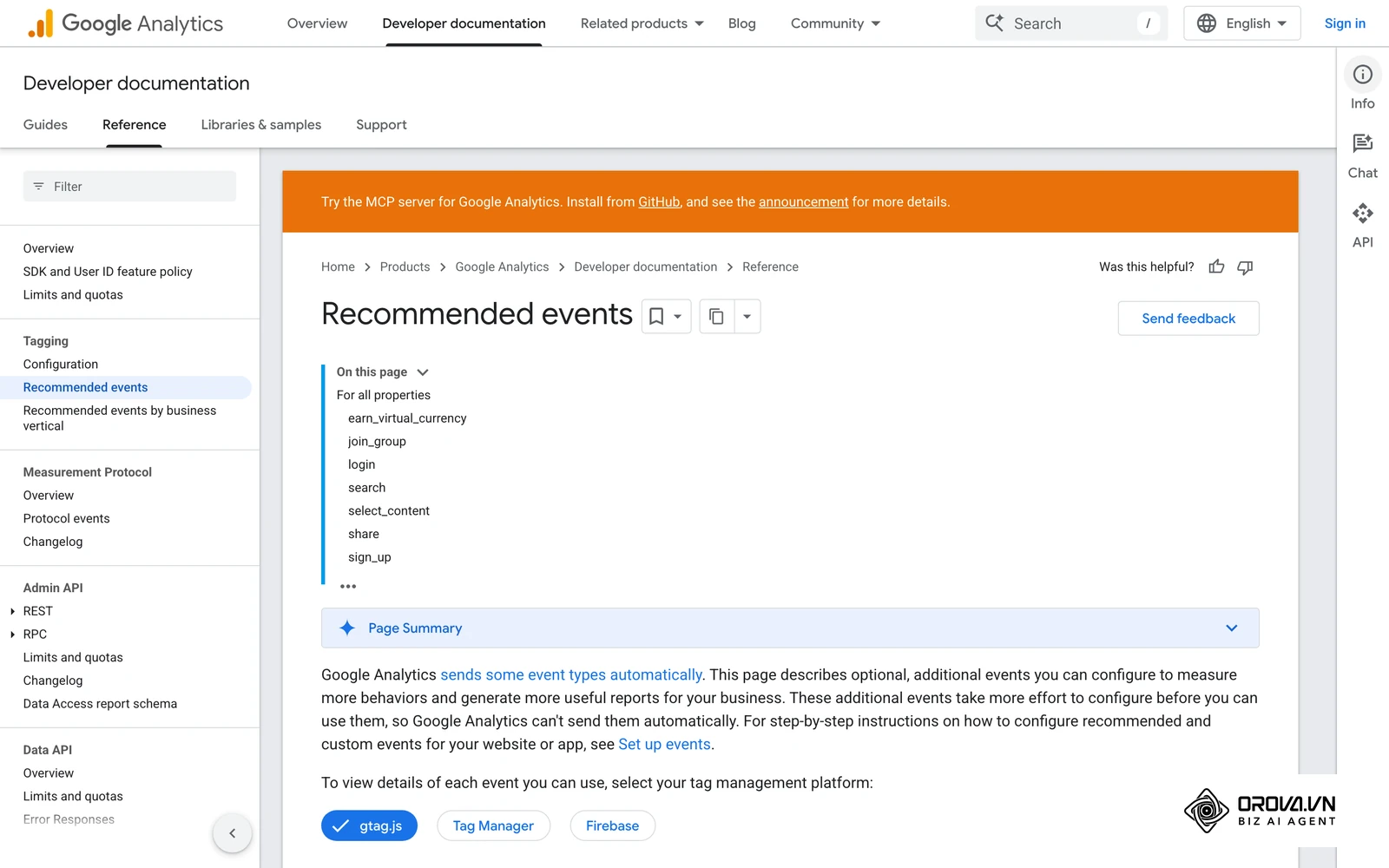
Google Analytics 4 follows a similar logic: recommended events like purchase or generate_lead come with predefined names and parameters, while custom events are your own. Any of them becomes a key event once you mark it as one.
| Type | Who defines the name | Best used for |
|---|---|---|
| Standard event (Meta) / recommended event (GA4) | The platform | Common goals: purchase, lead, sign-up, add to cart |
| Custom event | You | Actions unique to your business that no standard name covers |
| Custom conversion (Meta) | You, as a rule on top of an event | Optimizing for a narrow version of an event, such as purchases of one product line |
The practical rule: use a standard event whenever one fits your goal, and only create a custom event when no standard name describes the action.
The meaning behind the conversion event
A conversion event exists to solve a massive problem in digital marketing: attribution and algorithmic learning. Without these events, advertising platforms like Meta, Google, and TikTok are completely blind. They operate like a salesperson handing out flyers on a dark street, having no idea if the people taking the flyers actually walk into the store later.
The conversion event sits right in the middle of the user journey. First comes the ad impression, then the click, then the website visit. After navigating the site, the user performs the desired action. The moment that action completes, the conversion event fires. It acts as a bridge, sending a signal back from your website to the advertising network saying, "The person who clicked that specific ad just bought something. Go find more people exactly like them."
If you skip setting up these events, you lose everything. You lose the ability to measure return on ad spend. You lose the machine learning capabilities of modern ad networks. Most importantly, you lose your budget, because ad platforms will default to optimizing for cheap link clicks, delivering low-quality traffic that never intends to buy anything. Understanding this data flow is crucial for performance marketing success.
When do you not need a conversion event yet? If you just launched a purely informational personal blog where the only goal is reading, setting up complex tracking is a waste of time. Similarly, if your entire sales process happens offline via walk-ins without any digital touchpoints, digital tracking won't connect to reality. In these early or offline-only stages, focus on producing quality content or building local relationships before investing hours into data architecture.
The business value and operational benefits of tracking
Properly implementing tracking is not just an IT task. It dictates the financial health of your marketing department. We can divide the benefits into two distinct layers: the direct impact on the business, and the daily advantages for the practitioners running the campaigns.
Financial efficiency for the business
For a business owner or finance director, a conversion event is the only way to prove marketing is an investment rather than an expense. It directly lowers the cost of customer acquisition and reduces the risk of wasted spend.
Illustrative example:
- Context: A medium-sized e-commerce furniture store was spending a large budget on social media ads, optimizing only for traffic.
- Steps taken: They implemented a strict tracking setup, creating a macro conversion event only when a transaction was completed, and passing the exact monetary value of the cart back to the ad network.
- Obstacle faced: Initially, the ad platform struggled to find buyers because furniture has a long consideration cycle, causing temporary panic as cost per click rose.
- Result: After two weeks, the algorithm learned the exact profile of a buyer. The business saw their overall acquisition cost drop while average order value increased, visible clearly in their monthly profit reports.
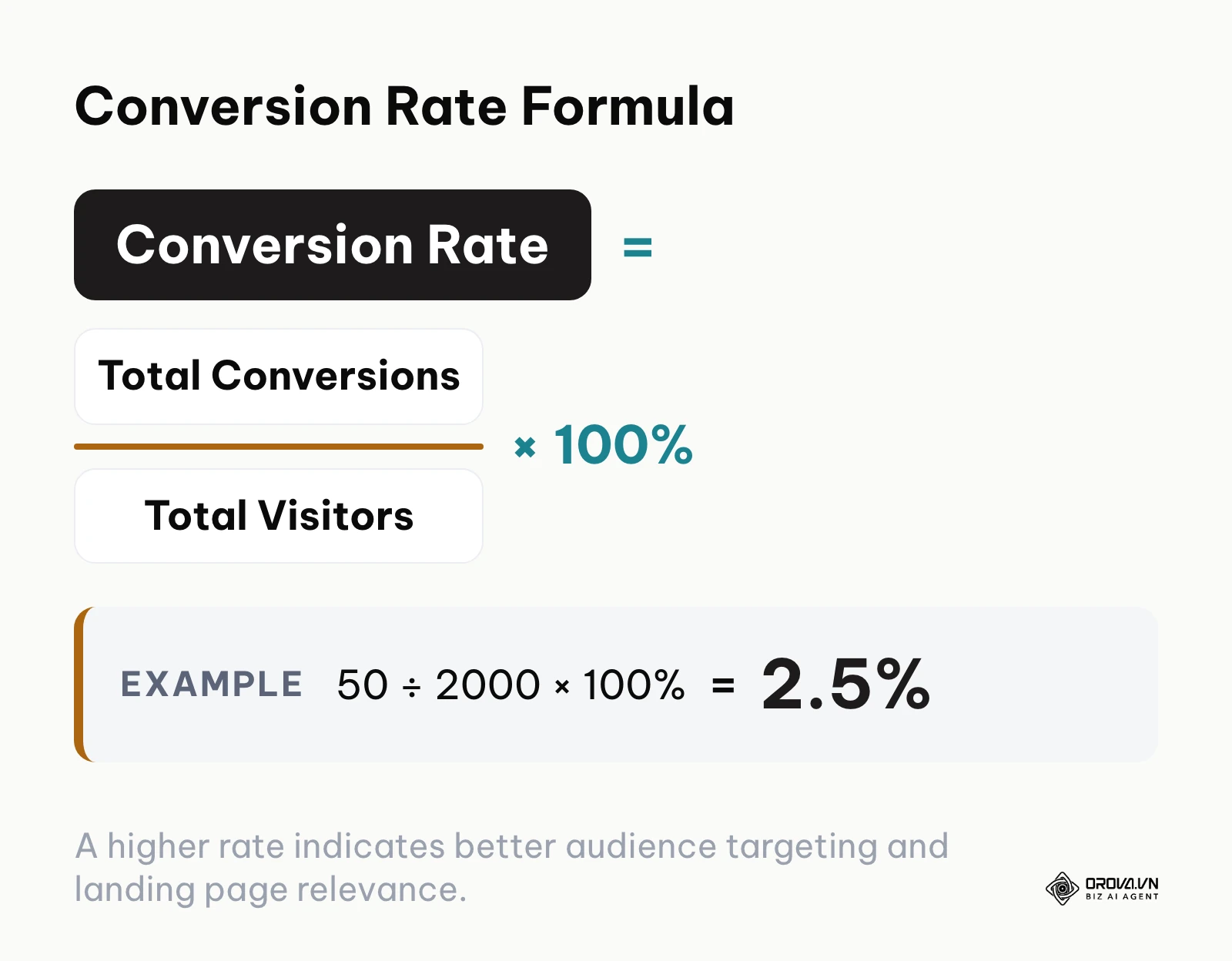
The simplest yardstick for this layer is conversion rate: total conversions divided by total visitors, multiplied by 100. For instance, 50 conversions from 2,000 visitors gives a 2.5% conversion rate. Once purchase values are tracked too, you can compare revenue against spend and work out the minimum return a campaign needs, which is what a break-even ROAS calculation is for.
Algorithmic training for the marketer
For the person actively managing campaigns, these events are the steering wheel. They allow practitioners to shift from manual guessing to automated scaling. You stop trying to manually target specific interests and instead let the machine learning models do the heavy lifting based on the signals you provide.
| Benefit | Measured by | Time to see results |
|---|---|---|
| Algorithmic Optimization | Cost Per Acquisition (CPA) | 7 to 14 days |
| Clear ROI Reporting | Return on Ad Spend (ROAS) | Immediate upon tracking |
| Audience Building | Size of Lookalike Audiences | 14 to 30 days |
OROVA ADS applies AI Agent to automate and optimize ad performance on Google, Meta and TikTok. Scale your budget safely, monitor 24/7 and expand your business quickly.
Experience the solution at orova.vn/ads
How a conversion event actually works: From click to server
This is the most critical part to understand. A conversion event is not magic. It is a structured piece of data that moves from a user's device to a reporting dashboard. To master it, you need to understand the anatomy of the signal and the path it takes.
The anatomy of a tracking signal
Every time a user completes an action, a specific set of rules must execute. A proper tracking setup consists of three distinct components:
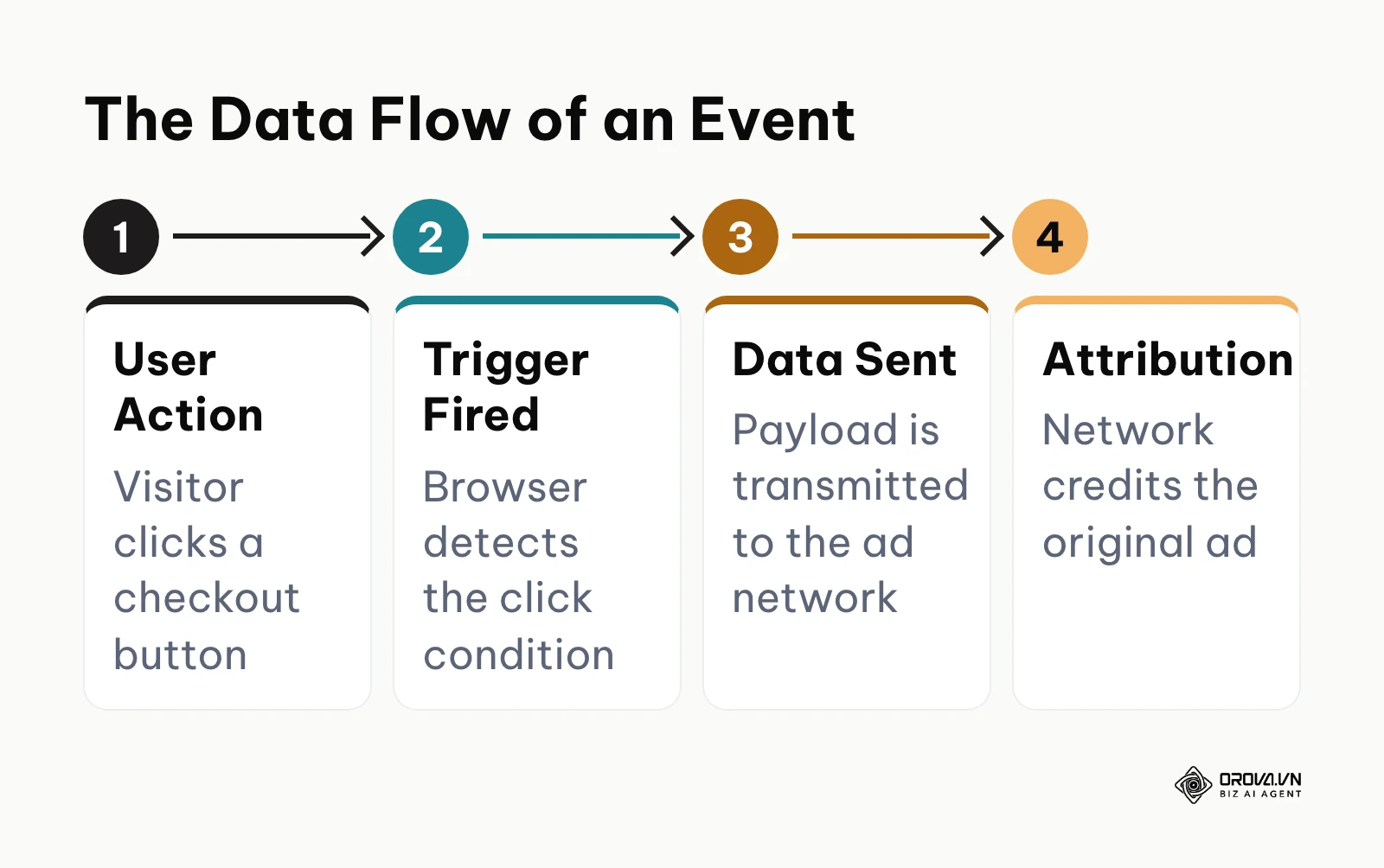
- The Trigger: This is the condition that must be met. It could be a button click, a form submission, a specific page load (like a "Thank You" page), or a user spending three minutes on an article.
- The Payload: This is the package of information attached to the trigger. If the trigger is a purchase, the payload contains the product ID, the total price, the currency, and sometimes an encrypted identifier for the user.
- The Transport Mechanism: This is the vehicle that carries the payload from your website back to the analytics or advertising platform. It can be a JavaScript pixel firing in the browser or a server-to-server API call.
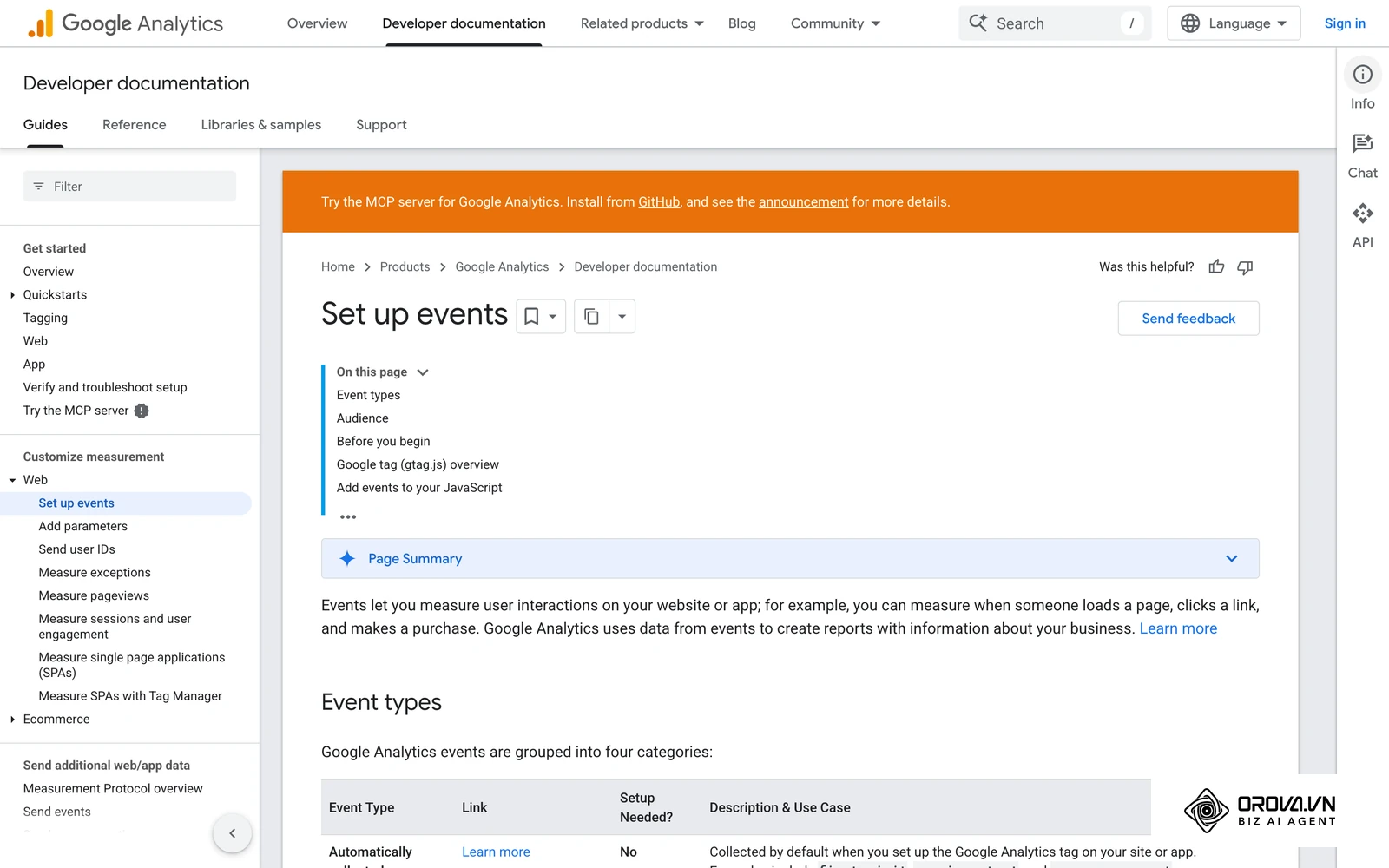
The Client-Side vs Server-Side data flow
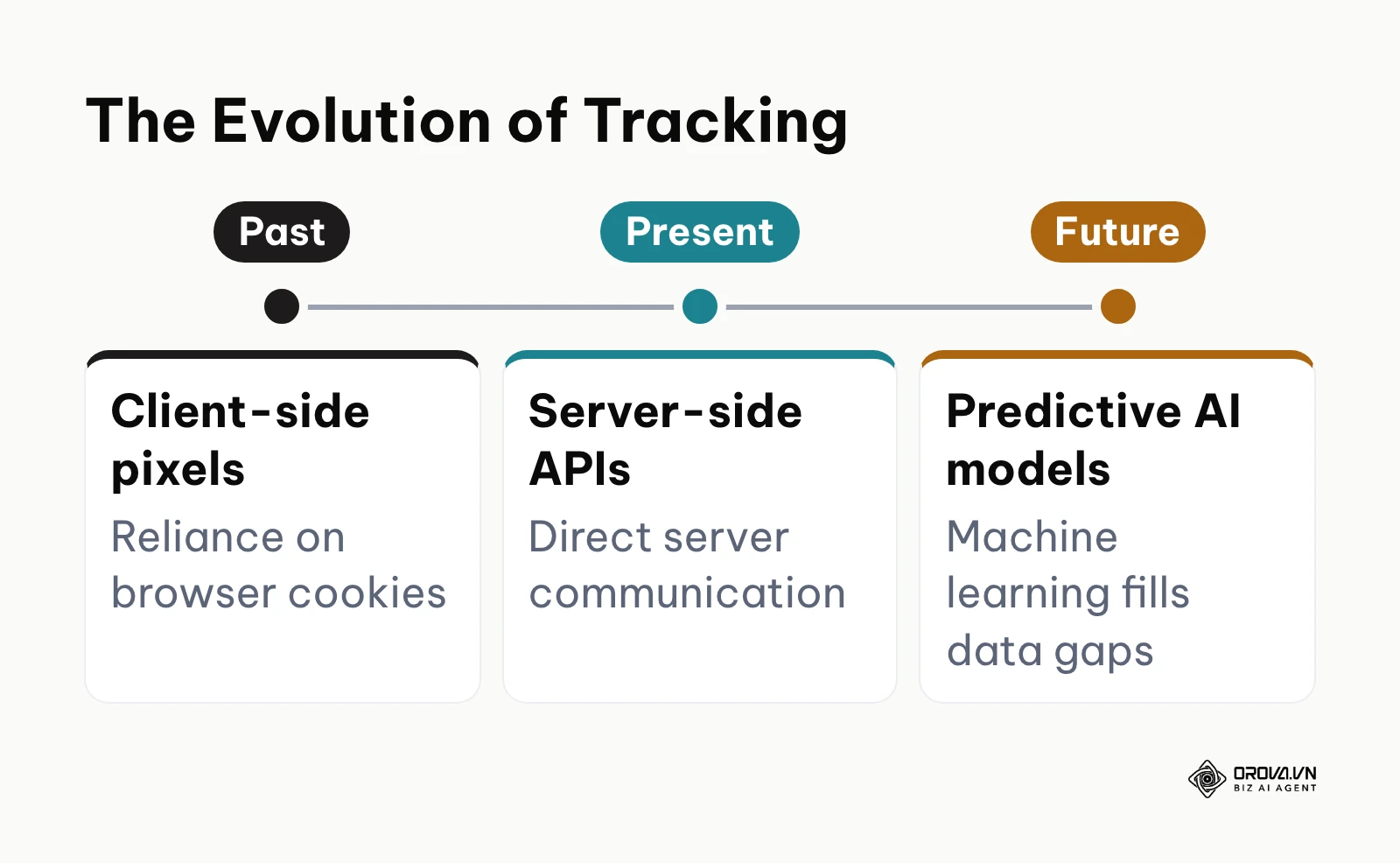
Historically, marketers relied entirely on the client side. When a user clicked "Buy," a small piece of code in their web browser (the client) fired a pixel that sent the payload to Facebook or Google. However, browser tracking is increasingly fragile. Ad blockers, privacy extensions, and strict browser policies often block these client-side pixels, meaning you lose the data completely.
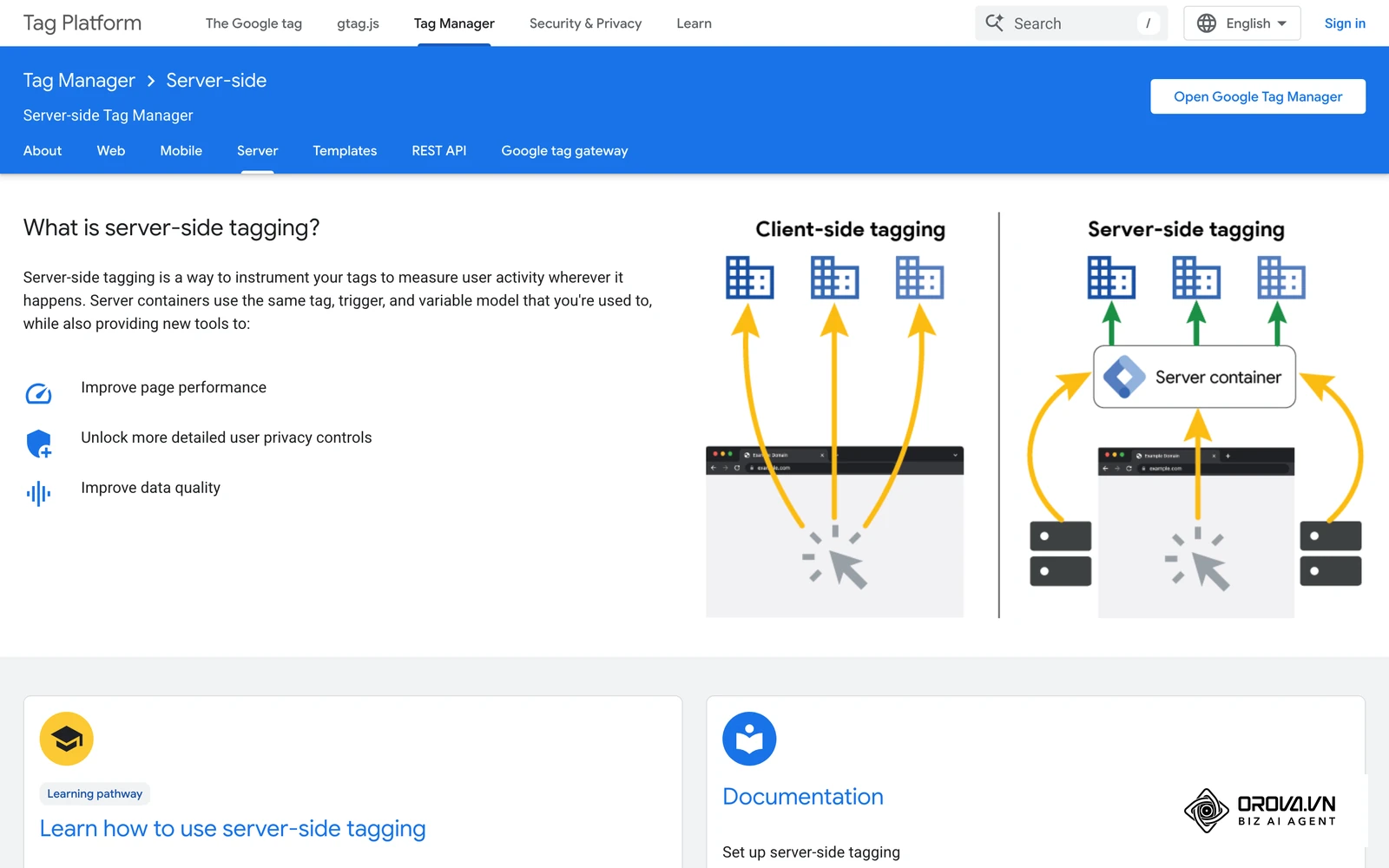
This is why the industry is shifting to server-side tracking. Instead of the user's browser sending the signal directly to the ad network, the browser sends the signal to your own secure web server. Your server then packages that data and sends it directly to the ad network's server. This method bypasses browser restrictions, ensures data accuracy, and protects user privacy by giving you total control over what is shared. Meta's own documentation recommends pairing the browser pixel with the Conversions API rather than relying on the browser alone. This is a foundational concept if you want to understand how the Conversions API works.
Deduplicating pixel and Conversions API events
Running the browser pixel and the Conversions API together creates a new problem: the same purchase can arrive twice, once from each source. If the platform cannot tell they are the same action, your reports double and the algorithm learns from inflated numbers.
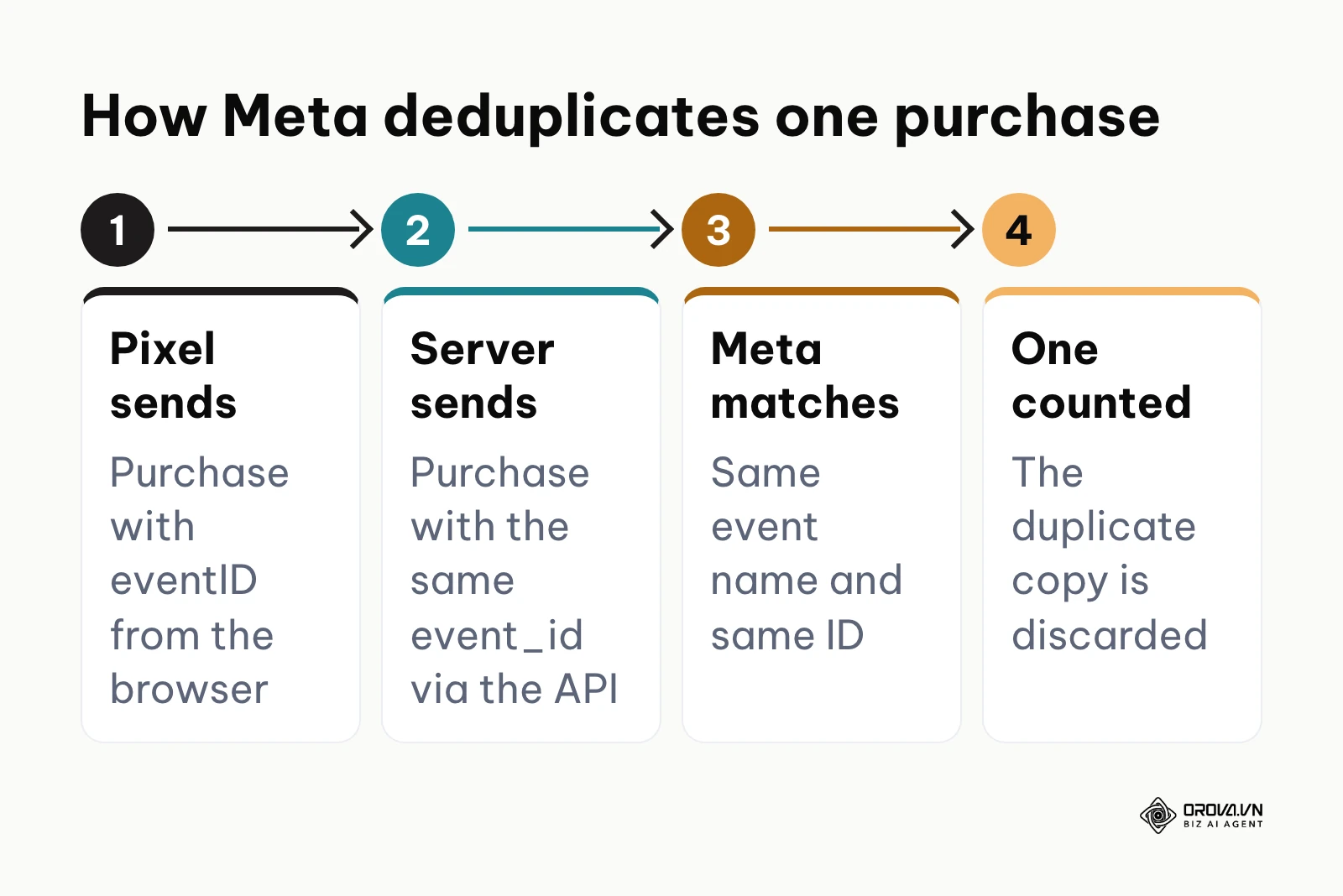
Meta solves this with deduplication. For it to work, both copies of the event must carry:
- The same event name, for example Purchase in both the pixel and the server call.
- The same event ID, passed as eventID in the pixel and event_id in the Conversions API. An order number is a natural choice.
When Meta receives two events with a matching name and ID, it keeps one and discards the other. You can check this in Events Manager, which shows whether events from the browser and the server are being deduplicated. If you are still setting up the browser side, read our guide to Facebook pixel tracking first.
The Conversion Event Mapping Matrix
You cannot track everything, nor should you. Different business models require different event structures. A common mistake is tracking a micro action as if it were a macro success. A macro conversion is your ultimate business goal (a sale, a signed contract). A micro conversion is a smaller step indicating intent (viewing pricing, adding to cart).
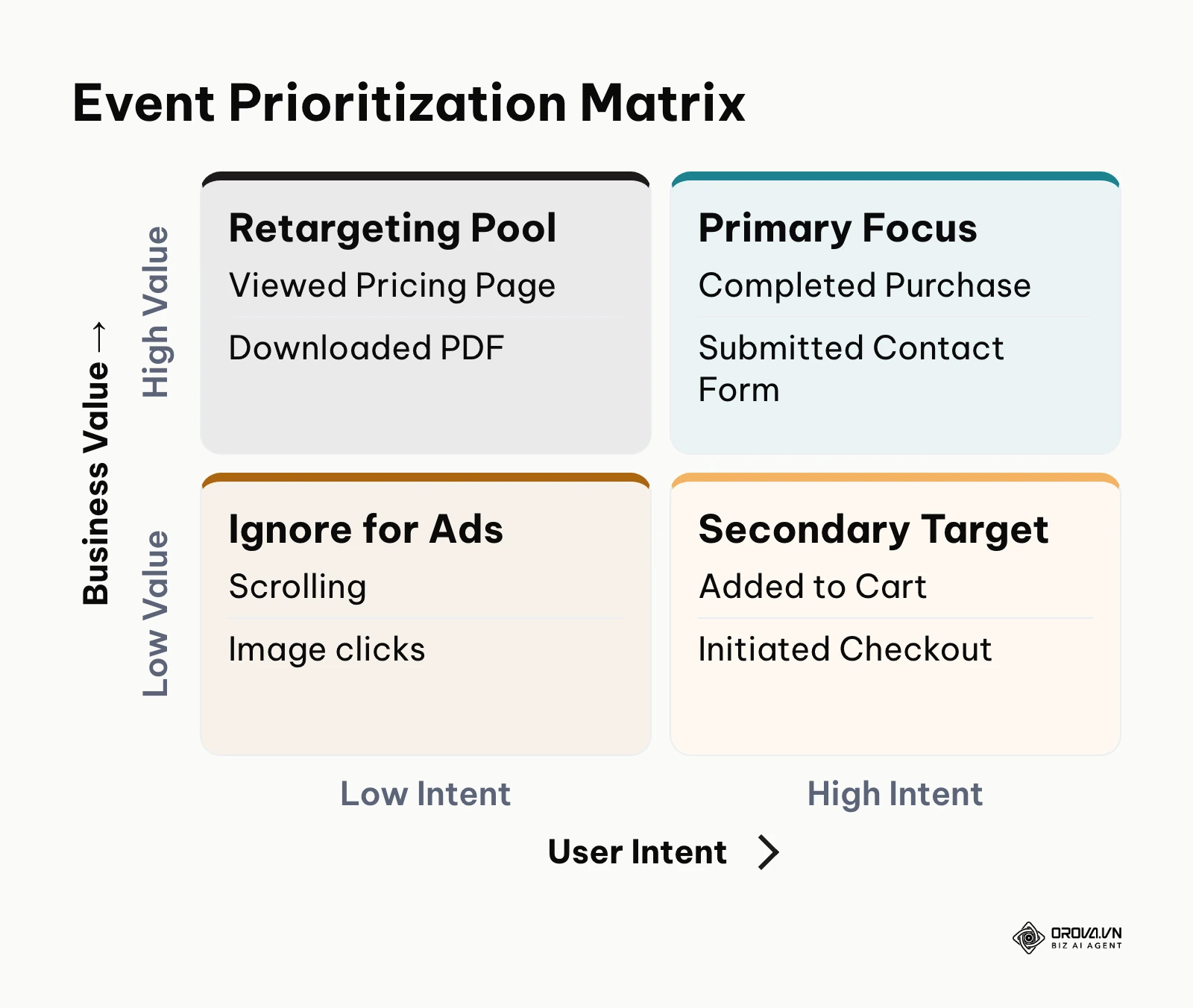
Here is the exact mapping matrix you should use depending on your business model:
| Business Model | Micro Conversions (Track for intent) | Macro Conversions (Optimize ads for) |
|---|---|---|
| SaaS (Software) | Viewed Pricing Page, Watched Demo Video | Created Account, Started Paid Subscription |
| E-commerce | Added to Cart, Initiated Checkout | Completed Purchase |
| Lead Generation | Downloaded PDF, Scrolled > 75% | Submitted Contact Form, Booked Meeting |
To choose the one event your campaigns should optimize for, weigh two things: how close the action is to revenue, and how often it happens. Purchases and signed contracts sit at the top, so they are the default optimization goal. Pricing page views and downloads show intent but less value, so they work better as retargeting audiences. Light actions such as scrolling or image clicks are cheap to generate and say little about buying, so do not optimize ads for them. If your macro event happens too rarely for the platform to learn from, step down one level to the closest micro event (for example, initiated checkout instead of purchase) until volume grows.
The danger of optimizing for the wrong signal
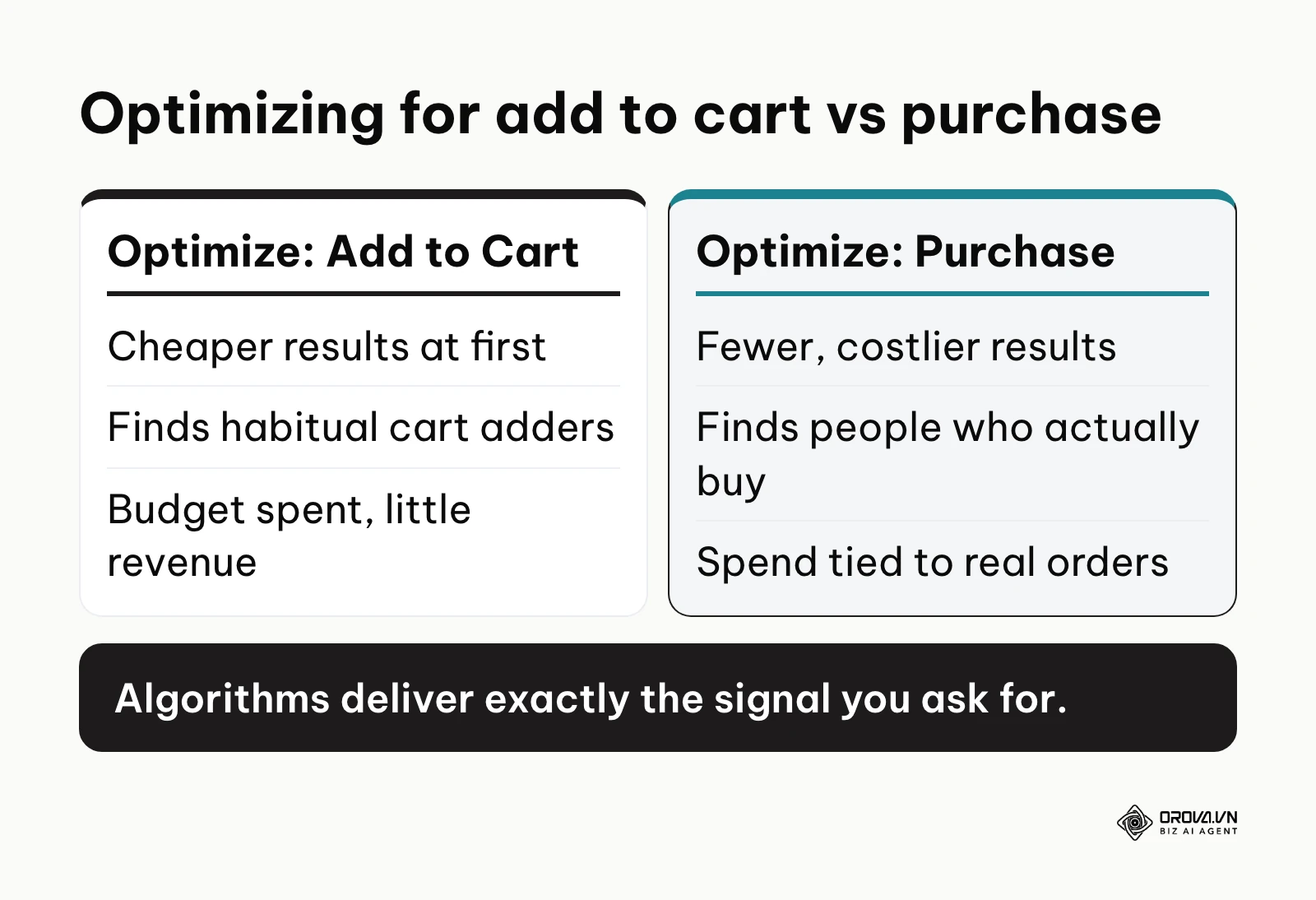
Choosing the wrong event to optimize your campaigns around can drain your budget instantly. Algorithms are ruthless in achieving exactly what you ask them to do, even if it hurts your business.
Illustrative example:
- Context: A boutique clothing brand launched a massive holiday campaign on a major social network.
- Steps taken: To get cheaper results quickly, the marketer set the campaign objective to optimize for the "Add to Cart" conversion event, assuming people who add to cart will naturally buy.
- Obstacle faced: The platform's AI rapidly found thousands of users who habitually add items to carts but never complete purchases. The daily budget maxed out in hours.
- Result: The brand dashboard showed four thousand "Add to Cart" events, but zero actual revenue was generated, resulting in a completely wasted campaign budget.
This highlights why understanding what is ad spend efficiency is impossible without proper event mapping.
What you need to do to start or adapt your tracking
Knowing the theory is useless without execution. Your approach to setting up these events depends entirely on your role and resources. Here is a breakdown of actionable steps for different situations.
For the small e-commerce founder
If you are running a small operation, you do not need complex server-side architecture on day one. You need reliable, basic tracking to ensure your initial ad dollars are not wasted.
- Connect native integrations: Use the built-in integrations provided by your e-commerce platform (like Shopify or WooCommerce) to connect to major ad networks. These often require just a few clicks.
- Verify the purchase event: Place a test order yourself. Ensure that only one purchase event fires and that it carries the exact monetary value of your test order.
- Ignore vanity metrics: Turn off any ad campaigns that are optimizing for "Link Clicks" or "Landing Page Views". Switch them immediately to optimize for "Purchases."
- Check data weekly: Compare the number of purchases reported in your ad account against the actual orders in your store backend to ensure they roughly match.
For the in-house data analyst
If you manage data for a larger company, your job is to build a robust architecture that survives browser updates and privacy laws.
- Audit current tags: Review your Google Tag Manager container. Remove any legacy pixels or duplicate tags that are slowing down the site.
- Implement server-side tracking: Begin the transition to a server container. Route your most critical events (like purchases or lead submissions) through your own server before sending them to external platforms.
- Standardize naming conventions: Ensure an event is called the exact same thing across all platforms. Do not use "generate_lead" on Google and "Lead" on Meta. Standardize the nomenclature.
- Establish consent management: Ensure no tracking fires before a user explicitly accepts your cookie policy where the law requires consent. Explicit consent should decide which tracking signals are allowed to fire.
For the performance marketing agency
Agencies face the unique challenge of inheriting broken setups from new clients. Your priority is aggressive auditing and rapid correction.
- Request complete access: Never launch a campaign until you have full administrative access to the client's tag manager, analytics, and advertising accounts.
- Run the QA protocol: Execute a strict testing checklist (detailed below) before spending a single dollar of client budget.
- Map the funnel: Document every step of the client's user journey. Define exactly what constitutes a micro conversion and a macro conversion in a shared spreadsheet.
- Set expectation boundaries: Clearly explain to the client that platform reporting will never 100% match their internal CRM due to attribution windows and cross-device tracking issues.
The 10-step QA checklist to debug your setup
Setting up tracking is only half the job. Verifying it is where most people fail. Use this checklist to debug your setup before launching campaigns.
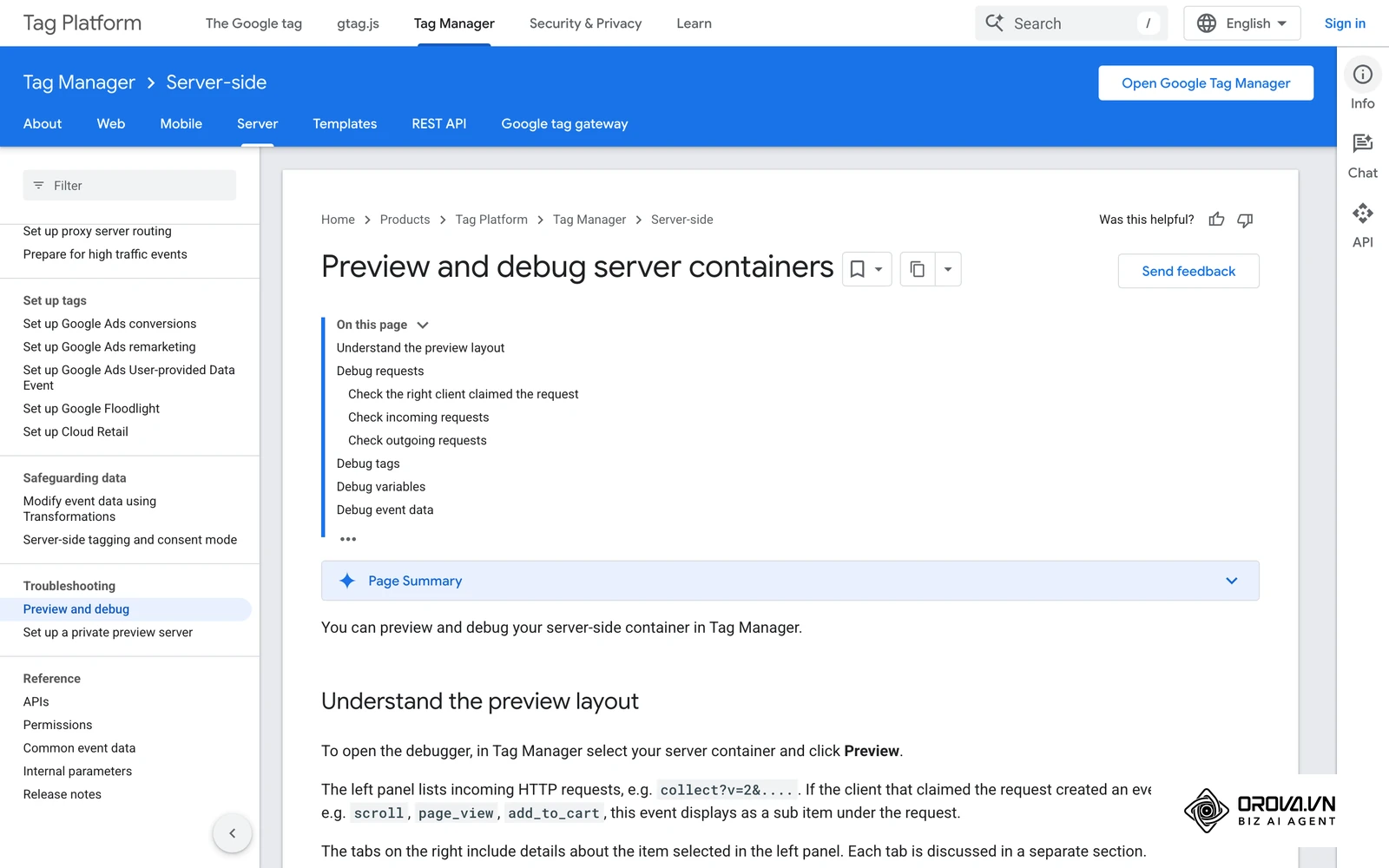
- Use browser extensions (like Google Tag Assistant or Meta Pixel Helper) to check if tags fire on page load.
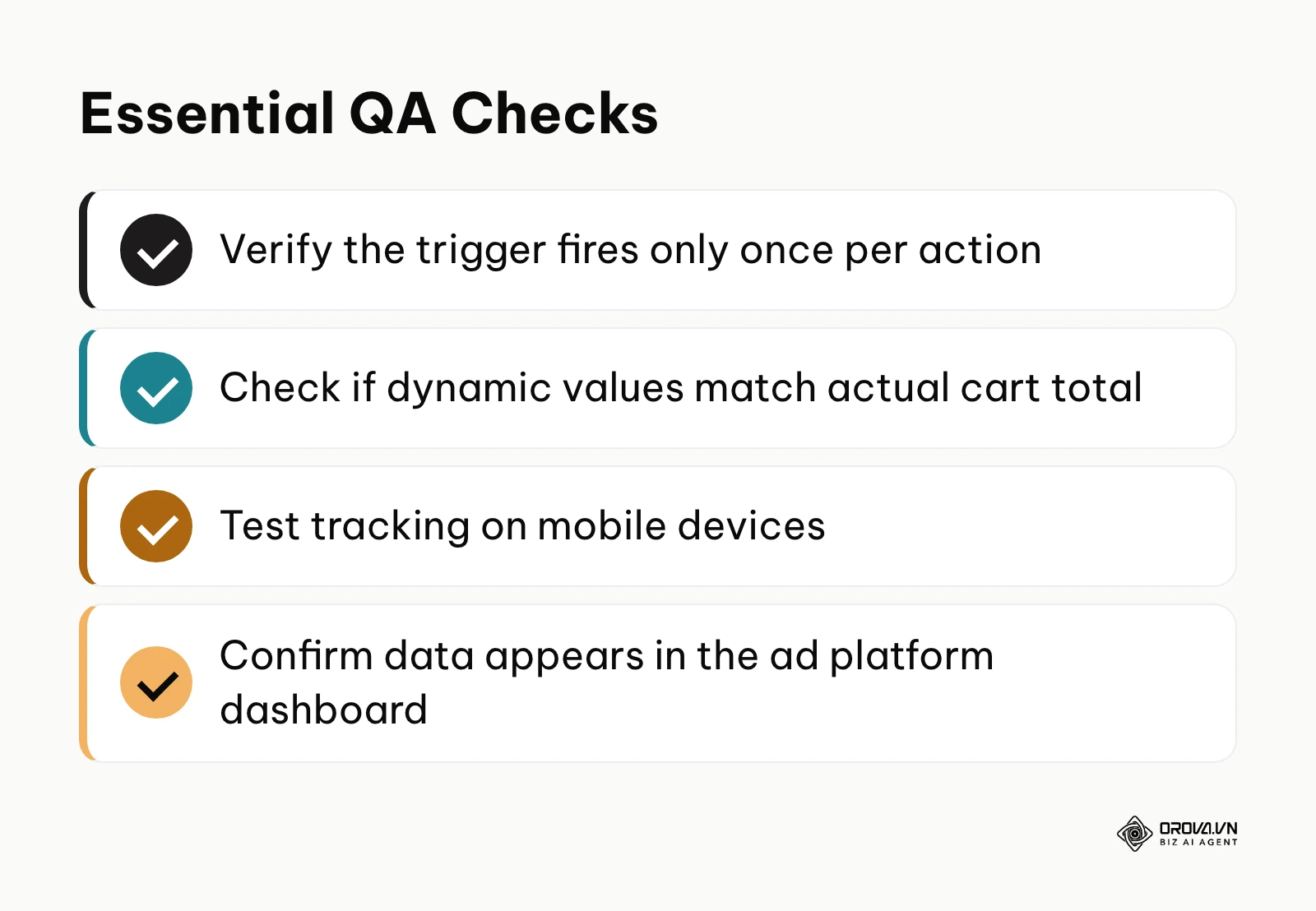
- Click the specific buttons you want to track and confirm a specific event triggers.
- Complete a full test transaction to ensure the macro conversion fires on the final confirmation page.
- Verify that the event does not fire twice if you refresh the confirmation page.
- Check the payload data to ensure dynamic variables (like order ID and total price) are populating correctly.
- Test the flow on a mobile device, not just your desktop computer.
- Test the flow using a different browser (like Safari) to check for cross-browser blocking issues.
- Wait 24 hours and check the ad platform's event dashboard (Events Manager on Meta) to confirm the data was received.
- Cross-reference the ad platform data with your internal analytics to check for major discrepancies.
- Ensure no personally identifiable information (like plain text email addresses) is accidentally being sent in the payload URLs.
Common tracking mistakes to avoid
Even experienced teams make errors when configuring data flows. Here are the most frequent pitfalls.
| Common Mistake | Consequence | How to Avoid It |
|---|---|---|
| Firing on button click instead of page load | Users click "Submit" but the form errors out, yet a conversion is still counted. | Always tie macro conversions to the successful "Thank You" page load, never just a button click. |
| Double-firing events | Revenue is artificially doubled in reports, leading to bad budget decisions. | Implement deduplication keys (like unique Order IDs) so platforms ignore duplicate signals. |
| Hardcoding dynamic values | Every purchase reports the same fixed amount regardless of what the user actually bought. | Use dynamic variables to pull the specific cart total from the website's data layer. |
Illustrative example:
- Context: An agency took over an account for a local plumbing service that wanted more phone calls.
- Steps taken: The previous agency set up a conversion event to fire every time someone clicked the phone number link on the website. The new agency audited this setup.
- Obstacle faced: They discovered the event was firing every time the page loaded, not just when the button was clicked.
- Result: By moving the trigger strictly to the button interaction, the reported conversions dropped by 80%, revealing the true, accurate performance of the campaigns and stopping massive budget waste.
Understanding how to set up and run these campaigns effectively is the core of what is run ads strategies.
Want to scale your budget but afraid of breaking performance? 📉
Integrate OROVA ADS now - an AI Agent that automatically monitors and optimizes Google, Meta, TikTok ads 24/7. Now, expanding and replicating your Performance Ads team is just one click away.
🚀 Try it now at: orova.vn/ads
Conversion event trends in the next few years: My perspective
Looking ahead, the landscape of data tracking is shifting rapidly. Based on current industry signals, I see three major trends shaping how we handle conversion events up to and beyond 2026.
The complete dominance of server-side data
I believe that within the next few years, client-side tracking pixels will become obsolete. Browsers are becoming incredibly restrictive, and users are demanding more privacy. Relying on a piece of code executing in a user's browser is already risky today. Tomorrow, it will be impossible. I foresee a future where every business, regardless of size, will be forced to route their tracking through secure, first-party server environments. If you do not prepare your infrastructure for server-to-server API connections now, you will lose visibility on your marketing performance completely.
Predictive AI filling the dark data gaps
As privacy laws tighten, we will inevitably lose track of some users. They will clear their cookies, deny consent, or use aggressive ad blockers. I anticipate that advertising platforms will rely heavily on predictive AI to fill these gaps. Instead of recording only deterministic events (knowing for a fact that one user bought one product), the AI will use aggregated signals to probabilistically model a conversion. This means marketers will have to trust machine learning algorithms to estimate true performance, shifting the focus from perfect data collection to perfect data modeling.
The rise of synthesized conversion signals
Currently, a conversion event is a binary trigger: it happened or it did not. I predict we will move towards synthesized signals, where an AI evaluates the quality of an interaction as it happens. For example, instead of just firing a "Lead Form Submitted" event, a system will instantly analyze the lead's email domain, job title, and browsing history, assigning a quality score. It will then pass a dynamic "Value" back to the ad network based on that score, teaching algorithms to optimize for lead quality rather than just lead volume. However, this relies on businesses maintaining clean CRM data; if the internal data is poor, the synthesized signals will train the ad networks to find the wrong prospects.
Frequently asked questions about conversion events
Are conversion events still necessary if we use AI advertising?
Yes, absolutely. AI requires training data. An AI advertising algorithm is essentially a pattern recognition engine. If you do not define a conversion event, the AI has no pattern to look for. It is like telling a self-driving car to "drive well" without defining what a road looks like. The smarter the AI gets, the more accurate and high-quality your conversion data needs to be.
How do I define the boundaries between a micro and macro conversion in a long sales funnel?
The boundary is usually financial or contractual intent. A micro conversion shows interest (downloading a brochure, watching a video, adding to a cart). A macro conversion represents a definitive commitment that directly impacts your bottom line (submitting a qualified lead form, signing a contract, completing a payment). If the action does not directly generate revenue or a qualified sales conversation, it is likely a micro conversion. Understanding this distinction is vital for accurate conversion rate optimization.
Why do my ad platform conversions never match my CRM data?
This is the most common frustration in marketing. Advertising platforms measure based on when the ad was clicked or viewed (attribution window), while your CRM measures based on when the actual transaction happened. Furthermore, ad platforms struggle to track users across different browsers or devices if they are not logged in. Some gap is normal. If the gap is large or suddenly grows, you likely have a technical tracking error, such as a missing or duplicated event.
What is the difference between an Event and a Key Event in Google Analytics 4?
GA4 uses an event-based data model that covers websites and apps alike. In GA4, absolutely everything is an "event" (a page view, a scroll, a click). A "key event" is an event you mark as important in the GA4 settings. Google renamed "conversions" in GA4 to "key events" in March 2024; the word "conversion" now refers mainly to the actions Google Ads counts for bidding. It is a labeling choice within GA4, so you still decide which events deserve the label.
Where should you start right now?
Depending on the current state of your tracking, your next immediate step will vary. Do not try to build a perfect system in one day. Focus on the most critical action that matches your situation.
If you have zero tracking in place: Your only goal today is to install the base code of your primary advertising platform (like the Meta Pixel or Google tag) and configure exactly one macro conversion event. If you are an e-commerce store, track the purchase. If you are a B2B service, track the contact form submission. Ignore everything else until this single event is firing correctly and passing data back to your dashboard.
If your tracking is fragmented and messy: You likely have multiple old pixels, duplicated tags, and conflicting data. Your immediate step is to execute a freeze. Stop adding new tags. Schedule a two-hour block this week to audit your Tag Manager. Document every tag that is currently firing and delete anything that is not directly tied to an active campaign or essential reporting requirement. Clean the slate before you attempt to build anything new.
If you are tracking events but not measuring value: You might be tracking purchases, but the ad network just sees a generic "1" instead of the actual order value. Your next step is to implement dynamic value passing. Work with a developer or your e-commerce platform's documentation to ensure that when a conversion event fires, it includes the exact transaction revenue. Without revenue data, you cannot calculate your true return on ad spend.
About the author

Builder of Orova
Nguyễn Đỗ Trọng Ân has 8 years of experience in marketing, including 6 years managing market development across Asia. He builds Orova, a Biz AI Agent that never sleeps: it plans, runs and optimizes work for businesses.
Run your business with AI Agents
Orova is the always-on Biz AI Agent — it plans, runs, and optimizes the work for you.
Save time, unlock productivity.