
Orphan pages: what they are and how to find and fix them

Orphan pages are pages on your website that no other page on the same site links to, so search engine crawlers and visitors have no path to reach them. You invest significant resources into writing high-quality content, designing beautiful landing pages, and publishing them to your website. You expect search engines to index these pages and users to find them. However, months pass, and your analytics dashboard shows zero organic traffic to these specific URLs. The common assumption is that the content is simply not good enough or that the keyword competition is too fierce. In reality, the problem is often structural: those URLs may have no internal links at all.
Many website owners believe that publishing a page and submitting an XML sitemap is enough to guarantee search engine visibility. This fundamentally misunderstands how search algorithms actually navigate the web. Search engines rely on interconnected pathways to discover, evaluate, and rank information. If a page exists in a vacuum without any connecting paths, it becomes invisible. This guide explains what orphan pages are, why they matter, and gives you a step-by-step system to find and fix them, from a free spreadsheet method to a decision tree for large sites. If you are new to the topic, start with what technical SEO covers for the wider context.
Orphan Pages: What Are They?
Orphan pages are web pages published on your site that have absolutely no internal links pointing to them from other pages on the same domain. They are used to host content, but unlike standard pages, they remain completely isolated, making it extremely difficult for search engine crawlers and users to discover them.
The term "orphan" originates from computing and data management, referring to child processes or data blocks that remain active but have lost connection to their parent process. In website architecture, it perfectly describes a page that exists on the server but is disconnected from the parent navigational structure.
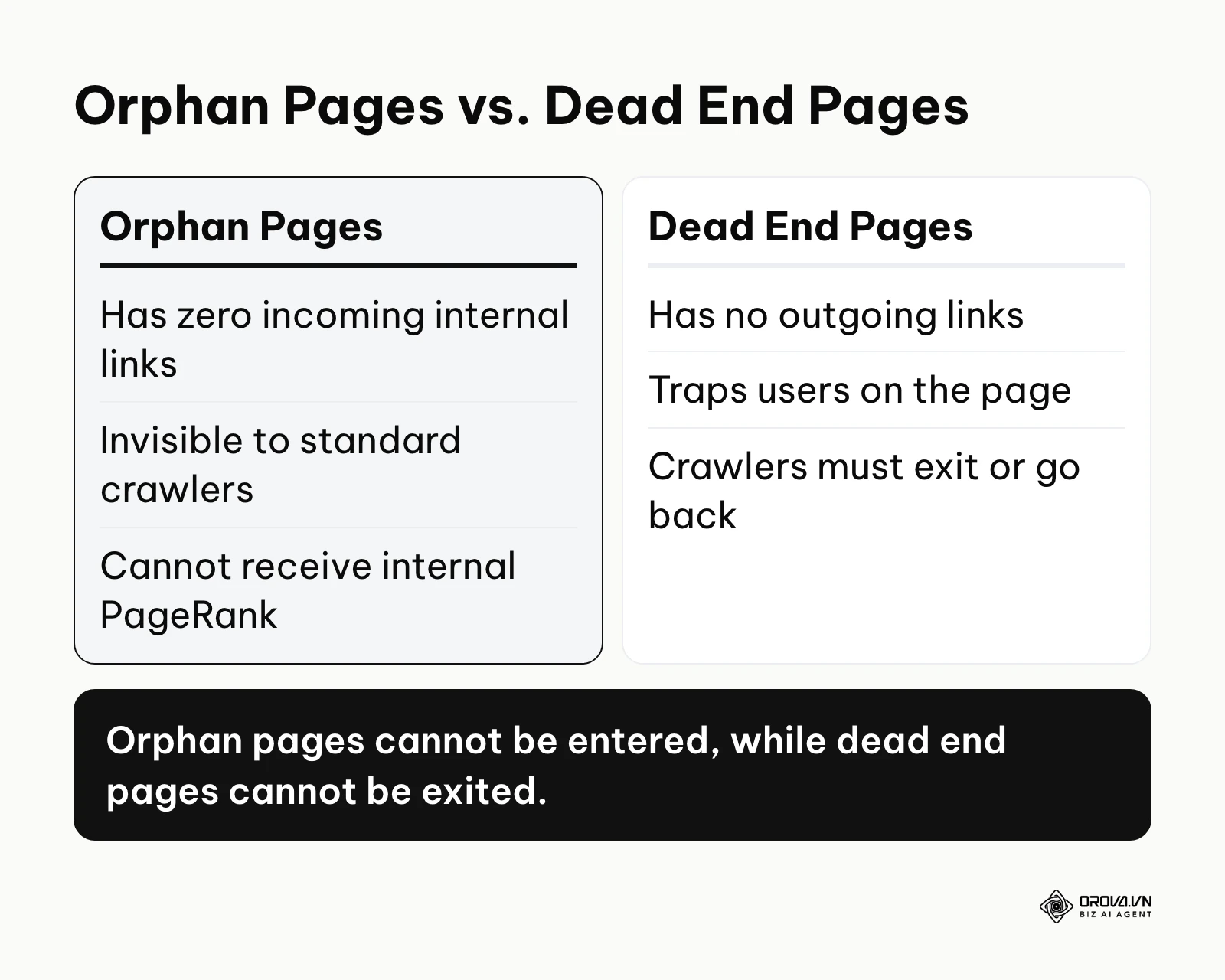
To clearly understand this concept, it is helpful to look at orphan pages vs dead end pages and other similar issues.
| Concept | Key Difference | Example |
|---|---|---|
| Orphan Pages | Has zero incoming links from other pages on the site. | A promotional blog post published last year that was removed from the category archive. |
| Dead End Pages | Has incoming links, but zero outgoing links. | A "Thank You" page after a purchase that does not link back to the homepage or catalog. |
| Isolated Clusters | A group of pages that link to each other, but not to the main website structure. | A standalone microsite built on a subdomain that lacks a link from the primary navigation menu. |
An everyday example of an orphan page is a beautifully decorated room inside a large house that has no doors. The room physically exists, the furniture is valuable, and the lights are on. However, because there is no doorway connecting it to the hallway or the living room, guests visiting the house will never know the room is there, and they can never enter it.
The Significance of Orphan Pages
Orphan pages exist primarily due to the natural evolution and decay of website architecture over time. They are rarely created intentionally. They usually emerge when a website undergoes a redesign, when old products go out of stock and are removed from category pages, or when content management systems automatically generate archive tags that are later abandoned. They represent a fundamental breakdown in your site's internal communication.
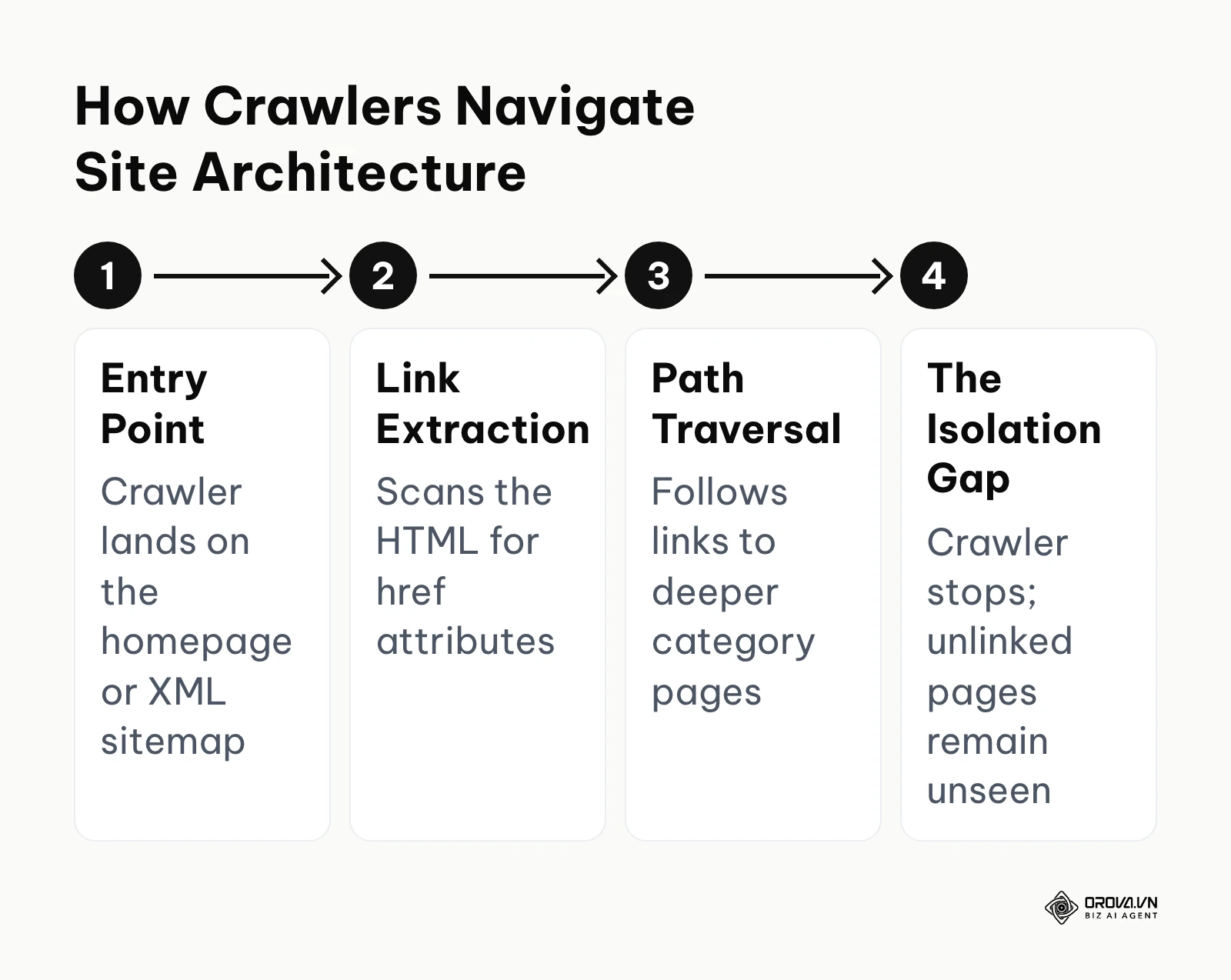
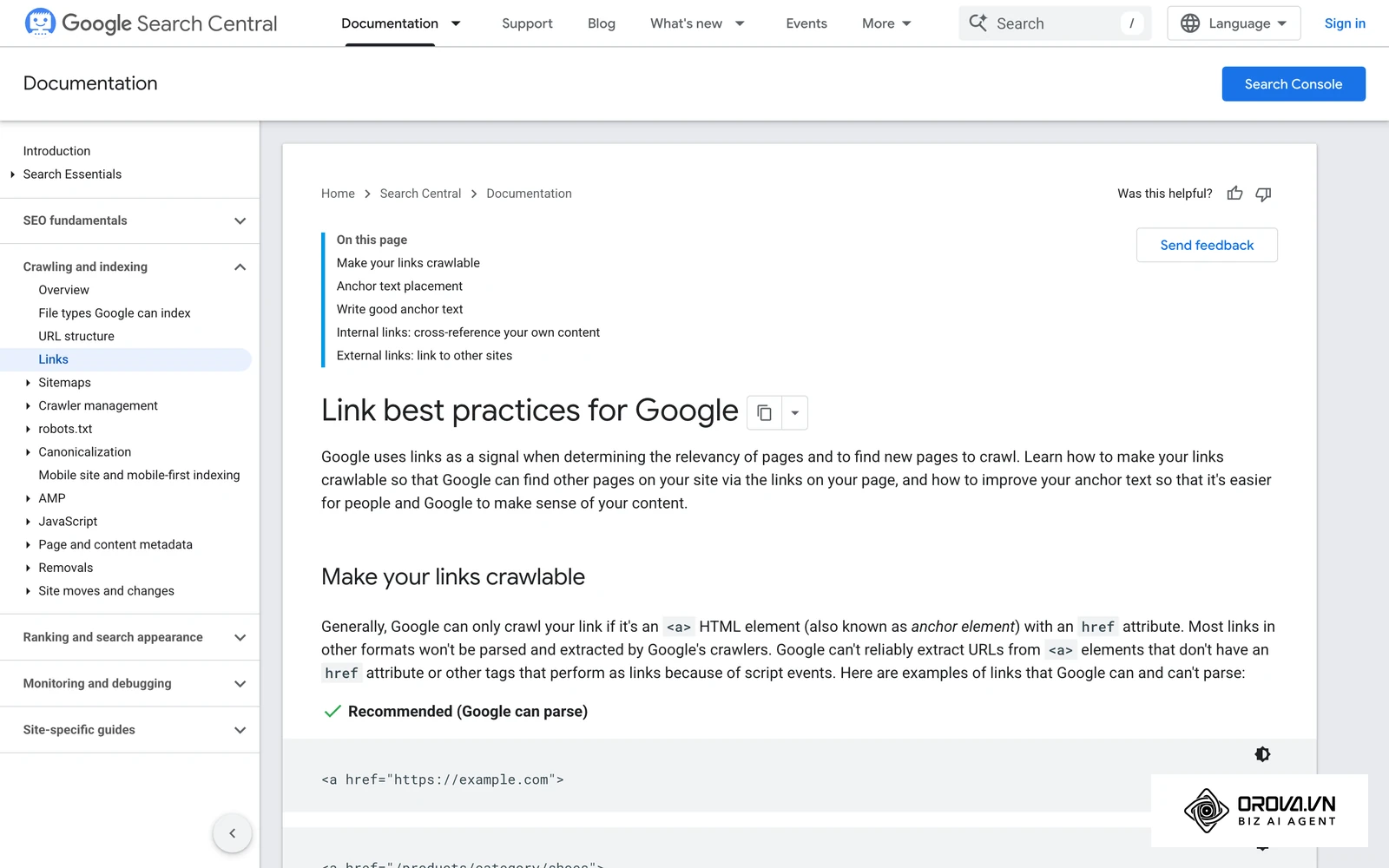
In the broader picture of search engine optimization, internal links act as the circulatory system of your website. They pass authority, establish topical relevance, and dictate the priority of your content. When a search engine bot arrives at your homepage, it follows these links sequentially to map the site. If a page sits outside this linked ecosystem, it is effectively cut off from the flow of authority. In fact, according to the Search Engine Optimization (SEO) Starter Guide by Google, 2024, Google finds most new pages through links from pages it has already crawled, which is exactly the path an orphan page lacks. For the full picture of how links should connect your content, see this guide to internal and external linking strategies.
If you ignore the accumulation of isolated pages, your website will suffer from significant technical bloat. Search engines allocate a specific amount of time and resources to crawl your domain. When they encounter thousands of disconnected URLs through a sitemap, they waste their budget processing pages that have no contextual value. On very large sites, spending crawl activity on low-value or isolated URLs can also slow down how quickly your important new content gets crawled. You lose potential keyword rankings, you dilute your domain's overall authority, and you waste the monetary investment you made in creating that content.
When you don't need to fix orphan pages: Not every unlinked page is an error requiring immediate action. For instance, dedicated landing pages designed specifically for paid advertising campaigns should intentionally remain orphaned to prevent visitors from navigating away from the conversion funnel. Similarly, expired promotional pages that naturally drop out of your navigation but are scheduled for deletion, or internal testing environments, do not need internal links. In these specific cases, rather than forcing internal links, you should simply apply a noindex tag to keep them hidden from search engines while serving their intended purpose.
Value and Benefits of Fixing Orphan Pages
Resolving structural isolation provides profound benefits that cascade through both the technical foundation of your website and your bottom line. It transforms dead weight into active assets.
Business Value: Maximizing Marketing Investments
From a business perspective, leaving pages isolated means you are actively wasting money. You paid copywriters, designers, and developers to create content that generates zero return. By finding and linking these pages, you immediately activate dormant assets, driving organic traffic without the need to produce new content. This directly impacts your overall marketing efficiency and improves your SEO ROI. Additionally, cleaning up these structural errors reduces index bloat, so search engines spend less effort on pages that do not deserve it.
Illustrative example: An in-house SEO manager at a mid-sized e-commerce site faced a drop in organic visibility after a hasty site migration. First, they ran a full site crawl to map the current architecture. Next, they extracted historic traffic data from Google Analytics and cross-referenced it with the crawl data using VLOOKUP. The stumbling block was a large set of discontinued product variations that were orphaned and still being crawled. They solved this by returning a 410 Gone status for the discontinued variation URLs that had no traffic and no backlinks. Crawl activity then shifted back toward the priority category pages they wanted search engines to revisit.
Practitioner Benefits: Streamlined Site Architecture
For the practitioner managing the website daily, resolving these issues brings clarity and control. It eliminates the confusing clutter of legacy URLs that clog up performance reports. It ensures that every page serves a specific purpose and connects logically to the broader content strategy. This streamlined architecture makes a future content audit, site migrations, and performance tracking significantly easier and faster.
| Benefit | Measured by Metric | What to Watch |
|---|---|---|
| Regained Organic Traffic | Organic Sessions (GA4) | Sessions to the re-linked URLs after they are recrawled |
| Improved Crawl Efficiency | Crawl Stats Report (GSC) | Crawl requests shifting toward priority pages |
| Enhanced Keyword Rankings | Average Position (GSC) | Position of the re-linked URLs for their main queries |
| Cleaner Performance Data | Indexed pages in the Page Indexing report (GSC) | Fewer low-value URLs indexed after removal |
Discover Orova.vn – a Biz AI Agent platform with OROVA SEO, a complete solution for every website. The system supports search engine optimization from A to Z with features including keyword research, writing new SEO-ready articles, optimizing existing content, rank tracking, plus competitor analysis and in-depth technical analysis. Sign up today to experience OROVA SEO completely free (offer valid through July 7, 2027).
How to Find and Fix Orphan Pages
This is the most critical and time-intensive phase of structural optimization. You cannot fix what you cannot see. Because these pages are disconnected by definition, standard website crawlers will miss them. You must employ a multi-layered approach to cross-reference known data against discoverable data.
Step 1: Identifying the Complete URL Inventory
Your first objective is to build a master list of every single URL that currently exists on your server, regardless of whether it is linked or not.
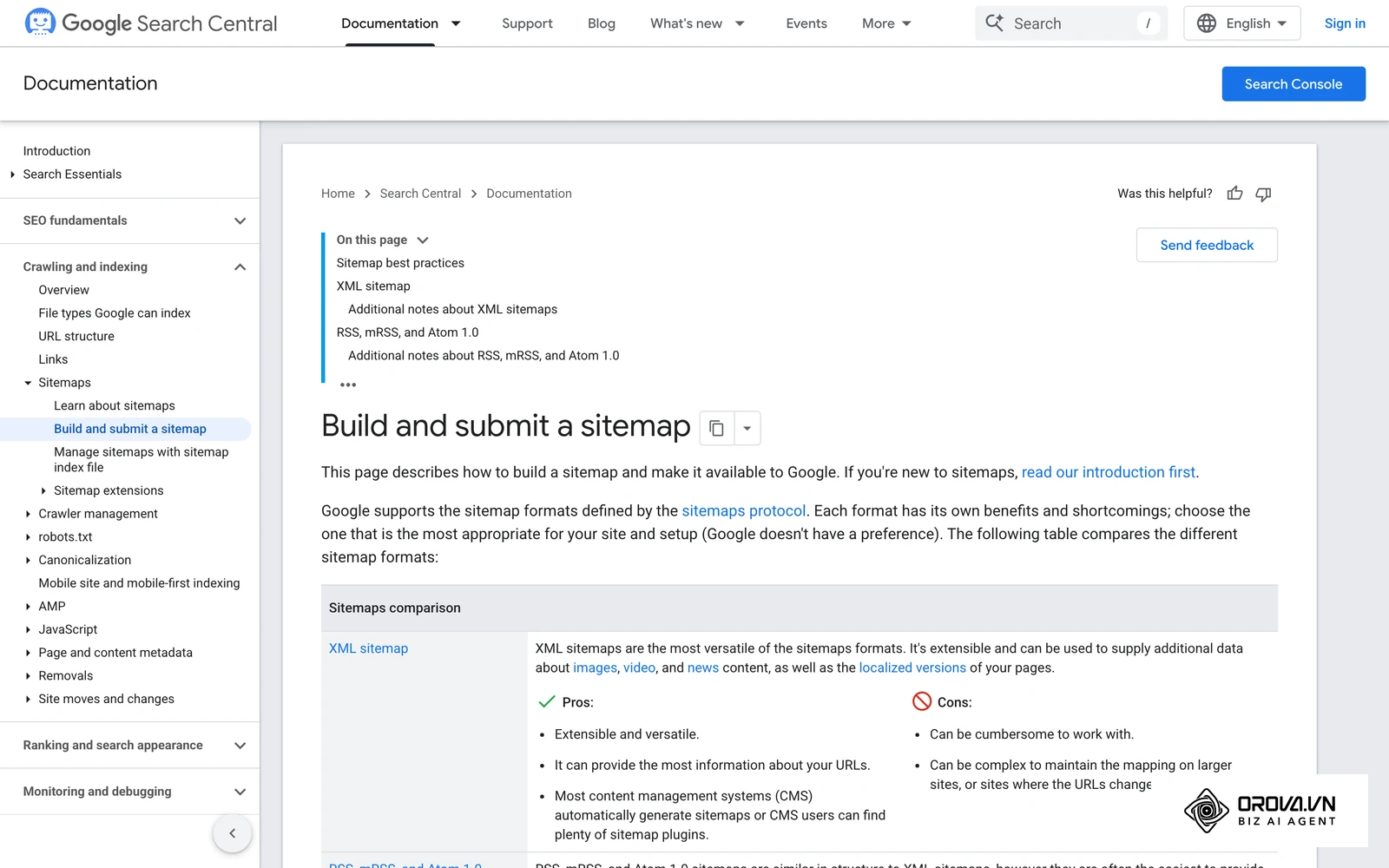
Your inputs for this step include your website's XML sitemaps, database exports directly from your Content Management System, and historical server log files. You should also export a list of all URLs that have ever received traffic from Google Analytics, and all URLs that Google knows about via the Page Indexing report in Google Search Console.
Your output is a massive, unfiltered spreadsheet containing every possible URL associated with your domain.
The most common failure point here is relying solely on a frontend crawler tool. If you use a tool to crawl your site starting from the homepage, it will only find the pages that have links. It will completely miss the isolated pages, defeating the entire purpose of the exercise. You must gather data from the backend.
Step 2: Crawling the Link Graph
Next, you need to determine which pages are actually discoverable through normal navigation.
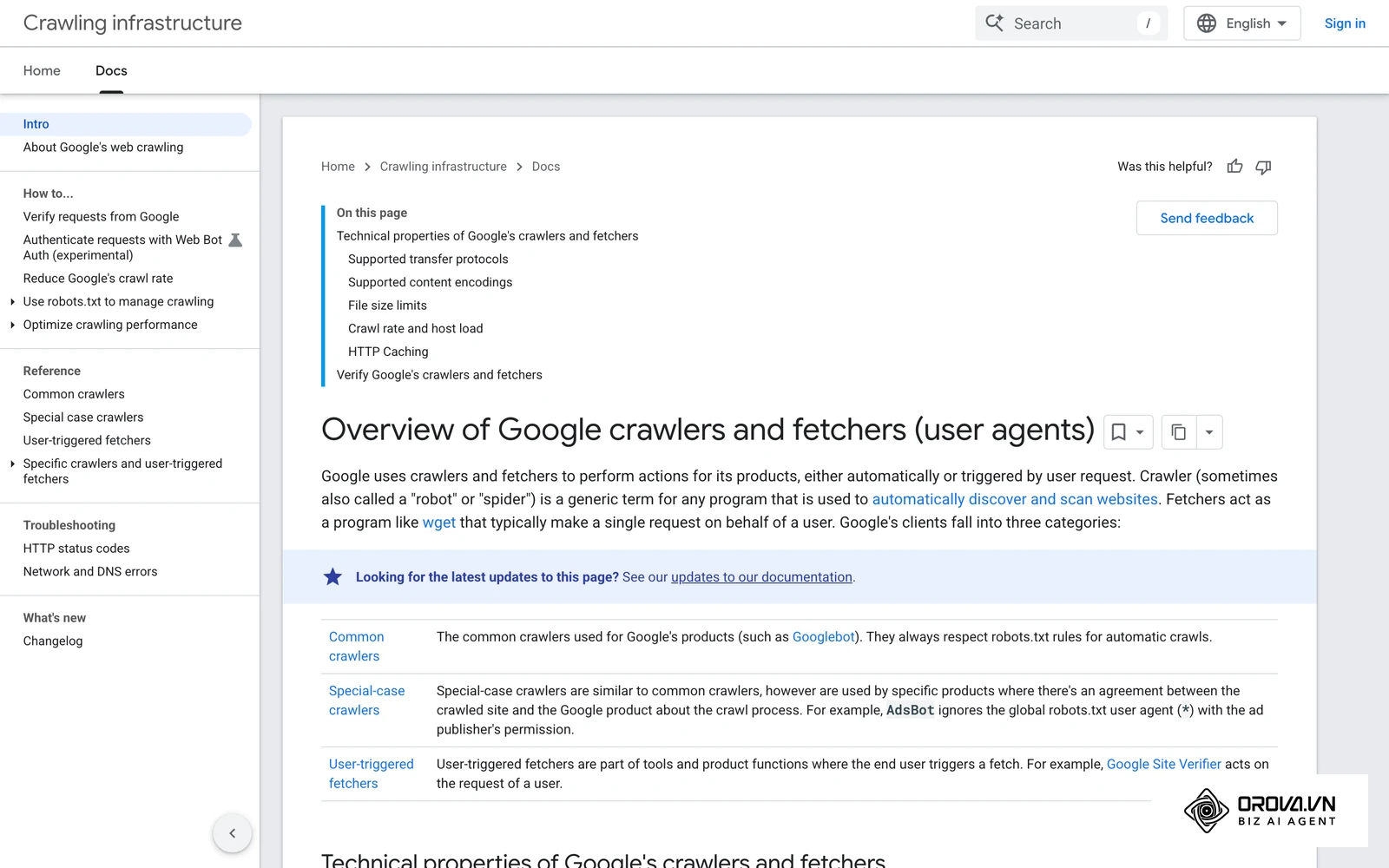
Your input is a reliable technical SEO crawler software. You will configure the crawler to start at your homepage and follow every internal link it can find, mapping the entire connective tissue of your website.
Your output is a secondary list containing only the URLs that have at least one internal link pointing to them.
The common failure point in this step involves JavaScript-heavy websites. If your website relies on JavaScript to render navigational menus or load content asynchronously, a basic HTML crawler will not see those links. You must ensure your crawler is configured to execute JavaScript, otherwise it will falsely report many connected pages as isolated.
Some desktop crawlers can run the comparison for you. In Screaming Frog SEO Spider, for example, you can add your XML sitemap and connect Google Analytics and Google Search Console to the crawl; after running crawl analysis, URLs that appear in those sources but were not found through internal links are reported as orphan URLs. If you prefer not to use paid features, the spreadsheet method in the next step reaches the same result.
Step 3: The Free Manual Identification Method
Many guides assume you have access to expensive enterprise SEO platforms. However, learning how to fix orphan pages without tools is entirely possible using basic spreadsheet functions. You need to compare your master list (everything that exists) against your crawled list (everything that is connected).
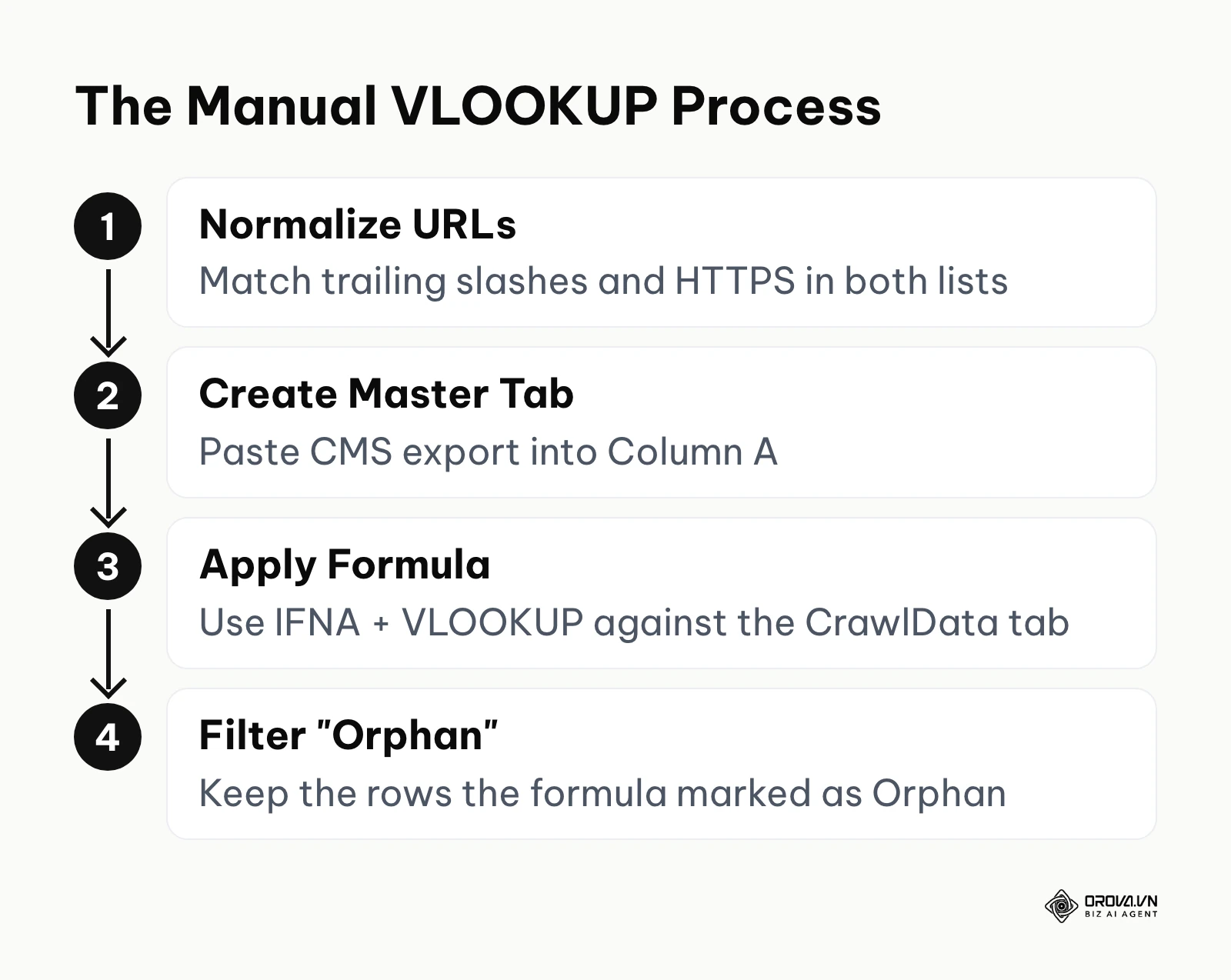
Your inputs are the two lists generated in Step 1 and Step 2, loaded into two separate tabs in a Google Sheets or Excel workbook.
Your output is the final, definitive list of isolated URLs.
To execute this, paste your master CMS export into Column A of a tab named "Master". Paste your crawler data into Column A of a tab named "CrawlData". In the Master tab, use the exact formula =IFNA(VLOOKUP(A2, CrawlData!A:A, 1, FALSE), "Orphan") in Column B. Drag this formula down. Any row that returns the word "Orphan" is a page that exists on your server but was not found by the crawler.
The common failure point is data formatting. If your CMS exports URLs with a trailing slash (/page/), but your crawler records them without (/page), the VLOOKUP function will fail and report a false positive. You must sanitize your data using the TRIM function and ensure consistent protocol formatting (HTTPS) before running the comparison.
Step 4: The Bulk Analysis Decision Tree for Large Scale Sites
Once you have your list, you cannot simply link every page blindly. You must evaluate the business value of each URL.
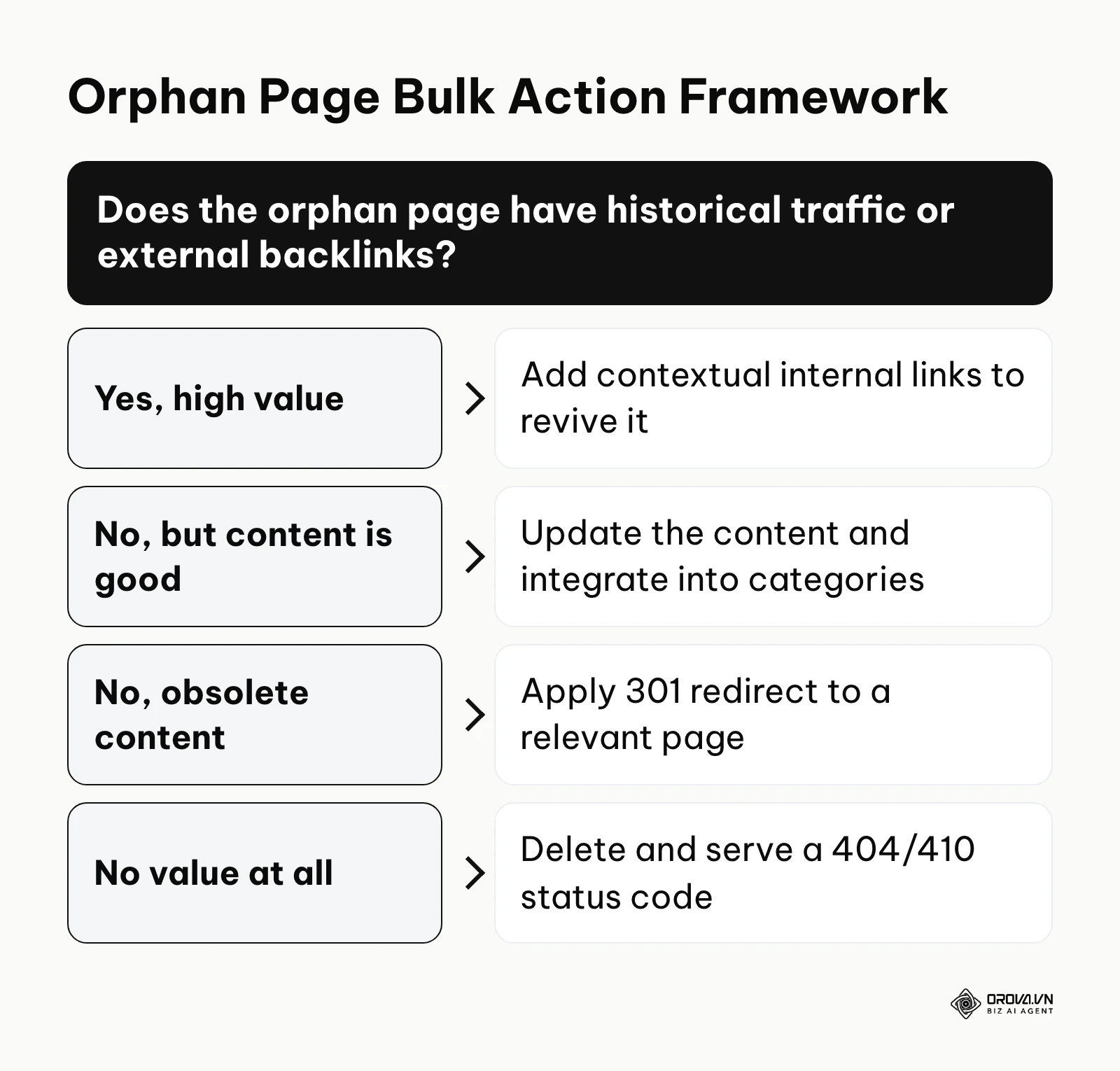
Your input is your isolated URL list, enriched with historical traffic data and external backlink metrics from tools like Ahrefs or Majestic.
Your output is an actionable directive for every single page: Link, Redirect, Update, or Delete.
If a page has high historical traffic or valuable external backlinks, it is a high-value asset. You must add contextual internal links from relevant active pages to revive it and reclaim that link equity. If the page has no traffic or links, but the content is still objectively good, you should update the content to current standards and integrate it into your active category structure. If the page contains obsolete content (like an expired 2021 sale), you should apply a permanent 301 redirect to the most relevant active category page. Finally, if the page has zero value, zero links, and zero traffic, you must delete it entirely and allow the server to return a 404 Not Found or a 410 Gone status code.
The common failure point during bulk analysis is laziness. Webmasters often take a list of thousands of obsolete pages and blanket-redirect all of them to the homepage. This creates a massive surge of "soft 404" errors, confuses search engines, and destroys the user experience. Redirects must be highly relevant on a 1-to-1 basis.
Step 5: CMS-Specific Troubleshooting (WordPress and Shopify)
Different platforms generate architectural errors in different ways. Understanding your specific platform is crucial for fixing the root cause rather than just treating the symptoms.
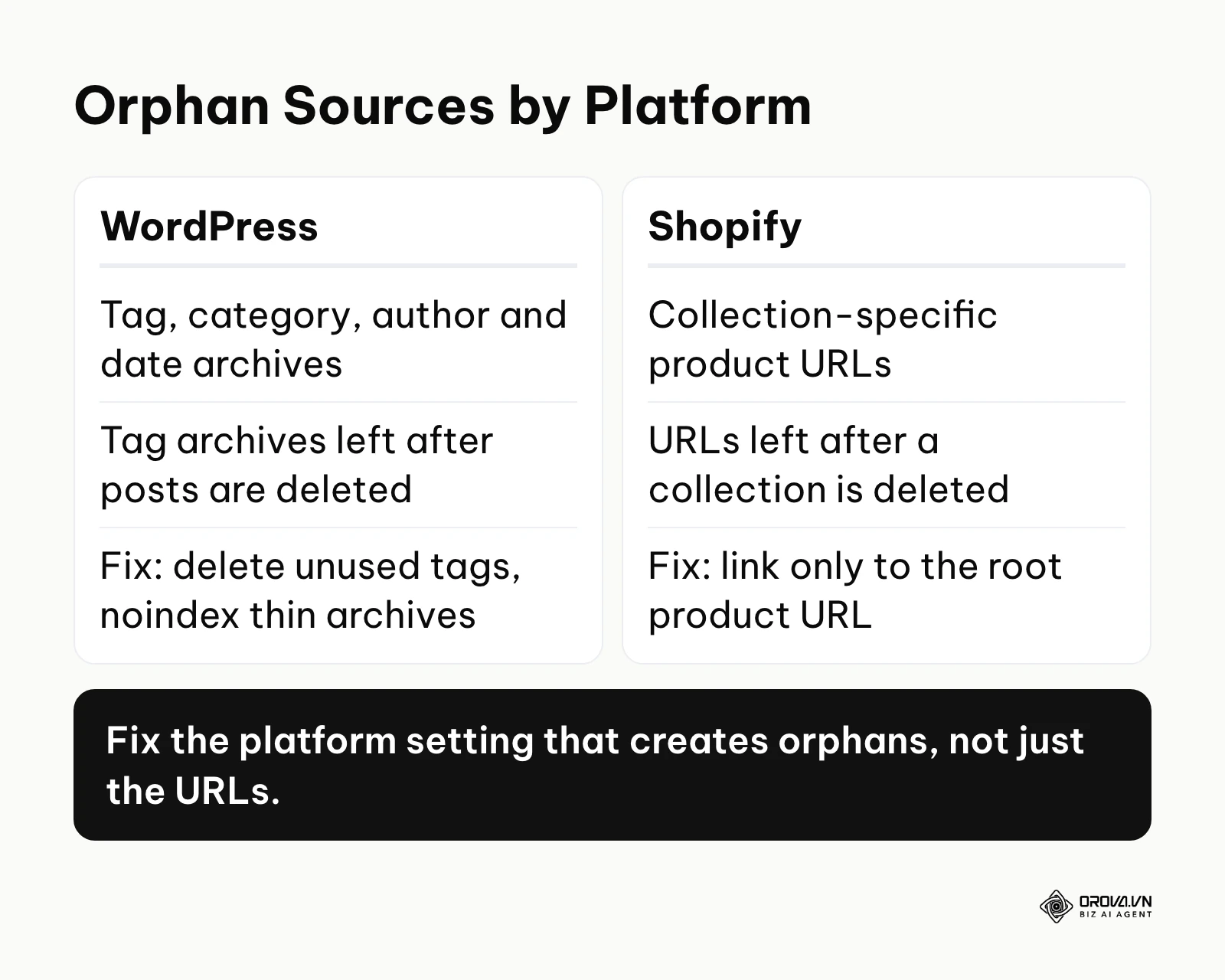
When determining how to find orphan pages in wordpress, you must look beyond your standard posts and pages. WordPress notoriously creates automated archives for every tag, category, author, and date you use. If you create a tag called "marketing" for one single post, and then later delete that post, the "marketing" tag archive page remains published but completely isolated. You must audit your taxonomy settings, delete unused tags, and use SEO plugins to set thin archive pages to "noindex".
In Shopify, the problem usually stems from product variant URLs. By default, Shopify allows a single product to be accessed via the root URL (/products/shirt) and a collection-specific URL (/collections/summer/products/shirt). If you delete the "summer" collection, that collection-specific URL might become isolated while still remaining live in the database. You must modify your Shopify liquid theme files to ensure that all internal links point exclusively to the canonical root product URL, preventing the CMS from generating infinite isolated variations.
Step 6: Resolving the Architecture and Internal Linking
The final step is the physical execution of your decision tree, fundamentally repairing the site's structure.
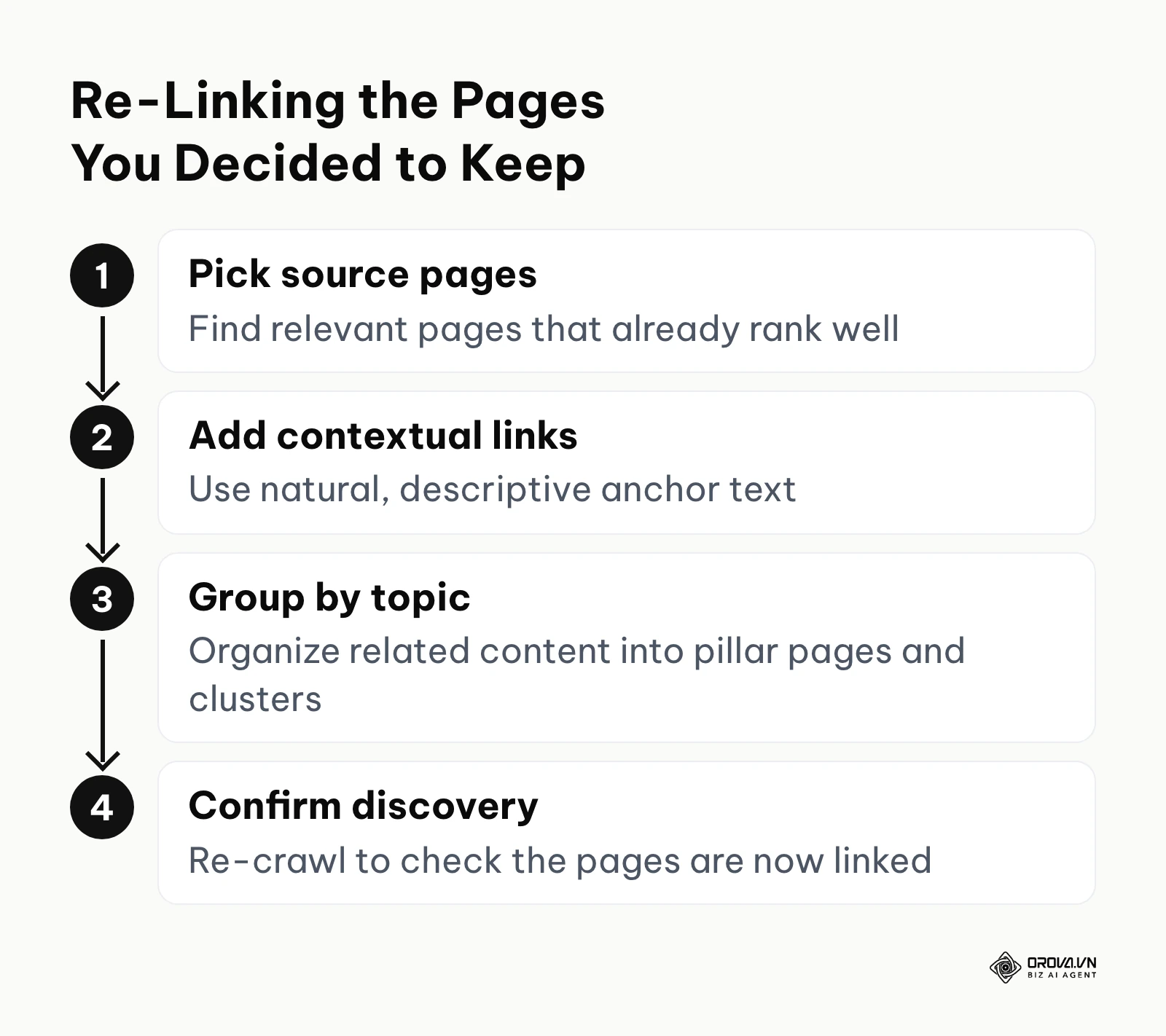
Your input is the prioritized list of high-value isolated pages that you decided to save.
Your output is a newly integrated, structurally sound website hierarchy.
You must manually go into your CMS and find relevant, authoritative pages that are currently ranking well. Edit the content of those high-performing pages to include natural, contextually relevant anchor text linking to your previously isolated pages. Descriptive anchors matter here; this SEO anchor text strategy guide explains how to vary them without over-optimizing. If you are dealing with a large volume of topical content, you should organize them into pillar pages and topic clusters. This ensures that a central authoritative document links out to all related sub-topics, completely eliminating the chance of isolation. By grouping content logically, you also strengthen your overall entity SEO, helping search engines understand the semantic relationship between your connected pages.
Illustrative example: A content lead for a B2B SaaS blog with a large archive noticed that older, highly valuable guides were losing keyword rankings. First, they exported all published URLs from the WordPress database. Then, they matched this list against a Screaming Frog crawl to identify a few hundred orphaned posts that had been pushed deep into the pagination. The major hurdle was finding relevant anchor text for so many posts without breaking the flow of existing articles. They overcame this by using a simple script to scan recent articles for target keywords and highlight where links could be naturally inserted. Once linked, the older guides became reachable from active pages again, and the team tracked their indexing status and clicks in Google Search Console.
What to Do to Start or Adapt
Depending on your role and resources, your approach to tackling architectural issues will differ.
For the Small Business Owner
If you run a small business website with under 500 pages, you do not need complex enterprise software.
- Log into Google Search Console and open the Page Indexing report (labelled "Pages" in the menu).
- Look for URLs listed under "Discovered - currently not indexed" or "Crawled - currently not indexed". These are worth checking for missing internal links. A Google Search Console SEO audit walks through the other reports worth reviewing at the same time.
- Review your main navigation menu. Ensure that every major service or product category is accessible within two clicks from the homepage.
- Dedicate one hour this week to reading your top five blog posts and manually adding links to older, forgotten articles that are still relevant.
For the In-House SEO Manager
If you manage a large corporate site, your focus must be on systemic prevention and bulk processing.
- Establish a quarterly technical audit schedule specifically focused on architecture.
- Implement strict publishing guidelines that require every new article to link to at least three older pieces of content before it can go live.
- Work with your development team to build dynamic "Related Articles" modules at the bottom of every page to ensure automated cross-linking.
- Clean up your XML sitemaps. Ensure they only contain canonical, high-value pages that return a 200 OK status code.
For the Agency or Freelancer
Agencies must balance comprehensive analysis with rapid execution to prove value to clients.
- Request full backend CMS access and Google Search Console permissions immediately during onboarding.
- Build a standardized Google Sheets template with pre-configured VLOOKUP formulas to rapidly process client data without manual setup.
- Prioritize fixing pages that have existing external backlinks, as these offer the fastest measurable return on investment for the client.
- Provide the client with a clear "Before and After" architectural map to visually demonstrate the technical improvements.
Illustrative example: An agency SEO consultant managing a client's Shopify store with a massive seasonal catalog realized that past promotional pages were completely abandoned. First, they initiated the process by mapping the client's Shopify collections and identifying hidden product URLs. Next, they created a custom data pipeline to compare the sitemap XML against the live site structure daily. The main challenge was that Shopify automatically generates duplicate URLs for products within collections, creating thousands of false orphans. They fixed this by standardizing the canonical tags across the entire theme to point exclusively to the root product URLs. The result was a cleaner site architecture with fewer duplicate URLs competing for crawl attention after each seasonal campaign.
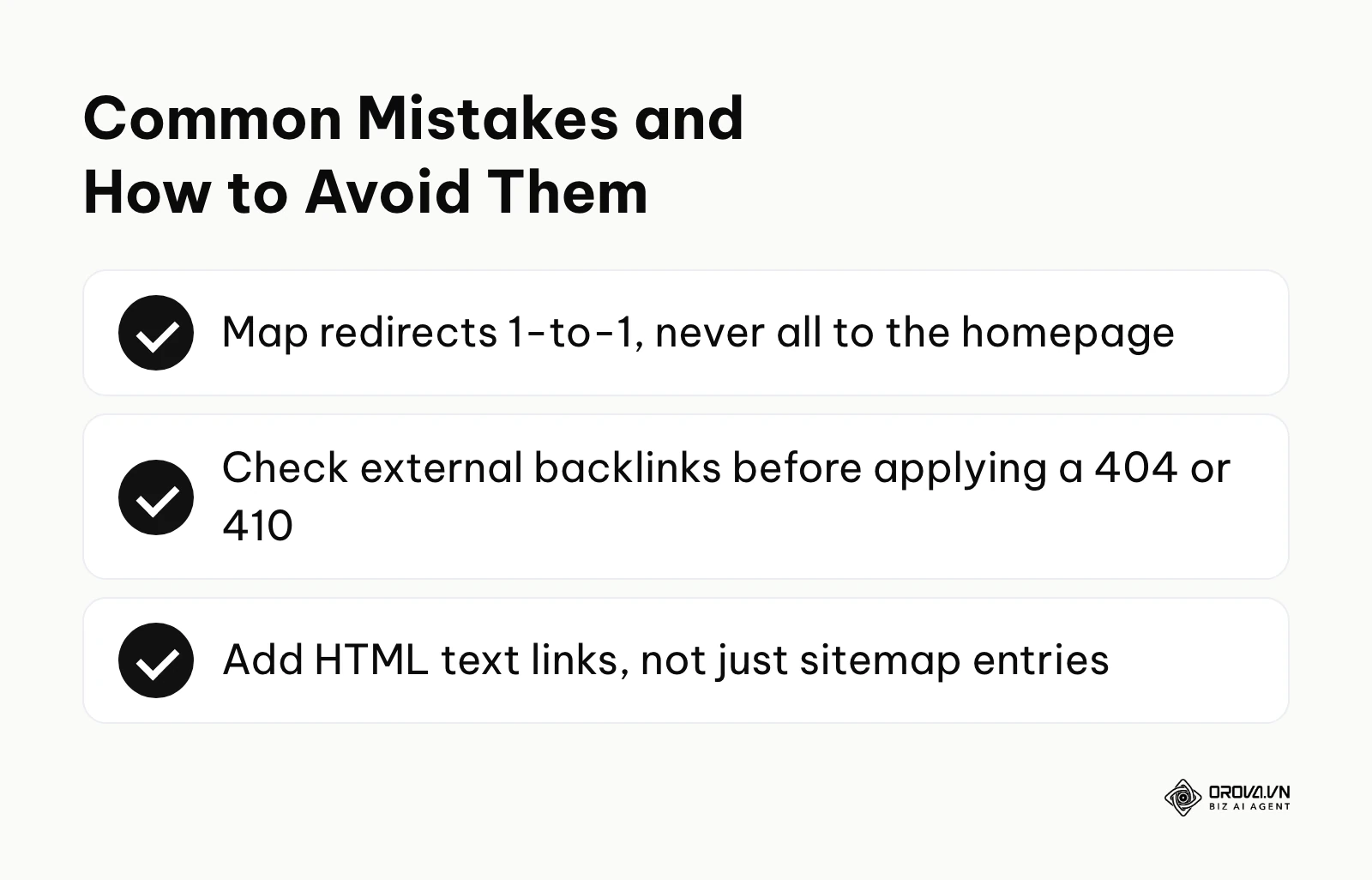
| Common Mistake | Consequence | How to Avoid |
|---|---|---|
| Blanket Redirecting | Creates soft 404s and frustrates users. | Map redirects 1-to-1 to highly relevant category pages. |
| Deleting Pages with Backlinks | You permanently lose valuable external link equity. | Always check Ahrefs/Majestic before applying a 404/410 status. |
| Relying Only on XML Sitemaps | Search engines index the page but assign it low priority. | Ensure clear HTML text links exist within the actual page content. |
With OROVA.VN and the OROVA SEO module, you put an end to the exhausting days of manual work for good. Instead of struggling for hours to write articles and compile reports, the entire process is now optimized and completed in just 5 minutes.
Future Trends for Orphan Pages: Author's Perspective
The technical landscape of search engine optimization is evolving rapidly. Based on current trajectories, the way we manage site architecture will change fundamentally.
The Shift Toward Semantic Discovery Over Strict Link Graphs
Search engines are using language models more and more to understand what a page is about. I believe that over the coming years, Google may become better at discovering and accurately categorizing isolated content based purely on semantic clustering and entity relationships, which could soften the cost of a missing link, though not remove it. Therefore, you should prepare by ensuring that every page you publish has exceptionally clear context, strong metadata, and distinct topical boundaries, rather than just obsessing over navigational menus. In my view, the question may gradually shift from "is this linked?" toward "is this linked and clearly relevant?"
AI-Driven Automated Architecture Maintenance
Today, many CMS platforms are integrating rudimentary plugins that suggest related posts based on matching tags. I think AI assistants will take on more of the routine work of suggesting contextual internal links as new pages are published, which should reduce accidental isolation. Using ChatGPT for SEO for content generation is already common, but AI will soon manage the structural code itself. Even so, I expect people will still need to review those suggestions and run periodic link audits. To adapt, you should start familiarizing your team with AI workflow automation now, and writing down the linking rules for your content hierarchy so any tool you adopt has clear guidance to follow.
Stricter Crawl Budget Allocation for Large Sites
Crawling the web is expensive, and search engines already decide how much attention each site deserves. My view is that large sites carrying many neglected, isolated pages may see their important URLs crawled less often than they would like. That makes technical neglect more costly over time. You need to prepare by establishing aggressive, routine pruning cycles today, reviewing pages that no longer serve a user need and deciding whether to improve, redirect, or remove them.
Frequently Asked Questions about Orphan Pages
Are orphan pages still relevant with AI?
Yes, they remain highly relevant. While AI helps search engines understand content better, search bots still fundamentally rely on HTML links to discover URLs and assign priority. Until search engines transition entirely away from crawling to a direct API-submission model, maintaining a clear linked architecture is mandatory.
Does an XML sitemap replace the need for internal links?
No. Submitting a URL via an XML sitemap tells the search engine that the page exists, but it does not tell the engine how important the page is or how it relates to the rest of your content. Internal links provide the necessary context and authority that sitemaps lack.
Can landing pages running ads be considered harmful orphans?
Not necessarily. Dedicated PPC landing pages are often intentionally isolated to keep users focused on a specific conversion goal without navigational distractions. As long as these pages are set to "noindex" so they do not consume organic crawl budget, they are perfectly safe and beneficial.
How long does it take for Google to index a previously orphaned page?
Once you add a prominent internal link from a high-traffic, frequently crawled page, search engines can discover the recovered URL on their next crawl of that page, though timing varies by site. You can accelerate this process by manually requesting indexing for the newly linked URL in Google Search Console.
Should I use a 404 or 410 status code for valueless pages?
If a page has absolutely no value, no traffic, and no backlinks, it should be deleted. A 404 (Not Found) tells the crawler the page is gone but might return, prompting occasional re-crawls. A 410 (Gone) states that the page was removed on purpose. Google treats both codes in a similar way and drops the URL from the index after recrawling it, so 410 is a clear signal for permanent cleanups, but 404 also works.
Where Should You Start?
Depending on the current state of your website's technical health, your immediate next step will vary significantly. It is crucial to match your action to your actual organizational maturity.
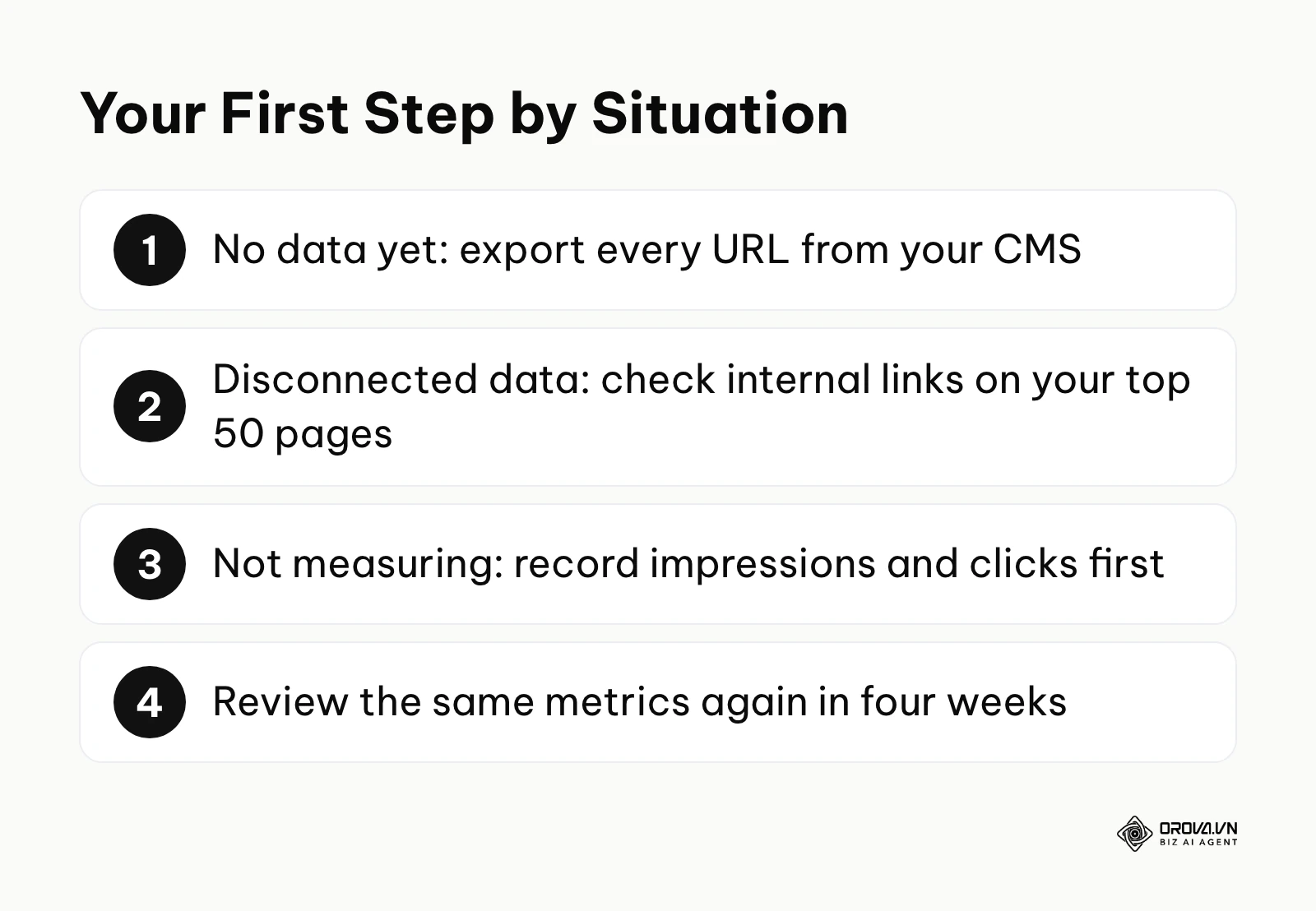
If you have nothing yet: If you have never conducted a technical site audit and are entirely unaware of your site's architecture, your first step is simply to map your known universe. Dedicate one afternoon this week to exporting your complete URL list from your CMS backend into a basic spreadsheet. Do not worry about crawling or analyzing traffic yet; just get a concrete number of how many pages actually exist on your server. This single action provides the baseline visibility required for any future optimization.
If you have some data but it is disconnected: If you regularly use tools like Google Search Console but rarely compare that data against your live site structure, your first step is to perform a manual cross-reference on a small scale. Take your top 50 most important pages that you know should be driving traffic, and manually verify their internal link counts. By focusing only on a high-priority cluster, you can immediately identify critical gaps without feeling overwhelmed by thousands of rows of data, allowing you to establish a functional workflow before scaling up.
If you are doing it but not measuring: If you are already actively linking isolated pages but fail to track the business impact, your first step is to establish a performance baseline. Before you connect your next batch of URLs, record their current weekly organic impressions and clicks. Set a calendar reminder for four weeks from today to review those exact metrics again, ensuring that your technical efforts are actually yielding a measurable return on investment.
About the author

Builder of Orova
Nguyễn Đỗ Trọng Ân has 8 years of experience in marketing, including 6 years managing market development across Asia. He builds Orova, a Biz AI Agent that never sleeps: it plans, runs and optimizes work for businesses.
Run your business with AI Agents
Orova is the always-on Biz AI Agent — it plans, runs, and optimizes the work for you.
Save time, unlock productivity.